Author: Rahul Khaira

  • Fallout 76 Update 1.81 Patch Notes Brings Bug Fixes, New Costumes, and More

    Fallout 76 Update 1.81 Patch Notes Brings Bug Fixes, New Costumes, and More

    Fallout 76’s big update comes out on December 5, introducing Atlantic City to the game. But before that, Bethesda released a smaller update with lots of bug fixes and improvements. They also added new costumes and rewards for the Spooky Scorched and Treat or Treat events.

    While it’s not a huge content drop, this update aims to solve many of the issues players have been facing in Fallout 76. In this update, a major highlight is the addition of new Halloween costumes and rewards.

    Although Bethesda hasn’t confirmed the specific rewards yet, data leaks suggest there will be 16 new items, including some spooky masks. We’re looking forward to the official reveal of these items in the next few days, just in time for the Halloween event starting on October 24.

    In the latest update, most of the attention is on fixing bugs. They’ve made important changes to regular armor and power armor. Crafting has also been improved – now, every item should appear in the crafting menu, fixing a problem that bothered players for a while. Check out all the details in the v1.81 update patch notes below.

    Fallout 76 1.81 Update Patch Notes

    Update Version

    Check the download sizes below for today’s patch on your platform of choice:

    • PC (Steam): Version 1.81 – 9.24 GB
    • PC (Microsoft Store): Version 1.0.87.0 – 9.8 GB
    • PlayStation: Version 1.81 – 9.24 GB
    • Xbox: Version 1.0.0.82 – 13.3 GB

    Design Changes & Improvements

    • Gameplay: We’ve rebalanced self-inflicted damage from explosions.
    • Seasonal Events: We’ve added new costumes and rewards to the seasonal Spooky Scorched and Treat or Treat events.

    Bug Fixes & Improvements

    Armor and Power Armor

    • Power Armor: Players no longer fail to enter Power Armor if the lowest charged battery is also equipped with a weapon.
    • Plushies: Updated Plushies to be more consistent in which Display Cases they can be displayed in. Larger plushies are now not able to be displayed in as many situations. NOTE: If you have plushies already in your displays that are backward, you may have to place them again.
    • Underarmor: Alaskan Winter Secret Service Armor will now use the Secret Service Underarmor Mod Grouping instead of Casual Underarmor Mod Grouping.
    • Underarmor: Fixed an issue where the Secret Service Underarmor preview was appearing with the Alaskan Winter Underarmor paint applied.
    • Armor: The Raider Buttressed Armor mod now uses the correct model.
    • Armor: The Arctic Marine Armor can now have the following paints applied to it: Red Viper, Free States, Nuclear Winter, and Atomic Camo.
    • Armor Mods: The Aristocrats legendary armor mod now grants the expected increase in health and energy damage resistance bonuses as the player gains more caps.
    • Armor Mods: The Secret Service armor can no longer drop with the Weightless Legendary mod. (UPDATE 4:11 pm ET; this change will be reverted soon, and Secret Service armor will once again drop with the Weightless mod.) Solar and Thorn Armor can now drop with the Weightless Legendary mod.
    • Armor Mods: The Fiberglass Combat Armor Limb mod now provides correct damage resistances.
    • Armor Mods: All Pocketed, Brawling, and Deep Pocketed Combat Armor and Leather Armor Mods now correctly change appearance when applied.

    Apparel

    • Apparel: The Alaskan Winter Helmet no longer appears as a Luchador Mask when crafted.

    Crafting

    • Fermenting: The Brewery Fermenter has been updated to prevent it from being placed in both public workshops and player shelters.
    • General: Addressed an issue causing various items to not show up in the crafting menu, such as The Auto-Axe, Cold Shoulder, Union Power Armor, Makeshift Ronin Helmet, and Gladiator Mask.
    • Prefab: Addressed an issue where players could not place items inside the Earthlight Lounge Prefab.
    • Recipes: Fixed recipes not properly appearing in the Workbench unless required Perk Cards were equipped.
    • Decor: The Vine Wall décor now comes with a half-wall variant.

    Events

    • Mutated Events: Drop odds for plans from Mutated Events should be closer to expected percentage chance values after learning either all the Rare or all the Ultra Rare plans.

    Perks

    • Cannibal: Players can no longer eat corpses while also using furniture.

    Weapons

    • Weapon Mods: Gamma Wave Emitter mod now increases the capacity of fusion cores.
    • Ammo: Fixed an issue where fusion cores were not showing their condition properly in transfer menus.
    • Ammo: Plasma cores’ maximum ammo per charge is once again 500 rounds.

    Misc

    • Ally: Fixed an inconsistency in Grandma Junko’s dialogue subtitles.

    This is everything you need to know about Fallout 76 Update 1.81 Patch Notes. Additionally, you can check our guide on Fallout 76 vs Fallout 4. Stay connected with GameEmpress.com to get the latest news and guides about the gaming world.

  • Honkai: Star Rail 1.4 Reveals Two New Events

    Honkai: Star Rail 1.4 Reveals Two New Events

    Honkai: Star Rail just announced two new events for version 1.4! In these events, players can unlock cool characters and gather Light Cones. Similar to other games that get regular updates, Honkai: Star Rail keeps bringing in special events.

    In these events, players have tasks to do, and when they complete them, they get awesome rewards like ascension materials, relics, Stellar Jades, and free banners.

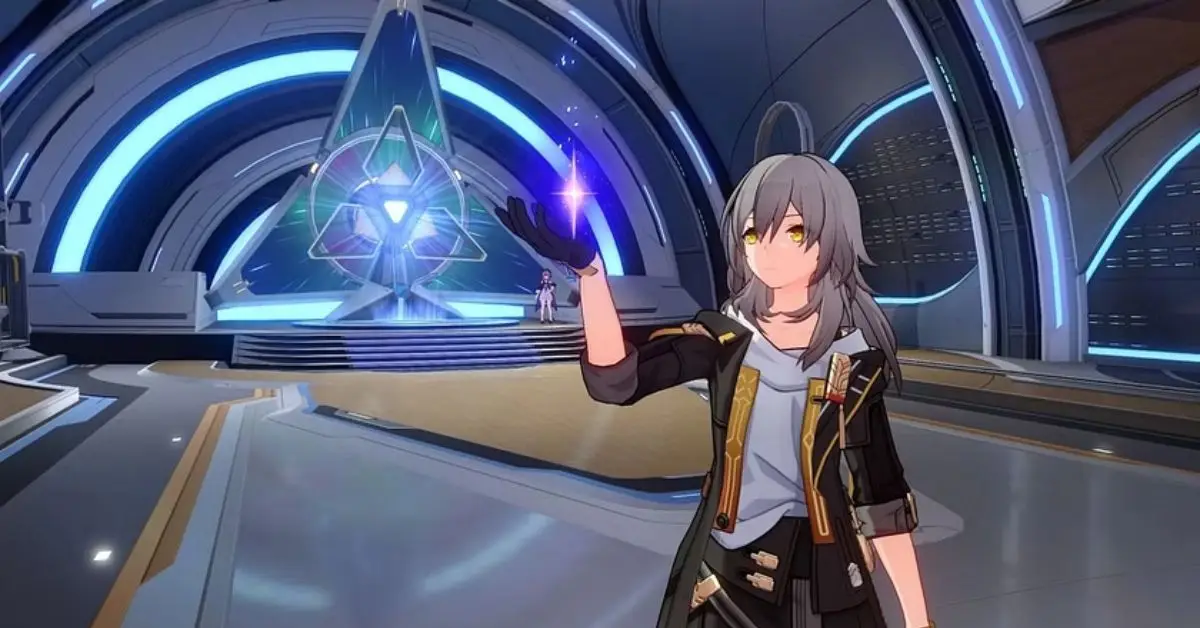
    Honkai: Star Rail is getting a big update to version 1.4 soon. This update adds a ton of new content to the game, like new characters, events, missions, and places to explore. Players can now add powerful five-star characters, Jingliu and Topaz, to their teams, and each of them has cool combat skills.

    Plus, there’s a special item called Light Cones that boosts the stats of characters. In version 1.4, there’s also a new card game called Aetherium Wars. In this game, players use Aetherium Spirits to battle enemies and earn awesome rewards. The best part is that Aetherium Wars will be a permanent mode in Honkai: Star Rail.

    Honkai: Star Rail 1.4 New Events 

    Honkai: Star Rail just announced two special events that will be happening until October 27:

    Light Cone Event Warp: Brilliant Fixation

    One of them is called Brilliant Fixation, where you have a better chance of getting Memories of the Past, I Shall Be My Own Sword, Make the World Clamor, and Eyes of the Prey Light Cones.

    In the post above, it says that Jingliu’s special Light Cone banner will show three 4-star Light Cones with better chances of getting them. This banner will start when the Honkai Star Rail version 1.4 is released and will end on October 27, 2023, at 11:59 a.m. (server time).

    Character Event Warp: Gentle Eclipse of the Moon

    The other event is Gentle Eclipse of the Moon, a character warp event that increases the chances of getting Jingliu, Sampo, Tingyun, and Qingque. It’s a great time for players to enhance their team with the latest character, Jingliu.

    According to a tweet, the Honkai Star Rail 1.4 Character Event Warp will come out on October 11, 2023, right after the planned maintenance ends. You can enjoy the banner until October 27, 2023, until 11:59 server time.

    New Characters Add to Your Lineup

    Jingliu is the first Ice character from the Path of Destruction. She’s really strong and is the main damage dealer for her team. If players team her up with healers or support characters, she becomes even more powerful and can handle any challenge. Honkai: Star Rail players will need to wait to see if she stays important in the game’s strategy.

    By finishing the warp event, players can add new characters to their lineup. This includes Sampo, Tingyun, and Qingque, who are four-star heroes. Sampo is great at dealing damage to multiple enemies steadily.

    Tingyun supports her team by giving buffs like damage boosts and energy regeneration. She can play the support role well by applying temporary effects and exploiting enemy weaknesses. On the other hand, Qingque is a good choice for players looking to enhance their Quantum teams.

    Stay connected with GameEmpress.com to get the latest news and guides about Honkai: Star Rail.

  • What is Prone in Modern Warfare 2? How to Use It?

    What is Prone in Modern Warfare 2? How to Use It?

    Modern Warfare 2 is the follow-up to Modern Warfare 2019 and the 19th game in the Call of Duty series. It has awesome graphics, better combat, new game modes, and awesome maps for players to have fun with.

    Modern Warfare 2 is out, and tons of fans are having a blast playing it. If you want to be really good at the game, it’s important to understand how your character moves and the cool features in MW2.

    This includes knowing about the weapons, gear, and perks for both multiplayer and the campaign. In the game, there’s a move called ‘prone’ that lets you shoot from a sneaky position. Let me tell you everything you should know about using prone in Modern Warfare 2.

    What Does Prone Mean in Modern Warfare 2?

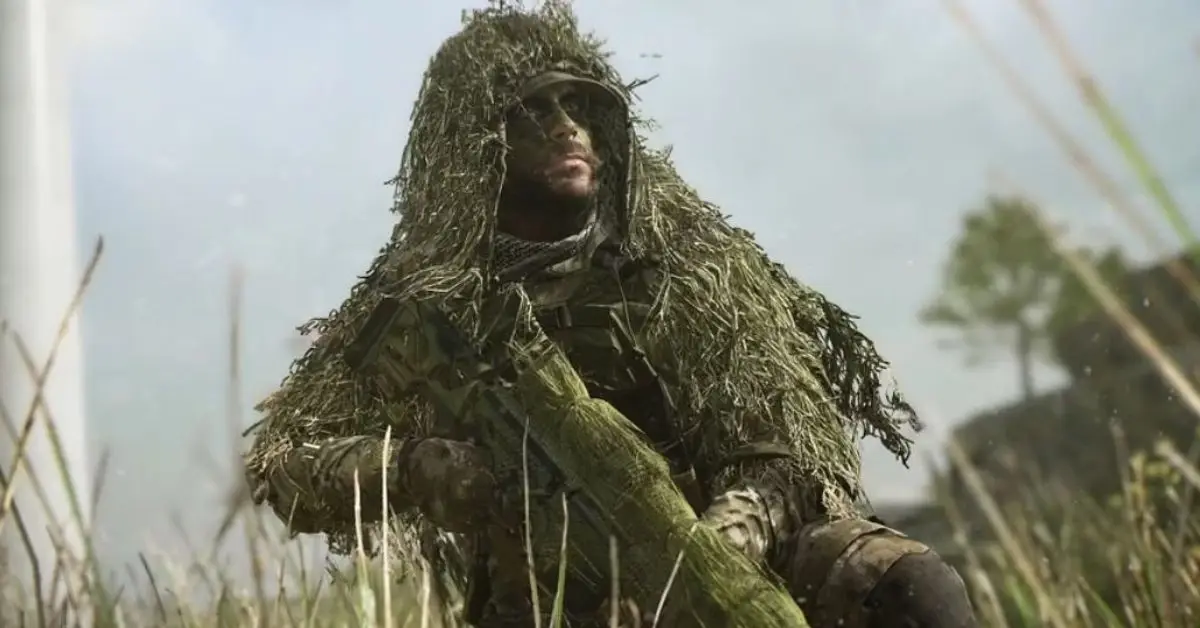
    In simple terms, “prone” means lying flat, like facing downwards. In Modern Warfare 2, going prone in the game helps players shoot more accurately. When you’re lying down, it maximizes the mass and surface area behind your shooting shoulder, making it more effective.

    Most players like lying down when using long-range rifles or snipers in the game. This helps them have more control over their gun, reducing recoil and making it easier to aim accurately. It also leads to less movement of the weapon.

    COD Prone
    Image Source Infinity Ward

    How to Go Prone in Modern Warfare 2?

    Here are the basic moves to go prone in Modern Warfare 2:

    • On PlayStation, hold the O button; on Xbox, hold B.
    • For PC, press and hold the CTRL button.
    • To stand back up, tap the crouch button on your device.

    Remember, when lying down in the prone position, be cautious of attacks from behind, as enemies can strike while you’re focused elsewhere. Equip decoy grenades to throw off enemies and prevent them from following your last firing spot.

    In one part of MW2 called “Recon by Fire,” players need to lie down on the ground. This mission is the ninth one, and you play as Kyle “Gaz” Garrick. The mission briefs, “With Laswell on overwatch, Price and Gaz infiltrate a cartel smuggling operation off the coast of Spain in search of enemy missiles.”

    During the mission, you’ll need to lie down to stay hidden from enemies. Just get close to Price, put away your weapon, and try not to move much.

    Advantages of Going Prone

    Going prone in Modern Warfare 2 offers several advantages:

    1. Increased Accuracy: Lying flat can stabilize your weapon, thereby increasing your accuracy, especially with long-ranged weapons like snipers.

    2. Reduced Visibility: The prone position lowers your profile, making it harder for opponents to spot and target you.

    3. Reduced Movement Noise: Moving while prone can also reduce the noise your character makes, which could be crucial in stealth-based situations.

    This is everything you need to know about Prone in Modern Warfare 2. Additionally, you can check our guide on Call of Duty Lobby Leaks. Stay connected with GameEmpress.com to get the latest news and guides about the gaming world.

  • Honkai: Star Rail 1.5 Leak Reveals Silver Wolf Rerun

    Honkai: Star Rail 1.5 Leak Reveals Silver Wolf Rerun

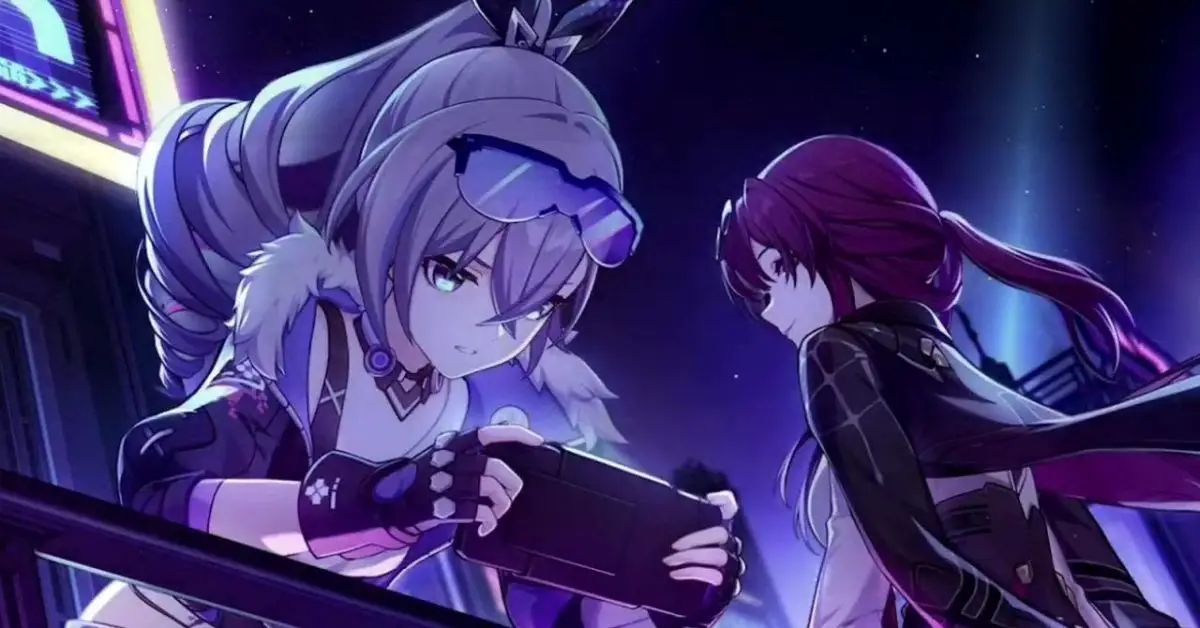
    A new leak for Honkai: Star Rail hinted at the return of Silver Wolf in an upcoming event. If this is true, she’ll be the second character to make a comeback in Version 1.4, following Seele.

    Silver Wolf first came out in Honkai: Star Rail Version 1.2 and is part of a group of Stellaron Hunters who love playing video games. She’s a Quantum-type character in the Path of Nihility, meaning she can weaken and debuff enemies.

    Currently, she’s the second-highest in banner earnings, just behind Seele. Besides being a character you can play, Silver Wolf also shows up in the main story and side quests of Honkai: Star Rail, making her even more loved by players.

    After hearing about Seele coming back in Honkai: Star Rail, a well-known leaker named Dim shared info that Version 1.5 will also feature a Silver Wolf re-run.

    1.5 banners are Huohuo and Argenti/Silverwolf
    byu/ukrisreng inHonkaiStarRail_leaks

    According to StarRailVerse2, this character will join the action in the second part of Version 1.5 alongside the five-star character Argenti. The exact release date for Honkai: Star Rail Version 1.5 isn’t confirmed yet, but it’s likely to arrive around November.

    Honkai: Star Rail fans were surprised and a bit bummed that Jing Yuan wasn’t the next character getting a re-run. Some thought maybe he got skipped because people didn’t like him much.

    Even though he came after Seele, it seems like they might be choosing who to bring back based on how much players like them and how well their banners do. Right now, Silver Wolf is doing really well, ranking second in banner revenue according to HonkaiLab.

    Honkai: Star Rail 1.5 Leak Silver Wolf Rerun
    Image Source HoYoverse

    Some players were unsure whether to try getting Silver Wolf or Argenti. In Version 1.4’s re-run, Seele will have her banner apart from Topaz, and Silver Wolf will probably be the same.

    Players are worried because collecting Stellar Jades and Star Rail passes can be a bit of a hassle unless they spend real money on gacha pulls. Before the Silver Wolf event comes back in Honkai: Star Rail, players need to try out the new events in Version 1.4.

    They can also try to get characters like Jingliu, Topaz, and Guinaifen from the banner. Even though this update is shorter, many fans are still excited to play and discover more about the game’s story and other content.

    Stay connected with GameEmpress.com to get the latest news and guides about Honkai: Star Rail.

  • Escape From Tarkov: How to Complete the Top Secret Quest

    Escape From Tarkov: How to Complete the Top Secret Quest

    Escape from Tarkov is known for its intricate and complex quests, one of which is the Top Secret quest. This mission is handed over by Alexander Fyodorovich Kiselyov, known by his alias “Skier”​.

    Players need to have completed certain prerequisites and possess a crucial item. Here’s everything you need to complete the Top Secret mission in Escape from Tarkov.

    Where to Find the Top Secret Quest?

    The quest is to be carried out at the Lighthouse, which is the eighth location added to the game. Players will require the Radar station commandant room key to proceed with the quest.

    How to Complete the Top Secret Quest in Escape from Tarkov?

    Quest Objectives:

    1. Locate the radar station commandant’s office on Lighthouse.
    2. Hand over the drive.
    3. Find a military HDD with data.
    4. Obtain the military HDD with archived flight routes​.

    You might find the key to the Radar station commandant’s room by searching Scavs or checking drawers and jackets. Another option is to buy it from the flea market at different prices.

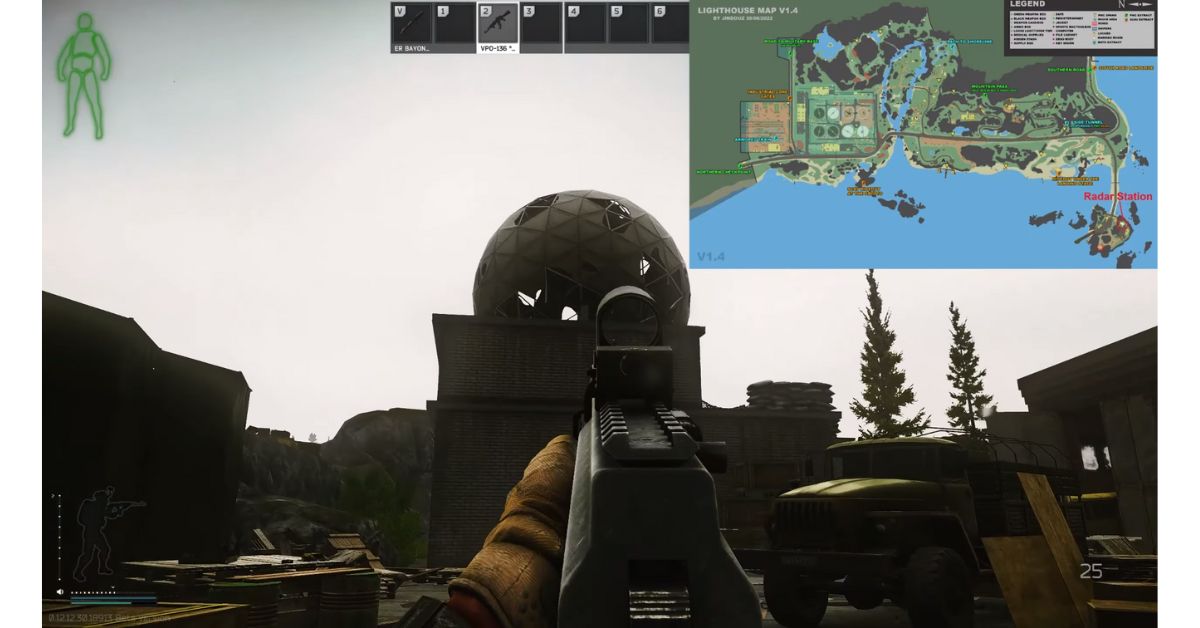
    The Radar station is close to the lighthouse on the peninsula. Just look for a big broken white dome near the lighthouse.

    Top Secret Tarkov
    Image Source Battlestate Games

    How to Avoid Mines and Snipers on the Road to the Lighthouse?

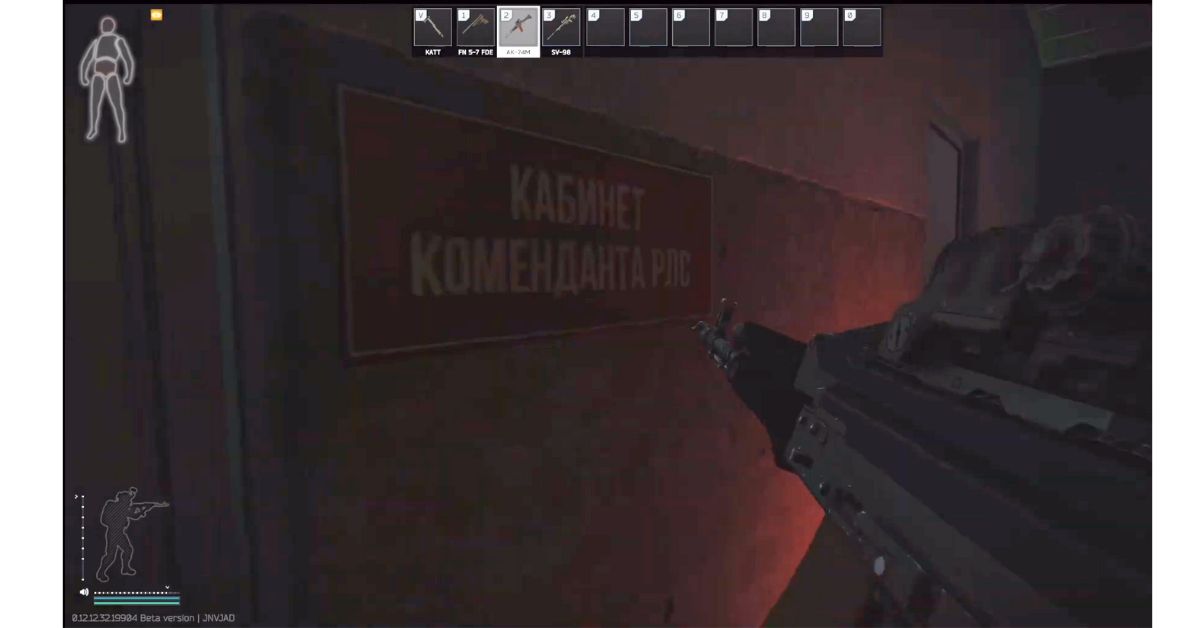
    Be careful of mines and a sniper on the road to the lighthouse. Use the map to avoid the mines. Go into the radar station and go left. You’ll find the commandant’s room with a red sign next to it.

    Top Secret Tarkov
    Image Source Battlestate Games

    Inside, find the hard drive on the wooden desk next to the laptop. Make sure you have the key for the commandant’s room before going to the peninsula to finish the quest. You need it to open the room with the hard drive. After getting the hard drive, make sure to leave safely to complete the quest.

    Top Secret Quest Rewards

    After finishing the Top Secret quest, you get these rewards:

    • 11,700 EXP
    • Skier Reputation +0.03
    • 50,000 Roubles
    • 52,500 Roubles if you have Intelligence Center Level 1
    • 57,500 Roubles if you have Intelligence Center Level 2
    • 1 Rifle Dynamics RD-704 7.62×39 assault rifle
    • 2 AK 7.62×39 FAB Defense Ultimag 30R 30-round magazines
    • 60 rounds of 7.62x39mm MAI AP ammunition

    This is everything you need to know about Top Secret Quest. Additionally, you can check our guide on Energy Crisis Quest. Stay connected with GameEmpress.com to get the latest news and guides about the gaming world.

  • XDefiant Release Date Delayed Indefinitely Due to New Issues

    XDefiant Release Date Delayed Indefinitely Due to New Issues

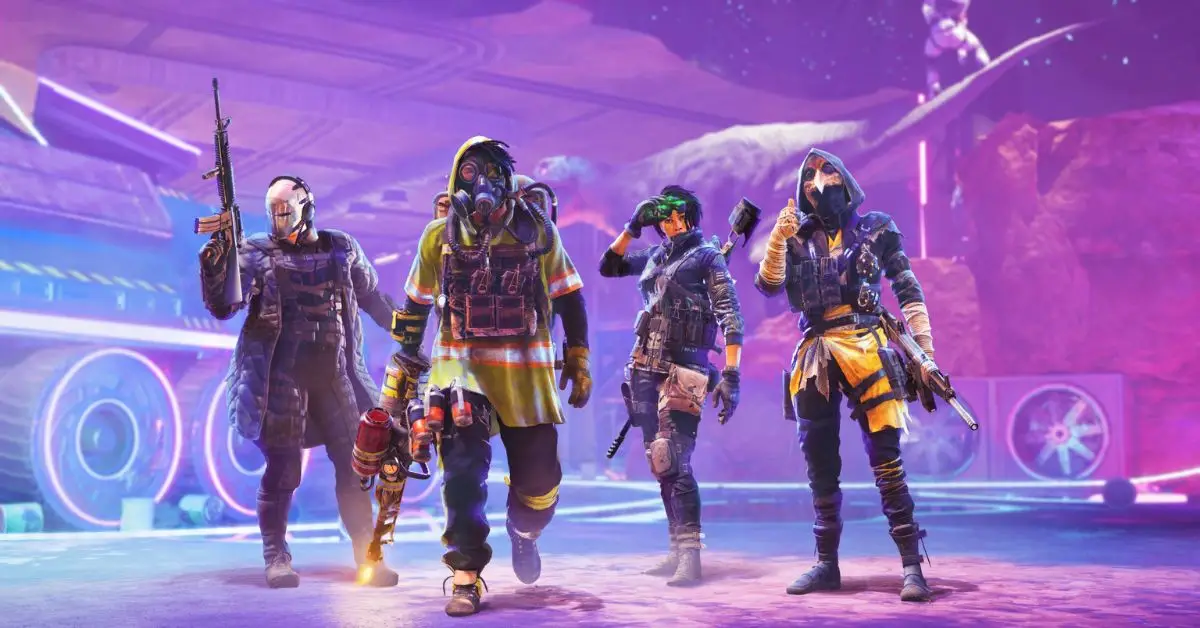
    XDefiant, a new free-to-play shooting game made by Ubisoft, has caught the attention of fans who love first-person shooters. It offers fast online battles, team-based play, and many maps and game modes.

    Ubisoft had planned to launch a preseason after a recent public test, but they’ve had to delay it indefinitely because they found some unexpected problems.

    Ubisoft says in a tweet, “Thank you to everyone who participated in our recent Public Test Session and continues to stand alongside us as we build XDefiant. The PTS once again showed us your appreciation for our fast-paced gunplay, uniquely crafted maps, objective-driven modes, and iconic Faction roster.

    But it also surfaced some inconsistencies in the game experience that we need to address prior to launching our Preseason. So we’ve made the hard decision to delay the Preseason of XDefiant.

    The team will continue working to address these issues and testing them to make sure we deliver on our goal of being a best-in-class arcade shooter. We will share more information about Preseason and testing as it comes.

    Thanks again for your support – we’re working hard to make something really special and we couldn’t do it without you.”

    Basically, the game XDefiant doesn’t have a set release date yet. The recent announcement about the delay didn’t tell us when it will be out. Some people think the delay might be a good thing, especially with Call of Duty coming soon.

    We really think XDefiant has a higher chance of doing well if it comes out in the first quarter of 2024. Some might feel it’s far away, but it could be a great opportunity for the free-to-play FPS to stand out. That’s when the excitement for the current Call of Duty game is expected to go down.

    XDefiant Release Date Delayed
    Image Source Ubisoft

    But there’s a new rumor saying the release date might be moved to October 28. The rumor is from a reliable source called TheMW2Ghost on Twitter, which usually leaks information about that series.

    However, it’s essential to be cautious about rumors, as the XDefiant developers haven’t confirmed anything about the release date yet. According to MW2 Ghost, there’s a launch event planned for October 28, suggesting the team might have decided not to release the game during a new Call of Duty event.

    If that happens, it’s likely a smart move for XDefiant. Competing directly with a big Call of Duty event just before the next game in that popular series releases was always going to be hard.

    Launching in this timeframe will still be challenging, but if XDefiant wants to be the lasting game Ubisoft aims for, it will have enough time to carve out its place.

    Stay connected with GameEmpress.com to get the latest news and guides about the gaming world.

  • What is KEKW in Twitch Chat?

    What is KEKW in Twitch Chat?

    KEKW and Twitch chat go hand in hand. If you’ve ever hung out on a Twitch stream, chances are you’ve seen people throwing around KEKW. It’s just one of those emotes with a story of its own, like Kappa, ResidentSleeper, and the controversial PogChamp, but we’ll save those tales for another time.

    KEKW joined the Twitch emote family thanks to a popular Spanish video of a guy laughing, and it got mixed up with some World of Warcraft terminology. Now, it’s one of the go-to emotes in Twitch chat. Let’s dive into how it became such a chat sensation.

    What is KEKW in Twitch Chat?

    KEKW is like a super popular emoji on Twitch that shows you’re laughing. It became a big deal in 2020 and is related to another emoji called LULW, which is a different way of saying LOL. There’s also this thing with “KEK,” which is the Korean way of saying LOL.

    In a game called World of Warcraft, if you’re on one team and type LOL to someone on the other team, they see it as KEK. And the “W” at the end of these emoji names makes them extra funny on Twitch. Like, LUL and LULW are examples of this.

    How KEKW Became the Most Popular Twitch Emote?

    People generally agree that the KEKW emote got famous on Twitch channels like xQc and AdmiralBulldog, making more people use it. LUL used to be super popular, but now KEKW is becoming more popular quickly.

    Streamers are making their versions of the emote for their subscribers, and there are also other versions like KEKWOW and KEKWhat popping up.

    The Gaming Origins of the KEKW Emote

    The term ‘KEK,’ a precursor to KEKW, originated from the popular game ‘World of Warcraft’ (WoW). In WoW, when a Horde player types ‘LOL’ (Laugh Out Loud) in the chat, an Alliance player sees it as ‘KEK’ due to the game’s programmed language barrier.

    This amusing in-game translation contributed to the naming of the KEKW emote, bringing a piece of gaming culture to the broader online community.

    This is everything you need to know about KEKW. Additionally, you can check our guide on Malding in Twitch Chat. Stay connected with GameEmpress.com to get the latest news and guides about the gaming world.

  • Escape from Tarkov: How to Complete the Energy Crisis Quest

    Escape from Tarkov: How to Complete the Energy Crisis Quest

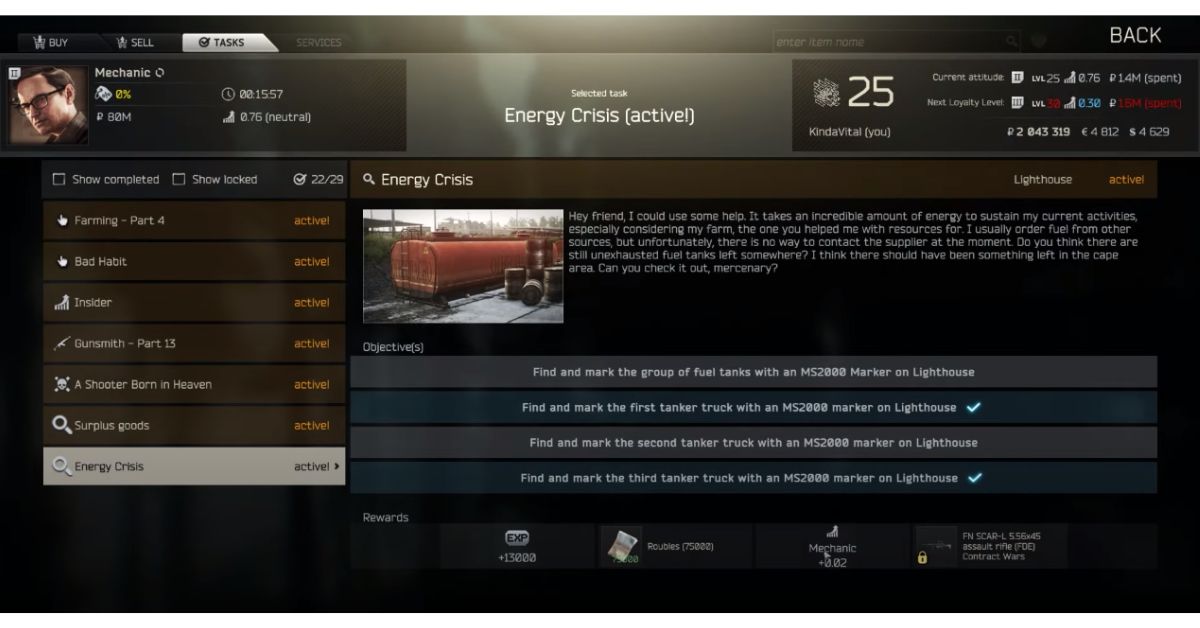
    You can do the Energy Crisis quest in Escape From Tarkov at the Lighthouse, the game’s eighth location. To start the quest, you need to be at least level 25. The quest is assigned by Sergey Arsenyevich Samoylov, also known as “Mechanic.” Here’s everything you need to know to finish the Energy Crisis quest in Escape from Tarkov.

    Where to Find the Energy Crisis Quest?

    The quest takes place in the Lighthouse, the eighth location added to Escape from Tarkov. The Lighthouse is a vast area where players need to have decent gear to venture through and complete the objectives of this quest.

    Energy Crisis Quest Requirements

    Before you go on this adventure, make sure you meet these conditions:

    • Players must be at level 25 to start this quest​.
    • The quest is unlocked after accepting the Mechanic’s quest titled “Farming – Part 4”.
    • This quest is a requisite for obtaining the Kappa container in the game​.”
    Energy Crisis Tarkov
    Image Source Battlestate Games

    How to Complete the Energy Crisis Quest in Escape from Tarkov?

    The Mechanic gives you this quest, and you need to complete it to get the Kappa container. The quest has the following tasks:

    • Find and mark the group of fuel tanks with an MS2000 Marker on the Lighthouse.
    • Find and mark the first tanker truck with an MS2000 Marker on the Lighthouse.
    • Find and mark the second tanker truck with an MS2000 Marker on the Lighthouse.
    • Find and mark the third tanker truck with an MS2000 Marker on the Lighthouse.
    Energy Crisis Tarkov
    Image Source Battlestate Games

    Watch out for bad guys in the area. Before you mark the fuel tanks safely, clear the place. Find the fuel tanks and the third big truck near the armored train close to the northern checkpoint.

    The first truck is in the south part of the Water Treatment Plant, between the grenade launcher and the LMG. The second truck is on the west side of the Water Treatment Plant. After marking all the trucks, make sure to leave safely to finish the quest.

    Energy Crisis Quest Rewards

    Upon successful completion of the quest, players will receive the following rewards:

    • +13,000 EXP
    • Mechanic Rep +0.02
    • 75,000 Roubles (or more with higher Intelligence center levels)
    • Unlocks barter for FN SCAR-L 5.56×45 assault rifle (variant Contract Wars) at Mechanic loyalty level 3
    • Unlocks purchase of Tromix Monster Claw 12ga muzzle brake at Mechanic loyalty level 3.

    The Energy Crisis quest is an engaging and rewarding task for players in Escape from Tarkov. By following the outlined steps, clearing the area of threats, and safely extracting after marking the objects, players can successfully complete this quest and enjoy the bountiful rewards that come with it.

    Additionally, you can check our guide on Shaking Up the Teller Quest. Stay connected with GameEmpress.com to get the latest news and guides about the gaming world.

  • Honkai: Star Rail 1.5 Leak Reveals New Enemies, Stages, and Features

    Honkai: Star Rail 1.5 Leak Reveals New Enemies, Stages, and Features

    The latest leak on Honkai: Star Rail revealed cool new content like easier gameplay features, fresh Stagnant Shadow stages, and new baddies coming our way in version 1.5 next month. This game keeps getting better with regular updates.

    Version 1.4 is just around the corner, bringing in some new characters, events, and stages. Players are eagerly stacking up their Stellar Jades to snag the upcoming characters like Jingliu, Topaz, and Guinaifen. There’s still a bit of time left to dive into all the events and rack up those in-game credits before version 1.4 hits.

    Honkai Star Rail 1.5 Leak Enemies Stages Features
    Image Source HoYoverse

    Honkai: Star Rail players got some teases about the upcoming version 1.5. It looks like there will be cool new content like Light Cones, Cavern Relics, and exciting events coming our way later this year. The leak mentions that players can boost their characters by unlocking special relics and Planar Ornaments.

    By taking part in new events, players can earn Stellar Jades to enhance their experience. Also, in the second half of version 1.5, there’s a rerun banner for the five-star Lightning character Jing Yuan, and it’s set to launch on December 3.

    A recent leak into Honkai: Star Rail’s upcoming version 1.5 reveals exciting additions like new enemies, better game features, and fresh stages. The leak reveals details about three new foes – Soul Catcher, Underworld Soldier, and Cloud Knight Lieutenant.

    1.5 beta info (by Stepleaker), with more proper translation by me
    byu/NathLWX inHonkaiStarRail_leaks

    In a special stage called Stagnant Shadow, players can gather materials to boost their characters. A new spot, the Cavern of Corrosion, awaits them, offering a chance to collect Relics by battling enemy hordes.

    Version 1.5 is also expected to bring handy improvements, such as automatic use of items and a “Retry Function” button for boss battles, making the gaming experience smoother.

    In Honkai: Star Rail, there’s a dungeon called the Cavern of Corrosion that you can play over and over again. By doing this dungeon, you get important relics that help make your characters stronger.

    To access it, you need to reach Trailblaze rank 21 and complete the Stars are Cold Toys mission. It’s one of the best ways to collect relics in the game. Another cool thing is the Stagnant Shadow, a challenging mode you unlock at Trailblaze rank 30.

    In this mode, there are tough enemies across multiple levels, and when you defeat them, you get valuable materials to make your characters even better. The leak suggests there’s a new challenge coming called Shape of Underworld.

    Stay connected with GameEmpress.com to get the latest news and guides about Honkai: Star Rail.

  • Starfield Update 1.7.36 Adds FOV Sliders and Quest Fixes

    Starfield Update 1.7.36 Adds FOV Sliders and Quest Fixes

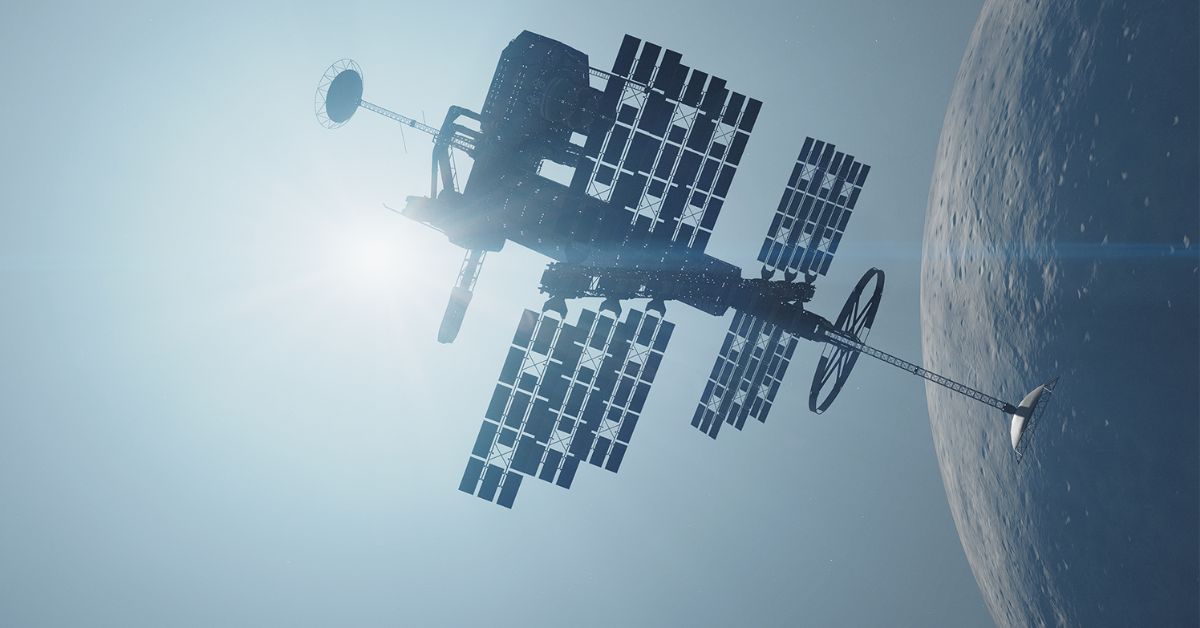
    Bethesda just released update 1.7.36 for Starfield, and players on PC and Xbox Series X can grab it immediately. This is one of several updates Bethesda has rolled out for Starfield since the game’s release in September, with the last one dropping at the end of last month.

    The last Starfield update mainly aimed to solve lingering problems in the open-world game, including fixing bugs and closing a loophole that fans used to get rich fast. Now, there’s a new update available for Starfield, and it brings the game to version 1.7.36.

    The latest Starfield 1.7.36 update may not be as huge as the last one, but it brings some important improvements to the game. The standout feature is the new Field-of-View Sliders in the Settings menu, allowing players to adjust their view in both first-person and third-person modes.

    This update also enhances stability for Intel Arc GPUs, makes various other performance improvements, and addresses a bug in the Echoes of the Past quest that was causing issues for players trying to progress.

    Starfield 1.7.36 Update Patch Notes
    Image Source Bethesda

    After you download the latest update, Starfield will be smoother to play. Although there are still some bugs to fix, Starfield began in a better condition than many other Bethesda games when they first came out. It’s expected to improve even more in the future.

    Apart from fixing bugs and improving performance, Bethesda plans to add exciting new content to Starfield in the future. Although the release details for the DLC are not disclosed yet, Bethesda has confirmed the Shattered Space expansion. This will be Starfield’s first big addition, and there’s at least one more expansion in development.

    GENERAL

    • FOV: Sliders are now available in Settings that allow players using first person or third person to adjust their FOV.

    PERFORMANCE AND STABILITY

    • [PC ONLY] Improved stability for Intel Arc GPUs.
    • Various additional stability and performance improvements.

    QUEST

    • Echoes of the Past: Addressed an issue where tunneling creatures could pick a location that would prevent progression.

    This is everything you need to know about Starfield 1.7.36 Update Patch Notes. Additionally, you can check our guide on Is Starfield on PlayStation 5? Stay connected with GameEmpress.com to get the latest news and guides about the gaming world.

  • Project Zomboid Trapping Guide: How to Catch Animals for Food?

    Project Zomboid Trapping Guide: How to Catch Animals for Food?

    Project Zomboid is a tough survival game with zombies. You have to stay alive as long as you can against hordes of zombies. The Trapping skill helps you find food to keep your hunger in check. In Project Zomboid, knowing how to trap is crucial for getting food.

    This skill allows you to make traps that catch small animals, such as mice and squirrels. Eating these animals helps you stay alive during the apocalypse. If you want to know about the Trapping skill in Project Zomboid and how to catch animals, we’ve got all the info you need.

    Project Zomboid Trapping: What is Trapping Skill?

    Project Zomboid Trapping
    Images Source The Indie Stone

    In Project Zomboid, Trapping is a handy skill that helps you make traps to catch animals for food and survive in the game. If your Trapping skill is higher, you’re more likely to catch animals in traps and learn to make new traps.

    The skill mainly improves when you take animals from the traps, but you can also gain Trapping experience by watching Life and Living TV, using VHS tapes, and reading skill books.

    If you pick the Park Ranger job at the beginning of the game, you start with an extra +2 Trapping and already know how to make traps. Choosing traits like The Hiker and Hunter also gives you +1 Trapping and access to different trap recipes.

    Right now, you can catch five types of animals with traps: mice, rabbits, rats, small birds, and squirrels. You learn recipes for different traps as you level up, but how do you actually make and use a trap? Here, you can find a guide for Zombieland: Headshot Fever.

    How to Make and Use Traps in Project Zomboid?

    Project Zomboid Trapping
    Images Source The Indie Stone

    So, before using traps, you first need to find or create them. The basic one is the mouse trap, and you can’t make it, but you can find it in different places on the map.

    There are five other traps you can craft. The trap crate and stick trap unlock by themselves. The snare trap can be crafted with a Trapping skill of +1, the trap box with +2 Trapping and +1 Carpentry, and the Cage trap with +3 Trapping.

    To make a trap, you need to gather the right ingredients listed in the recipe and have them in your inventory. Then, right-click on one of the ingredients and choose the trap you want from the menu. After crafting the trap, right-click on the spot on the ground where you want to put it and choose the Place Trap option.

    After you’ve set up your trap, there’s one more step. Animals won’t just stroll into it willingly—you need to lure them. Just right-click on the trap, pick “Add Bait,” and toss in some non-rotten food. Different animals go for different snacks, so choose wisely to increase your chances.

    To make your traps work, don’t stay too close. It would be best if you walked away for a bit, and the traps will do their job of catching animals. This way, you can use the traps to help you survive longer in Project Zomboid.

    This is everything you need to know about Project Zomboid Trapping. Additionally, you can check our guide on Call of Duty Lobby Leaks. Stay connected with GameEmpress.com to get the latest news and guides about the gaming world.

  • How to Inspect Weapons in MW3?

    How to Inspect Weapons in MW3?

    Curious about checking out your weapons in Modern Warfare 3? We’ve got the scoop on how to do it. Weapon inspection is a cool new feature in Call of Duty, and fans are loving it!

    Now, in COD, checking out your weapons is a big deal. Players are excited to flaunt their gear in style, and weapon inspection is the way to do it. When it was announced that MW3 would have weapon inspection, fans went wild. Imagine all the awesome animations you can see when checking out your guns in the game.

    Now, let’s show you how to check out a weapon in Modern Warfare 3. If you want more, take a look at all the confirmed MW3 weapons—they probably have cool inspection animations.

    How to Inspect Weapons in Modern Warfare 3?

    In simpler terms, checking out weapons up close is a new addition to Call of Duty games. It started in Modern Warfare and continued in Modern Warfare 2. So, it was no surprise when Modern Warfare 3 also included these cool weapon inspection animations.

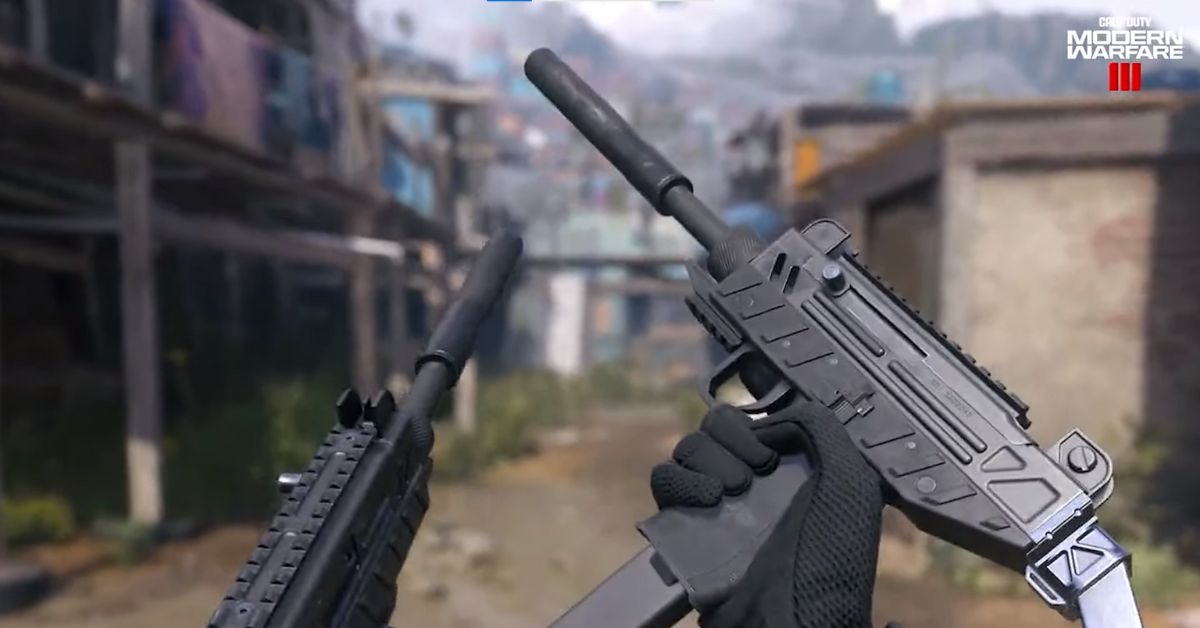
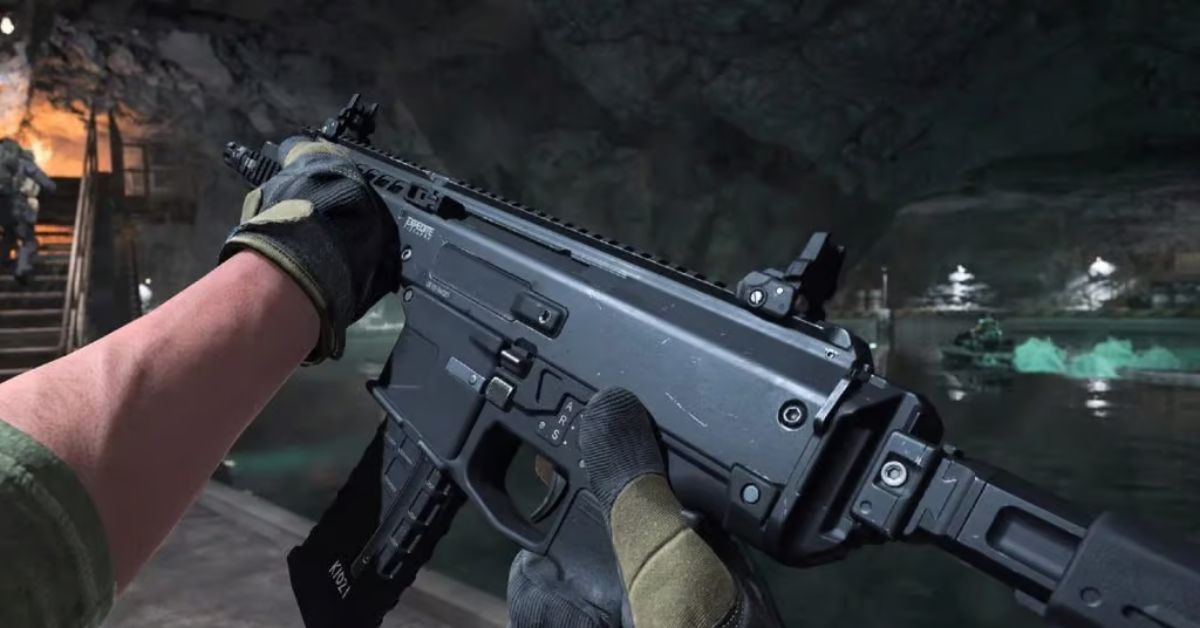
    In COD games, you can customize your weapons a lot. You can change how they look with different gear and add cool content like stickers and charms. In Modern Warfare 3, if you’re using a controller, tap left on the D-pad to check out your weapon. If you’re on a mouse and keyboard, press the ‘I’ key.

    How to Inspect Weapons in Modern Warfare 3
    Image Source Activision

    That’s it! Now you can check out how awesome your gun looks, highlighting all the cool details and the specific setup you’re proud of.

    This is everything you need to know about Modern Warfare 3 Weapon Inspections. Additionally, you can check our guide on Call of Duty Lobby Leaks. Stay connected with GameEmpress.com to get the latest news and guides about the gaming world.

  • Roblox PS5 Release Date, Gameplay, Features, and More

    Roblox PS5 Release Date, Gameplay, Features, and More

    Roblox, the big online platform that allows users to create and play games created by other users, has been a sensation among gamers of all ages. The gaming community has highly anticipated its arrival on PlayStation 5 (PS5). This article delves into the release date of Roblox on PS5, providing insights into when gamers can expect to enjoy this platform on their PlayStation consoles.

    Roblox PS5 Release Date

    Roblox is coming to PS4 and PS5 on October 10, 2023. It was announced in the latest PlayStation State of Play. PS4 and PS5 players can join the 66 million users on PC, Xbox, Android, and iOS in the various worlds and game modes of Roblox. It was made for PS4 but works on PS5 too. If you’re new to Roblox, let me fill you in on the gameplay and story details.

    Roblox PS5 Trailer

    Roblox PS5 Gameplay

    Roblox is a cool game where you can let your creativity shine. You get to create your own character, play different game modes, and build awesome stuff. What’s really awesome about Roblox is that players can not only play but also make their own game modes and worlds.

    You can explore what others have made, too. The best part? If you create something cool, you can earn money from it! Roblox Corporation shares the earnings with the players who make amazing things in the game.

    Roblox PS5 Story

    In Roblox, there isn’t just one story for players to follow. Instead, the stories depend on the modes and scenarios made by other players. This means there are lots of different stories to explore, and if players are creative, they can even make up their own stories.

    Roblox PS5 Release Date
    Image Source Roblox Corporation

    Roblox Features

    Roblox on PS5 and PS4 comes with full cross-platform support, allowing players to interact and play with others across different gaming platforms. The game is available for download from the PlayStation Store, with online play being a requisite.

    As per the listing on the Official PlayStation Store US, the game supports up to 99 online players, Remote Play, and showcases diverse content with discretionary advisement due to in-app purchases.

    This is everything you need to know about Roblox PS5 Release Date. Additionally, you can check our guide on playing Roblox online for free. Stay connected with GameEmpress.com to get the latest news and guides about the gaming world.

  • How Old Is Franklin Clinton in GTA 5 and Online?

    How Old Is Franklin Clinton in GTA 5 and Online?

    Franklin Clinton was born in 1988. In GTA 5, he would be around 24 or 25 years old, and in GTA Online’s The Contract, he’d be about 32 or 33. He’s probably born in 1988 because his license plate says “FC1988,” where FC likely stands for Franklin Clinton.

    In GTA 5, he’s the youngest main character, so 1988 is probably his birth year. The 1998 on the plate doesn’t seem important to the story. In GTA 5, the story happened in 2013, but Franklin’s exact age is unclear because the game doesn’t mention his birthday.

    So, he could be either 24 or 25, depending on when the events in the game occur. In GTA Online’s The Contract, happening around late 2021 and early 2022, Franklin is probably around 32 or 33 years old.

    How Old is Franklin in GTA 5?

    In the Grand Theft Auto series, the characters’ ages are usually kept a secret, especially in a straightforward way. For Franklin, we can guess he was born in 1988 because of a license plate.

    How Old is Franklin in GTA 5
    Image Source Rockstar Games

    For the other two GTA 5 characters, Michael De Santa might be either 45 or 48 years old, as his birth year is uncertain. There’s a debate about whether he was born in 1965 (according to a fake gravestone) or 1968 (based on what other characters say). So, in GTA 5, Michael could be 45 or 48, and Franklin is likely 24 or 25 years old.

    GTA 5 Timeline

    This game happened in 2013, but it doesn’t say when it finishes. So, if we assume it ends in 2013, we can figure out Franklin’s age by subtracting 1988. If he was born later in the year, he could be 24 instead of 25. Some parts of the game suggest it’s set in the fall. Barbers mention October, and calendars show August and September.

    GTA Online Timeline

    GTA Online doesn’t stick to a specific year, but it’s important to know that Franklin Clinton only appeared recently in The Contract DLC. So, the key years to consider are 2021 and 2022 since The Contract DLC officially takes place during that time.

    All updates from Gunrunning onwards are said to happen in the same year as the update itself. Since The Contract is the latest update in GTA Online, it’s automatically included in the group of updates that occur after Gunrunning.

    He was born in 1988, so he’s either 32 or 33 in GTA Online’s The Contract. If he appears in a later update, his age will be adjusted to that year.

    This is everything you need to know about Franklin Clinton’s age. Additionally, you can check our guide on GTA 5 Cheat. Stay connected with GameEmpress.com to get the latest news and guides about GTA 5.

  • Roblox Doors: Everything You Need to Know

    Roblox Doors: Everything You Need to Know

    Roblox, a platform that allows users to create and interact in 3D virtual worlds, hosts a plethora of games and experiences. One such game that has caught the attention of many is “DOORS,” a first-person horror adventure developed by Lightning_Splash and RediblesQW under the group LSPLASH​.

    This article explores the different facets of Roblox Doors, diving into its gameplay, monsters, level design, and the community that surrounds it.

    Roblox Doors Release Date

    Roblox Doors was officially released on August 10, 2022. A notable update, referred to as the Roblox Doors Hotel update, was launched on January 29, 2023.

    Trailers and announcements regarding these releases and updates were made available through platforms like YouTube, keeping the community engaged and updated on the developments.

    Roblox Doors Trailer

    The trailers showcase snippets of the gameplay, mysterious environments, and the menacing entities players would encounter. They can be found on the LSPLASH YouTube channel and other social media platforms, providing a glimpse into the horrific yet adventurous journey that awaits in Roblox Doors.

    Roblox Doors Gameplay

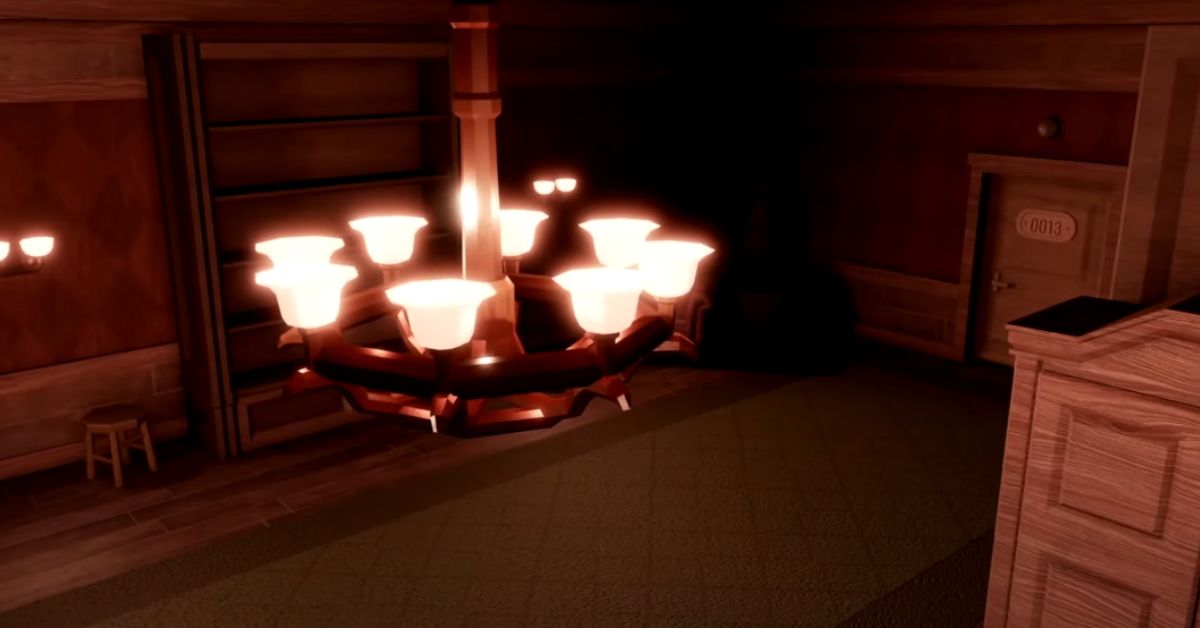
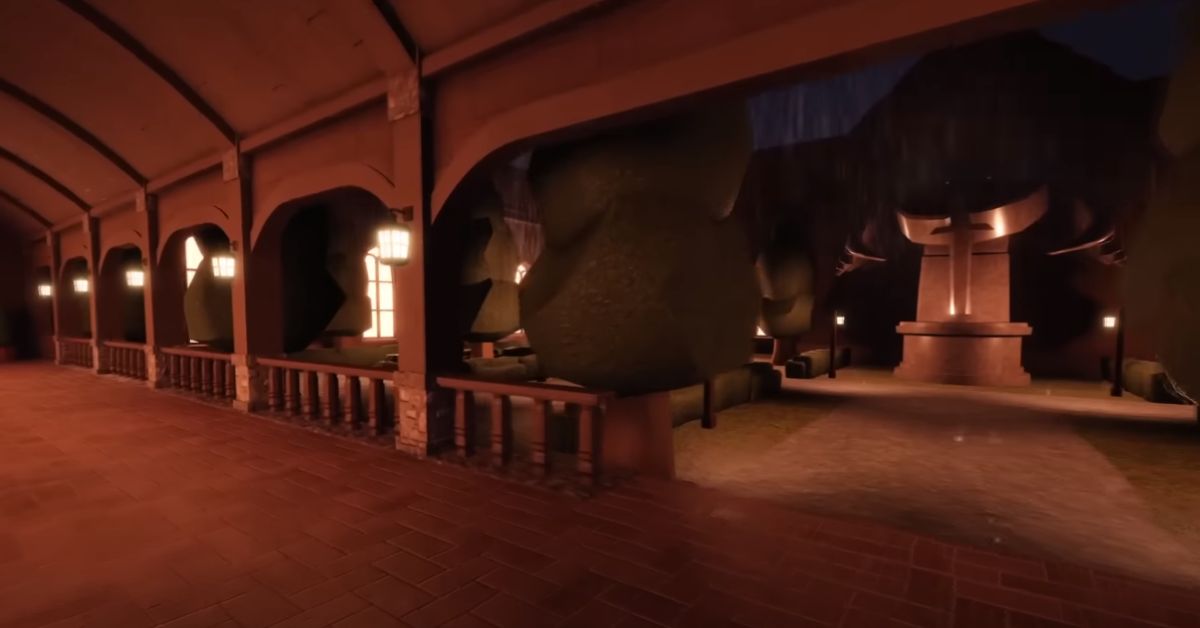
    DOORS is a first-person horror game where your mission is to reach Door 100 without getting caught by scary creatures. You start in a lobby where groups of up to 4 players (or 12 in private games) can take an elevator. To move forward, you have to open doors to different rooms, each numbered up to 100.

    The rooms are a mix of randomly generated ones, and some are always in a specific order. Inside these rooms, you can find stuff like coins, items, keys, or sometimes nothing at all.

    Doors Roblox
    Image Source Roblox

    Some rooms are dark, either naturally or because of creepy creatures. There are also locked doors that need a hidden key to open. You can hide in wardrobes or beds in certain rooms to avoid the scary entities.

    Navigating through Levels

    Getting through the levels in “DOORS” is no easy feat. The game offers a vast array of levels, with milestones like door 50 and door 100 being particularly challenging.

    The levels are randomly generated from a set of templates, ensuring a unique experience with every playthrough. For instance, upon reaching level 100, players need to interact with levers to progress while evading the menacing entity known as Figure.

    Roblox Doors Mode

    Apart from the standard gameplay, “Roblox Doors” introduced a temporary mode known as “SUPER HARD MODE” during an April Fools’ Event on April 1, 2023. This mode brought new items and entities and altered existing game mechanics to increase the game’s difficulty significantly.

    The game also features a new addition called “MODIFIERS,” which unlock after reaching a certain point in the game, providing a new layer of challenge and engagement for the players.

    Roblox Doors Monsters

    In this horror game, you make it through 100 rooms filled with scary monsters called Entities. The goal is to avoid getting caught by these creatures while progressing through the rooms. Some monsters are scarier than others, so here is a list of all monsters below:

    • Figure
    • Seek
    • Hide
    • Rush
    • Screech
    • Eyes Halt
    • Ambush
    • Glitch
    • Timothy
    • Jack

    Roblox Doors Inspiration and Development

    DOORS is inspired by notable horror experiences like Spooky’s Jump Scare Mansion and nicorocks5555’s Rooms. The creative minds behind the game have meticulously crafted an atmosphere that blends suspense, fear, and exploration, offering a unique horror experience on the Roblox platform.

    Roblox Doors Popularity and Community Reception

    Since its creation on March 14, 2021, DOORS has witnessed a massive player base, garnering over 4 billion plays.

    The game’s engrossing narrative and spine-chilling gameplay have earned it a spot among the popular horror-themed games on Roblox, showcasing the potential for horror-centric adventures within the Roblox universe.

    This is everything you need to know about Roblox Doors. Additionally, you can check our guide on playing Roblox online for free and when Roblox will be available on PS4. Stay connected with GameEmpress.com to get the latest news and guides about the gaming world.

  • BattleBit Remastered Update 2.19 Adds New Alaska-Inspired Map

    BattleBit Remastered Update 2.19 Adds New Alaska-Inspired Map

    The newest update for multiplayer first-person shooter BattleBit Remastered just came out. In recent months, BattleBit Remastered hasn’t been as popular as before, with fewer people playing. But, with this new map, the game hopes to get more players excited and back into the action by offering some awesome new content.

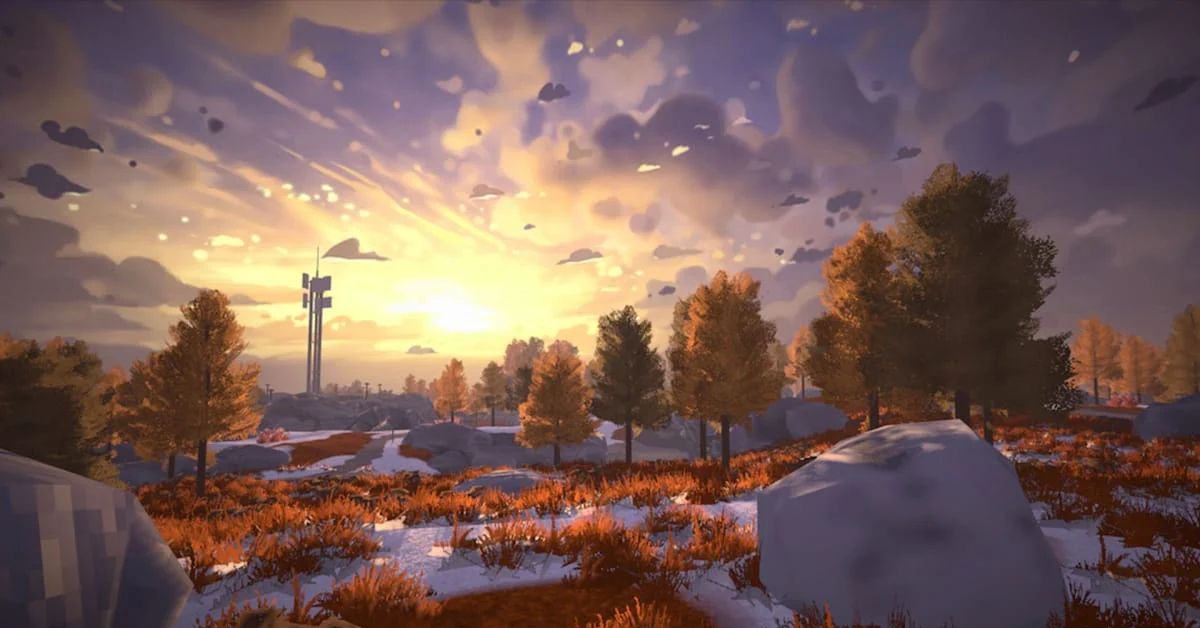
    Today, you can download the latest version 2.19, for BattleBit Remastered. This update introduces the game’s newest map, Kodiak, inspired by Alaska and featuring snowy terrain. Kodiak includes key locations like a coast, small town, and power plant for battles. It’s mainly designed for infantry combat, so expect plenty of shootouts on this map.

    BattleBit Remastered Update New Map Kodiak
    Image Source Steam

    As always, there are more new things in the BattleBit Remastered update. Besides this, the update also makes some small changes and fixes, especially to how things look on the screen.

    Also, there will be a quick update on October 9 to fix more problems that players have found. To see all the new content in today’s BattleBit Remastered update, just check out the patch notes below.

    New Map: Kodiak

    • This new playspace finds players taking part in an Invasion on an Alaska-inspired biome, with key locations like Power Stations, Shelters, and Ports. Overall, this map was designed with Infantry gameplay as the primary focus, while still offering combined arms combat.[1×1 km map]
    • Coastline (South) is best suited for close-quarters and mid-range firefights. Infantry will find plenty of cover from the Port area to Town.
    • Inland (North) is where players will find success with mid to long-range weapons like DMRs and Snipers, while also serving as a battleground for armored vehicles. Open fields and elevation changes will grant stronger sniper capability.
    • Between the Power Plant and the Town, you’ll notice a small bomb shelter. Utilize it to cross the area safely and avoid exposure to enemy snipers.

    UX / UI

    • The remaining time for weekly challenges will now be displayed on the weekly challenges panel.
    • Brightness settings will now adjust the screen’s brightness instead of applying gamma.

    Gameplay

    • Weekly challenge XP reward bonus increased to 250,000xp from 100,000xp.
    • Improved networking for packet loss recovery.
    • Prioritized networking packets for hit registration.
    • During bandaging, players cannot switch their target (self or friend) once bandaging has begun, unless they are bandaging another teammate who then moves away.

    Fixes

    • Fixed a bug that caused server crashes after an extended period.
    • Fixed an unintended blue filter on the screen
    • Fixed an issue where grenades sometimes dealt damage through walls.
    • Fixed a UI bug where users were shown the option to bandage another player even when the latter was out of reach and nonbandage-able.

    For more, you can check our guide on BattleBit Remastered Mouse Sensitivity Converter. Stay connected with GameEmpress.com to get the latest news and guides about the gaming world.