Author: George

  • GTA 5 Cars: A Guide To The Best Vehicles In The Game

    GTA 5 Cars: A Guide To The Best Vehicles In The Game

    GTA 5 is a massive and immersive game that features a huge and diverse open world, a compelling and cinematic story, and thrilling and addictive gameplay. One of the most important and enjoyable aspects of the game is the cars, which are the main means of transportation and exploration in the game.

    The game features hundreds of different cars, ranging from sports cars, muscle cars, supercars, motorcycles, trucks, vans, buses, and more. Each car has its characteristics, such as speed, acceleration, handling, durability, and appearance.

    Some cars are also unique and rare, and can only be obtained by completing certain missions, events, or activities in the game. In this article, we’ll provide a guide to the best vehicles in GTA 5, and show you how to find, buy, customize, and use them.

    GTA 5 Cars
    Fastest Bike in GTA 5
    Screenshot By GameEmpress

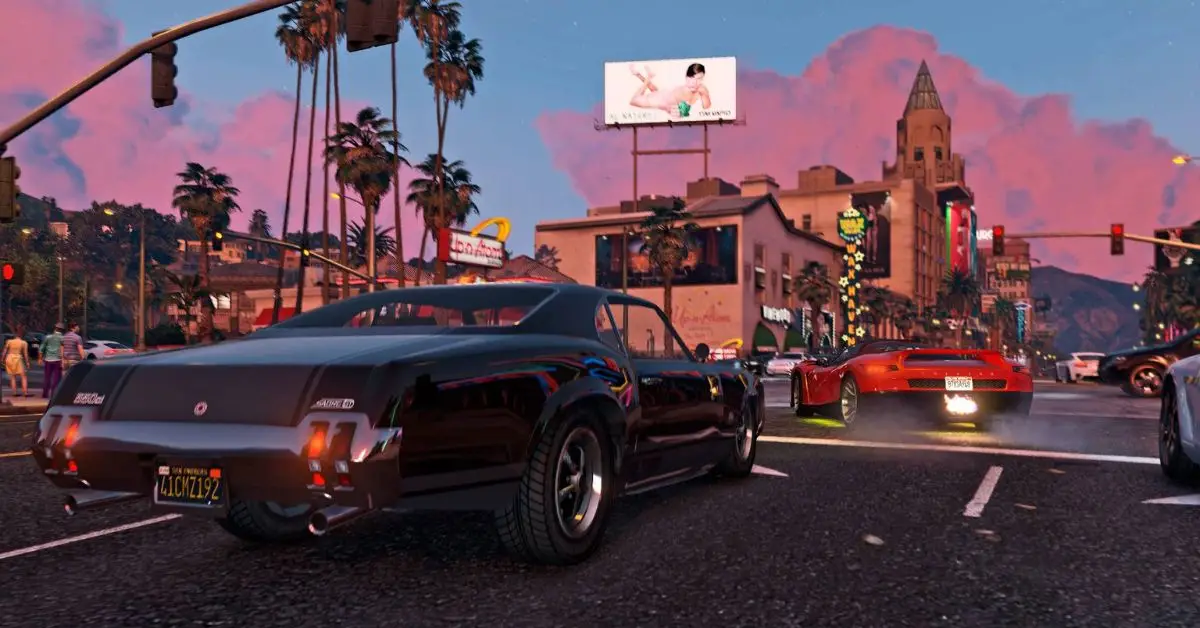
    There is no definitive answer to what are the best cars in GTA 5, as different cars may suit different preferences, situations, and playstyles. However, based on some criteria, such as performance, design, availability, and value, we can list some of the most popular and recommended cars in the game. These cars are:

    • Ocelot Pariah: This is a sports car that is widely considered to be the fastest in the game, with a top speed of 218 mph. It has excellent acceleration, handling, and braking, and it looks sleek and stylish. It can be purchased from the Legendary Motorsport website for $1,420,000, or it can be found randomly on the streets of Los Santos.
    • Pegassi Zentorno: This is a supercar that is one of the most powerful and versatile cars in the game, with a top speed of 213 mph. It has great acceleration, handling, and durability, and it has a unique and futuristic design. It can be purchased from the Legendary Motorsport website for $725,000, or it can be obtained by completing the Heist Finale of The Fleece Job.
    • Benefactor Krieger: This is a supercar that is one of the most balanced and reliable cars in the game, with a top speed of 210 mph. It has good acceleration, handling, and braking, and it has a sleek and elegant design. It can be purchased from the Legendary Motorsport website for $2,875,000, or it can be won by spinning the Lucky Wheel at the Diamond Casino and Resort.
    • Truffade Nero Custom: This is a supercar that is one of the most customizable and unique cars in the game, with a top speed of 205 mph. It has decent acceleration, handling, and durability, and it has a lot of options and features to modify and personalize. It can be purchased from Benny’s Original Motor Works website for $605,000, or it can be upgraded from the Truffade Nero, which can be purchased from the Legendary Motorsport website for $1,440,000.
    • Grotti Turismo R: This is a supercar that is one of the most affordable and accessible cars in the game, with a top speed of 202 mph. It has good acceleration, handling, and braking, and it has a classic and sporty design. It can be purchased from the Legendary Motorsport website for $500,000, or it can be found randomly on the streets of Los Santos.
    • Dewbauchee Vagner: This is a supercar that is one of the most agile and responsive cars in the game, with a top speed of 200 mph. It has excellent acceleration, handling, and cornering, and it has a modern and aerodynamic design. It can be purchased from the Legendary Motorsport website for $1,535,000, or it can be obtained by completing the Heist Finale of The Doomsday Heist – Act 3.
    • Coil Cyclone: This is a supercar that is one of the most eco-friendly and futuristic cars in the game, with a top speed of 199 mph. It has amazing acceleration, handling, and braking, and it has an electric and silent engine. It can be purchased from the Legendary Motorsport website for $1,890,000, or it can be obtained by completing the Heist Finale of The Doomsday Heist – Act 2.
    • Pfister 811: This is a supercar that is one of the most sleek and smooth cars in the game, with a top speed of 198 mph. It has good acceleration, handling, and braking, and it has a simple and elegant design. It can be purchased from the Legendary Motorsport website for $1,135,000, or it can be obtained by completing the Heist Finale of The Pacific Standard Job.
    • Overflod Entity XXR: This is a supercar that is one of the most expensive and exclusive cars in the game, with a top speed of 197 mph. It has good acceleration, handling, and durability, and it has a luxurious and sophisticated design. It can be purchased from the Legendary Motorsport website for $2,305,000, or it can be won by spinning the Lucky Wheel at the Diamond Casino and Resort.
    • Pegassi Tempesta: This is a supercar that is one of the most fun cars in the game, with a top speed of 196 mph. It has great acceleration, handling, and braking, and it has a colourful and flashy design. It can be purchased from the Legendary Motorsport website for $1,329,000, or it can be obtained by completing the Heist Finale of The Prison Break.

    How to Customize and Use The Cars in GTA 5?

    To customize and use the cars in GTA 5, you need to have a garage, which is a place where you can store, modify, and repair your cars. You can buy a garage from the Dynasty 8 website, or you can use the default garages that are provided by the game.

    You can also use the public garages that are located in various places in the game world, such as Los Santos Customs, Benny’s Original Motor Works, and Beeker’s Garage.

    To customize your cars, you need to drive them to a garage and enter the customization menu, where you can choose from various options and features, such as colour, paint, wheels, tires, suspension, brakes, engine, transmission, turbo, armour, windows, lights, horn, plate, and more.

    You can also add some special and unique modifications, such as spoilers, bumpers, skirts, hoods, roofs, exhausts, grilles, and more. You can also apply some decals, stickers, and liveries, to personalize and decorate your cars.

    Customizing your cars will cost you money, depending on the type and the quality of the modification. Customizing your cars will also improve their performance and appearance, and make them more suitable and enjoyable for your gameplay.

    To use your cars, you need to exit the garage and drive them on the streets of the game world. You can use your cars for various purposes and activities, such as travelling, exploring, racing, fighting, escaping, and more.

    You can also switch between your cars, by using the quick menu, or by calling your mechanic, who can deliver your cars to your location. You can also sell your cars, by driving them to a garage and choosing the sell option, where you can get some money for your cars, depending on their condition and value.

    You can also lose your cars, by destroying them, abandoning them, or having them impounded by the police, in which case you can recover them by paying a fee, or by using the insurance service, which can replace your cars for a small deductible.

    You might also be interested in the following game guide:

    Conclusion

    Cars are one of the most important and enjoyable aspects of GTA 5, as they provide transportation, exploration, and entertainment in the game. The game features hundreds of different cars, each with its characteristics, such as speed, acceleration, handling, durability, and appearance.

    Some cars are also unique and rare, and can only be obtained by completing certain missions, events, or activities in the game. The game also allows you to customize and use your cars, by modifying, repairing, storing, and driving them. You can also buy, sell, switch, and lose your cars, depending on your gameplay and preference.

    We appreciate your interest in our website! Make Gameempress.com your go-to site for gaming information.

  • God Of War Ragnarok Trophy Guide: How To Get The Platinum Trophy?

    God Of War Ragnarok Trophy Guide: How To Get The Platinum Trophy?

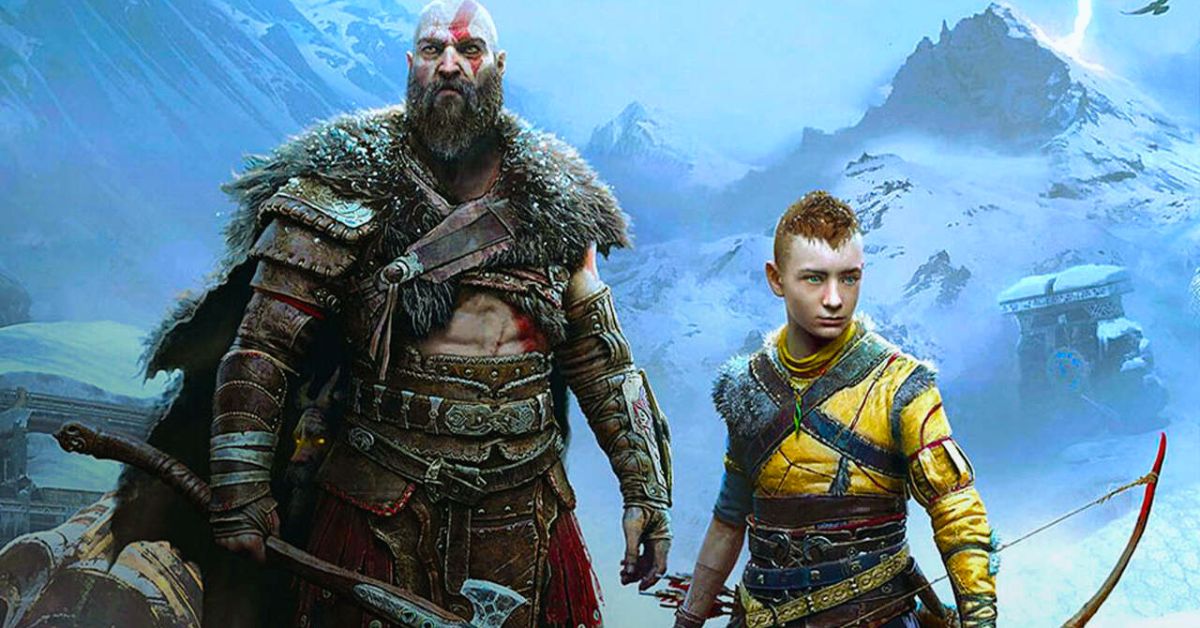
    God of War Ragnarok is the highly anticipated sequel to the critically acclaimed God of War (2018), which continues the epic adventure of Kratos and his son Atreus in the world of Norse mythology.

    The game features a vast and dynamic open world, a deep and engaging story, a rich and diverse combat system, and a stunning and immersive presentation. The game also has a total of 36 trophies, including the coveted platinum trophy, which can be obtained by completing various challenges and tasks in the game.

    In this article, we’ll provide a comprehensive and detailed guide on how to get the platinum trophy in God of War Ragnarok, and what are the requirements and tips for each trophy.

    God Of War Ragnarok Trophy Guide

    God Of War Ragnarok Trophy Guide
    God Of War Ragnarok Trophy Guide

    Platinum Trophy: The Bear and the Wolf

    The platinum trophy is awarded for unlocking all other trophies in the game. This means that you need to complete the main story, explore the open world, collect all the collectables, defeat all the optional bosses, upgrade all the equipment, and perform all the miscellaneous actions that are related to the trophies.

    The platinum trophy is not tied to any difficulty level, so you can play the game on any difficulty that suits your preference and skill. However, some trophies may be easier or harder depending on the difficulty level, so you may want to adjust them accordingly. You can also use the accessibility options to make the game more comfortable and enjoyable for you.

    The platinum trophy is not missable, as you can always return to any area or location in the game after finishing the main story, and complete anything that you missed or skipped.

    The game also has a tracker system that shows your progress and completion percentage for each region and category, which can help you find and collect everything that you need. The game also has a fast travel system that allows you to travel between different points of interest quickly and conveniently.

    The platinum trophy may take you around 50 to 60 hours to achieve, depending on your playstyle and pace. The main story may take you around 20 to 25 hours to finish, while the rest of the time may be spent on exploring, collecting, and completing the optional content.

    The game has a lot of content and variety to offer, so you may find yourself spending more time than expected on the game, as you discover new secrets and surprises along the way.

    Gold Trophies

    The game has four gold trophies, which are related to the main story and the optional content. These trophies are:

    • The End of the Beginning: Complete the main story of God of War Ragnarok. This trophy is story-related and cannot be missed. You will get this trophy after finishing the final mission of the game, which involves a climactic confrontation with the main antagonist of the game, the Norse god of thunder, Thor. The trophy will pop after the credits roll and you return to the game world.
    • The Last of the Giants: Find and free all the imprisoned Jotnar in the game. This trophy is related to the optional content of the game, which involves finding and freeing the Jotnar, the ancient race of giants that were persecuted and exterminated by the Aesir gods. There are 10 Jotnar in total, and they are hidden in different locations and regions of the game world. You will need to solve puzzles, fight enemies, and use your abilities to reach and free them. Each Jotnar will reward you with a unique item, a lore entry, and a cutscene that reveals more about the history and the secrets of the world. You can track your progress and completion of this trophy by checking the Jotnar tab in the menu.
    • The God of War: Defeat all the Valkyries in the game. This trophy is related to the optional content of the game, which involves finding and defeating the Valkyries, the elite warriors of Odin who serve as the judges of the dead. There are 9 Valkyries in total, and they are located in hidden chambers that can be accessed by using the chisel, a special item that you obtain from the main story. The Valkyries are the most challenging and rewarding enemies in the game, as they have different movesets, abilities, and patterns, and they require skill, strategy, and preparation to defeat. Each Valkyrie will reward you with a rare item, a rune, and a piece of the Valkyrie armour set, which is one of the best armour sets in the game. You can track your progress and completion of this trophy by checking the Valkyries tab in the menu.
    • The Collector: Craft all the Relics and Sword Hilts in the game. This trophy is related to the optional content of the game, which involves crafting the Relics and Sword Hilts, the special items that can enhance your weapons and abilities. There are 12 Relics and 12 Sword Hilts in total, and they can be crafted by using the materials and the lost pages that you can find and collect in the game world. The materials and the lost pages are scattered in different locations and regions of the game world, and they may require you to explore, fight, and solve puzzles to obtain them. Some of them may also be obtained from completing certain quests, events, or activities in the game. You can track your progress and completion of this trophy by checking the Relics and Sword Hilts tabs in the menu.

    You might also be interested in the following game guide:

    Silver Trophies

    The game has 15 silver trophies, which are related to the main story, the optional content, and the miscellaneous actions. These trophies are:

    • The Journey Begins: Complete the prologue of God of War Ragnarok. This trophy is story-related and cannot be missed. You will get this trophy after finishing the first mission of the game, which serves as an introduction and a tutorial to the game’s mechanics and features. The trophy will pop after you reach your home and talk to Atreus.
    • The Journey Continues: Complete the first act of God of War Ragnarok. This trophy is story-related and cannot be missed. You will get this trophy after finishing the fifth mission of the game, which marks the end of the first act of the game’s story. The trophy will pop after you witness a shocking and dramatic event that will change the course of your journey.
    • The Journey Ends: Complete the second act of God of War Ragnarok. This trophy is story-related and cannot be missed. You will get this trophy after finishing the tenth mission of the game, which marks the end of the second act of the game’s story. The trophy will pop after you make a crucial and decisive choice that will determine the fate of the world.
    • The Journey Beyond: Complete the epilogue of God of War Ragnarok. This trophy is story-related and cannot be missed. You will get this trophy after finishing the eleventh and final mission of the game, which serves as the epilogue and the conclusion of the game’s story. The trophy will pop after you witness the final and surprising scene that will set up the stage for the next chapter of the saga.
    • The World Serpent: Meet and befriend Jormungandr, the World Serpent. This trophy is story-related and cannot be missed. You will get this trophy during the third mission of the game, which involves travelling to the Lake of Nine, the central hub of the game world. The trophy will pop after you summon and talk to Jormungandr, the colossal snake that encircles the world and holds it together.
    • The Allfather: Meet and confront Odin, the Allfather. This trophy is story-related and cannot be missed. You will get this trophy during the ninth mission of the game, which involves travelling to Asgard, the realm of the Aesir gods. The trophy will pop after you enter the hall of Valhalla and face Odin, the king and the ruler of the gods.
    • The Witch of the Woods: Meet and ally with Freya, the Witch of the Woods. This trophy is story-related and cannot be missed. You will get this trophy during the fourth mission of the game, which involves travelling to the Wildwoods, the forest area near your home. The trophy will pop after you enter the house of Freya, the mysterious and powerful witch who will help you and Atreus throughout your journey.
    • The God of Mischief: Meet and befriend Loki, the God of Mischief. This trophy is story-related and cannot be missed. You will get this trophy during the sixth mission of the game, which involves travelling to Jotunheim, the realm of the giants. The trophy will pop after you encounter and rescue Loki, the trickster and the shapeshifter who will join you and Atreus on your journey.
    • The Lord of the Dead: Meet and challenge Hel, the Lord of the Dead. This trophy is story-related and cannot be missed. You will get this trophy during the eighth mission of the game, which involves travelling to Helheim, the realm of the dead. The trophy will pop after you enter the palace of Hel and fight him, the ruthless and fearsome god who rules over the underworld.
    • The King of the Hill: Reach the summit of the highest mountain in the game. This trophy is related to the optional content of the game, which involves climbing the highest mountain in the game, which is located in the region of Midgard. The mountain is a challenging and rewarding area, as it has many enemies, puzzles, and secrets to overcome and discover. The trophy will pop after you reach the top of the mountain and enjoy the view.
    • The Master of the Runes: Learn and master all the Runic Attacks in the game. This trophy is related to the optional content of the game, which involves learning and mastering the Runic Attacks, the special abilities that you can use with your weapons.

    We appreciate your interest in our website! Make Gameempress.com your go-to site for gaming information.

  • Can Seel Be Shiny In Pokemon Go? Your Guide To Finding This Rare Seal!

    Can Seel Be Shiny In Pokemon Go? Your Guide To Finding This Rare Seal!

    Pokemon GO is a mobile game that allows players to catch and collect various Pokemon in the real world. The game also features shiny Pokemon, which are rare and alternate-colored versions of the regular Pokemon. Shiny Pokemon are highly sought after by many players, as they are unique and valuable.

    One of the Pokemon that has a shiny form in Pokemon GO is Seel, the Sea Lion Pokemon. In this article, we’ll answer the question: can Seel be shiny in Pokemon GO? We’ll also explain how to find and catch a shiny Seel, and what are the chances and benefits of getting one.

    What is a Shiny Seel And How Does it Look Like?

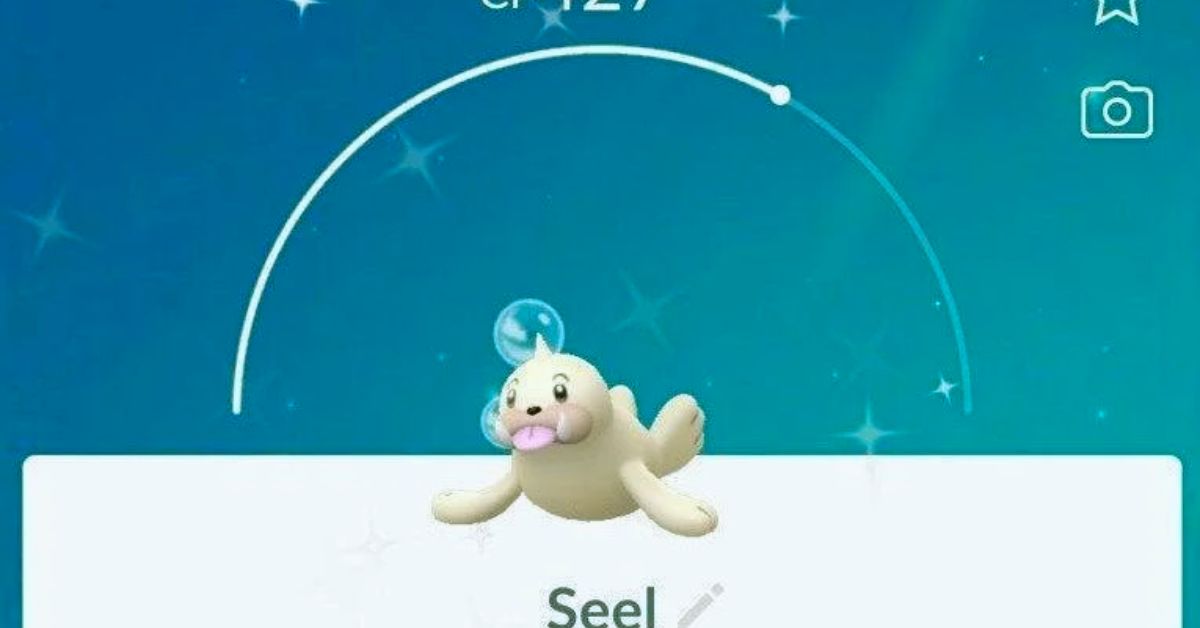
    A shiny Seel is a Seel that has a different colour scheme than the normal Seel. A normal Seel has a white body with a black horn and eyes. A shiny Seel has a beige or cream-coloured body with a brown horn and eyes. The difference is subtle but noticeable. A shiny seal also has a shiny sparkle effect when it appears on the map or the encounter screen.

    A shiny Seel looks like this:

    Can Seel Be Shiny In Pokemon Go
    Can Seel Be Shiny In Pokemon Go

    How to Find And Catch a Shiny Seel in Pokemon GO?

    To find and catch a shiny Seel in Pokemon GO, you need to encounter a Seel in the wild, in raids, in eggs, or research tasks. There is a small chance that any Seel that you encounter will be shiny, regardless of the source. However, some sources may have higher or lower chances of spawning a shiny Seel, depending on the event or the situation.

    The best way to find and catch a shiny Seel is to look for it in the wild, especially in areas where Seel spawns frequently, such as near water or in snowy or icy biomes.

    You can also use items such as incense, lures, or mystery boxes to attract more Seel to your location. You can also check the nearby or sightings tab to see if there is a Seel nearby, and follow the footsteps to find it.

    Another way to find and catch a shiny Seel is to participate in raids, where Seel may appear as a one-star raid boss. You can join or create a raid lobby, and battle the Seel with other players. If you defeat the seel, you will have a chance to catch it, and it may be shiny.

    Another way to find and catch a shiny Seel is to hatch it from eggs, where Seel may be one of the possible Pokemon that can hatch from a 5 km egg. You can obtain eggs from spinning PokeStops or Gyms, or from gifts from friends. You can then place the egg in an incubator, and walk a certain distance to hatch it. The Pokemon that hatches from the egg may be shiny.

    Another way to find and catch a shiny Seel is to complete research tasks, where Seel may be one of the possible rewards for completing certain field or special research tasks. You can obtain research tasks from spinning PokeStops or Gyms, or from the Professor or the Team Leaders.

    You can then complete the tasks by performing certain actions, such as catching, battling, or evolving Pokemon. The reward for completing the task may be a Seel encounter, and it may be shiny.

    What are The Chances and Benefits of Getting a Shiny Seel in Pokemon GO?

    The chances of getting a shiny Seel in Pokemon GO are not officially confirmed, but they are estimated to be around 1 in 500 for a wild encounter, 1 in 50 for a raid encounter, 1 in 50 for an egg hatch, and 1 in 20 for a research task encounter.

    These changes may vary depending on the event or the situation, as some events may increase or decrease the shiny rates of certain Pokemon.

    The benefits of getting a shiny Seel in Pokemon GO are mainly cosmetic, as a shiny Seel does not have any advantage or disadvantage over a normal Seel in terms of stats, moves, or performance.

    However, a shiny Seel is rare and valuable, as it can be used to show off, trade, or collect. A shiny Seel can also be evolved into a shiny Dewgong, which is the evolved form of Seel and has a blue body with a white horn and eyes.

    You might also be interested in the following game guide:

    Conclusion

    Seel is one of the Pokemon that can be shiny in Pokemon GO, and it has a beige or cream-coloured body with a brown horn and eyes. To find and catch a shiny Seel, you need to encounter a Seel in the wild, in raids, in eggs, or research tasks, and hope that it is shiny.

    The chances of getting a shiny Seel are low, but they may vary depending on the event or the situation. The benefits of getting a shiny Seel are mainly cosmetic, but it can also be used to show off, trade, or collect.

    We appreciate your interest in our website! Make Gameempress.com your go-to site for gaming information.
  • Baldurs Gate 3 Xbox: Forge Your Destiny In A World Of Dungeons And Dragons

    Baldurs Gate 3 Xbox: Forge Your Destiny In A World Of Dungeons And Dragons

    Baldur’s Gate 3, the most current product from Larian Studios, has become a great hit, with both beginners and old Dungeons & Dragons fans devoting hundreds of hours to its vast world. Content is abundant in the game, with a variety of classes to choose from, a plethora of companions to acquire, and a plethora of exciting fights to fight.

    While the game was initially released for PC, a console version for the PS5 was released a few months later. If you own an Xbox, you might be wondering if Baldur’s Gate 3 is also available in the Series X|S.

    With that in mind, here’s what we know about Baldur’s Gate 3’s availability on Xbox.

    Baldurs Gate 3 Xbox

    Baldur’s Gate 3 is, indeed, accessible on Xbox. After winning Game of the Year at The Game Awards on December 7, 2023, the Xbox version was shadow-dropped on both series.Baldur’s Gate 3 is, indeed, accessible on Xbox. After winning Game of the Year at The Game Awards on December 7, 2023, the Xbox version was shadow-dropped on both series.

    Right after the ceremony, the official Baldur’s Gate 3 X account released a message confirming the game’s launch on Microsoft’s platforms.

    As we all know, the developers revealed a few months ago that an Xbox version of the game was in the works. Though they did not provide a precise release date, they did state that the game would be available in December.

    Keep in mind that Baldur’s Gate 3 features cross-platform progression. As a result, you should be able to easily switch platforms today.

    You might also be interested in the following gaming news:

    Where Can You Play Baldur’s Gate 3?

    Larian Studios developed and published BG3 for PC, PlayStation 5, Mac, and Xbox Series X/S. In terms of price, the base version of Baldur’s Gate 3 will set you back $59.99 on Steam at the time of writing. Other providers charge various pricing, with the PlayStation Store and Xbox listing the title for $69.99. A tangible deluxe edition of BG3 with a lot of extra goodies is available for $79.99 for those willing to splurge a little.

    We appreciate your interest in our website! Make Gameempress.com your go-to site for gaming information.

  • Star Rail Tier List: The Best Characters And Weapons In The Space Fantasy RPG

    Star Rail Tier List: The Best Characters And Weapons In The Space Fantasy RPG

    Star Rail is a turn-based space fantasy RPG that lets you explore the galaxy, fight enemies, and collect characters and weapons. The game was released in 2022 for iOS and Android devices and has been updated and expanded over the years.

    The game has a large and diverse roster of characters and weapons, each with its skills, stats, and roles. But which ones are the best? How do you build the best team and equip the best weapons? In this article, we’ll provide a Star Rail tier list, and rank the best characters and weapons in the game.

    Star Rail Tier List

    A tier list is a ranking system that evaluates the performance and value of the items or units in a game, based on various criteria and factors. A tier list can help players to choose the best options for their gameplay, and optimize their strategies and results.

    Honkai Star Rail Leak
    Honkai Star Rail Leak

    A tier list can also reflect the current meta and trends of the game, and show which items or units are popular and effective. A tier list is usually made by experienced and knowledgeable players, who test and analyze the items or units in different scenarios and situations.

    A tier list can also be influenced by personal opinions and preferences, as well as by the feedback and suggestions of other players. A tier list is not a definitive or absolute guide, but rather a reference and a recommendation. A tier list can also change and vary over time, depending on the updates and changes in the game.

    Star Rail Tier List Criteria

    The Star Rail tier list is based on the following criteria and factors:

    • The rarity and availability of the characters and weapons. Higher rarity and lower availability usually mean higher quality and performance, but also higher cost and difficulty to obtain.
    • The skills and stats of the characters and weapons. Higher skills and stats usually mean higher damage and utility, but also higher energy and cooldown requirements.
    • The roles and synergies of the characters and weapons. Different roles and synergies can affect the team composition and the gameplay, and some characters and weapons can work better or worse with others.
    • The versatility and adaptability of the characters and weapons. Some characters and weapons can perform well in multiple scenarios and situations, while others can be more specialized and niche.
    • The popularity and preference of the players. Some characters and weapons can be more favoured and used by the players, either because of their effectiveness, their design, or their taste.

    Star Rail Character Tier List

    The Star Rail character tier list is divided into five tiers: S, A, B, C, and D. The higher the tier, the better the character. The characters are also grouped by their roles: Attacker, Defender, Supporter, and Hybrid.

    The roles can affect the character’s skills, stats, and gameplay. Here is the Star Rail character tier list as of December 2023:

    Tier Attacker Defender Supporter Hybrid
    S Ruan Mei, Dr. Ratio, Xueyi, Jingliu, Imbibitor Lunae Fu Xuan, Luocha, Silver Wolf, Huohuo, Tingyun Bronya, Welt, Yukong, Pela, Lynx Blade Kafka, Argenti, Jing Yuan, Topaz, Seele
    A Yanqing, March 7th, Natasha, Dan Heng, Guinaifen Trailblazer (Fire), Hook, Sushang, Qingque, Himeko Bailu, Gepard, Hanya, Asta, Clara Luka, Serval, Sampo, Trailblazer, Herta
    B Arlan, Guinaifen, Himeko, Serval, Sampo Herta, Arlan None None
    C None None None None
    D None None None None

    Star Rail Weapon Tier List

    The Star Rail weapon tier list is divided into five tiers: S, A, B, C, and D. The higher the tier, the better the weapon. The weapons are also grouped by their types: Sword, Gun, Bow, and Staff. The types can affect the weapon’s skills, stats, and gameplay. Here is the Star Rail weapon tier list as of December 2023:

    Tier Sword Gun Bow Staff
    S Lunar Edge, Starlight Blade, Crimson Fang, Frostbite, Soul Eater Plasma Cannon, Railgun, Laser Rifle, Gatling Gun, Sniper Rifle Phoenix Wing, Dragon Tail, Eagle Eye, Stormbringer, Moonshadow Cosmic Staff, Chaos Staff, Arcane Staff, Mystic Staff, Divine Staff
    A Flame Sword, Ice Sword, Thunder Sword, Wind Sword, Light Sword Flame Pistol, Ice Pistol, Thunder Pistol, Wind Pistol, Light Pistol Flame Bow, Ice Bow, Thunder Bow, Wind Bow, Light Bow Flame Wand, Ice Wand, Thunder Wand, Wind Wand, Light Wand
    B Iron Sword, Steel Sword, Titanium Sword, Alloy Sword, Crystal Sword Iron Gun, Steel Gun, Titanium Gun, Alloy Gun, Crystal Gun Iron Bow, Steel Bow, Titanium Bow, Alloy Bow, Crystal Bow Iron Rod, Steel Rod, Titanium Rod, Alloy Rod, Crystal Rod
    C Wood Sword, Stone Sword, Bone Sword, Glass Sword, Paper Sword Wood Gun, Stone Gun, Bone Gun, Glass Gun, Paper Gun Wood Bow, Stone Bow, Bone Bow, Glass Bow, Paper Bow Wood Stick, Stone Stick, Bone Stick, Glass Stick, Paper Stick
    D None None None None

    Conclusion

    The Star Rail tier list is a ranking system that evaluates the best characters and weapons in the game, based on various criteria and factors. The tier list can help players to choose the best options for their gameplay, and optimize their strategies and results.

    The tier list can also reflect the current meta and trends of the game, and show which characters and weapons are popular and effective. The tier list is not a definitive or absolute guide, but rather a reference and a recommendation. The tier list can also change and vary over time, depending on the updates and changes in the game.

    The tier list is also influenced by personal opinions and preferences, and some characters and weapons can work better or worse with others, or in different scenarios and situations.

    This is everything you need to know about the Star Rail Tier List. You can also read our guides on Overwatch Tier List and Honkai Star Rail Tier List. Stay up to date with GameEmpress.com for the most recent gaming news and guides.

  • WWE 2K23 Patch 1.22: Game Changer Or Minor Tweak?

    WWE 2K23 Patch 1.22: Game Changer Or Minor Tweak?

    WWE 2K23 is a wrestling simulation game that features a roster of WWE Superstars, Legends, and Hall of Famers, as well as various modes and features. The game is available on PlayStation 5, PlayStation 4, Xbox Series X|S, Xbox One, and PC.

    The game has received several updates and patches since its release, improving its performance and adding new content. The latest update is Patch 1.22, which was released on September 15, 2023. But what does Patch 1.22 include, and how can you download it? In this article, we will answer these questions and more.

    WWE 2K23 Patch 1.22

    WWE 2K23 Launch Trailer Released
    WWE 2K23 Launch Trailer Released

    Patch 1.22 is a major update that adds a lot of new content and fixes to WWE 2K23. According to the official patch notes, Patch 1.22 includes the following:

    • Added support for the WWE 2K23 Showcase: The Rock DLC pack, which features a story mode that follows the career and legacy of The Rock, as well as new playable characters, arenas, and attires.
    • Added support for the WWE 2K23 Originals: Wasteland Wanderers DLC pack, which features a post-apocalyptic theme and a new story mode that pits WWE Superstars against mutants and raiders, as well as new playable characters, arenas, and attires.
    • Added new WWE Superstars, Legends, and Hall of Famers to the roster, such as Edge, Christian, Rhea Ripley, Keith Lee, Bianca Belair, and more.
      Added new arenas, such as WrestleMania 37, NXT TakeOver: Stand & Deliver, and more.
    • Added new attires, such as Roman Reigns’ Tribal Chief attire, Sasha Banks’ Mandalorian attire, and more.
    • Added new moves, such as the Brogue Kick 2, the Claymore Kick 2, the Spear 9, and more.
    • Added new entrance animations, such as the Bad Bunny entrance, the RK-Bro entrance, and more.
    • Added new championship belts, such as the NXT Women’s Tag Team Championship, the NXT UK Heritage Cup, and more.
    • Added new creation options, such as new hairstyles, tattoos, logos, and more.
    • Added new online features, such as crossplay between PlayStation and Xbox platforms, private lobbies, and more.
    • Added new gameplay features, such as the ability to break the ring, the ability to use weapons in Hell in a Cell match, and more.
    • Added new customization features, such as the ability to change the commentary team, the ability to change the match rules, and more.
    • Added new accessibility features, such as the ability to adjust the text size, the ability to enable subtitles, and more.
    • Addressed reported concerns and issues related to gameplay, graphics, audio, online, and more.

    You might also be interested in the following gaming news:

    How to Download Patch 1.22?

    Patch 1.22 is a free update that is automatically downloaded and installed when you launch WWE 2K23, as long as you have an active internet connection and enough storage space on your device. The size of the update may vary depending on your platform and region, but it is estimated to be around 10 GB.

    If you encounter any problems or errors while downloading or installing Patch 1.22, you can try the following solutions:

    • Restart your device and try again.
    • Check your internet connection and make sure it is stable and fast.
    • Check your storage space and make sure you have enough free space to download and install the update.
    • Check your platform’s network settings and make sure you have the latest firmware and software updates.
    • Check the official WWE 2K23 website and social media channels for any announcements or updates regarding Patch 1.22.

    Conclusion

    Patch 1.22 is a big and exciting update that adds a lot of new content and fixes to WWE 2K23. It also supports the latest DLC packs, which offer more modes and features to enjoy. Patch 1.22 is available now for all platforms, and you can download it for free by launching WWE 2K23.

    We appreciate your interest in our website! Make Gameempress.com your go-to site for gaming information.

  • Electronic Entertainment Expo Officially Shuts Down: The End Of An Era For The Gaming Industry

    Electronic Entertainment Expo Officially Shuts Down: The End Of An Era For The Gaming Industry

    The Electronic Entertainment Expo, or E3, was once the biggest and most anticipated game industry event of the year.

    It was a venue where game developers, publishers, and hardware manufacturers could show off their upcoming games and products to the press and the general public. However, after more than two decades of operation, E3 has been formally closed down123.

    Electronic Entertainment Expo Officially Shuts Down

    The Electronics Entertainment Expo died earlier today, with a brief statement reading, “After more than two decades of E3, each one bigger than the last, the time has come to say goodbye.” “I appreciate the memories.”

    It had taken a long time. Since PlayStation withdrew from the exhibition in 2019, industry insiders have speculated about its future. The following year, E3 inadvertently published a document listing the addresses and phone information of show participants, thereby doing a big portion of the gaming industry.

    In retrospect, those actions were the beginning of a chain of events that ended in today’s cancellation, with the COVID-19 pandemic killing the show.

    Publishers complained behind closed doors about the hefty cost of running an exhibit at the expo, which might cost millions of dollars. The lobbying organization that put on the show, the Entertainment Software Association, was branded as “out of touch” with the progress of the games business.

    The E3 arms race to have the biggest and loudest booth led to increased budgets which became harder and harder to justify,” Tencent’s North America head of communications, Chris Kramer, tells IGN. “One year at E3, I had the head of a company walk me out of our booth to point out another company’s monitor, expressing his displeasure that the other publisher’s screen was bigger and brighter than ours. The following year, the events team had to spend money renting a recently retired Jumbotron that came from an NFL stadium in order to make that exec happy. How do you track [return on investment] on a $5 – 20 million dollar booth that only exists for three days and is seen by 20,000 – 30,000 people?

    Kramer lauds Geoff Keighley’s Summer Game Fest Play Days, describing it as a “much more civilized way to present new titles to games media” and noting that it costs a “fraction of the cost of E3.” According to another knowledgeable industry observer, E3 has had a “hard time transitioning” in the current era.

    “As consumers began to adopt digital formats, the need for a retail show for distributors declined. Coupled with already popular fan shows like PAX, E3 became this sort of cost-prohibitive show that tried to transition itself into an inclusive fan event too late,” they explain. “It was ultimately left behind as major labels adopted a straight-to-consumer digital showcase event that saved them a ton of money. COVID was just the final nail in the coffin but from what I could see and what I heard from colleagues, it had already struggled for years to find its footing.”

    E3’s Ascension And Fall

    E3 has seen its fair share of ups and downs throughout the years. When I first started in the media in 2009, E3 had just had a two-year run as the “E3 Media and Business Summit,” with the 2007 exhibition housed in an old hangar in Santa Monica. Journalists and developers mainly despised it. Peer Schneider, co-founder of IGN, recalls the show as chaotic, adding, “LA traffic is real.”

    The return to a larger format helped to rekindle some of the lost excitement, and in the years that followed, it grew to become the single biggest industry event of the calendar year.

    E3 was once a taxing but exciting show of industry excess. A successful showing may sustain a publisher for months, and a poor showing could drown a game behind an avalanche of memes and negative coverage.

    When Nintendo chose to skip E3 in 2013 and instead host its own Direct streams, the narrative was that it was on the verge of becoming irrelevant. But, as is so frequently the case, Nintendo was ahead of the curve.

    What industry observers didn’t comprehend at the time was that the way consumers consumed games was changing. If there’s one common thread running through the discussions I’ve had since the news came that E3 was officially dead, it’s that it clung steadfastly to a format that felt increasingly out of date.

    Its great innovation in 2017 was allowing supporters in, which caused overcrowding and security issues. Sony’s decision to withdraw from the expo in 2019 further harmed E3’s reputation, prompting other publishers to question if the exorbitant expense of participating was worthwhile in the age of streaming.

    The ESA was unprepared to adjust when the COVID-19 epidemic struck, and physical events were canceled. A complete cancellation followed a lackluster digital debut in 2021 in 2022.

    IGN heard several stories at this period that the ESA just lacked the skills to put on a large-scale event like E3, with former ESA senior director of communications Dan Hewitt alleged to be one of the event’s key drivers. Hewitt left E3 for Gearbox in 2019 but acknowledged in a message to IGN that he was the director from 2007 to 2019.

    A future Without E3 May Result in More Manufactured Remarks

    While later E3 gatherings would allow fans to interact with the exhibits and demos on the show floor, the convention had traditionally served as a launchpad for news from both large and small game developers.

    Without an in-person industry event, gamers seeking announcements and updates on upcoming titles will have to rely more on pre-recorded presentations and press releases from major companies such as Sony, Microsoft, Nintendo, and EA, with fewer opportunities for press interviews and spontaneous remarks.

    The real importance of E3 is that everyone was there all at once,” said Michael Pachter, an analyst at Wedbush Securities. According to Pachter, unlike the Game Developers Conference or the Tokyo Game Show, E3 drew CEOs and CFOs from throughout the industry. This also meant that the event attracted a lot of consumer attention because the mainstream press was there.

    E3 originated in 1995 as a trade show designed to bring retailers together to assist in planning holiday buying. With larger and flashier press conferences, the show blossomed into a major event that drew mainstream reporters from across the world. E3’s fundamental position declined as the retail landscape evolved, with more games going online and significant releases arriving outside of the holiday shopping season.

    For publishers aiming to release games the following March, having one event in the summer didn’t work. As a result, firms decided to present titles at their events instead. The final in-person E3 took place in 2019, with the final online-only E3 taking place in 2021.

    I notice companies being a lot less transparent and really wanting to control the message,” said DFC Intelligence’s principal analyst, David Cole. It’s more difficult for the press to ask critical questions when corporations keep to online presentations and don’t make executives and developers available. According to Cole, this is partly by design so that businesses may manage their messaging. Reduced transparency also makes an analyst’s job more difficult.

    You might also be interested in the following gaming news:

    I can’t get honest answers from these companies,” Cole added. “It makes it tough because you’re just basically going with their hype of whatever they’re saying in public and you kind of got to go around and really dig to get the true story.

    Nintendo, Microsoft, and Sony did not respond immediately to requests for comment.

    Companies will continue to rely on online influencers to sway public opinion in addition to making videos and sending out press releases. While some influencers are open about their level of access, others may accept payment from publishers to promote games, which is something that trusted news organizations should not do.

    Cole stated that companies relying on influencers have been going on for a while, and it will take more due diligence on the part of customers to recognize how marketing teams may be manipulating online excitement.

    The companies that ‘pulled out’ (namely Sony) made a huge mistake and killed the show,” Pachter added. “EA was dumb to move its competing show across town on the same days, and Microsoft was dumb to move to the Peacock (formerly Microsoft) theatre.” I’m hoping that the ESA realizes the show’s relevance and brings it back, but I’m not optimistic.

    We appreciate your interest in our website! Make Gameempress.com your go-to site for gaming information.

  • Is For Honor Crossplay? Building Bridges Between Console And PC Warriors

    Is For Honor Crossplay? Building Bridges Between Console And PC Warriors

    For Honor is a multiplayer action game that lets you choose from different factions and modes, such as knights, Vikings, samurai, wu lin, campaign, training, custom match, arcade, and rank.

    The game was released in 2017 for PC, PS4, and Xbox One, and has been updated and expanded over the years. However, one of the most requested features by the fans was crossplay, which allows you to play with and against players from different platforms.

    Is For Honor Crossplay?

    For Honor Crossplay Phase 2
    For Honor Crossplay Phase 2

    Crossplay was finally added to For Honor in 2023, in two phases. Phase 1 enabled crossplay for most of the game modes, while Phase 2 enabled crossplay for group play with cross-platform friends and other players. In this article, we’ll explain what crossplay is, how it works, and how to use it in For Honor.

    How to Use Crossplay?

    To use crossplay, you need to have a Ubisoft account and link it to your platform account. You also need to have the latest version of the game and the platform software. Once you have done that, you can follow these steps to use crossplay:

    • To add a cross-platform friend, go to the social menu and select the “Add Friends” option. You can then search for your friend’s Ubisoft username and send them a friend request. You can also accept friend requests from other players by using the “Friend Requests” option.
    • To form a group with a cross-platform friend, go to the social menu and select the “Group” option. You can then invite your friend to your group by selecting their name and choosing the “Invite to Group” option. You can also join your friend’s group by selecting their name and choosing the “Join Group” option.
    • To chat with a cross-platform friend or group member, go to the social menu and select the “Chat” option. You can then choose between text or voice chat, and select the recipient of your message. You can also mute or unmute other players by selecting their name and choosing the “Mute” or “Unmute” option.
    • To play with a cross-platform friend or group member, you need to go to the main menu and select the game mode you want to play. You can then choose between matchmaking or custom match, and start the game. You will be able to see the platform icon of each player in the lobby and the game.

    You might also like to know about if these other games are cross-platform or not:

    Conclusion

    Crossplay is a great feature that enhances the multiplayer experience of For Honor and allows you to play with your friends and other players across platforms. Crossplay is easy to use and compatible with all the game modes and platforms that For Honor supports.

    Crossplay is a welcome addition to the game and a testament to the developer’s commitment to the game and the community. If you’re a fan of For Honor, you should try out crossplay and enjoy the game with your cross-platform friends.

    We appreciate your interest in our website! Make Gameempress.com your go-to site for gaming information.

  • Princess And Conquest Cheats: How To Use Them And What They Do?

    Princess And Conquest Cheats: How To Use Them And What They Do?

    Princess and Conquest is a hybrid strategy RPG that is under development by Towerfag. In this game, you play as a knight who has several objectives to complete, such as rescuing princesses, freeing slaves, and recruiting villagers. The game also features a dynamic world with different factions, events, and outcomes.

    However, if you want to make your life easier or just have some fun, you can also use cheats to modify various aspects of the game.

    Cheats can help you unlock items, change the weather, alter the relationships and affinities with the princesses and the reigns, and more. However, using cheats will also disable in-game medals and achievements, so use them at your own risk.

    How To Use Cheats In Princess And Conquest?

    To use cheats in Princess and Conquest, you need to be a Patreon supporter of the game. Once you are a supporter, you will get access to the cheat codes for each version of the game. The cheat codes are different for each version, and they change frequently, so make sure you have the latest ones.

    Princess And Conquest Cheats
    Princess And Conquest Cheats

    To activate the cheats, you need to go to the Golem Reign and farm exactly 20x Cogs. Then, you need to go to the Golem Princess’s room and interact with the computer. You will see a screen where you can enter a six-digit code. Change the values according to the cheat codes you have, and confirm. You will see a message telling you if the cheat was successful or not.

    Princess And Conquest Cheats

    There are many cheats in Princess and Conquest, and they can do various things. Here are some examples of what the cheats can do, based on the latest version of the game (v0.20.03):

    • 441297: Randomize or de-randomize the appearance and traits of the princesses and the soldiers.
    • 754120: Change the season to spring, summer, autumn, or winter.
    • 126792: Change the weather to sunny, cloudy, rainy, stormy, or snowy.
    • 843767: Set the location of the Merchant Princess, who sells rare and valuable items.
    • 798714: Make all the princesses pregnant, regardless of their fertility or relationship status.
    • 282517: Toggle on or off the maximum fertility for every princess, which means they can get pregnant anytime.
    • 622094: Unlock every animation in the game, and get a “Gallery Teleport” item that lets you access them anytime.
    • 448662: Start a “Kingdom: Total War” event, where every reign declares war on each other and you have to choose a side.
    • 137253: Reset the diplomacy between the reigns, which affects the events and the outcomes of the game.
    • 981071: Toggle on or off the prince looks for every princess, which means they will look like you or not.
    • 729869: Start a “Party Kingdom” event, where there is a 100% chance of a festival happening in one of the reigns, such as the Desert Festival, the Tea Party, the Spookfest, the Chillbite Blessing, or the Bloomgaze Festival.
    • 528812: Resurrect any princess that died during your playthrough, and make them available in the Putridarium, where you can interact with them.
    • 943870: Upgrade every knight trait to “++”, which gives you various bonuses and abilities.
    • 225185: Change your knight trait to a different one, such as Brave, Lucky, Charismatic, etc.
    • 595979: Get a progeny, which is a child that inherits the traits and abilities of the parents.
    • 610957: Get a Diana Portfolio, which is an item that lets you access the CG gallery of the game.

    You might also be interested in the following game Cheats:

    Conclusion

    Princess and Conquest is a game that offers a lot of content, variety, and replayability. However, if you want to spice things up or just have some fun, you can also use cheats to modify the game to your liking.

    Cheats can help you unlock items, change the weather, alter the relationships and affinities with the princesses and the reigns, and more. However, using cheats will also disable in-game medals and achievements, so use them at your own risk.

    We appreciate your interest in our website! Make Gameempress.com your go-to site for gaming information.
  • Lower City Sewers Map BG3: How To Explore The Underbelly Of Baldur’s Gate 3?

    Lower City Sewers Map BG3: How To Explore The Underbelly Of Baldur’s Gate 3?

    Baldur’s Gate 3 is a role-playing game that lets you create your character and embark on an epic adventure in the world of Dungeons & Dragons. The game has a vast and detailed map, with various locations to visit and explore.

    One of these locations is the Lower City Sewers, a network of tunnels and pipes that run beneath the Lower City of Baldur’s Gate. The Lower City Sewers are full of secrets, dangers, and rewards, and can be accessed from different points in the game.

    In this article, we will provide a guide on how to find and navigate the Lower City Sewers map in Baldur’s Gate 3, and what you can expect to encounter there.

    How To Access The Lower City Sewers Map in Baldur’s Gate 3?

    The Lower City Sewers map in Baldur’s Gate 3 can be accessed from several entrances in the Lower City, which is the main area of the game’s third act. You can find these entrances by looking for manholes, grates, or doors that lead to the sewers. Some of the entrances are:

    • Guildhall: You can access it through the No Entry, No Exit door.
    • Basilisk Gate: Access the manhole under the bridge after reaching the Lower City.
    • Bloomridge Park: Access the manhole right behind the Glitter Gala.
    • The Blushing Mermaid: Access the grate in the back alley of the tavern.
    • The Undercellar: Access the door in the basement of the tavern.
    • The Flaming Fist Headquarters: Access the grate in the courtyard of the headquarters.

    You can also access the Lower City Sewers map from the Undercity, which is another underground location that is connected to the sewers.

    You can find the entrance to the Undercity in the Steel Watch Foundry, which is part of the main quest line.

    What To Expect In The Lower City Sewers Map In Baldur’s Gate 3?

    Lower City Sewers Map BG3
    Lower City Sewers Map BG3

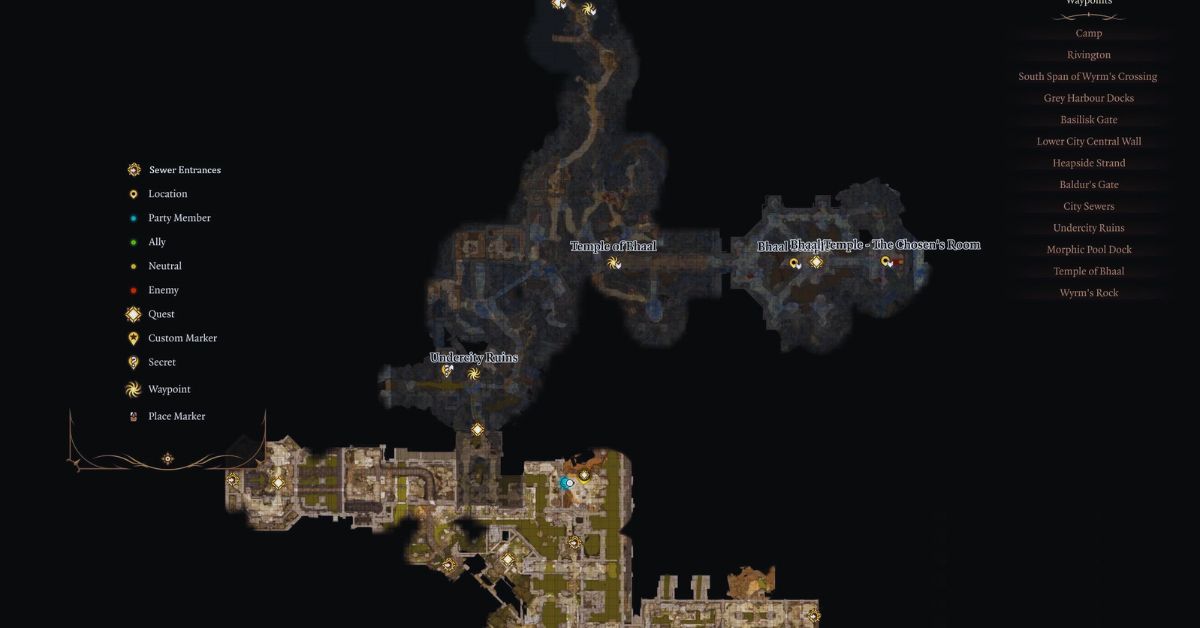
    The Lower City Sewers map in Baldur’s Gate 3 is a large and complex area, with multiple paths, rooms, and secrets to discover. You can use the map icon in the upper right corner of the screen to view the map and your location. You can also use the fast travel feature to move between different waypoints that you have unlocked in the sewers.

    The Lower City Sewers map in Baldur’s Gate 3 is also home to various enemies, allies, and quests that you can encounter. Some of the things you can expect to find in the sewers are:

    • Rats: These are common enemies that can swarm and bite you. They are easy to kill but can be annoying and infectious.
    • Otyughs: These are large and grotesque creatures that feed on sewage and garbage. They are hostile and can deal heavy damage with their tentacles and bite. They can also poison you with their stench.
    • Goblins: These are small and cunning enemies that can ambush you with traps and explosives. They are part of the Goblin Gang quest, which involves finding and killing their leader, Grix.
    • Kobolds: These are reptilian enemies that can attack you with slings and spears. They are part of the Kobold Coup quest, which involves helping or hindering their rebellion against the goblins.
    • Cultists: These are human enemies that worship the Dead Three, a trio of evil gods. They are part of the Cult of the Dead Three quest, which involves infiltrating their lair and stopping their ritual.
    • Baeloth: This is a powerful and eccentric wizard who runs the Black Pits, a gladiatorial arena where you can fight for fame and fortune. He is part of the Black Pits quest, which involves participating in his battles and uncovering his secrets.
    • Halsin: This is a druid who can help you with your tadpole problem. He is part of the main quest line, and you can find him in the Undercity after rescuing him from the goblins.

    You might also be interested in the following game guide:

    Tips And Tricks For The Lower City Sewers Map In Baldur’s Gate 3

    The Lower City Sewers map in Baldur’s Gate 3 can be a challenging and rewarding area to explore, but it can also be dangerous and confusing. Here are some tips and tricks to help you survive and thrive in the sewers:

    • Use light sources: The sewers are dark and gloomy, and you may need to use torches, lanterns, or spells to illuminate your surroundings and spot hidden enemies or traps.
    • Use stealth: The sewers are full of enemies and hazards, and you may want to use stealth to avoid unnecessary fights or sneak up on your foes. You can use the stealth button in the lower left corner of the screen to enter or exit stealth mode.
    • Use perception: The sewers are also full of secrets and loot, and you may want to use perception to spot hidden doors, chests, or switches. You can use the perception button in the lower left corner of the screen to activate or deactivate the perception mode.
    • Use exploration: The sewers are a large and complex area, and you may want to explore every corner and path to find all the quests, allies, and rewards. You can use the map icon in the upper right corner of the screen to view the map and your location, and the fast travel feature to move between different waypoints.
    • Use caution: The sewers are a dangerous and unpredictable area, and you may want to use caution and save often to avoid unpleasant surprises or consequences. You can use the save button in the upper left corner of the screen to save your game, and the load button to load a previous save.

    We appreciate your interest in our website! Make Gameempress.com your go-to site for gaming information.

  • Fortnite Festival XP Glitch: How To Get Free XP In Chapter 4 Season OG?

    Fortnite Festival XP Glitch: How To Get Free XP In Chapter 4 Season OG?

    Fortnite Festival is a new feature in Fortnite Chapter 4 Season OG that allows players to celebrate the holidays with various activities and rewards.

    However, some players have discovered a way to exploit the festival and get free XP in the game. This article will explain what the Fortnite Festival XP glitch is, how to do it, and what are the risks and benefits of using it.

    What is the Fortnite Festival XP Glitch?

    The Fortnite Festival XP glitch is a bug that allows players to get unlimited XP by completing the same festival quest over and over again. The glitch works by using the Party Assist feature, which lets players share their quests with their party members.

    Fortnite Chapter 4 Season 5 Skin Leaks
    Fortnite Chapter 4 Season 5 Skin Leaks

    By doing this, players can complete the same quest multiple times and get XP each time, without actually doing the quest.

    How to Do the Fortnite Festival XP Glitch?

    To do the Fortnite Festival XP glitch, players will need to have at least one friend in their party and have the Party Assist feature enabled. They will also need to have at least one festival quest available, which can be obtained from the festival hub in the main menu.

    The steps to do the glitch are as follows:

    • Go to the festival hub and select a festival quest that is easy to complete, such as “Visit different Snowmando Outposts”.
    • Activate the Party Assist feature for the quest, and make sure your friend does the same.
    • Start a match and complete the quest. You and your friend will both get XP for completing the quest.
    • Leave the match and return to the festival hub. You will notice that the quest is still available, and you can activate the Party Assist feature again.
    • Repeat the process as many times as you want, and enjoy the free XP.

    You might also be interested in the following game guide:

    What Are the Risks and Benefits of Using the Fortnite Festival XP Glitch?

    The Fortnite Festival XP glitch is a tempting way to level up fast and unlock the exclusive Battle Pass rewards, such as the Darth Vader skin, the Carnage skin, and the gold styles for various skins. However, using the glitch also comes with some risks and drawbacks, such as:

    • The glitch may be patched by Epic Games at any time, and players who use it may face consequences, such as losing their XP, getting banned, or getting their accounts reset.
    • The glitch may ruin the fun and challenge of the game, as players will not have to work hard to earn their rewards, and may lose interest in the game.
    • The glitch may cause some issues with the game’s performance, such as lag, crashes, or glitches, as it may overload the game’s servers or systems.

    Therefore, players who want to use the Fortnite Festival XP glitch should do so at their own risk, and be aware of the possible outcomes. Alternatively, players can choose to play the game normally and enjoy the festival and its rewards without cheating.

    We appreciate your interest in our website! Make Gameempress.com your go-to site for gaming information.

  • Bannerlord Online Mod: A Multiplayer Sandbox Experience For Mount And Blade II

    Bannerlord Online Mod: A Multiplayer Sandbox Experience For Mount And Blade II

    Mount & Blade II: Bannerlord is a popular medieval action role-playing game that offers a rich single-player sandbox experience. But what if you want to share this experience with other players online? That’s where the Bannerlord Online mod comes in.

    This mod not only provides a multiplayer experience but also provides a complete sandbox experience that is as close to the original as possible. In this article, we will explore the features and benefits of the Bannerlord Online mod, and how you can install and play it.

    What is the Bannerlord Online Mod?

    The Bannerlord Online mod is a mod for Mount & Blade II: Bannerlord that adds online multiplayer functionality to the game. The mod is developed by a team of independent modders who are fans of the game and want to create a multiplayer experience that is faithful to the original game. The mod is available for download from ModDB or Nexus Mods.

    Bannerlord Online Mod
    Bannerlord Online Mod

    The Bannerlord Online mod aims to provide a completely cooperative experience on the global map, where every squad, battle, bandit hideout, and other event are fully synchronized.

    Time doesn’t stop during battles – you can move around the world, visit cities, trade, and fight in the arena while other players participate in battles. You can also join existing battles to turn the tide of battle.

    The mod also features player progression, where you start as an unknown character and gradually find allies and opponents in this world. However, each hero now has a real player behind it, not a scripted AI. The mod also introduces unique perks specially designed for multiplayer, as well as a redesigned experience bar for each skill.

    Another feature of the mod is the player-controlled economy, where the players themselves produce raw materials and deliver them to the workshops while working in the villages.

    Workshop owners produce food, weapons, and armor, and then deliver a finished product to the market. The finished product is in demand by military units and serves as an aid in military campaigns. You can also team up in caravans with other players for effective trading.

    Of course, the mod also supports the combat system of the original game, with support for 100×100 battles, and in the future, the limit will increase to 200×200. Almost all weapons that are in the original game are supported. You can fight in the arena in cities or engage in real, bloody battles.

    How to Install and Play the Bannerlord Online Mod?

    To install and play the Bannerlord Online mod, you will need to have Mount & Blade II: Bannerlord installed on your PC. You will also need to download the mod installer from ModDB or Nexus Mods and run it. The installer will automatically detect your game folder and install the mod files.

    To play the mod, you will need to launch the game from the mod launcher, which will be created on your desktop after the installation. You will also need to log in with your Bannerlord Online account.

    You can then choose a server to join, and create your character. You can also join a clan or create your own, and invite other players to join you. You can then explore the world of Calradia with other players, and enjoy the multiplayer sandbox experience.

    You might also be interested in the following gaming mods:

    Why Should You Play the Bannerlord Online Mod?

    If you are a fan of Mount & Blade II: Bannerlord, and you want to experience the game with other players online, then the Bannerlord Online mod is for you. The mod offers a faithful multiplayer experience that is as close to the original as possible, with many features and benefits, such as:

    • A complete cooperative experience on the global map, where every event is synchronized and you can join other players in battles.
    • A player progression system, where you can create your hero and develop your skills and perks.
    • A player-controlled economy, where you can produce and trade goods, and support your military campaigns.
    • A combat system that supports large-scale battles, with almost all weapons from the original game.
    • A friendly and active community, where you can join clans, chat with other players, and get support from the mod developers.

    The Bannerlord Online mod is a mod that enhances the game and adds a new dimension to it. It is a mod that is made by fans, for fans, and it is constantly updated and improved. If you want to try the mod, you can download it from ModDB or Nexus Mods.

    We appreciate your interest in our website! Make Gameempress.com your go-to site for gaming information.

  • House Flipper Cheats: How To Use Console Commands And Hotkeys To Make The Game Easier?

    House Flipper Cheats: How To Use Console Commands And Hotkeys To Make The Game Easier?

    House Flipper is a simulation game that lets players buy, renovate, and sell houses for profit. The game was developed by Empyrean and was released in 2018 for PC, PlayStation 4, Xbox One, and Nintendo Switch. The game offers a realistic and satisfying experience of fixing and decorating houses, with a variety of tools, items, and styles to choose from.

    However, the game can also be challenging and time-consuming, as players have to deal with limited money, skills, and perks, as well as various bugs and issues. Fortunately, there is a way to make the game easier and more fun: using cheats.

    House Flipper Cheats

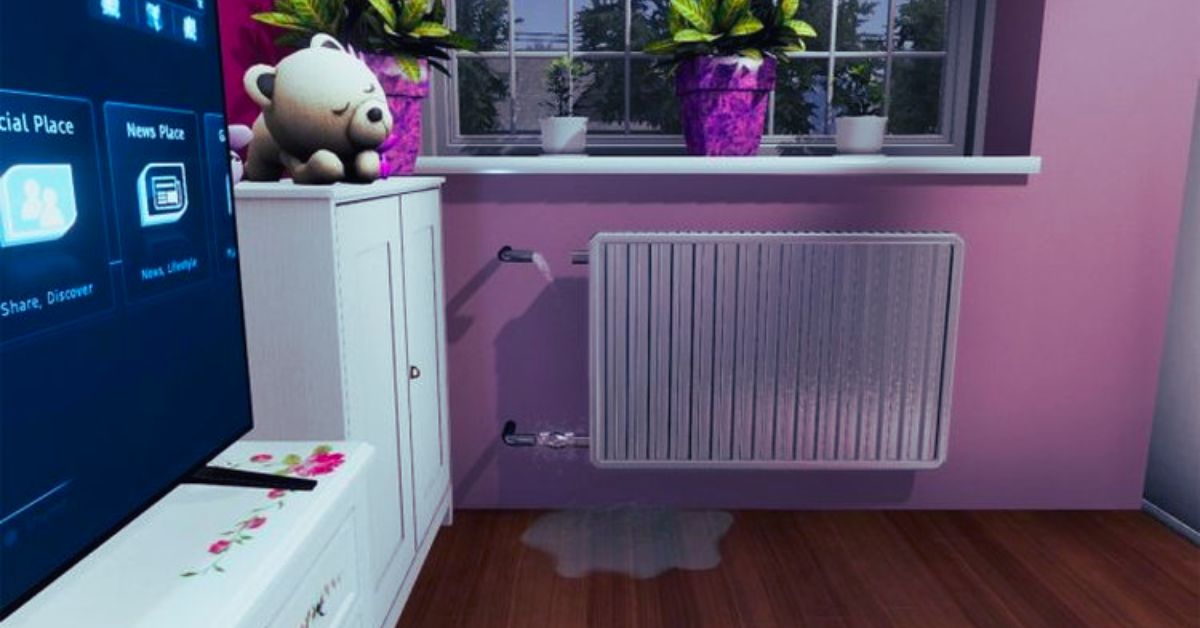
    Cheats are codes or commands that can alter the game’s rules and mechanics, such as giving the player more money, skills, or perks, or fixing some bugs or issues. Cheats can be activated by using the console or the hotkeys, which are hidden features that can be accessed by pressing certain keys on the keyboard.

    House Flipper Cheats
    House Flipper Cheats

    Cheats can enhance the game’s gameplay by making it more convenient, flexible, or creative, depending on the preference of the user.

    There are many cheats available for House Flipper, each with their effects and advantages. Some of the most popular and useful cheats are:

    Money Cheats

    These cheats can give the player more money, which can be used to buy, renovate, and sell houses. To use these cheats, the player has to open the console by pressing the tilde (~) key, and enter the following codes:

    • 5K: This code gives the player 5,000 money.
    • Thukoote5: This code gives the player 50,000 money.
    • Bee7daiga: This code gives the player 500,000 money.
    • Ux8uepohj: This code gives the player 5,000,000 money.

    Skill Cheats

    These cheats can give the player more skills, which can improve the efficiency and quality of the renovation work. To use these cheats, the player has to open the console by pressing the tilde (~) key, and enter the following codes:

    • Ophahca8j: This code gives the player all the cleaning skills, which can make the cleaning faster and easier.
    • El5aakeeg: This code gives the player all the painting skills, which can make the painting faster and easier.
    • Im7exahxa: This code gives the player all the building skills, which can make the building faster and easier.
    • Oogael8oh: This code gives the player all the design skills, which can make the design more profitable and attractive.

    Perk Cheats

    These cheats can give the player more perks, which can unlock more options and features in the game. To use these cheats, the player has to open the console by pressing the tilde (~) key, and enter the following codes:

    • Eechei9oh: This code gives the player all the negotiation perks, which can increase income and lower the costs of the transactions.
    • Aiphae8oh: This code gives the player all the handyman perks, which can increase the speed and quality of the installation work.
    • Eechei9oh: This code gives the player all the office perks, which can unlock more tools and items in the office.

    Bug Fix Cheats

    These cheats can fix some of the common bugs and issues that may occur in the game, such as the grass bug, the wall bug, or the door bug. To use these cheats, the player has to open the console by pressing the tilde (~) key, and enter the following codes:

    • cut: This code cuts all the grass on the lawn, which can fix the grass bug that prevents the player from mowing the lawn properly.
    • shotgun: This code replaces the sledgehammer with a shotgun, which can fix the wall bug that prevents the player from demolishing the walls properly.
    • lumos: This code turns on the lights in the room, which can fix the door bug that prevents the player from opening or closing the doors properly.

    Hotkey Cheats

    These cheats can be activated by pressing certain keys on the keyboard, without opening the console. These cheats can perform various actions, such as giving the player more money, tools, or perks, or completing the tasks instantly. Some of the most popular and useful hotkey cheats are:

    • F5: This key gives the player a large amount of money, around 500,000.
    • F3: This key gives the player all the tools, even if they are not unlocked or available in the mission.
    • F8: This key makes the tools do things instantly, such as cleaning, painting, building, or installing.
    • F9: This key makes the player complete any mission for 100% payment, no matter how much is done.

    Conclusion

    To sum up, cheats are codes or commands that can alter the game’s rules and mechanics, such as giving the player more money, skills, or perks, or fixing some bugs or issues. Cheats can be activated by using the console or the hotkeys, which are hidden features that can be accessed by pressing certain keys on the keyboard.

    Cheats can enhance the game’s gameplay by making it more convenient, flexible, or creative, depending on the preference of the user.

    There are many cheats available for House Flipper, each with their effects and advantages. Some of the most popular and useful cheats are money cheats, skill cheats, perk cheats, bug-fix cheats, and hotkey cheats.

    Using cheats can make the game easier and more fun, and can help the player achieve their goals and dreams in the game. However, cheats may also have some drawbacks, such as making the game too easy, boring, or unfair, or causing some errors or glitches. Therefore, it is advisable to use cheats at your own risk and discretion and to respect the rights and wishes of the original game developers and other players.

    This is everything you need to know about the House Flipper Cheats. You can also read our guides on Phantasy Star Portable 2 Cheats and Need for Speed Payback Cheats. Stay up to date with GameEmpress.com for the most recent gaming news and guides.

  • Ready Or Not 1.0 Patch Notes: What’s New In The Realistic Tactical FPS Game?

    Ready Or Not 1.0 Patch Notes: What’s New In The Realistic Tactical FPS Game?

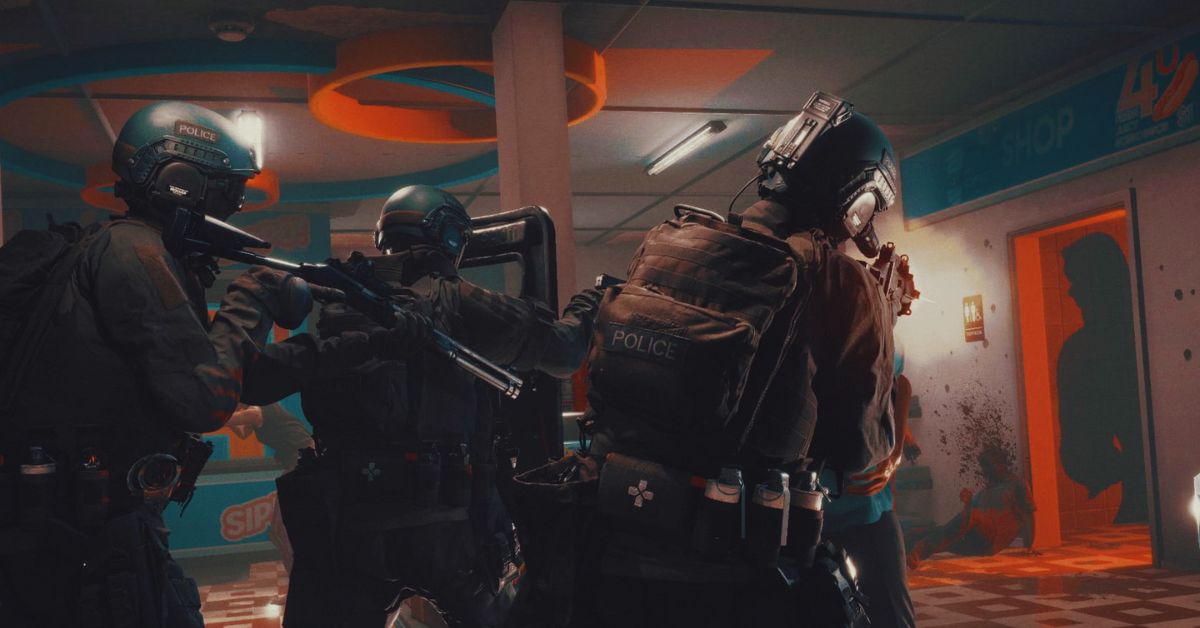
    Ready or Not is a realistic tactical FPS game that simulates the experience of a SWAT team in various scenarios, such as hostage rescue, bomb defusal, and active shooter situations. The game has been in early access since August 2022 and has received several updates and improvements over the months.

    However, the most anticipated update is the 1.0 update, which marks the official launch of the game and adds a lot of new features and content. In this article, we’ll go over the Ready or Not 1.0 patch notes, and see what’s new and exciting in the game.

    Ready Or Not 1.0 Patch Notes

    Ready Or Not 1.0 Patch Notes
    Ready Or Not 1.0 Patch Notes

    New Campaign Mode

    One of the biggest additions in the 1.0 update is the new campaign mode, which allows players to experience story-driven and immersive gameplay. The campaign mode consists of 12 missions, each with different objectives, locations, and challenges.

    The missions are connected by a narrative that explores the themes of morality, justice, and corruption. The campaign mode also features voice acting, cutscenes, and branching paths, depending on the player’s choices and actions.

    The campaign mode can be played solo or co-op, with up to four players. The difficulty and the enemy AI can be adjusted to suit the player’s preference and skill level.

    The campaign mode also has a permadeath option, which means that if the player dies, they have to start the mission from the beginning. The campaign mode is designed to provide a realistic and challenging experience, as well as a compelling story.

    New Multiplayer Modes

    Another major addition to the 1.0 update is the new multiplayer modes, which expand the game’s online features and options. The new multiplayer modes are:

    • Team Deathmatch: A classic mode where two teams of up to eight players each compete to eliminate the other team. The team with the most kills at the end of the match wins. The mode features various maps, weapons, and loadouts to choose from.
    • Hostage Rescue: A mode where one team of up to four players has to rescue hostages from the other team of up to eight players, who are holding them captive. The rescuers have to locate and extract the hostages, while the captors have to prevent them from doing so. The mode features realistic rules and mechanics, such as friendly fire, limited ammo, and communication devices.
    • Bomb Defusal: A mode where one team of up to four players has to defuse a bomb planted by the other team of up to eight players, who are trying to protect it. The defusers have to locate and disarm the bomb, while the planters have to stop them from doing so. The mode features realistic rules and mechanics, such as timers, wires, and explosives.
    • VIP Escort: A mode where one team of up to four players has to escort a VIP to a safe zone, while the other team of up to eight players has to assassinate the VIP. The escorters have to protect the VIP, who is unarmed and vulnerable, while the assassins have to eliminate the VIP. The mode features realistic rules and mechanics, such as body armour, vehicles, and snipers.

    The new multiplayer modes can be played on various maps, which are based on real-world locations and scenarios. The maps are dynamic and interactive, meaning that they can change and affect the gameplay, such as doors, windows, lights, and alarms.

    The multiplayer modes also feature a ranking system, which tracks the player’s performance and progress, and rewards them with cosmetic items, such as skins, badges, and patches.

    New Weapons and Equipment

    The 1.0 update also adds a lot of new weapons and equipment to the game, which enhances the game’s realism and variety. The new weapons and equipment are:

    • New firearms, such as the M4A1, the MP5, the AK-47, the Glock 17, and the Remington 870.
    • New attachments, such as the suppressor, the laser sight, the flashlight, and the scope.
    • New gadgets, such as the breaching charge, the flashbang, the smoke grenade, and the Taser.
    • New tools, such as the lockpick, the door wedge, the mirror, and the camera.

    The new weapons and equipment can be customized and configured to suit the player’s preference and playstyle. The weapons and equipment also have realistic physics and effects, such as recoil, bullet drop, penetration, and damage.

    New Graphics and Sound

    The 1.0 update also improves the game’s graphics and sound, which makes the game more immersive and realistic. The graphics and sound improvements include:

    • New lighting and shadow system, which create realistic and dynamic illumination and contrast.
    • New particle and smoke systems, create realistic and dynamic effects and reactions.
    • New sound engine, which creates realistic and directional sound and echo.
    • A new voice chat system, allows players to communicate with each other using in-game radios and devices.

    The graphics and sound improvements also enhance the game’s performance and optimization, which makes the game run smoother and faster.

    You might also be interested in the following gaming news:

    Conclusion

    Ready or Not 1.0 is a massive update that adds a lot of new features and content to the game, as well as improves the game’s graphics and sound. The update makes the game more complete and polished and provides a realistic and immersive tactical FPS experience.

    The update is available now for PC and will be coming soon to PS5 and Xbox Series X/S. If you’re a fan of realistic and challenging FPS games, you should check out Ready or Not 1.0.

    We appreciate your interest in our website! Make Gameempress.com your go-to site for gaming information.
  • GTA 4 Graphics Mod: How To Make The Game Look Better In 2023?

    GTA 4 Graphics Mod: How To Make The Game Look Better In 2023?

    GTA 4 is a classic open-world action-adventure game that was released in 2008 for PC, PlayStation 3, and Xbox 360. The game follows the story of Niko Bellic, an immigrant who arrives in Liberty City to pursue the American Dream but gets involved in the criminal underworld.

    The game offers a realistic and immersive depiction of the city, with detailed graphics, physics, and animations. However, the game is also over a decade old, and its graphics may not match the standards of the current generation of games. Fortunately, there is a way to make the game look better and more modern: using a graphics mod.

    GTA 4 Graphics Mod

    A graphics mod is a modification or an add-on that changes the graphics of the game, such as the lighting, the shadows, the textures, the colours, the effects, and more. A graphics mod can enhance the graphics of the game by making them more detailed, realistic, vibrant, or stylized, depending on the preference of the user.

    GTA 4 Mods
    GTA 4 Mods

    A graphics mod can also improve the performance and stability of the game, by optimizing the graphics settings and reducing the lag or the glitches.

    There are many graphics mods available for GTA 4, each with its features, advantages, and disadvantages. Some of the most popular and well-known graphics mods are:

    • NaturalVision Evolved: This is a comprehensive and realistic graphics mod that aims to make the game look as close to real life as possible. It features realistic lighting, weather, reflections, shadows, textures, and more. It also adds new content and features, such as new vehicles, weapons, locations, and missions. It is one of the most advanced and demanding graphics mods and requires a powerful PC to run smoothly.
    • Redux: This is a complete overhaul of the graphics of the game, that makes the game look more vibrant, colourful, and dynamic. It features enhanced lighting, weather, effects, textures, and more. It also adds new content and features, such as new physics, animations, sounds, and gameplay mechanics. It is one of the most popular and controversial graphics mods, as it has been accused of stealing assets from other mods and games.
    • VisualV: This is a simple and realistic graphics mod that aims to improve the graphics of the game without changing the original style and atmosphere. It features improved lighting, weather, effects, textures, and more. It also improves the performance and stability of the game, by fixing some bugs and issues. It is one of the most compatible and easy-to-install graphics mods and works well with other mods and scripts.

    How to Install a Graphics Mod for GTA 4?

    Installing a graphics mod for GTA 4 is not very difficult, but it requires some steps and precautions. Here are the general steps to install a graphics mod for GTA 4:

    • Backup your game files: Before installing any mod, it is recommended to backup your game files, in case something goes wrong or you want to revert to the original version. You can backup your game files by copying the entire GTA 4 folder to another location on your PC.
    • Download and install a mod manager: A mod manager is a tool that helps you install, manage, and uninstall mods for GTA 4. It also helps you avoid conflicts and errors between different mods. Some of the most popular and reliable mod managers are OpenIV, Script Hook V, and GTA 4 Mod Manager. You can download and install a mod manager from its official website or a trusted modding site, such as GTA4-Mods.com or Nexus Mods.
    • Download and install a graphics mod: A graphics mod is usually a zip or a rar file that contains the mod files and instructions. You can download a graphics mod from its official website or a trusted modding site, such as GTA4-Mods.com or Nexus Mods. You can install a graphics mod by following the instructions provided by the mod author, which may vary depending on the mod. Some mods may require you to use a mod manager, while others may require you to manually copy and paste the mod files to the GTA 4 folder.
    • Launch the game and enjoy the graphics mod: After installing a graphics mod, you can launch the game and enjoy the improved visuals of the game. You can also adjust the graphics settings and options in the game menu or the mod menu if the mod has one. You can also uninstall or disable a graphics mod by using a mod manager or by deleting the mod files from the GTA 4 folder.

    You might also be interested in the following gaming mods:

    Conclusion

    To sum up, a graphics mod is a modification or an add-on that changes the graphics of the game, such as the lighting, the shadows, the textures, the colours, the effects, and more. A graphics mod can enhance the graphics of the game by making them more detailed, realistic, vibrant, or stylized, depending on the preference of the user.

    A graphics mod can also improve the performance and stability of the game, by optimizing the graphics settings and reducing the lag or the glitches.

    There are many graphics mods available for GTA 4, each with its features, advantages, and disadvantages. Some of the most popular and well-known graphics mods are NaturalVision Evolved, Redux, and VisualV.

    Installing a graphics mod for GTA 4 is not very difficult, but it requires some steps and precautions, such as backing up your game files, downloading and installing a mod manager, and downloading and installing a graphics mod. After installing a graphics mod, you can launch the game and enjoy the improved visuals of the game.

    A graphics mod can make GTA 4 look more amazing and immersive and can enhance the gaming experience and enjoyment. However, a graphics mod may also have some drawbacks, such as compatibility issues, performance issues, or legal issues.

    Therefore, it is advisable to use a graphics mod at your own risk and discretion and to respect the rights and wishes of the original game developers and mod authors.

    We appreciate your interest in our website! Make Gameempress.com your go-to site for gaming information.
  • Civilization 6 Cheats: How To Enable Debug Menu And Use Trainers?

    Civilization 6 Cheats: How To Enable Debug Menu And Use Trainers?

    Civilization 6 is a turn-based strategy game that challenges you to build and lead a civilization from the ancient era to the modern age. The game offers various modes and options to customize your gameplay, but sometimes you may want to have some extra fun or ease the difficulty.

    Civilization 6 Cheats
    Civilization 6 Cheats

    That’s why some players are looking for Civilization 6 cheats, which can allow you to access hidden features, modify the game, or get unlimited resources. In this article, we will show you how to enable the debug menu and use trainers in Civilization 6, and what you can do with them.

    How To Enable The Debug Menu In Civilization 6?

    The debug menu is a built-in feature in Civilization 6 that lets you access various commands and information. However, it is not enabled by default, and you need to edit a game file to activate it. Here are the steps to enable the debug menu in Civilization 6:

    • Go to the folder where the game is installed, and navigate to the following path: \\Documents\\My Games\\Sid Meier’s Civilization VI
    • Make a backup copy of the AppOptions.txt file, in case you want to revert the changes later.
    • Open the AppOptions.txt file with a text editor, such as Notepad.
    • Find the line that says “; Enable Debug menu”. Remove the semicolon at the beginning, and change the 0 to 1. The line should look like this: EnableDebugMenu
    • Save the file and close the text editor.
    • Launch the game as usual, and start or load a game.
    • Press the tilde key (~) on your keyboard to open the debug console. You can type commands in the console, or use the up and down arrows to access the debug menus.

    How To Use Trainers In Civilization 6?

    Trainers are third-party programs that can modify the game’s memory and data, and provide various cheats and options. There are many trainers available for Civilization 6, but one of the most popular and reliable ones is the WeMod trainer, which has over 20 cheats and features, such as unlimited gold, faith, movement, and more. Here are the steps to use the WeMod trainer in Civilization 6:

    • Download and install the WeMod app.
    • Launch the WeMod app and find Civilization 6 in the games list. You can also use the search function to find it faster.
    • Click on the Play button to launch the game with the trainer. You can also launch the game first, and then click on the Play button to attach the trainer to the game.
    • Once the game is running, you can use the hotkeys or the app interface to activate or deactivate the cheats. You can also customize the hotkeys and the cheat options in the app settings.

    You might also be interested in the following game Cheats:

    What Can You Do With The Debug Menu And Trainers In Civilization 6?

    The debug menu and trainers in Civilization 6 can provide you with various benefits and options, such as:

    • Reveal the entire map and explore all the tiles.
    • Get unlimited resources, such as gold, faith, culture, science, and more.
    • Change the game speed, difficulty, and rules.
    • Spawn units, buildings, wonders, and other objects.
    • Control the weather, time of day, and terrain.
    • Access information and reports about the game state and the AI.
    • And much more.

    However, you should also be aware of the risks and drawbacks of using the debug menu and trainers in Civilization 6, such as:

    • The debug menu and trainers may not work with the latest version or the DLCs of the game and may require updates or patches.
    • The debug menu and trainers may cause bugs, glitches, crashes, or errors in the game, and may affect the game’s performance and stability.
    • The debug menu and trainers may disable the achievements, leaderboards, and multiplayer features of the game, and may prevent you from saving or loading the game.
    • The debug menu and trainers may ruin the fun and challenge of the game and may make the game too easy or boring.
    • The debug menu and trainers may violate the terms of service and the code of conduct of the game and may result in bans, penalties, or legal actions.

    Therefore, you should use the debug menu and trainers in Civilization 6 at your discretion and responsibility, and only for personal and non-commercial purposes.

    You should also backup your game files and save files before using them, and disable them when you are done. You should also respect the game developers and the game community, and not use the debug menu and trainers to cheat, exploit, or harm others.

    We appreciate your interest in our website! Make Gameempress.com your go-to site for gaming information.