Author: George

  • PS5 Pro: When Will It Come Out and How Much Will It Cost?

    PS5 Pro: When Will It Come Out and How Much Will It Cost?

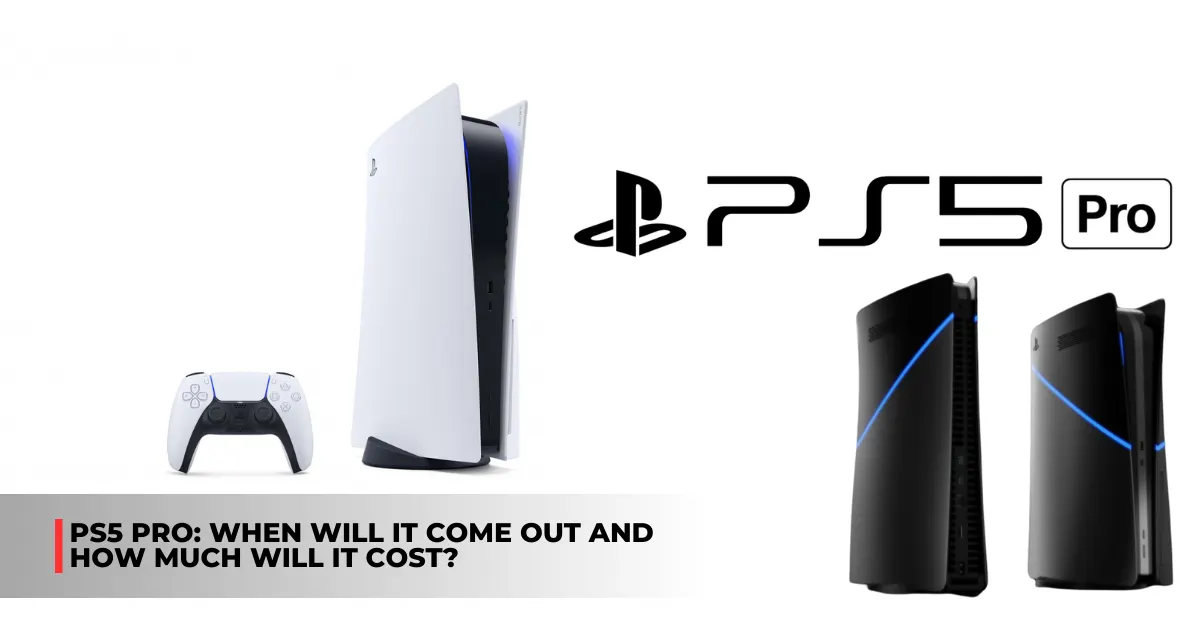
    In 2020, the original PlayStation 5 will receive a mid-cycle makeover in the form of the PS5 Pro. Though earlier rumors suggested that the consoles would be a significant improvement over vanilla, with the promise of ambitious 8K gaming capabilities, it is now evident that the next mid-cycle refresh would be far more restrained, promising only enhanced 4K gaming performance.

    Since 2020, gaming gear technology hasn’t advanced all that much—especially considering the positive state of the economy. A cursory glance at hardware demand levels explains the state of affairs: hardly anybody purchased any RTX 40 series cards.

    Although some could contend that the cards were overpriced, a significant factor in the low sales numbers is that today’s gamers don’t have enough extra money to spend on pastimes.

    In this article, we update you on the most recent information regarding the impending mid-cycle refresh of PS5 Pro. Please return often, as we will be updating this post with any fresh information that is confirmed or leaked.

    What is the Latest on PlayStation 5 Pro Leaks?

    Quite a few new details about the impending PS5 Pro have surfaced recently. In a nutshell, here is the most crucial information to bring you up to speed:

    • The PS5 Slim will be available for purchase prior to the Pro model. During this year’s FTC vs. Microsoft court hearings, Sony verified the slimline revision.
    • The most probable release date for the PS5 Pro is around the 2024 Christmas season. A release in November appears likely, in keeping with previous PlayStation systems.
    • Some say that developers have supposedly begun getting PS5 Pro devkits. The console may have already been finalized and is now in the early phases of manufacture, according to this. Stay tuned for more information.
    • You can now find the 2020 PlayStation listed on Amazon under the name PS5 Standard Edition. Sony may be getting ready to release the PS5 Slim, or they may be dropping hints about the Pro version.
    • There will not be an 8K gaming machine in the next Pro version. Rumor has it that the machine is actually going to be a top-notch 4K console with more than 23 TFLOPs of processing power. The PS5 only managed 10.28 TFLOPs, so that’s more than double.

    Most titles on the next platform from the Japanese tech behemoth will probably aim for 4K at 60 frames per second. Furthermore, it may also introduce new features like enhanced AI upscaling software, path tracing capability, and numerous others.

    When Will the PlayStation 5 Pro Come Out?
    PS5 Pro Release Date and Price

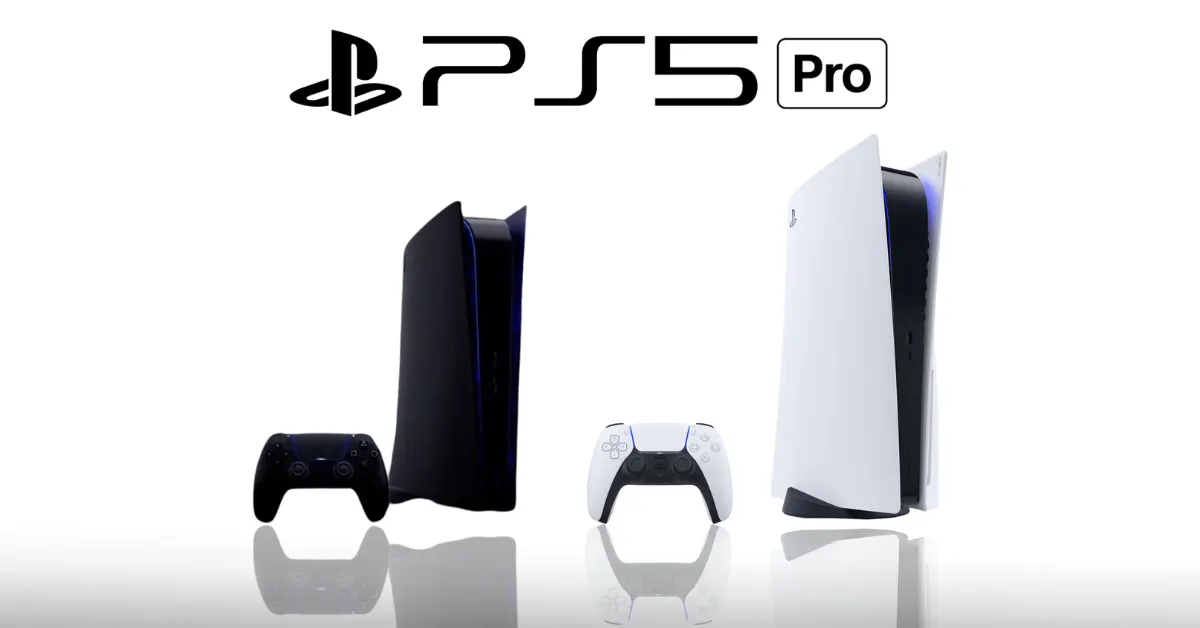
    Regarding the PS5’s more powerful mid-cycle upgrade, Sony has remained mum. Still, 2024 has been touted as the release year for the home video gaming console by a number of sites. Considering the company’s track record of launch events, we could see the PS5 Pro teased in the summer, with an official unveiling around the holidays.

    A few leaks have suggested a possible release window of November 2024. This is mainly conjecture, but it could work; the real launch window could be different. We will update the article whenever more specific details become available.

    PS5 – PlayStation 5 News shared a Tweet…

    Speculation has said that Sony may also abandon the PS5 Pro. The chief executive officer of Take-Two Interactive, Strauss Zelnick, has stated that the numerous rumors circulating regarding the Ninth Generation’s Pro upgrade “aren’t that meaningful.”

    Considerable speculation has it that the Japanese tech giant has no plans for a more robust mid-cycle upgrade in light of this development. But what really occurs is anybody’s guess.

    We also noted some of the other games that will be released on PS5, which you can see here:

    How Much Will PlayStation 5 Pro Cost?

    All signs point to the PlayStation 5 Pro costing more than its predecessor. It should be mentioned that the PS4 Pro was just as expensive when it was released in 2016 at $399, just like the PS4 was when it debuted in 2013.

    So, the suggested retail price for the new system is $499, which is the same as the PS5 Disc Edition’s launch price in 2020. However, Slim versions are now available at the same price. Sony can either release a more powerful device or lower the prices of their slimline consoles in response to the impending PS5 Pro.

    PS5 Pro Specifications

    Compared to the PS5 from 2020, the PS5 Pro, whose codename is “Project Trinity,” will have far more powerful graphics rendering capabilities. An upgraded AMD APU, with the newest Zen 4 CPU design and RDNA 3 graphics processing technology, is anticipated to be included in the forthcoming console, allowing for superior gaming performance.

    The newest Radeon RX 7000 series graphics processing units and Ryzen 7000 CPUs use these technologies, as expected. The underlying hardware, however, should be even more recent if current trends provide any indication. Rumor has it that the PlayStation 5 Pro will have RDNA 3.5 graphics and a Zen 5 CPU.

    Here is a comprehensive list of PS5 Pro specifications:

    Feature Value
    Process TSMC 5/4nm
    Architecture Zen 4
    Cores 8
    WGP 60
    CUs 60
    iGPU RDNA 3 or RDNA 3.5
    ROPs 96
    CPU Clocks 3.6 GHz
    GPU Clocks 2.7 GHz
    Memory 16 GB GDDR6
    Memory Speed 18,000 mt/s
    Performance 23.04 TFLOPs

    Regarding additional hardware, the next console is said to include an AI engine specifically designed for it. Further, it may use a hybrid-core architecture (Zen 5 and Zen 5c) to provide gamers with even more processing capability.

    The console is allegedly far along in the development process, according to leaks. A number of game studios have begun procuring device development kits in order to polish their forthcoming titles.

    We appreciate your interest in our website! Make Gameempress.com your go-to site for gaming information.

  • God of War Ragnarok Valhalla DLC: Beyond Ragnarok, Lies Another Trial

    God of War Ragnarok Valhalla DLC: Beyond Ragnarok, Lies Another Trial

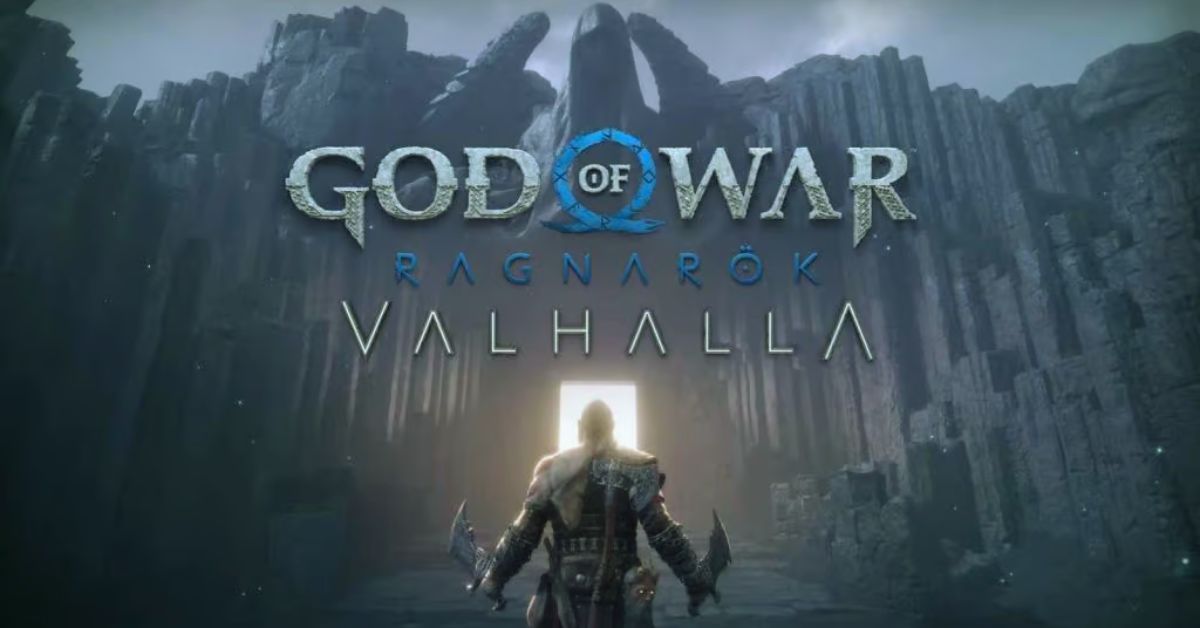
    The free Valhalla DLC for God of War Ragnarok includes a new boss encounter against a story-important character who fans have been yearning to see since the original game’s release.

    Although most God of War fans expected an expansion or side story involving an older Atreus adventuring in another realm, we were all surprised to learn at The Game Awards that Ragnarok’s first piece of DLC is not only free but also focuses on Kratos as he attempts to make his way through Valhalla.

    God Of War Ragnarok Valhalla 05.03 Patch Notes
    God Of War Ragnarok Valhalla 05.03 Patch Notes

    Valhalla, it turns out, is much more than just a fascinating roguelite take on God of War’s gameplay; it also serves as a sort of epilogue to the main game, packed with plot content and surprises for players.

    One of those surprises is a final boss battle against a powerful character whom fans hoped to see in the main game but didn’t get. The following contains major spoilers for God of War Ragnarok’s Valhalla DLC.

    After Kratos first enters Valhalla, it is revealed that the one who invited him to take on the trials in the first place was none other than Tyr (the real version, not the one that Odin was masquerading as), the Norse God of War who played a significant role in Ragnarok’s story. That explains why his actor said we hadn’t seen the last of him.

    When Tyr first meets Kratos and Mimir, he tells them that he brought them to Valhalla because he understands his internal conflicts and wants them to confront them, which he will only be worthy of if he can defeat them in a friendly fight. As nice as two Gods shaking the Earth can be, at least.

    Fans have been anticipating a massive clash between the two Gods since 2018’s God of War, something that appeared to happen in Ragnarok but did not. Although this was disheartening for many fans, it makes sense for the tale given that we don’t truly get to see the real Tyr until the end of the game, and the one we spent the majority of our time with Ragnarok was Odin in disguise.

    We appreciate your interest in our website! Make Gameempress.com your go-to site for gaming information.

  • Shiny Poliwrath Pokemon Go: How To Catch, Evolve, And Use The Water-Fighting Pokemon?

    Shiny Poliwrath Pokemon Go: How To Catch, Evolve, And Use The Water-Fighting Pokemon?

    Shiny Poliwrath is a rare variant of Poliwrath, a Water-Fighting type Pokemon that evolves from Poliwhirl. Shiny Poliwrath has a green body instead of a blue one, and it can be obtained in Pokemon Go by catching a shiny Poliwag and evolving it into Poliwrath.

    Shiny Poliwrath is a powerful Pokemon that can be used for various purposes in Pokemon Go, such as raids, battles, and gyms.

    In this article, we will show you how to catch, evolve, and use shiny Poliwrath in Pokemon Go. We will also provide some tips and tricks on how to make the most of this rare and versatile Pokemon.

    How to Catch Shiny Poliwrath in Pokemon Go?

    To catch a shiny Poliwrath in Pokemon Go, you need to catch a shiny Poliwag first. Shiny Poliwag is a very rare Pokemon that can be encountered in the wild, in raids, in eggs, or research tasks. The chance of finding a shiny Poliwag is about 1 in 450, so you need to be very lucky and persistent to catch one.

    Shiny Poliwrath Pokemon Go
    Shiny Poliwrath Pokemon Go

    There are some ways to increase your chances of finding a shiny Poliwag, such as:

    • Using incense, lures, or mystery boxes to attract more Poliwag spawns.
    • Participating in events that feature Poliwag, such as Water Festival or Spotlight Hour.
    • Completing research tasks that reward Poliwag encounters, such as “Catch 5 Water-type Pokemon” or “Catch 10 Pokemon”.
    • Hatching 2 km or 5 km eggs that may contain Poliwag.
    • Raiding tier 1 or 3 Poliwag or Poliwhirl raids.

    Once you catch a shiny Poliwag, you need to evolve it into a shiny Poliwhirl by using 25 Poliwag candies. Then, you need to evolve it into a shiny Poliwrath by using 100 Poliwag candies.

    Alternatively, you can use a King’s Rock and 100 Poliwag candies to evolve it into a shiny Politoed, which is another evolution of Poliwhirl. However, this article will focus on shiny Poliwrath, as it is more relevant to the keyword.

    How to Evolve Shiny Poliwrath in Pokemon Go?

    To evolve a shiny Poliwrath in Pokemon Go, you need to have a shiny Poliwhirl and 100 Poliwag candies. You can get Poliwag candies by catching, hatching, transferring, or feeding Poliwag or its evolutions. You can also use rare candies or walk with Poliwag as your buddy to get more candies.

    To evolve shiny Poliwhirl into shiny Poliwrath, you need to follow these steps:

    • Tap on the Pokeball icon at the bottom of the screen to open the menu.
    • Tap on the Pokemon icon to open your Pokemon storage.
    • Tap on the shiny Poliwhirl that you want to evolve.
    • Tap on the Evolve button at the bottom of the screen.
    • Confirm your choice by tapping on Yes.

    You will see a short animation of your shiny Poliwhirl evolving into a shiny Poliwrath. You can then check the stats, moves, and appearance of your shiny Poliwrath.

    You might also be interested in the following game guide:

    How to Use Shiny Poliwrath in Pokemon Go?

    Shiny Poliwrath is a useful Pokemon that can be used for various purposes in Pokemon Go, such as raids, battles, and gyms. Shiny Poliwrath has a high attack, defence, and stamina, making it a durable and strong Pokemon.

    Shiny Poliwrath also has a unique Water-Fighting typing, giving it an advantage over many types of Pokemon, such as Fire, Rock, Steel, Ice, Normal, and Dark. However, shiny Poliwrath also has some weaknesses, such as Flying, Grass, Electric, Psychic, and Fairy.

    To use shiny Poliwrath effectively, you need to consider its stats, moves, and abilities. Here are some tips and tricks on how to use shiny Poliwrath in Pokemon Go:

    • Choose the best moveset for shiny Poliwrath. The best moveset for shiny Poliwrath is Bubble and Dynamic Punch. Bubble is a fast Water-type move that deals good damage and charges energy quickly. Dynamic Punch is a powerful Fighting-type move that deals massive damage and has a chance to confuse the opponent. This moveset gives shiny Poliwrath a good balance of offence and defence, as well as coverage against many types of Pokemon.
    • Use shiny Poliwrath for raids and battles. Shiny Poliwrath is a great Pokemon for raids and battles, as it can deal high damage and take hits well. Shiny Poliwrath can be used to counter many raid bosses and gym defenders, such as Tyranitar, Rhydon, Regirock, Registeel, Blissey, and Snorlax. Shiny Poliwrath can also be used for PvP battles, especially in the Great League and the Ultra League, where it can compete with many popular Pokemon, such as Azumarill, Skarmory, Giratina, and Swampert.
    • Use shiny Poliwrath for gyms. Shiny Poliwrath is a good Pokemon for gyms, as it can defend and attack well. Shiny Poliwrath can be placed in gyms to deter attackers, as it can resist many common attacks and deal high damage with Dynamic Punch. Shiny Poliwrath can also be used to attack gyms, as it can break through many defenders and deal super effective damage with Bubble and Dynamic Punch.

    We appreciate your interest in our website! Make Gameempress.com your go-to site for gaming information.

  • Monster Hunter Wilds Release Date: When Can We Stalk The Frontier?

    Monster Hunter Wilds Release Date: When Can We Stalk The Frontier?

    A new hunt is approaching, so sharpen your blades, stock up on remedies, and have a big supper. Monster Hunter Wilds was revealed at The Game Awards 2023, and it appears to be the biggest and worst entry in the hunting genre to date. Since Monster Hunter World, the franchise has drawn fans from all around the world.

    Some were unhappy with the previous entry, Monster Hunter Rise because it was first released on Switch before being converted to PC, PlayStation, and Xbox consoles at a later date. Capcom doesn’t seem to be holding back this time, so let’s follow the trail and find out everything we can about Monster Hunter Wilds.

    Monster Hunter Wilds Release Date

    Monster Hunter fans have been waiting for word about the sixth generation of games in Capcom’s second-best-selling franchise for quite some time. Their prayers were answered at The Game Awards 2023 when the show’s closing surprise revealed Monster Hunter Wilds for the first time.

    While the Niantic-developed Monster Hunter Now may keep some players occupied until the arrival of Monster Hunter Wilds in 2025, Capcom isn’t putting all of its eggs in one basket. They’ve welcomed both new and experienced players to put their skills to the test in Monster Hunter World.

    The ReturntoWorld campaign has resulted in a significant increase in active Monster Hunter World gamers across multiple platforms. It has reached its biggest 24-hour peak since October 2020, according to SteamDB.

    Capcom’s ReturntoWorld campaign aims to prepare players for Monster Hunter Wilds. Monster Hunter World’s basic game and Iceborne DLC are now available for their lowest price ever, thanks to the company’s approval.

    In addition, they’ve been organizing community live streaming of the game to provide complete playing for individuals who are still on the fence. It appears to be working since Monster Hunter World recently reached a 24-hour peak of 97,006. This is the most players it has had in three years.

    Before Capcom launched their campaign, the Monster Hunter franchise’s die-hard audience had been pleading for seasoned gamers to return to Monster Hunter World. The developer’s official seal of approval has been a pleasant sight in the community.

    Veterans have gotten involved by welcoming new players and offering tips on how to overcome the game’s high barrier to entry. In addition, they’ve been jumping into hunts using Monster Hunter World’s SOS Flare system and assisting novices in the most difficult hunts.

    To avoid steamrolling monsters with their endgame gear, veteran players have created new characters in the spirit of the event. There has never been a better time to start watching the series.

    Monster Hunter World was the first title in the genre to get widespread acclaim, and players can find out why alongside a slew of other newcomers.

    Monster Hunter Wilds Platforms

    Monster Hunter Wilds, unlike Rise, will be released for PlayStation 5, Xbox Series X/S, and PC. Unfortunately, it appears that Switch owners will be excluded this time.

    Stay tuned with us here at Gameempress.com for more latest news and information.

  • GTA San Andreas iOS Cheats: Master GTA’s Netflix Edition With These Killer Cheats

    GTA San Andreas iOS Cheats: Master GTA’s Netflix Edition With These Killer Cheats

    The GTA trilogy is available on Netflix, and GTA San Andreas, in my opinion, is incomplete without hacks. So, in this section, I’ll show you how to utilize hacks in Netflix GTA San Andreas on your mobile device.

    Netflix has made the Grand Theft Auto trilogy available on their mobile app, allowing users to play Grand Theft Auto III, Vice City, and San Andreas. I’m sure we’ve all played these games before, and revisiting them is just as much fun.

    How to Play GTA San Andreas on Your iPhone for Free Using Netflix?

    GTA Trilogy Definitive Edition Mobile Takes Over Netflix
    GTA Trilogy Definitive Edition Mobile Takes Over Netflix

    To play GTA San Andreas for free on your iPhone with Netflix, follow these steps:

    • Assume you have a Netflix subscription and the Netflix app on your iPhone. You will also require a reliable internet connection and sufficient storage space on your device.
    • Sign in to your Netflix account on your iPhone by opening the Netflix app.
      At the bottom of the screen, select the Games tab. You’ll see a list of titles available for your device, including GTA: The Trilogy – The Definitive Edition.
    • Select GTA San Andreas from the menu after tapping on GTA: The Trilogy – The Definitive Edition. You will see a description of the game, a trailer, and the opportunity to play it.
    • Wait for the game to load after pressing the Play button. You will be prompted to enable Netflix access to your Bluetooth and microphone. This is required for the game to function with your controller and voice chat.
    • Bluetooth is a suitable controller for your iPhone. You can utilize any iOS-compatible controller, such as the Xbox One, PlayStation 4, or MFi controllers. The game does not support touch controllers, thus you cannot play it with them.
    • Have fun with the game!

    GTA San Andreas iOS Cheats

    Action Name Code
    Get full health and armor, and $250,000 INEEDSOMEHELP HESOYAM
    Weapon Set 1, Thug Tools THUGSARMOURY LXGIWYL
    Weapon Set 2, Professional Tools PROFESSIONALSKIT KJKSZPJ
    Weapon Set 3, Nutter Tools NUTTERSTOYS UZUMYMW
    Infinite ammo FULLCLIP WANRLTW
    Adrenaline mode TAKEACHILLPILL MUNASEF
    Mega jump KANGAROO LFGMHAL
    Suicide GOODBYECRUELWORLD SZCMAWO
    Free weapon aiming in vehicles IWANNADRIVEBY OUIQDMW
    Hitman skill stats with all weapons PROFESSIONALKILLER NCSGDAG
    Infinite lung capacity MANFROMATLANTIS CVWKXAM
    Maxed vehicle stats NATURALTALENT VQIMAHA
    Maximum fat WHOATEALLTHEPIES BTCDBCB
    Maximum muscle BUFFMEUP JYSDSOD
    Maximum respect WORSHIPME OGXSDAG
    Maximum sex appeal HELLOLADIES EHIBXQS
    Maximum stamina ICANGOALLNIGHT VKYPQCF
    Never hungry IAMNEVERHUNGRY AEDUWNV
    Spawn Jetpack ROCKETMAN YECGAA
    Spawn Parachute LETSGOBASEJUMPING AIYPWZQP
    Semi-Infinite Health (bullets and fire) NOONECANHURTME BAGUVIX
    Super punch STINGLIKEABEE IAVENJQ
    Zero fat and muscle LEANANDMEAN KVGYZQK

    GTA San Andreas level cheats wanted on Netflix:

    Action Name Code
    Six star wanted level BRINGITON LJSPQK
    Decrease wanted level TURNDOWNTHEHEAT ASNAEB
    Raise wanted level TURNUPTHEHEAT OSRBLHH
    Lock wanted level IDOASIPLEASE AEZAKMI

    Netflix GTA San Andreas vehicle cheats:

    Action Name Code
    Cars have nitrous SPEEDFREAK COXEFGU
    Super jump on bikes CJPHONEHOME JHJOECW
    Boats can fly FLYINGFISH AFSNMSMW
    Cars can fly CHITTYCHITTYBANGBANG RIPAZHA
    Smash N’ Boom TOUCHMYCARYOUDIE JCNRUAD
    Cars float away when hit BUBBLECARS BSXSGGC
    Destroy all cars ALLCARSGOBOOM CPKTNWT
    Cars have perfect handling STICKLIKEGLUE PGGOMOY
    Spawn Bloodring Banger OLDSPEEDDEMON CQZIJMB
    Spawn Caddy 18HOLES RZHSUEW
    Spawn Dozer ITSALLBULL EEGCYXT
    Spawn Hotring Racer 1 VROCKPOKEY PDNEJOH
    Spawn Hotring Racer 2 JUSTTRYANDSTOPME VPJTQWV
    Spawn Monster Truck MONSTERMASH AGBDLCID
    Spawn Quad FOURWHEELFUN AKJJYGLC
    Spawn Rancher DOUGHNUTHANDICAP JQNTDMH
    Spawn Rhino TIMETOKICKASS AIWPRTON
    Spawn Romero WHERESTHEFUNERAL AQTBCODX
    Spawn Stretch CELEBRITYSTATUS KRIJEBR
    Spawn Stuntplane FLYINGTOSTUNT URKQSRK
    Spawn Tanker HITTHEROADJACK AMOMHRER
    Spawn Trashmaster TRUEGRIME UBHYZHQ
    Spawn Vortex IWANTTOHOVER KGGGDKP
    Spawn Hunter OHDUDE
    Spawn Hydra JUMPJET

    This is everything you need to know about the GTA San Andreas iOS Cheats. You can also read our guides on Moonlight Treasures Monopoly Go Cheats and Guitar Hero 2 Cheats. Stay up to date with GameEmpress.com for the most recent gaming news and guides.

  • Rogue Trader 1.0.71 Patch Notes: What’s New And Improved In Your Favorite Game?

    Rogue Trader 1.0.71 Patch Notes: What’s New And Improved In Your Favorite Game?

    Warhammer 40k Rogue Trader patch 1.0.71 is now available for PC (Steam). The current update, according to the official Rogue Trader patch notes, fixes a few small issues. In addition, WH 40K Rogue Trader update 1.0.71 provides stability fixes.

    Previously, Rogue Trader version 1.0 added CrossPlay between Steam and the Microsoft Store, as well as the new Elite Resistance condition. Unfortunately, users are encountering several issues when attempting to play the game on consoles. A couple of these issues have been addressed in today’s Warhammer Rogue Trader update 1.0.71.

    More information is provided below.

    Rogue Trader 1.0.71 Patch Notes

    Narrative

    • [spoiler]Fixed a problem that prevented the player from starting a council in Chapter 4;[/spoiler]
    • [spoiler]Fixed a bug that could occur after making a Heretical choice in Chapter 4 that resulted in broken cutscenes on the bridge further on;[/spoiler]
    • [spoiler]Fixed a problem with Chapter V failing to start after the boarding;[/spoiler]

    Visual

    • The High Factotum could disappear from the bridge and cutscenes not work at the same time – fixed;

    This is everything you need to know about the Rogue Trader 1.0.71 Patch Notes. You can also read our guides on AC6 Patch 1.05 Leaks and WWE 2K23 Patch 1.22. Stay up to date with GameEmpress.com for the most recent gaming news and guides.

  • Batman Arkham Knight Update 2023: The Batmobile Gets An Upgrade

    Batman Arkham Knight Update 2023: The Batmobile Gets An Upgrade

    Some games make an indelible impression on gamers, whether because they were startlingly bad, like Gollum, or because they excelled where other titles failed. Today we commemorate the majesty of a wonderful game: Batman: Arkham Knight. And what better way to do so than to inform you that the game will receive a free update eight years after its initial release?

    I’m not sure what else will convince you of the game’s brilliance.

    Batman Arkham Knight Update 2023

    Rocksteady has published Batman Arkham Knight version 1.17, which includes Matt Reeves’ The Batman movie skin for usage on all platforms, as announced last month.

    • THE BATMAN skin from Matt Reeves’ 2022 is now available. The Batman film.

    That’s all there is to the latest Batman Arkham Knight update. Given the game’s age and other factors, don’t expect any gameplay modifications or new material.

    Speaking of Rocksteady, the studio’s next game is (nearly) here! Suicide Squad: Kill the Justice League will be released on February 2, 2024, for the PlayStation 5, Xbox Series X|S, and PC.

    You might also be interested in the following gaming news:

    We appreciate your interest in our website! Make Gameempress.com your go-to site for gaming information.

  • WoW Classic Winter Veil Guide: How To Celebrate The Holiday Season In Azeroth?

    WoW Classic Winter Veil Guide: How To Celebrate The Holiday Season In Azeroth?

    Winter Veil is one of the oldest and most festive holidays in World of Warcraft, and it is also available in WoW Classic. During this event, players can enjoy various activities, quests, and rewards that are themed around the winter season and the spirit of giving.

    Whether you are a new or veteran player, there is something for everyone to enjoy during Winter Veil. In this article, we will provide you with a comprehensive guide on how to participate in Winter Veil in WoW Classic, and what you can expect from this holiday event.

    When and Where is Winter Veil?

    Winter Veil is a seasonal event that lasts for about two weeks, from December 15th to January 2nd. The main hub of the event is in Ironforge for the Alliance, and Orgrimmar for the Horde, where you can find the Smokywood Pastures vendors, the Winter Veil trees, and the quest givers.

    However, you can also find some Winter Veil activities and NPCs in other major cities, such as Stormwind, Darnassus, Thunder Bluff, and Undercity, as well as some neutral towns, such as Booty Bay and Everlook.

    What are the Winter Veil Activities and Quests?

    There are many things to do during Winter Veil, from collecting presents to fighting the Abominable Greench to dressing up as a gnome. Here are some of the main activities and quests that you can enjoy during the event:

    • Collecting Presents: Under the Winter Veil trees in Ironforge and Orgrimmar, you can find various presents that you can open once a day, from December 25th to January 2nd. These presents can contain different items, such as toys, pets, food, drinks, and even the rare mechanical Greench pet. Some of the presents are only available for certain levels, so make sure to check the level requirements before opening them.
    • Fighting the Abominable Greench: The Abominable Greench is a level 36 elite yeti that spawns in the Alterac Mountains, near Growless Cave. He is the main antagonist of the Winter Veil event, as he tries to steal the treats and gifts from the Smokywood Pastures. You can get a quest to defeat him from the Smokywood Pastures vendors in Ironforge or Orgrimmar, and you will need a group of players to take him down. Once you kill him, you can loot his sack and return it to the quest giver, and you will receive a reward of either a Snowman Kit, a Preserved Holly, or a Mistletoe.
    • Dressing up as a Gnome: If you want to have some fun and look festive, you can use the PX-238 Winter Wondervolt machines that are located in Ironforge, Orgrimmar, Stormwind, and Booty Bay. These machines will transform you into a gnome with a red or green outfit and a winter hat, for a limited time. You can also use the Fresh Holly or the Preserved Holly items to turn your mount into a reindeer, for a more complete look.
    • Completing the Metzen the Reindeer Quest: Metzen the Reindeer is a special reindeer that belongs to Greatfather Winter, the main NPC of the Winter Veil event. However, he has been kidnapped by the Dark Iron Dwarves or the Boulderfist Ogres, depending on your faction. You can get a quest to rescue him from the Smokywood Pastures vendors in Ironforge or Orgrimmar, and you will need to travel to either Searing Gorge or the Arathi Highlands and use the provided reindeer dust on him. Once you free him, you will receive a reward of either a Snowman Kit, a Preserved Holly, or a Mistletoe.

    What Are the Winter Veil Rewards and Achievements?

    Winter Veil offers many rewards and achievements for players who participate in the event, such as:

    • Winter Hats: These are cosmetic items that you can wear on your head, and they come in four colours: red, green, blue, and purple. You can get them from various sources, such as the presents under the trees, the Smokywood Pastures vendors, or some dungeon bosses, such as Grand Magus Telestra in The Nexus, or Prince Taldaram in Ahn’kahet: The Old Kingdom.
    • Winter Clothes: These are cosmetic items that you can wear on your chest and feet, and they come in two colours: red and green. You can get them from the Tailoring profession, by using the Pattern: Winter Boots and the Pattern: Red Winter Clothes or the Pattern: Green Winter Clothes, which you can buy from the Smokywood Pastures vendors. You can also buy the ready-made clothes from the Auction House, or trade them with other players.
    • Winter Veil Cookie: This is a food item that you can eat, and it will restore some health and mana, as well as grant you a buff that increases your spirit by 2 for 15 minutes. You can get it from the Cooking profession, by using the Recipe: Winter Veil Cookie, which you can buy from the Smokywood Pastures vendors. You can also buy the ready-made cookies from the Auction House, or trade them with other players.
    • Winter Veil Achievements: These are special feats that you can accomplish during the Winter Veil event, and they will grant you some points and titles, as well as some bragging rights. Some of the achievements are:
    1. On Metzen!: Complete the Metzen the Reindeer quest.
    2. Scrooge: Throw a snowball at King Magni Bronzebeard in Ironforge, or Cairne Bloodhoof in Thunder Bluff, during the Feast of Winter Veil.
    3. With a Little Helper from My Friends: Earn 50 honourable kills as a Little Helper from the Winter Wondervolt machine.
    4. Fa-la-la-la-Ogri’la: Complete the Bomb Them Again! quest while mounted on a flying reindeer during the Feast of Winter Veil.
    5. Simply Abominable: Complete the quest to stop the Abominable Greench.
      Let It Snow: During the Feast of Winter Veil, use a Handful of Snowflakes on each of the race/class combinations listed.
    6. Bros. Before Ho Ho Ho’s: Use Mistletoe on the Alliance “Brothers” during the Feast of Winter Veil.
    7. He Knows If You’ve Been Naughty: Open one of the presents underneath the Winter Veil tree once they are available.
    8. A Frosty Shake: During the Feast of Winter Veil, use your Winter Veil Disguise kit to become a snowman and then dance with another snowman in Dalaran.
    9. Merrymaker: Complete the Winter Veil achievements listed above.

    You might also be interested in the following game guide:

    Conclusion

    Winter Veil is a fun and festive event that you can enjoy in WoW Classic, and it offers many activities, quests, rewards, and achievements for players of all levels and interests. Whether you want to collect presents, fight the Greench, dress up as a gnome, or complete the achievements, there is something for everyone to do during Winter Veil.

    We appreciate your interest in our website! Make Gameempress.com your go-to site for gaming information.
  • Assassin’s Creed Mirage Game+ Update: A Deep Dive Into The Latest Thrilling Enhancements!

    Assassin’s Creed Mirage Game+ Update: A Deep Dive Into The Latest Thrilling Enhancements!

    Ubisoft has revealed the release dates for the Assassin’s Creed Mirage permadeath and New Game Plus modes, stating that the latter will arrive next week while the former is still some time away. Assassin’s Creed Mirage’s New Game Plus option was first mentioned in mid-November.

    Ubisoft also revealed at the time that its Bordeaux team is working on introducing an optional permadeath feature to the game. While formally classified as a mode, permadeath will be implemented as an optional rule set available across all three Assassin’s Creed Mirage difficulty levels, implying that players will be able to enable it by simply ticking a checkbox when starting a new game.

    On December 7, Ubisoft took to Twitter to provide an update on its development progress, indicating that permadeath will be added to Assassin’s Creed Mirage in early 2024. Its track record in public relations suggests that the corporation will provide a more precise release date for the permadeath update once it is closer to completion.

    For example, the company recently announced that the previously mentioned New Game Plus feature will be coming to Assassin’s Creed Mirage next week.

    While the phrasing of the announcement suggests that the New Game Plus update could arrive as late as Sunday, December 17, the patch will ostensibly be available a few days before. That’s according to the existing Assassin’s Creed Mirage updates, which all arrived between Monday and Wednesday of their respective launch weeks.

    Looking at the broader picture, Ubisoft has historically favoured releasing fixes and new Assassin’s Creed games during the workweek, and this future update is likely to follow suit.

    The patch will most likely be between 2 and 5 GB in size, depending on the platform, because that’s how much Assassin’s Creed patches have averaged since the series switched to the Ubisoft Anvil engine, formerly AnvilNext 2.0, with Valhalla.

    It is presently unknown whether the impending update would include any more bug fixes or performance enhancements, which will either boost Assassin’s Creed Mirage up to version 1.0.6 or 1.1.0, based on Ubisoft’s historical penchant for using semantic versioning (SemVer) to annotate their game builds.

    You might also be interested in the following gaming news:

    While the phrasing of the announcement suggests that the New Game Plus update could arrive as late as Sunday, December 17, the patch will ostensibly be available a few days before.

    That’s according to the existing Assassin’s Creed Mirage updates, which all arrived between Monday and Wednesday of their respective launch weeks. Looking at the broader picture, Ubisoft has historically favoured releasing fixes and new Assassin’s Creed games during the workweek, and this future update is likely to follow suit.

    We appreciate your interest in our website! Make Gameempress.com your go-to site for gaming information.

  • Nightfall Weapon This Week: Unleash The Pre Astyanax IV’s Precision Fury!

    Nightfall Weapon This Week: Unleash The Pre Astyanax IV’s Precision Fury!

    On higher difficulties, Nightfalls can be one of the most difficult activities in Destiny 2. Fortunately for Guardians, they come with commensurate benefits. At least one Nightfall weapon will be in rotation each week and can be obtained through Nightfall completions.

    Higher difficulties provide higher chances, and Guardians who confront Grandmasters will receive an Adept version of whatever weapon is available that week.

    Season of the Wish’s Nightfall cycle only includes two Battlegrounds (Heist Battlegrounds: Moon and PsiOps Battlegrounds: Cosmodrome), with HyperNet Current (Lightfall) and Birthplace of the Vile (Savathûn’s Throne World) also included.

    The Corrupted and a redesigned Lake of Shadows round out the lineup. It’s not the most difficult Grandmaster pool we’ve played, but it’s also not easy.

    Nightfall Weapon This Week

    Nightfall Weapon This Week
    Nightfall Weapon This Week

    This week’s Nightfall weapon is as follows:

    • Weapon: Pre-Astyanax IV
    • Nightfall: HyperNet Current
    • Champions: Overload, Unstoppable
    • Threat: Void
    • Surge: Stasis, Solar
    • Overcharge: Grenade Launchers

    Pre Astyanax IV is one of the pool’s younger weapons, although it’s had competition in its position since its inception. Strident Whistle, its companion bow, is no longer used in Vanguard activities. Strident Whistle can roll with almost the same attributes as Precision Instrument (except Precision Instrument), and since it’s been around for so long, chances are you already have a roll you want to keep anyhow.

    Pre Astyanax IV shines brighter in its Adept edition, which includes Adept mods. The Wild Card origin attribute also improves its case significantly, although chances are your Strident Whistle will suffice.

    In Season of the Wish, All Nightfall Weapons Are in Rotation

    Six Nightfall weapons are rotated each season. Completing a Nightfall has the opportunity to grant players a random roll of the Nightfall weapon for that week, with higher difficulty increasing your chances. If you’ve reset your rank with Zavala, your weapons may drop with extra bonuses in the third or fourth column (or both), depending on how much reputation you’ve earned with him.

    Season of the Wish’s six Nightfall weapons are as follows:

    • Loaded Question
    • BrayTech Osprey
    • Uzume RR4
    • Warden’s Law
    • Undercurrent
    • Pre-Astyanax IV

    You might also be interested in the following gaming news:

    What are the Nightfalls in the Wishing Season?

    The Nightfall rotation in Season of the Witch will look like this:

    • PsiOps Battleground: Cosmodrome
    • Birthplace of the Vile
    • HyperNet Current
    • Lake of Shadows
    • The Corrupted
    • Heist Battleground: Moon

    We appreciate your interest in our website! Make Gameempress.com your go-to site for gaming information.

  • Solid Snake Fortnite Skin: The Ultimate Crossover For Metal Gear And Fortnite Fans!

    Solid Snake Fortnite Skin: The Ultimate Crossover For Metal Gear And Fortnite Fans!

    Epic Games appears to be going all out for its new season of partnerships, and if Eminem and Family Guy weren’t enough, we also have the renowned Solid Snake joining Fortnite.

    The last season of Fortnite was rather exciting, with the classic map rekindling nostalgic memories and heralding the return of several broadcasters. While the game had broken multiple records, there was a noticeable sentiment among fans who planned to leave the game once the map was phased away at the end of the season.

    With a succession of interesting collaborations, Epic appears to be strategically attempting to retain gamers’ interest beyond the “OG” season.

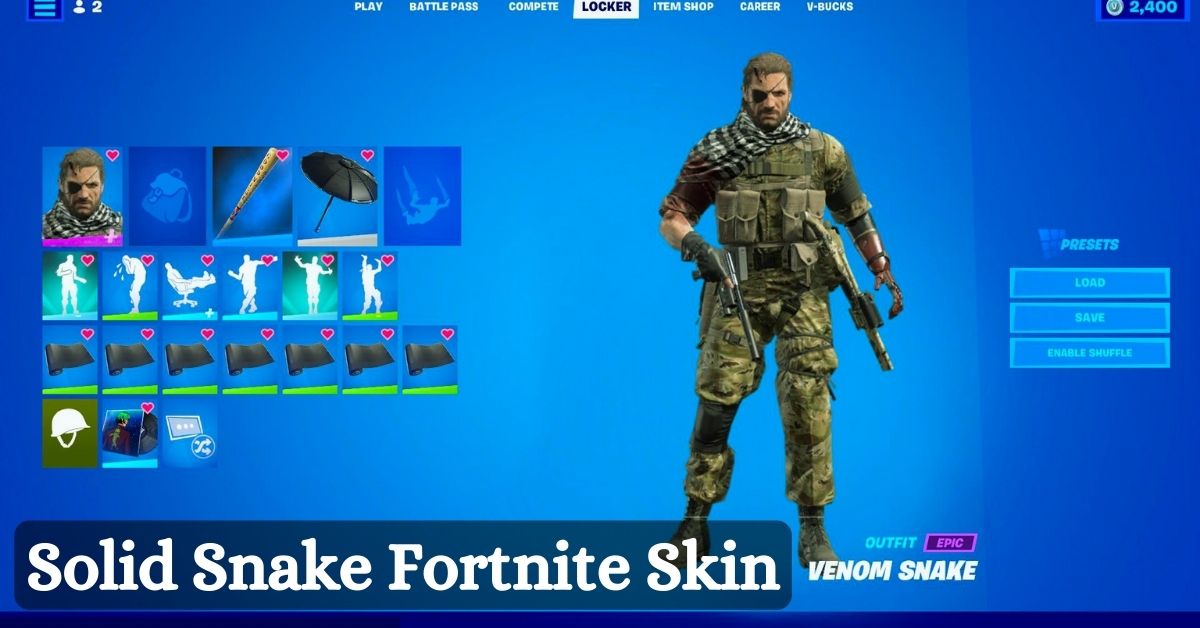
    Solid Snake Fortnite Skin

    Solid Snake is perhaps one of the most well-known and iconic video game characters in the stealth genre. Along with the equally important Big Boss, his presence resonates strongly in the core of the Metal Gear saga.

    Even though players get to play as Big Boss in more titles, implying his significance as the series’ main protagonist, it is Solid Snake’s character development and narrative arc that distinguishes him.

    It’s not often that a vital figure like Big Boss is overshadowed, but Solid Snake’s selflessness has helped him achieve the same status as Geralt, Kratos, Master Chief, and others.

    When Will Solid Snake Appear In Fortnite?

    While reports stated that Solid Snake will be available from the start of Fortnite, Epic Games has included Solid Snake as one of the extra incentives.

    This means that users will have to wait until a specified day to acquire Solid Snake, rather than instantly levelling up the Battle Pass. It can be unlocked precisely 51 days after the Battle Pass’s launch, which is January 23rd, 2023.

    You might also be interested in the following gaming news:

    How to Get Solid Snake Skin?

    Solid Snake, like Peter Griffin, is included in Chapter 5, Season 1’s Battle Pass. However, because Solid Snake is only available as part of the Bonus Rewards, users will most likely have to complete a series of challenges to obtain the skin.

    Fans are unhappy since they expected it to be available right away, but Epic Games is likely taking this method to guarantee there is content to look forward to throughout the season.

    We appreciate your interest in our website! Make Gameempress.com your go-to site for gaming information.
  • Where Are The Bosses In Fortnite Chapter 5? A Guide To Finding And Defeating Them

    Where Are The Bosses In Fortnite Chapter 5? A Guide To Finding And Defeating Them

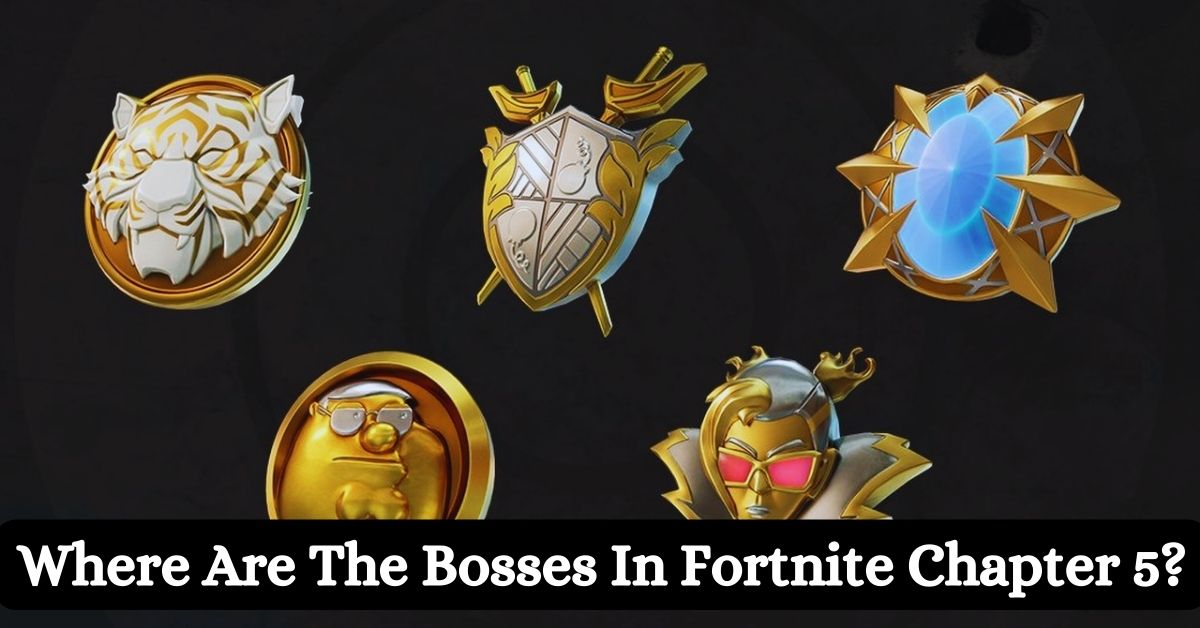
    Fortnite Chapter 5 is the latest season of the popular battle royale game, and it introduces a new feature called Society Medallions, which are powerful items that grant passive shield regeneration to the players who carry them.

    However, these items are not easy to obtain, as they are only dropped by the bosses, which are special NPC enemies that spawn in certain locations on the map. These bosses are not only stronger and tougher than regular enemies, but they also have unique weapons and abilities that can pose a serious threat to the players.

    In this article, we’ll show you where to find and how to defeat the bosses in Fortnite Chapter 5, and what rewards you can get from them.

    Who Are the Bosses in Fortnite Chapter 5 and What Are Their Abilities?

    Fortnite Chapter 4 Season 5 Skin Leaks
    Fortnite Chapter 4 Season 5 Skin Leaks

    There are five bosses in Fortnite Chapter 5, and each of them has a name, a location, a weapon, and an ability. They are:

    • Peter Griffin: He is located at Snooty Steppes, a new POI in the northwest corner of the map. He is armed with a Hammer Pump Shotgun, which is a powerful close-range weapon that can deal massive damage. He also has an ability called Family Guy, which allows him to summon his family members as allies, such as Lois, Meg, Chris, Stewie, and Brian. These allies will fight alongside him and distract the players.
    • Oscar: He is located at Lavish Lair, a new POI in the southeast corner of the map. He is armed with a Golden Pistol, which is a fast-firing and accurate weapon that can deal decent damage. He also has an ability called Academy Award, which allows him to throw his Oscar statue as a projectile, which can stun and knock back the players.
    • Montague: He is located at Grand Glacier, a new POI in the south-west corner of the map. He is armed with a Frosty Crossbow, which is a long-range weapon that can shoot icy arrows that can slow down and freeze the players. He also has an ability called Ice Age, which allows him to create a large ice dome around him, which can protect him and damage the players who touch it.
    • Nisha: She is located at Fencing Fields, a new POI in the northeast corner of the map. She is armed with a Rapier, which is a melee weapon that can deal high damage and pierce through the players’ shields. She also has an ability called En Garde, which allows her to dash and lunge at the players, which can catch them off guard and deal critical damage.
    • Valeria: She is located at Reckless Railways, a new POI in the centre of the map. She is armed with a Dynamite Launcher, which is an explosive weapon that can shoot sticks of dynamite that can stick to the players and the environment and detonate after a few seconds. She also has an ability called Train Wreck, which allows her to summon a train that can run over the players and destroy the structures.

    How to Find and Defeat the Bosses in Fortnite Chapter 5 and What Are Their Rewards?

    To find and defeat the bosses in Fortnite Chapter 5, you need to follow these steps:

    • Locate the boss: The bosses are marked on the map and the compass with a red skull icon, and they can be tracked and viewed in the menu. The bosses are not always in the same spot, and they can move around their POI. The bosses are also guarded by their henchmen, who are weaker enemies who can alert the boss and attack the players.
    • Engage the boss: The bosses are hostile and will fight back once they spot the players. The bosses have a lot of health and shields, and they can deal a lot of damage with their weapons and abilities. The bosses are also immune to headshots and critical hits, and they can heal themselves over time. The bosses are also aware of their surroundings, and they can use cover, dodge, and counter the players’ attacks.
    • Defeat the boss: The bosses are not invincible, and they can be defeated with enough firepower and strategy. The best way to defeat the bosses is to use the appropriate weapons and items, such as assault rifles, sniper rifles, grenades, and shields. The best way to defeat the bosses is also to use the environment and the structures, such as buildings, trees, and vehicles. The best way to defeat the bosses is also to work as a team and coordinate and communicate with your squadmates.
    • Claim the reward: The bosses will drop their Society Medallion and their weapon once they are defeated. The Society Medallion is a special item that can grant passive shield regeneration to the player who carries it. The more Society Medallions the player has, the faster the shield regeneration. The Society Medallion can also be dropped and picked up by other players. The weapon is a unique and powerful weapon that can only be obtained from the boss. The weapon can also be dropped and picked up by other players.

    If you want to check out more articles related to Fortnite. You can check the link below:

    Conclusion

    The bosses are a new and challenging feature in Fortnite Chapter 5, and they can offer a lot of fun and rewards for the players who can find and defeat them. The bosses are located in certain POIs on the map, and they have unique weapons and abilities that can pose a serious threat to the players.

    The bosses will drop their Society Medallion and their weapon once they are defeated, which are powerful items that can grant passive shield regeneration and high damage to the players who carry them.

    We appreciate your interest in our website! Make Gameempress.com your go-to site for gaming information.

  • Diablo 4 Waypoint Map: How To Find And Use The Fast Travel System?

    Diablo 4 Waypoint Map: How To Find And Use The Fast Travel System?

    Diablo 4 is a highly anticipated action role-playing game that will take players to the dark and dangerous world of Sanctuary, where they will face hordes of demons, undead, and other horrors. The game will feature a vast and open world, where players can explore various regions, dungeons, and secrets.

    However, travelling across the world can be time-consuming and risky, especially when enemies and events are constantly spawning and changing. That’s why the game will also feature a waypoint map, which is a fast travel system that will allow players to teleport between major locations in the game.

    In this article, we’ll explain how to find and use the waypoint map, and what are the benefits and limitations of the system.

    Diablo 4 Waypoint Map

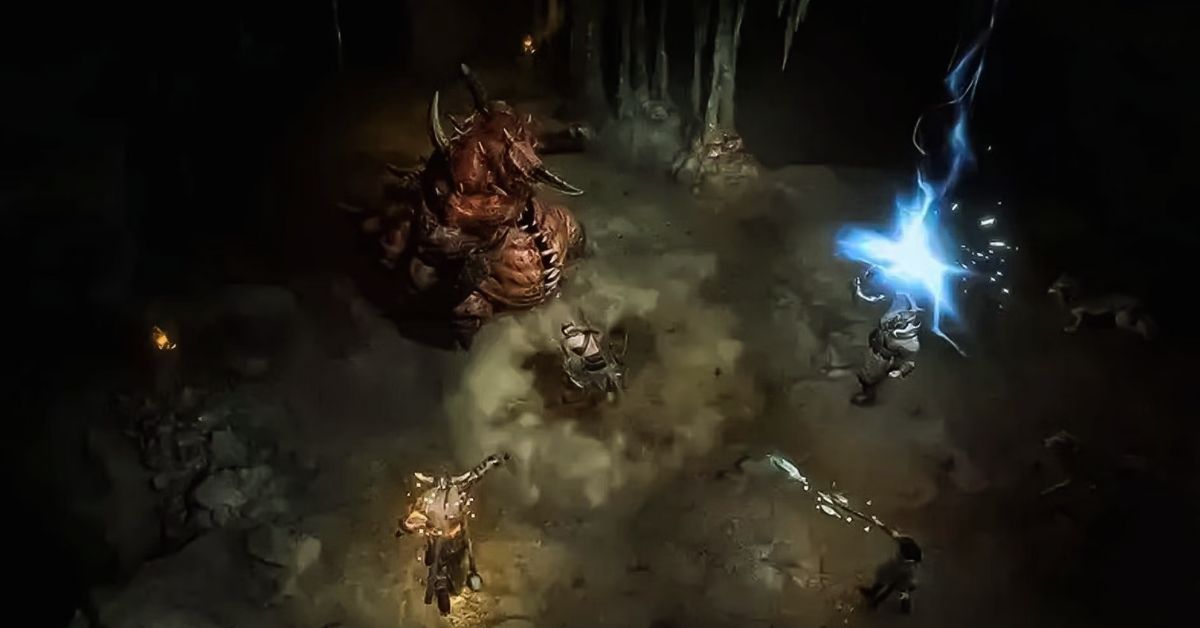
    The waypoint map is a feature that will enable players to travel instantly between waypoints, which are portals that appear on the map at fixed locations in towns and major locations. These waypoints, once activated, will be marked on the map and the compass, and they can be tracked and viewed in the menu.

    Diablo 4 Season 2 Boss Loot Table
    Diablo 4 Season 2 Boss Loot Table

    The waypoints are not linear, and they can be accessed in any order, as long as the previous waypoints are activated. The waypoints are also not missable, and they can be revisited at any time, even after finishing the main story.

    To access the waypoint map, players will need to press a button on their keyboard or controller, which will open the map screen. From there, players can select a waypoint that they have already activated, and confirm their choice.

    The game will then load the destination, and the players will appear near the waypoint. The process will take a few seconds, depending on the distance and the region. The game will also save the progress and the position of the players before and after the teleportation.

    What Are the Benefits and Limitations of the Waypoint Map?

    The waypoint map is a useful and convenient feature that will offer several benefits and advantages for the players, such as:

    • Saving Time and Effort: The waypoint map will save players a lot of time and effort, as they have to travel long distances by foot or by mount, which can be tedious and exhausting. The waypoint map will also allow players to skip some areas and enemies that they have already cleared or that they are not interested in, and focus on the ones that they want to explore or challenge.
    • Exploring and Discovering: The waypoint map will also encourage players to explore and discover the world, as they will be able to access different regions and locations easily and quickly. The waypoint map will also help players to find and collect various items, secrets, and events that are scattered and hidden in the world, and that may require some backtracking and revisiting.
    • Completing and Progressing: The waypoint map will also assist players to complete and progress the game, as they will be able to follow and finish the main story and the side quests more efficiently and effectively. The waypoint map will also enable players to participate and join various activities and features that are available in the game, such as world bosses, legion events, PvP, and co-op. will not

    However, the waypoint map will also have some limitations and drawbacks that players will need to consider and be aware of, such as:

    • Breaking Immersion and Challenge: The waypoint map may break the immersion and the challenge of the game, as it will reduce the sense of exploration and adventure, and the risk and reward of travelling and fighting in the world. The waypoint map may also make the game too easy and convenient, and lower the difficulty and the tension of the game.
    • Consuming Resources and Restrictions: The waypoint map may also consume some resources and have some restrictions that will limit its usage and availability. The waypoint map may require some currency or items to activate or use, and it may have some cooldowns or timers that will prevent players from spamming or abusing it. The waypoint map may also be disabled or blocked in some areas or situations, such as dungeons, boss fights, or PvP zones.

    If you want to check out more articles related to Diablo 4. You can check the link below:

    Conclusion

    The waypoint map is a feature that will allow players to travel instantly between waypoints, which are portals that appear on the map at fixed locations in towns and major locations. The waypoint map will offer several benefits and advantages for the players, such as saving time and effort, exploring and discovering, and completing and progressing the game.

    However, the waypoint map will also have some limitations and drawbacks that players will need to consider and be aware of, such as breaking immersion and challenge, consuming resources and restrictions.

    We appreciate your interest in our website! Make Gameempress.com your go-to site for gaming information.

  • Is Ready Or Not Crossplay? Your Guide To Multiplayer Across Platforms

    Is Ready Or Not Crossplay? Your Guide To Multiplayer Across Platforms

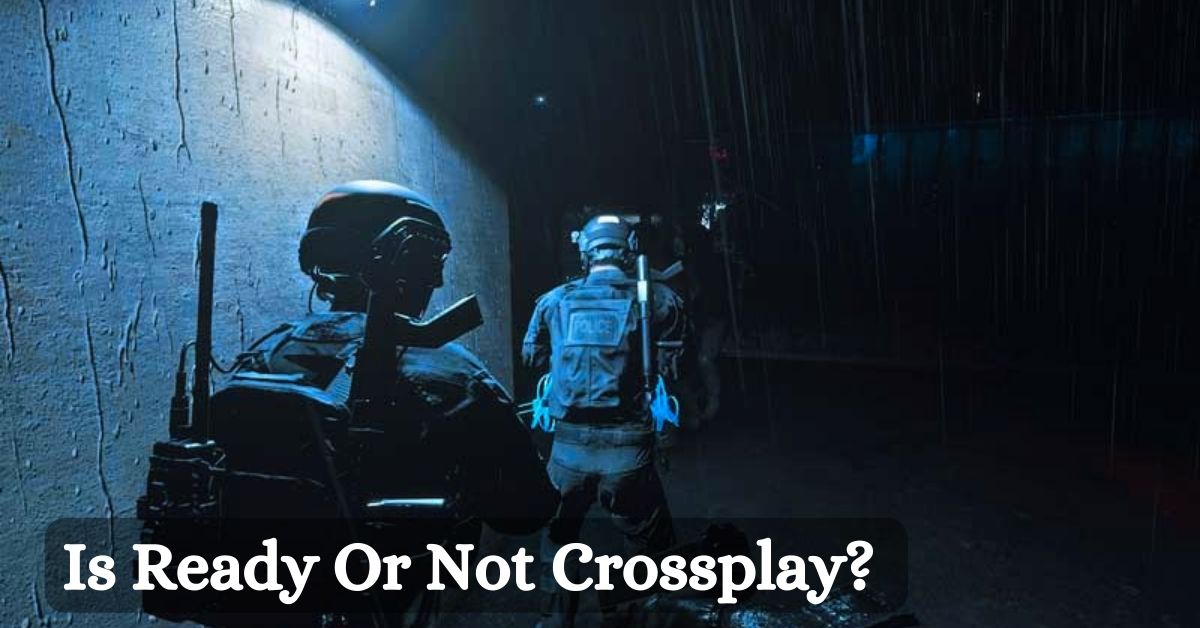
    Ready or Not is a realistic and tactical first-person shooter that simulates the experience of a SWAT team. The game features a single-player campaign, a co-op mode, and a multiplayer mode, where players can choose to play as either law enforcement or criminals.

    The game is currently available on PC via Steam and has received positive reviews from critics and players alike. But is Ready or Not crossplay? Can players from different platforms play together in the same game? And will the game ever come to consoles? In this article, we will answer these questions and more.

    Is Ready Or Not Crossplay?

    Unfortunately, the answer is no. Ready or Not does not support crossplay, meaning that players from different platforms cannot play together in the same game. This applies to both online and offline modes, such as the campaign, the co-op, and the multiplayer.

    Ready Or Not 1.0 Patch Notes
    Ready Or Not 1.0 Patch Notes

    The only exception is the Nintendo Switch version, which supports cross-play with the PC version, but not with the PlayStation or Xbox versions. This means that players on Nintendo Switch can play with players on PC, but not with players on PlayStation or Xbox.

    The reason for this exception is that the Nintendo Switch version is based on the PC version, and uses the same servers and code. However, the PlayStation and Xbox versions are different and use separate servers and code.

    Why is Ready Or Not Not Crossplay?

    The main reason why Ready or Not is not crossplay is that it requires a lot of technical and logistical challenges to implement. According to VOID Interactive, the developer of Ready or Not, crossplay is not as simple as some saying ‘Go ahead guys’ it’s tough. We would need big technology updates to support it, so right now we’re focusing on the quality of our gameplay.

    Some of the challenges and difficulties of implementing crossplay include:

    • The compatibility and optimization of the game across different platforms and devices. The game needs to run smoothly and consistently on different hardware and software specifications and ensure that there are no bugs, glitches, or crashes.
    • The balance and the fairness of the game across different platforms and devices. The game needs to account for the different input methods, such as controllers, keyboards, and touchscreens, and ensure that there are no advantages or disadvantages for any platform or device.
    • The cooperation and the agreement of the different platform holders and publishers. The game needs to follow the rules and the policies of the different platform holders and publishers, such as Sony, Microsoft, Nintendo, and Team17, and ensure that there are no conflicts or disputes.

    Will Ready Or Not Ever Be Crossplay?

    There is no definitive answer to this question, as the developer and the publisher have not made any official announcements or confirmations about crossplay for Ready or Not. However, there is some hope and possibility that crossplay could be added in the future.

    According to VOID Interactive, crossplay is a possibility but nothing we can promise right now. But what I can promise is if we start working on it, we will let the community know. This means that the developer and the publisher are aware of the demand and the potential of crossplay, and are open to the idea of working on it if the conditions and the resources allow it.

    However, this also means that crossplay is not a priority or a guarantee for Ready or Not and that many factors and obstacles could prevent or delay it. Therefore, players should not expect or rely on crossplay for Ready or Not and should enjoy the game as it is.

    You might also like to know about if these other games are cross-platform or not:

    Conclusion

    Ready or Not is a thrilling and immersive game that offers a lot of modes and maps for players to enjoy. However, it does not support crossplay, meaning that players from different platforms cannot play together in the same game.

    This is due to the technical and logistical challenges of implementing crossplay, which require a lot of time and effort from the developer and the publisher. Crossplay is not impossible or improbable for Ready or Not, but it is also not certain or imminent.

    The developer and the publisher have not ruled out the possibility of adding crossplay in the future, but they have also not promised or confirmed it. Therefore, players should be patient and realistic about crossplay for Ready or Not and should appreciate the game for what it is.

    We appreciate your interest in our website! Make Gameempress.com your go-to site for gaming information.

  • Is Plants Vs Zombies Battle For Neighborville Crossplay? The Answer You Seek!

    Is Plants Vs Zombies Battle For Neighborville Crossplay? The Answer You Seek!

    Plants vs Zombies Battle for Neighborville is a multiplayer shooter game that pits plants and zombies against each other in various modes and maps. The game is available on PlayStation 4, Xbox One, PC, and Nintendo Switch. But can players from different platforms play together? Is Plants vs Zombies Battle for Neighborville crossplay?

    In this article, we will answer these questions and explain what crossplay is, why it is important, and what are the challenges and benefits of implementing it.

    Is Plants vs Zombies Battle for Neighborville Crossplay?

    Unfortunately, the answer is no. Plants vs Zombies Battle for Neighborville does not support crossplay, meaning that players from different platforms cannot play together in the same game. This applies to both online and offline modes, such as Turf Takeover, Team Vanquish, Garden Ops, and Battle Arena.

    Is Plants Vs Zombies Battle For Neighborville Crossplay
    Is Plants Vs Zombies Battle For Neighborville Crossplay

    The only exception is the Nintendo Switch version, which supports cross-play with the PC version, but not with the PlayStation 4 or Xbox One versions. This means that players on Nintendo Switch can play with players on PC, but not with players on PlayStation 4 or Xbox One.

    The reason for this exception is that the Nintendo Switch version is based on the PC version, and uses the same servers and code. However, the PlayStation 4 and Xbox One versions are different and use separate servers and code.

    Why is Plants vs Zombies Battle for Neighborville Not Crossplay?

    The main reason why Plants vs Zombies Battle for Neighborville is not crossplay is that it requires a lot of technical and logistical challenges to implement. According to Shaun Laker, the Live Producer for Plants vs Zombies, crossplay is not as simple as some saying ‘Go ahead guys’ it’s tough. We would need big technology updates to support it, so right now we’re focusing on the quality of our gameplay.

    Some of the challenges and difficulties of implementing crossplay include:

    • The compatibility and optimization of the game across different platforms and devices. The game needs to run smoothly and consistently on different hardware and software specifications and ensure that there are no bugs, glitches, or crashes.
    • The balance and the fairness of the game across different platforms and devices. The game needs to account for the different input methods, such as controllers, keyboards, and touchscreens, and ensure that there are no advantages or disadvantages for any platform or device.
    • The cooperation and the agreement of the different platform holders and publishers. The game needs to follow the rules and the policies of the different platform holders and publishers, such as Sony, Microsoft, Nintendo, and EA, and ensure that there are no conflicts or disputes.

    Will Plants vs Zombies Battle for Neighborville Ever Be Crossplay?

    There is no definitive answer to this question, as the developers and the publishers have not made any official announcements or confirmations about crossplay for Plants vs Zombies Battle for Neighborville. However, there is some hope and possibility that crossplay could be added in the future.

    According to Shaun Laker, crossplay is a possibility but nothing we can promise right now. But what I can promise is if we start working on it, we will let the community know. This means that the developers and the publishers are aware of the demand and the potential of crossplay, and are open to the idea of working on it if the conditions and the resources allow it.

    However, this also means that crossplay is not a priority or a guarantee for Plants vs Zombies Battle for Neighborville and that many factors and obstacles could prevent or delay it. Therefore, players should not expect or rely on crossplay for Plants vs Zombies Battle for Neighborville and should enjoy the game as it is.

    You might also like to know about if these other games are cross-platform or not:

    Conclusion

    Plants vs Zombies Battle for Neighborville is a fun and exciting game that offers a lot of modes and maps for players to enjoy. However, it does not support crossplay, meaning that players from different platforms cannot play together in the same game.

    This is due to the technical and logistical challenges of implementing crossplay, which require a lot of time and effort from the developers and the publishers. Crossplay is not impossible or improbable for Plants vs Zombies Battle for Neighborville, but it is also not certain or imminent.

    The developers and the publishers have not ruled out the possibility of adding crossplay in the future, but they have also not promised or confirmed it. Therefore, players should be patient and realistic about crossplay for Plants vs Zombies Battle for Neighborville and should appreciate the game for what it is.

    We appreciate your interest in our website! Make Gameempress.com your go-to site for gaming information.
  • PS2 Emulator For PC: How To Play PS2 Games On Your Computer?

    PS2 Emulator For PC: How To Play PS2 Games On Your Computer?

    The PlayStation 2 (PS2) is one of the most successful and beloved video game consoles of all time, with a library of thousands of games across various genres and categories. However, if you want to play PS2 games on your computer, you will need a PS2 emulator for your PC.

    A PS2 emulator for PC is a software program that mimics the PS2’s hardware and software, allowing you to run PS2 games on your PC. With a PS2 emulator for PC, you can enjoy PS2 games in higher resolution, better performance, and more customization options than on the original console.

    However, not all PS2 emulators for PC are created equal. Some are more compatible, stable, and user-friendly than others. Some also require more configuration, installation, and troubleshooting than others. Therefore, it is important to choose the best PS2 emulator for PC for your needs and preferences.

    In this article, we will introduce you to some of the best PS2 emulators for PC, and guide you through the steps of downloading, installing, and using them. We will also provide you with some tips and tricks to optimize your PS2 emulation experience.

    Best PS2 Emulator For PC

    There are many PS2 emulators for PCs available on the internet, but not all of them are reliable and reputable. Some may contain viruses, malware, or spyware, while others may have poor compatibility, performance, or functionality.

    PS2 Emulator For PC
    PS2 Emulator For PC

    Therefore, it is advisable to download PS2 emulators for PC from trusted and verified sources, such as official websites or reputable platforms.

    Based on our research and testing, we have selected the following PS2 emulators for PC as the best ones in terms of compatibility, performance, features, and user-friendliness. These are:

    • PCSX2: PCSX2 is the most popular and widely used PS2 emulator for PC, with over 90% compatibility for the PS2 library. It is also the most advanced and feature-rich PS2 emulator for PC, with options such as custom resolutions, anti-aliasing, texture filtering, save states, cheats, and more. PCSX2 is free and open-source and supports Windows, Linux, and Mac OS.
    • DamonPS2: DamonPS2 is the fastest and most efficient PS2 emulator for PC, with over 80% compatibility with the PS2 library. It is also the easiest and simplest PS2 emulator for PC, with a user-friendly interface and minimal configuration. DamonPS2 is a paid software and supports Windows and Android.
    • NSX2: NSX2 is the newest and most updated PS2 emulator for PC, with over 70% compatibility for the PS2 library. It is also the most stable and smooth PS2 emulator for PC, with a high-performance engine and resource consumption. NSX2 is free and open-source and supports Windows and Linux.

    How To Download and Install PS2 Emulators For PC?

    To download and install PS2 emulators for PC, you will need to follow these general steps:

    • Visit the official website or the reputable platform of the PS2 emulator for the PC that you want to use, and download the latest version of the software. Make sure to choose the correct version for your operating system and system specifications.
    • Extract the downloaded file to a folder of your choice, and run the executable file to launch the PS2 emulator for PC. You may need to install some additional components or dependencies, such as DirectX, Visual C++, or BIOS, depending on the PS2 emulator for the PC that you are using.
    • Configure the PS2 emulator for PC according to your preferences and needs, such as the graphics, audio, controller, and language settings. You may also need to adjust some advanced settings, such as the emulation mode, speed hacks, or plugins, depending on the PS2 emulator for the PC that you are using.
    • Load the PS2 game that you want to play on the PS2 emulator for PC, either from a disc, an ISO file, or a folder. You may need to mount the disc or the ISO file to a virtual drive or convert the folder to an ISO file, depending on the PS2 emulator for the PC that you are using.
    • Enjoy playing the PS2 game on your PC, and save your progress as you wish. You can also use some additional features, such as screenshots, recording, streaming, or online multiplayer, depending on the PS2 emulator for the PC that you are using.

    Tips and Tricks for PS2 Emulation on PC

    To optimize your PS2 emulation experience on PC, you can follow these tips and tricks:

    • Check the compatibility list of the PS2 emulator for the PC that you are using, and see if the PS2 game that you want to play is supported or not. Some PS2 games may not work properly or at all on some PS2 emulators for PC, while others may require some specific settings or patches to run smoothly.
    • Update your PC’s drivers, software, and hardware, and make sure that they meet the minimum or recommended requirements of the PS2 emulator for the PC that you are using. Some PS2 emulators for PCs may not work well or at all on outdated or incompatible systems, while others may benefit from higher or lower specifications.
    • Backup your PS2 game files, save files, and configuration files, and store them in a safe and accessible location. This way, you can avoid losing your data or settings in case of any errors, crashes, or corruption, and you can also transfer them to another PC or PS2 emulator for PC if needed.
    • Experiment with different PS2 emulators for PC, and see which one suits your preferences and needs the best. Some PS2 emulators for PCs may offer more features and options, while others may offer better compatibility and performance. You can also use multiple PS2 emulators for PC for different PS2 games, depending on their requirements and characteristics.

    You might also be interested in the following game guide:

    Conclusion

    PS2 emulation on PC is a great way to enjoy PS2 games on your computer, with many advantages and benefits. However, it also requires some preparation and knowledge, as well as some trial and error, to achieve the best results.

    Therefore, it is important to choose the best PS2 emulator for PC for your needs and preferences and to follow the steps and tips that we have provided in this article.

    We appreciate your interest in our website! Make Gameempress.com your go-to site for gaming information.