Author: George

  • Is Paladins Crossplay? A Guide To Playing With Friends On Different Platforms

    Is Paladins Crossplay? A Guide To Playing With Friends On Different Platforms

    Paladins is a free-to-play hero shooter game that lets you choose from a variety of characters, each with their unique abilities and playstyles. The game has various modes, such as team deathmatch, siege, and ranked, where you can compete with other players online.

    But what if you want to play with your friends who have different devices? Is Paladins crossplay? In this article, we will answer that question and explain how to enable and enjoy crossplay in Paladins.

    Is Paladins Crossplay?

    Crossplay is a feature that allows players to play Paladins together regardless of the platform they are using. This means that players on PC, PS4, Xbox One, Nintendo Switch, and even mobile devices can join the same matches and lobbies, and communicate with each other.

    Crossplay also enables cross-progression, which means that players can use the same Paladins account and access their progress, items, and customizations on any platform.

    Crossplay was introduced in Paladins in early 2019 and has been improved and expanded since then. The developers of Paladins, Hi-Rez Studios, have stated that they are committed to supporting crossplay and making the game accessible and fun for everyone.

    How to Enable Crossplay in Paladins?

    To enable crossplay in Paladins, you will need to follow these steps:

    • Make sure you have a Paladins account and link it to your platform account. For example, if you play on PS4, you need to link your Paladins account to your PlayStation Network account.
    • Launch Paladins and go to the Settings menu. Under the Gameplay tab, make sure that the Enable Crossplay option is checked. You can also choose your preferred input method, such as keyboard and mouse, controller, or touch screen, and your preferred region, such as North America, Europe, or Asia.
    • Go to the Play menu and select the mode that you want to play. You can choose from casual, ranked, custom, or training modes. You can also filter the matches by input method, such as keyboard and mouse only, controller only, or any input. Join or invite other players to your party, regardless of their platform. You can do this by using the social menu, where you can see your friends list, your recent players list, and your clan members list. You can also use the chat feature, where you can send messages and voice commands to other players.
    • Enjoy crossplay in Paladins. You can check the platform of other players by looking at the icon next to their name. For example, a PC player will have a monitor icon, while a PS4 player will have a PS logo.

    What Are the Benefits and Limitations of Crossplay in Paladins?

    Crossplay in Paladins has many benefits and limitations, such as:

    Benefits

    • You can play with your friends and family, regardless of the device they have. You can also make new friends and join a larger and more diverse community of players.
    • You can enjoy the game on any platform, without losing your progress or items. You can also switch between platforms, depending on your preference or convenience.
    • You can experience the game with more variety and options, as you can encounter different players, characters, and strategies. You can also learn from other players and improve your skills.

    Limitations

    • You may face some compatibility and performance issues, depending on your device and internet connection. You may also encounter some bugs or glitches, as crossplay is still in development and testing.
    • You may have some balance and fairness issues, as some platforms or input methods may have advantages or disadvantages over others. You may also have some communication and coordination issues, as some platforms or input methods may have different or limited chat features.
    • You may have some preference and privacy issues, as some players may not want to play with or against certain platforms or input methods. You may also have some account and security issues, as linking your accounts may expose your personal or financial information.

    You might also be interested in the following games, Crossplay: Is Granblue Fantasy Versus Rising Crossplay? and Is Monopoly Plus Cross Platform? We appreciate your interest in our website! Make Gameempress.com your go-to site for gaming information.

  • GTA 5 Leaked Source Code Exposed: Secrets Of Los Santos Spilled Online

    GTA 5 Leaked Source Code Exposed: Secrets Of Los Santos Spilled Online

    Following the release of Insomniac, it appears that GTA developer Rockstar Games has been targeted by leakers.

    The whole source code of Grand Theft Auto has been publicly released, according to claim by prominent YouTuber SKizzle on earlier today.

    The leak also included information on Bully and the next Grand Theft Auto title, Project Americas.

    GTA 5 Leaked Source Code

    As stated in the previous post, @GTA Focal even released a screenshot of the leaked GTA 5 source code, proving the report’s veracity. According to the data, Rockstar was also working on a possible successor to the critically successful video game Bully.

    Another rumour on X states that the source code has been released in a Discord channel, the name of which has not been revealed to prevent the material from spreading.

    fan known as “Agent” also posted their portion of the GTA source code dumps as well as photographs showing Rockstar Games’ RAGE engine on X. However, their post has since been removed.

    The source code for Grand Theft Auto was allegedly leaked alongside the leaked video last year. It was never made public, however, until today.

    This is significant data loss for the developer, and it may have ramifications for both current and future series participants.

    Popular online reporter Gaming Detective (@that1detectiv3) also highlighted the potential consequence of the leaked source code, which could result in delays for Rockstar Games’ upcoming Grand Theft Auto 6.

    At the time of writing, Rockstar Games has not responded to the leak. Fans are asked to appreciate the developers’ hard work and refrain from disseminating the leaked source code further.

    You might also be interested in the following games, Leaks: Genshin 4.4 Release Date, Leaks and Genshin Impact Leaks Kit. We appreciate your interest in our website! Make Gameempress.com your go-to site for gaming information.
  • Dragon Ball Sparking Zero Release Date PS5 Confirmed? PS5’s Fiery Future Explodes!

    Dragon Ball Sparking Zero Release Date PS5 Confirmed? PS5’s Fiery Future Explodes!

    Finally, Dragon Ball lovers, the Tenkaichi series has returned. Bandai Namco today revealed Dragon Ball: Sparking Zero, with the 3D fighting franchise ready to make its triumphant return after a decade hiatus.

    While there are many other fighting games set in Akira Toriyama’s Dragon Ball universe, such as the great Dragon Ball FighterZ and Xenoverse titles, the Budokai Tenkaichi series is famous for its gigantic, destructible 3D battle arenas and a large roster of playable characters. Tenkaichi 4 was announced as Dragon Ball: Sparking Zero at the 2023 Game Awards.

    Tenkaichi 3 allows you to take over the roles of Arale, King Vegeta, and Tambourine. We’re expecting the upcoming installment will include its list of deep cuts from the anime’s enormous cast of characters. At the very least, we know it involves Dragon Ball Super.

    Continue reading to learn everything there is to know about the upcoming game, including the Dragon Ball: Sparking Zero release date, platform availability, and trailer.

    Dragon Ball Sparking Zero Release Date PS5

    There is no definite release date for Dragon Ball Z: Budokai Tenkaichi 4 or Dragon Ball: Sparking Zero at the moment. The game was only recently disclosed and is reported to be in the early phases of production, so we may have to wait a while before we can play it.

    Given that the original games were all released in October/November of 2005, 2006, and 2007, we can presumably expect the new Tenkaichi game to be released in 2024 around the same time. We’ll update this page with fresh release date information when it becomes available.

    Dragon Ball Sparking Zero Gameplay and Story

    At the time of writing, little is known about the new Budokai Tenkaichi. We only know that a new game in the cult classic series is now in production at Bandai Namco and that Goku, one of the most powerful anime characters, will be able to transform into his Super Saiyan form.

    This indicates that Dragon Ball Super will be incorporated into the Budokai Tenkaichi universe. In the upcoming Tenkaichi, we should see new playable characters, stages, and transformations from the franchise.

    One ambition for Tenkaichi 4 is that it maintains the series’ history of including more than 100 playable characters (more than 9,000 would be ideal but may not be realistic). You may fight with and against characters from the complete Dragon Ball franchise (original, Z, and GT) in Tenkaichi 3.

    The series is well-known for its deep cuts and exact recreations of obscure and well-known characters, as well as dazzling special techniques and the ability to shift on the fly. Fingers crossed that the new game has over 100 playable characters and includes some real unknowns.

    If you are interested in knowing more articles related to other games, you can check State Of Decay 3 Release Date and Once Human PS5 Release Date. We appreciate your interest in our website! Make Gameempress.com your go-to site for gaming information.
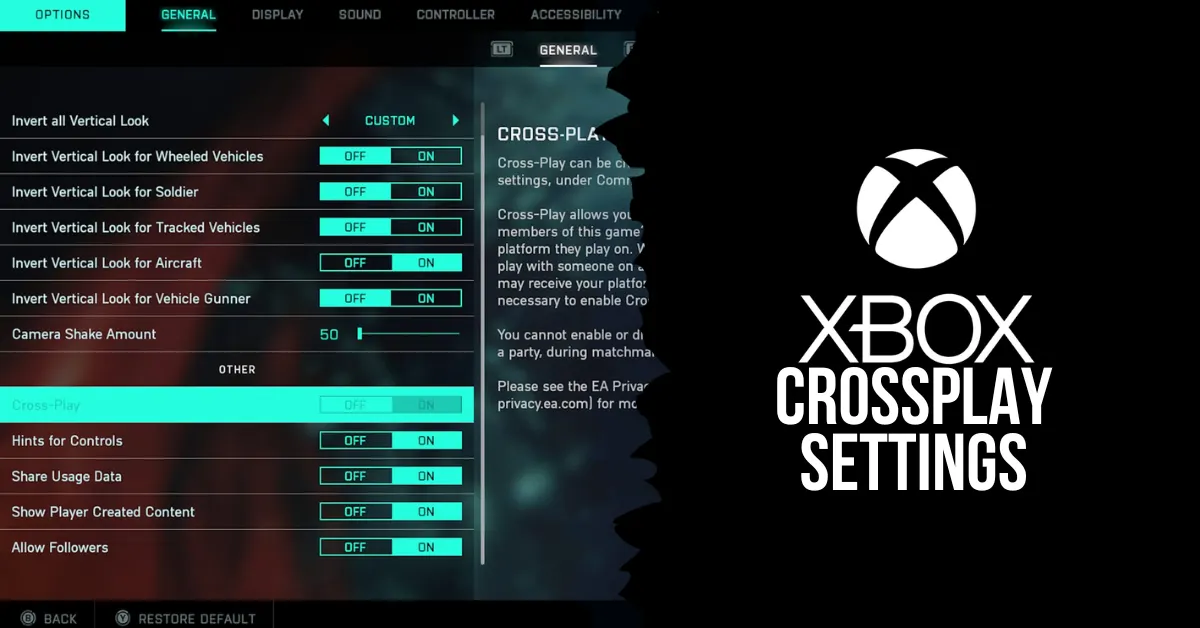
  • Xbox Crossplay Settings: How Do You Disable Crossplay?

    Xbox Crossplay Settings: How Do You Disable Crossplay?

    Many players these days take advantage of cross-play features in their preferred online games. Fall Guys and Call of Duty: Modern Warfare 2 are two excellent first-person shooters and party games that make good use of this functionality, which is standard on most modern platforms.

    However, what if you’d prefer not to engage in system-based competition with others? Owners of the Xbox One and Xbox Series X|S are in luck, as Microsoft has enabled the option to disable cross-play permanently.

    In this manner, you can save the trouble of having to adjust the feature for every game you play.  So, how exactly does one disable crossplay on an Xbox, and what exactly is crossplay? We’ll have to see.

    What is Crossplay Gaming?

    Regardless of platform or console, crossplay enables gamers from disparate gaming platforms to join each other’s games and play online. In general, cross-platform gaming enables more players to participate in online games. For gamers, this means speedier matchmaking and a less constrained online social experience.

    The majority of games that support cross-platform gameplay will use personal information, such as your email address, to track your success in-game. Crossplay-enabled games let you advance in a game through any supported platform by utilizing these details across platforms, similar to an individual account.

    Likewise, you are able to play versus players on different platforms universally. This generates a massive player base for games like Fortnite, which are accessible on almost every platform you can imagine. Crossplay gaming does have a lot of advantages, but it also has a lot of disadvantages, and often the benefits seem unneeded.

    When utilizing a controller versus PC players that use a mouse, you might even be at a direct disadvantage if you’re playing a first-person shooter on a console and you join PC players. In some cases, especially if you’re using a system like the Xbox One or Xbox Series X|S, you might want to disable cross-play gaming.

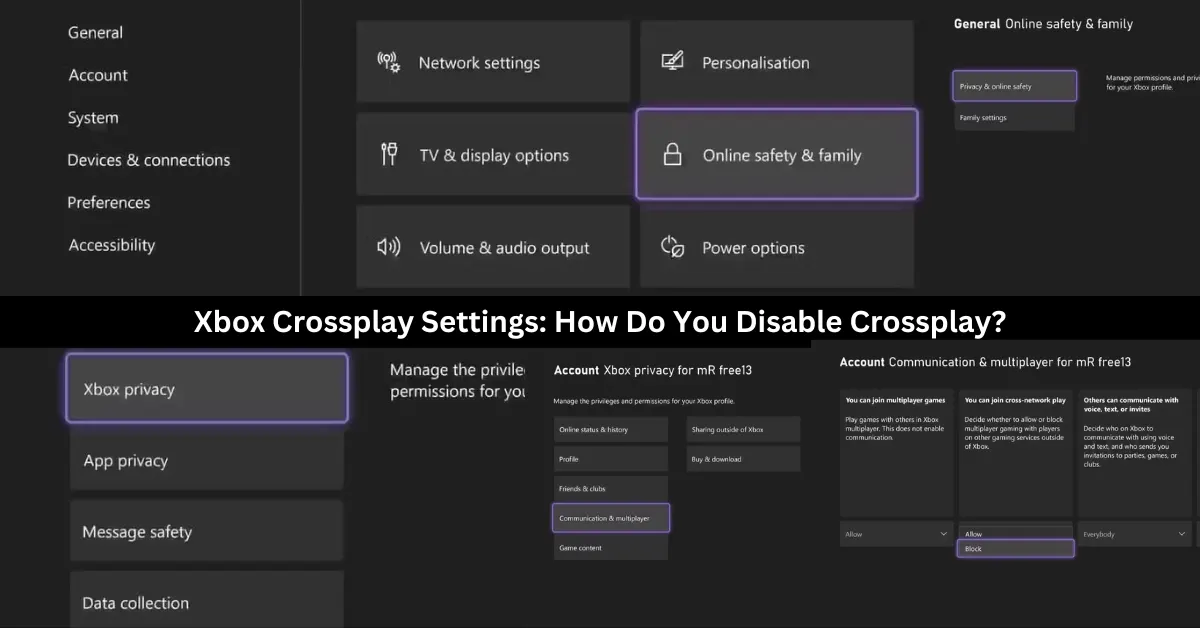
    How Do You Disable Crossplay on Xbox One and Xbox Series X|S?

    xbox crossplay settings

    To avoid any issues when playing games on other platforms on your Xbox, you can stop crossplay globally by following these steps:

    1. To access the guidance menu, press the Xbox button on your controller.
    2. After you locate the Profile & System settings, navigate right and choose Settings.
    3. Choose Online Safety & family from the settings under the General tab.
    4. Choose Privacy & online safety from this menu.
    5. From the options that are provided, choose Xbox privacy.
    6. After your privacy settings appear, choose View details & adjust.
    7. Select Communication & Multiplayer to view your console’s online preferences.
    8. Change the Allow to Block selection under the You can join cross-network play setting.

    Any game that tries to pair you up with online players from other platforms won’t be able to as the preference for cross-network play has been restricted, and crossplay will be permanently turned off on your Xbox.

    You can choose to welcome or refuse players from other platforms on Xbox so that you can embrace cross-platform play without any issues. Your Xbox still offers a ton of tools for interacting socially online with other platforms, even if you decide not to play games with them. This is true even if you decide to disable crossplay and all of its social perks.

    What Are the Benefits and Drawbacks of Crossplay?

    Crossplay has both advantages and disadvantages, depending on your preferences and the type of game you are playing. Here are some of the benefits and drawbacks of crossplay:

    Benefits

    After discussing some of the disadvantages of cross-play gaming, let’s examine some of its advantages that enhance your gaming experience.

    Cross-Play Gaming Reduces Matchmaking Times: The ability to play on various platforms greatly increases the number of players that can be active at any given time. This implies that compared to searching without cross-play, the time it takes to find a game when playing online should be significantly less.

    When cross-play is enabled, you are essentially permitting the majority of a game’s player base to play alongside you. However, if it’s disabled, the pool of players who can be matched only consists of those who use the same gaming platform. As a result, if cross-play gaming is allowed, it should significantly reduce your online loading times.

    Cross-Play Gaming Breaks Down Social Barricades: The ability to extend your social gaming experience outside of your platform is the most apparent advantage that cross-play gaming will offer. You can play with pals regardless of any platform limitations that might otherwise apply thanks to cross-play.

    This broadens the pool of people you may play games with and lessens the financial burden associated with the social side of gaming. You can play with your pals by using cross-play features regardless of whether you buy a new platform or an entire console. The social aspect of cross-play is by far its greatest advantage; it fosters a sense of community and accessibility in gaming.

    Drawbacks

    There are a few disadvantages to cross-play gaming, and not all is as it seems when it comes to playing with other players online from different gaming platforms. Let’s examine this.

    Cross-Play Gaming Is Unbalanced by Nature: There are inevitable repercussions and disadvantages when matching gamers online from different gaming platforms. Most severely, if you play a game with players on both PCs and consoles, you can encounter biases that work against you on a console or in your favor on a PC.

    Comparing playing with a keyboard and mouse vs a controller, there are clear advantages. You can react more quickly with a mouse, especially when aiming, and you can customize gameplay mechanics using a keyboard to fit your preferred playing style. As I just said, a controller has slower analog sticks and binding possibilities, making it more constrictive.

    When both PC and console players participate in a cross-play match, PC players have a clear advantage over console players if they use a mouse and keyboard. Your game may be skewed for or against you if you play with people from PCs or consoles.

    This can make an online game completely unbalanced, a problem already made worse by battle pass systems, which change how you play games in the modern gaming world.

    Cross-Play Creates a More Competitive Online Environment: An additional concern regarding the gameplay aspect of cross-play features is the increasing focus on competition in games, irrespective of whether they are casual or ranked. Your online experience has to be skill-based to account for the skill-level or setup biases of platforms like PC due to problems with online balancing with cross-play titles.

    If you want to play a non-competitive game, such as Call of Duty: Modern Warfare II, cross-play will still place you with gamers who share your skill level. You always run the risk of having players with clear platform biases disrupt your online experience if a cross-play game doesn’t use skill-based matchmaking.

    Consequently, in order to enable cross-play, one must almost always be grouped according to skill when looking for an online game, which fosters competition. Turn off cross-play on your game or console if you’re seeking for an online game where you don’t have to play against other players.

    You might also like to know about if these other games are cross-platform or not: Is Monopoly Plus Cross Platform? and Is Granblue Fantasy Relink Crossplay? We appreciate your interest in our website! Make Gameempress.com your go-to site for gaming information.

  • Hogwarts Legacy Mods: How To Enhance And Customize The Harry Potter RPG?

    Hogwarts Legacy Mods: How To Enhance And Customize The Harry Potter RPG?

    Hogwarts Legacy is a role-playing game set in the Harry Potter universe, developed by Avalanche Software and Warner Bros. Games. The game will allow players to create their own witch or wizard character and explore the wizarding world in the late 1800s.

    The game will feature a vast open world, a branching story, a dynamic combat system, and a variety of magical creatures and spells. However, as with any game, some players may want to modify and improve the game with their ideas and preferences.

    That’s where mods come in. Mods are fan-made modifications that can change or add various aspects of the game, such as graphics, gameplay, content, and features. Mods can enhance the game experience and the immersion, and also fix some bugs and issues.

    How to Download and Install Mods for Hogwarts Legacy?

    Hogwarts Legacy Is Now Available On Nintendo Switch
    Hogwarts Legacy Is Now Available On Nintendo Switch

    To download and install mods for Hogwarts Legacy, you will need to follow these steps:

    • Make sure you have the original game installed on your PC. You can buy the game from Steam, Epic Games Store, or other platforms. The mods should work with any version of the game unless stated otherwise by the mod creators.
    • Download the mod. Make sure that the mod is compatible with your game version and any other mods that you have. The mod file size and format may vary depending on the mod, but usually, they are in zip or rar archives, or exe or dll files.
    • Extract the mod file from the archive, or run the exe file, and copy the mod files to the game folder. The game folder is usually located in the Program Files (x86)\\Steam\\steamapps\\common\\Hogwarts Legacy folder, or the Program Files\\Epic Games\\HogwartsLegacy folder, depending on the platform. You may need to overwrite some existing files or create some new folders, depending on the mod instructions.
    • Launch the game as usual, and enjoy the mod. You can check if the mod is working by looking for the mod changes or features in the game. You can also disable or uninstall the mod by deleting or renaming the mod files, or by using the mod manager tool.

    This is everything you need to know about Hogwarts Legacy Mods. Additionally, you can check our guide on GTA 4 Graphics Mod and Sims 4 Car Mod. Stay connected with GameEmpress.com to get the latest news and guides about the gaming world.

  • Vampire The Masquerade Bloodlines Unofficial Patch: How To Install And Enjoy The Mod?

    Vampire The Masquerade Bloodlines Unofficial Patch: How To Install And Enjoy The Mod?

    Vampire: The Masquerade – Bloodlines is a cult classic role-playing game that was released in 2004 by Troika Games. The game is set in the World of Darkness, a dark and gritty universe where vampires, werewolves, and other supernatural beings exist.

    The game allows you to create your vampire character and choose from seven different clans, each with its abilities, weaknesses, and lore. The game also features a rich and immersive story, with multiple endings and choices that affect the outcome.

    However, the game was also plagued by bugs, glitches, and technical issues, as it was rushed to release and did not receive proper support from the publisher.

    The game was also incomplete, as it had a lot of cut content and features that were never implemented. Fortunately, there is a solution to these problems: the unofficial patch.

    The unofficial patch is a mod that fixes the bugs and errors of the game and also restores and adds the missing content and features. The unofficial patch is created and maintained by a fan named Wesp5, who has been working on it since 2004.

    The unofficial patch is a combination of the basic patch, which mostly fixes the bugs, and the plus patch, which also adds new content and features. The unofficial patch is updated regularly, and the latest version is 11.4, which was released in July 2021.

    In this article, we will show you how to download and install the unofficial patch, and what are the benefits and drawbacks of using it.

    How to Download and Install the Unofficial Patch?

    Vampire The Masquerade Bloodlines Unofficial Patch
    Vampire The Masquerade Bloodlines Unofficial Patch

    To download and install the unofficial patch, you will need to follow these steps:

    • Make sure you have the original game installed on your PC. You can buy the game from Steam, GOG, or other platforms. The unofficial patch works with any version of the game, including the retail and the digital versions.
    • Download the unofficial patch from ModDB, Nexus Mods, or other sources. The unofficial patch is a single file that contains both the basic and the plus patch. The file size is about 800 MB.
    • Extract the unofficial patch file from the zip or rar archive, and run the setup.exe file. Follow the instructions on the screen, and choose the installation folder of the game.
    • You can also choose whether you want to install the basic or the plus patch and whether you want to install the optional extras, such as player mods, developer tools, or music.
    • Launch the game as usual, and enjoy the unofficial patch. You can check the version of the patch in the main menu of the game, or in the readme file in the installation folder.

    What are the Benefits and Drawbacks of Using the Unofficial Patch?

    Using the unofficial patch has many benefits and drawbacks, such as:

    Benefits

    • You can fix the bugs and errors of the game, and improve the game performance and stability.
    • You can restore and add the missing content and features of the game, such as new quests, levels, weapons, items, characters, dialogue, graphics, models, sounds, and music.
    • You can enhance the gameplay experience and the variety, and discover new secrets and surprises.
    • You can customize the game to your preference, and use the optional extras, such as player mods, developer tools, or music.

    Drawbacks

    • You may encounter some compatibility and performance issues, and potentially cause new bugs, glitches, or errors.
    • You may have some update and patch delays, and potentially cause some content or feature discrepancies.
    • You may alter the game balance and difficulty, and affect the game design and vision.
    • You may lose the original and authentic feel of the game, and make the game too different or modern.

    You might also be interested in the following game, patch notes: Warcraft Rumble 3.0.0 Patch Notes and WoW 10.2 Patch Notes. We appreciate your interest in our website! Make Gameempress.com your go-to site for gaming information.
  • Is Granblue Fantasy Versus Rising Crossplay? Your Burning Question Answered!

    Is Granblue Fantasy Versus Rising Crossplay? Your Burning Question Answered!

    Granblue Fantasy Versus Rising is the latest update for the anime fighting game developed by Arc System Works and Cygames. The update adds new characters, modes, features, and improvements to the game, which is based on the popular mobile RPG Granblue Fantasy.

    One of the most anticipated features of the update is the crossplay support, which allows players to play together across different platforms. In this article, we will explain what crossplay is, how to enable it, and what are the benefits and limitations of the feature.

    Is Granblue Fantasy Versus Rising Crossplay?

    Yes, Grandblue Fantasy Versus Rising is Crossplay. Crossplay is a feature that allows players to play Granblue Fantasy Versus Rising together regardless of the platform they are using. This means that players on PlayStation 4, PlayStation 5, and PC (Steam) can join the same online matches and lobbies, and enjoy the game’s multiplayer modes.

    Crossplay also enables cross-save, which means that players can use the same Granblue Fantasy Versus Rising account and access their progress, items, and customizations on any platform.

    How to Enable Crossplay in Granblue Fantasy Versus Rising?

    To enable crossplay in Granblue Fantasy Versus Rising, players need to have a Granblue Fantasy Versus Rising account and link it to their platform account. For example, if you play on PlayStation, you need to link your Granblue Fantasy Versus Rising account to your PlayStation Network account.

    You can do this by visiting the Account Linking page on the official Granblue Fantasy Versus Rising website and following the instructions.

    Once you have linked your accounts, you can enable cross-play in the game’s settings menu. You can toggle the “Crossplay” option on or off, depending on your preference. You can also choose to enable or disable crossplay chat, which allows you to communicate with other players on different platforms.

    When crossplay is enabled, you can join or invite other players to your online matches and lobbies, regardless of their platform. You can also use the public matchmaking feature to find other players to play with. You can identify the platform of other players by the icon next to their name. For example, a PlayStation player will have a PS logo, while a PC player will have a Steam logo.

    You might also like to know about if these other games are cross-platform or not:

    What are the Benefits and Limitations of Crossplay in Granblue Fantasy Versus Rising?

    Crossplay in Granblue Fantasy Versus Rising has many benefits and advantages, such as:

    • Expanding the player base and the community, and making it easier to find and play with other players.
    • Enhancing the gameplay experience and the variety, and allowing players to enjoy the game’s content and features on different devices.
    • Preserving the progress and the continuity, and allowing players to switch between platforms without losing their data or items.

    However, crossplay in Granblue Fantasy Versus Rising also has some limitations and challenges, such as:

    • Requiring a stable and fast internet connection, and potentially causing lag, latency, or disconnect issues.
    • Having some compatibility and performance differences, and potentially causing bugs, glitches, or errors.
    • Having some update and patch delays, and potentially causing some content or feature discrepancies.

    Therefore, players should use crossplay in Granblue Fantasy Versus Rising at their own discretion and responsibility, and be aware of the possible outcomes.

    They should also report any issues or feedback to the developers, and help improve the feature. Crossplay in Granblue Fantasy Versus Rising is a great addition to the game and a testament to the developers’ vision and commitment.

    We appreciate your interest in our website! Make Gameempress.com your go-to site for gaming information.
  • The Elder Scrolls VI PC Requirements: What You Need To Play The Next Epic Fantasy RPG?

    The Elder Scrolls VI PC Requirements: What You Need To Play The Next Epic Fantasy RPG?

    The Elder Scrolls VI is the highly anticipated sequel to the acclaimed fantasy RPG series, The Elder Scrolls. The game is being developed by Bethesda Game Studios and published by Bethesda Softworks and will be the second game to use the studio’s new engine, Creation Engine 2, after Starfield.

    The game is expected to be released for Windows and Xbox consoles and will feature a vast and immersive open world, dynamic and nonlinear gameplay, and rich and diverse lore and cultures.

    However, to enjoy the game’s stunning graphics, smooth animations, and responsive controls, you will need a powerful PC that can meet the game’s system requirements.

    While the official system requirements have not been announced yet, we can make some educated guesses based on the game’s trailer, the developer’s statements, and the previous games in the series. Here is everything you need to know about The Elder Scrolls VI PC requirements.

    The Elder Scrolls VI PC Requirements

    The Elder Scrolls VI PC Requirements
    The Elder Scrolls VI PC Requirements

    Minimum PC Requirements

    The minimum PC requirements are the lowest specifications that your PC needs to run the game at the lowest settings and resolution. These requirements are usually meant for players who have older or less powerful PCs, and who are willing to sacrifice some visual quality and performance for the sake of playing the game.

    Based on the game’s trailer, which showed a detailed and realistic landscape of mountains and forests, we can assume that the game will have high-quality textures, lighting, and shadows, which will require a lot of memory and processing power. Therefore, we can estimate the minimum PC requirements for The Elder Scrolls VI as follows:

    • CPU: Core i5-7500 / Ryzen 5 1400
    • RAM: 8 GB
    • OS: Windows 10 64-bit
    • GPU: GeForce GTX 970 / Radeon R7 265
    • VRAM: 4 GB
    • Pixel Shader: 5.1
    • Vertex Shader: 5.1

    These requirements are similar to the ones for The Elder Scrolls V: Skyrim Special Edition, which was a remastered version of the previous game in the series, with improved graphics and features.

    However, since The Elder Scrolls VI will use a new engine and will likely have more advanced and complex gameplay mechanics, we can expect that these requirements will be the bare minimum to run the game and that the game will not look or run very well at these settings.

    Recommended PC Requirements

    The recommended PC requirements are the optimal specifications that your PC needs to run the game at the highest settings and resolution. These requirements are usually meant for players who have newer or more powerful PCs, and who want to experience the game’s full potential and beauty.

    Based on the game’s trailer, which hinted at a large and diverse world with different regions, climates, and cultures, we can assume that the game will have a lot of variety and depth, which will require a lot of storage space and loading speed. Therefore, we can estimate the recommended PC requirements for The Elder Scrolls VI as follows:

    • CPU: Core i7-9700 / Ryzen 7 3700X
    • RAM: 16 GB
    • OS: Windows 10 64-bit
    • GPU: GeForce RTX 2070 / Radeon RX 5700 XT
    • VRAM: 8 GB
    • Pixel Shader: 6.0
    • Vertex Shader: 6.0

    These requirements are similar to the ones for Starfield, which is the upcoming sci-fi RPG from the same developer and engine as The Elder Scrolls VI. However, since The Elder Scrolls VI will likely have more features and content than Starfield, we can expect that these requirements will be the ideal ones to run the game and that the game will look and run amazingly at these settings.

    This is everything you need to know about The Elder Scrolls VI PC Requirements. Additionally, you can check our guide on Forza Horizon 5 PC Requirements and Marvel Spiderman Remastered PC Requirements. Stay connected with GameEmpress.com to get the latest news and guides about the gaming world.

  • Zany Emote Fortnite: How to Get and Use the Viral Dance Move

    Zany Emote Fortnite: How to Get and Use the Viral Dance Move

    One of the most played shooters to date is Fortnite Battle Royale. Fans also love how many personalization choices it offers. You can wear a variety of Outfits, including ones inspired by pop culture and Fortnite originals.

    Your Glider, Pickaxe, and Back Bling can all have their appearances changed with hundreds of possible combinations. Not to be overlooked are the Emotes and the enduringly well-liked Fortnite dances. In relation to emotes, we will discuss the Zany Emote in Fortnite today, including its description and how you obtain it. Continue reading.

    What is the Zany Emote?

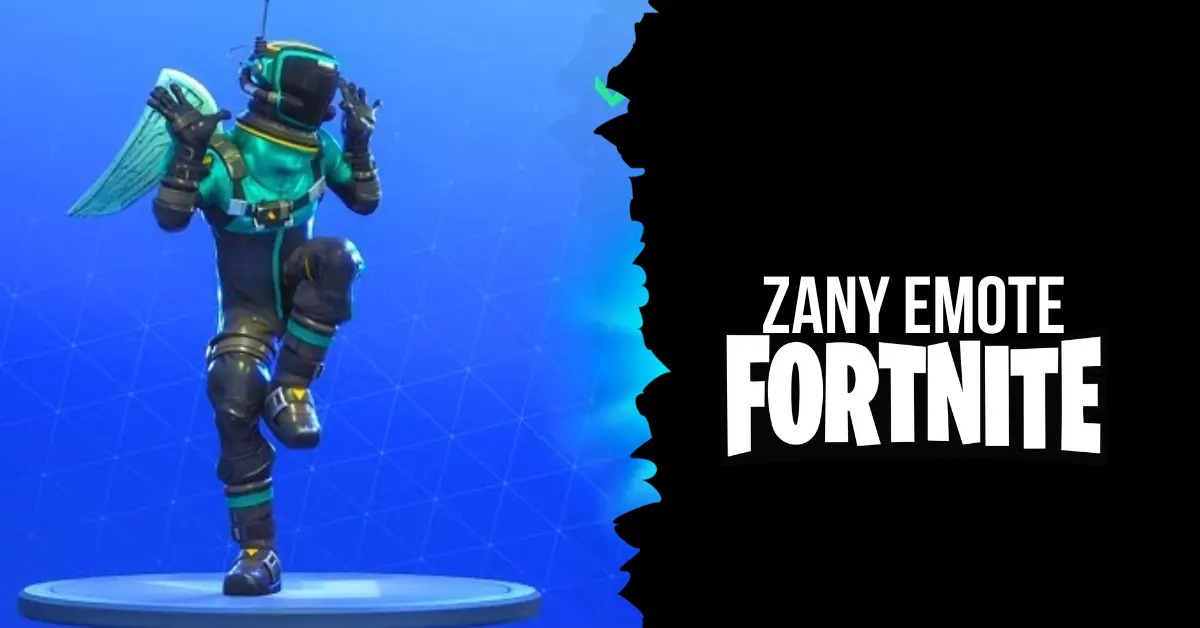
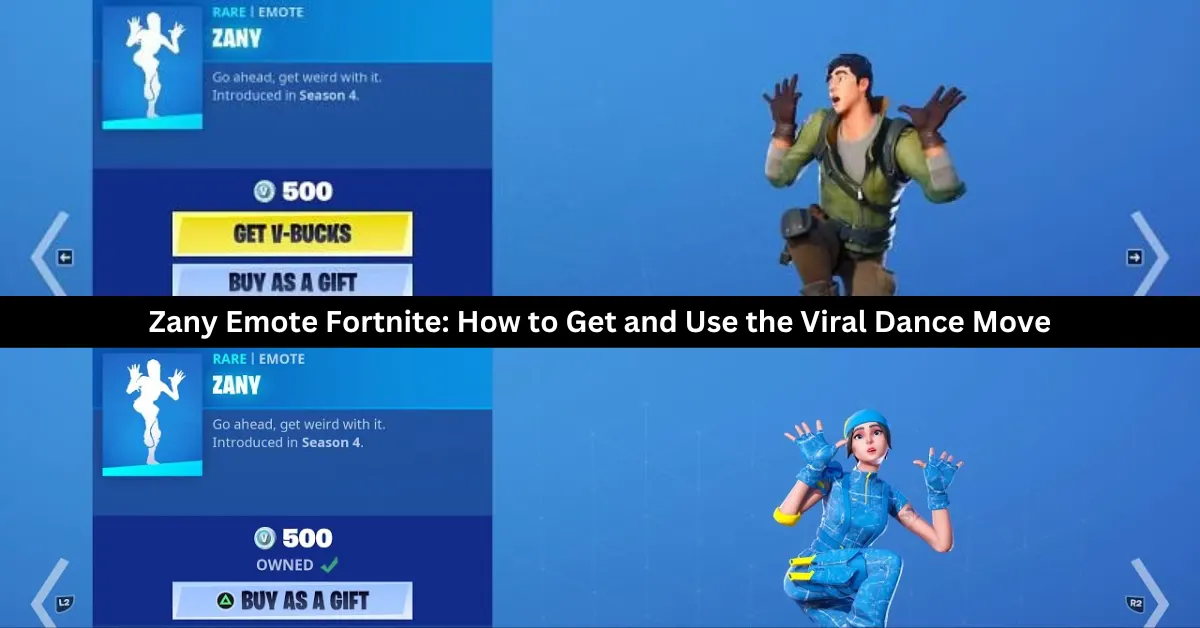
    In Fortnite, Zany is a Rare Emote. For 500 V-Bucks, you can buy it separately. It is largely modeled off the dance from El Chombo’s “Dame Tu Cosita” music video. It might be removed entirely at some point because, as far as we know, the original author did not grant permission for Fortnite’s cosmetics to utilize his movie. Thus, this might be your only opportunity to own this dance.

    How to Get Zany Emote in Fortnite?

    zany emote fortnite

    On December 21, you may buy the Zany Emote from Fortnite’s Item Shop. Navigate to the top of the screen from the game’s main menu to find the shop tab. When you click on it, Zany Emote may be easily found within the current selection of cosmetics. It requires 500 V-Bucks to be reserved.

    We don’t know if the Emote will still be available in the shop after today because Fortnite’s marketplace rotates. If you want to get Zany for yourself, act quickly because it’s better to be safe than sorry. Likely, the item won’t be there tomorrow because the things in the shop change every day.

    How to Use the Zany Emote?

    Players need to equip the Zany emote in their locker before entering a match to use it. Once in the game, players can access their emote wheel by pressing the D-pad on consoles, B on PC, or tapping the screen on mobile devices. Then, they can select the Zany emote and watch their character dance. The Zany emote can be used in any game mode, such as Battle Royale, Save the World, or Creative.

    Why Use the Zany Emote?

    The Zany emote is a fun and humorous way to show off your personality and style in Fortnite. The emote can be used to celebrate a victory, taunt an enemy, or have a good time with your friends. The Zany emote is also a rare emote, which means that not many players have it, making it more exclusive and desirable. The Zany emote is a perfect choice for players who want to go ahead and get weird with it.

    We have more Fortnite articles, so check out Ragsy Fortnite: How To Get And Use The Spooky Cuddle Team Leader Skin? and Solid Snake Fortnite Skin: The Ultimate Crossover For Metal Gear And Fortnite Fans! Stay up to date with GameEmpress.com for the most recent gaming news and guides.
  • The Witcher 3 Wild Hunt PC Requirements: How To Run The Award-Winning RPG?

    The Witcher 3 Wild Hunt PC Requirements: How To Run The Award-Winning RPG?

    The Witcher 3: Wild Hunt is a role-playing game that was released in 2015 by CD Projekt Red, the developers of the Cyberpunk 2077 and the Gwent card game. The game is based on fantasy novels by Andrzej Sapkowski, and it follows the story of Geralt of Rivia, a monster hunter who searches for his missing adopted daughter in a war-torn world.

    The game features an open-world environment, dynamic combat, branching storylines, and multiple endings.

    The game is available for Windows PC, PlayStation 4, Xbox One, and Nintendo Switch, and it supports cross-save between PC and Switch. The game also received a free next-gen update in 2022, which improved the graphics, performance, and features of the game, such as adding ray tracing and 4K resolution.

    However, to run the game smoothly and enjoy its full potential, players need to meet the game’s system requirements, which are not very low. In this article, we will provide you with the minimum, recommended, and optimal PC requirements for The Witcher 3: Wild Hunt, as well as some tips and tricks to optimize your performance and FPS.

    The Witcher 3 Wild Hunt PC Requirements

    The Witcher 3
    The Witcher 3

    Minimum PC Requirements

    According to the official website, the minimum PC requirements for The Witcher 3: Wild Hunt are as follows:

    • OS: 64-bit Windows 7, 64-bit Windows 8 (8.1) or 64-bit Windows 10
    • Processor: Intel CPU Core i5-2500K 3.3GHz or AMD A10-5800K APU (3.8GHz)
    • Memory: 6 GB RAM
    • Graphics: Nvidia GPU GeForce GTX 660 or AMD GPU Radeon HD 7870
    • DirectX: Version 11
    • Storage: 50 GB available space

    These are the minimum requirements to run the game at low settings and 1080p resolution, with an average of 30 FPS. However, these requirements may not be enough to handle the game’s high level of detail and action, especially during the boss fights and the cinematic scenes.

    Therefore, we recommend upgrading your PC to meet the recommended or optimal requirements, or at least the high-end requirements, which are slightly higher than the minimum.

    Recommended PC Requirements

    According to the official website, the recommended PC requirements for The Witcher 3: Wild Hunt are as follows:

    • OS: 64-bit Windows 7, 64-bit Windows 8 (8.1) or 64-bit Windows 10
    • Processor: Intel CPU Core i7-3770 3.4GHz or AMD CPU AMD FX-8350 4GHz
    • Memory: 8 GB RAM
    • Graphics: Nvidia GPU GeForce GTX 770 or AMD GPU Radeon R9 290
    • DirectX: Version 11
    • Storage: 50 GB available space

    These are the recommended requirements to run the game at medium settings and 1440p resolution, with an average of 60 FPS. These requirements will ensure a smooth and stable gameplay experience, with minimal lag, glitches, or crashes.

    However, these requirements may not be enough to achieve the highest possible FPS and the best possible graphics, especially if you have a high-end monitor or a competitive preference. Therefore, we suggest upgrading your PC to meet the optimal or high-end requirements, which are the highest possible requirements for the game.

    Optimal PC Requirements

    The optimal PC requirements for The Witcher 3: Wild Hunt are not officially stated by the developers, but we have estimated them based on the game’s features and performance. The optimal PC requirements for The Witcher 3: Wild Hunt are as follows:

    • OS: 64-bit Windows 10/11
    • Processor: Intel Core i7-9700K or AMD Ryzen 7 3700X
    • Memory: 16 GB RAM
    • Graphics: Nvidia RTX 3070 or AMD Radeon RX 6700 XT
    • DirectX: Version 12
    • Storage: 50 GB available space (SSD recommended)

    These are the optimal requirements to run the game at high settings and 4K resolution, with an average of 120 FPS. These requirements will ensure the best possible gameplay experience, with stunning graphics, realistic physics, and immersive sound.

    However, these requirements are very high and expensive, and they may not be necessary for most players unless they have a very powerful PC and a very demanding preference.

    Tips and Tricks to Optimize Your Performance and FPS

    If you want to optimize your performance and FPS in The Witcher 3: Wild Hunt, you can try some of these tips and tricks:

    • Update your drivers and software. Make sure that your drivers and software are up to date, especially your graphics card driver, your Windows 10/11 update, and your DirectX version. This will help you avoid compatibility issues and improve your performance and stability.
    • Adjust your graphics settings. You can tweak your graphics settings in the game’s menu, to find the best balance between quality and performance. You can lower some of the settings that have a high impact on your FPS, such as shadows, textures, anti-aliasing, and post-processing. You can also use the FPS counter and the benchmark tool in the game, to test your FPS and find the optimal settings for your PC.
    • Change your resolution and FOV. You can change your resolution and FOV (field of view) in the game’s menu, to suit your preference and monitor. However, keep in mind that higher resolution and FOV will require more resources and lower your FPS, while lower resolution and FOV will reduce your quality and visibility. You can also use the fullscreen mode, rather than the windowed or borderless mode, to improve your performance and FPS.
    • Use an SSD instead of an HDD. If you have an SSD (solid state drive), you can install the game on it, rather than on an HDD (hard disk drive). This will help you reduce your loading times and improve your performance and stability. However, if you don’t have an SSD, you can still defragment your HDD and free up some space, to improve your performance and FPS.
    • Close unnecessary programs and background processes. You can close any unnecessary programs and background processes that are running on your PC, to free up some RAM and CPU usage. You can use the Task Manager or the System Configuration tool to check and close any programs and processes that are not essential for your game. This will help you improve your performance and FPS.

    This is everything you need to know about The Witcher 3 Wild Hunt PC Requirements. Additionally, you can check our guide on Forza Horizon 5 PC Requirements and Final Fantasy 7 Rebirth PC Requirements. Stay connected with GameEmpress.com to get the latest news and guides about the gaming world.

  • Forza Horizon 5 PC Requirements: How To Run The Open World Racing Game?

    Forza Horizon 5 PC Requirements: How To Run The Open World Racing Game?

    Forza Horizon 5 is the latest instalment in the popular Forza Horizon series, developed by Playground Games and published by Xbox Game Studios. The game is an open-world racing game that takes place in a vibrant and diverse representation of Mexico, featuring a variety of terrains, climates, and cultures.

    The game is available for Windows 10 PC, Xbox One, Xbox Series X|S, and Xbox Cloud Gaming, and it supports cross-play and cross-save between all platforms.

    The game is known for its stunning graphics, realistic physics, dynamic weather, and extensive customization, as well as its fun and immersive gameplay, featuring hundreds of cars, events, activities, and challenges.

    The game also features a new campaign mode, called Horizon Story, where players can explore the world and interact with different characters and factions, as well as a new creative mode, called Horizon Arcade, where players can create and share their own mini-games and challenges.

    However, to run the game smoothly and enjoy its full potential, players need to meet the game’s system requirements, which are not very low. In this article, we will provide you with the minimum, recommended, and optimal PC requirements for Forza Horizon 5, as well as some tips and tricks to optimize your performance and FPS.

    Forza Horizon 5 PC Requirements

    Minimum PC Requirements

    According to the official website, the minimum PC requirements for Forza Horizon 5 are as follows:

    • OS: Windows 10 version 15063.0 or higher
    • Processor: Intel Core i3-4170 or AMD FX-8350
    • Memory: 8 GB RAM
    • Graphics: NVIDIA GeForce GTX 760 or AMD Radeon RX 460
    • DirectX: Version 12
    • Storage: 110 GB available space

    These are the minimum requirements to run the game at low settings and 1080p resolution, with an average of 30 FPS. However, these requirements may not be enough to handle the game’s high level of detail and action, especially during the seasonal changes and the weather effects.

    Therefore, we recommend upgrading your PC to meet the recommended or optimal requirements, or at least the high-end requirements, which are slightly higher than the minimum.

    Recommended PC Requirements

    According to the official website, the recommended PC requirements for Forza Horizon 5 are as follows:

    • OS: Windows 10 version 15063.0 or higher
    • Processor: Intel Core i5-8400 or AMD Ryzen 5 2600
    • Memory: 16 GB RAM
    • Graphics: NVIDIA GeForce GTX 970 or AMD Radeon RX 590
    • DirectX: Version 12
    • Storage: 110 GB available space

    These are the recommended requirements to run the game at medium settings and 1440p resolution, with an average of 60 FPS. These requirements will ensure a smooth and stable gameplay experience, with minimal lag, glitches, or crashes.

    However, these requirements may not be enough to achieve the highest possible FPS and the best possible graphics, especially if you have a high-end monitor or a competitive preference. Therefore, we suggest upgrading your PC to meet the optimal or high-end requirements, which are the highest possible requirements for the game.

    Optimal PC Requirements

    The optimal PC requirements for Forza Horizon 5 are not officially stated by the developers, but we have estimated them based on the game’s features and performance. The optimal PC requirements for Forza Horizon 5 are as follows:

    • OS: Windows 10 version 15063.0 or higher
    • Processor: Intel Core i7-9700K or AMD Ryzen 7 3700X
    • Memory: 32 GB RAM
    • Graphics: NVIDIA GeForce RTX 2070 Super or AMD Radeon RX 5700 XT
    • DirectX: Version 12
    • Storage: 110 GB available space (SSD recommended)

    These are the optimal requirements to run the game at high settings and 4K resolution, with an average of 120 FPS. These requirements will ensure the best possible gameplay experience, with stunning graphics, realistic physics, and immersive sound.

    However, these requirements are very high and expensive, and they may not be necessary for most players, unless they have a very powerful PC and a very demanding preference.

    Tips and Tricks to Optimize Your Performance and FPS

    If you want to optimize your performance and FPS in Forza Horizon 5, you can try some of these tips and tricks:

    • Update your drivers and software. Make sure that your drivers and software are up to date, especially your graphics card driver, your Windows 10 update, and your DirectX version. This will help you avoid compatibility issues and improve your performance and stability.
    • Adjust your graphics settings. You can tweak your graphics settings in the game’s menu, to find the best balance between quality and performance. You can lower some of the settings that have a high impact on your FPS, such as shadows, textures, anti-aliasing, and post-processing. You can also use the FPS counter and the benchmark tool in the game, to test your FPS and find the optimal settings for your PC.
    • Change your resolution and FOV. You can change your resolution and FOV (field of view) in the game’s menu, to suit your preference and monitor. However, keep in mind that higher resolution and FOV will require more resources and lower your FPS, while lower resolution and FOV will reduce your quality and visibility. You can also use the fullscreen mode, rather than the windowed or borderless mode, to improve your performance and FPS.
    • Use an SSD instead of an HDD. If you have an SSD (solid state drive), you can install the game on it, rather than on an HDD (hard disk drive). This will help you reduce your loading times and improve your performance and stability. However, if you don’t have an SSD, you can still defragment your HDD and free up some space, to improve your performance and FPS.
    • Close unnecessary programs and background processes. You can close any unnecessary programs and background processes that are running on your PC, to free up some RAM and CPU usage. You can use the Task Manager or the System Configuration tool to check and close any programs and processes that are not essential for your game. This will help you improve your performance and FPS.

    This is everything you need to know about Forza Horizon 5 PC Requirements. Additionally, you can check our guide on Marvel Spiderman Remastered PC Requirements and Warzone 2 PC Requirements. Stay connected with GameEmpress.com to get the latest news and guides about the gaming world.

  • XDefiant Gameplay: How To Master The Fast-Paced Online Shooter?

    XDefiant Gameplay: How To Master The Fast-Paced Online Shooter?

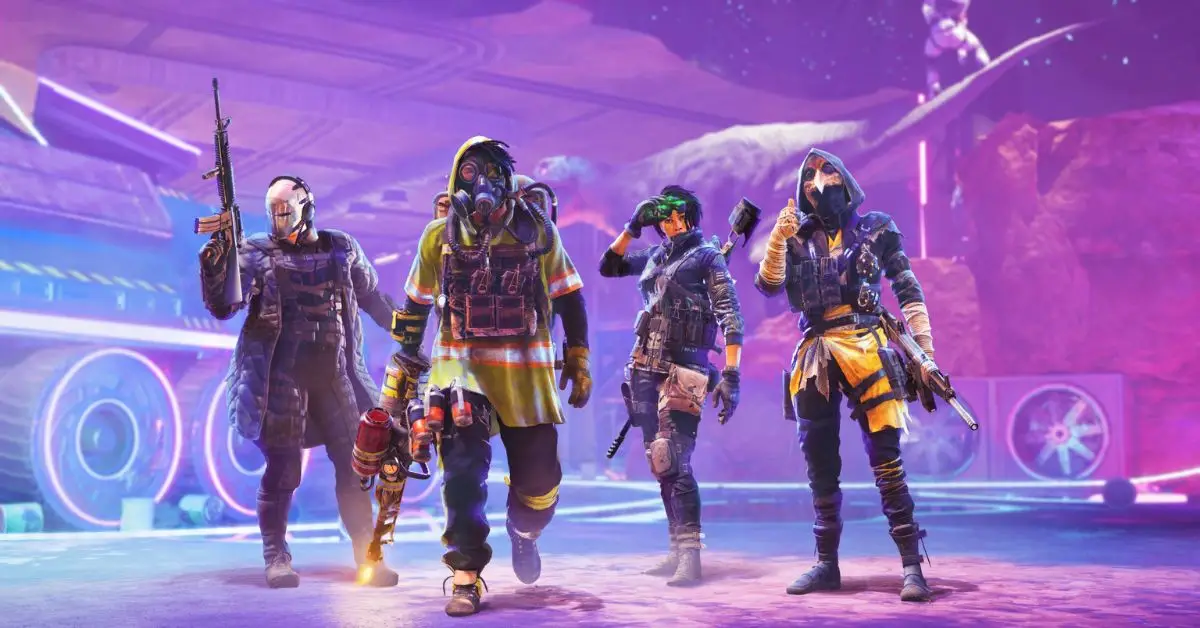
    XDefiant is a free-to-play, first-person arena shooter that combines the characters, factions, and abilities from various Ubisoft games, such as Tom Clancy’s Splinter Cell, Ghost Recon, The Division, and Far Cry.

    The game features 6v6 matches, with four different factions to choose from Wolves, Outcasts, Cleaners, and Echelon. Each faction has its unique traits, abilities, and weapons, and can be customized to suit different playstyles and strategies.

    In this article, we will show you how to play XDefiant, what are the main modes and mechanics of the game, and how to master the fast-paced online shooter. We will also provide some tips and tricks on how to improve your skills and tactics in the game.

    How to Play XDefiant?

    To play XDefiant, you need to download and install the game on your PC, console, or mobile device. You can access the game from various platforms, such as Steam, PlayStation Store, Xbox Store, or Google Play Store. The game supports online multiplayer mode only, so you need to have a stable internet connection and a microphone to communicate with other players.

    XDefiant Release Date PS5
    XDefiant Release Date PS5

    To start the game, you need to create or join a match. You can choose from different match types, such as Team Deathmatch, Domination, Escort, or Extraction. You can also customize various settings, such as the map, the time limit, the score limit, and the rules. You can also use mods or cheats to enhance or alter your gameplay experience.

    Once you enter the match, you need to choose a faction, a role, and a loadout. You can choose from four factions: Wolves, Outcasts, Cleaners, and Echelon.

    Each faction has its theme, style, and personality, and can be further divided into three roles: Assault, Support, or Specialist. Each role has different weapons, equipment, and abilities, and can be further customized with attachments, perks, and skins. You can also create your loadouts and save them for later use.

    Once you enter the match, you will spawn in a random location on the map. You will have a basic inventory, a map, a compass, and a health bar. Your main objective is to work with your team and defeat the enemy team.

    You will have to deal with various challenges, such as enemy fire, friendly fire, recoil, reload, and cooldown. You will also have to use your abilities, such as cloaking, healing, hacking, or burning, to gain an edge in combat.

    The match will end when one team reaches the score limit, the time limit, or the objective. The winner of the match will be the team with the highest score, the most kills, or the most objectives. You can then claim your rewards and join another match, or exit the game and return to the main menu.

    What Are the Main Modes and Mechanics of Xdefiant?

    XDefiant is a dynamic and diverse game that has many modes and mechanics that make the game fun and exciting. Here are some of the main modes and mechanics of the game:

    Maps

    The game features 10 maps, each based on a different Ubisoft game, such as Splinter Cell, Ghost Recon, The Division, or Far Cry. Each map has different terrain, landmarks, and objectives, and can be played in different modes and settings. Each map also has different environmental hazards, such as fire, water, or electricity, that can affect the gameplay.

    Modes

    The game features four modes, each with its own rules and objectives. The modes are:

    • Team Deathmatch: A classic mode where two teams of six players compete to get the most kills. The team with the most kills at the end of the match wins.
      Domination: A mode where two teams of six players compete to capture and hold three zones on the map. The team that controls the most zones at the end of the match wins.
    • Escort: A mode where two teams of six players take turns to escort a payload across the map. The team that escorts the payload to the destination or prevents the enemy from doing so wins.
    • Extraction: A mode where two teams of six players compete to collect and deposit data drives on the map. The team that collects and deposits the most data drives at the end of the match wins.

    Mechanics

    The game features various mechanics that affect the gameplay and the strategy. The mechanics are:

    • Abilities: Each role has two abilities, one active and one passive, that can be used in combat. The active ability has a cooldown and can be activated by pressing the right bumper on your controller. The passive ability is always active and provides a bonus or an effect to your character. The abilities can be offensive, defensive, or supportive, and can be used to attack, defend, or assist your team.
    • Loadouts: Each role has a loadout, which consists of a primary weapon, a secondary weapon, a gadget, and a grenade. The loadout can be customized with attachments, perks, and skins, to improve the performance and the appearance of your weapons and equipment. The loadout can also be changed during the match, by accessing the loadout menu or by visiting a supply crate.
    • Health: Each character has a health bar, which indicates the amount of damage they can take before they die. The health bar can be restored by using a health pack, a healing ability, or a supply crate. The health bar can also be reduced by causing damage, bleeding, or burning. The health bar can also be affected by the armour plating, which provides extra protection and durability to your character.

    This is everything you need to know about the XDefiant Gameplay. You can also read our games guide like 7 Days To Die Gameplay and Hell Let Loose Gameplay. Stay up to date with GameEmpress.com for the most recent gaming news and guides.

  • Is Far Cry 6 Multiplayer? How to Unlock and Play Co-Op Multiplayer?

    Is Far Cry 6 Multiplayer? How to Unlock and Play Co-Op Multiplayer?

    The most recent game in Ubisoft’s well-liked open-world shooter series is called Far Cry 6. You take on the role of Dani Rojas, a guerilla warrior who joins a revolution against the despotic ruler Antón Castillo, in the game, which is set in the fictional Caribbean island of Yara.

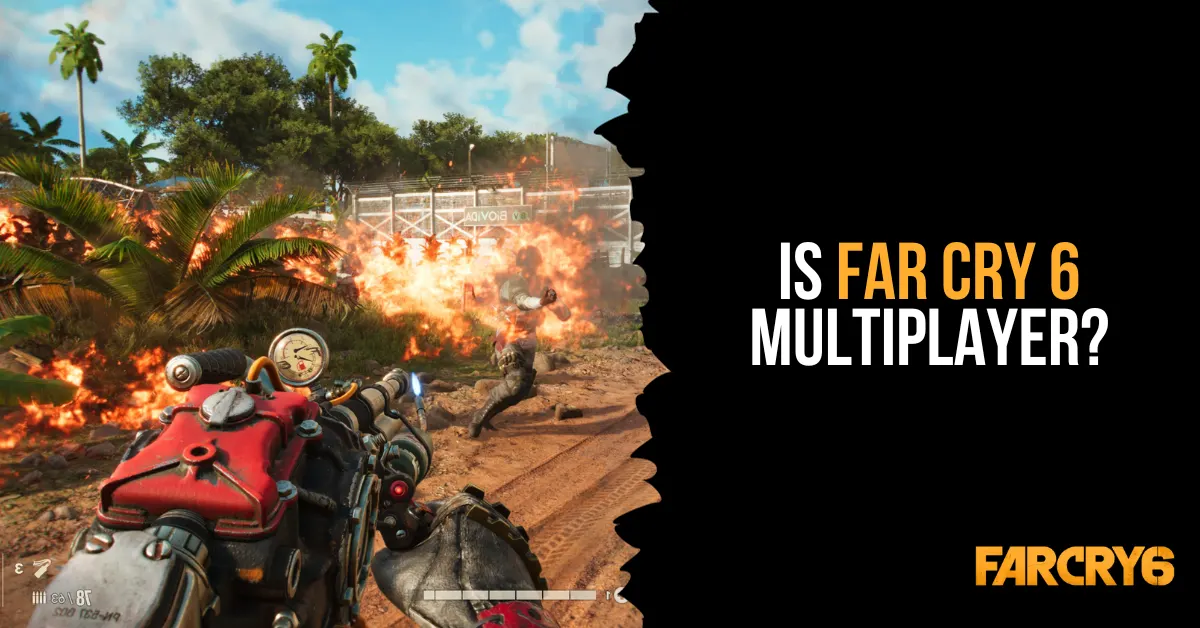
    What happens, though, if you wish to involve a friend in the action and adventure? Is Far Cry 6 Multiplayer? This is all the information you require for multiplayer in Far Cry 6.

    Is Far Cry 6 Multiplayer?

    Yes, Far Cry 6 is multiplayer, but only online co-op with two players. You can play the entire campaign with a friend or a random partner, as well as special operations missions that reward you with Moneda, a currency for the Black Market. However, you need to complete the fourth story mission, Du Or Die, to unlock multiplayer. There is no split-screen, four-player, or PvP mode in Far Cry 6.

    How to Unlock and Play Co-Op Multiplayer?

    is far cry 6 multiplayer

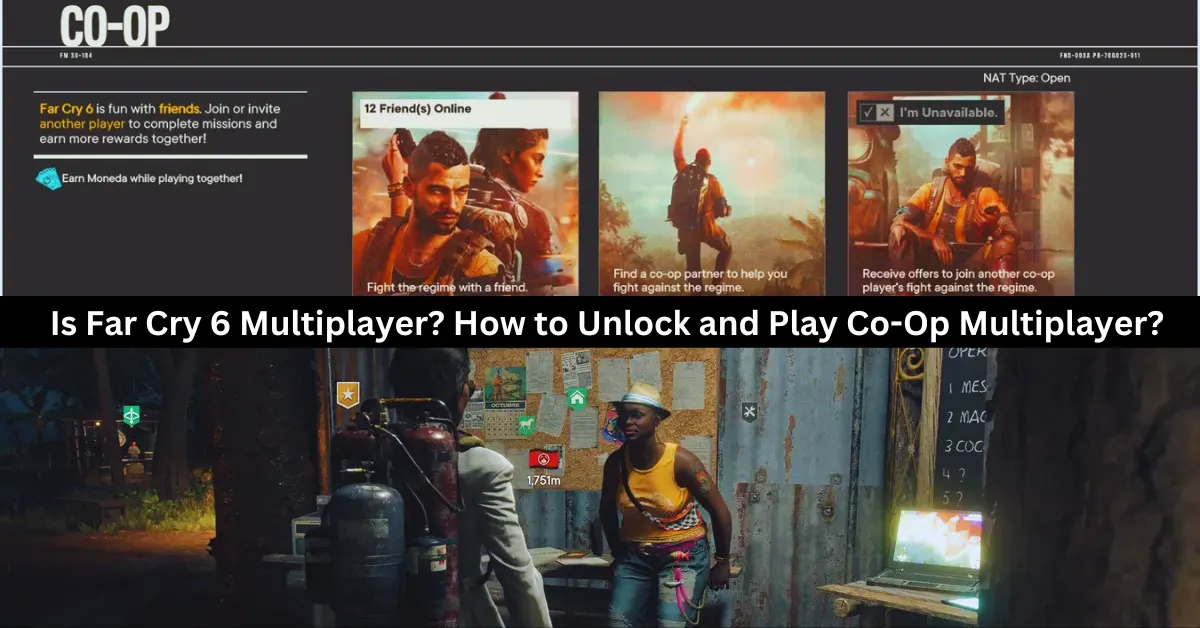
    At the beginning of the game, players cannot enter a cooperative session right away. Players of Far Cry 6 are supposed to progress through the game’s opening stages in order to finish the “Du or Die” task. That’s a wise decision on the part of Ubisoft, given both players ought to understand the game’s mechanics by then. Fortunately, it’s not a tough process, and it shouldn’t take more than two hours to finish.

    A message labeled “Overcoming the Regime” will appear in the right-hand corner after the Du or Die assignment is finished. This will show whether it is possible to join or invite other players to participate in the game. Via the icon, you can choose between three ways to play in cooperative mode:

    • Play With a Friend – to request that a friend or relative participate in the main campaign.
    • Search For a Partner – To assist with the main campaign, locate any random participant.
    • Be A Partner – Get invitations to battle alongside another player in their campaign.

    It should be emphasized that the host player’s progress will only be saved in their own game. The partner will still receive Moneda, though. To be used on the Black Market, Moneda is a unique kind of money that can only be obtained through cooperative play.

    What Are Special Operations Missions in Far Cry 6?

    In Far Cry 6, gamers can also work together to complete missions and gain prizes by participating in Special Operations missions. Dani needs to visit any of the primary Guerrilla Camps that may be unlocked throughout the game in order to access the Special Missions. These three camps are Patriots Peak in El Este, Camp Maximas in Valle de Oro, and Montero Farm in Madrugada.

    Dani Rojas needs to go up to Lola at one of the camps, have a conversation with her, and then choose the task they want to complete in order to access the Spec Ops missions. When completing these missions, there are three modes available, which are as follows:

    • Single Player – Playing Solo
    • Add Partner – Inviting a friend to play the game.
    • Quick Play – Play together online with a random player.

    As of this writing, Far Cry 6 does not allow local multiplayer and can only be played in two-player cooperative mode.

    How Many People Can Play Far Cry 6?

    As of this writing, Far Cry 6 is limited to online cooperative multiplayer for two players. Not anymore, not any less. There is no option to play with three or more players, no couch cooperative mode, and no option to play against friends instead of with them. Naturally, if we learn more or if the game’s restrictions alter in the future, we’ll be sure to update this page.

    Discover more about Far Cry 6’s cross-platform capabilities in our in-depth guide, Is Far Cry 6 Cross-Platform?, and then dive into the game’s quests with our comprehensive Far Cry 6 Quest Guide. Stay connected with GameEmpress.com to get the latest news and updates about the gaming world.

  • Is Monopoly Plus Cross Platform? How To Play With Friends On Different Devices?

    Is Monopoly Plus Cross Platform? How To Play With Friends On Different Devices?

    Monopoly Plus is a digital version of the classic board game that allows players to enjoy the game of property trading and wealth accumulation on various platforms, such as PC, PlayStation, Xbox, and Stadia.

    The game features updated graphics, animations, and customization options, as well as online multiplayer mode, where players can join or create game lobbies and invite friends or strangers to play with them.

    But what if you want to play Monopoly Plus with your friends who have different devices than you? Is Monopoly Plus cross platform? And if so, how can you use this feature to play with your friends across different devices? In this article, we will answer these questions and more, and tell you everything you need to know about Monopoly Plus cross platform.

    Is Monopoly Plus Cross Platform?

    Is Monopoly Plus Cross Platform?
    Is Monopoly Plus Cross Platform?

    The good news is that Monopoly Plus is cross platform, but only between some devices and platforms. This means that players on some devices and platforms can play with other players on some devices and platforms, but not all. The cross platform feature of Monopoly Plus is as follows:

    • PC and Stadia: Monopoly Plus is cross platform between PC and Stadia. This means that players on PC can play with players on Stadia, and vice versa. To use this feature, players need to have the same version of the game, and use the Ubisoft Connect app to invite or join each other.
    • PlayStation 4 and PlayStation 5: Monopoly Plus is cross platform between PlayStation 4 and PlayStation 5. This means that players on PlayStation 4 can play with players on PlayStation 5, and vice versa. To use this feature, players need to have the same version of the game and use the PlayStation Network to invite or join each other.
    • Xbox One and Xbox Series X/S: Monopoly Plus is cross cross-platform between Xbox One and Xbox Series X/S. This means that players on Xbox One can play with players on Xbox Series X/S, and vice versa. To use this feature, players need to have the same version of the game and use the Xbox Live to invite or join each other.

    However, Monopoly Plus is not cross platform between PC and PlayStation, PC and Xbox, PlayStation and Xbox, or PlayStation and Stadia. This means that players on these devices and platforms cannot play with each other, and are restricted to playing with players on the same device and platform.

    You might also like to know about if these other games are cross-platform or not:

    How to Use Cross Platform in Monopoly Plus?

    To use cross platform in Monopoly Plus, you need to follow these steps:

    • Launch the game and select Online Mode from the main menu.
    • Select Play with Friends from the online menu and choose either Create Game or Join Game.
    • If you choose Create Game, you can set up your game lobby and customize the game settings, such as the board, the rules, the time limit, and the number of players.
    • You can also choose to make your game public or private and set a password if you want.
    • If you choose Join Game, you can browse the list of available game lobbies and join one that suits your preferences. You can also use the filters to narrow down your search, such as the platform, the board, the rules, and the region.
    • Once you are in a game lobby, you can invite or join your friends who have the same or compatible devices and platforms as you. You can use the Ubisoft Connect app, the PlayStation Network, or the Xbox Live to send or accept invitations, depending on your device and platform.
    • Once you and your friends are ready, you can start the game and enjoy playing Monopoly Plus with each other across different devices and platforms.

    We appreciate your interest in our website! Make Gameempress.com your go-to site for gaming information.

  • Valorant PC Requirements: How To Run The Competitive Shooter Game?

    Valorant PC Requirements: How To Run The Competitive Shooter Game?

    Valorant is a competitive, free-to-play, first-person shooter game that was released in 2020 by Riot Games, the developers of League of Legends. The game is set in a near-future world, where agents with unique abilities and weapons compete in 5v5 matches. The game is available for Windows PCs, and it supports crossplay between different regions.

    The game is known for its fast-paced and tactical gameplay, as well as its high skill ceiling and low system requirements. The game is designed to run smoothly on most PCs, even on low-end or older machines.

    However, to enjoy the game’s full potential and performance, players need to meet the game’s recommended or optimal requirements, which are slightly higher than the minimum.

    In this article, we will provide you with the minimum, recommended, and optimal PC requirements for Valorant, as well as some tips and tricks to optimize your performance and FPS.

    Valorant PC Requirements

    Valorant PC Requirements
    Valorant PC Requirements

    Minimum PC Requirements

    According to the official website, the minimum PC requirements for Valorant are as follows:

    • OS: Windows 7/8/10 64-bit
    • Processor: Intel Core 2 Duo E8400 or AMD Athlon 200GE
    • Memory: 4 GB RAM
    • Graphics: Intel HD 4000 or AMD Radeon R5 200
    • DirectX: Version 11
    • Storage: 20 GB available space

    These are the minimum requirements to run the game at low settings and 720p resolution, with an average of 30 FPS. However, these requirements may not be enough to handle the game’s high level of action and precision, especially in competitive matches.

    Therefore, we recommend upgrading your PC to meet the recommended or optimal requirements, or at least the high-end requirements, which are slightly higher than the minimum.

    Recommended PC Requirements

    According to the official website, the recommended PC requirements for Valorant are as follows:

    • OS: Windows 10 64-bit
    • Processor: Intel Core i3-4150 or AMD Ryzen 3 1200
    • Memory: 4 GB RAM
    • Graphics: NVIDIA GeForce GT 730 or AMD Radeon R7 240
    • DirectX: Version 12
    • Storage: 20 GB available space

    These are the recommended requirements to run the game at medium settings and 1080p resolution, with an average of 60 FPS. These requirements will ensure a smooth and stable gameplay experience, with minimal lag, glitches, or crashes.

    However, these requirements may not be enough to achieve the highest possible FPS and the best possible graphics, especially if you have a high-end monitor or a competitive preference. Therefore, we suggest upgrading your PC to meet the optimal or high-end requirements, which are the highest possible requirements for the game.

    Optimal PC Requirements

    The optimal PC requirements for Valorant are not officially stated by the developers, but we have estimated them based on the game’s features and performance. The optimal PC requirements for Valorant are as follows:

    • OS: Windows 10 64-bit
    • Processor: Intel Core i5-9400F or AMD Ryzen 5 2600X
    • Memory: 8 GB RAM
    • Graphics: NVIDIA GeForce GTX 1050 Ti or AMD Radeon RX 580
    • DirectX: Version 12
    • Storage: 20 GB available space (SSD recommended)

    These are the optimal requirements to run the game at high settings and 1440p resolution, with an average of 120 FPS.

    These requirements will ensure the best possible gameplay experience, with stunning graphics, realistic physics, and immersive sound. However, these requirements are quite high and expensive, and they may not be necessary for most players unless they have a very powerful PC and a very demanding preference.

    Tips and Tricks to Optimize Your Performance and FPS

    If you want to optimize your performance and FPS in Valorant, you can try some of these tips and tricks:

    • Update your drivers and software. Make sure that your drivers and software are up to date, especially your graphics card driver, your Windows 10 update, and your DirectX version. This will help you avoid compatibility issues and improve your performance and stability.
    • Adjust your graphics settings. You can tweak your graphics settings in the game’s menu, to find the best balance between quality and performance. You can lower some of the settings that have a high impact on your FPS, such as shadows, textures, anti-aliasing, and post-processing. You can also use the FPS counter and the benchmark tool in the game, to test your FPS and find the optimal settings for your PC.
    • Change your resolution and FOV. You can change your resolution and FOV (field of view) in the game’s menu, to suit your preference and monitor. However, keep in mind that higher resolution and FOV will require more resources and lower your FPS, while lower resolution and FOV will reduce your quality and visibility. You can also use the fullscreen mode, rather than the windowed or borderless mode, to improve your performance and FPS.
    • Use an SSD instead of an HDD. If you have an SSD (solid state drive), you can install the game on it, rather than on an HDD (hard disk drive). This will help you reduce your loading times and improve your performance and stability. However, if you don’t have an SSD, you can still defragment your HDD and free up some space, to improve your performance and FPS.
    • Close unnecessary programs and background processes. You can close any unnecessary programs and background processes that are running on your PC, to free up some RAM and CPU usage. You can use the Task Manager or the System Configuration tool to check and close any programs and processes that are not essential for your game. This will help you improve your performance and FPS.

    This is everything you need to know about Valorant PC Requirements. Additionally, you can check our guide on The Finals PC Requirements and Warzone 2 PC Requirements. Stay connected with GameEmpress.com to get the latest news and guides about the gaming world.

  • 7 Days To Die Gameplay: How To Survive The Zombie Apocalypse?

    7 Days To Die Gameplay: How To Survive The Zombie Apocalypse?

    7 Days to Die is a survival horror game that combines elements of first-person shooter, role-playing, tower defence, and sandbox games. The game is set in a post-apocalyptic world that has been overrun by zombies and other dangers. The game allows players to explore, scavenge, craft, build, and fight for their lives in a dynamic and open-ended environment.

    In this article, we will show you how to play 7 Days to Die, what are the main features and mechanics of the game, and how to survive the zombie apocalypse. We will also provide some tips and tricks on how to improve your skills and strategies in the game.

    How to Play 7 Days to Die?

    To play 7 Days to Die, you need to download and install the game on your PC, console, or mobile device. You can purchase the game from various platforms, such as Steam, PlayStation Store, Xbox Store, or Google Play Store.

    7 Days To Die Gameplay
    7 Days To Die Gameplay

    The game supports both single-player and multiplayer modes, as well as online and offline modes. You can play the game alone, with friends, or with other players from around the world.

    To start the game, you need to create a new game or join an existing game. You can choose from different game modes, such as Survival, Creative, or Horde. You can also customize various settings, such as the game world, the difficulty, the zombies, the loot, and the rules. You can also use mods or cheats to enhance or alter your gameplay experience.

    Once you enter the game, you will spawn in a random location in the game world. You will have a basic inventory, a map, a compass, and a journal. Your main objective is to survive as long as possible in a harsh and hostile environment.

    You will have to deal with various challenges, such as hunger, thirst, temperature, health, stamina, infection, and radiation. You will also have to face various threats, such as zombies, animals, bandits, and traps.

    To survive, you will have to explore the game world and scavenge for resources, such as food, water, weapons, tools, materials, and items. You will also have to craft various items, such as clothing, armour, medicine, ammo, and traps.

    You will also have to build various structures, such as shelters, bases, defences, and farms. You will also have to fight various enemies, such as zombies, animals, bandits, and bosses.

    The game features a day and night cycle, as well as a blood moon event. During the day, the zombies are slow and weak, and the environment is relatively safe. During the night, the zombies are fast and strong, and the environment is more dangerous.

    During the blood moon event, which occurs every 7 days, the zombies are more aggressive and numerous, and they will attack your base in waves. You will have to prepare for the Blood Moon event by fortifying your base, stocking up on supplies, and setting up traps.

    The game is open-ended and nonlinear, meaning that you can play the game however you want. You can follow the main storyline, which involves finding clues and completing quests.

    You can also follow the side quests, which involve helping or hindering other survivors. You can also ignore the quests and just explore the game world and do whatever you want. You can also interact with other players, either by cooperating or competing with them.

    What Are the Main Features and Mechanics of 7 Days to Die?

    7 Days to Die is a complex and immersive game that has many features and mechanics that make the game unique and realistic. Here are some of the main features and mechanics of the game:

    • Voxel-based: The game uses a voxel-based engine, which means that the game world is made of small cubes that can be manipulated and destroyed. This allows players to create and modify the game world as they wish, as well as to cause realistic physics and damage effects.
    • Procedural: The game uses a procedural generation system, which means that the game world is randomly and dynamically created based on certain parameters and seeds. This ensures that each game world is different and unique, as well as that the game world changes and evolves.
    • Crafting: The game features a crafting system, which allows players to create various items and objects from the resources they find or collect. The crafting system is based on recipes, which can be learned from books, schematics, or trial and error. The crafting system is also based on quality, which affects the durability and effectiveness of the crafted items.
    • Building: The game features a building system, which allows players to construct various structures and buildings from the materials they find or collect. The building system is based on blocks, which can be placed and stacked in various shapes and forms. The building system is also based on stability, which affects the strength and resistance of the structures.
    • Combat: The game features a combat system, which allows players to fight various enemies and threats using various weapons and tools. The combat system is based on damage, which affects the health and status of the enemies and the players. The combat system is also based on stealth, which affects the visibility and awareness of the enemies and the players.
    • Survival: The game features a survival system, which requires players to manage various aspects of their survival, such as hunger, thirst, temperature, health, stamina, infection, and radiation. The survival system is based on meters, which indicate the level and condition of the survival aspects. The survival system is also based on effects, which affect the performance and behaviour of the players.

    This is everything you need to know about the 7 Days To Die Gameplay. You can also read our games guide like Risk Of Rain 2 Gameplay and Final Fantasy 7 Remake Gameplay. Stay up to date with GameEmpress.com for the most recent gaming news and guides.