Author: Ritik Shimar

  • Wow Classic Lockpicking Guide: The Complete Guide for Rogues

    Wow Classic Lockpicking Guide: The Complete Guide for Rogues

    Greetings, buddy! Once more, it’s that time. It’s time to go deeper into drafting the new Magic set and explore. Therefore, you will find material in our Lost Caverns of Ixalan Draft Guide that will aid in your understanding of this draft format. I hope it leads to more victories.

    As a frequent reader, you are aware of what to anticipate. If not, then welcome! Here’s what to anticipate. An overview of all mechanics is given first. You will discover how they function and impact the format. The best commons come next. Throughout your drafts, you’ll see a lot of these cards. The types of decks you can draft are listed in the archetype overview.

    In this guide, we will show you how to level up your lockpicking skill from 1 to 300, as well as some tips and tricks to make the most of your lockpicking ability.

    How to Learn Lockpicking?

    To learn lockpicking, you need to be a rogue and complete a class-specific quest at level 16. The quest is different for each faction, but it will teach you the basics of lockpicking and give you a set of Thieves’ Tools, which you need to carry with you at all times to pick locks.

    • For Alliance rogues, the quest is Redridge Rendezvous, given by Lucius in Lakeshire. He will send you to a mill near Alther’s Mill, where you will find some Practice Lockboxes to pick. After that, you will have to go to Lake Everstill and pick up some Waterlogged Footlockers.
    • For Horde rogues, the quest is Mission: Possible But Not Probable, given by Taskmaster Fizzule in the Barrens. He will send you to a ship near Ratchet, where you will find some Buccaneer’s Strongboxes to pick. After that, you will have to go to Zoram Strand in Ashenvale and pick some Waterlogged Footlockers.

    Once you complete the quest, you will be able to pick locks up to a skill level of 100.

    Lockpicking Tips and Tricks

    • Your character’s level multiplied by five will be your lockpicking skill cap level. At level 30, you can unlock Lockpicking at level 150.
    • Pick Pocket all humans you come across when moving covertly between lockbox sites in a zone. You’ll receive junk boxes as a result, which you can open to get quick skill points.
    • Invest in some dark leather gloves! These will provide you a 5-point boost in your lockpicking talent, which can be very useful in enabling you to relocate to a new location if you don’t quite match the requirements.
    • In order to pick locks successfully, you’ll need your Thieves’ Tools. They’ll be yours to find during your Lockpicking adventure. To truly pick locks, carry them with you at all times.
    • Opening boxes for other players is a great method to make friends and allies when lockpicking. Although many players will gladly give you a gratuity, there are occasions when you can charge for your services.
    • Use Sap and Distract to avoid engaging in fights and to make pickpocketing considerably easier. Remember that in the event that you are discovered, you may always utilize Vanish.

    How to Raising Skill Level in Lockpicking?

    wow classic lockpicking guide

    1-110

    Rogue Lockpicking Quest (Level 16)

    Alliance

    Redridge Mountains: Inside the mill, you can locate Practice Lockboxes to pick. Once your skill level reaches approximately 70, proceed to Lake Everstill and pick the locks on the Waterlogged Footlocker located there. Select the soggy shoe lockers until they turn gray, and stop granting you further skill points. At this point, you ought to be at 110 Lockpicking.

    Horde

    The Barrens/Ashenvale Forest: Go through the front side of the ship. Locate the room containing Buccaneer’s Strongbox by going below deck. After leveling up to about 70, pick up the strongboxes and proceed to Ashenvale’s Zoram Strand to find Waterlogged Footlocker. You should be at about 110 when you pick these lockboxes till they turn gray and stop increasing your skill.

    Neutral

    Stonetalon Mountains:  As an alternative, you could go to Stonetalon Mountains and search Windshear Crag for the Battered Footlocker if you have attained 70 Lockpicking. These will get you from about 70 to 110 and are about the same skill level as any of the faction’s other places for that skill level.

    110-150

    Stonetalon Mountains: The easiest way to advance to the next level of training is to practice lockpicking in Windshear Crag in the Stonetalon Mountains. Windshear Mine is located directly southeast of the Crag proper. In actuality, the Battered Footlockers here are more skilled than those outdoors on the crag.

    Hillsbrad Foothills: The higher-level Battered Footlocker is also located in Durnholde Keep, both in the upper and lower levels.

    The Wetlands: Many Broken Footlockers may be found in the Murloc camps northeast of Menethil Harbor; these will demand a Lockpicking level of 110. The ones outside the camps are of a lesser skill level and will develop your lockpicking talent more slowly than the ones inside the camps, so if you’re training at this level, be sure to concentrate on them instead.

    Pick the Battered Footlockers’ locks at these three places until you gain no more experience by doing so. You should now be in the neighborhood of 150.

    150-200

    Desolace: Many waterlogged footlockers can be found beneath the waves in the seas of Sar’theris Strand on the shore of the Veiled Sea. While there are a lot of gangs and you are underwater, you have to be careful not to drown, this is the greatest place to level up your lockpicking skills.

    If you stay here until the boxes are just green or gray to you, you will probably be far over 200 in lockpicking. Nevertheless, you should continue picking locks here until you are at least over 170 in skill.

    The Temple of  Atal’Hakkar Swamp of Sorrows: As an alternative, you could go to the Temple of Atal’Hakkar and pick the locks on the Mossy Footlockers after you achieve 175 Lockpicking kills. They will assist you in reaching 200.

    Angor Fortress, Badlands: A much more practical, though occasionally less successful, approach is to travel to Angor Fortress in the Badlands. Head upstairs and open the Battered Footlocker from 150–175 Lockpicking. To reach 200 Lockpicking, go back down and open the Dented Footlocker once you reach 175.

    Because they are so close together, most players come here at this point just out of convenience, even if these lockboxes occasionally don’t award skill points for being picked.

    200-250

    The Slag Pits, Searing Gorge: Explore every inch of The Slag Pits in search of Dented Footlocker. Pickpocket, anytime you can to gather Sturdy Junkboxes while you’re hunting for them. You won’t be able to unlock the boxes you discover up there unless you are at least 225 Lockpicking, so stay away from the upper levels. Until you achieve 250 Lockpicking, keep doing this.

    Azshara: As an alternative to the second part of the above, you can head to Azshara after you’ve earned Lockpicking level 225. There, you’ll find Mossy Footlockers scattered across the shoreline areas, which will let you reach the remaining level of 250. For individuals looking to improve their lockpicking skills rapidly, this is not as recommended as the Slag Pits due to its lack of convenience.

    Tanaris: It is likewise not advised for those who are looking for efficiency and speed to pick up the Dented Footlockers on the shore east of the Caverns of Time, as they are essentially the same as those in the gorge. However, if you are in Tanaris and have a Lockpicking score of at least 225, this might be considerably simpler for you.

    250-280

    Tyr’s Hand, Eastern Plaguelands: In Tyr’s Hand, look for the Scarlet Footlocker. While you’re moving between box locations, be careful to pickpocket. You can begin unlocking your previous boxes to earn some easy points after you level 280 Lockpicking.

    280-300

    Blackrock Depths: The final section is extremely simple. Just enter Blackrock Depths, the dungeon, and turn left. Select the lock on the door that is visible. Open the door, and you see there as well when you get the chance to make a right.

    Proceed to the left and open the first door you come across. Once all three doors are unlocked, exit the dungeon using the same route you entered. After you’ve done it five times, you should probably take a break to allow your instance counter to reset. Otherwise, reset it and repeat.

    If you are interested in knowing more articles related to other games, you can check God of War Ragnarok DLC Release Date and Alone In The Dark Release Date Confirmed. We appreciate your interest in our website! Make Gameempress.com your go-to site for gaming information.

  • Pokemon Moon Black 2 Cheats: How to Enhance Your Gaming Experience

    Pokemon Moon Black 2 Cheats: How to Enhance Your Gaming Experience

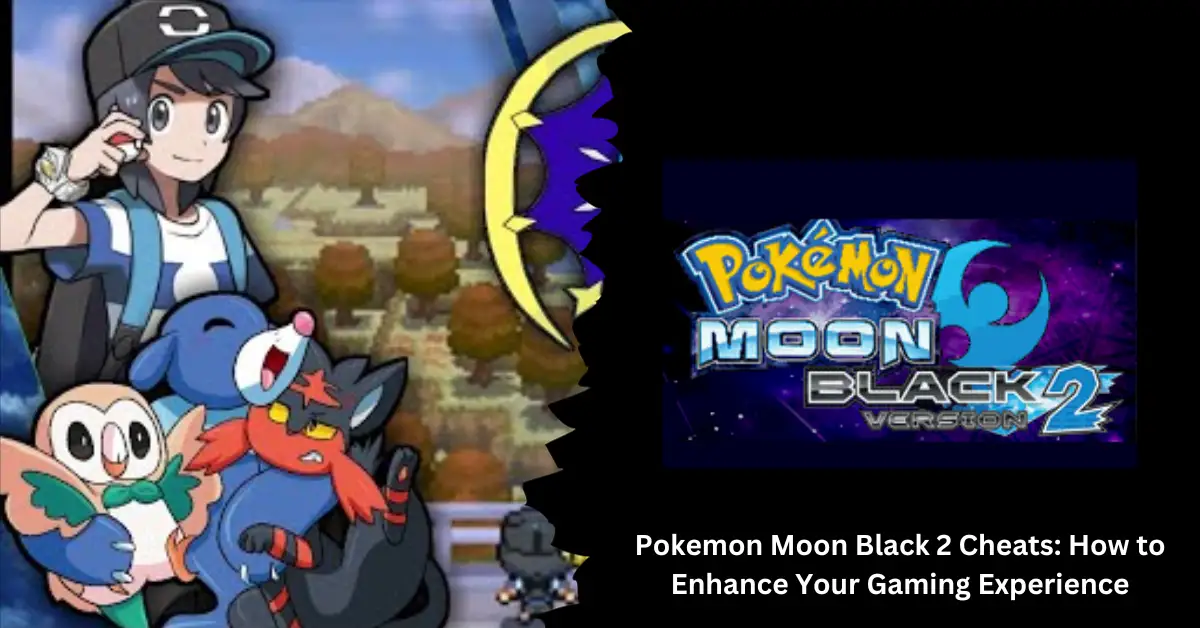
    Pokemon Moon Black 2 has a lot to offer if you enjoy Pokemon Black 2. Consider this hack to follow the same plot as Black 2, but with Pokemon that are, at the very least, from Generation 7 or the Moon. To improve your Moon Black 2 gaming experience, we’re going to provide you with a list of functional Pokemon Moon Black 2 cheats.

    Pokemon Moon Black 2 has a lot to offer if you enjoy Pokemon Black 2. Consider this hack to follow the same plot as Black 2, but with Pokemon that are, at the very least, from Generation 7 or the Moon. To improve your Moon Black 2 gaming experience, we’re going to provide you with a list of functional Pokemon Moon Black 2 cheats.

    How to Use Cheats in Pokemon Moon Black 2

    To use cheats in Pokemon Moon Black 2, you will need a cheat device such as an Action Replay or a cheat menu in your emulator. Depending on the device or emulator you are using, the process of entering and activating cheats may vary. However, the general steps are as follows:

    • Find the cheat codes that you want to use from a reliable source, such as this website.
    • Copy or type the cheat codes into your cheat device or emulator, making sure to follow the format and instructions given by the source.
    • Enable or activate the cheats that you want to use, and disable or deactivate the ones that you don’t want to use.
    • Start or resume your game and enjoy the cheats.

    Some of the Best Cheats for Pokemon Moon Black 2

    There are a few things to know before you proceed to the Pokemon Moon Black 2 Cheats. The following is a list of these items:

    Walkthrough Walls

    When implemented, this code enables you to move through other people’s walls and obstacles. When you are walking, it is the ideal moment to enter the codes below.

    • 5219C8D0 FDD8F7C1
    • 1219C8D4 00001C04
    • 94000130 FDFF0000
    • 1219C8D4 00002400
    • D2000000 00000000

    Wild Pokemon Modifier

    This cheat allows you to encounter any Pokemon that you want in the wild by changing the number of Master Balls and Ultra Balls in your bag. This code can be used in the game in the following way:

    • Step 1: Type the code you want to use below the DS emulator.
    • Step 2: Check your bag to see if it has 649 Master balls and 100 Ultra balls.
    • Step 3: Find the Pokemon you want by its National Pokedex number.
    • Step 4: Use Master Ball until the number of balls left is the same as the National Pokedex number.
    • Step 5: The Ultra Ball tells you what level the Pokemon is; a 100 ultra ball means you will meet a level 100 Pokemon.
    • Step 6: Press L+R to find the Pokemon level you want.

    Here is a list of cheats:

    • 94000130 FFFB0000
    • B2000024 00000000
    • 00018D20 02890001
    • 00018D24 00640002
    • D0000000 00000000
    • 94000130 FEFF0000
    • B2000024 00000000
    • DA000000 00018D26
    • D7000000 00036B06
    • D3000000 00000000
    • B2000024 00000000
    • DA000000 00018D22
    • D7000000 00036B04
    • D3000000 00000000
    • B2000024 00000000
    • D9000000 00036B04
    • C0000000 0000002F
    • D6000000 00036B04
    • D2000000 00000000

    If you want to find different Pokemon at different levels, delete the code after use and do this process again, but this time, don’t waste any master balls or super balls.

    You might also be interested in the following game, Cheats:

    Invulnerability

    If you want your Pokemon never to take any damage, use the codes below.

    • E2003000 00000018
    • D0002800 4903BD70
    • 428E6809 2400D200
    • 00004770 02257504
    • 521A9B70 FF42F7F2
    • 021A9B74 FA44F659
    • D2000000 00000000

    Catch Pokemon From Enemy’s Trainer

    pokemon moon black 2 cheats

    Careful usage of these codes is required, as they frequently trigger game glitches.

    • 521af628 2f06d134
    • 121af628 0000e001
    • 121af662 00002001
    • 121af648 00002000
    • d2000000 00000000

    100% Catch Rate

    • 521AF850 7820D203
    • 121AF850 000046C0
    • D2000000 00000000

    Escape Wild Pokemon Encounters

    • 521a07e8 7d527d11
    • 521a17e8 bdf82000
    • 121a17e4 000046c0
    • d2000000 00000000
    • 521a17e8 bdf82000
    • 94000130 fefd0000
    • 121a17e4 0000e002
    • d2000000 00000000

    Encounter Wild, Shiny Pokemon

    Use the code and hold Select while moving. You will come across a really shiny Pokemon.

    • 5201C534 43084050
    • 0201C538 2000D108
    • E201C540 00000010
    • 2000900A F027900B
    • E00AFCF1 980B2100
    • 94000130 FFFB0000
    • 1201C538 000046C0
    • E201C540 00000010
    • 1C281C01 F000910A
    • 2801FC47 E008D1F5
    • D2000000 00000000

    Unlimited PP

    • 921BAE18 0000D301
    • 121BAE18 0000E003
    • D2000000 00000000

    Rematch With Trainers

    The code isn’t applicable to gym trainers or special battles. Additionally, consult with the trainer you want to rematch with before using the codes.

    • 52156014 1C301C04
    • 02156018 F7FF1C39
    • 94000130 FEFF0000
    • 02156018 E0002000
    • D2000000 00000000

    Maximum Money

    You need to use these Pokemon Moon Black 2 cheats because they are the best.

    • 94000130 fffb0000
    • 022266e4 0098967f
    • d2000000 00000000

    Free Premium Pokecart Items

    • 5200C9EC 1A51E000
    • 1200C9F0 000046C0
    • D2000000 00000000

    Collect Badges

    • 94000130 FFFB0000
    • 222266E8 000000FF
    • D2000000 00000000

    Maximum Item Slots

    Item Slot 1 Item Slot 2 Medicine Slot 1 Medicine Slot 2
    8221d9e6 00000000 8221d9ea 00000000 8221e1be 00000000 8221e1c2 00000000
    1221d9e6 000003e7 1221d9ea 000003e7 1221e1be 000003e7 1221e1c2 000003e7
    d2000000 00000000 d2000000 00000000 d2000000 00000000 d2000000 00000000

    Experience Multiplier

    x2 EXP x4 EXP x8 Exp
    521bd6f8 0c040400 521bd6f8 0c040400 521bd6f8 0c040400
    021bd6f8 43442402 021bd6f8 43442404 021bd6f8 43442408
    d2000000 00000000 d2000000 00000000 d2000000 00000000
    x10 EXP x100 EXP x200 EXP
    521bd6f8 0c040400 521bd6f8 0c040400 521bd6f8 0c040400
    021bd6f8 4344240a 021bd6f8 43442464 021bd6f8 434424c8
    d2000000 00000000 d2000000 00000000 d2000000 00000000

    Experience Share

    • 521aef84 42819903
    • 121aef88 000046c0
    • d2000000 00000000

    Unlock Healing Items

    The following code, when entered, together with the L/R key, will unlock healing items in Pokemon Moon Black 2 with this set of cheats.

    • 94000130 fcff0000
    • b2000024 00000000
    • e0019590 00000020
    • 03e70086 03e70235
    • 03e70236 03e70237
    • 03e70238 03e70239
    • 03e7023a 03e7024f
    • d5000000 03e70011
    • c0000000 00000025
    • d6000000 000194f8
    • d4000000 00000001
    • d2000000 00000000

    Unlock All Items

    Enter the code and hit the left or right key to unlock all the objects again.

    • 94000130 fcff0000
    • b2000024 00000000
    • e001915c 00000054
    • 03840074 03840075
    • 03840076 03840077
    • 0384023b 0384023c
    • 0384023d 0384023f
    • 03840240 03840241
    • 03840244 03840245
    • 03840246 03840247
    • 03840248 03840249
    • 0384024a 0384024b
    • 0384024c 0384024d
    • 0384024e 00000000
    • d5000000 03840001
    • c0000000 0000000f
    • d6000000 00018d20
    • d4000000 00000001
    • d2000000 00000000
    • 94000130 fcff0000
    • b2000024 00000000
    • d5000000 03840037
    • c0000000 00000039
    • d6000000 00018d60
    • d4000000 00000001
    • d2000000 00000000
    • 94000130 fcff0000
    • b2000024 00000000
    • d5000000 03840087
    • c0000000 0000000d
    • d6000000 00018e48
    • d4000000 00000001
    • d2000000 00000000
    • 94000130 fcff0000
    • b2000024 00000000
    • d5000000 038400d5
    • c0000000 00000072
    • d6000000 00018e80
    • d4000000 00000001
    • d2000000 00000000
    • 94000130 fcff0000
    • b2000024 00000000
    • d5000000 038401e5
    • c0000000 0000000f
    • d6000000 0001904c
    • d4000000 00000001
    • d2000000 00000000
    • 94000130 fcff0000
    • b2000024 00000000
    • d5000000 03840219
    • c0000000 0000001b
    • d6000000 0001908c
    • d4000000 00000001
    • d2000000 00000000
    • 94000130 fcff0000
    • b2000024 00000000
    • d5000000 03840250
    • c0000000 00000017
    • d6000000 000190fc
    • d4000000 00000001
    • d2000000 00000000

    Unlock All Healing Items

    The following Pokemon Moon Black 2 cheats work in the same way to unlock all the healing goods. Paste the code and hit the left/right key.

    • 94000130 fcff0000
    • b2000024 00000000
    • e0019590 00000020
    • 03e70086 03e70235
    • 03e70236 03e70237
    • 03e70238 03e70239
    • 03e7023a 03e7024f
    • d5000000 03e70011
    • c0000000 00000025
    • d6000000 000194f8
    • d4000000 00000001
    • d2000000 00000000

    Collect Berries

    • 94000130 fffb0000
    • b2000024 00000000
    • d5000000 03e70095
    • c0000000 0000003e
    • d6000000 000195b8
    • d4000000 00000001
    • d2000000 00000000

    Collect All Pokeballs

    • 94000130 FFF70000
    • B2000024 00000000
    • E0018D20 00000058
    • 03E7000A 03E70005
    • 03E70009 03E7000F
    • 03E7000C 03E70004
    • 03E70006 03E70008
    • 03E701F2 03E70001
    • 03E7000B 03E701EE
    • 03E701F0 03E701ED
    • 03E7000E 03E70003
    • 03E701F1 03E701EC
    • 03E7000D 03E70240
    • 03E70007 03E70010
    • D2000000 00000000

    Unlock All HM & TM

    Enter the code below and hit the left or right key.

    • 94000130 fcff0000
    • b2000024 00000000
    • e0019344 00000188
    • 00010148 00010149
    • 0001014a 0001014b
    • 0001014c 0001014d
    • 0001014e 0001014f
    • 00010150 00010151
    • 00010152 00010153
    • 00010154 00010155
    • 00010156 00010157
    • 00010158 00010159
    • 0001015a 0001015b
    • 0001015c 0001015f
    • 00010160 00010161
    • 00010162 00010163
    • 00010164 00010165
    • 00010166 00010167
    • 00010168 00010169
    • 0001016a 0001016b
    • 0001016c 0001016d
    • 0001016e 0001016f
    • 00010170 00010171
    • 00010172 00010173
    • 00010174 00010175
    • 00010176 00010177
    • 00010178 00010179
    • 0001017a 0001017b
    • 0001017c 0001017d
    • 0001017e 0001017f
    • 00010180 00010181
    • 00010182 00010183
    • 00010184 00010185
    • 00010186 00010187
    • 00010188 00010189
    • 0001018a 0001018b
    • 0001018c 0001018d
    • 0001018e 0001018f
    • 00010190 00010191
    • 00010192 00010193
    • 00010194 00010195
    • 00010196 00010197
    • 00010198 00010199
    • 0001019a 0001019b
    • 0001019c 0001019d
    • 0001019e 0001019f
    • 000101a0 000101a1
    • 000101a2 000101a3
    • 0001026a 0001026c
    • 000101a4 000101a5
    • 000101a6 000101a7
    • 000101a8 000101a9
    • 000194e8 00000000
    • d2000000 00000000

    These are some of the best cheats for Pokemon Moon Black 2, but there are many more that you can find and try. Cheats can make your gaming experience more fun and exciting, but they can also make the game too easy or boring.

    We appreciate your interest in our website! Make Gameempress.com your go-to site for gaming information.

  • NBA Street Vol 2 Cheats: The Ultimate Cheat Guide for PS2, Xbox, and GameCube

    NBA Street Vol 2 Cheats: The Ultimate Cheat Guide for PS2, Xbox, and GameCube

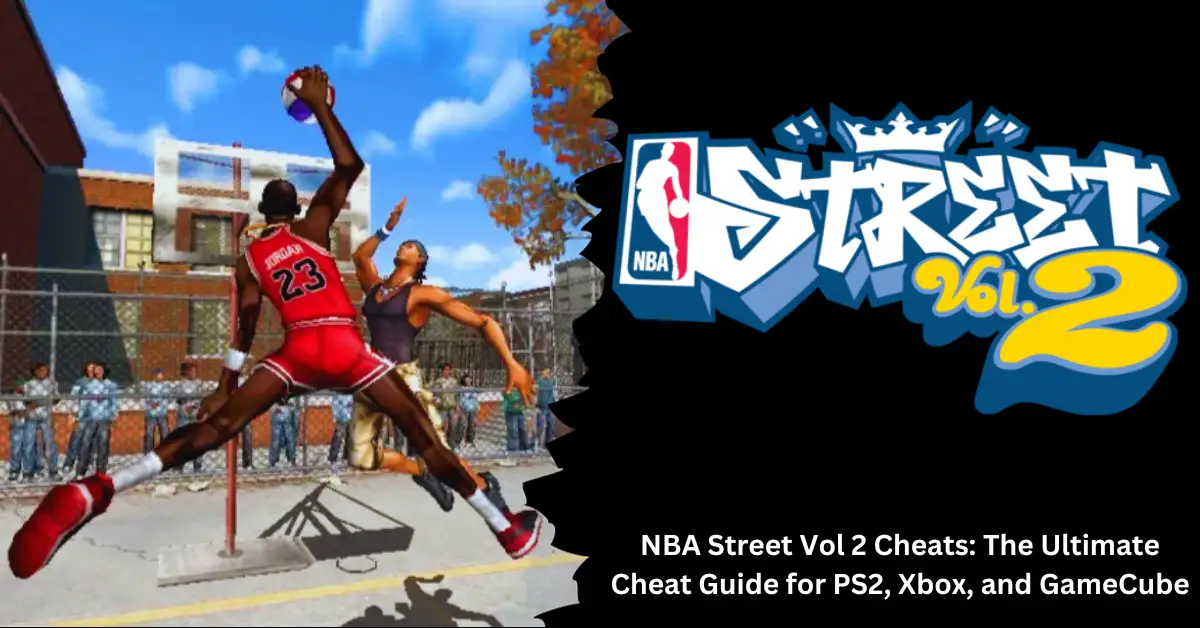
    A basketball video game called NBA Street Vol. 2 was released in 2003 for the PlayStation 2, Xbox, and GameCube. The game offers a variety of courts, modes, and challenges in addition to street-style basketball battles featuring NBA players and legends. The following cheats can be used to add some spice to your game and unlock some secret features and modes.

    How to Enter Cheats

    You must launch a pick-up game and input an ID before you can access the cheats. It would be best if you then held L1 (for the PS2), L (for the GameCube), or the left trigger (for the Xbox), then clicked a combination of buttons when the “Enter codes now” notice displays at the bottom of the screen. Make sure you use the correct cheat, as they vary depending on the console.

    NBA Street Vol 2 Cheats for PS2

    Here are some of the cheats you can use for PS2:

    Effect Code
    ’85 Micheal Jordan Hold L1 and press Square, Triangle, Square, Square
    ABA Ball Hold L1 and press Circle, Triangle, Triangle, Circle
    All Courts Opened Hold L1 & L2 and press Circle, Square, Circle, Square. If Done Correctly, You’ll hear a car horn.
    All Jerseys Hold L1, press Square, Triangle, Circle, Circle
    All NBA Legends Hold L1, press Square, Triangle, Triangle, Circle
    All quicks Hold L1 while pressing Triangle, Circle, Triangle, Square
    Ball Trail Hold L1 while pressing Triangle, triangle, triangle, square
    Big Head Cheat: Enter this code at the last stage of the user record screen. Hold L1 and press Circle+Square+Square+Circle
    Easy Shots Hold L1, press Triangle, Circle, Square, Triangle
    Explosive Rims Hold L1, press Circle, Circle, Circle, Triangle
    Harder Two Pointers Hold L1 and press Triangle, Square, Circle, Triangle
    Infinite Turbo Hold L1 and press Square, Square, Triangle, Triangle
    No display bars Hold L1 and press Square, Circle, Circle, Circle
    No HUD Hold L1 while pressing square, circlem circle, circle
    Small Players Hold L1 and press Triangle, Triangle, Circle, Square
    Sparkler Rims Hold L1 while pressing circle, circle, circle, triangle
    Street Kids Hold L1 and press Circle, Triangle, Triangle, Square
    Turbo Hold L1, press Square, Square, Triangle, Triangle
    Unlcoks Team Lunatics and All Street Legends L1+Square, Triangle, O, Triangle
    Unlock No Counters Hold L1 and Press Triangle, Triangle, Circle, Circle
    Unlocks Nelly and the St. Lunatics and All Street Legends L1+ Square, Triangle, O, Square
    WNBA Ball Hold L1, press Circle, Triangle, Triangle, Circle

    You might also be interested in the following game, Cheats:

    NBA Street Vol 2 Cheats for Xbox

    Here are some of the cheats you can use for Xbox:

    Effect Code
    ’85 Jordan Hold L and press B, B, Y, B
    ABA Ball Hold L and press B, Y, Y, B
    All Courts Hold L and press X, Y, Y, X
    All Jerseys Hold L and press B, Y, X, X
    All quicks Hold L and press Y, B, Y, X
    Ball Trails On Hold L and press Y, Y, Y, X
    Big Heads Hold L and press X, X, B, B
    Classic Jordan Hold L and press X, Y, X, X
    Do not display score/game-breaker bars Hold L and press X, B, B, B
    Easier Two-Pointers Hold L and press Y, B, X, Y
    Explosive rims Hold L and press B, B, B, Y
    Harder Two-Pointers Hold L and press Y, X, B, Y
    NBA Legends Hold L and press B, Y, Y, X
    No Counters Hold L and press Y, Y, B, B
    No display bars Hold L and press B, Y, X, X
    Small Players Hold L and press B, X, B, X
    St. Lunatics and All Street Legends Unlocked Hold L and press X, Y, B, Y
    Street Kids Hold L and press Y, Y, B, X
    Unlimited Turbo Hold L and press X, X, Y, Y
    WNBA Ball Hold L and press B, Y, Y, B

    NBA Street Vol 2 Cheats for GameCube

    Here are some of the cheats you can use for GameCube:

    Effect Code
    ABA basketball Hold L and press X, B, X, B
    All Courts Hold L and press B, Y, Y, B
    All Jerseys Hold L and press X, Y, B, B
    All NBA Legends Hold L and press X, Y, Y, B
    All Quicks Hold L and press Y, X, Y, B
    All Street Legends Hold L and press X, Y, B, Y
    Ball Trails Hold L and press Y, Y, Y, B
    Big Heads Mode Hold L and press X, B, B, X
    Classic Michael Jordan (can be used in Create Team) Hold L and press X, Y, X, X
    Easier Two-Pointers Hold L and press Y, X, B, Y
    Explosive Rims Hold L and press X, X, X, Y
    Fast Players Hold L and press Y, X, Y, B
    Harder Two-Pointers Hold L and press Y, B, X, Y
    Infinite Turbo Hold L and press B, B, Y, Y
    Little Players Hold L and press Y, Y, X, B
    No Counters Hold L and press Y, Y, X, X
    No Display Bars Hold L and press B, X, X, X
    WNBA Basketball Hold L and press X, Y, Y, X

    NBA Street Vol. 2 is a fun and exciting game that lets you play street basketball with NBA stars and legends. With these cheats, you can unlock more features and modes that will make your game more enjoyable and challenging. Try them out and see how they affect your gameplay. Have fun!

    We appreciate your interest in our website! Make Gameempress.com your go-to site for gaming information.

  • Unblocked Games at School: How to Play and Why They Are Popular

    Unblocked Games at School: How to Play and Why They Are Popular

    If you are bored at school and want to play some games, you might be frustrated by the restrictions that your school has on certain websites. Many schools block access to popular gaming sites, such as Google Sites, Sz Games, or LDPlayer, to prevent students from wasting time or getting distracted. However, there are still ways to play unblocked games at school, and they can be a lot of fun.

    What Are Unblocked Games?

    Unblocked games come in various genres, such as action, adventure, puzzle, sports, strategy, and multiplayer. Some of the most popular unblocked games are:

    • Slope: A fast-paced 3D game where you control a ball rolling down a slope and avoid obstacles and gaps.
    • Friday Night Funkin: A rhythm game where you rap and sing against different opponents in musical battles.
    • Riddle School: A series of point-and-click adventure games where you try to escape from school by solving puzzles and interacting with characters.
    • Papa’s Games: A series of cooking and management games where you run different restaurants and serve customers.
    • Moto X3M: A series of bike racing games where you perform stunts and tricks on various tracks and terrains.
    • Fireboy and Watergirl: A series of puzzle platformer games where you control two characters with opposite elements and cooperate to reach the exit.
    • Super Mario 64: A classic 3D platformer game where you explore different worlds and collect stars as Mario.
    • FNAF: A series of horror games where you survive the night as a security guard in a haunted pizzeria.
    • UNO: A card game where you match colors and numbers and use unique cards to win.

    How to Play Unblocked Games at School?

    Unblocked Games at School

    There are several ways to play unblocked games at school, depending on the type of game and the device you are using. Here are some of the most common methods:

    Google Sites: Google Sites is a free service that allows you to create and host your websites. You can use it to access unblocked games that are hosted on other Google Sites, such as this one.

    Sz Games: Sz Games is a website that offers over 100 unblocked games that you can play on any device without any downloads or installations. You can access it here.

    Switching to a Mobile Hotspot: One of the best ways to play restricted games on a school computer is to use your mobile data. To get started, activate the hotspot function and link your educational computer to the hotspot, and you’re ready to go. Nevertheless, there is never a 100% guarantee that it will work.

    Using the Tor Browser: When it comes to avoiding geo-restrictions, one of the most widely used browsers is the Onion Router, formerly known as Tor. It will also encrypt all of your internet traffic, giving you total anonymity. Sadly, the browser isn’t very quick, which could be a big drawback while engaging in online gaming.

    Using a Proxy Server: Another approach to assist you in unblocking games on a school computer is to use a public proxy server. By altering their IP address, a user using a public proxy can access websites that are restricted.

    Thus, you have two options for using a public proxy server: installing a proxy extension or visiting their websites. But because it doesn’t encrypt your internet traffic, the school’s IT can detect your attempts to game and will immediately ban them.

    You might also like to read about these other unblocked games:

    Changing DNS Settings: This approach works only if the websites are blocked by DNS filtering at your school. This is a brief, step-by-step tutorial: Access the Control Panel by opening it. Navigate to Internet & Network > navigate to View tasks and network status > select the option for Local Area Connection. Go to TCP/IPv4 (Internet Protocol Version 4) > enable Copy the desired DNS address and use the following DNS server addresses.

    Opting for VPN: In summary, VPN is your best option because it is the most effective technology available and provides protection and privacy. Once you connect to a server located in a distant area, a VPN completely encrypts your activity by masking your device with a different IP address. Make sure you are connecting to the local server because a remote site can immediately raise red flags on a school computer.

    Why Unblocked Games Are Popular at School?

    Unblocked games are popular at school for many reasons. Some of the main reasons are:

    They are fun: Playing unblocked games is a terrific way to unwind and pass the time at lunch, during breaks, and after school. They can also lift your spirits and stimulate your creativity while relieving tension and boredom.

    They are free and accessible: There is no need to download, install, or register in order to play unblocked games. Any browser and device, including a computer, tablet, or smartphone, can be used to play them. They are also reasonably priced and convenient because they don’t use a lot of data or power.

    They are educational and challenging: Additionally, playing unblocked games can help you develop new abilities and hone your current ones. They can instruct you in a number of areas, including science, arithmetic, geography, history, and languages. They may also test your memory, reflexes, reasoning, and problem-solving skills.

    They are social and interactive: Additionally, playing unblocked games can facilitate communication and interaction with friends, students, and teachers. You can cooperate or compete with other players when you play multiplayer games. On the games and your experiences, you may also converse, share, and leave comments.

    Conclusion

    Unblocked games are a great way to have fun at school, especially when you are bored or stressed. They can help you relax, learn, and socialize while also satisfying your gaming needs.

    However, it would be best if you were also careful not to play too much or neglect your schoolwork or other responsibilities. Remember, unblocked games are meant to be a source of entertainment, not a distraction or an addiction.

    We appreciate your interest in our website! Make Gameempress.com your go-to site for gaming information.

  • Twisted Metal 2 Cheats: How to Unlock Secret Characters and Levels

    Twisted Metal 2 Cheats: How to Unlock Secret Characters and Levels

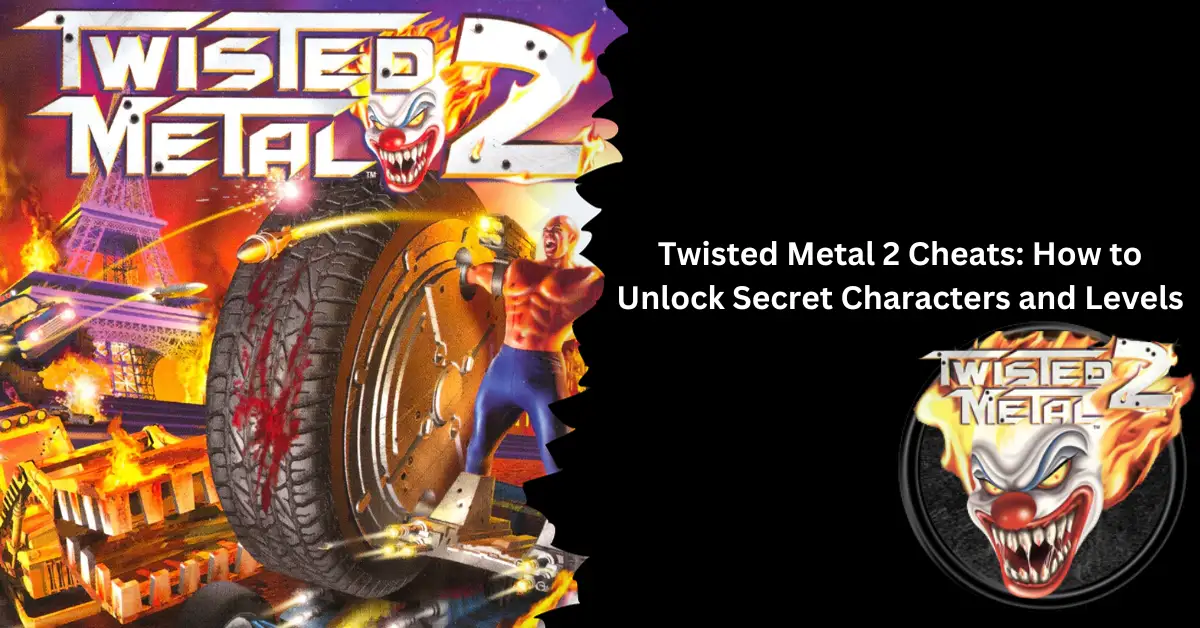
    Are you trying to find all of the cheat codes and passwords for Twisted Metal 2? Initially launched in 1996, Sony’s vehicle combat sequel—known as Twisted Metal: World Tour in Europe and Twisted Metal EX in Japan—improved upon the premise of its predecessor with tighter gameplay and better graphics. We’ll be sharing all of the game’s passwords and cheat codes in this Twisted Metal 2 cheats guide.

    Twisted Metal 2 All Cheat Codes and Passwords

    Here is a list of all the cheat codes and passwords for Twisted Metal 2. The tutorial is broken up into two sections: level-select cheats and more generic gameplay tricks. While level choose codes are entered through the Password screen, the previous cheat codes are entered through button presses made during gameplay.

    You can still utilize the level chosen to obtain the Platinum if you’re playing the emulated PS5 and PS4 versions of the game but be aware that some cheat codes will prevent Trophies from appearing.

    To obtain the Platinum Trophy through cheating, you can utilize God Mode to reduce Dark Tooth’s health by around 50% during his second phase. To disable it and die once more, press the God Mode button one more. Now that you have finished Dark Tooth’s second phase, the trophy will become available.

    Secret Characters

    Twisted Metal 2 has two secret characters that you can unlock and play: Minion and Sweet Tooth. Minion is a powerful tank-like vehicle that has a flamethrower as its special weapon. Sweet Tooth is a clown-themed ice cream truck that can shoot homing missiles from its roof. To unlock these characters, you need to enter a specific code on the character selection screen. Here are the regulations for each character:

    • Minion: Type “GLORIOUSBIGBOY” on the character selection screen.
    • Sweet Tooth: Type “GLORIOUSICECREAM” on the character selection screen.

    Note that these codes only work for the PC version of the game. For the PlayStation version, you need to beat the game on hard difficulty with any character to unlock Minion and win the game on medium difficulty with any character to unlock Sweet Tooth.

    You might also be interested in the following game, Cheats:

    Secret Levels

    Twisted Metal 2 has four secret levels that you can access in the two-player mode. These levels are based on other Sony games, such as Jet Moto and Warhawk. To access these levels, you need to enter a specific code at the level selection screen. Here are the codes for each level:

    Level Cheat Code
    Cyburbia Down, Up, L1, R1
    Jet Moto Suicide Swamp Up, Down, Right, R1
    Rooftops Down, Left, R1, Down
    Warhawk Rooftops Left, Right, Down, R1

    Note that these codes only work for the PlayStation version of the game. For the PC version, you need to enable cheat mode by typing “dasbak” at the level selection screen and then typing one of the following codes to access the secret levels:

    Map Name Code Name
    Cyburbia CYBURBIA
    Jet Moto Suicide Swamp SUICIDE
    Rooftops ROOFTOP
    Warhawk Rooftops WARHAWK

    Cheat Codes

    Twisted Metal 2 Cheats

    Twisted Metal 2 has a lot of cheat codes that you can use during the game to get various effects, such as unlimited health, ammo, turbo, and weapons, as well as god mode, invisibility, shield, and more. To use these cheat codes, you need to enter them during the game, not at the pause menu. Here are some of the most useful cheat codes for the game:

    Cheat Name Button Combination Effect
    God Mode Hold L2 + R2 + L1 + R1 and press Up, Down, Left, Right, Right, Left, Down, Up, then release L1 + R1 Invincible to all damage and attacks
    Unlimited Health Hold L1 + R1 and press Up, Down, Left, Right, Right, Left, Down, Up, then release L1 + R1. Infinite health, but lose all weapons
    Unlimited Ammo Hold L2 + R2 and press Up, Down, Left, Right, Right, Left, Down, Up Unlimited ammo for all weapons
    Unlimited Turbo Hold L1 + L2 and press Up, Down, Left, Right, Right, Left, Down, Up Unlimited turbo boost for vehicle
    Unlimited Weapons Hold L1 + L2 + R1 + R2 and press Up, Down, Left, Right, Right, Left, Down, Up Unlimited weapons, but lose health
    Double Damage Machine Guns Hold R2 and press Up, Down, Left, Right, Right, Left, Down, Up Machine guns deal double damage
    Homing Napalms Hold L2 and press Up, Up, Down, Down, Left, Left, Left, Right, Right Napalm bombs home in on targets
    Invisibility Press Right, Down, Left, Up Invisible for a short time, but visible on radar
    Shield Press Up, Up, Right Temporary shield that protects from damage
    High Jump Press Up, Up, Left Jump high in the air

    Note that some of these cheat codes may not work for the PC version of the game or may have different button combinations. You can also use the “GLORIOUS” code to enable cheat mode on the PC version, and then type one of the following codes to get the same effects:

    Cheat Effect
    DIVINE God mode
    ALLUCANEAT Invulnerability
    DOUBLEDOWN Weapons are More Powerful
    HOLYSMOKES Unlimited Ammo
    SLAMFEST Ramming Does More Damage
    GIMMEMORE More Weapons
    2HOT Napalms are Homing
    CUSUCKA Super Powerful Machine Guns
    FRAMERATE View the framerate
    D, U, R, L, U, U, D, D Weapons for Health
    L, R, U Fire Freeze
    R, L, D Drop Mine
    R, L, U Fire Napalm
    U, U, R Activate Shield
    U, U, L Jump
    L, R, D, [Fire] Attack from the back
    R, D, L, U Cloak for a short time
    U, D, U, U, SPACE Minion’s Special

    Axel Level Passwords

    Location Symbol 1 Symbol 2 Symbol 3 Symbol 4 Symbol 5 Symbol 6
    Moscow Cross Triangle Cross Cross Blank Blank
    Paris Circle Triangle Square Blank Triangle Blank
    Amazonia Triangle Triangle Square Circle Circle Blank
    New York Blank Triangle Square Square Cross Blank
    Antarctica Cross Cross Triangle Square Triangle Circle
    Holland Circle Cross Circle Triangle Circle Circle
    Hong Kong Triangle Cross Circle Cross Cross Circle
    Dark Tooth Triangle Square Triangle Square Blank Square

    Grasshopper Level Passwords

    Location Symbol 1 Symbol 2 Symbol 3 Symbol 4 Symbol 5 Symbol 6
    Moscow Triangle Cross Circle Blank Blank Blank
    Paris Cross Triangle Circle Square Square Circle
    Amazonia Blank Cross Circle Circle Triangle Circle
    New York Circle Circle Square Circle Square Circle
    Antarctica Square Triangle Blank Blank Blank Square
    Holland Triangle Cross Blank Blank Blank Square
    Hong Kong Cross Triangle Triangle Blank Blank Triangle
    Dark Tooth Cross Blank Cross Square Square Blank

    Hammerhead Level Passwords

    Location Symbol 1 Symbol 2 Symbol 3 Symbol 4 Symbol 5 Symbol 6
    Moscow Blank Triangle Cross Cross Cross Blank
    Paris Blank Cross Triangle Square Cross Triangle
    Amazonia Triangle Blank Blank Blank Cross Circle
    New York Triangle Triangle Cross Triangle Cross Cross
    Antarctica Triangle Cross Triangle Circle Cross Square
    Holland Triangle Square Square Cross Square Blank
    Hong Kong Circle Triangle Circle Square Square Triangle
    Dark Tooth Circle Circle Circle Blank Triangle Cross

    Mr. Grimm Level Passwords

    Location Symbol 1 Symbol 2 Symbol 3 Symbol 4 Symbol 5 Symbol 6
    Moscow Triangle Triangle Cross Cross Circle Blank
    Paris Circle Cross Triangle Circle Triangle Cross
    Amazonia Cross Square Square Triangle Triangle Triangle
    New York Triangle Blank Blank Circle Cross Circle
    Antarctica Circle Triangle Cross Triangle Cross Blank
    Holland Cross Cross Triangle Blank Circle Cross
    Hong Kong Blank Cross Circle Triangle Square Square
    Dark Tooth Blank Square Triangle Circle Circle Triangle

    Mr. Slam Level Passwords

    Location Symbol 1 Symbol 2 Symbol 3 Symbol 4 Symbol 5 Symbol 6
    Moscow Cross Cross Triangle Square Cross Blank
    Paris Cross Blank Blank Circle Cross Square
    Amazonia Circle Triangle Square Blank Square Cross
    New York Triangle Cross Circle Square Blank Circle
    Antarctica Triangle Blank Triangle Circle Triangle Triangle
    Holland Blank Circle Blank Blank Circle Blank
    Hong Kong Square Blank Blank Triangle Blank Triangle
    Dark Tooth Square Blank Square Triangle Circle Cross

    Outlaw 2 Level Passwords

    Location Symbol 1 Symbol 2 Symbol 3 Symbol 4 Symbol 5 Symbol 6
    Moscow Blank Cross Circle Blank Triangle
    Paris Triangle Triangle Cross Circle Triangle Blank
    Amazonia Triangle Square Square Square Triangle Blank
    New York Circle Cross Triangle Triangle Triangle Blank
    Antarctica Cross Triangle Circle Cross Triangle Blank
    Holland Cross Square Square Blank Triangle Blank
    Hong Kong Blank Triangle Cross Square Cross Cross
    Dark Tooth Blank Circle Cross Blank Triangle Blank

    Road Kill Level Passwords

    Location Symbol 1 Symbol 2 Symbol 3 Symbol 4 Symbol 5 Symbol 6
    Moscow Circle Cross Triangle Square Square Blank
    Paris Triangle Blank Triangle Blank Blank Circle
    Amazonia Cross Cross Triangle Circle Square Triangle
    New York Circle Blank Blank Cross Blank Cross
    Antarctica Blank Triangle Square Cross Circle Blank
    Holland Cross Blank Blank Triangle Square Blank
    Hong Kong Triangle Square Square Triangle Circle Triangle
    Dark Tooth Triangle Circle Cross Triangle Square Cross

    Shadow Level Passwords

    Location Symbol 1 Symbol 2 Symbol 3 Symbol 4 Symbol 5 Symbol 6
    Moscow Square Blank Blank Triangle Triangle Blank
    Paris Cross Cross Circle Blank Triangle Cross
    Amazonia Cross Triangle Cross Square Circle Triangle
    New York Cross Blank Blank Cross Circle Square
    Antarctica Circle Cross Circle Circle Cross Circle
    Holland Circle Triangle Square Triangle Square Blank
    Hong Kong Circle Blank Triangle Blank Square Cross
    Dark Tooth Circle Triangle Blank Triangle Circle Blank

    Spectre Level Passwords

    Location Symbol 1 Symbol 2 Symbol 3 Symbol 4 Symbol 5 Symbol 6
    Moscow Circle Triangle Cross Cross Triangle Blank
    Paris Blank Triangle Square Circle Circle Cross
    Amazonia Circle Cross Triangle Square Triangle Cross
    New York Blank Cross Circle Cross Cross Triangle
    Antarctica Cross Blank Blank Blank Circle Triangle
    Holland Triangle Blank Square Cross Square Blank
    Hong Kong Cross Triangle Cross Triangle Circle Square
    Dark Tooth Cross Circle Circle Circle Blank Triangle

    Thumper Level Passwords

    Location Symbol 1 Symbol 2 Symbol 3 Symbol 4 Symbol 5 Symbol 6
    Moscow Circle Blank Blank Triangle Cross Blank
    Paris Cross Square Square Circle Circle Triangle
    Amazonia Triangle Cross Circle Blank Square Blank
    New York Cross Cross Triangle Triangle Cross Triangle
    Antarctica Triangle Triangle Square Blank Blank Blank
    Holland Cross Triangle Cross Blank Square Triangle
    Hong Kong Triangle Blank Blank Square Triangle Blank
    Dark Tooth Triangle Blank Square Square Cross Circle

    Twister Level Passwords

    Location Symbol 1 Symbol 2 Symbol 3 Symbol 4 Symbol 5 Symbol 6
    Moscow Cross Blank Blank Triangle Circle Blank
    Paris Triangle Cross Circle Circle Cross Triangle
    Amazonia Blank Triangle Square Cross Square Circle
    New York Cross Triangle Cross Circle Cross Blank
    Antarctica Circle Blank Blank Cross Square Triangle
    Holland Blank Cross Cross Blank Blank Circle
    Hong Kong Cross Cross Triangle Cross Square Blank
    Dark Tooth Cross Square Blank Square Triangle Circle

    Warthog Level Passwords

    Location Symbol 1 Symbol 2 Symbol 3 Symbol 4 Symbol 5 Symbol 6
    Moscow Triangle Blank Blank Triangle Square Blank
    Paris Triangle Square Square Square Cross Square
    Amazonia Circle Square Square Circle Cross Cross
    New York Cross Square Square Blank Cross Circle
    Antarctica Blank Cross Circle Triangle Blank Square
    Holland Triangle Cross Triangle Square Blank Cross
    Hong Kong Circle Cross Triangle Circle Blank Circle
    Dark Tooth Circle Square Blank Circle Circle Square

    How Do You Input Twisted Metal 2 Cheats Codes?

    The game’s main focus: Entering the button combinations listed on this page during a match can activate Twisted Metal 2 hacks, such as God Mode. If you enter them correctly, a sound and notification will play. Once One Player has been chosen from the main menu, the level choose codes must be input into the Password box.

    We appreciate your interest in our website! Make Gameempress.com your go-to site for gaming information.

  • Skull And Bones Closed Beta: Navigate, Explore, And Conquer Before the Rest!

    Skull And Bones Closed Beta: Navigate, Explore, And Conquer Before the Rest!

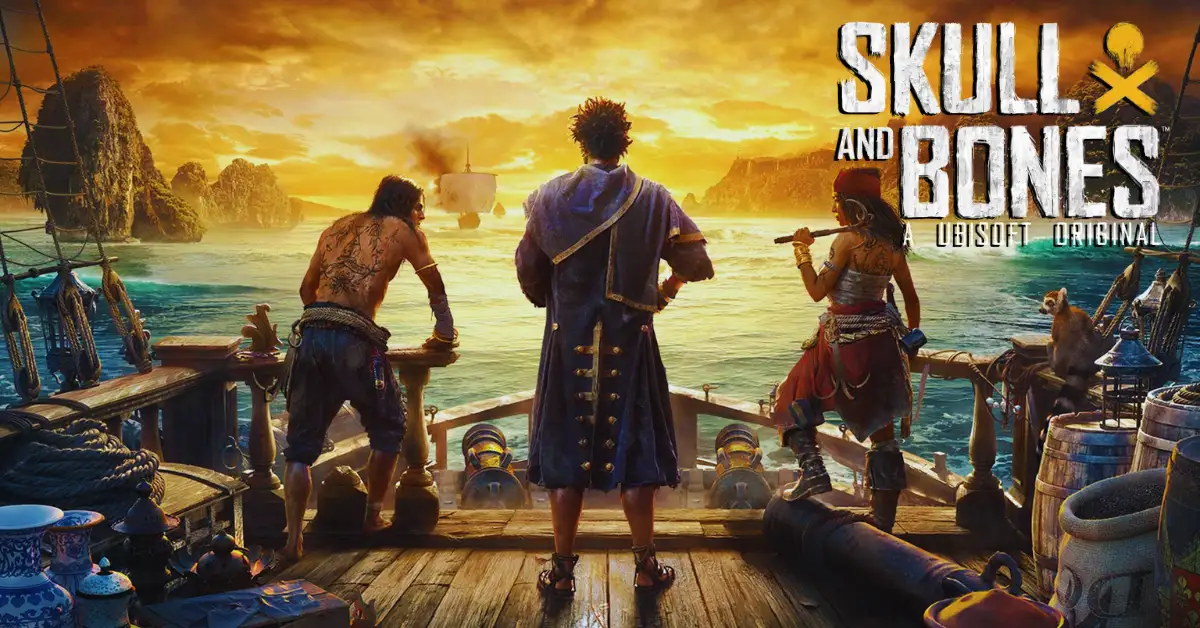
    Are you ready to embark on a thrilling adventure in the Indian Ocean, where you can sail, fight, and take as a pirate? If so, you might want to join the closed beta of Skull And Bones, a new game by Ubisoft that lets you experience the golden age of piracy in a rich and immersive open world.

    Skull and Bones Closed Beta Release Date

    When Skull and Bones comes out on February 16, 2024, Xbox Series X|S players will be able to explore the open sea and fight on ships. Would you like to take a voyage across the vast Indian Ocean and delve into the world of pirates? Participate in the closed test on December 15–18, 2023, by registering today.

    To become a pirate captain in Skull & Bones, you must amass wealth, assemble a formidable fleet of ships, and establish a reputation for yourself. To achieve that, though, is easier said than done. You’ll be involved in a horrible maritime battle from the moment the game launches.

    Your real “rags-to-riches” tale begins when you utilize everything at your disposal to travel to Sainte-Anne, the location of the pirate hideout. The first thing about Skull and Bones that you should know is their infamy. For a pirate in Skull & Bones, notoriety is their greatest asset and an indication of their progress.

    Among many other things, it tells you what missions you can do, what ships you can construct, what materials you can gather, what weaponry you can produce, and much more. Nearly anything you accomplish in Skull & Bones will earn you notoriety, including bounties and hidden treasures as well as rum smuggling and crocodile hunting.

    Skull and Bones Closed Beta will be available from December 15th to December 18th, 2023:

    Skull and Bones Closed Beta System Requirements

    To play the closed beta of Skull And Bones, you need to have a PC or a console that meets the minimum or recommended system requirements. Here are the system requirements for PC:

    Resolution Operating system Processor RAM Video card Hard drive
    Recommended requirements (1080p at 60 FPS) Windows 10 / Windows 11 Intel Core i7-8700K, AMD Ryzen 5 3600, or better 8 GB (dual-channel mode) NVIDIA RTX 2070 (8 GB), AMD Radeon RX 5700 XT (8 GB), or better 65 GB (SSD recommended)
    Minimum requirements (1080p at 30 FPS) Windows 10 Intel Core i7-4790, AMD Ryzen 5 1600, or better 8 GB (dual-channel mode) NVIDIA GeForce GTX 1060 (6 GB), AMD Radeon RX 570 (8 GB), or better 65 GB (SSD recommended)
    Recommended 2K configuration (1440p, 60 FPS) Windows 10 / Windows 11 Intel i7-9700K or AMD Ryzen 5 5600X, or better 16 GB (dual-channel mode) NVIDIA GeForce RTX 3070 (8 GB) or AMD Radeon RX 6800 (16 GB), or better 65 GB (SSD required)
    Recommended 4K configuration (2160p, 60 FPS) Windows 10 / Windows 11 Intel Core i5-11600K or AMD Ryzen 5 5600X, or better 16 GB (dual-channel mode) NVIDIA GeForce RTX 3080 (10 GB) or AMD Radeon RX 6800 XT (16 GB) 65 GB (SSD required)

    For higher resolutions, such as 4K or 8K, you will need a more powerful PC with a higher-end graphics card and monitor. You can check the detailed system requirements for higher resolutions on the official website.

    If you want to check out more articles related to Skull And Bones. You can check the link below:

    Skull And Bones Closed Beta Rewards

    Skull And Bones Closed Beta
    Skull And Bones Closed Beta

    Yes, there will be rewards for participating in the closed beta of Skull And Bones. If you play the closed beta, you will receive an exclusive in-game item, the Skull And Bones Closed Beta Flag, which you can use to decorate your ship.

    You can check out the early steps of Skull and Bones for free in the Closed Beta. You begin your trip in Sainte Anne, a safe place where you can fix your ship, trade items, and talk to other players.

    The exploration goes to the Red Isle, which has many contracts that can help your name. But keep in mind that the Skull and Bones Beta time limit means you can only play the game for 6 hours at a time. After that, you won’t be able to play anymore.

    There are also some Skull and Bones Beta rewards for people who take part. These are mostly cosmetic things that can be used when the game comes out for real.

    • Skull and Bones Welcome Firework (Play the full 6 hours)
    • Pioneer Set (Complete a World Event)
    • Spoken For Emote (Craft and Sail a Bedar)

    How Do You Sign Up for Free Skull and Bones Closed Beta?

    There’s an easy way to get free entry to the Skull and Bones Beta. You’ll need a Ubisoft account first. Go to the page given and scroll down. Choose the platform you want to use (Ubisoft Connect PC, PlayStation 5, Xbox Series X|S, or Epic Games Store) and then sign in with your Ubisoft account. There you have it!

    You will get an email if you are chosen to join. There is also an option in the email that lets you invite up to two people to take the test with you. To do this, go to your account and pick who to invite.

    We appreciate your interest in our website! Make Gameempress.com your go-to site for gaming information.

  • Honkai: Star Rail PS5 Release Date Confirmed, Pre-Registration Rewards and Pre-Order Bundle Revealed

    Honkai: Star Rail PS5 Release Date Confirmed, Pre-Registration Rewards and Pre-Order Bundle Revealed

    Honkai: Star Rail is a free-to-play turn-based space fantasy RPG developed by miHoYo, the creators of Genshin Impact and Honkai Impact 3rd. The game was first released on PC, iOS, and Android devices on April 26, 2023, and has been receiving regular updates and new content ever since. The game features a rich and immersive story, a diverse cast of characters, a strategic combat system, and a stunning sci-fi universe to explore.

    Many fans have been eagerly waiting for the game to come to consoles, especially the PlayStation 5, which promises to deliver enhanced graphics, performance, and gameplay. In this article, we will tell you everything you need to know about the PS5 release date of Honkai: Star Rail, as well as the price, features, and benefits of playing on the console.

    When is Honkai: Star Rail Coming to PS5?

    The good news is that Honkai: Star Rail has finally confirmed its PS5 release date through a brand-new trailer that was showcased at the latest State of Play on September 15, 2023. The game will launch on the PlayStation Store on October 11, 2023 (UTC+8), which is less than a month away from the announcement. This should also coincide with the expected date of Honkai: Star Rail’s update 1.4, which will bring new characters, story chapters, events, and more to the game.

    The PS5 release date of Honkai: Star Rail was previously announced at the Summer Gamefest in 2023, but only a vague window of Q4 2023 was given at that time. The game also underwent a technical test for PS5 in August 2023 to ensure its stability and compatibility with the console.

    Honkai: Star Rail is coming to PlayStation®5 on October 11th!

    How Much Does Honkai: Star Rail Cost on PS5?

    The best part is that Honkai: Star Rail will be free to download and play on PS5, just like on other platforms. The game follows a free-to-play model with optional in-game purchases that can enhance your gameplay experience. You can buy items such as Star Rail Passes, which grant you access to premium rewards and benefits; Credits, which are the main currency of the game; Crystals, which are used to summon new characters and equipment; and other consumables and cosmetics.

    However, if you want to get a head start on your PS5 adventure, you can pre-order the game for $9.99 on the PlayStation Store and receive a pre-registration bundle that includes 2 Star Rail Passes, 150,000 Credits, and other in-game rewards. This offer is only valid until October 11, 2023.

    How to Pre-Register for Honkai Star Rail on PS5?

    Pre-registering for Honkai Star Rail on PS5 is very easy and only takes a few minutes. Here are the steps you need to follow:

    • Go to the official Honkai Star Rail PS5 pre-registration page.
    • Create or enter your HoYoverse account details and log in.
    • Click the ‘Pre-register Now’ button.

    That’s it! You have successfully pre-registered for Honkai Star Rail on PS5. You will also have a chance to win one of three PS5 base edition consoles by pre-registering.

    Honkai Star Rail PS5 Pre-Registration Rewards

    By pre-registering for Honkai Star Rail on PS5, you will not only secure your spot for the game’s launch but also unlock some free rewards. The rewards are based on the number of registrations, and they are as follows:

    • 100,000 registrations: Credit ×10,000
    • 300,000 registrations: Adventure Log ×5
    • 600,000 registrations: Condensed Aether x1
    • 1,000,000 registrations: 4-star Light Cone “The Seriousness of Breakfast (Erudition)” ×1

    These rewards will be sent to your in-game mail once you log in to the game on PS5 for the first time. Additionally, you will also get a set of the 4-star Cavern Relic “Musketeer of Wild Wheat” as a bonus reward.

    What is the PS5 Pre-Order Bundle?

    The PS5 pre-order bundle is a special offer for those who want to buy Honkai: Star Rail, a new space fantasy RPG from HoYoverse, the company behind the popular game Genshin Impact. The pre-order bundle costs $9.99 and includes various in-game items and benefits, such as Star Rail Pass, Credit, Adventure Log, Sparse Aether, Trick Snack, Diet Fried Rice, Bottled Soda, Life Transmitter, Traveler’s Guide, Refined Aether, and Lost Crystal.

    These items can help players travel to different realms, level up characters and light cones, restore health and energy, and unlock new characters or upgrade existing ones. The pre-order bundle also gives players access to the game as soon as it launches on PS5 on October 11, 2023. However, the pre-order bundle is only available until October 10, 2023, so interested players should act fast before it expires.

    • In-game Warp items: Star Rail Pass ×2
    • In-game currency: Credit ×150,000
    • In-game Character EXP Materials: Adventure Log ×80
    • In-game Light Cone EXP Materials: Sparse Aether ×50
    • In-game consumables: Trick Snack ×10, Diet Fried Rice ×10, Bottled Soda ×10, Life Transmitter ×10
    • Purchasing before server launch will grant additional: Traveler’s Guide ×15, Refined Aether ×5, Lost Crystal ×5

    Conclusion

    Honkai: Star Rail is a game that deserves your attention if you are a fan of RPGs, sci-fi, or miHoYo’s previous works. The game offers a rich and immersive story, a diverse cast of characters, a strategic combat system, and a stunning sci-fi universe to explore. The game will be coming to PS5 on October 11, 2023, and will be free to download and play.

    The game will also offer enhanced graphics, performance, and gameplay on the console, as well as cross-save and cross-play functionality with other platforms. If you are interested in Honkai: Star Rail, you can pre-order the game now and get a pre-registration bundle with some in-game rewards.

  • GTA Online Celebrates 10th Anniversary with Exclusive Rewards, New Clothing, and Discounts

    GTA Online Celebrates 10th Anniversary with Exclusive Rewards, New Clothing, and Discounts

    Grand Theft Auto V, one of the most successful and influential video games of all time, is celebrating its 10th anniversary on September 17, 2023. The game, which was released on September 17, 2013, for PlayStation 3 and Xbox 360, has sold over 170 million copies worldwide and has been ported to PlayStation 4, Xbox One, PC, PlayStation 5, and Xbox Series X/S.

    Grand Theft Auto V is also the home of GTA Online, the multiplayer mode that has attracted millions of players with its endless variety of activities, missions, and updates.

    This week, in the game GTA Online, we’re celebrating 10 years of Grand Theft Auto V:

    To mark this milestone, Rockstar Games is hosting a special event in GTA Online that features exclusive rewards, discounts, and surprises for the fans. The event runs from September 14 to September 27 and offers the following benefits:

    • New Clothing and Weapon Skins: Get special outfits for GTA V’s main characters – Michael, Franklin, and Trevor. Just sign in before September 27 to get The Retired Criminal, The Homie, and The Groupie outfits, and they can be found in the player’s wardrobe or in the clothing stores under the Rockstar Anniversary section. Players will also get three weapon skins that match the outfits: Employee of the Month, Suede Buckfinish, and Uncle T.
    • Free Snacks, Ammo, and Body Armor: Rockstar Games is also giving away free snacks, ammo, and body armor to all players who log in during the event. These items can be useful for completing missions or surviving in the chaotic world of GTA Online.
    • New Sports Car: The event also introduces a new sports car to GTA Online: the Bravado Hotring Hellfire. This sleek and powerful vehicle is based on the NASCAR stock cars and can be purchased from Southern San Andreas Super Autos.

    If you want to check out more articles related to Grand Theft Auto. You can check the link below:

    GTA Online: San Andreas Mercenaries – A Revolutionary Update Or Just Another DLC?

    How to Activate God Mode in GTA Online 2023?

    • Quadruple GTA$ and RP: Players who want to earn some extra cash and reputation can take advantage of the quadruple GTA$ and RP rewards for Lamar and Trevor Contact missions. These missions involve working with two of the most eccentric characters from Grand Theft Auto V and completing various tasks such as stealing cars, delivering drugs, or sabotaging rivals.
    • Double Rewards: Earn 2X GTA$ and RP by completing The Data Leaks, a series of missions that involve teaming up with Franklin Clinton, another protagonist of Grand Theft Auto V, and retrieving the legendary Dr. Dre’s collection of unreleased tracks before they become popular. You will need to purchase an Agency from the Dynasty 8 Executive website to access these missions. Agencies are also 50% off this week, along with Agency Upgrades and Modifications, Imani Tech Upgrades, and merchandise in Record A Studios.
    • Discounts on Properties, Vehicles, and Merchandise: The event also offers a range of discounts on various items in GTA Online. Players can save 40% on all garages, 50% on agency properties, agency upgrades and modifications, Imani tech upgrades, and Record A Studios merchandise. Additionally, players can get up to 50% off on selected vehicles such as the Bravado Buffalo STX, Obey 10F, Bravado Buffalo EVX, Progen T20, Pegassi Osiris, Pegassi Zentorno, and Obey 9F.
  • Roblox is Coming to PS4 and PS5: It’s Time to Play!

    Roblox is Coming to PS4 and PS5: It’s Time to Play!

    Roblox is like a big playground where people who like to play games and people who like to play games can have fun together. There are lots of cool things to do in Roblox, like special events, games, and other stuff.

    Right now, there are more than 65.5 million people using Roblox, which is a lot! On Friday, Roblox had its big yearly event called Roblox Developers Conference (RDC) 2023. The boss of Roblox, David Baszucki, talked about some new things that will be in Roblox soon.

    They’re going to add things like dating and being able to talk to your friends with your voice. Also, they answered a question that a lot of people were curious about – can you play Roblox on a PS4 or PS5? Let’s find out!

    When Will Roblox Be Available on PS4 and PS5?

    Roblox is coming to PlayStation soon. They told us this news at the 2023 Roblox Developers Conference on Friday. You’ll be able to play Roblox on both the PS4 and PS5 in October. Sony also said during their September 14th State of Play event that the game will come out on October 10th.

    You can explore lots of fun Roblox games on PlayStation starting from October 10th!

    Roblox is a game you can get for free. You can play it on many devices like computers, iPhones, Android phones, and Xbox. But it wasn’t available on PlayStation, which was a bit of a problem. However, there have been hints that they might make a version for PlayStation.

    They posted a job listing in 2022 looking for someone to help with PlayStation, and the CEO, David Baszucki, mentioned in a call that they’re thinking about bringing Roblox to PlayStation and Nintendo Switch.

    Roblox says that when their app comes to PlayStation 4 and PlayStation 5, you can use your account to play all the Roblox games you like without any problems. You won’t have to wait around – just log in and have fun!

    If you want to check out more articles related to Roblox. You can check the link below:

    Is Roblox Coming to Nintendo Switch?

    I enquired with the business regarding the prospective Switch release. “We want Roblox to be on all devices, anywhere around the world. At this time, we currently have no imminent plans to have Roblox available on the Nintendo Switch,” a spokeswoman for the company, Roman Skuratovskiy, told The Verge.

    However, Baszucki heavily hinted during his performance at RDC that Roblox will be coming to additional locations: “Stay tuned, because there are more platforms to come.” The business also revealed that the Meta Quest Roblox app will be “widely available” later in September.

    In the first five days after the Quest app’s open beta debut in July, over a million people had downloaded it. The Xbox app will also receive enhancements, including a better user interface and the assurance of regular updates.

  • GTA 6 File Size, 400 Hours of Gameplay and Cost

    GTA 6 File Size, 400 Hours of Gameplay and Cost

    Grand Theft Auto (GTA) is one of the most popular and successful video game franchises in history. The latest installment, GTA 5, was released in 2013 and has sold over 150 million copies worldwide. Fans have been eagerly waiting for the next game in the series, GTA 6, which is rumored to be in development by Rockstar Games.

    However, a recent leak has revealed some shocking details about the file size and gameplay length of GTA 6, which could pose a serious challenge for gamers who want to play it.

    What is the File Size of GTA 6?

    According to a tweet shared by GTA 6 News, a leaker on the franchise claims that the next mainline installment of GTA will demand a whopping 750GB of space on release day. This is almost five times the size of GTA 5, which requires around 150GB of space on current-gen consoles.

    The leaker also says that GTA 6 will provide 400 hours of gameplay for players, which is more than double the amount of GTA 5, which had around 170 hours of gameplay.

    A tweet shared by GTA 6 News, GTA 6 might take up a lot of space on your device, about 750 GB:

    Why Are People Saying That GTA 6 Will Cost $150?

    The rumor that GTA 6 will have a $150 price tag originated from a tweet by Niche Gamer, a gaming news website, on September 5, 2023. The tweet claimed that GTA 6 is rumored to cost $150 and may have cost Rockstar over $2 billion to make. The tweet also included a link to an article on their website, which did not provide any source or evidence for these claims.

    Niche Gamer on Twitter said that GTA 6 could cost $150. This is where the rumor started:

    The tweet quickly went viral, with over 5 million views and thousands of comments and retweets. Many people expressed their disbelief and outrage at the possibility of paying such a high price for a video game, while others joked about it or questioned the credibility of Niche Gamer. Some websites reported on the rumor as well, but most of them did not verify its validity or origin.

    Why is GTA 6 So Big?

    The reason behind the massive file size of GTA 6 is not clear, but it could be due to several factors. One possible reason is that GTA 6 will feature a much larger and more detailed open world than GTA 5, which already had a huge map that spanned three cities and several rural areas.

    Some rumors have suggested that GTA 6 will take us back to the iconic Miami-inspired location of Vice City, as well as some regions of South America. Another possible reason is that GTA 6 will have more content and features than GTA 5, such as more missions, activities, vehicles, weapons, customization options, and online modes.

    A third possible reason is that GTA 6 will have higher graphics quality and performance than GTA 5, which already looks stunning on current-gen consoles. GTA 6 could take advantage of the advanced hardware and software capabilities of the next-gen consoles, such as ray tracing, dynamic lighting, realistic physics, and faster loading times.

    How Can Gamers Play GTA 6?

    The huge file size of GTA 6 could pose a serious problem for gamers who want to play it on their consoles or PCs. For example, the PS5 is advertised as having an 825GB SSD internal hard drive, but 158GB is automatically reserved for system files, leaving just 667.GB for players to use for games.

    This means that PS5 players would need some kind of extra storage device to even run GTA 6, which exceeds their available space by over 80GB. The same problem applies to Xbox Series X players, who have an internal hard drive of 1TB SSD, with 198GB reserved for system files, leaving 802GB for players.

    Even though this is enough to install GTA 6, it would not leave much room for other games or updates. PC players would also need a lot of space on their hard drives or SSDs to play GTA 6, as well as a powerful processor and graphics card to run it smoothly.

    The only way around this potential storage issue would be to buy additional SSD internal storage for PS5 and SSD expansion cards for Xbox Series X|S. However, these are not cheap options and could cost gamers a lot of money.

    Another option would be to stream GTA 6 from cloud gaming services such as Google Stadia or Amazon Luna, which do not require any downloads or installations. However, these services are not widely available or reliable yet and could have issues with latency or quality.

    When Will GTA 6 Be Released?

    The release date of GTA 6 is still unknown and has not been officially announced by Rockstar Games. The developer has only confirmed that it is working on GTA 6 back in February 2022, but has not given any details or updates since then.

    Some fans have speculated that GTA 6 could be released in late 2023 or early 2024, based on the gap between previous GTA games and the current state of development.

    However, this is just a guess and could change depending on various factors such as delays, changes, or leaks. GTA fans have been waiting for almost a decade for the next game in the series and are eager to see what Rockstar Games has in store for them.

    However, they might have to wait even longer and pay more money to play it if the recent leak about the file size and gameplay length of GTA 6 is true. Hopefully, Rockstar Games will reveal more information about GTA 6 soon and address the concerns of the fans.

  • Genshin Impact Logo: A Symbol of Adventure and Fantasy

    Genshin Impact Logo: A Symbol of Adventure and Fantasy

    Genshin Impact is a popular open-world action role-playing game developed by miHoYo, a Chinese video game company. The game features a vast and beautiful fantasy world called Teyvat, where players can explore, fight, and interact with various characters and elements.

    The game has been praised for its stunning graphics, engaging gameplay, and rich story. One of the most distinctive aspects of Genshin Impact is its logo, which reflects the game’s theme and style.

    The logo consists of two parts: the word “Genshin” in a stylized font and a circular emblem with a winged star in the center.

    The Meaning of Genshin

    The word “Genshin” is derived from the Japanese term “genshin kai,” which means “the world of fantasy.” This term was coined by the Japanese writer Kenji Miyazawa, who used it to describe his imaginative works.

    Miyazawa significantly influenced miHoYo, who named their previous game Honkai Impact after his novel The Life of Budori Gusuko. The word “Genshin” also connects to Chinese culture and mythology.

    In Chinese, “Genshin” can be written as “原神,” which means “original god” or “primordial spirit.” This refers to the concept of the origin of life and the universe in Chinese cosmology.

    In Genshin Impact, the original gods are called Archons, who rule over different regions of Teyvat and grant their power to chosen individuals called Visions.

    The Design of the Genshin Impact Logo

    The logo of Genshin Impact was designed by a Japanese designer using the typeface Hywenhei-85w. The typeface is unique and captures the overall style and feel of the game.

    It resembles traditional Chinese calligraphy but with a modern twist that adds a unique flavor to the game’s logo. The circular emblem in the logo represents the world of Teyvat, which is divided into seven regions, each with its element and Archon.

    The symbol has seven points, corresponding to the seven elements in the game: Anemo (wind), Geo (earth), Pyro (fire), Hydro (water), Cryo (ice), Electro (lightning), and Dendro (nature).

    The winged star in the center symbolizes the Traveler, the main protagonist of the game, who is a mysterious being from another world who can wield multiple elements.

    The logo also incorporates subtle details about the game’s story and lore. For example, the emblem has a crack on its lower right side, which hints at the cataclysmic event 500 years ago in Teyvat, known as the Archon War.

    The war resulted in the disappearance of two Archons and their respective elements: Decarabian, the God of Storms (Anemo), and Guizhong, the God of Dust (Geo).

    The crack also foreshadows the upcoming conflict between the Traveler and an unknown enemy who seeks to destroy Teyvat. The logo also changes color depending on the region that the player is currently in.

    For example, when the player is in Mondstadt, the city of freedom and wind, the logo is green; when the player is in Liyue, the town of contracts and earth, the logo is yellow; when the player is in Inazuma, the city of eternity and lightning, the logo is purple; and so on. This feature adds more immersion and variety to the game’s visual presentation.

    For additional recent articles, please follow the link provided below:

    The Impact of the Genshin Impact Logo

    Genshin Impact’s logo is a symbol of adventure and fantasy and a reflection of miHoYo’s vision and creativity. The logo showcases miHoYo’s ability to blend different cultures and influences into a cohesive and original work.

    The logo demonstrates miHoYo’s attention to detail and dedication to delivering a high-quality gaming experience. The emblem of Genshin Impact has also become a recognizable and iconic image among gamers and fans worldwide.

    The logo has been featured on various merchandise, such as posters, stickers, shirts, mugs, keychains, etc. The logo has also inspired many fan-made artworks, such as drawings, paintings, sculptures, tattoos, etc.

    The logo of Genshin Impact is more than just a name or a picture; it represents a game that has captivated millions of players with its stunning world, engaging gameplay, and rich story.

    The logo invites players to embark on an epic journey full of wonder and discovery. It is a logo that promises an unforgettable adventure in Teyvat.

  • Genshin Impact Mods: A Simple and Effective Way to Improve Your Gaming Experience

    Genshin Impact Mods: A Simple and Effective Way to Improve Your Gaming Experience

    Genshin Impact is a popular open-world action RPG game that has attracted millions of players worldwide. The game features a vast and beautiful world to explore, a diverse cast of characters to interact with, and a rich and engaging story to follow.

    However, some players may want to customize their game experience with mods, which alter or add new features to the game. Mods can enhance the graphics, gameplay, interface, or content of Genshin Impact, depending on the preferences and needs of the players. This article will introduce some of the best mods for Genshin Impact and how to install them.

    What Are Mods and Why Use Them?

    Mods are user-created modifications that change or add new features to a game. Mods can range from simple tweaks to major overhauls, depending on the scope and complexity of the mod.

    Mods can improve the performance, graphics, gameplay, interface, or content of a game, depending on the purpose and design of the mod. Mods can also fix bugs, glitches, or errors in the game. Mods can enhance the gaming experience by adding variety, challenge, immersion, or fun.

    Mods can also cater to the personal preferences or needs of the players, such as changing the difficulty level, adjusting the camera angle, or adding new items or characters. Mods can also extend the lifespan of a game by adding new content or scenarios that keep the game fresh and exciting.

    How to Find Mods for Genshin Impact?

    One of the best sources for finding mods for Genshin Impact is [Genshin Impact Nexus], a website that hosts a large collection of mods and communities for the game.

    The website allows users to browse, download, rate, comment, and upload mods for Genshin Impact. Users can also find guides, tutorials, news, and updates about the game and its modding scene.

    To install mods for Genshin Impact, users need to follow these general steps:

    • Download the mod file from the website.
    • Extract the mod file using a program such as WinRAR or 7-Zip.
    • Copy and paste the mod file into the game’s installation folder (usually at C:\Program Files\Genshin Impact\Genshin Impact Game).
    • Launch the game and enjoy the mod.

    Some mods may require additional steps or tools to install or run correctly. Users should read the mod’s description and instructions carefully before installing it. Users should also backup their game files before installing any mods, in case something goes wrong or they want to uninstall them later.

    How to Install Mods for Genshin Impact?

    Before installing any mods for Genshin Impact, it is important to note that the game developers, miHoYo, do not officially support modding. Modding may cause compatibility issues, errors, or crashes in the game.

    Modding may also violate the game’s terms of service or user agreement, resulting in account suspension or ban. Therefore, modding is done at your own risk and discretion.

    To install mods for Genshin Impact, you will need a mod manager program that can help you download, install, update, and uninstall mods easily and safely. One of the most popular and reliable mod managers is Nexus Mod Manager (NMM), compatible with many games including Genshin Impact.

    You can download NMM from. To use NMM, you must create a free account on Nexus Mods, one of the largest and most trusted modding communities online. Nexus Mods hosts thousands of mods for various games including Genshin Impact. You can browse and download mods from Nexus Mods.

    Take a look at some additional recently published content from us:

    To install a mod using NMM, you will need to follow these steps:

    • Launch NMM and select Genshin Impact as your active game.
    • Click the “Mods” tab and then the “Add Mod from File” button.
    • Browse and select the mod file that you downloaded from Nexus Mods.
    • The mod will appear in your mod list. Click on the “Activate” button to enable the mod.
    • Repeat these steps for any other mods that you want to install.
    • Launch Genshin Impact and enjoy your modded game.

    To uninstall a mod using NMM, you will need to follow these steps:

    • Launch NMM and select Genshin Impact as your active game.
    • Click on the “Mods” tab and then the “Deactivate” button next to the mod you want to uninstall.
    • The mod will be removed from your mod list and your game.
    • Repeat these steps for any other mods that you want to uninstall.

    How to install mods for Genshin Impact, see the video below:

    What Are Some of the Best Mods for Genshin Impact?

    Many mods are available for Genshin Impact that can enhance your game experience differently. Here are some of the best mods that we recommend:

    • Better Resin: This mod improves the resin system in Genshin Impact by increasing the resin cap from 160 to 240, reducing the resin regeneration time from 8 to 5 minutes, and allowing you to use primogems to refill resin without limit. This mod makes resin management easier and more convenient for players who want to do more activities in the game.
    • Genshin Impact Reshade: This mod enhances the graphics of Genshin Impact by adding various effects such as ambient occlusion, depth of field, bloom, sharpening, color correction, and more. This mod makes the game more realistic and immersive with better lighting, shadows, colors, and details.
    • Genshin Controller Remap: This mod allows you to remap your controller buttons in Genshin Impact according to your preferences. You can change the functions of any switch on your controller using a simple interface. This mod is useful for players who want to customize their controls for better comfort and convenience.
    • Genshin Impact UI Mod: This mod improves the user interface of Genshin Impact by adding new features and options such as a mini-map, a quest tracker, a character switcher, a party manager, and more. This mod makes the game more user-friendly and accessible with more information and functionality.
    • Genshin Impact Character Mod: This mod adds new characters to Genshin Impact that are unavailable in the official game. You can choose from various characters from other games or anime, such as Naruto, Zelda, Kirito, and more. You can also customize their appearance, skills, weapons, and stats. This mod is fun for players who want to play as their favorite characters or try different combinations.

    Conclusion

    Mods are a great way to enhance your gaming experience with Genshin Impact. They can allow you to customize your game according to your preferences and needs. They can also add more content or variety to your game or fix some of its issues or limitations.

    However, you should always be careful when using mods and follow their instructions properly. You should also backup your game files before installing any mods, in case something goes wrong or you want to uninstall them later. We hope this article has helped you learn more about mods for Genshin Impact and how to find and install them.

  • How to Play Genshin Impact on Steam Deck? A Quick and Easy Guide

    How to Play Genshin Impact on Steam Deck? A Quick and Easy Guide

    Genshin Impact is a popular open-world action RPG game that has attracted millions of players worldwide. The game is available on various platforms, such as PC, PlayStation, iOS, and Android.

    However, many fans have been eagerly waiting for the game to be released on the Nintendo Switch, allowing them to enjoy it on a portable device with a larger screen and better controls.

    Unfortunately, the Switch version of Genshin Impact has been delayed indefinitely, with no official release date announced by the developer, miHoYo. This has left many players disappointed and frustrated, as they want to experience the game’s beautiful graphics and immersive gameplay on a handheld console.

    However, there is another option for those who want to play Genshin Impact on a portable device: the Steam Deck. The Steam Deck is a new handheld gaming device developed by Valve, behind the Steam platform.

    The Steam Deck is designed to run any game from your Steam library and other PC games and applications. The device features a 7-inch touchscreen, dual analog sticks, a D-pad, face buttons, triggers, bumpers, and four rear buttons.

    It also has a built-in microphone, speakers, headphone jack, USB-C port, microSD slot, and Bluetooth and Wi-Fi connectivity. The Steam Deck has an operating system called SteamOS, which is based on Linux.

    However, you can also install Windows on the device, allowing you to run any Windows-compatible game or application. You can play Genshin Impact on the Steam Deck if you install Windows first.

    In this article, we will show you how to play Genshin Impact on the Steam Deck step by step. We will also provide some tips and tricks to optimize your gaming experience.

    Step 1: Prepare a USB Drive with Windows Installation Media

    The first step to play Genshin Impact on the Steam Deck is to prepare a USB drive with Windows installation media. You will need this to install Windows on your device. To do this, you will need:

    • A USB drive with at least 8 GB of storage space
    • A PC with Windows 10
    • An internet connection

    To create a bootable USB drive with Windows installation media, follow these steps:

    • Go to Microsoft’s official website and download the Windows 10 Media Creation Tool.
    • Run the tool and accept the license terms.
    • Select “Create installation media (USB flash drive, DVD, or ISO file) for another PC” and click “Next”.
    • Choose your language, edition, and architecture (64-bit or 32-bit) for Windows 10 and click “Next”.
    • Select “USB flash drive” and click “Next”.
    • Choose your USB drive from the list and click “Next”.
    • Wait for the tool to download and create the Windows installation media on your USB drive.
    • When the process is finished, click “Finish” and safely eject your USB drive from your PC.

    Check out some other new content we’ve published:

    Step 2: Boot Your Steam Deck from the USB Drive

    The next step is to boot your Steam Deck from the USB drive that contains the Windows installation media. This will allow you to install Windows on your device. To do this, you will need:

    • Your Steam Deck
    • Your USB drive with Windows installation media
    • A power source

    To boot your Steam Deck from the USB drive, follow these steps:

    • Plug your USB drive into your Steam Deck’s USB-C port.
    • Plug your Steam Deck into a power source.
    • Turn on your Steam Deck by pressing the power button.
    • Hold the power and volume down buttons simultaneously until you see the Boot Manager screen.
    • Select your USB drive from the list and press A on the D-pad or touchscreen.
    • Wait for your Steam Deck to restart and boot from the USB drive.

    Steam Deck Gaming shared a post on Twitter:

    Step 3: Install Windows on Your Steam Deck

    The final step is to install Windows on your Steam Deck. This will overwrite the SteamOS that comes with your device. To do this, you will need:

    • Your Steam Deck
    • Your USB drive with Windows installation media
    • A keyboard and mouse (optional)

    To install Windows on your Steam Deck, follow these steps:

    • When you see the Windows Setup screen, choose your language, time, currency format, and keyboard or input method and click “Next”.
    • Click “Install now”.
    • Enter your product key if you have one or click “I don’t have a product key” if you don’t.
    • Choose the edition of Windows 10 that matches your product key or select “Windows 10 Home” if you don’t have one and click “Next”.
    • Accept the license terms and click “Next”.
    • Choose “Custom: Install Windows only (advanced)”.
    • Select each partition on your device’s hard drive and click “Delete” until only one unallocated space is left.
    • Select the unallocated space and click “Next”.
    • Wait for Windows to install on your Steam Deck.
    • Follow the on-screen instructions to set up your device after installation.

    Step 4: Download and Play Genshin Impact on Your Steam Deck

    The last step is downloading and playing Genshin Impact on your Steam Deck. You can do this from the Epic Games Store or the game’s official website. To do this, you will need:

    • Your Steam Deck with Windows installed
    • An internet connection
    • A miHoYo account

    To download and play Genshin Impact on your Steam Deck, follow these steps:

    • Connect your Steam Deck to the internet via Wi-Fi or Bluetooth.
    • Open your web browser and go to either the Epic Games Store or the official website of Genshin Impact.
    • Download and install the Genshin Impact launcher on your Steam Deck.
    • Run the launcher and log in with your miHoYo account or create one if you don’t have one.
    • Wait for the game to download and update on your Steam Deck.
    • Launch the game and enjoy playing Genshin Impact on your Steam Deck.

    Tips and Tricks to Optimize Your Gaming Experience

    Here are some tips and tricks to optimize your gaming experience when playing Genshin Impact on your Steam Deck:

    • Adjust the graphics settings to suit your preferences and performance. You can access the graphics settings by pressing Esc, selecting “Settings” and then “Graphics”. You can lower the resolution, frame rate, render quality, anti-aliasing, shadows, etc. to improve your device’s performance and battery life.
    • Use a controller or keyboard and mouse to play the game. You can connect a controller, keyboard, and mouse to your Steam Deck via USB-C, Bluetooth, or wireless dongle. You can also use the built-in controls of your device, but they may not be as comfortable or accurate as external ones. You can customize the controls by pressing Esc, selecting “Settings” and then “Controls”.
    • Use headphones or earphones to enjoy the game’s sound effects and music. You can plug headphones or earphones into your Steam Deck’s headphone jack or connect them via Bluetooth. You can also use your device’s built-in speakers, which may not be as loud or clear as external ones. You can adjust the sound settings by pressing Esc, selecting “Settings” and “Sound”.
    • Save your progress frequently and avoid losing data. You can save your progress by opening the menu by pressing Esc and selecting “Save”. You can also enable auto-save by pressing Esc, selecting “Settings” and then “Game”. You should also avoid closing the game abruptly or losing power while playing, as this may cause data loss or corruption.

    Conclusion

    Genshin Impact is a fun and addictive game that you can play on various platforms, including the Steam Deck. Following this guide, you can install Windows on your Steam Deck and play Genshin Impact.

    However, you should be aware that this process will void your warranty and may cause issues with your device. Therefore, you should proceed at your own risk and responsibility.

    We hope this article has helped you learn how to play Genshin Impact on the Steam Deck. If you have any questions or feedback, please comment below.

  • Fortnite Crew Pack August 2023: How to Get Princess Lexa and Prince Orin Skins?

    Fortnite Crew Pack August 2023: How to Get Princess Lexa and Prince Orin Skins?

    Fortnite fans are in for a treat as the August 2023 Fortnite Crew Pack features not one, but two exclusive skins: Princess Lexa and Prince Orin. These are anime-inspired versions of the characters from the Chapter 2 Season 5 Battle Pass but with a different design and backstory. Here is everything you need to know about these new skins and how to get them.

    Who Are Princess Lexa and Prince Orin?

    Princess Lexa and Prince Orin are twins from a parallel universe where they rule over a futuristic kingdom. They are also skilled warriors who use advanced technology and magic to fight their enemies. According to the official description, they are “the last of their kind, destined to protect their world from an ancient evil”.

    Princess Lexa is a fierce and fearless leader who wields a plasma sword and a shield. She has two styles: Universe One, which is her original appearance from the Battle Pass, and Universe Two, which is a more colorful and cute version. She also comes with a Back Bling called Lexa’s Lockbox, which contains her royal treasures.

    Prince Orin is a calm and wise ruler who uses a staff and a hoverboard. He also has two styles: Universe One, which is his original appearance from the Battle Pass, and Universe Two, which is a more sleek and cool version. He also comes with a Back Bling called Orin’s Orbital Case, which contains his royal secrets.

    How to Get Princess Lexa and Prince Orin Skins?

    The only way to get Princess Lexa and Prince Orin skins is to subscribe to the Fortnite Crew Pack for August 2023. The Fortnite Crew Pack is a monthly subscription service that costs $11.99 per month and offers exclusive in-game items and benefits.

    You can subscribe to the Fortnite Crew Pack from the Fortnite Item Shop or the Battle Pass screen. Once you subscribe, you will instantly receive the August 2023 Crew Pack, which includes Princess Lexa and Prince Orin skins and matching accessories.

    You will also get the current season’s Battle Pass, 1,000 V-Bucks monthly, Rocket Pass Premium in Rocket League, and the Winter’s Trickster Legacy Set. Remember that these skins are exclusive to Fortnite Crew subscribers and will not be sold separately. So if you want to get them, you must act fast before the month ends.

    In the Fortnite Crew are Princess Lexa and Prince Orin:

    What is Included in the Fortnite Crew Membership August 2023?

    Fortnite, the popular battle royale game, has a special offer for its fans: the Fortnite Crew Pack. This monthly subscription service gives you access to exclusive in-game items and benefits you can’t get anywhere else.

    If you are a fan of Fortnite and want to get the most out of your gaming experience, you should consider joining the Fortnite Crew Pack. Here is everything you need to know about the Fortnite Crew Pack rewards for August 2023, including what’s included and how to get them.

    Two Exclusive Skins: Princess Lexa and Prince Orin

    The main attraction of the Fortnite Crew Pack for August 2023 is the two exclusive skins: Princess Lexa and Prince Orin. These are anime-inspired versions of the characters from the Chapter 2 Season 5 Battle Pass but with a different design and backstory.

    They are also the first skins to have two styles each: Universe One and Universe Two. You can switch between them by clicking on the Edit Style button. These skins are exclusive to Fortnite Crew members and will not be sold separately.

    Princess Lexa is a fierce and fearless leader who wields a plasma sword and a shield. She has a pink and white outfit, long blonde hair, and blue eyes. She also comes with a Back Bling called Lexa’s Lockbox, which contains her royal treasures.

    Prince Orin is a calm and wise ruler who uses a staff and a hoverboard. He has a blue and black outfit, short brown hair, and green eyes. He also comes with a Back Bling called Orin’s Orbital Case, which contains his royal secrets.

    If you are interested to know more articles related to games. So you can check the link below:

    Matching Accessories for Princess Lexa and Prince Orin

    In addition to the skins, the Fortnite Crew Pack for August 2023 includes matching accessories for Princess Lexa and Prince Orin. These include Back Blings, Pickaxes, and Gliders that match the theme and style of the skins. Mix and match them with other items from your Locker or the Item Shop.

    For Princess Lexa, you will get the following:

    • Lexa’s Lockbox: This is a Back Bling that looks like a pink suitcase with a heart-shaped lock. It contains Lexa’s royal treasures, such as jewels, coins, and crowns.
    • Lexa’s Plasma Sword: This Pickaxe looks like a sword made of plasma energy. It has a pink blade and a white handle.
    • Lexa’s Starship: This is a Glider that looks like a spaceship with pink wings and thrusters. It has Lexa’s logo on the front.

    For Prince Orin, you will get:

    • Orin’s Orbital Case: This is a Back Bling that looks like a blue briefcase with a circular lock. It contains Orin’s royal secrets, such as documents, gadgets, and a hologram.
    • Orin’s Staff: This is a Pickaxe that looks like a staff made of metal and crystal. It has a blue orb on the top and a black handle.
    • Orin’s Hoverboard: This Glider looks like a hoverboard with blue lights and jets. It has Orin’s logo on the front.

    The Current Season’s Battle Pass

    Another benefit of the Fortnite Crew Pack for August 2023 is that you will get instant access to the current season’s Battle Pass, which gives you access to over 100 rewards, including skins, emotes, wraps, sprays, and more. You will also get all the future Battle Passes if you remain a Fortnite Crew member.

    The current season of Fortnite is Chapter 2 Season 8, which has a theme of “Invasion”. The season features an alien invasion that has brought new weapons, vehicles, locations, and challenges to the game.

    The season also features some of the most iconic characters from sci-fi movies and TV shows, such as Superman, Rick Sanchez, Doctor Slone, Kymera, Guggimon, Joey, Sunny, Zyg & Choppy, Charlotte, Torin, Fabio Sparklemane, J.B Chimpanski, Kor, Toona Fish, Carnage, Dark Jonesy, The Cube Queen, The Foundation, The Visitor, The Scientist, The Paradigm, The Engineer, The Seven, The Imagined Order, The Last Reality, The Sideways, The Cube Monsters, The Mothership, The Abductors, The Saucers, and The IO Guards.

    1,000 V-Bucks Every Month

    Another perk of the Fortnite Crew Pack for August 2023 is that you will receive 1,000 V-Bucks every month that you can use to buy items from the Item Shop or save for future purchases.

    V-Bucks are the in-game currency of Fortnite that can be used to buy skins, emotes, wraps, gliders, pickaxes, and more. You can also use V-Bucks to buy Llamas in Save the World mode or Battle Stars in Battle Royale mode.

    Rocket Pass Premium in Rocket League

    Another bonus of the Fortnite Crew Pack for August 2023 is that you will also get access to Rocket Pass Premium in Rocket League, which is another popular game from Epic Games. Rocket League is a game that combines soccer and cars, where you can play online or offline with your friends or strangers.

    Rocket Pass Premium is a feature that gives you access to more than 70 rewards, including cars, decals, wheels, and more. You will also get all the future Rocket Pass Premiums if you remain a Fortnite Crew member.

    Winter’s Trickster Legacy Set

    The last reward of the Fortnite Crew Pack for August 2023 is a bonus item you will receive if you subscribe to the Fortnite Crew Pack before August 31, 2023. This item is called the Winter’s Trickster Legacy Set, which includes a skin called Winter’s Trickster, a Back Bling called Winter’s Wrath, a Pickaxe called Winter’s Edge, and a Glider called Winter’s Wing.

    Winter’s Trickster is a skin that looks like a snowman with a hat, scarf, and gloves. He has a carrot nose, coal eyes, and a smiley mouth. He also has two styles: Frosty and Melty. You can switch between them by clicking on the Edit Style button.

    Winter’s Wrath is a Back Bling that looks like a snowflake with icicles. It has a blue-and-white color scheme. Winter’s Edge is a Pickaxe that looks like an icicle with snowflakes. It has a blue-and-white color scheme. Winter’s Wing is a Glider that looks like a pair of wings made of snowflakes. It has a blue-and-white color scheme.

    Why Should You Get Princess Lexa and Prince Orin Skins?

    Princess Lexa and Prince Orin are Fortnite’s coolest and most unique skins. They have a distinct anime style that stands out from the other characters. They also have two styles each, which gives you more options to customize your appearance.

    They have a rich backstory that adds more depth to their personalities. If you are a fan of anime or sci-fi, or if you just want to try something new, you should get Princess Lexa and Prince Orin skins.

    They are exclusive to Fortnite Crew subscribers so you won’t see them elsewhere. They are also a great value for your money, as you get two skins instead of one, along with other perks.

  • Apex Legends Season 18: Resurrection Brings a New Life to Revenant

    Apex Legends Season 18: Resurrection Brings a New Life to Revenant

    Apex Legends, the popular free-to-play battle royale game, is about to enter its 18th season on Tuesday, August 8, 2023. The new season, Resurrection, will introduce a significant rework to one of the game’s legends: Revenant. Revenant is a synthetic nightmare who was once a human mercenary.

    He was betrayed and killed by the Syndicate, who turned him into a simulacrum without his knowledge. He now seeks revenge on anyone who crosses his path. Revenant has been one of the least-played and least-liked legends in Apex Legends since his debut in Season 4: Assimilation.

    His abilities are often considered unenjoyable and ineffective by many players, as they do not fit well with the fast-paced and dynamic gameplay of the game. His passive ability, Stalker, allows him to crouch, walk faster and climb higher than other legends, but it does not provide much mobility or stealth.

    His tactical ability, Silence, throws a device that disables enemy abilities for 10 seconds, but it is easy to dodge and has a long cooldown. His ultimate ability, Death Totem, creates a totem that protects him and his teammates from death for a limited time, but it also reduces their health to 1 HP and reveals their location to enemies.

    To address these issues and make Revenant more fun and viable, Respawn Entertainment, the developer of Apex Legends, has decided to overhaul him in Season 18: Resurrection. The rework will change his appearance, voice lines, abilities, and playstyle.

    If you want to check out more articles related to other games. So you can check the link below:

    According to some leaked information from reliable sources, here are some of the rumoured changes to Revenant’s kit:

    • Passive Ability – Double Jump: Pressing the jump button in the air allows Revenant to jump again. This gives him more mobility, verticality, and the ability to reach places other legends cannot.
    • Tactical Ability – Hook Shot: Revenant fires a hook that attaches to a wall and allows him to hang on it briefly. He can swing from the theme or detach from it by pressing the jump button. This gives him more options for positioning and flanking and the ability to surprise enemies from above or below.
    • Ultimate Ability – Void Grenade: Revenant throws a grenade that creates a large explosion that sends enemies into the void for a short period. Enemies in the gap cannot see or hear anything outside of it and take damage over time. This gives Revenant a robust crowd control and damage tool that can disrupt enemy teams and create openings for his allies.

    These changes are expected to make Revenant more ruthless and terrifying than ever, as he can now easily hunt down his enemies and send them into his hell. Revenant will also have a new look that reflects his reworked abilities, such as glowing eyes, metal claws, and a dark cloak. His voice lines will also be updated to match his new personality and attitude.

  • Remnant 2 Invader Build Guide: How to Unlock the Invader Archetype?

    Remnant 2 Invader Build Guide: How to Unlock the Invader Archetype?

    Remnant 2 is a sci-fi action RPG that lets you customize your character with different archetypes, skills, weapons, and mods. One of the game’s most elusive and versatile archetypes is the Invader, which focuses on evasion, mobility, and deception. This guide will show you how to unlock the Invader archetype, its perks and skills, and its best builds.

    How to Unlock the Invader Archetype?

    Players must first obtain the Dreamcatcher melee weapon in Morrow Parish in Losomn to unlock the Invader character. Players will need to advance through a sizable portion of Remnant 2’s main storyline after this is equipped before they reach Root Earth, namely the Corrupted Harbor.

    Players at the Corrupted Harbor must descend the enormous ship into the basement region where they will ultimately come across a spacious place. A pod resembling a dead tree stump is in the centre of this area. The Escalation Protocol Amulet, a very potent item that will improve practically any class, is contained in this pod.

    Players will want to put this away and divert their focus back to the pod in the context of the Invader Archetype, though. The Walker’s Dream item, which may be used to transport to another location, can be extracted from the pod with the Dreamcatcher.

    Watch the video below to unlock the Secret Invader archetype Complete Guide:-

    What are the Perks and Skills of the Invader Archetype?

    The Invader archetype has three unique perks and one skill, making it a master of stealth and trickery. Here are their descriptions and effects:

    • Shadow: This is the Prime Perk of the Invader archetype. It gives you a 25% damage bonus against enemies not targeting you. Additionally, every time you use an Invader skill, you create a decoy of yourself that taunts nearby enemies for 10 seconds.
    • Worm Hole: This is the skill of the Invader archetype. It allows you to warp to a target location within 20 meters, dealing 150% weapon damage to enemies in your path. You also gain invulnerability during the warp and for 1 second after it. This skill has a cooldown of 15 seconds.
    • Void Cloak: This perk gives you a 50% chance to automatically dodge incoming attacks when your health is below 50%. You also become invisible for 3 seconds after dodging, but this effect has a cooldown of 10 seconds.
    • Reboot: This perk lets you save a copy of yourself at your current location when you use an Invader skill. You can reactivate the skill within 30 seconds to return to your saved copy, restoring your health and stamina to their previous values. You also spawn a decoy at your previous location when you return.

    What are the Best Builds for the Invader Archetype?

    The Invader archetype is flexible and can be paired with any other archetype, depending on your playstyle and preference. However, some archetypes synergize better with the Invader’s perks and skills than others. Here are some of the best builds for the Invader archetype:

    Invader + Summoner: This build is great for creating distractions and dealing damage from afar. The Summoner’s skill allows you to summon two minions that cost 15% of your max health each, but you can use Reboot to restore your health after summoning them.

    Your minions and decoys will draw enemy attention away from you, allowing you to deal extra damage with Shadow. You can also use Worm Hole to reposition yourself or escape danger. We recommend using Nightfall as your long gun and Sorrow as your handgun for weapons.

    Nightfall’s weapon mod, Dreadwalker, can damage groups of enemies or bosses, while Sorrow’s weapon mod, Soul Eater, can help you regain ammo and health by killing enemies.

    Invader + Gunslinger: This build is perfect for burst damage and quick kills. The Gunslinger’s skill gives you a 50% weapon swap speed bonus and a 100% reload speed bonus for 10 seconds. You can use this skill before using Worm Hole to deal massive damage to enemies in your path with Quick Draw.

    You can also use Reboot to save yourself before using Worm Hole, in case you end up in a bad spot. We recommend using The Judge as your long gun and The Executioner as your hand gun4 for weapons.

    The Judge’s weapon mod, Judgement Day, can stun enemies and deal high damage over time. The Executioner’s weapon mod, Executioner’s Mark, can increase your critical hit chance and damage against marked enemies.

    Invader + Challenger: This build is ideal for survivability and second chances in fights. The Challenger’s skill gives you a shield that absorbs 50% of incoming damage for 10 seconds. You can use this skill in combination with Void Cloak to avoid taking damage when your health is low.

    You can also use Reboot to heal yourself or escape from danger. We recommend using The Guardian as your long gun and The Defender as your handgun for weapons. The Guardian’s weapon mod, Guardian Angel, can heal you and your allies, while The Defender’s weapon mod, Defender’s Shield, can block incoming attacks and reflect them to enemies.

    If you want to check out more articles related to Remnant 2. So you can check the link below:

    What Are the Other Archetypes in Remnant 2?

    According to the web search results, there are 11 archetypes in Remnant 2, each with perks, skills, and traits. The other archetypes besides the starting four are:

    • Alchemist: A utility and support archetype that can buff allies with various effects, such as increased damage, resistance, or healing.
    • Explorer: An archetype specializing in finding loot and enhancing general utility, such as movement speed, stamina, or mod power.
    • Hunter: It is a class that is accessible immediately in the game. It excels at making highly accurate, long-range gun attacks.
    • Engineer: An archetype that focuses on heavy weapons and turret support, with perks that increase weapon handling, damage, and ammo efficiency.
    • Medic: One of the first classes or archetypes of Remnant 2 is this kind of character. The physician might be a better fit if fighting isn’t your thing. A support lesson like this one is perfect for co-op sessions.
    • Archon: This class has not yet been discovered by players. But because of data miners, we know some files refer to this archetype. We’ll update the guide when we receive the instructions to unlock it because it looks like the game’s most elusive archetype.
    • Handler: You can choose the handler archetype right away as well. It is an excellent option for players who dislike playing alone or have no prior expertise with this game genre. This archetype is suitable for beginners because the handler receives a dog that will aid him in attacking other foes or healing himself.

    These are some of the best builds for the Invader archetype in Remnant 2. Of course, you can experiment with different archetypes, weapons, and mods to find your preferred form. The Invader archetype is a fun and rewarding class to play, as it offers a lot of mobility, versatility, and deception. We hope this guide helped you unlock the Invader archetype and learn how to use it effectively.