Author: Christopher

  • The Finals PC Requirements: How To Run The Free-To-Play Combat Game Show?

    The Finals PC Requirements: How To Run The Free-To-Play Combat Game Show?

    The Finals is a free-to-play, first-person shooter game that combines elements of battle royale, destruction, and game show. The game was developed by Embark Studios and was released on December 7, 2023, during The Game Awards.

    The game is available for PC, PlayStation 4, and Xbox One, and it supports crossplay between PC and PlayStation players. The game features dynamic and destructible arenas based on real-world locations, where players can alter, exploit, and even demolish the environment to gain an advantage over their opponents.

    The game also features a variety of weapons, gadgets, skills, and perks, that allow players to customize their playstyle and strategy. The game is designed to be a spectacle, where players can gain fans, fame, and sponsors, by performing well and showing off their personality.

    However, to run the game smoothly and enjoy its full potential, players need to meet the game’s system requirements, which are not very low. In this article, we will provide you with the minimum and recommended PC requirements for The Finals, as well as some tips and tricks to optimize your performance and FPS.

    The Finals PC Requirements

    Is The Finals Crossplay
    Is The Finals Crossplay

    Minimum PC Requirements

    The minimum PC requirements for The Finals are as follows:

    • OS: Windows 10 64-bit (latest update)
    • Processor: Intel Core i5-6600K or AMD Ryzen 5 1500
    • Memory: 12 GB RAM
    • Graphics: NVIDIA GeForce GTX 970 or AMD Radeon RX 580
    • DirectX: Version 12
    • Storage: 15 GB available space

    These are the minimum requirements to run the game at low settings and 1080p resolution, with an average of 30 FPS. However, these requirements may not be enough to handle the game’s high level of destruction and action, especially during the Blood Moon Horde, which is a massive and relentless wave of zombies that will attack the players every 7 days.

    Therefore, we recommend upgrading your PC to meet the recommended requirements, or at least the optimal requirements, which are slightly higher than the minimum.

    Recommended PC Requirements

    The recommended PC requirements for The Finals are as follows:

    • OS: Windows 10 64-bit (latest update)
    • Processor: Intel Core i5-9600K or AMD Ryzen 5 3600
    • Memory: 16 GB RAM
    • Graphics: NVIDIA GeForce RTX 2070 or AMD Radeon RX 5700 XT
    • DirectX: Version 12
    • Storage: 15 GB available space

    These are the recommended requirements to run the game at high settings and 1440p resolution, with an average of 60 FPS. These requirements will ensure a smooth and stable gameplay experience, with minimal lag, glitches, or crashes. However, these requirements may not be enough to achieve the highest possible FPS and the best possible graphics, especially if you have a high-end monitor or a VR headset. Therefore, we suggest upgrading your PC to meet the ultimate requirements, which are the highest possible requirements for the game.

    Ultimate PC Requirements

    The ultimate PC requirements for The Finals are not officially stated by the developers, but we have estimated them based on the game’s features and performance. The ultimate PC requirements for The Finals are as follows:

    • OS: Windows 10 64-bit (latest update)
    • Processor: Intel Core i7-9700K or AMD Ryzen 7 3700X
    • Memory: 32 GB RAM
    • Graphics: NVIDIA GeForce RTX 3080 or AMD Radeon RX 6800 XT
    • DirectX: Version 12
    • Storage: 15 GB available space (SSD recommended)

    These are the ultimate requirements to run the game at ultra settings and 4K resolution, with an average of 120 FPS. These requirements will ensure the best possible gameplay experience, with stunning graphics, realistic physics, and immersive sound.

    However, these requirements are very high and expensive, and they may not be necessary for most players unless they have a very powerful PC and a very demanding preference.

    Tips and Tricks to Optimize Your Performance and FPS

    If you want to optimize your performance and FPS in The Finals, you can try some of these tips and tricks:

    • Update your drivers and software. Make sure that your drivers and software are up to date, especially your graphics card driver, your Windows 10 update, and your DirectX version. This will help you avoid compatibility issues and improve your performance and stability.
    • Adjust your graphics settings. You can tweak your graphics settings in the game’s menu, to find the best balance between quality and performance. You can lower some of the settings that have a high impact on your FPS, such as shadows, textures, anti-aliasing, and post-processing. You can also use the FPS counter and the benchmark tool in the game, to test your FPS and find the optimal settings for your PC.
    • Change your resolution and FOV. You can change your resolution and FOV (field of view) in the game’s menu, to suit your preference and monitor. However, keep in mind that higher resolution and FOV will require more resources and lower your FPS, while lower resolution and FOV will reduce your quality and visibility. You can also use the fullscreen mode, rather than the windowed or borderless mode, to improve your performance and FPS.
    • Use an SSD instead of an HDD. If you have an SSD (solid state drive), you can install the game on it, rather than on an HDD (hard disk drive). This will help you reduce your loading times and improve your performance and stability. However, if you don’t have an SSD, you can still defragment your HDD and free up some space, to improve your performance and FPS.
    • Close unnecessary programs and background processes. You can close any unnecessary programs and background processes that are running on your PC, to free up some RAM and CPU usage. You can use the Task Manager or the System Configuration tool to check and close any programs and processes that are not essential for your game. This will help you improve your performance and FPS.

    This is everything you need to know about The Finals PC Requirements. Additionally, you can check our guide on Warzone 2 PC Requirements and Age of Empires 4 PC Requirements. Stay connected with GameEmpress.com to get the latest news and guides about the gaming world.

  • Is Guilty Gear Strive Crossplay? The Ultimate Fighting Experience Across Devices

    Is Guilty Gear Strive Crossplay? The Ultimate Fighting Experience Across Devices

    Guilty Gear Strive is a fighting game that features characters, music, and gameplay from the Guilty Gear series. The game was released in June 2021 for PC, PlayStation 4, and PlayStation 5, and received positive reviews from critics and fans alike.

    The game is known for its stunning graphics, smooth animations, and responsive controls, as well as its rollback netcode, which ensures a lag-free online experience.

    But what if you want to play with your friends who have a different platform than you? Does Guilty Gear Strive support crossplay? And if so, how does it work? In this article, we will answer these questions and more, and tell you everything you need to know about Guilty Gear Strive crossplay.

    Is Guilty Gear Strive Crossplay?

    The good news is that Guilty Gear Strive does have crossplay, but only between PC, PS4, and PS5. This means that if you have any of these platforms, you can play with other players who have any of these platforms. However, if you have a different platform, such as Xbox or Switch, you cannot play with other players who have a different platform.

    Is Guilty Gear Strive Crossplay
    Is Guilty Gear Strive Crossplay

    The crossplay feature was not available at launch, but was added later as part of the Season 2 update, which was released in February 2023. The update also added a new character, a new stage, and various balance changes and improvements.

    How to Use Crossplay in Guilty Gear Strive?

    To use crossplay in Guilty Gear Strive, you need to follow these steps:

    • Launch the game and select Online Mode from the main menu.
    • Select Network from the online menu and choose either Ranked Match or Player Match.
    • In the match settings, make sure that the Crossplay option is set to On. This will allow you to play with players from different platforms.
    • Choose your preferred region, lobby, and room, and start searching for a match.
    • Once you find a match, you can see the platform of your opponent by looking at the icon next to their name. A PC icon means they are playing on PC, a PS4 icon means they are playing on PS4, and a PS5 icon means they are playing on PS5.
    • Enjoy the match and have fun!

    You might also like to know about if these other games are cross-platform or not:

    Tips and Tricks for Crossplay in Guilty Gear Strive

    Here are some tips and tricks to help you make the most of crossplay in Guilty Gear Strive:

    • Use a wired connection and a stable internet service to ensure a smooth and lag-free online experience. Avoid using Wi-Fi or mobile data, as they can cause latency and disconnections.
    • Use a headset and a microphone to communicate with your teammates and opponents. You can also use the in-game chat and emotes to send messages and express yourself.
    • Be respectful and friendly to other players, regardless of their platform or skill level.
    • Don’t trash talk, rage quit, or cheat, as they can ruin the game for everyone.
    • Have fun and learn from your matches. Don’t be discouraged by losses or frustrated by wins. Instead, try to improve your skills and strategies, and enjoy the game.

    We appreciate your interest in our website! Make Gameempress.com your go-to site for gaming information.

  • Ragsy Fortnite: How To Get And Use The Spooky Cuddle Team Leader Skin?

    Ragsy Fortnite: How To Get And Use The Spooky Cuddle Team Leader Skin?

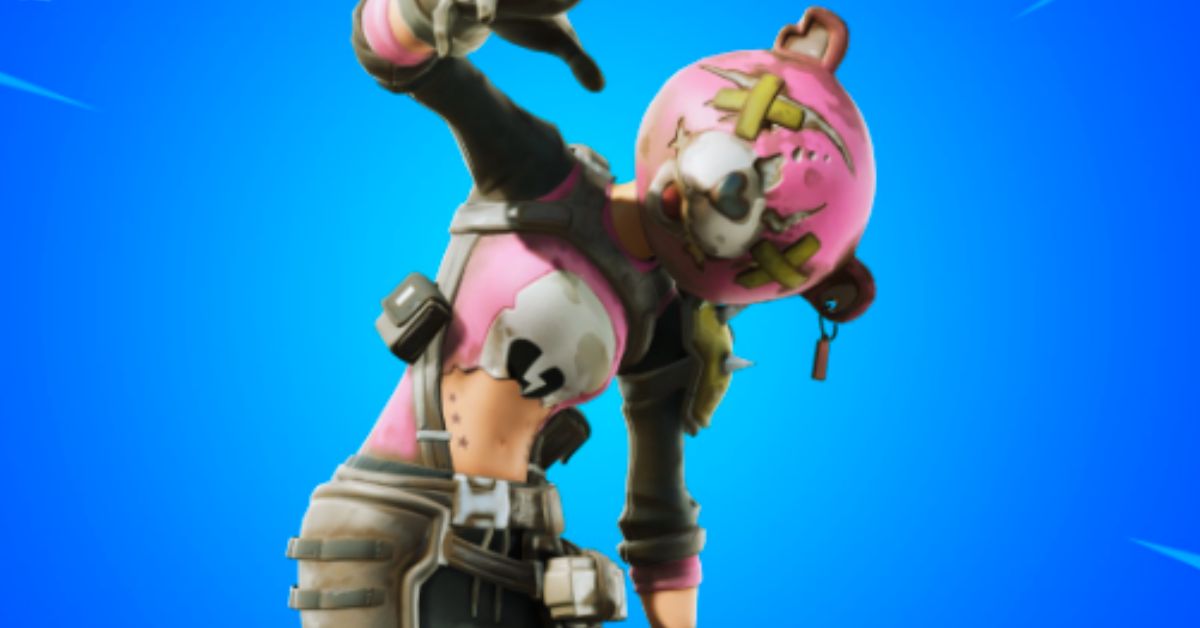
    Ragsy is an Epic Outfit in Fortnite that can be purchased from the Item Shop for 1,500 V-Bucks. Ragsy is a variant of the popular Cuddle Team Leader skin but with a more apocalyptic and militaristic look. Ragsy was first released in Season X and is part of The Leftovers Set.

    In this article, we will show you how to get and use the Ragsy skin in Fortnite, and what are the features and benefits of using it.

    How to Get the Ragsy Skin in Fortnite?

    The Ragsy skin is not always available in the Item Shop, as it rotates in and out of the shop periodically. The skin usually appears in the shop around Halloween or other special occasions, such as Community Choice events. The skin costs 1,500 V-Bucks, which is equivalent to $15 in real money.

    To get the Ragsy skin in Fortnite, you need to follow these steps:

    • Launch Fortnite and go to the Item Shop menu.
    • Check if the Ragsy skin is available in the Featured or Daily section of the shop. You can also use the search bar to look for the skin by name.
    • If the skin is available, select it and click on the Purchase button. You will need to have enough V-Bucks in your account to buy the skin.
    • Confirm your purchase and enjoy your new skin.

    How to Use the Ragsy Skin in Fortnite?

    The Ragsy skin is a cosmetic item that you can use to change the appearance of your character in Fortnite. The skin does not affect your gameplay or performance, but it can make you stand out from the crowd and show off your style.

    To use the Ragsy skin in Fortnite, you need to follow these steps:

    • Launch Fortnite and go to the Locker menu.
    • Select the Outfit slot and scroll through your skins until you find the Ragsy skin. You can also use the filter or the search bar to look for the skin by name or rarity.
    • Select the Ragsy skin and click on the Equip button. You can also choose to apply back bling, a pickaxe, a glider, a contrail, a wrap, or an emote that matches the skin.
    • Start a match and enjoy your new look.

    Features and Benefits of the Ragsy Skin in Fortnite

    The Ragsy skin has some features and benefits that make it a unique and attractive skin in Fortnite, such as:

    • The skin has four selectable styles that you can unlock and switch between. The styles are Default, Jacket, Glow, and Glow Jacket. The Default style is the basic version of the skin, with a pink and black colour scheme. The Jacket style adds a leather jacket and a bandana to the skin, giving it a more rugged look. The Glow style makes the skin glow in the dark, with a neon green and black colour scheme. The Glow Jacket style combines the Jacket and the Glow styles, creating a striking contrast.
    • The skin comes with a back bling called Heartless, which is a heart-shaped backpack with spikes and chains. The back bling also has four selectable styles that match the skin’s styles. The back bling can be used with any other skin, and the skin can be used with any other back bling.
    • The skin is based on the Cuddle Team Leader skin, which is one of the most popular and iconic skins in Fortnite. The Cuddle Team Leader skin is a pink and white teddy bear costume that was first released in Season 2. The Ragsy skin is a darker and edgier version of the Cuddle Team Leader skin, with a more apocalyptic and militaristic theme. The Ragsy skin is a great way to show your love for the Cuddle Team Leader skin or to express your darker side.

    Conclusion

    The Ragsy Skin is an Epic Outfit in Fortnite that can be purchased from the Item Shop for 1,500 V-Bucks. The skin is a variant of the Cuddle Team Leader skin but with a more apocalyptic and militaristic look. The skin has four selectable styles and comes with a back bling called Heartless. The skin is a great way to stand out from the crowd and show off your style in Fortnite.

    This is everything you need to know about the Ragsy Fortnite. You can also read our games guide like Holotactics Guide and Warlock Metamorphosis Rune Guide. Stay up to date with GameEmpress.com for the most recent gaming news and guides.

  • Genshin Impact 4.3 Update Countdown: What Are the New Events and Features in It?

    Genshin Impact 4.3 Update Countdown: What Are the New Events and Features in It?

    We have released the exact schedules for server maintenance, and the Genshin Impact 4.3 upgrade will be live in less than a day. The anticipated duration of the outage is five hours, and the patch is expected to be made available shortly after that.

    Along with it, Navia and Ayaka’s Event Wishes will be out for 21 days. With a countdown showing how much time is remaining till the update, here is the full version 4.3 maintenance schedule.

    Genshin Impact 4.3 Update Countdown

    Dec 20, 2023, is when Genshin Impact 4.3 “Roses and Muskets” will be available to players. So, you’ll be able to play Genshin Impact 4.3 no matter where you are in the world when the countdown hits zero.

    Version 4.3 will likely be released in accordance with the standard maintenance schedule for new releases. Therefore, on December 20, 2023, at 3 AM (GMT), Version 4.3 will be ready. Players in the US will get the update on December 19th at 10 PM EST because of timezone variations.

    Regarding your timezone, this means:

    TIME ZONE 4.3 MAINTENANCE START TIME 4.3 MAINTENANCE END TIME
    Pacific Time (PT) 2:00 pm 7:00 pm
    Central Time (CT) 4:00 pm 9:00 pm
    Eastern Standard Time (EST) 5:00 pm 10:00 pm
    Greenwich Mean Time (GMT) 10:00 pm 3:00 am
    Central European Time (CET) 11:00 pm 4:00 am
    Indian Standard Time (IST) 3:30 am 8:30 am
    Japan Standard Time (JST), Korea Standard Time (KST)  7:00 am 12:00 pm
    Australian Eastern Standard Time (AEST) 8:00 am 1:00 pm

    Dear Travelers, The event wishes “In the Name of the Rosula,” “The Heron’s Court,” and “Epitome Invocation” to be available on December 20!

    What Are the New Characters and Weapons in Genshin Impact 4.3?

    The addition of new playable characters and weaponry is a highly anticipated aspect of the Genshin Impact 4.3 release. Each of the two parts of the update will provide a new set of banners—two for characters and one for weapons. Genshin Impact 4.3 introduces the following new characters and weapon types:

    New Characters

    Two new characters will make their debut in Genshin Impact 4.3, according to HoYoverse. The first one is Chevreuse, captain of the Special Security and Surveillance Patrol of Fontaine, while the second one is Spina di Rosula, Navia’s chief. Their weapons of choice are a polearm and a claymore, respectively.

    The version 4.3 banner schedule is as follows:

    • Phase I: Navia + Ayaka
    • Phase II: Raiden Shogun + Yoimiya, alongside Chevreuse

    New Weapons

    With version 4.3 of Genshin Impact, a new 5-star Claymore named the Verdict will be available. It will be Navia’s trademark weapon, and using it will grant the wielder Crit Rate and Attack. The update will also add the characteristic weapons of the recurrent characters.

    The weapon banner schedule is as follows:

    • Phase I: Verdict + Mistsplitter Reforged
    • Phase II: Engulfing Lightning + Thundering Pulse

    What Are the New Events and Features in Genshin Impact 4.3?

    Players can look forward to a plethora of new events and features, in addition to new characters and weapons, in the upcoming Genshin Impact 4.3 update. Some of the most notable additions and changes to Genshin Impact 4.3 are as follows:

    New Artifacts

    With the addition of the Domain of Blessing: Waterfall Wen, two new sets of artifacts will be available in version 4.3. Designed for use by Navia’s BiS, one set is focused on damage mitigation, and the other is for use by healers. A preview of the two next groups of artifacts is presented here:

    Genshin Impact shared a Tweet…

    1) Nighttime Whispers in the Echoing Woods

    • 2-Piece: ATK +18%.
    • 4-Piece: Get a 20% Geo DMG bonus for 10s after using an elemental skill. The above effect will be 150% stronger while under a shield from the Crystallize reaction. This extra boost goes away 1 second after the shield is lost.

    2) Song of Days Past

    • 2-Piece: Healing Bonus +15%.
    • 4-Piece: When the character who is equipping heals a party member, the Yearning effect will last for 6s and keep track of how much healing was done (including extra healing). The Yearning effect will change into the Waves of Days Past effect when the time is up: When a member of your current party hits an enemy with a Normal Attack, Charged Attack, Plunging Attack, Elemental Skill, or Elemental Burst, 8% of the total healing done by the Yearning effect will be added to the damage done. The Waves of Days Past effect wears off after 10 seconds or five uses. The Yearning effect can heal up to 15,000 damage, and only one copy can exist at a time. However, it can record the damage done by multiple characters who are wearing it. This effect can still happen when characters are equipped and on watch.

    New Quests

    In Genshin Impact 4.3, a new story quest called Rosa Multiflora Chapter will be added to Navia for good. You must have at least Adventure Rank 40 and finish the Fontaine part of the Archon Quest before you can start the story quest.

    Travelers who reach the required Adventure Rank and complete the prerequisite quests will be able to use a Story Key to unlock Navia’s Story Quest “Rosa Multiflora Chapter.”:

    New Events

    There will be a lot of fun events in the next patch that will give players Primogems and other things they can use in the game. Ros and Muskets, the main event of 4.3, will give players a free 4-star Claymore called Ultimate Overlord’s Mega Magic Sword.

    By taking part in the event, they can also get the ingredients they need to refine it. Here is a list of all the events coming up in v4.3 for fans who are interested:

    • Roses and Muskets
    • Dance of Resolute Will
    • Arataki Blazing Armor Beetle Battle Boot Camp
    • Lost Riches
    • Marvelous Merchandise

    New Genius Invokation TCG Cards

    Several new Genius Invokation Trading Card Game (TCG) cards will be added to Genshin Impact in version 4.3. In the patch, it is announced that the following entities will receive their character cards:

    • Lyney
    • Lynette
    • Layla
    • Yelan
    • Alhaitham
    • Gorou
    • Dvalin
    • Azhdaha
    • La Signora
    • Eremite Scorching Loremaster
    • Thunder Manifestation

    New Features and Qol Changes

    There will be a lot of new features and improvements to the gameplay experience in Genshin Impact with the 4.3 release. According to the patch notes, the following modifications will be implemented in the game:

    • Modifications to the artifact system are on the way in HoYoverse. Upgrades to the next level, including auto-lock and improved filters, are on the way. Additionally, artifacts recommended in section 4.3 will be included.
    • A new Teleport Waypoint makes it easy for players to reach Chasm, even if they haven’t unlocked it yet. A World Quest is no longer required to access the region.
    • An upcoming update will make it possible to reassign all characters to an expedition with the single press of a button.
    • Travelers can now swiftly upgrade their weapons in Genshin Impact by adding multiple materials at once.
    • Players will be able to spawn inside domains at the key trigger after resuming them starting from version 4.3.
    • For the sake of accessibility, the Adventurer’s Handbook enemy list will also be somewhat revised.

    Explore the latest updates in Genshin Impact with our comprehensive guide on the 4.2 release date. Learn about the exciting characters featured in the 4.1 Phase 2 banner and enhance your gaming experience. Stay connected with GameEmpress.com to get the latest news and updates about Genshin Impact.

  • Unblocked Games WTF: What Are the Benefits of Playing for Gamers?

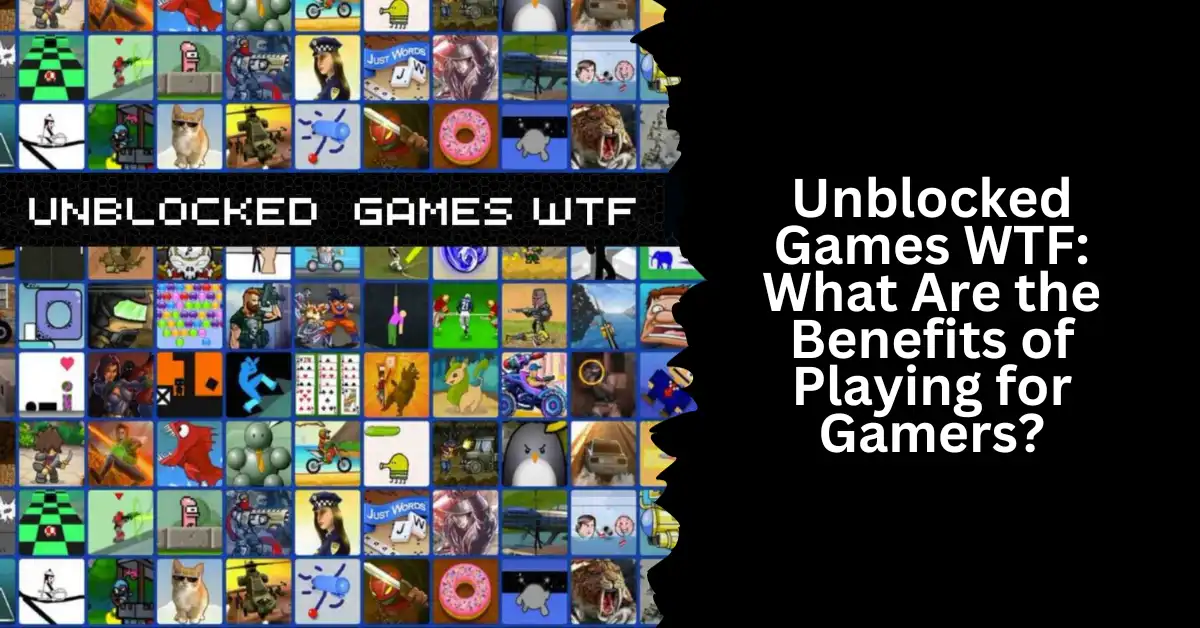
    Unblocked Games WTF: What Are the Benefits of Playing for Gamers?

    You’ve probably heard about unblocked games if you enjoy playing online games but are frequently restricted by firewalls or internet censorship. Games that are unblocked can be played without any limitations, even on networks where access to gaming websites is restricted.

    One of the most well-known unblocked game websites, Unblocked Games WTF, will be covered in this post. Everything you require to know about this website—its features, popularity, and much more—will be covered in this article. Now, let’s get started!

    What is Unblocked Games WTF?

    Games Without Blocks WTF is a website that provides a huge selection of unblocked, free online games that may be played at work, school, or college. The website is easy to navigate and find the games that people are seeking, thanks to its basic and clean design.

    There is a vast selection of games on the website, which are categorized into action, adventure, puzzle, strategy, arcade, and sports. To find particular games, users can search the search box or browse through the categories.

    The fact that Unblocked Games WTF provides games that are generally unavailable on other gaming websites is one of its primary features. These games give players a novel gaming experience and are frequently one-of-a-kind. There is always something fresh and entertaining to play, thanks to the website’s frequent updates introducing new games.

    Apart from providing an extensive selection of games, Unblocked Games WTF also offers valuable details about every game, such as a synopsis, controls, and strategies. Users who are unfamiliar with a certain game or genre may find this information extremely helpful.

    Unblocked Games WTF is an excellent option for anyone searching for cost-free unblocked games to play at home, at business, or college. It is a website that is absolutely worth checking out because of its vast game selection, user-friendly UI, and useful information.

    How to Access Unblocked Games WTF?

    Popular website Unblocked Games WTF provides a large selection of games that are not restricted by firewalls at work or school. There are two primary ways to gain access to Unblocked Games WTF: by using a VPN or by using proxy websites.

    Using a VPN: You can use a Virtual Private Network (VPN) service to browse the internet safely and privately. With a virtual private network (VPN), your internet connection is encrypted and routed via a server situated in a foreign nation. This can help you get around firewalls and visit websites that are restricted in your present area by making it appear as though you are accessing the internet from a different place.

    Use a VPN to access Unblocked Games WTF by doing the following:

    • Select a trustworthy VPN service supplier.
    • Install the VPN program on your device after downloading it.
    • Establish a connection with a foreign server.
    • Click on the web browser icon and go to Unblocked Games WTF.

    Using Proxy Sites: Websites known as “proxy sites” serve as go-betweens for your device and the internet. Your internet connection is routed through the proxy server when you utilize a proxy site, which enables you to get around firewalls and visit prohibited websites.

    You might also like to read about these other unblocked games:

    Use a proxy site to visit Unblocked Games WTF by doing the following steps:

    • Look up a trustworthy proxy website online.
    • In the search field of the proxy website, type the URL for Unblocked Games WTF.
    • To search, click the button or hit Enter.
    • Await the Unblocked Games WTF webpage loading on the proxy site.

    It is crucial to remember that using proxy sites can be dangerous because they might not be safe and might give hackers access to your data. Consequently, because a VPN provides a higher level of protection and privacy, it is advised to utilize one instead.

    Popular Games on Unblocked Games WTF

    Unblocked Games WTF
    Unblocked Games WTF

    Games Without Ads There is a lot of fun on WTF. However, some of them are more played than others. Some of the most played games here are:

    Run 3: Exciting space sprinting and jumping is what you’ll find in Run 3. As you go through the game’s levels, the difficulty rises.

    Happy Wheels: You get to drive a car through a variety of hazards and traps in the entertaining and gory game Happy Wheels. A variety of playable characters, each with their own set of skills, add depth and variety to the game.

    Slope: Excitingly, in Slope, you guide a ball through a maze of obstacles. With each level you complete, the game’s difficulty rises.

    How Secure are Unblocked Games WTF?

    Using Unblocked Games WTF will not put you in danger. No applications or plugins are needed to access the website; thus, it is safe to use on any device. Little ones might not be able to handle the graphic or violent nature that some of the games on the site include.

    Why Are Unblocked Games WTF So Trending Right Now?

    Games Without Ads There are several reasons why WTF is a well-liked website. The website offers a wide variety of games that cover a wide range of interests. Furthermore, everyone may use and browse the website with ease. Finally, new games are added to the website on a regular basis so users can enjoy the newest games available.

    Benefits of Playing Unblocked Games WTF

    An excellent method to decompress and unwind after a demanding work or school day is to play games. Popular website Unblocked Games WTF provides a large selection of free-to-play games. The following are a few advantages of playing Unblocked Games WTF:

    1. Accessible Anywhere

    The ability to play Unblocked Games WTF from any location is one of its main advantages. You can play these games on a computer, tablet, or smartphone as long as you have an internet connection.

    2. Improves Focus and Concentration

    Concentration and focus are necessary when playing video games, particularly when attempting to beat a high score or finish a difficult level. A variety of games are available on Unblocked Games WTF to help you become more focused and attentive.

    3. Relieves Stress

    One excellent method to decompress is to play video games. Playing a game helps divert your attention from stress since it keeps you concentrated on the subject at hand.

    4. Provides Entertainment

    From action games to puzzle games, Unblocked Games WTF has a huge selection of games that will keep you entertained for hours on end. Unblocked Games WTF offers a variety of games for all players, whether they’re searching for something short to do during a break or something longer to play in their spare time.

    5. Free to Play

    You may play every game on Unblocked Games WTF for free. This implies that you won’t have to pay a dollar to spend hours of entertainment.

    To sum up, there are a lot of advantages to playing Unblocked Games WTF, such as accessibility, enhanced concentration and focus, stress alleviation, amusement, and free gameplay.

    Conclusion

    Games Without Ads The World of Warcraft website gives users unrestricted access to a library of games. Some students find that the school’s network regulation prevents them from playing games during their leisure time, so they turn to this website instead. The website is a favorite among online gamers due to its frequent updates, user-friendliness, and security.

    We appreciate your interest in our website! Make Gameempress.com your go-to site for gaming information.

  • Vapid Aleutian GTA 5: How To Get, Customize, And Use The New SUV?

    Vapid Aleutian GTA 5: How To Get, Customize, And Use The New SUV?

    Vapid Aleutian is a new SUV that was added to GTA 5 Online as part of the December 2023 update. The vehicle is based on the real-life Ford Expedition and features a sleek design, a spacious interior, and a powerful engine.

    The vehicle also comes with some unique features, such as armor plating, slick mines, a remote control unit, and a missile lock-on jammer, that can be upgraded at an Agency Workshop.

    In this article, we will show you how to get, customize, and use the Vapid Aleutian in GTA 5 Online. We will also provide some tips and tricks on how to make the most of this versatile vehicle.

    How to Get the Vapid Aleutian in GTA 5 Online?

    The Vapid Aleutian can be purchased in GTA 5 Online from Legendary Motorsport for a price of $1,835,000. The vehicle can be stored in any of your Properties/Garages as a Personal Vehicle. You can also request the delivery of the vehicle from the Mechanic.

    Vapid Aleutian GTA 5
    Vapid Aleutian GTA 5

    Alternatively, you can get the Vapid Aleutian for free by completing a special mission called “The Chop Shop”. This mission is available after you purchase an Agency from the Maze Bank Foreclosures website and hire Imani as your Agency Tech.

    The mission involves stealing the Vapid Aleutian from a rival agency and delivering it to your Agency Workshop. Once you complete the mission, you will unlock the Vapid Aleutian as a reward.

    How to Customize the Vapid Aleutian in GTA 5 Online?

    The Vapid Aleutian can be customized at any Los Santos Customs or your Agency Workshop. You can modify the vehicle’s appearance, performance, and features. Here are some of the customization options available for the Vapid Aleutian:

    • Appearance: You can change the vehicle’s colour, livery, wheels, windows, lights, hood, grille, bumpers, skirts, spoilers, roof, and exhaust. You can also add some cosmetic accessories, such as flags, antennas, and ornaments.
    • Performance: You can upgrade the vehicle’s engine, brakes, transmission, suspension, and turbo. You can also add some performance-enhancing features, such as bulletproof tires, armour, and explosives.
    • Features: You can add some unique features to the vehicle, such as armour plating, slick mines, a remote control unit, and a missile lock-on jammer. These features can be activated by pressing the right d-pad button on your controller. The armour plating increases the vehicle’s durability and reduces the damage from explosives. The slick mines drop oil slicks behind the vehicle that cause other vehicles to lose control. The remote control unit allows you to control the vehicle remotely from your phone or a nearby RC Bandito. The missile lock-on jammer prevents homing missiles from locking onto the vehicle.

    You might also be interested in the following gaming news:

    How to Use the Vapid Aleutian in GTA 5 Online?

    The Vapid Aleutian is a versatile vehicle that can be used for various purposes in GTA 5 Online. You can use it for missions, heists, races, free mode events, or just for cruising around the map. Here are some tips and tricks on how to use the Vapid Aleutian effectively:

    • Use the vehicle’s features wisely. The vehicle’s features can give you an edge in combat or help you escape from danger. However, they also have some drawbacks and limitations. The armour plating reduces the vehicle’s speed and handling. The slick mines have a limited supply and can also affect your allies. The remote control unit has a limited range and can be hacked by other players. The missile lock-on jammer does not work against some weapons, such as the Orbital Cannon or the Oppressor MK II.
    • Use the vehicle’s size and power to your advantage. The vehicle’s size and power can help you ram through obstacles, push other vehicles, and climb steep hills. However, they also make the vehicle more visible and vulnerable to attacks. You should avoid narrow streets, low bridges, and tight corners, as they can slow you down or damage your vehicle. You should also be careful of explosive barrels, gas stations, and mines, as they can cause massive damage to your vehicle.
    • Use the vehicle’s interior and trunk space to your benefit. The vehicle’s interior and trunk space can allow you to carry more passengers, weapons, and items. You can also use the vehicle’s interior to hide from enemies, snipe from a distance, or heal yourself. However, you should also be aware of the vehicle’s windows, doors, and sunroof, as they can expose you to enemy fire. You should also lock your vehicle when you leave it, as other players can steal your vehicle or your items.

    We appreciate your interest in our website! Make Gameempress.com your go-to site for gaming information.

  • Unblocked Games 66: The Ultimate Website for Free Online Games

    Unblocked Games 66: The Ultimate Website for Free Online Games

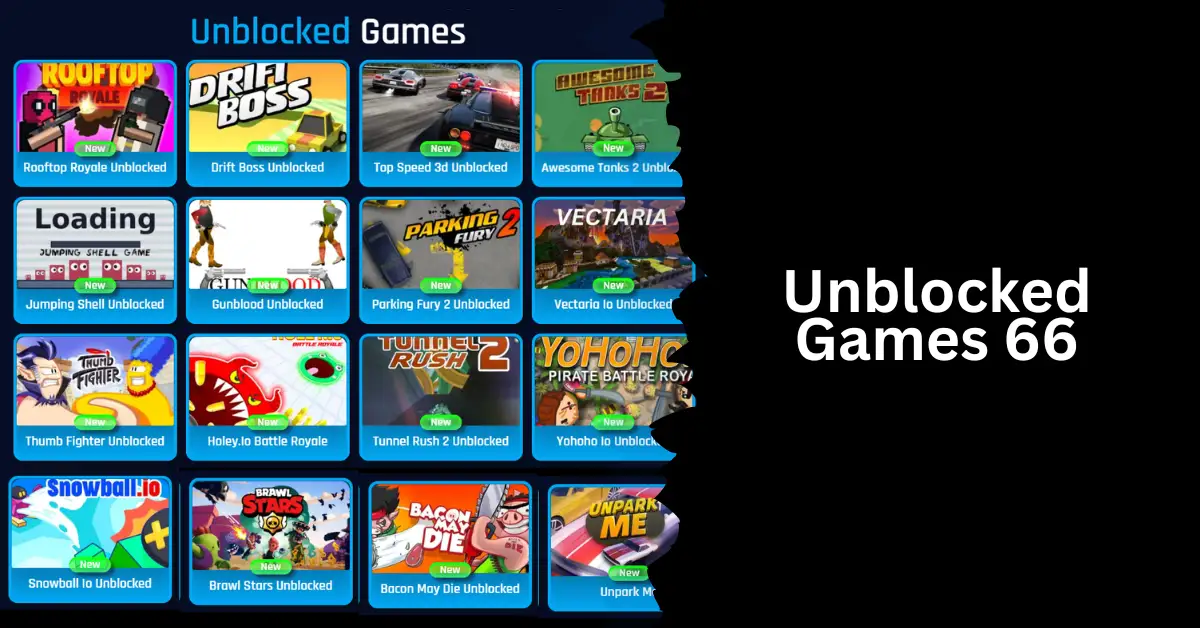
    If you’re at work or school and have internet limitations that prevent you from playing some games, you may still enjoy them on Unblocked Games 66. “Unblocking” games allow users to bypass internet restrictions and access a vast library of games, ranging from modern online multiplayer games to classic arcade games, which can be a great way to kill time in the office or classroom.

    Unblocked Games 66 EZ is a great resource that they can provide you with. Now is the time to find out more about them!

    Explore the Incredible Unblocked Games 66 EZ

    If you’re in a place where access to other gaming websites is limited, such as a library, business, or school, you may still enjoy playing free unblocked games at Unblocked Games 66 EZ. They play the games because of this, and they are called unblocked.

    Genres, including sports, action, puzzles, and more, define the wide variety of online games available. Playing it during free time or breaks at work or school is something its users look forward to because of how thrilling it is.

    Why are Unblocked Games Interesting?

    With unblocked games, all you need is an internet connection to have a blast. So, there’s no excuse not to treat yourself to some quality amusement on your next break. Everybody’s favorite genre is there, whether it’s racing, puzzles, or action-packed adventures. For the curious, they have a special game that draws in customers.

    Unblocked Games 66 EZ: Your Perfect Destination:

    Unblocked Games 66

    For students or anyone looking for some short games, it offers a small selection of unblocked games. This is the reason it is unique:

    A Large Game Library: Unblocked Games 66 EZ offers a wide variety of content, so players can always find something they like. From the most played Flash games to the best HTML5 games, you’ll never run out of things to do.

    No Need to Register: You won’t have to go through any tedious sign-up or login processes at Unblocked Games 66 EZ, unlike a lot of other gaming websites. You are now able to start playing any game you own immediately.

    Regular Updates: The technology also makes sure that the gaming platform’s games are constantly updated. Additionally, they have a comment section on their website where you may suggest new games that they should add to their library.

    What are Some of the Best Games to Try?

    Slope Unblocked: Thrillingly, Unblocked Slope will take you on a thrilling descent on a difficult hill. Getting around this region will need a lot of effort due to the route’s complexity and abundance of corners.

    But it would help if you watched out that nothing bad happens while you’re doing it. The game’s tunes will have you engrossed till late at night, and you’ll spend the whole day playing it.

    1v1 LOL Unblocked: Playing 1v1 LOL unblocked is a must if you enjoy tactics and smart games. Robust arenas for combat against competitors from across the world. Show the other players who are boss by outperforming them and shooting them down.

    Cookie Clicker Unblocked: Today, I’ll be discussing Cookie Clicker Unblocked, a game that is both easy to pick up and incredibly addicting. Accumulating points, which may be traded for buildings and rewards, is as simple as clicking to accomplish this. For unwinding, it’s the ideal game.

    You might also like to read about these other unblocked games:

    Safety and Security on Unblocked Games 66

    Child Protection: Their major customer base consists of youthful gamers. That is why they understand how important it is to provide a safe space for them to play games. In this way, parents may manage their children’s gaming time by enabling suitable controls within the platform.

    Ad-Free Experience: There will be moments when advertisements interrupt the rhythm of the game. Unblocked allows users to enjoy ad-free gaming, which means more time to play.

    How to Access Unblocked Games 66 EZ?

    If you are unable to access Unblocked Games 66 EZ, what steps can you take? Sure thing! The administrator of the website can assist you in fixing any issues you may be facing. But there are a few things you can do if the issues are related to geo-blocking and network issues.

    Use a Different Network: If access to gaming websites is limited on your school, college, or workplace network, you may need to try using a separate network to access the website. There may be restrictions on this network depending on whether it is your home network or a public one.

    Make Use of a VPN Service: Far too many problems with blocked content can be solved with a virtual private network (VPN). You can get around censorship by connecting to a remote server over a virtual private network (VPN). This could trick the website into thinking you’re accessing it from a foreign country.

    Look for Alternate URLs or Replicas: You might be able to find similar or even identical sites if the original one is down or has changed its name. Learn how to access a game by checking for official announcements or by visiting a message board dedicated to Unblocked Games 66 EZ.

    Use a Personal Hotspot or Mobile Data: Quickly access the website using your mobile network by connecting to your smartphone’s data or a personal hotspot.

    Try to Find Related Websites: It is also feasible to look for websites that are similar and provide the same games and services. Search online forums, message boards, and the like for details on sales.

    We appreciate your interest in our website! Make Gameempress.com your go-to site for gaming information.

  • Holotactics Guide: How To Master The Mini-Game In Star Wars Jedi: Survivor?

    Holotactics Guide: How To Master The Mini-Game In Star Wars Jedi: Survivor?

    Holotactics is a mini-game that you can play in Star Wars Jedi: Survivor, a new game mode that lets you explore the galaxy as a Jedi survivor. Holotactics is a strategic tabletop game that pits you against various opponents in simulated battles. You can use different units from the Star Wars universe, such as stormtroopers, droids, and creatures, to defeat your enemies and win rewards.

    In this holotactics guide, we will explain the basics of the game, how to unlock it, how to play it, and how to beat each opponent. We will also give you some tips and tricks on how to optimize your strategy and tactics for each match.

    What is Holotactics?

    Holotactics is a mini-game that you can access in the Pyloon Saloon, a hub area where you can interact with other characters, buy items, and accept quests. Holotactics is located in the spare room on the second floor, where you can find a holographic table and a mysterious traveller who will challenge you to a game.

    Holotactics Guide
    Holotactics Guide

    Holotactics is a turn-based game that involves placing units on a grid and watching them fight each other. You and your opponent will have 10 slots to place your units, 5 in the front row and 5 in the back row.

    You can choose from different types of units, such as melee, ranged, or special, each with its strengths and weaknesses. You can also use different factions, such as Imperials, Bedlam Raiders, or Fauna, each with their unique units and abilities.

    The game consists of three rounds, and each round has two phases: the preparation phase and the battle phase. In the preparation phase, you can spend your battle points to buy and place your units on the grid.

    You can also move or remove your units if you change your mind. In the battle phase, you can watch your units fight the enemy units automatically. The winner of each round is the one who has more units left on the grid. The winner of the game is the one who wins two out of three rounds.

    How to Unlock Holotactics?

    To unlock holotactics, you need to complete a quest called “Locate the Odd Pair”, which is part of the main story of Star Wars Jedi: Survivor. In this quest, you need to rescue Tulli Mu and Bhima Ook, two holotactics enthusiasts who were captured by the Mogu, a hostile alien race. You can find them in the Mogu Camp, a location on the planet of Dantooine.

    To rescue them, you need to fight your way through the Mogu Camp and reach the prison cell where they are held. You can use your lightsaber, force powers, and blaster to defeat the Mogu enemies. You can also use your BD-1 droid to hack terminals, open doors, and scan enemies. Once you reach the cell, you need to free Tulli and Bhima and escort them to safety.

    After you rescue them, they will join you in the Pyloon Saloon and set up the holotactics table in the spare room. You can then talk to them and start playing the game. You can also talk to the mysterious traveller, who will offer you more challenges and rewards.

    How to Play Holotactics?

    To play holotactics, you need to interact with the holotactics table in the spare room of the Pyloon Saloon. You can then choose an opponent to challenge from a list of eight characters. Each opponent has a different difficulty level, a different faction, and a different reward for beating them. You can also see their stats, such as their win rate, their best time, and their best score.

    Once you choose an opponent, you will enter the game screen, where you can see the grid, your units, your battle points, and your opponent’s units. You can also see the round number, the timer, and the start fight button. You can then start the preparation phase, where you can buy and place your units on the grid.

    You can use the left and right arrows to scroll through your available units, and the up and down arrows to select a slot to place them. You can also use the X button to remove a unit from a slot, and the O button to move a unit to a different slot. You can see the cost, the stats, and the description of each unit by hovering over them.

    When you are ready, you can press the start fight button to begin the battle phase. You can then watch your units fight the enemy units automatically. You can use the left and right arrows to move the camera and get a better view of the action.

    You can also use the triangle button to pause the game and the square button to speed up the game. You can see the health bars and the status effects of each unit by hovering over them.

    The battle phase will end when one side has no units left on the grid, or when the timer runs out. The winner of the round will be the one who has more units left, or more health points in case of a tie.

    The winner of the game will be the one who wins two out of three rounds. You can then claim your reward and choose another opponent, or exit the game and return to the Pyloon Saloon.

    How to Beat Each Opponent?

    To beat each opponent in holotactics, you need to use the right strategy and tactics for each match. You need to consider the faction, the units, and the abilities of your enemy, and choose the best units and placements for your side. You also need to adapt to the changing situations and use your battle points wisely. Here are some tips and tricks on how to beat each opponent:

    Turgle

    Turgle is the first and easiest opponent in holotactics. He uses the Imperial faction, which consists of stormtroopers, scouttroopers, and flametroopers. He has a simple strategy of placing melee units in the front row and ranged units in the back row. He has no special abilities or tricks.

    To beat Turgle, you can use any faction you want, as long as you have a balanced mix of melee and ranged units. You can also use some special units, such as the roller mine, the B1 droid, or the flame trooper, to deal extra damage and disrupt his formation.

    You can place your units in a similar way as him, or you can try to flank him from the sides or the back. You can also use your force powers, such as force push, force pull, or force lightning, to knock back or stun his units.

    Greez

    Greez is the second and slightly harder opponent in holotactics. He uses the Bedlam Raider faction, which consists of pirates, smugglers, and bounty hunters. He has a more aggressive strategy of placing melee units in the front row and special units in the back row.

    He has some special abilities, such as the jetpack, the thermal detonator, and the rocket launcher, that can deal high damage and cause explosions. To beat Greez, you can use any faction you want, as long as you have some units that can survive his attacks and counter his abilities.

    You can use some units that have high armour, high health, or high dodge, such as the stormtrooper, the Wampa, or the Rancor, to tank his damage and protect your other units. You can also use some units that have high damage, high range, or high speed, such as the sniper, the AT-ST, or the speeder bike, to deal damage and avoid explosions.

    You can also use your force powers, such as force heal, force barrier, or force choke, to heal yourself, shield yourself, or disable his units.

    You might also be interested in the following game guide:

    Tulakt

    Tulakt is the third and moderately hard opponent in holotactics. He uses the Fauna faction, which consists of animals, plants, and insects. He has a more defensive strategy of placing ranged units in the front row and melee units in the back row.

    He has some special abilities, such as the venom, the spore, and the web, that can poison, blind, or immobilize your units. To beat Tulakt, you can use any faction you want, as long as you have some units that can break through his defence and resist his abilities.

    You can use some units that have high attack, high penetration, or high critical, such as the flame trooper, the AT-AT, or the assassin droid, to deal damage and bypass his armour and health.

    You can also use some units that have high resistance, high regeneration, or high cleanse, such as the B2 droid, the bantha, or the ewok, to resist its effects and recover your health and status. You can also use your force powers, such as force blast, force wave, or force purge, to damage, knock back, or cleanse his units.

    We appreciate your interest in our website! Make Gameempress.com your go-to site for gaming information.

  • Warcraft Rumble 3.0.0 Patch Notes: Surges Unleashed, Balance Reshaped!

    Warcraft Rumble 3.0.0 Patch Notes: Surges Unleashed, Balance Reshaped!

    Chimaera, try the most recent Beast Patrol. Arathi Basin, as well as two new emotes. In PvP, we’ve boosted the leader Honor and created smaller copies obtained from a group of honor rewards. Leaders/Thirty Surgeed (Cleaning Heads) with advanced ascendance ability have been changed.

    Warcraft Rumble 3.0.0 Patch Notes

    Warcraft Rumble Heroic Guide
    Warcraft Rumble Heroic Guide

    Arclight Surge

    • Arclight Surge will now surge 1 zone 4 times per week (Sunday, Tuesday, Thursday, and Saturday), instead of 2 zones 2 times per week (Sunday and Thursday).
    • Towers will no longer attack chests during Guild Armaments surges.
    • Cairne Bloodhoof should no longer lose his Bloodlust buff after resurrecting during Bloodsport surges.
    • Coins from Arclight Surge will no longer claim themselves before the reward is tapped.
    • Big Red Buttons from completing an Arclight Surged zone will show in inventory without requiring a restart.

    Leaders

    Bloodmage Thalnos

    • Damage has been increased from 140 to 150.

    Grommash Hellscream

    • Health has been increased by 10%.

    Minis

    • Tapping a Mini’s level now displays a tooltip showing all of its bonus levels and their sources.

    Talents

    Baron Rivendare

    • The Skeleton Mage spawn frequency of Chill of the Grave has been increased for Towers to 18 seconds, from 15 seconds.

    Bloodmage Thalnos

    • The Lifesteal gained from Drain Life has been increased from 8% to 10%.

    Blizzard

    • Cold Snap should now slow movement as intended, instead of applying a Stun.

    Dark Iron Miner

    • AOE Damage triggered by Gold Mine should no longer damage flying Troops.

    Darkspear Troll

    • Headhunting now properly stacks more than once.

    Defias Bandits

    • Pick Lock should no longer grant Gold to an enemy if they claim the chest after the player’s Bandits have attacked it.

    Cheat Death

    • Apocalypse now summons affected Skeletons randomly on the left or right side of the Barracks. Previously, affected Skeletons would always spawn in the top left corner of the Barracks.

    Frostwolf Shaman

    • Earthwall Totem should no longer be cast before the Shaman encounters a damaged building.
    • Earth Shield should no longer be cast on buildings.

    General Drakkisath

    • Piercing Blow’s vertical range has been reduced to 2.5, from 3.5, to match his default ability and improve ability behavior on ramps. He should now move closer to the enemy or up/down a ramp before attacking, enabling his attack to hit enemies appropriately.

    Gryphon Rider

    • Air Drop potions should no longer be consumed by chests.

    Maiev Shadowsong

    • Remorseless should now deal double damage, instead of triple damage.

    Plague Farmer

    • Plague Farmer should now actually receive extra range and splash area when the Splashing Pumpkins Talent is equipped!

    Tirion Fordring

    • Divine Shield should now properly block attacks from General Drakkisath.
      Quilboar
    • Bramble Burst’s timing has been adjusted to better sync up with visual effects.

    Additional Changes

    • Burn now has a 0.5 second delay before the first tick of damage is dealt. Reapplying Burn rapidly will not cause this 0.5 second delay to reset, ensuring Burn damage is dealt consistently regardless of application frequency.

    Player vs Player

    • Increased the rate at which Leaders gain Honor in PvP.
    • Updated the rewards for 4300 and 9600 Honor to Major Leader Tome, from Modest Tome.
    • The number of Mini copies received from PvP Honor rewards has been rebalanced to provide more copies earlier.
    Original Player Honor New
    1 10,000 4
    2 12,000 4
    4 15,000 4
    8 17,000 6
    15 19,000 10

    Dungeons

    • The Basilisk Fang Relic now deals the correct amount of damage.
    • Band of the Arcanist and Band of the Protector Relics should now appropriately work with Charlga.
    • Dungeons no longer forbid players from proceeding for 10 minutes if a match fails to start properly.

    Bug Fixes

    • Fixed an issue with the continue button not being tappable at the end of a game. We swear…probably.
    • Old rewards should no longer fail to claim when players use multiple devices.
    • Fixed an issue that prevented some Sigil rewards on the Path of Onyxia from being claimed.
    • Chain Lightning should no longer bounce to Sylvanas’ Banshee multiple times when used to kill Sylvanas.
    • Rend Blackhand and Gyth’s Range stat are now properly grouped with their other respective stats.
    • Chimaera’s stat page should now show the correct damage for each individual head.
    • Frostwolf Shaman’s healing should now match what is shown on the stat page.
    • Abomination should no longer be able to hook Minis on a bridge above him.
    • Core Hounds can now resurrect their buddies if they get Stealthed.
    • Fixed a couple enemy Armies that had multiple copies of Harpies in their deck, causing them to be able to play Harpies back to back.

    This is everything you need to know about the Warcraft Rumble 3.0.0 Patch Notes. You can also read our games patch notes like WoW SoD Patch Notes Dec 19 and Pokemon Unite 1.13.1.2 Patch Notes. Stay up to date with GameEmpress.com for the most recent gaming news and guides.

  • WoW SoD Patch Notes Dec 19: Mana Mania! Shamans And Paladins Rejoice!

    WoW SoD Patch Notes Dec 19: Mana Mania! Shamans And Paladins Rejoice!

    Except for the Winter Veil deployment, the modifications to Season of Discovery have been modest. However, the December 19 patch made certain changes to the classes. Let’s take a look at the WoW Classic: SoD patch notes for today and see what they include.

    WoW SoD Patch Notes Dec 19

    The December 19 patch changes, announced in a blue post on the official World of Warcraft forums, are pretty significant considering they, and the talents they effect, are deviations from the tried and true vanilla WoW paradigm.

    WoW SoD Patch Notes Dec 19
    WoW SoD Patch Notes Dec 19

    That’s the whole point of this “Season of Discovery” thing, and I’m sure most of us are interested in how Blizzard will continue to tweak it. But for now, here’s what you can expect when you log in:

    Mage

    • Living Flame now benefits from and consumes Arcane Blast.

    Paladin

    • Avenger’s Shield’s movement slow is now properly considered a Snare and can be removed by effects that remove movement impairing effects.
    • Mana granted by Seal of Martydom to party and raid members has been increased.
    • Seal of Martyrdom now grants all party and raid members 20% of damage the Paladin takes from the seal (was 10%).

    Rogue

    • Blade Dance has been updated to grant 10% parry at all ranks, rather than increasing parry chance per combo point. The only effect of more combo points is now increased duration.

    Shaman

    • Mana granted by Shamanistic Rage to party and raid members has been increased. Shamanistic Rage now grants party and raid members 20% of the mana gained by the Shaman (was 10%).

    Professions

    • Tailors may now learn and craft Invoker’s Cord and Invoker’s Mantle. Both grant additional spell damage and healing. These recipes can be purchased from Borya in Orgrimmar or Elynna in Darnassus.

    This is everything you need to know about the WoW SoD Patch Notes Dec 19. You can also read our games patch notes like God Of War Ragnarok Valhalla 05.03 Patch Notes and Rogue Trader 1.0.71 Patch Notes. Stay up to date with GameEmpress.com for the most recent gaming news and guides.

  • Warlock Metamorphosis Rune Guide: How To Become A Demon Tank In WoW Classic Season Of Discovery?

    Warlock Metamorphosis Rune Guide: How To Become A Demon Tank In WoW Classic Season Of Discovery?

    The Warlock metamorphosis rune is a new feature in WoW Classic Season of Discovery that allows you to transform into a powerful demon and tank for your party. This rune is one of the most sought-after items in the game, as it gives you access to a unique and fun playstyle that was never possible before.

    However, getting this rune is not easy, as it requires you to complete a long and challenging questline that spans across multiple zones and dungeons.

    In this guide, we will show you how to get the warlock metamorphosis rune, what it does, and how to use it effectively in combat. We will also provide some tips and tricks on how to optimize your gear, talents, and rotation for demon tanking.

    What is Warlock Metamorphosis Rune?

    Warlock Metamorphosis Rune Guide
    Warlock Metamorphosis Rune Guide

    The Warlock metamorphosis rune is a new item that was introduced in the WoW Classic Season of Discovery. It is a rune that can be engraved on your gloves, and it grants you the ability to cast Metamorphosis, a spell that transforms you into a demon for 30 seconds. While in demon form, you gain the following benefits:

    • Your armour is increased by 600%.
    • Your threat generation has increased by 500%.
    • Your melee attack power is increased by 20% of your spell power.
    • You gain access to new abilities, such as Demon Charge, Immolation Aura, and Demonic Slash.

    Metamorphosis has a 3-minute cooldown, and it consumes 50% of your maximum mana when cast. You can cancel the transformation at any time by right-clicking the buff icon.

    How to Get Warlock Metamorphosis Rune?

    To get the warlock metamorphosis rune, you need to complete a questline that starts in The Barrens and ends in Ashenvale. The questline is available for both Horde and Alliance players, and it involves collecting various items, killing enemies, and performing rituals. Here are the steps to get the warlock metamorphosis rune:

    Collect the Orb of Des and the Bough of Altek

    The first step is to collect two items that are hidden in two towers in different zones. The Orb of Des is located in the Tower of Ilgalar in Redridge Mountains, and the Bough of Altek is located in the Tower of Althalaxx in Darkshore. You need to climb to the top of each tower and loot the items from the chests. Be careful, as the towers are guarded by elite enemies that can be hard to solo.

    Start the Questline in the Barrens

    The next step is to go to The Barrens and find Doan Karhan, a human NPC that is located near Camp Taurajo [49, 57]. He will offer you the quest The Orb of Soran’ruk, which requires you to collect four items:

    • 3 Soran’ruk Fragments, which drop from Twilight Acolytes in Zoram Strand in Ashenvale or Blackfathom Deeps dungeon.
    • 1 Large Soran’ruk Fragment, which drops from Shadowfang Darksouls in Shadowfang Keep dungeon.

    After you collect the items, return to Doan Karhan and turn in the quest. He will then give you the next quest, which requires you to turn in the Orb of Des and the Bough of Altek that you collected earlier.

    Collect the Blood of the Legion and Perform the Ritual

    The third step is to collect 10 Blood of the Legion from various demons in Demon Fall Ridge in Ashenvale. The demons are Felguard Legionnaires, Legion Hounds, Mannoroc Lashers, and Searing Infernals. After you collect the blood, go to the summoning circle at [79, 80] and interact with it to start a ritual.

    You will need to use Drain Soul on each demon that spawns in the circle and finish off the Searing Infernal with a killing blow. A Mysterious Traveler will then appear and offer you the final quest.

    Return to Doan Karhan and Get the Rune

    The last step is to go back to The Barrens and turn in the quest to Doan Karhan. He will then reward you with the warlock metamorphosis rune. Right-click the rune to learn it and engrave it on your gloves. Congratulations, you can now become a demon tank!

    How to Use Warlock Metamorphosis Rune?

    To use the warlock metamorphosis rune, you need to cast Metamorphosis when you are in combat. You will transform into a demon and gain the benefits mentioned above. You can then use your new abilities to tank for your party and deal damage to your enemies. Here are some tips and tricks on how to use the warlock metamorphosis rune effectively:

    • Use Metamorphosis when you need to generate a lot of threats or survive a burst of damage. For example, you can use it at the start of a boss fight, when you pull a large group of mobs, or when you face a powerful enemy.
    • Use Demon Charge to close the gap with your target and stun them for 3 seconds. This is useful for interrupting casts, preventing escapes, or initiating combat.
    • Use Immolation Aura to deal fire damage to all enemies within 8 yards of you every second. This is useful for increasing your threat and damage output, especially against multiple enemies.
    • Use Demonic Slash to deal physical damage to your target and reduce their armour by 15% for 15 seconds. This is useful for increasing your damage and making your target more vulnerable to your attacks and your allies.
    • Use your normal spells and abilities when Metamorphosis is on cooldown. You can still use your curses, dots, drains, and nukes to deal damage and support your party. You can also use your demon pet to help you tank or deal extra damage.
    • Use your defensive cooldowns and consumables when needed. You can use Hearthstone, Soulstone, Shadow Ward, Death Coil, and other items and spells to heal yourself, avoid damage, or escape from danger. You can also use potions, elixirs, flasks, and food to boost your stats and performance.

    How to Optimize Your Gear, Talents, and Rotation for Demon Tanking?

    To optimize your gear, talents, and rotation for demon tanking, you need to focus on the following stats and skills:

    • Stamina: This is your most important stat, as it increases your health and survivability. You want to have as much stamina as possible, especially when you are tanking hard-hitting enemies or bosses.
    • Spell Power: This is your second most important stat, as it increases your damage and healing output. You want to have enough spell power to deal decent damage and threat, as well as to heal yourself with your drains and Hearthstone.
    • Armour: This is your third most important stat, as it reduces the physical damage you take. You want to have enough armour to mitigate some of the damage, especially when you are not in demon form. However, you don’t need to stack too much armour, as you will get a huge boost from Metamorphosis.
    • Hit Rating: This is your fourth most important stat, as it increases your chance to hit your enemies with your spells and abilities. You want to have enough hit rating to avoid missing your attacks, especially your Demonic Slash, which is your main source of damage and threat. You need a 9% hit rating to reach the cap for spells, and an 8% hit rating to reach the cap for melee attacks.
    • Critical Strike Rating: This is your fifth most important stat, as it increases your chance to deal double damage with your spells and abilities. You want to have some critical strike rating to increase your damage and threat output, as well as to procure some of your talents and effects. However, you don’t need to stack too much critical strike rating, as you will get a decent amount from your gear and buffs.
    • Other Stats: The other stats, such as intellect, spirit, haste, and resilience, are not very important for demon tanking, as they have little impact on your performance. You can ignore them or get them as secondary stats on your gear.

    You might also be interested in the following game guide:

    As for your talents, you want to follow a hybrid build that combines the best of the Affliction, Demonology, and Destruction trees. Here is an example of a 30/21/0 build that you can use for demon tanking:

    • Affliction: You want to get the following talents from the Affliction tree: Improved Corruption, Improved Curse of Agony, Suppression, Improved Drain Soul, Amplify Curse, Nightfall, Grim Reach, Empowered Corruption, Shadow Mastery, and Contagion. These talents will increase your damage and threat output with your curses and dots, as well as give you some mana and health regeneration and procs.
    • Demonology: You want to get the following talents from the Demonology tree: Improved Healthstone, Improved Imp, Demonic Embrace, Fel Intellect, Fel Domination, Fel Stamina, Master Summoner, Unholy Power, Improved Enslave Demon, Demonic Sacrifice, and Master Demonologist. These talents will increase your health and survivability, as well as your pet’s performance and utility. You can also use Demonic Sacrifice to sacrifice your pet and gain a passive bonus, such as increased damage, health regeneration, or resistance.
    • Destruction: You don’t need to get any talents from the Destruction tree, as they are not very useful for demon tanking. You can save your points for other trees or spend them on some

    We appreciate your interest in our website! Make Gameempress.com your go-to site for gaming information.

  • Is Killing Floor 2 Crossplay A Reality In 2023? Unveiling Cross-Platform Possibilities!

    Is Killing Floor 2 Crossplay A Reality In 2023? Unveiling Cross-Platform Possibilities!

    Killing Floor 2 is a co-op shooter game that pits up to six players against hordes of mutated zombies, known as Zeds, in various locations and scenarios. The game was developed by Tripwire Interactive and was released in 2016 for PC, PlayStation 4, and Xbox One. The game has received several updates and expansions since then, adding new content, features, and improvements.

    One of the most requested features by the fans of Killing Floor 2 is crossplay, or the ability to play with other players across different platforms. Crossplay can enhance the multiplayer experience by increasing the player base, reducing the matchmaking time, and allowing friends to play together regardless of their devices. However, not all games support crossplay, and some games have limited or partial crossplay options.

    So, is Killing Floor 2 crossplay in 2023? The answer is yes, but only between PC players. In this article, we will explain what crossplay is, how it works in Killing Floor 2, and what are the benefits and drawbacks of crossplay in this game.

    Is Killing Floor 2 Crossplay?

    Crossplay, or cross-platform play, is a feature that allows players to play a multiplayer game with other players who are using different platforms, such as PC, PlayStation, Xbox, Nintendo, or mobile devices. Crossplay can be enabled or disabled by the game developers, depending on their technical and contractual capabilities and preferences.

    Is Killing Floor 2 Crossplay
    Is Killing Floor 2 Crossplay

    In Killing Floor 2, crossplay is only available between PC players who are using Steam or the Epic Games Store (EGS). This means that players who have the game on Steam can play with players who have the game on EGS, and vice versa.

    However, crossplay is not available between PC and console players, or between console players of different platforms. This means that players who have the game on PlayStation 4, Xbox One, or any other platform cannot play with players who have the game on PC, or on another console platform.

    To enable crossplay in Killing Floor 2, PC players need to follow these steps:

    • Launch the game and go to the Online Matchmaking menu.
    • Select the Crossplay option and toggle it on or off, depending on your preference.
    • If you toggle it on, you will be able to join or create matches with players who are using Steam or EGS, regardless of your platform.
    • If you toggle it off, you will only be able to join or create matches with players who are using the same platform as you, either Steam or EGS.

    What Are the Benefits and Drawbacks of Crossplay in Killing Floor 2?

    Crossplay in Killing Floor 2 can offer some benefits and drawbacks for the players, such as:

    Benefits

    • Crossplay can increase the number of players who are available for online matches, making it easier and faster to find and join matches that suit your preferences and skill level.
    • Crossplay can allow you to play with your friends who have the game on a different PC platform, either Steam or EGS, without having to buy or download the game again on another platform.
    • Crossplay can enhance the diversity and variety of online matches, as you can encounter and interact with players who have different playstyles, strategies, and personalities.

    Drawbacks

    • Crossplay can create some technical and performance issues, such as lag, glitches, or crashes, due to the different platforms and servers that are involved in the online matches.
    • Crossplay can cause some balance and fairness problems, as some platforms may have advantages or disadvantages over others, such as graphics, controls, or mods.
    • Crossplay can affect the communication and coordination of online matches, as some platforms may have different or limited chat and voice options, or different languages and cultures.

    You might also like to know about if these other games are cross-platform or not:

    Conclusion

    Killing Floor 2 is a co-op shooter game that supports crossplay, but only between PC players who are using Steam or EGS. Crossplay can offer some benefits and drawbacks for the players, depending on their preferences and expectations.

    Crossplay is not available between PC and console players, or between console players of different platforms, and there is no official announcement from the developers regarding the expansion of crossplay to include other platforms. Therefore, if you want to play Killing Floor 2 with other players across different platforms, you will have to wait and hope for the developers to implement it in the future.

    We appreciate your interest in our website! Make Gameempress.com your go-to site for gaming information.

  • Is Granblue Fantasy Relink Crossplay? A Guide For PlayStation And PC Players

    Is Granblue Fantasy Relink Crossplay? A Guide For PlayStation And PC Players

    Granblue Fantasy Relink is an action RPG based on the popular mobile game Granblue Fantasy. The game features a vast open world, a rich story, and a diverse cast of characters, as well as a co-op mode that allows up to four players to team up and explore the world together. One of the most anticipated features of Granblue Fantasy Relink is crossplay, or the ability to play with other players across different platforms.

    Crossplay can enhance the multiplayer experience by increasing the player base, reducing the matchmaking time, and allowing friends to play together regardless of their devices. However, not all games support crossplay, and some games have limited or partial crossplay options.

    Is Granblue Fantasy Relink Crossplay?

    In Granblue Fantasy Relink, crossplay is only available between PC players who are using Steam or the Epic Games Store (EGS), and PlayStation players who are using PlayStation 4 or PlayStation 5.

    Is Granblue Fantasy Relink Crossplay?
    Is Granblue Fantasy Relink Crossplay?

    This means that players who have the game on Steam can play with players who have the game on EGS, PlayStation 4, or PlayStation 5, and vice versa. However, crossplay is not available between PC and Xbox players, between PC and Nintendo Switch players, or between console players of different platforms.

    This means that players who have the game on Xbox or Nintendo Switch cannot play with players who have the game on PC, PlayStation, or another console platform.

    To enable crossplay in Granblue Fantasy Relink, players need to follow these steps:

    • Launch the game and go to the Online Matchmaking menu.
    • Select the Crossplay option and toggle it on or off, depending on your preference.
    • If you toggle it on, you will be able to join or create matches with players who are using Steam, EGS, PlayStation 4, or PlayStation 5, regardless of your platform.
    • If you toggle it off, you will only be able to join or create matches with players who are using the same platform as you, either Steam, EGS, PlayStation 4, or PlayStation 5.

    What Are the Benefits and Drawbacks of Crossplay in Granblue Fantasy Relink?

    Crossplay in Granblue Fantasy Relink can offer some benefits and drawbacks for the players, such as:

    Benefits

    • Crossplay can increase the number of players who are available for online matches, making it easier and faster to find and join matches that suit your preferences and skill level.
    • Crossplay can allow you to play with your friends who have the game on a different PC or PlayStation platform, without having to buy or download the game again on another platform.
    • Crossplay can enhance the diversity and variety of the online matches, as you can encounter and interact with players who have different playstyles, strategies, and personalities.

    Drawbacks

    • Crossplay can create some technical and performance issues, such as lag, glitches, or crashes, due to the different platforms and servers that are involved in crossplay matches.
    • Crossplay can cause some balance and fairness problems, as some platforms may have advantages or disadvantages over others, such as graphics, controls, or mods.
    • Crossplay can affect the communication and coordination of online matches, as some platforms may have different or limited chat and voice options, or different languages and cultures.

    You might also like to know about if these other games are cross-platform or not:

    Conclusion

    Granblue Fantasy Relink is an upcoming action RPG that supports crossplay, but only between PC and PlayStation players. Crossplay can offer some benefits and drawbacks for the players, depending on their preferences and expectations.

    Crossplay is not available between PC and other console players, or between console players of different platforms, and there is no official announcement from the developers regarding the expansion of crossplay to include other platforms. Therefore, if you want to play Granblue Fantasy Relink with other players across different platforms, you will have to wait and hope for the developers to implement it in the future.

    We appreciate your interest in our website! Make Gameempress.com your go-to site for gaming information.

  • How To Turn Off Crossplay 2K24? A Guide For PlayStation 5 And Xbox Series X|S Players

    How To Turn Off Crossplay 2K24? A Guide For PlayStation 5 And Xbox Series X|S Players

    Crossplay is a feature that allows players to play online games with other players who are using different platforms, such as PC, PlayStation, Xbox, Nintendo, or mobile devices. Crossplay can enhance the multiplayer experience by increasing the player base, reducing the matchmaking time, and allowing friends to play together regardless of their devices.

    However, not all players may want to use crossplay, for various reasons, such as technical issues, balance problems, communication difficulties, or personal preferences. Therefore, some games offer the option to turn off crossplay and play only with players who are using the same platform.

    One of the games that support crossplay and also allows players to turn it off is NBA 2K24, the latest instalment of the popular basketball simulation game series. NBA 2K24 introduced crossplay for the new generation consoles, PlayStation 5 and Xbox Series X|S, enabling players to play with each other across these platforms. However, some players may prefer to play only with players who are using the same console, either PlayStation 5 or Xbox Series X|S.

    In this article, we will show you how to turn off crossplay 2K24 for both PlayStation 5 and Xbox Series X|S players and explain the advantages and disadvantages of doing so.

    How to Turn Off Crossplay 2K24 for PlayStation 5 Players?

    NBA 2K24 PS5
    NBA 2K24 PS5

    To turn off crossplay 2K24 for PlayStation 5 players, follow these simple steps:

    • Launch NBA 2K24 on PS5.
    • Select Features on the main menu.
    • Hit Settings.
    • Scroll down to Crossplay.
    • Turn Crossplay off.

    By turning off crossplay, you will only be able to join or create online matches with players who are using PlayStation 5, and you will not be able to play with players who are using Xbox Series X|S.

    How to Turn Off Crossplay 2K24 for Xbox Series X|S Players?

    To turn off crossplay 2K24 for Xbox Series X|S players, follow these simple steps:

    • Press the Xbox button on your controller to open the guide menu.
    • Navigate to Settings, and then Online Safety & Family under the General tab.
    • Select Privacy & Online Safety, and then Xbox Privacy.
    • Select View Details & Customize, and then Communication & Multiplayer.
    • Select Block under Cross-Network Play.

    By turning off crossplay, you will only be able to join or create online matches with players who are using Xbox Series X|S, and you will not be able to play with players who are using PlayStation 5.

    Advantages and Disadvantages of Turning Off Crossplay 2K24

    Turning off crossplay 2K24 can have some advantages and disadvantages for the players, depending on their situation and preference. Here are some of them:

    Advantages

    • Turning off crossplay can reduce the risk of encountering technical or performance issues, such as lag, glitches, or crashes, due to the different platforms and servers that are involved in crossplay matches.
    • Turning off crossplay can improve the balance and fairness of the matches, as some platforms may have advantages or disadvantages over others, such as graphics, controls, or mods.
    • Turning off crossplay can enhance the communication and coordination of the matches, as some platforms may have different or better chat and voice options, or languages and cultures.

    Disadvantages

    • Turning off crossplay can decrease the number of players who are available for online matches, making it harder and slower to find and join matches that suit your preferences and skill level.
    • Turning off crossplay can prevent you from playing with your friends who have the game on a different console, either PlayStation 5 or Xbox Series X|S unless you buy or download the game again on another platform.
    • Turning off crossplay can reduce the diversity and variety of the matches, as you will encounter and interact with players who have similar playstyles, strategies, and personalities.

    You might also like to know about if these other games are cross-platform or not:

    Conclusion

    Crossplay is a feature that allows players to play online games with other players who are using different platforms, and it is supported by NBA 2K24 for the new generation consoles, PlayStation 5 and Xbox Series X|S.

    However, some players may want to turn off crossplay and play only with players who are using the same console. In this article, we showed you how to turn off crossplay 2K24 for both PlayStation 5 and Xbox Series X|S players, and explained the advantages and disadvantages of doing so.

    We appreciate your interest in our website! Make Gameempress.com your go-to site for gaming information.

  • God Of War Ragnarok Valhalla 05.03 Patch Notes: Game-Changing Tweaks And Fixes!

    God Of War Ragnarok Valhalla 05.03 Patch Notes: Game-Changing Tweaks And Fixes!

    The free Valhalla DLC for Ragnarok has proven to be far more than anybody expected. Sure, it’s a God of War-inspired roguelite, but it goes deeper by pushing Kratos to ponder on his history and face some difficult facts.

    When it comes to difficulty, the new DLC isn’t exactly a walk in the park. Furthermore, it was released with several bugs, some of which may have hampered the experience for some players.

    God Of War Ragnarok Valhalla 05.03 Patch Notes

    PS5 Users

    Please ensure that both God of War Ragnarök and God of War Ragnarök: Valhalla have been updated before accessing the game again.

    Bug Fixes

    Cinematics

    • Fixed an issue where audio would not play and characters would be out of sync during the first cinematic after death
    • Cleared lingering Draupnir Spear particles when cinematic starts

    Gameplay

    • Reduced difficulty of first Týr fight on the ‘Show Me Will’ difficulty setting
    • Increased difficulty of some arena challenges
    • Tuning adjustment to ‘The Forum’ to make difficulty more appropriate
    • Slightly reduced health gain and chance of proc on Spear kill perk while in Valhalla
    • Various combat tuning and balance updates
    • Fixed an issue where Greek Labyrinth Mastery would not increase in the “Open Greek Chests” value if Kratos forfeited a reward selection after spending Fleeting Echoes to open a chest
    • Fixed an exploit when using the Spear against Ormstunga
    • Fixed an issue with the encounter not ending when kicking Einherjar outside of the arena
    • Fixed an issue where Týr would teleport away and not come back
    • Fixed an issue where not all Hunter armor pieces were available
    • Fixed an issue where encounter would not end if Nightmare was ejected from a creature near the arena boundary
    • Fixed an issue where Kratos could erroneously stay in Spartan Rage when interacting with Shield Maidens

    General Stability

    • Resolved multiple crashes including when opening certain chests or rifts, non-
    • English language-specific crashes, and memory leak on PlayStation 4
    • Fixed an issue where Kratos would be falling through the world
    • Fixed an issue where Kratos would fall out of the arena when interacting with a rift on the Aegean Ship
    • Fixed an issue with Kratos falling through the world after walking through a Mystic Gateway
    • Fixed some issues with textures not streaming in properly when entering arenas

    UI/UX

    • Fixed an issue with the “Time Extended” message displaying in timed challenge trials when it should not
    • Fixed an issue with subtitles overlapping UI when in vendor menus
    • Fixed some instances of the navigation assist pointing to incorrect locations
    • Fixed an issue where the timer would overlap the Warrior Soul health bar
    • Fixed instances where the “Elites Killed” counter would remain after timer expired
      Corrected the “Costly Damage” burden to show appropriate duration in description
    • Fixed the King of the Hill challenge timer overlapping progress bar
    • Fixed an instance when the timer would never reach zero on the Aegean Ship encounter
    • Fixed an issue which would cause a screen reader to read the Tablet of Reflection prompt twice in a row
    • Fixed instances where subtitles were not formatted properly
    • Fixed an issue where “Flawless Kills” and “Flawless Parries” Challenge UI updated any time Kratos was hit
    • Added a ‘Download in Progress’ screen if attempting to launch God of War Ragnarök: Valhalla before God of War Ragnarök is fully installed
    • Fixed an issue with the options menu displaying when opening the glyph tutorial for the first time

    We hope you have found all the relevant information about the God Of War Ragnarok Valhalla 05.03 Patch Notes. Stay tuned with us here at Gameempress.com for more latest news and information.

  • Pokemon Unite 1.13.1.2 Patch Notes: Explore The Latest Game-Changing Features!

    Pokemon Unite 1.13.1.2 Patch Notes: Explore The Latest Game-Changing Features!

    This page contains information on the 1.13.1.2 Patch Note update for Pokemon UNITE, which will be released on December 5th, 2023. Continue reading to view all of the latest additions and updates to Pokemon UNITE, including Buffs, Nerfs, Bug Fixes, and Balance updates for Switch and Mobile!

    Pokemon Unite 1.13.1.2 Patch Notes

    Pokemon Unite 1.13.1.2 Patch Notes
    Pokemon Unite 1.13.1.2 Patch Notes

    Update Details

    • Snowball Battle in Shivre City Event (2023-12-05 to 2023-12-28):
    • You can participate in the Snowball Battle in Shivre City and obtain special rewards!
    • Solo Challenge (2023-12-07 to 2024-01-15):
    • A new mode is being added where players can casually play solo and beginners can learn the basics of Unite Battles.
    • You can complete challenges and obtain rewards that will be useful in future Unite Battles!
    • Holiday Celebration Prize Machine Event! (2023-12-07 to 2024-01-11):
    • During the event period, you can obtain 10 Holiday Balls every day at no cost, up to a maximum of 100. You can only use Holiday Balls on the same day you obtain them, so don’t forget to use them!
    • Ranked Matches
    • Players at Great: Class 5, Expert: Class 5, Veteran: Class 5, and Ultra: Class 5 ranks will not experience a class decrease even if they lose.
    • Unite EX licenses are now available in Unite Battles.
    • Certain Unite licenses have become Unite EX licenses (or “EX licenses” for short) and are marked with an EX icon.
    • The Unite licenses for Zacian, Mewtwo (X), and Mewtwo (Y) are now EX licenses.
      (Adjustments may be made in the future regarding which Unite licenses are EX licenses).
    • Regulations
    • There will be special regulations for ranked matches that have one or more Master-rank players participating in them.
    • For ranked match season 17 starting on 2024-01-16, neither team will be allowed to use EX licenses.
    • These regulations will change each season, and the changes will be announced before the season starts.
    • Note: You can still play normal Unite Battles outside of ranked matches.
    • New held items added:
    • Charging Charm, Resonant Guard
    • They can be obtained at Aeos Emporium starting 2023-12-05 at 04:00.
    • Battle Pass Updates
    • Ranked Match Updates
    • Shop Updates
    • Event Updates
    • Bug Fixes
    • Text Fixes

    Adjustment Details

    Urshifu

    • Surging Strikes have been nerfed.
    • Damage of boosted attack after using this move: reduced by 20%
    • Cooldown: 11 sec. → 12.5 sec.

    Mew

    • Solar Beam and Mew’s Unite Move, Mystical Mirage, have been nerfed.
    Solar Beam
    • Damage: reduced by 13–20%
    Unite Move: Mystical Mirage
    • Damage: reduced by 20%

    Inteleon

    Inteleon’s stats, Water Gun, and Liquidation have been nerfed.

    Stats

    • Sp. Atk: 100–950 → 100–900 (Lv. 1–15)

    Liquidation

    • Critical-hit damage: reduced by about 20%

    Water Gun

    • Damage: reduced by 15%

    Mimikyu

    Play Rough and Shadow Sneak have been nerfed.

    Play Rough

    • Cooldown: 5 sec. → 7.5 sec.

    Shadow Sneak

    • Duration of shadow target mark: 0.5 sec. → 0.25 sec.

    Dragapult

    Dragapult’s stats, Phantom Force, Shadow Ball, and Dragapult’s Unite Move, Dreep and Destroy, have been buffed.

    Stats

    • Attack: 140–470 → 140–500 (Lv. 1–15)

    Phantom Force

    • Cooldown: 14 sec. → 12 sec.
    • Attack increase after a knockout: 6 (up to 8 times) → 10 (up to 10 times)
    • Basic attack speed increase: 85% → 100%
    • Movement speed increase: 15% → 30%

    Shadow Ball

    • Damage: increased by 30%
    • Increased damage to marked opponents: increased by 30%
    • HP recovery when marks are removed: 10% of max HP → 15% of max HP

    Unite Move: Dreep and Destroy

    • Cooldown: 12 sec. → 10 sec.

    Greninja

    Water Shuriken and Double Team have been buffed.

    Water Shuriken

    • Movement speed decreased effect: 25% → 35%
    • Movement speed increase: 15% → 25%

    Double Team

    • Cooldown: 9 sec. → 8 sec.

    Double Team+

    • Cooldown: 8 sec. → 7 sec.

    Alolan Ninetales

    Aurora Veil has been buffed.

    Aurora Veil

    • HP recovery from boosted attacks used in the aurora: increased by 100%
    • Reduction to damage taken: 30% → 35%

    Aurora Veil+

    • HP recovery from boosted attacks used in the aurora: increased by 100%
    • Reduction to damage taken: 35% → 40%

    Hoopa

    Phantom Force and Hyperspace Hole have been nerfed.

    Phantom Force

    • Cooldown: 4.5 sec. → 6.5 sec.

    Hyperspace Hole

    • Cooldown: 10 sec. → 12 sec.
    • Movement speed increase after returning to base: decreased by about 35%
    • Movement speed increase after warping between goal zones: decreased by about 30%

    Here you can check some recent news about Pokemon:

    Tsareena

    Tsareena’s stats and Trop Kick have been buffed.

    Stats

    • Defense: 70–380 → 70–410 (Lv. 1–15)
    • Sp. Def: 50–310 → 50–340 (Lv. 1–15)

    Trop Kick

    • Cooldown: 8.5 sec. → 7 sec.

    Cormorant

    Cramorant’s stats and Hurricane have been buffed.

    Stats

    • From Lv. 9 onward, now recovers HP equal to 12.5% of damage dealt with Sp. Atk

    Hurricane

    • Cooldown: 9 sec. → 8 sec.

    Mr. Mime

    Mr. Mime’s stats and Confusion have been buffed.

    Confusion

    • Cooldown: 6 sec. → 5 sec.

    Stats

    • Sp. Atk at Lv. 15: 414 → 450

    Thank you for staying tuned with us for the latest news and updates in gaming. Don’t forget to visit GameEmpress.com for more exciting content, reviews, and insights into your favourite games.