Author: Christopher

  • Total War Warhammer 3 PC Requirements: How To Prepare Your Rig For The Ultimate Fantasy Strategy Game?

    Total War Warhammer 3 PC Requirements: How To Prepare Your Rig For The Ultimate Fantasy Strategy Game?

    Total War Warhammer 3 is the  finale of the epic fantasy strategy trilogy from Creative Assembly and Sega. The game will feature six new playable races, each with its own unique units, mechanics, and campaign.

    The game will also introduce the Realm of Chaos, a new map that will challenge players with dynamic and unpredictable events and battles. The game is expected to be released in February 2022 for Windows and Xbox consoles.

    But before you can dive into the world of Warhammer and lead your armies to glory or ruin, you will need to make sure that your PC can handle the game’s system requirements.

    The game will have high-quality graphics, animations, and sound effects, as well as large-scale and complex gameplay mechanics, which will require a lot of memory, processing power, and storage space. Here is everything you need to know about the Total War Warhammer 3 PC requirements.

    Total War Warhammer 3 PC Requirements

    Total War Warhammer 3 PC Requirements
    Total War Warhammer 3 PC Requirements

    Minimum PC Requirements

    The minimum PC requirements are the lowest specifications that your PC needs to run the game at the lowest settings and resolution.

    These requirements are usually meant for players who have older or less powerful PCs, and who are willing to sacrifice some visual quality and performance for the sake of playing the game. Based on the game’s official website, the minimum PC requirements for Total War Warhammer 3 are as follows:

    • OS: Windows 7 64-bit
    • Processor: Intel i3/Ryzen 3 series
    • Memory: 6 GB RAM
    • Graphics: Nvidia GTX 900/AMD RX 400 series | Intel Iris Xe Graphics
    • DirectX: Version 11
    • Storage: 120 GB available space
    • Additional Notes: 8GB Memory if using integrated GPU

    These requirements are slightly higher than the ones for Total War Warhammer 2, which was the previous game in the series, with improved graphics and features. However, since Total War Warhammer 3 will use the same engine and will have similar gameplay mechanics, we can expect that these requirements will be enough to run the game, but not very well.

    Recommended PC Requirements

    The recommended PC requirements are the optimal specifications that your PC needs to run the game at the highest settings and resolution.

    These requirements are usually meant for players who have newer or more powerful PCs, and who want to experience the game’s full potential and beauty. Based on the game’s official website, the recommended PC requirements for Total War Warhammer 3 are as follows:

    • OS: Windows 10 (64-bit)
    • Processor: Intel i5/Ryzen 5 series
    • Memory: 8 GB RAM
    • Graphics: Nvidia GeForce GTX 1660 Ti/AMD RX 5600-XT
    • DirectX: Version 12
    • Storage: 120 GB available space

    These requirements are similar to the ones for Starfield, which is the upcoming sci-fi RPG from the same developer and engine as Total War Warhammer 3.

    However, since Total War Warhammer 3 will likely have more features and content than Starfield, we can expect that these requirements will be ideal to run the game, and that the game will look and run amazing at these settings.

    Tips and Tricks for the Total War Warhammer 3 PC Requirements

    Here are some tips and tricks to help you prepare your PC for the Total War Warhammer 3 PC requirements:

    • Use a wired connection and a stable internet service to ensure a smooth and lag-free online experience. Avoid using Wi-Fi or mobile data, as they can cause latency and disconnections.
    • Use a headset and a microphone to communicate with your teammates and opponents. You can also use the in-game chat and emotes to send messages and express yourself.
    • Be respectful and friendly to other players, regardless of their platform or skill level. Don’t trash talk, rage quit, or cheat, as they can ruin the game for everyone.
    • Have fun and learn from your matches. Don’t be discouraged by losses or frustrated by wins. Instead, try to improve your skills and strategies, and enjoy the game.

    This is everything you need to know about Total War Warhammer 3 PC Requirements. Additionally, you can check our guide on The Elder Scrolls VI PC Requirements and Valorant PC Requirements. Stay connected with GameEmpress.com to get the latest news and guides about the gaming world.

  • How To Recruit Minthara In Baldur’s Gate 3 Patch 5?

    How To Recruit Minthara In Baldur’s Gate 3 Patch 5?

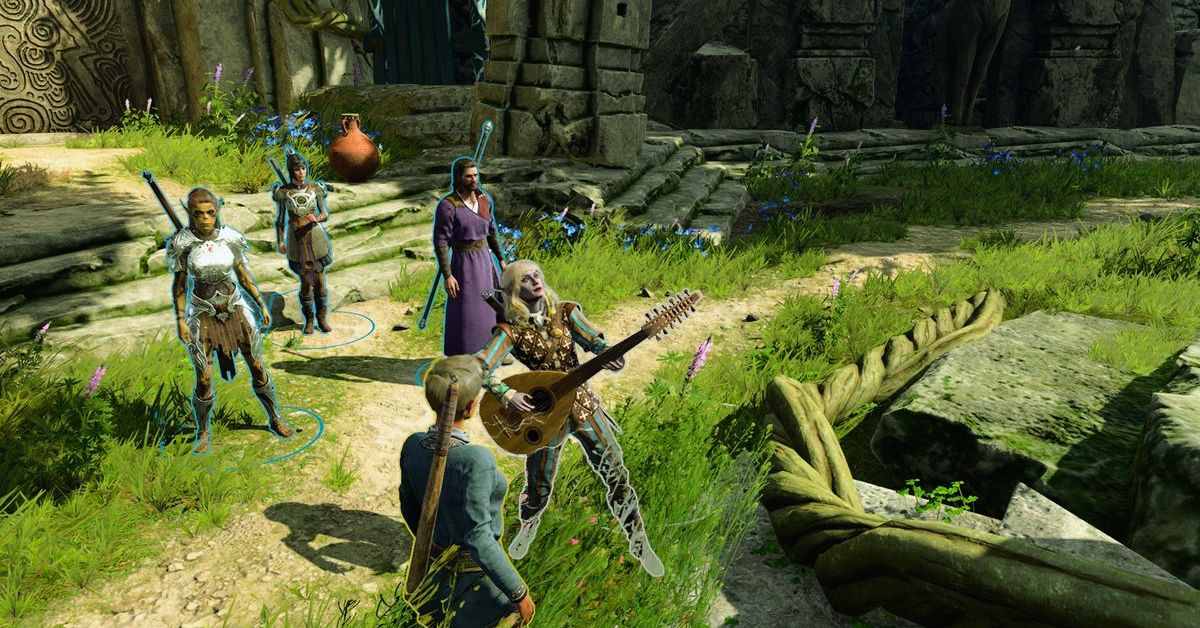
    Minthara is a dark elf cleric and a potential companion in Baldur’s Gate 3, the role-playing game based on the Dungeons & Dragons universe. However, recruiting her is not easy, as she is aligned with the evil Cult of the Absolute and usually requires the player to betray the Tiefling refugees and the Druids in the first act of the game.

    This can result in losing other companions and missing out on some quests and rewards. However, with the latest Patch 5 update, there is a new way to recruit Minthara without going evil or killing innocents. In this article, we will show you how to do it, and what are the pros and cons of having Minthara at your party.

    The New Method to Recruit Minthara in Patch 5

    The new method to recruit Minthara in Patch 5 involves knocking her out in a non-lethal way in the Goblin Camp, where she can be found in the library of the castle ruins.

    Baldur’s Gate 3
    Baldur’s Gate 3

    This will prevent her from participating in the attack on Druid Grove, and allow her to reappear in the second act of the game, where she can be convinced to join the player’s party. Here are the steps to follow:

    • Make sure you have the non-lethal mode enabled in the character control panel. This will allow you to knock out enemies instead of killing them.
    • Enter the Goblin Camp without becoming hostile to the goblins. You can do this by pretending to be a member of the cult, or by wearing the goblin disguise that can be obtained from the goblin merchant in the Druid Grove.
    • Find Minthara in the library of the castle ruins. You can either talk to her and tell her to go to the Tiefling Camp, or simply attack her without talking. Either way, you will have to fight her and her guards.
    • Knock out Minthara with non-lethal attacks. You can use melee weapons, fists, or spells that deal non-lethal damage, such as Sleep or Hold Person. Do not use fire, acid, or poison attacks, as they can kill her after she is knocked out.
    • Leave Minthara unconscious on the ground. Do not loot her or interact with her in any way. You can also knock out the other two goblin leaders, Priestess Gut and Dror Ragzlin, in the same way, but this is optional.
    • Complete the first act of the game by saving the Druid Grove and the Tiefling refugees. You can do this by either killing the goblin leaders, or by convincing them to leave peacefully. You can also rescue Halsin, the druid leader, from the goblin camp, but this is optional.
    • Start the second act of the game by boarding the Nautiloid ship and traveling to the Underdark. You will find Minthara in the Moonrise Towers, where she is held captive by the Mind Flayers. You can free her and persuade her to join your party, or leave her to her fate.

    The Benefits and Drawbacks of Recruiting Minthara in Patch 5

    Recruiting Minthara in Patch 5 has some benefits and drawbacks, such as:

    Benefits:

    • You can have an extra companion and a cleric in your party, which can be useful for healing and support.
    • You can learn more about Minthara’s backstory, personality, and motivations, and influence her alignment and attitude.
    • You can romance Minthara, if you are into dark elves and evil cults.
    • You can access some unique quests, dialogues, and interactions with Minthara and other characters.

    Drawbacks:

    • You may have to deal with Minthara’s evil tendencies and opinions, which may clash with your own or other companions’.
    • You may have to face some consequences and reactions from other characters, who may not trust or like Minthara.
    • You may have to sacrifice some other companions or quests, as Minthara may not get along with them or approve of them.
    • You may have to deal with some bugs or glitches, as Minthara’s recruitment is still in beta and may not work as intended.

    You might also be interested in the following game, patch notes: WoW 10.2 Patch Notes and Pokemon Unite 1.13.1.2 Patch Notes. We appreciate your interest in our website! Make Gameempress.com your go-to site for gaming information.

  • WoW 10.2 Patch Notes: What’s New In The Guardians Of The Dream Update?

    WoW 10.2 Patch Notes: What’s New In The Guardians Of The Dream Update?

    WoW 10.2 is the latest content update for World of Warcraft: Dragonflight, the third expansion of the popular MMORPG. The update, which was released on November 7, 2023, introduces a new zone, a new raid, a new weapon, new events, and more. In this article, we will summarize the main features and changes of the WoW 10.2 patch notes, and what you can expect from the Guardians of the Dream update.

    WoW 10.2 Patch Notes

    WoW 10.2 Patch Notes
    WoW 10.2 Patch Notes

    New Zone: The Emerald Dream

    The Emerald Dream is a new zone that is accessible from the World Tree in the center of Azeroth. The zone is a seed of the World Tree that has been corrupted by Fyrakk, the Seer of the Flame, and his molten allies.

    The zone is divided into four regions: the Viridian Weave, the Molten Incursion, the Incarnates Wake, and the Fate of Amirdrassil. Each region has its own quests, enemies, and secrets to discover.

    The Emerald Dream also has a new faction, the Dream Wardens, who are the guardians of the zone and the World Tree. You can earn reputation with them by completing quests, events, and world quests in the zone. You can also buy various rewards from their quartermaster, such as mounts, pets, toys, and transmog items.

    New Raid: Amirdrassil, the Dream’s Hope

    Amirdrassil is a new raid that is located in the Fate of Amirdrassil region of the Emerald Dream. The raid has four wings and eight bosses, each with their mechanics and loot.

    The raid is available in four difficulties: LFR, Normal, Heroic, and Mythic. The raid also has a new legendary weapon, Fyr’alath, the Dream Render, which can be obtained by defeating Fyrakk on Mythic difficulty.

    The raid bosses are:

    • Gnarlroot: A corrupted treant that uses nature and fire attacks.
    • Igira the Cruel: A molten giant that uses physical and fire attacks.
    • Smolderon: A fire elemental that uses fire and explosive attacks.
    • Volcoross: A lava worm that uses fire and acid attacks.
    • Larodar, Keeper of the Flame: A dragonkin that uses fire and arcane attacks.
    • Council of Dreams: A trio of Dreamweaver that use nature and arcane attacks.
    • Nymue, Weaver of the Cycle: A dryad that uses nature and frost attacks.
    • Fyrakk, Seer of the Flame: A fire incarnate that uses fire and shadow attacks.

    New Public Events: Superbloom and Emerald Bounty

    Superbloom and Emerald Bounty are two new public events that occur randomly in the Emerald Dream. Superbloom is an event where you have to collect and plant seeds to grow flowers and trees in the zone.

    Emerald Bounty is an event where you have to hunt and loot rare and elite enemies in the zone. Both events reward you with gold, resources, reputation, and a chance to get mounts, pets, toys, and transmog items.

    New Class Tier Sets

    WoW 10.2 also introduces new class tier sets for all classes. The sets are themed around the Emerald Dream and the World Tree, and have different bonuses and effects depending on the class and the spec. The sets can be obtained by completing the raid, the PvP season, or the Mythic+ season. The sets are:

    • Druid: Dreamweaver’s Regalia
    • Hunter: Wildwood Tracker’s Garb
    • Mage: Arcanist’s Raiment
    • Monk: Mistweaver’s Vestments
    • Paladin: Lightbringer’s Armor
    • Priest: Vestments of the Dreamer
    • Rogue: Shadowflame’s Guise
    • Shaman: Stormcaller’s Regalia
    • Warlock: Doombringer’s Raiment
    • Warrior: Battleguard’s Plate

    Class Reworks: Rogue and Demon Hunter

    WoW 10.2 also reworks two classes: Rogue and Demon Hunter. The reworks aim to improve the gameplay, balance, and identity of the classes and their specs. The reworks include changes to the abilities, talents, and resources of the classes and their specs. Some of the main changes are:

    • Rogue: The Rogue class now has a new resource, Combo Points, which are generated by certain abilities and spent by others. The Rogue class also has a new ability, Stealth, which allows them to become invisible and gain access to other abilities. The Rogue specs are also changed: Assassination focuses on poison and bleed damage, Outlaw focuses on combat and utility, and Subtlety focuses on stealth and burst damage.
    • Demon Hunter: The Demon Hunter class now has a new resource, Fury, which is generated by certain abilities and spent by others. The Demon Hunter class also has a new ability, Metamorphosis, which allows them to transform into a powerful demon form and gain access to other abilities. The Demon Hunter specs are also changed: Havoc focuses on melee and chaos damage, and Vengeance focuses on tanking and fire damage.

    Mythic+ and PvP Season 3

    WoW 10.2 also starts the third season of Mythic+ and PvP. The season features new rewards, such as gear, mounts, pets, titles, and achievements. The season also features new affixes, such as:

    • Molten: Enemies periodically erupt, dealing fire damage to nearby players and enemies.
    • Dreambound: Players are periodically teleported to the Emerald Dream, where they have to complete a challenge or face a penalty.
    • Incarnate: Enemies have a chance to spawn an incarnate of their element, which has powerful abilities and grants a buff to nearby enemies.

    Dragonriding: New Mount, Glyphs, Races, Customizations

    WoW 10.2 also adds new features and options for dragonriding, the new gameplay system that was introduced in the Dragonflight expansion. The features and options include:

    • New Mount: The Emerald Drake, a green dragon that can fly and breathe fire. The mount can be obtained by completing the raid, the PvP season, or the Mythic+ season.
    • New Glyphs: Glyphs that can change the appearance and abilities of your dragon mount, such as Glyph of the Firestorm, Glyph of the Dreamwalker, and Glyph of the Molten Core.
    • New Races: Races that can ride dragons, such as the Dragonkin, the Dragonsworn, and the Dragonborn.
    • New Customizations: Customizations that can change the appearance of your dragon mount, such as scales, horns, wings, and eyes.

    Character Customizations: Blood Elf, Druid Forms

    WoW 10.2 also adds new character customizations for two races and one class. The customizations include:

    • Blood Elf: New skin tones, eye colors, hair colors, hair styles, and facial features for the Blood Elf race.
    • Druid Forms: New forms, colors, and effects for the Druid class, such as the Emerald Bear, the Molten Cat, the Stormcrow, and the Firestalker.

    You might also be interested in the following game, patch notes: Warcraft Rumble 3.0.0 Patch Notes and WoW SoD Patch Notes Dec 19. We appreciate your interest in our website! Make Gameempress.com your go-to site for gaming information.

  • Sims 4 Car Mod: How To Add And Drive Cars In The Game?

    Sims 4 Car Mod: How To Add And Drive Cars In The Game?

    Cars are one of the most requested features in The Sims 4, as they can add realism, convenience, and fun to the game. However, the game does not have any official cars or driving mechanics, and the only available vehicles are decorative or functional objects, such as bikes, scooters, or taxis.

    Fortunately, there are some ways to add and drive cars in the game, thanks to the creativity and hard work of the modding community. In this article, we will show you how to download and install Sims 4 car mods, and what you can do with them.

    What are Sims 4 Car Mods?

    Sims 4 High School Years Cheats
    Sims 4 High School Years Cheats

    Sims 4 car mods are custom content that can add cars and driving features to the game. There are two types of car mods: static and functional.

    Static car mods are objects that can be placed on lots or roads and can be used for decoration, posing, or storytelling. Functional car mods are objects that can be interacted with and can allow sims to drive, travel, or perform other actions with cars.

    How to Download and Install Sims 4 Car Mods?

    To download and install Sims 4 car mods, you will need to follow these steps:

    • Find and download the car mod that you want from one of the sources mentioned above. Make sure that the mod is compatible with your game version and any other mods or custom content that you have.
    • Extract the mod file from the zip or rar archive, and copy the .package or .ts4script file to your Mods folder. The Mods folder is located in the Documents\Electronic Arts\The Sims 4 folder.
    • Launch the game and go to the Options menu. Under the Other tab, make sure that the Enable Custom Content and Mods and the Script Mods Allowed options are checked. Apply the changes and restart the game.
    • Go to Build Mode and find the car mod in the catalogue. You can usually find it under the Vehicles category, or the Custom Content filter. Place the car mod on your lot or the road, and enjoy.

    What Can You Do with Sims 4 Car Mods?

    Sims 4 car mods can provide various benefits and options, such as:

    • Adding realism and immersion to the game, and making it more similar to real life.
    • Adding convenience and speed to the game, and allowing sims to travel faster and easier.
    • Adding fun and excitement to the game, and allowing sims to enjoy driving, racing, or customizing cars.
    • Adding variety and creativity to the game, and allowing sims to choose from different car models, styles, and colours.

    However, sims 4 car mods also have some limitations and challenges, such as:

    • Requiring additional mods or custom content to work properly, such as road mods, parking mods, or pose mods.
    • Having some compatibility and performance issues, and potentially causing bugs, glitches, or errors.
    • Having some update and patch delays, and potentially causing some content or feature discrepancies.
    • Having some gameplay and logic differences, and potentially causing some inconsistencies or conflicts.

    You might also be interested in the following game, Mods: Genshin Impact Mods and Spider-man Miles Morales Mods. We appreciate your interest in our website! Make Gameempress.com your go-to site for gaming information.

  • Spyro Reignited Trilogy Cheats: How to Activate All the Fun and Colorful Codes

    Spyro Reignited Trilogy Cheats: How to Activate All the Fun and Colorful Codes

    In contemporary gaming, cheat codes are as storied as they are underutilized. The “Konami Code” is well-known, and many independent games—like Infernax—continue to reference it. Nonetheless, cheat codes have largely become obsolete, so it’s surprising to see a contemporary, high-budget film include them. Let us introduce Spyro (who is not the Dragonfly, far from it…).

    Spyro Cheat codes have always existed for The Dragon, so when Spyro brought them with him to his fantastic remaster, the Reignited Trilogy, gamers everywhere celebrated. Furthermore, the game now has even more cheats, making it a haven for the long-lost skill of playing about.

    How to Activate Spyro Reignited Trilogy Cheats?

    All you need to do to enable cheats is enter the code in the Pause Menu. You only need to enter the code twice to disable a cheat. With the exception of Super Flame, which needs you to unlock the hack in-game, all of the codes listed below can be used without any unlock requirements.

    You must gather 10,000 Gems and 64 Orbs during a single playthrough of Ripto’s Rage in order to be able to trigger Super Flame, which is only available in that game.

    Spyro Reignited Trilogy Cheats for Code PS4

    Cosmetics

    Cheat Code
    Big Head Mode Up, Up. Up, Up, R1, R1, R1, R1, Cirlce
    Black Spyro Up, Left, Down, Right, Up, Square, R1, R2, L1, L2, Up, Right, Down, Left, Up, Down
    Black Sunglasses R1, R1, R1, R1, Left, Left, Left, Left, Down, Up, Triangle
    Blue Spyro Up, Left, Down, Right, Up, Square, R1, R2, L1, L2, Up, Right, Down, Left, Up, Cross
    Flat Spyro Left, Right, Left, Right, L2, R2, L2, R2, Square
    Green Spyro Up, Left, Down, Right, Up, Square, R1, R2, L1, L2, Up, Right, Down, Left, Up, Triangle
    Pink Spyro Up, Left, Down, Right, Up, Square, R1, R2, L1, L2, Up, Right, Down, Left, Up, Square
    Purple Spyro Up, Left, Down, Right, Up, Square, R1, R2, L1, L2, Up, Right, Down, Left, Up, Right
    Red Spyro Up, Left, Down, Right, Up, Square, R1, R2, L1, L2, Up, Right, Down, Left, Up, Circle
    Retro Spyro L1, L1, L1, L1, Up, Down, Up, Down, Up, Down, Triangle
    Small Head Mode Right, Right, Right, Right, R1, L1, Left, Left, Left, Left, Cross
    Tiny Wings Left, Left, Left, Left, L1, R1, Right, Right, Right, Right, Cross
    Yellow Spyro Up, Left, Down, Right, Up, Square, R1, R2, L1, L2, Up, Right, Down, Left, Up, Up
    Squid Skateboard (Year Of The Dragon) Up, Up, Left, Left, Right, Right, Down, Down, Square, Square, Circle

    Mechanics

    Cheat Code
    99-Lives R2, L2, R2, L2, Up, Up, Up, Up, O
    Super Flame (Ripto’s Rage) L1, L1, L1, L1, Up, Down, Up, Down, Up, Down, Triangle

    Spyro Reignited Trilogy Cheats Code for PC

    spyro reignited trilogy cheats

    Cosmetics

    Cheat Code
    Big Head Mode W, W, W, W, E, E, E, E, Left Click
    Black Spyro W, A, S, D, W, Left Click, E, 3, Q, 1, W, D, S, A, W, S
    Black Sunglasses E, E, E, E, A, A, A, A, S, W, F
    Blue Spyro W, A, S, D, W, Left Click, E, 3, Q, 1, W, D, S, A, W, Space
    Flat Spyro A, D, A, D, 1, 3, 1, 3, Right Click
    Green Spyro W, A, S, D, W, Left Click, E, 3, Q, 1, W, D, S, A, W, F
    Pink Spyro W, A, S, D, W, Left Click, E, 3, Q, 1, W, D, S, A, W, Right Click
    Purple Spyro W, A, S, D, W, Left Click, E, 3, Q, 1, W, D, S, A, W, D
    Red Spyro W, A, S, D, W, Left Click, E, 3, Q, 1, W, D, S, A, W, Left Click
    Retro Spyro LB, LB, LB, LB, Up, Down, Up, Down, Up, Down, Y
    Small Head Mode D, D, D, D, E, Q, A, A, A, A, Space
    Tiny Wings A, A, A, A, Q, E, D, D, D, D, Space
    Yellow Spyro W, A, S, D, W, Left Click, E, 3, Q, 1, W, D, S, A, W, W
    Squid Skateboard (Year Of The Dragon) W, W, A, A, D, D, Right Click, Right Click, Left Click

    Mechanics

    Cheat Code
    99-Lives 3, 1, 3, 1, W, W, W, W, Left Click
    Super Flame (Ripto’s Rage) A, D, A, D, E, E, E, E, Right Click

    Spyro Reignited Trilogy Cheats Code for Switch

    Cosmetics

    Cheat Code
    Big Head Mode Up, Up, Up, Up, RB, RB, RB, RB, A
    Black Spyro Up, Left, Down, Right, Up, Y, R, ZR, LB, ZL, Up, Right, Down, Left, Up, Down
    Black Sunglasses RB, RB, RB, RB, Left, Left, Left, Left, Down, Up, X
    Blue Spyro Up, Left, Down, Right, Up, Y, RB, ZR, L, ZL, Up, Right, Down, Left, Up, B
    Flat Spyro Left, Right, Left, Right, ZL, ZR, ZL, ZR, Y
    Green Spyro Up, Left, Down, Right, Up, Y, RB, ZR, L, ZL, Up, Right, Down, Left, Up, X
    Pink Spyro Up, Left, Down, Right, Up, Y, R, ZR, LB, ZL, Up, Right, Down, Left, Up, Y
    Pride Glasses (Switch Only) RB, RB, RB, RB, Left, Left, Left, Left, Down, Up, Y
    Purple Spyro Up, Left, Down, Right, Up, Y, R, ZR, LB, ZL, Up, Right, Down, Left, Up, Right
    Red Spyro Up, Left, Down, Right, Up, Y, R, ZR, LB, ZL, Up, Right, Down, Left, Up, A
    Retro Spyro LB, LB, LB, LB, Up, Down, Up, Down, Up, Down, X
    Small Head Mode Right, Right, Right, Right, RB, LB, Left, Left, Left, Left, B
    Tiny Wings Left, Left, Left, Left, LB, RB, Right, Right, Right, B
    Yellow Spyro Up, Left, Down, Right, Up, Y, RB, ZR, L, ZL, Up, Right, Down, Left, Up, Up
    Squid Skateboard (Year Of The Dragon) Up, Up, Left, Left, Right, Right, Down, Down, Y, Y, A

    Mechanics

    Cheat Code
    99-Lives ZR, ZL, ZR, ZL, Up, Up, Up, Up, A
    Super Flame (Ripto’s Rage) LB, LB, LB, LB, Up, Down, Up, Down, Up, Down, X

    Spyro Reignited Trilogy Cheats Code for Xbox One

    Cosmetics

    Cheat Code
    Big Head Mode Up, Up, Up, Up, RB, RB, RB, RB, B
    Black Spyro RB, RB, RB, RB, Left, Left, Left, Left, Down, Up, Y
    Black Sunglasses R1, R1, R1, R1, Left, Left, Left, Left, Down, Up, Triangle
    Blue Spyro Up, Left, Down, Right, Up, X, RB, RT, LB, LT, Up, Right, Down, Left, Up, A
    Flat Spyro Left, Right, Left, Right, LT, RT, LT, RT, X
    Green Spyro Up, Left, Down, Right, Up, X, RB, RT, LB, LT, Up, Right, Down, Left, Up, Y
    Pink Spyro Up, Left, Down, Right, Up, X, RB, RT, LB, LT, Up, Right, Down, Left, Up, X
    Purple Spyro Up, Left, Down, Right, Up, X, RB, RT, LB, LT, Up, Right, Down, Left, Up, Right
    Red Spyro Up, Left, Down, Right, Up, X, RB, RT, LB, LT, Up, Right, Down, Left, Up, B
    Retro Spyro LB, LB, LB, LB, Up, Down, Up, Down, Up, Down, Y
    Small Head Mode Right, Right, Right, Right, RB, LB, Left, Left, Left, Left, A
    Tiny Wings Left, Left, Left, Left, LB, RB, Right, Right, Right, A
    Yellow Spyro Up, Left, Down, Right, Up, X, RB, RT, LB, LT, Up, Right, Down, Left, Up, Down
    Squid Skateboard (Year Of The Dragon) Up, Up, Left, Left, Right, Right, Down, Down, X, X, B

    Mechanics

    Cheat Code
    99-Lives RT, LT, RT, LT, Up, Up, Up, Up, B
    Super Flame (Ripto’s Rage) LB, LB, LB, LB, Up, Down, Up, Down, Up, Down, Y

    You might also be interested in the following game, Cheats: NBA Street Vol 2 Cheats and Pokemon Moon Black 2 Cheats. We appreciate your interest in our website! Make Gameempress.com your go-to site for gaming information.

  • Is Warframe Crossplay? Unite Your Tenno Across Galaxies!

    Is Warframe Crossplay? Unite Your Tenno Across Galaxies!

    Warframe is a free-to-play sci-fi action game that lets you play as a space ninja in a vast and evolving universe. The game has been available on PC, PlayStation, Xbox, and Nintendo Switch for years, but until recently, players on different platforms could not play together.

    However, that has changed with the introduction of the crossplay feature, which allows players to join forces and enjoy the game across different devices. In this article, we will explain what crossplay is, how to enable it, and what are the benefits and limitations of the feature.

    Is Warframe Crossplay?

    Warframe has cross-play functionality as of December 2022. Digital Extremes has now launched the feature across PC, Xbox, PlayStation, and Nintendo Switch after extensive testing across many platforms.

    How to Enable Crossplay in Warframe?

    To enable crossplay in Warframe, players need to have a Warframe account and link it to their platform account. For example, if you play on PlayStation, you need to link your Warframe account to your PlayStation Network account.

    Once you have linked your accounts, you can enable cross-play in the game’s settings menu. You can toggle the “Crossplay” option on or off, depending on your preference. You can also choose to enable or disable crossplay chat, which allows you to communicate with other players on different platforms.

    When crossplay is enabled, you can join or invite other players to your squad, regardless of their platform. You can also use the public matchmaking feature to find other players to play with. You can identify the platform of other players by the icon next to their name. For example, a PC player will have a mouse icon, while a PlayStation player will have a PS logo.

    You might also like to know about if these other games are cross-platform or not:

    What Are the Benefits and Limitations of Crossplay in Warframe?

    Crossplay in Warframe has many benefits and advantages, such as:

    • Expanding the player base and the community, and making it easier to find and play with other players.
    • Enhancing the gameplay experience and the variety, and allowing players to enjoy the game’s content and features on different devices.
    • Preserving the progress and continuity, and allowing players to switch between platforms without losing their data or items.

    However, crossplay in Warframe also has some limitations and challenges, such as:

    • Requiring a stable and fast internet connection, and potentially causing lag, latency, or disconnect issues.
    • Having some compatibility and performance differences, and potentially causing bugs, glitches, or errors.
    • Having some update and patch delays, and potentially causing some content or feature discrepancies.

    Therefore, players should use crossplay in Warframe at their discretion and responsibility, and be aware of the possible outcomes.

    They should also report any issues or feedback to the developer, and help improve the feature. Crossplay in Warframe is a great addition to the game and a testament to the developer’s vision and commitment.

    We appreciate your interest in our website! Make Gameempress.com your go-to site for gaming information.

  • Ps5 Pro Specs: Unpacking the Raw Power of the GPU and CPU

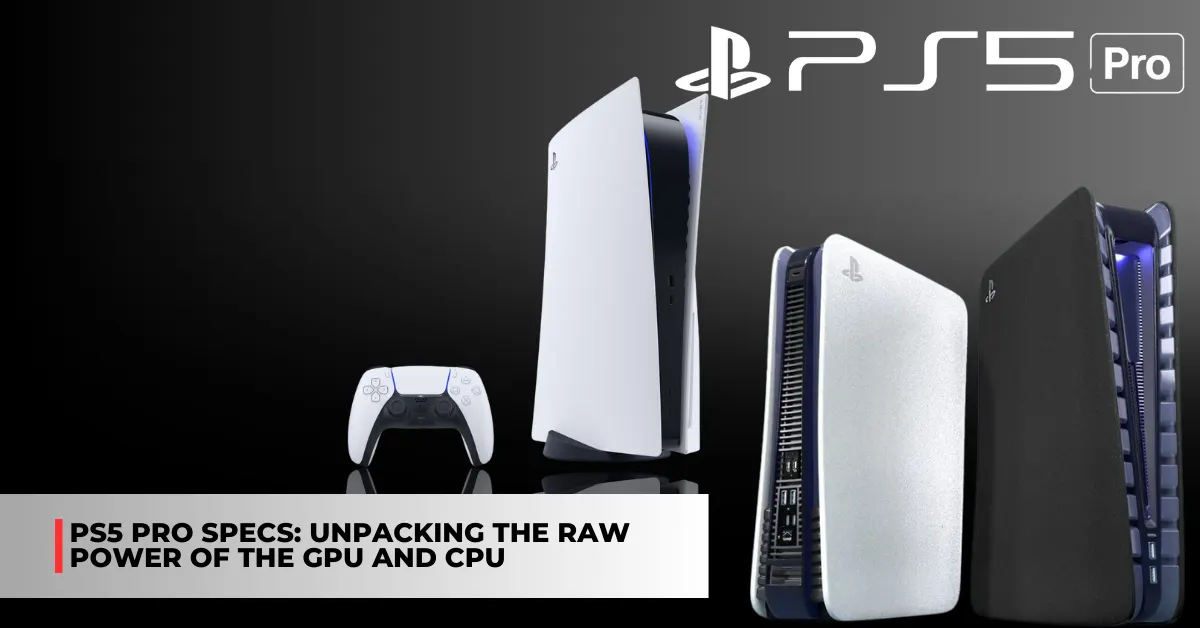
    Ps5 Pro Specs: Unpacking the Raw Power of the GPU and CPU

    It’s possible that more PS5 Pro specifications and information, such as the release date of Sony’s purportedly powerful PS5 console, have leaked online. We have covered the PS5 Pro model in our reports on multiple occasions. As reported in May of this year, Sony is reportedly 100% committed to developing a Pro console.

    It was stated more recently that the console is expected to be powered by a unique eight-core Zen 2 CPU, maybe quadruple the performance of the Tempest Engine, two shader engines, and more.

    It’s interesting to note that the first rumor was part of a bigger one from leaker Tom Henderson, who also stated that Sony was developing a PS5 model that was thinner. This has turned out to be accurate, as the majority of you are aware, and the thinner PS5 variants are currently offered everywhere.

    A user has now allegedly provided further information and specs about Sony’s PS5 Pro model on the ResetEra forums. The PS5 Pro model is rumored to be unveiled in September of next year. The speculated Pro model’s CPU boost is reportedly not that big when compared to the PS5’s current CPU, as suggested by leaker @Kepler_L2 earlier this month.

    This fresh information from the ResetEra user also provides some more CPU specifics. Based on this “leak,” the Zen2 architecture seen in the PS5 model will remain the same in the Pro model but with a greater dynamic peak frequency.

    ps5 pro specs

    Remarkably, this updated data also refers to “accelerated ray tracing,” a concept that Tom Henderson also brought up in July of this year. Below, via RandomlyRandom 67, are the details that were shared on the ResetEra forums:

    • Viola is fabbed on TSMC N4P.
    • GFX1115
    • Viola’s CPU is maintaining the zen2 architecture found in the existing PS5 for compatibility, but the frequency will once again be dynamic with a peak of 4.4GHz. 64 KB of L1 cache per core, 512 KB of L2 cache per core, and 8 MB of L3 shared (4 MB per CCX).
    • Viola’s die is 30WGPs when fully enabled, but it will only have 28WGPs (56 CUs) enabled for the silicon in retail PS5 Pro units.
    • Trinity is the culmination of three key technologies. Fast storage (hardware accelerated compression and decompression, already an existing key PS5 technology), accelerated ray tracing, and upscaling.
    • Architecture is RDNA3, but it’s taking ray tracing improvements from RDNA4. BVH traversal will be handled by dedicated RT hardware rather than fully relying on the shaders. It will also include thread reordering to reduce data and execution divergence, something akin to Ada Lovelace SER and Intel Arc’s TSU.
    • 3584 shaders, 224 TMUs, and 96 ROPs.
    • 16GB of 18 Gbps GDDR6. 256-bit memory bus with 576 GB/s memory bandwidth.
    • The GPU frequency target is 2.0 GHz. This lands the dual-issue TFLOPs in the range of 28.67 TFLOPs peak (224 (TMUs) * 2 (operations, dual issue) * 2 (core clock)). 14.33 TFLOPs if we ignore the dual-issue factor.
    • 50-60% rasterization uplift over Oberon and Oberon Plus, over twice the raw RT performance.
    • XDNA2 NPU will be featured for the purpose of accelerating Sony’s bespoke temporal machine learning upscaling technique. This will be one of the core focuses of the PS5 Pro, as we saw with checkboard rendering for the PS4 Pro. Temporally stable upscaled 4K output at higher than 30 FPS is the goal.
    • September 2024 reveal

    The Sony PS5 Pro has the potential to utilize 60 of the 64 CUs present on the Viola SOC, as noted by Kepler_L2:

    When questioned about these additional PS5 Pro specs that have leaked on X (previously Twitter), Tom Henderson said he was unable to answer. The leaker went on to say that because dev kits are being sent to outside developers, Sony anticipates that the console’s complete specifications will surface this month.

    Naturally, as of right now, none of the aforementioned details have received formal confirmation. Actually, as of right now, Sony hasn’t even acknowledged that a Pro model exists. As such, for the time being, take this “info” very, very lightly. As soon as we receive additional information, we’ll let you know.

    We also noted some of the other games that will be released on PS5, which you can see here: Gray Zone Warfare PS5 Release Date and  Lethal Company PS5 Release Date. We appreciate your interest in our website! Make Gameempress.com your go-to site for gaming information.

  • Once Human PS5 Release Date: The Countdown To The Revolutionary Game Starts Now

    Once Human PS5 Release Date: The Countdown To The Revolutionary Game Starts Now

    Are you looking for information about Once Human’s release date? Everything there is to know about the survival game, including when it will be published, is here. Along with a description of the game’s trailer, we’ll also be disclosing which platforms Once Human will launch on in this guide. Stay tuned for the most recent information.

    When Will Once Human Be Released for PS5?

    Although the game is anticipated to launch in Q3 of 2024, we do not yet have a specific release date for Once Human. We will update this article with Once Human’s official release date as soon as it is confirmed.

    Once Human is developed by Starry Studio, a subsidiary of NetEase Games, one of the leading online game developers and publishers in China, the game was first announced at the 2022 Summer Game Fest, where it received positive feedback from the audience and the media for its stunning visuals, innovative gameplay, and original setting.

    However, NetEase Games did not announce the release date for Once Human at the event, nor did they confirm whether the game will be available for PS5 or other platforms. As such, development on this upcoming RPG is still at large, and fans will have to wait for more updates from the developer.

    According to some sources, the game is expected to launch for PC first, and then for PS5 and other consoles later. The game is also rumored to support cross-play and cross-progression, meaning that players can switch between different devices and platforms without losing their progress or friends.

    Once Human shared a Tweet…

    Will There Be a Trailer for Once Human?

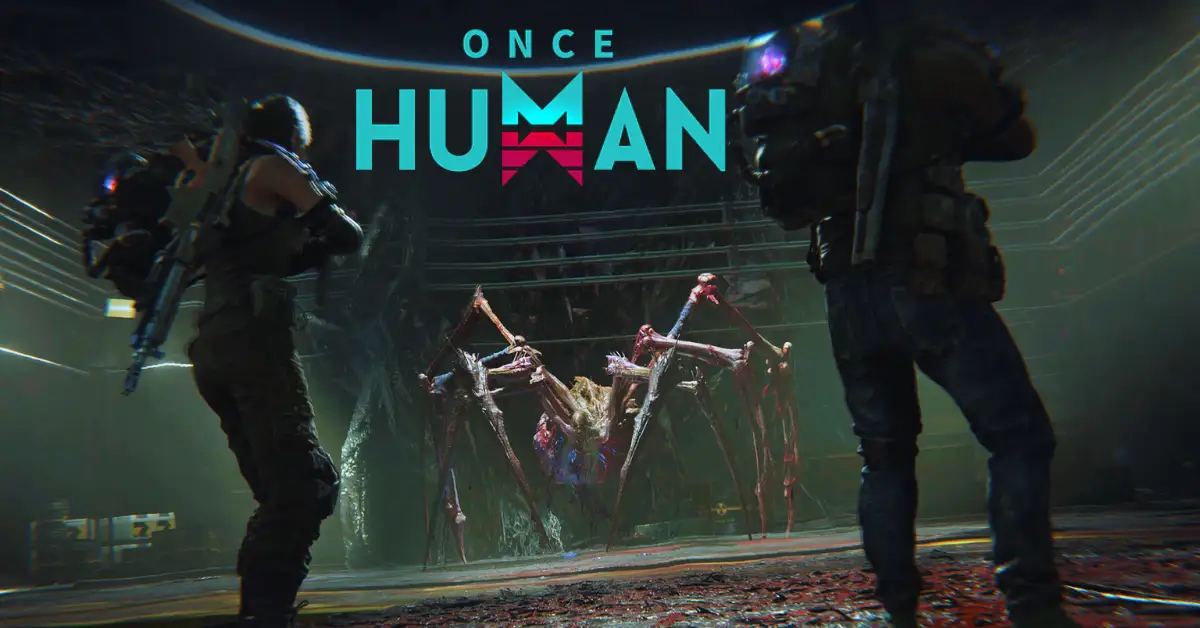
    The player hunts both normal fauna and terrifying aberrations, such as a massive swarm of spiders and a gigantic tree creature, in the Once Human teaser. A group of players is also seen cleaning out a town that might be the home of an opposing human party.

    Additionally, a brief preview of some of the superpowers that players in Once Human will have access to is given. A portion of Once Human’s base-building is shown in the teaser as well, and it looks surprisingly beautiful for a game with such a grim concept.

    Additionally, two players can be seen having fun on motorcycles, which suggests that Starry Studios wants players to take full advantage of the game’s lighter aspects when it launches. The official reveal trailer for Once Human is available here if you’d want to see a preview of the gameplay for yourself.

    How Can I Play Once Human Before the Official Release?

    While the official release date for Once Human is still unknown, the game has already entered its closed beta testing phase, which is open to selected players who have registered on the official website. The closed beta test started on December 6, 2023, and will last for a week, until December 13, 2023.

    The closed beta test will allow players to experience the core features of the game, such as the open-world exploration, the faction system, the combat mechanics, and the stronghold conquest mode. The beta test will also introduce some new content, such as new abilities, new territories, and new creatures.

    To join the closed beta test, players need to register on the official website and download the game client. The beta test is available for PC only, and requires a minimum of 8 GB of RAM, 50 GB of storage space, and a GeForce GTX 1060 or Radeon RX 580 graphics card.

    Is Once Human Exclusively a Multiplayer Game?

    The open-world multiplayer survival game Once Human takes place in an odd post-apocalyptic future. When the game is released, you and a group of pals can attempt to survive the Once Human universe in cooperative multiplayer mode.

    Future microtransactions for the purchase of cosmetics are expected to be Human’s primary source of revenue. But the makers promise that these in-game purchases won’t include any pay-to-win elements. This is a promise we frequently see for video games, and it remains to be seen if Starry Studio will honor it in the long run.

    Additionally, Once Human will deliver seasonal content following its initial launch. They are marketed as “seasonal scenarios” and come with unique traits, guidelines, maps, and other materials. By finishing these situations, players will be able to obtain a plethora of season prizes, and we’re eager to learn more.

    If you are interested in knowing more articles related to other games, you can check God of War Ragnarok DLC Release Date and Alone In The Dark Release Date Confirmed. We appreciate your interest in our website! Make Gameempress.com your go-to site for gaming information.

  • Mortal Kombat 11 Krypt Guide: What Are the Benefits of Finding Important Objects?

    Mortal Kombat 11 Krypt Guide: What Are the Benefits of Finding Important Objects?

    You’ll be spending a lot of time in the game’s Krypt after finishing the main mode of Mortal Kombat 11 and its Aftermath DLC, as well as making it through Classic Towers and Towers of Time. Many of the game’s customizable items and gear are located in this third-person exploring section, and if they’re available here, they won’t be in the other modes.

    When you first start, the Krypt can be confusing because it’s full of puzzles, secret tunnels, and different kinds of chests. However, with the help of our Mortal Kombat 11 Krypt guide, you can sort through everything and obtain the gear of your dreams.

    How Does Krypt Work?

    You are tasked with gathering as much treasure as you can afford from the vast dungeon that is the Mortal Kombat 11 Krypt. Chests that can be opened with the Koins currency you’ve been accumulating throughout your play through the game’s different modes may be found running along the walls and in the center of almost every region you visit.

    The worth of the goods within a chest determines how much it costs to open it in the Krypt. Smaller stuff like development art or music can be found in a chest priced at 2,000 Koins, whereas character-specific gear, augmentation items, or skins can be found in chests priced at or above 8,000 Koins.

    More about it later.) and by creating new routes in the Krypt. However, returning to the Towers and engaging in combat with adversaries is the main means to obtain additional Koins. Hearts and Soul Fragments are the other two currencies found in the Krypt.

    The frightening mask atop rare chests indicates which ones require hearts to open. You can spend 250 Hearts to unlock the contents after smashing this. These hold some of the greatest rewards in the whole game, including multiple character customization items.

    You can use Scorpion’s Spear to destroy the dead that is located hanging in the Krypt itself and perform Fatalities during matches to earn Hearts. You’ll start finding green Soul Chests shortly after you start the Krypt, and you can use Soul Fragments to access them.

    These are earned by playing regular games and sometimes by finishing specific objectives in the Krypt, but you can’t use them to access Soul Chests until you’ve obtained Ermac’s Soul Amulet. They won’t affect you until you’ve gone farther into the Krypt.

    What Are the Benefits of Finding Important Objects in the Krypt?

    mortal kombat 11 krypt guide

    A large portion of your progress in the Krypt is dependent on important objects strewn over the large terrain. These have different purposes, but they’re all related to enabling you to keep going to new places and getting better equipment.

    The most significant things you’ll find are listed below, along with what they enable you to accomplish. They are arranged according to when you should buy them.

    Shao Kahn’s Hammer

    Shao Kahn’s Hammer is there in front of you as soon as you enter the Krypt, making it hard to overlook. You’ll need to demolish broken doors and walls with the hammer, which is located in the same chamber. As you advance, you must search for damaged places since, frequently, huge rooms full of riches can be found behind them.

    Additionally, you can break down skeletons and pots strewn about the Krypt with Shao Kahn’s Hammer. You will receive a meager quantity of Koins in return for this, but it is so insignificant that it won’t have much of an impact on the number of chests you may open.

    Gem of the Living and Cracked Horn of the Motaro

    You’ll need the Gem of the Living, a unique artifact, to advance farther into the Krypt and reach Goro’s lair, which holds some of the best loot in the entire game. Once you’re in the open space, walk toward the center and then north until you come to a section where multiple character sculptures are located.

    If you move forward, the Raiden statue will be destroyed by a meteorite. To obtain the Gem of the Living, strike the meteorite with your hammer. In order to advance farther into the Krypt, you’ll also need the Cracked Horn of the Motaro, which you can only obtain once you’ve obtained the Gem of the Living.

    To enter the subterranean section and open a door close to Kronika’s Time Vault, use the Gem of the Living. Inside, there is an unlockable gate where you can discover the horn. You can enter Goro’s Lair Door on the western side of the outdoor area by using the horn.

    Ermac’s Soul Amulet

    To open the annoying green glowing Soul Chests you’ve been seeing all around the Krypt, you’ll need this item. Once you’ve entered Goro’s Lair, keep going until you come to a large hall with a banquet area and a statue in front.

    Proceed and use the steps to stroll around the outside. In the front-right corner, you will find a chain that you may pull to unlock a gate. Proceed in this manner, find him in the chamber, and watch as a cutscene of a man being impaled appears.

    Now that he possesses Ermac’s Soul Amulet, those chests can be opened. Certain new paths can also be unlocked with Ermac’s Soul Amulet. For the first time, you’ll use it to get out of the rock-filled cavern where you discovered the amulet.

    Spear of Hanzo Hasahi (Scorpion’s Spear)

    Scorpion’s Spear is also located within Goro’s Lair, but you’ll need to go to the southeast section’s Armory area to find it. Once you’re in this region, keep looking until you come across a vertical line that is blazing and runs along a pillar. To pull the spear and equip it, interact with it.

    Scorpion’s Spear can be used to interact with several environmental items, such as drawbridges if you have it. But the spear’s primary function is to bring down any bodies that may be dangling above your location. These are destroyed and typically hold the hearts needed to access the priceless chests in the Krypt.

    The Forge

    Occasionally, while opening chests, you’ll come across materials that aren’t meant for customization or to open up new routes; these are referred to as “Forge Items” and are located on their own page in the Krypt menu.

    They will be useless to you at the beginning of your stay in the Krypt, but soon you will find a gong that you can hit with a hammer to open the route to the Forge. The Forge is a scary place with flames behind it, but you can produce rewards by feeding it items you’ve collected.

    The materials you add determine the benefits you receive, but if you add the incorrect resources, you might not receive anything at all from the Forge. Don’t try it again if you toss in three items and it doesn’t work; you’ll get the same outcome each time.

    To create anything, the Forge requires not only resources but also money. Before you put materials into the forge, make sure their combination will yield anything useful. This can come in the form of Koins, Soul Fragments, and Hearts.

    Discover how Hogwarts Legacy ads have taken over Mortal Kombat 11 in the gaming realm on GameEmpress: Mortal Kombat 11 Taken Over with Hogwarts Legacy Ads. Stay up-to-date with the top news, PC requirements, and available gameplay for Mortal Kombat 11 on GameEmpress: Mortal Kombat 11 Top News, PC Requirements, and Available Gameplay. Stay connected with GameEmpress.com to get the latest news and guides about the gaming world.

  • Marvel Spiderman Remastered PC Requirements: How To Run The Action-Adventure Game?

    Marvel Spiderman Remastered PC Requirements: How To Run The Action-Adventure Game?

    Marvel Spider-Man Remastered is a PC version of the 2018 PlayStation 4 game Marvel’s Spider-Man, which was developed by Insomniac Games and published by Sony Interactive Entertainment.

    The game is a third-person action-adventure game that follows the story of Peter Parker, a young superhero who balances his life as a photographer and a crime-fighter in New York City. The game features an open-world environment, dynamic combat, stealth, web-swinging, and various missions and side activities.

    The PC version of the game was released on August 12, 2022, during The Game Awards, and it was optimized for PC by Nixxes Software, a Dutch studio that specializes in porting games to different platforms.

    The PC version of the game includes the base game and the three DLC episodes that were released for the PS4 version, as well as improved graphics, performance, and features, such as ray tracing, 4K resolution, 120 FPS, and crossplay with PlayStation players.

    However, to run the game smoothly and enjoy its full potential, players need to meet the game’s system requirements, which are not very low. In this article, we will provide you with the minimum, recommended, and optimal PC requirements for Marvel Spider-Man Remastered, as well as some tips and tricks to optimize your performance and FPS.

    Marvel Spiderman Remastered PC Requirements

    Marvel's Spider-Man Remastered
    Marvel’s Spider-Man Remastered

    Minimum PC Requirements

    The minimum PC requirements for Marvel Spider-Man Remastered are as follows:

    • OS: Windows 10 64-bit (latest update)
    • Processor: Intel Core i3-4160, 3.6 GHz or AMD equivalent
    • Memory: 8 GB RAM
    • Graphics: NVIDIA GTX 950 or AMD Radeon RX 470
    • DirectX: Version 11
    • Storage: 75 GB available space

    These are the minimum requirements to run the game at low settings and 720p resolution, with an average of 30 FPS. However, these requirements may not be enough to handle the game’s high level of action and detail, especially during the boss fights and the cinematic scenes.

    Therefore, we recommend upgrading your PC to meet the recommended or optimal requirements, or at least the high-end requirements, which are slightly higher than the minimum.

    Recommended PC Requirements

    The recommended PC requirements for Marvel Spider-Man Remastered are as follows:

    • OS: Windows 10 64-bit (latest update)
    • Processor: Intel Core i5-4670, 3.4Ghz or AMD Ryzen5 1600, 3.2Ghz
    • Memory: 16 GB RAM
    • Graphics: NVIDIA GTX 1060 6GB or AMD Radeon RX 580 8GB
    • DirectX: Version 12
    • Storage: 75 GB available space

    These are the recommended requirements to run the game at medium settings and 1080p resolution, with an average of 60 FPS. These requirements will ensure a smooth and stable gameplay experience, with minimal lag, glitches, or crashes.

    However, these requirements may not be enough to achieve the highest possible FPS and the best possible graphics, especially if you have a high-end monitor or a competitive preference. Therefore, we suggest upgrading your PC to meet the optimal or high-end requirements, which are the highest possible requirements for the game.

    Optimal PC Requirements

    The optimal PC requirements for Marvel Spider-Man Remastered are not officially stated by the developers, but we have estimated them based on the game’s features and performance. The optimal PC requirements for Marvel Spider-Man Remastered are as follows:

    • OS: Windows 10 64-bit (latest update)
    • Processor: Intel Core i7-9700K or AMD Ryzen 7 3700X
    • Memory: 32 GB RAM
    • Graphics: NVIDIA RTX 3080 or AMD Radeon RX 6800 XT
    • DirectX: Version 12
    • Storage: 75 GB available space (SSD recommended)

    These are the optimal requirements to run the game at ultra settings and 4K resolution, with an average of 120 FPS. These requirements will ensure the best possible gameplay experience, with stunning graphics, realistic physics, and immersive sound.

    However, these requirements are very high and expensive, and they may not be necessary for most players unless they have a very powerful PC and a very demanding preference.

    Tips and Tricks to Optimize Your Performance and FPS

    If you want to optimize your performance and FPS in Marvel Spider-Man Remastered, you can try some of these tips and tricks:

    • Update your drivers and software. Make sure that your drivers and software are up to date, especially your graphics card driver, your Windows 10 update, and your DirectX version. This will help you avoid compatibility issues and improve your performance and stability.
    • Adjust your graphics settings. You can tweak your graphics settings in the game’s menu, to find the best balance between quality and performance. You can lower some of the settings that have a high impact on your FPS, such as shadows, textures, anti-aliasing, and post-processing. You can also use the FPS counter and the benchmark tool in the game, to test your FPS and find the optimal settings for your PC.
    • Change your resolution and FOV. You can change your resolution and FOV (field of view) in the game’s menu, to suit your preference and monitor. However, keep in mind that higher resolution and FOV will require more resources and lower your FPS, while lower resolution and FOV will reduce your quality and visibility. You can also use the fullscreen mode, rather than the windowed or borderless mode, to improve your performance and FPS.
    • Use an SSD instead of an HDD. If you have an SSD (solid state drive), you can install the game on it, rather than on an HDD (hard disk drive). This will help you reduce your loading times and improve your performance and stability. However, if you don’t have an SSD, you can still defragment your HDD and free up some space, to improve your performance and FPS.
    • Close unnecessary programs and background processes. You can close any unnecessary programs and background processes that are running on your PC, to free up some RAM and CPU usage. You can use the Task Manager or the System Configuration tool to check and close any programs and processes that are not essential for your game. This will help you improve your performance and FPS.

    This is everything you need to know about Marvel Spiderman Remastered PC Requirements. Additionally, you can check our guide on The Finals PC Requirement and Armored Core 6 PC Requirements. Stay connected with GameEmpress.com to get the latest news and guides about the gaming world.

  • Samurai Armor Elden Ring: How To Get, Upgrade, And Use The Legendary Armor Set?

    Samurai Armor Elden Ring: How To Get, Upgrade, And Use The Legendary Armor Set?

    Samurai Armor is a legendary armour set that can be obtained in Elden Ring, the upcoming open-world action RPG from FromSoftware. The armour set is based on the traditional Japanese armour worn by the samurai warriors and features a distinctive helmet, chest plate, gauntlets, and greaves.

    The armor set also has unique stats, effects, and abilities, and can be customized and upgraded to suit different playstyles and strategies.

    In this article, we will show you how to get, upgrade, and use the Samurai Armor in Elden Ring. We will also provide some tips and tricks on how to make the most of this rare and powerful armour set.

    How to Get the Samurai Armor in Elden Ring?

    Samurai Armor Elden Ring (1)
    Samurai Armor Elden Ring (1)

    To get the Samurai Armor in Elden Ring, you need to follow these steps:

    • Travel to the Land of Reeds, a region in the eastern part of the map that is inspired by feudal Japan. The region is full of bamboo forests, rice fields, temples, and castles, as well as various enemies, such as ninjas, ronin, yokai, and dragons.
    • Find the Isolated Merchant’s Shack, a location near the Site of Grace in the north of the Land of Reeds. The Site of Grace is a place where you can rest, level up, and access your inventory. The Isolated Merchant’s Shack is a small hut where you can find a vendor who sells various items, including the Samurai Armor Set.
    • Buy the Samurai Armor Set from the vendor for 50,000 Souls, the currency of the game. The Samurai Armor Set consists of four pieces: the Land of Reeds Helm, the Land of Reeds Armor (Altered), the Land of Reeds Gauntlets, and the Land of Reeds Greaves. You can also buy the Uchigatana, a katana sword that matches well with the Samurai Armor Set, for 10,000 Souls.
    • Equip the Samurai Armor Set and the Uchigatana from your inventory. You can also customize the appearance and the colour of the armour set and the sword from the same menu.

    How to Upgrade the Samurai Armor in Elden Ring?

    To upgrade the Samurai Armor in Elden Ring, you need to follow these steps:

    • Collect various materials, such as Iron, Steel, Silver, Gold, and Dragon Scales, from the game world. You can find these materials by exploring, looting, or defeating enemies. You can also buy some of these materials from certain vendors or trade them with other players.
    • Find a Blacksmith, a character who can upgrade your weapons and armour for a fee. You can find a Blacksmith in various locations, such as the Site of Grace, the Deathtouched Catacombs, or the Stormhill Castle. You can also summon a Blacksmith to your location by using a Memory of Grace, an item that allows you to access various services from anywhere.
    • Talk to the Blacksmith and select the Upgrade option. Choose the Samurai Armor Set and the Uchigatana from your inventory and select the level you want to upgrade them to. You will need to pay a certain amount of Souls and materials for each upgrade. The maximum level you can upgrade your weapons and armour to is 10.
    • Confirm your choice and watch the Blacksmith perform the upgrade. You will see a short animation of the Blacksmith hammering and polishing your weapons and armour. You will also see the stats and effects of your weapons and armour increase.

    How to Use the Samurai Armor in Elden Ring?

    To use the Samurai Armor in Elden Ring, you need to consider these factors:

    • Stats: The Samurai Armor Set has high Physical, Slash, and Strike defence, as well as moderate Magic, Fire, Light, and Holy defence. The armour set also has high Immunity and Focus, which affect your resistance to status effects and your ability to use special attacks. The armour set also has low Weight, which affects your mobility and stamina consumption.
    • Effects: The Samurai Armor Set has a unique effect called Unsheathe, which allows you to perform a powerful slash attack with the Uchigatana after drawing it from its scabbard. This attack deals high damage and has a chance to inflict Bleed, a status effect that causes the enemy to lose health over time. To use this effect, you need to press the right bumper on your controller after switching to the Uchigatana.
    • Abilities: The Samurai Armor Set has two abilities, one active and one passive, that can be used in combat. The active ability is called Cloak, which allows you to become invisible for a short time and move faster. This ability can be used to sneak up on enemies, escape from danger, or reposition yourself. To use this ability, you need to press the left bumper on your controller. The passive ability is called Focus, which allows you to regenerate your stamina faster and use less stamina for your attacks. This ability is always active and enhances your performance and endurance.

    Tips and Tricks for the Samurai Armor in Elden Ring

    Here are some tips and tricks to help you make the most of the Samurai Armor in Elden Ring:

    • Use the Unsheathe effect wisely. The Unsheathe effect can deal a lot of damage and cause bleeding, but it also has a cooldown and can be blocked or dodged by enemies. Use it when you have an opening, or when you want to finish off a low-health enemy.
    • Use the Cloak ability strategically. The Cloak ability can help you avoid detection, surprise attack, or escape from trouble, but it also has a duration and a cooldown and can be cancelled by attacking or taking damage. Use it when you need to, or when you want to create an advantage.
    • Use the Focus ability constantly. The Focus ability can help you sustain your stamina and use more attacks, but it also has a limit and can be depleted by using special attacks or taking damage. Use it to keep your stamina high, or to unleash a flurry of attacks.
    • Use the Longbow as a secondary weapon. The Longbow is a ranged weapon that can be used to thin out enemies from a distance or to target weak spots or hard-to-reach enemies. The Longbow also has different types of arrows, such as Fire Arrows or Poison Arrows, that can cause additional damage or effects. Use the Longbow when you need to, or when you want to diversify your arsenal.

    This is everything you need to know about the Samurai Armor Elden Ring. You can also read our games guide like Holotactics Guide and Warlock Metamorphosis Rune Guide. Stay up to date with GameEmpress.com for the most recent gaming news and guides.

  • Hell Let Loose Gameplay: How To Experience The Realism And Intensity Of WW2?

    Hell Let Loose Gameplay: How To Experience The Realism And Intensity Of WW2?

    Hell Let Loose is a realistic and immersive WW2 shooter that puts you in the role of a soldier on the front lines of the war. The game features large-scale battles of 100 players, with infantry, tanks, artillery, and a dynamic front line.

    The game also features a strategic layer, where you can communicate and coordinate with your team, capture and hold sectors, and manage resources and reinforcements.

    In this article, we will show you how to play Hell Let Loose, what are the main aspects and mechanics of the game, and how to enjoy the realism and intensity of WW2. We will also provide some tips and tricks on how to improve your skills and tactics in the game.

    How to Play Hell Let Loose?

    To play Hell Let Loose, you need to download and install the game on your PC. You can purchase the game from Steam for a price of $29.99. The game supports online multiplayer mode only, so you need to have a stable internet connection and a microphone to communicate with other players.

    Hell Let Loose Gameplay
    Hell Let Loose Gameplay

    To start the game, you need to create or join a server. You can choose from different servers based on the region, the game mode, the map, and the rules. You can also create your server and customize the settings. You can join a server as a spectator or as a player.

    As a player, you need to choose a faction, a role, and a unit. You can choose from two factions: the Allies or the Axis. You can choose from 14 roles, such as Officer, Medic, Engineer, Sniper, or Tank Commander. Each role has different weapons, equipment, and abilities. You can also choose from different units, such as Infantry, Recon, Armor, or Support. Each unit has a different function and objective in the game.

    Once you enter the game, you will spawn in a spawn point or a rally point. You will have a basic inventory, a map, a compass, and a radio. Your main objective is to work with your team and win the battle.

    You will have to deal with various challenges, such as enemy fire, friendly fire, suppression, bleeding, stamina, and morale. You will also have to follow the orders of your Officer, who can give you commands, mark targets, and request support.

    The game features a day and night cycle, as well as different weather conditions. The game also features realistic ballistics, damage, and sound effects. The game is open-ended and nonlinear, meaning that you can play the game however you want. You can follow the main objectives, or you can explore the map and engage in skirmishes. You can also interact with other players, either by cooperating or competing with them.

    What Are the Main Aspects and Mechanics of Hell Let Loose?

    Hell Let Loose is a complex and detailed game that has many aspects and mechanics that make the game unique and authentic. Here are some of the main aspects and mechanics of the game:

    • Map: The game features 10 maps, each based on a real WW2 location, such as Omaha Beach, Carentan, or Stalingrad. Each map is 4 km by 4 km in size and has different terrain, landmarks, and objectives. Each map also has different sectors, which are areas that can be captured and controlled by each faction. Each sector has a different value and effect on the game, such as providing resources, reinforcements, or support.
    • Resources: The game features three types of resources: manpower, munitions, and fuel. Each resource is generated by controlling certain sectors and can be used to perform various actions, such as deploying vehicles, building structures, or calling in artillery. Each resource is also shared by the whole team and can be managed by the Commander, who is the leader of the team.
    • Structures: The game features various structures that can be built by the Engineer role, such as barbed wire, sandbags, mines, or anti-tank guns. Each structure has a different function and cost and can be used to defend or attack a sector. Each structure can also be destroyed by enemy fire or explosives.
    • Vehicles: The game features various vehicles that can be deployed by the Commander or the Tank Commander role, such as trucks, jeeps, or tanks. Each vehicle has a different speed, armour, and firepower, and can be used to transport, support, or assault a sector. Each vehicle can also be damaged or destroyed by enemy fire or mines.
    • Communication: The game features a communication system that allows players to communicate with each other using voice chat or text chat. Each player has a radio, which can be used to talk to other players in the same unit, role, or faction. Each player can also use the map or the compass to mark enemies, objectives, or locations. Communication is essential for teamwork and coordination in the game.

    This is everything you need to know about the Hell Let Loose Gameplay. You can also read our games guide like Risk Of Rain 2 Gameplay and Final Fantasy 7 Remake Gameplay. Stay up to date with GameEmpress.com for the most recent gaming news and guides.

  • How to Install Mods in Lethal Company? A Simple and Easy Way to Customize Your Game

    How to Install Mods in Lethal Company? A Simple and Easy Way to Customize Your Game

    Installing different mods can significantly improve the gameplay experience for Lethal Company fans. Players can alter the game with their assistance by changing its difficulty, expanding the lobby, or even swapping out character models for all of the well-known Among Us crew members. This guide offers all the details you need to install mods in Lethal Company, along with a selection of the best ones.

    How to Install Mods in Lethal Company?

    Before installing mods, the first thing you should do is review your preferred technique. Remember that your desired technique must coincide with the lobby host’s; otherwise, your games will not work together. At present, there are two simple ways to install mods for Lethal Company: manually and using Thunderstore.io, a well-known mod manager.

    How to Install Mods Manually?

    how to install mods in lethal company

    To manually install mods, you must first download a file named BepInEx. After downloading, you must unzip the file and transfer it to the Lethal Company folder. Ensure that the file you download is from the appropriate Assets tab for your computer.

    If you’re not familiar with how to access specific folders on Steam, the simplest method to get to this screen is to right-click the game in your library and select Properties. When you get there, select the Installed Files tab and press the Browse button. This will take you straight to the folder that you require access to. Transfer the downloaded folder’s contents to this location.

    Everything you install as a mod starts with this. Depending on the modifications you’re considering, the remaining steps will change. You’ll probably obtain all of your modules from Thunderstore.io, the most well-liked mod download site.

    You may always check the mod page to see if the mod has any dependencies if you’re not sure which mods are needed to make your desired mods operate. To get each mod up and running, follow the same instructions!

    How to Install Mods using Thunderstore.io?

    To get a more efficient procedure, you must download the Thunderstore.io application. The “Get the Thunderstore App” link at the top of their website is where you may download it. Download both apps, as there’s a chance you’ll need to install the parent program Overwolf along with this.

    After downloading Thunderstore.io, installing the mod is quite easy. Click the search tab after performing a search for Lethal Company. You can proceed to create a profile for the game when it prompts you to do so.

    You are welcome to call it whatever you wish, as long as it serves your own goal. After logging in, choose your profile to view the available mods. All mods require BepInExPack, which you can get by simply clicking the get button after you’ve navigated to it.

    Since it’s pinned in the store, finding it should be simple. After completing that, you can begin installing any mods you like! Make careful to click the Associated button to verify dependencies before downloading any mods from the shop.

    This will list the mods that you must download in order to make your existing mod functional. You must click the Modded Play button in the upper right corner to start the game straight from the shop while utilizing this technique. This will start a modified version of your games.

    How Do You Know if Mods Are Installed or Not?

    To see if the mods were installed properly, open the game and look in the bottom left corner below the version number. There, you’ll see (MOD) if you installed the mods by hand and (MC) if you used the Thunderstore.io app. You can scavenge with your friends and make any changes you want. Make sure that your mods match those of the host.

    What Are the Best Lethal Company Mods?

    Players frequently struggle to decide which modification to select for Lethal Company because there are so many options available. The top 5 choices that will raise the stakes in the game are listed below.

    More Company and BiggerLobby Mods

    These two mods belong together because they essentially serve the same purpose and only differ in how many players can join the lobby. BiggerLobby features a far larger cap of 100 people, while MoreCompany only permits a maximum of 32 individuals in one lobby.

    WalkieUse

    Regardless of what they are holding, WalkieUse enables players to utilize the radio to converse with people by hitting the R button if it is in their inventory.

    FlashlightToggle

    Like the previous mod, FlashlightToggle lets players use the F button to switch the flashlight on and off no matter what they are holding. They may find it simpler to navigate in the dark as a result.

    FasterItemDropship

    The Item Dropship arrives and departs more quickly thanks to the FasterItemDropship mod. As a result, players won’t have to wait as long for the necessary supplies.

    AmogusModels

    The final mod on the list, AmogusModels, modifies ordinary game character models to become lovable and humorous Among Us astronauts.

    Genshin Impact and Sims 4 are two popular games that offer different genres and gameplay. But did you know that both of them have modding communities that create new content and features for the games? Learn more about Genshin Impact mods and Sims 4 mods in our blog posts. Stay connected with GameEmpress.com to get the newest news and updates about the gaming world!

  • BG3 Xbox Update: What’s New and Improved for Xbox Series X|S Players

    BG3 Xbox Update: What’s New and Improved for Xbox Series X|S Players

    The Larian Studios crew has managed to slip in a new update for Xbox players of Baldur’s Gate 3 just before Christmas! This one may be downloaded right now and weighs in at about 20 GB for Xbox Series X and Xbox Series S.

    This hotfix specifically addresses crashes, performance problems, and multiplayer difficulties. It also includes a few adjustments unique to Xbox. However, most of the patch notes appear to be applicable to both platforms.

    For those who are curious, Larian and Xbox Support have both stated they are investigating the erased save games problem on Xbox Series X|S. However, there is currently no indication of a solution.

    Larian advises turning on cross-save in the interim to safeguard your saves in case they are erased. However, some users have complained of crashes while using this feature, so we’ll see if the next update fixes the issue!

    The patch notes for Xbox Series X|S’s Baldur’s Gate 3 “Hotfix #15” update are as follows:

    1. Crashes and Blockers
    2. Performance and Code
    3. Multiplayer
    4. Flow and Gameplay
    5. Other Fixes

    Crashes and Blockers

    • After going to a new level, a possible crash during autosave was fixed.
    • Resolved a potential client-side multiplayer problem that happened when the host loaded a save game following a Game Over screen.
    • Resolved a crash that was caused by removed physics objects.
    • Resolved a crash that happened when you disarmed an NPC twice while they were in combat, forcing them to drop two distinct weapons (for example, because they were dual-wielding), rendering them incapacitated, ending the fight without killing them, and then removing the incapacitating condition.
    • Resolved the issue of a savegame that was initiated using a mod that is currently unavailable and not loading.
    • Resolved an Xbox crash that might have happened if the internet had dropped out when changing a lobby name.
    • Resolved a possible Xbox problem that was caused by the game’s check to see if you have the Deluxe Edition.
    • Fixed a potential problem that happened when switching to honor mode.
    • Resolved a potential crash that happened when switching levels.

    Baldur’s Gate 3 shared a tweet…

    Performance and Code

    • Resolved possible performance problems during the cinematic’s last scene with Shadowheart in the Shadowfell.
    • Resolved a problem where lava bubbles close to Grymforge’s Sentient Amulet were making savegames incredibly huge.
    • Resolved a memory problem on the controller while shutting containers.
    • Repaired the Low Model Quality option’s intermittent failure to function as intended.
    • Resolved a bug that might cause some special goods, such as the Silvanus Idol, to assume the incorrect state when decluttered and placed in a Traveler’s Chest.
    • Decreased memory use for skinning animations.

    Multiplayer

    • Repaired the issue where the Traveler’s Chests would occasionally vanish from the Multiplayer Settings when switching to or from Honour Mode.
    • Resolved a multiplayer bug where a split-screen client would take control of the host’s avatar if the host were in control of a companion and the client entered the game.
    • Resolved a multiplayer bug where a player would reconnect and not have their characters properly assigned back to them.
    • Resolved the issue where Player 2 could not prepare spells if Player 1 shifted their focus when playing split-screen.

    Flow and Gameplay

    • Fixed a bug that prohibited you from using the Long Rest button to travel to camp and speak with NPCs there.
    • Corrected a few incorrect behaviors that were probably introduced in Patch 4.
    • The mission to ‘Deal with the Devil’ now explains distinct events in the Epilogue.
    • Karlach—whether she’s an avatar or a companion—should now receive her moment in.
    • Repaired the issue where friends couldn’t jump when trailing the player character.
    • Fixed a bug that prohibited you from saving the game in Act I when the tutorial ended with just Lae’zel alive.
    • Repaired Gale’s discourse that suddenly ends when you ask him what he intended to demonstrate.
    • Fixed player factions occasionally turn against one another inappropriately.
    • Mended Produce or Eliminate Water-only Spelling At Level 2, create water.

    Other Fixes

    • On Mac, the Korean language pack is currently enabled.
    • A few weapon textures have been fixed.
    • Several instances of the Pinocchio problem—where characters’ noses (and cheeks) get extended in cinematics—have been fixed. Additionally, they have eyeball loss, resulting in fleshy pits in the sockets.
    • Tooltips for fixed equipment that are accessed through the inventory occasionally close on their own without the player’s interaction.
  • State Of Decay 3 Release Date: A New Era Of Survival Horror Awaits

    State Of Decay 3 Release Date: A New Era Of Survival Horror Awaits

    A fresh leak linked to State of Decay 3 has potentially revealed the release date for Xbox’s future survival game – and it’s much later than many fans probably expected. Xbox stated in 2020 that developer Undead Labs was working on State of Decay 3.

    This announcement was made in the form of a CG teaser, hence no gameplay footage was displayed. Since this announcement, Xbox and Undead Labs have announced nothing new about the State of Decay 3, raising a variety of doubts from fans about the project’s status. Now, an explanation for the silence appears to have emerged, and it is because SoD3 may still be years away.

    State Of Decay 3 Release Date

    According to Nora Shramek’s Art Station profile, who is the lighting lead at Undead Labs on State of Decay 3, the game is set to be released in 2027. If this is correct, there will be a nine-year gap between State of Decay 2 and State of Decay 3, which is extremely long.

    State Of Decay 3 Release Date
    State Of Decay 3 Release Date

    It also implies that Xbox would have revealed the State of Decay 3 seven years before its release. Normally, games aren’t revealed this far ahead, but SoD3 could have only recently begun pre-production when it was shown off in 2020.

    The state of Decay 3 was first revealed in 2020 during the Xbox Games Showcase. The game, created by Microsoft-owned studio Undead Labs, was launched with a short cinematic trailer and hasn’t had much information released about it since, particularly about its release date.

    While it’s impossible to say anything about the State of Decay 3’s development due to Undead Lab’s silence, the studio has previously been at the centre of a toxic environment debate. Former Undead Labs employees complained about a hostile workplace climate in which programmers got stressed by deadlines and have spoken about incidences of misogyny, such as women being systematically ignored during decision-making, in 2022.

    The state of Decay 3 is a significant title for Microsoft, which owns Undead Labs, and this report suggests that it may take some time to release, but this does not mean that Microsoft and its Game Pass service will be short on first-party releases anytime soon.

    Microsoft showcased many first-party titles that would be launched in the next years during the recent Xbox Showcase, including Forza Motorsport, Fable, Avowed, Clockwork Revolution, and Microsoft Flight Simulator 2024. While none of these games are open-world zombie shooters, it’s safe to say that there’s enough diversity to suit all preferences.

    This is everything you need to know about the State Of Decay 3 Release Date. You can also read our news on Alone In The Dark Release Date and Marvel Blade Game Release Date. Stay up to date with GameEmpress.com for the most recent gaming news and guides.

  • MONOPOLY GO Tips and Tricks: How to Become a Trillionaire Tycoon

    MONOPOLY GO Tips and Tricks: How to Become a Trillionaire Tycoon

    Millions of gamers worldwide have been enthralled by MONOPOLY GO by Scopely, which brings their favorite capitalistic board game to mobile devices across several platforms. The game’s live-service-focused gaming modes, which enable users to interact and play with friends worldwide, are among its greatest features.

    Savor the authentic capitalist experience as you construct numerous buildings, lease them, and progressively take over towns by rising to the top of the net worth rankings. Both the Google Play Store and the iOS App Store offer MONOPOLY GO for free download and installation.

    We’ll be giving you some really important pointers and strategies in this MONOPOLY GO essay that will help you stay out of debt and gradually raise your income.

    Additionally, by adding them to their games, players can witness a significant acceleration in terms of earning more money and free rolls. Since MONOPOLY GO is a live-service game, it should be played more like a marathon than a one-time event, unlike the actual board game. Let’s dive right into the advice!

    How to Become a Trillionaire Tycoon?

    monopoly go tips and tricks

    Make Sure to Use the Shields Faster

    You may not be aware of the significance of shields if you’re a novice player. These are important barriers that can shield your empire and profits from foreign players who land on a Shut Down location and see your buildings appear.

    Up to three shields can be kept in storage at once. They must be collected by landing on the shield tiles on the board; they do not regenerate on their own. There can be a maximum of two shields on the board. To gather and utilize them, land on them.

    When an attack occurs, shields automatically activate and cover all of your buildings. When under attack, using a shield will decrease the attacker’s earnings in half and lessen the damage taken by 50%.

    Auto-Rolls Must Be Used Carefully

    A fantastic system in place in MONOPOLY GO lets the player roll each die by hand or use the “Auto-Roll” feature by holding down the button for a certain amount of time. Players see the dice to roll independently and start various situations.

    In addition, users have the option to halt the auto-rolling feature directly at any moment. We would encourage players not to use this option constantly, even though it would seem ideal for beginners and time-saving efficiency.

    The auto-roll option should only be used sparingly to avoid going to jail. When you get close to the corner where the jail is, make sure to keep an eye on the board and decide to roll manually.

    Upgrade & Build Landmarks

    When it comes to generating greater revenue and long-term profits, buildings and landmarks will be crucial. The structures above and landmarks can also be upgraded by players using the money they have acquired. Several nearby landmarks in each city and area are up for grabs.

    The only prerequisite is that you must make a sizable initial commitment. However, the profits more than offset the cost of the venture. Gamers can also use shields to defend them, as was previously indicated.

    It will be considerably simpler to increase your overall net worth if your portfolio includes a number of structures and monuments. Gaining extra dice rolls and accessing new features are other benefits of having a higher net worth.

    Join in the Mini-Games

    Since mini-games are among the greatest ways to make money continuously, they will be quite vital. Given how informal the rest of the game is, try to finish them whenever you have any spare time. In the mini-games, players can additionally increase their total earnings by winning jackpots.

    The majority of the mini-games are really simple to play and provide you with a delicious streak of rewards just for taking part. The money won from the minigames can be used by players to upgrade and purchase additional buildings, among other significant investments.

    Understanding the Importance of Homes

    Homes that are listed on the board and rented out might bring in a sizable sum of money for players. Each time you set foot on these estates, a substantial amount of money will be demanded of you. The rental revenue and net value rise in proportion to the number of properties.

    For more gaming tips and tricks, read our guides on how to beat Mega Scizor and how to level up fast in Fortnite Chapter 5. We appreciate your interest in our website! Make Gameempress.com your go-to site for gaming information.