Author: Christopher

  • Is Vermintide 2 Crossplay? A Guide to Co-op Gaming on PC, Xbox, and PS4

    Is Vermintide 2 Crossplay? A Guide to Co-op Gaming on PC, Xbox, and PS4

    Vermintide 2 is a co-op action game that lets you team up with up to three other players to fight against the hordes of enemies in the Warhammer fantasy world. The game offers a variety of characters, weapons, skills, and missions to keep you engaged and challenged. But, can you play with your friends across different platforms? Is Vermintide 2 crossplay? Let’s find out in this guide.

    Does Vermintide 2 Support Crossplay?

    Vermintide 2 Crossplay
    Vermintide 2 Crossplay

    Unfortunately, the answer is no. Vermintide 2 does not support crossplay as of 2023. The game is available on PC, Xbox One, Xbox Series X/S, and PS4, but you can only play with other players who are using the same platform as you. This means that you cannot play with your friends who are using a different platform, even if you are using the same account or have the same game version.

    Why is Vermintide 2 Not Crossplay?

    The developers of Vermintide 2, Fatshark, have stated that they are interested in adding crossplay to the game, but they have not been able to do so due to technical and logistical challenges. Some of the reasons why Vermintide 2 is not crossplay are:

    • The game runs on different engines and versions on different platforms, which makes it difficult to ensure compatibility and stability across platforms.
    • The game has different input methods and performance levels on different platforms, which can affect the balance and fairness of the gameplay.
    • The game requires coordination and cooperation between different platform holders, such as Microsoft, Sony, and Valve, which can be complicated and time-consuming.

    Is There Any Hope for Vermintide 2 Crossplay in the Future?

    While Vermintide 2 is not crossplay as of 2023, there is still some hope that it might become crossplay in the future. Fatshark has said that they are working on improving the game and adding new features and that they have not given up on the idea of crossplay. However, they have not announced any concrete plans or timelines for implementing crossplay, so it is not clear when or if it will happen.

    What Are the Alternatives to Vermintide 2 Crossplay?

    If you are looking for alternatives to Vermintide 2 crossplay, you have a few options:

    • You can buy the same platform as your friends and play with them on that platform. This might be costly and inconvenient, but it will guarantee that you can play with them.
    • You can use a third-party service or software that allows you to stream or mirror your game from one platform to another. This might be risky and unreliable, but it might work in some cases.
    • You can play other co-op games that support crossplay, such as Fortnite, Minecraft, or Call of Duty: Warzone. These games might not be the same genre or style as Vermintide 2, but they might offer similar or better co-op experiences.

    Conclusion

    Vermintide 2 is a fun and exciting co-op game that lets you fight against the enemies in the Warhammer fantasy world. However, the game does not support crossplay, which means that you cannot play with your friends across different platforms.

    This is due to technical and logistical challenges that the developers have not been able to overcome. There is still some hope that the game might become crossplay in the future, but there is no guarantee or timeline for that. In the meantime, you can either buy the same platform as your friends, use a third-party service or software, or play other co-op games that support crossplay.

    You might also be interested in the following games, Crossplay: Is Anthem Crossplay 2023? and Is Monopoly Plus Cross Platform? We appreciate your interest in our website! Make Gameempress.com your go-to site for gaming information.

  • Is Dead Island 2 Crossplay Bridging The Gap Between PC, PlayStation, And Xbox?

    Is Dead Island 2 Crossplay Bridging The Gap Between PC, PlayStation, And Xbox?

    Dead Island 2 is a zombie survival game that was released in 2023 by Deep Silver and Dambuster Studios. It is the sequel to Dead Island and Dead Island: Riptide, and the third main installment in the Dead Island series.

    The game is set in Los Angeles, San Francisco, and an undisclosed third location in California, where players can explore the open world and fight against hordes of undead.

    Many gamers enjoy playing Dead Island 2 with their friends online, but they may wonder if the game supports crossplay. Crossplay, also known as cross-platform play, is a feature that allows players on different devices, such as PC, PS4, PS5, Xbox One, and Xbox Series X|S, to play together online.

    This feature can enhance the gaming experience by increasing the social aspect, expanding the player base, and allowing friends to team up regardless of their platform preference.

    Is Dead Island 2 Crossplay?

    Is Dead Island 2 Crossplay
    Is Dead Island 2 Crossplay

    So, is Dead Island 2 crossplay in 2023? The short answer is no. Dead Island 2 does not support crossplay as of 2023. This means that players on different platforms cannot play together online. However, the game does support cross-gen play, which means that players on the same platform family, such as PS4 and PS5, or Xbox One and Xbox Series X|S, can play together online.

    Why is Dead Island 2 Not Crossplay?

    There are various reasons why Dead Island 2 does not support crossplay, such as technical difficulties, platform-specific restrictions, and developer’s choices.

    • Technical difficulties: Crossplay requires a lot of coordination and compatibility between different platforms, servers, and game engines. Dead Island 2 uses Unreal Engine 4, which is a powerful and versatile engine, but it may also pose some challenges when trying to connect players across different platforms. Moreover, crossplay may introduce some performance issues, such as lag, glitches, and bugs, that can affect the gameplay quality and stability.
    • Platform-specific restrictions: Each platform has its own rules, regulations, and features that may limit or prevent crossplay. For example, Sony, the maker of PlayStation, has been historically hesitant to allow crossplay with other platforms, citing security and quality concerns. Although Sony has recently opened up to crossplay for some games, such as Fortnite and Call of Duty, it still requires developers to obtain approval and pay fees to enable crossplay on PlayStation. Additionally, some platforms may have exclusive content, such as DLCs, skins, or modes, that are not available on other platforms, which can create an imbalance or inconsistency in crossplay.
    • Developer’s choices: Dambuster Studios, the developer of Dead Island 2, has focused on delivering a fun and immersive gameplay experience, with dynamic graphics, sound, and story, rather than implementing crossplay. Dambuster Studios has also devoted its resources and attention to fixing bugs, adding new content, and improving the game’s performance, rather than working on crossplay. Furthermore, Dambuster Studios has stated that crossplay is not a priority for them and that they are happy with the current state of the game.

    What Are the Benefits and Drawbacks of Crossplay?

    Crossplay has both advantages and disadvantages for gamers and developers. Here are some of the pros and cons of crossplay:

    • Pros: Crossplay can enhance the gaming experience by allowing players to play with their friends regardless of their platform choice, which can increase the social aspect and fun factor of gaming. Crossplay can also expand the player base and the matchmaking pool, which can reduce the waiting time, improve the match quality, and foster a more diverse and vibrant gaming community. Crossplay can also boost the sales and popularity of games, as players are more likely to buy and play games that support crossplay.
    • Cons: Crossplay can also introduce some challenges and issues for gaming, such as compatibility, performance, and balance. Crossplay can create compatibility problems, such as lag, glitches, and bugs, that can affect the gameplay quality and stability. Crossplay can also create performance gaps, such as frame rate, resolution, and graphics, that can give some platforms an edge over others. Crossplay can also create balance issues, such as input methods, FOV sliders, and hackers, that can create an unfair advantage or disadvantage for some players. For example, PC players may have an advantage over console players due to their mouse and keyboard controls, wider FOV, and higher frame rate.

    What Are the Future Prospects of Crossplay in the Dead Island Series?

    While Dead Island 2 does not support crossplay, the future of the Dead Island series may be different. Deep Silver, the publisher of Dead Island 2, has expressed interest in crossplay and has said that they are open to the possibility of adding crossplay to Dead Island 2 in the future if there is enough demand and feasibility.

    Deep Silver has also said that they are working on other projects related to the Dead Island series, such as Dead Island: Epidemic, a free-to-play online zombie game that may support crossplay.

    The introduction of crossplay in Dead Island 2 or other Dead Island games is a sign that Deep Silver and Dambuster Studios are aware of the future of gaming and listening to the feedback of the gaming community. It is also a sign that the Dead Island series may continue to support cross-platform functionality in future installments, as the gaming industry and technology evolve.

    Conclusion

    Dead Island 2 is a fun and immersive zombie survival game that is set in California, where players can explore the open world and fight against hordes of undead. However, the game does not support crossplay, which means that players on different platforms cannot play together online.

    The lack of crossplay in Dead Island 2 is due to various reasons, such as technical difficulties, platform-specific restrictions, and developer choices. Crossplay has both benefits and drawbacks for gaming, such as enhancing the social and fun aspects and expanding the player base and community, but also creating compatibility, performance, and balance issues.

    While Dead Island 2 does not support crossplay, the future of the Dead Island series may be different, as Deep Silver and Dambuster Studios have expressed interest in crossplay and are working on other projects related to the Dead Island series, such as Dead Island: Epidemic, which may support crossplay.

    You might also be interested in the following games, Crossplay: Is Paladins Crossplay? and Is Granblue Fantasy Versus Rising Crossplay? We appreciate your interest in our website! Make Gameempress.com your go-to site for gaming information.

  • God Of War Trilogy PS5 Remaster: Unleash Olympus’ Fury Anew

    God Of War Trilogy PS5 Remaster: Unleash Olympus’ Fury Anew

    The original God of War titles are rumoured to be making a reappearance on PS5, albeit we’re not putting too much faith in the source. Famous rumourmonger Nick Baker stated on the Xbox Era podcast – we know, we know – that a remaster of Kratos’ first three excursions “might be happening.”

    It’s worth mentioning that God of War 3 has already been re-released for the PlayStation 4, and is completely playable with backwards compatibility on Sony’s next-generation console.

    The Japanese behemoth famously remastered the original two games in the series for the PS3 and PSP. This sparked a trend at the time, resulting in a slew of HD re-releases of popular PS2 games. However, outside of cloud streaming, the PS5 cannot play PS3 games natively, so we think it makes sense to bring them back.

    “I’ve heard that we might be getting the original God of War trilogy remastered on PlayStation,” Baker claimed, though he was unsurprisingly vague about the specifics. “Is this a direct port of what we have on PS3?” In that scenario, I’m a little less enthused. Or is this something more complicated, closer to a remake?”

    Baker has been a great fan of PlayStation rumours in the past, but few of them have proven true. Back in 2021, he stated that there is a “chance” that a new inFAMOUS would be presented at a PlayStation Showcase, but the event passed without any mention of Sucker Punch’s superhero franchise.

    A year later, he claimed that a new Sly Cooper game was in the works, prompting the Seattle-based developer to flatly dismiss the rumour: “For now, there are no inFAMOUS or Sly Cooper games in development.”

    Of course, Sony may decide to bring back the original God of War titles merely for historical sake. Without giving too much away, the new God of War Ragnarok: Valhalla add-on has significant ties to the PS2 titles, which aren’t always simple to play on modern hardware.

    You might also be interested in the following games, News: Dragon Ball Sparking Zero Release Date PS5 Confirmed and Blight Survival PS5. We appreciate your interest in our website! Make Gameempress.com your go-to site for gaming information.

  • Starfield Steam Reviews: Blast Off Or Crash Landing? A Spacefarer’s Verdict

    Starfield Steam Reviews: Blast Off Or Crash Landing? A Spacefarer’s Verdict

    Starfield no longer has a Mixed rating on Steam, as the game’s most recent reviews are Mostly Negative, with only 37% happy. While Starfield had a successful debut in September 2023, the most recent Bethesda title has gradually declined in popularity. Coming from Skyrim and Fallout 4, many Bethesda fans appear to be let down by Starfield.

    Starfield Steam Reviews
    Starfield Steam Reviews

    Though Bethesda should be applauded for trying something new, it appears that the majority of players are unhappy with the course taken.

    Starfield’s singular focus on procedural generation arguably robbed it of the “magic” that drew fans to Bethesda games in the first place, with some players claiming that it felt more like a theme park of empty worlds and static cities connected via loading screens than the immersive sandbox experience that older Bethesda titles so effortlessly channelled.

    As a result, Starfield now has a 37% rating on Steam based on user reviews submitted in the last 30 days. While Bethesda revealed an ambitious road map for Starfield, it did little to alter the game’s current popular perception.

    The rebirth of Cyberpunk 2077, as well as the massive accolades gained by Baldur’s Gate 3, may have been the worst thing that could have happened to Starfield. Many of its disappointed players compared it to the previous two titles, which only served to emphasize Starfield’s most evident deficiencies as a role-playing game.

    Starfield Steam Reviews

    Starfield Steam Reviews
    Starfield Steam Reviews

    While Emil Pagliarulo responded to Starfield’s criticism on Twitter, arguing that the game required a lot of hard work and accused angry gamers of being detached from the reality of game production, the statement only served to further sever Bethesda’s relationship with the community.

    Starfield Steam Reviews
    Starfield Steam Reviews

    With Skyrim having more players than Starfield, it’s evident that the game lacks the popularity that Bethesda was aiming for. This, however, does not guarantee that this will always be the case. Bethesda hasn’t given up on Starfield yet, with roughly 250 staff continuing to work on it and plans to release regular updates in 2024.

  • Fallout London Release Date: When Will The Most Anticipated Mod Be Released?

    Fallout London Release Date: When Will The Most Anticipated Mod Be Released?

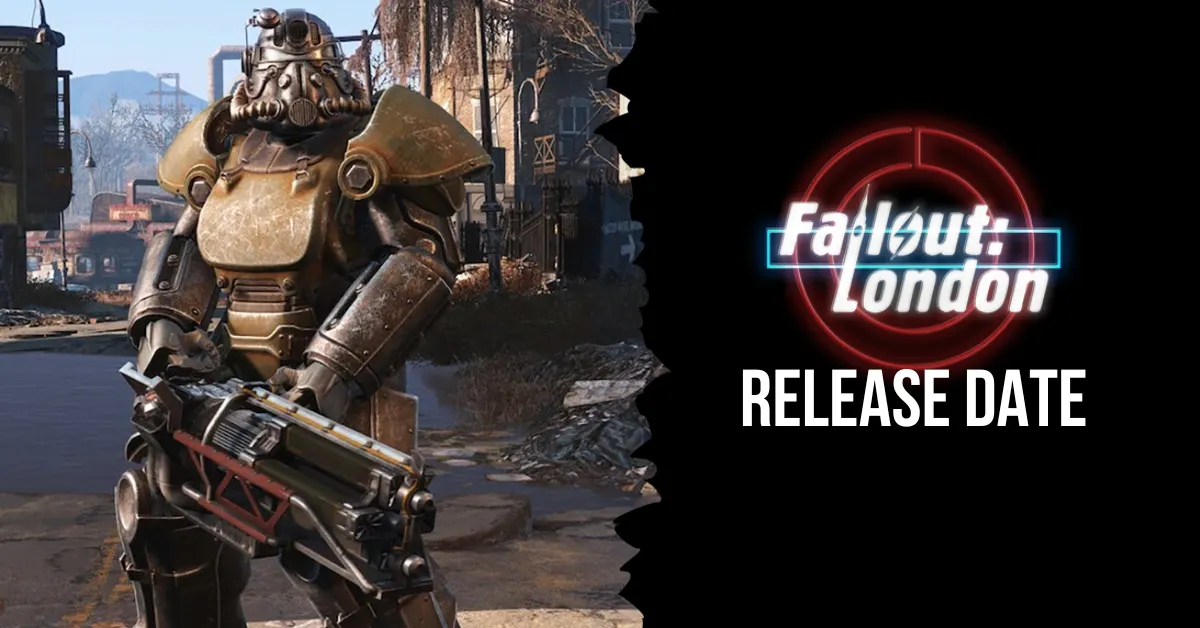
    The development team behind Fallout London, the much-awaited and ambitious Fallout 4 mod, has announced a release date and given a detailed update on the content that will be included in this massive project.

    Fallout London has been developed over several years by a committed group of people who are not too unlike a professional dev studio. It’s maybe the largest mod ever released for a Bethesda Games Studios game.

    When Will Fallout London Be Released?

    The development team showcases the large and realistic map that transports players to the center of London in this 13-minute video, which also includes a number of features and mechanisms that will be included when the mod is launched on April 23, 2024.

    It was revealed that fifteen actual London boroughs will be meticulously recreated for this amazing mod on the original map. For the Fallout London mod, hundreds of brand-new components and parts have been made from the ground up, including:

    • 121 weapons
    • 514 items of clothing
    • 29 races
    • 425 pieces of architecture
    • 203 consumables

    It’s easy to see why Fallout London is regarded as the most ambitious mod for a Bethesda game. It has a revitalized user interface, original innovations like the “Atta Boy” handheld console, a new soundscape, over fifty main missions, and full voice acting.

    A statement from the developers of Fallout London and Team FOLON:

    What Are the Features of Fallout London?

    fallout london release date

    Fallout London is an entirely new game that builds upon the Fallout narrative and gameplay, not just a basic reskin of Fallout 4. The mod includes:

    • A recently created map featuring all of the famous sites in Greater London, including Big Ben, Buckingham Palace, Tower Bridge, and more.
    • More than twenty new groups, each with its agenda, history, and culture. The Revolutionaries, the Cockneys, the Druids, the Knights of the Round Table, and the Royalists are a few of the factions.
    • More than 100 new quests, including side missions, encounters at random, and main story missions. The missions will delve into topics like as politics, history, and British identity in the post-nuclear era.
    • More than 300 brand-new armor, weaponry, and accessories—many of which draw inspiration from British history and culture. The tea set, the bowler hat, the umbrella, and the cricket bat are a few examples.
    • More than fifty new monsters and foes, including some mutant forms of common British fauna like rats, foxes, crows, and badgers.
    • More than thirty brand-new radio stations, each with a unique DJ, sound, and personality. A wide range of musical styles, including jazz, pop, rock, and classical, will be played on the radio stations.
    • More than two hundred fresh voice actors will provide genuine British accents and dialects to the characters and factions.
    • The gifted Inon Zur, who also wrote the music for Fallout 3, Fallout 4, and Fallout 76, has created a brand-new soundtrack.

    How to Download and Install the Mod?

    On April 23, 2024, Fallout London will be downloadable via Nexus Mods and the official website. In order for the mod to function, Fallout 4 and all of its official DLCs must be installed. A list of compatible modules can be found on the mod page.

    In order to facilitate and streamline the installation and update processes, the mod will also come with its installer and launcher. As long as the files and functionality of the mod don’t conflict with any other Fallout 4 mods, it should work with the majority of them.

    If you are interested in knowing more articles related to other games, you can check State Of Decay 3 Release Date and Once Human PS5 Release Date. We appreciate your interest in our website! Make Gameempress.com your go-to site for gaming information.

  • Steam Christmas Games: Unwrap Cozy Adventures & Festive Frolics

    Steam Christmas Games: Unwrap Cozy Adventures & Festive Frolics

    It’s Christmas Eve if you’re reading this on the day I wrote the essay. What a thrill! If you’re reading this later, I can only hope you had a wonderful Christmas, or at the very least a pleasant day if you’re not into that sort of thing.

    Regardless of when you read this, Steam users may presently download and retain a slew of free games in time for the holiday season, and there are some real gems in the mix.

    Steam Christmas Games
    Steam Christmas Games

    According to the ever-reliable Free Steam titles on Twitter, there are six new titles available right now for all you-hungry gamers. With games ranging from furious shooters to relaxing simulators, it’s safe to say there’s something for everyone.

    The following are the six free games:

    • The Finals – You’ve undoubtedly heard of this one already because it’s massive right now. The current hot new battle royale is worth a look.
    • Build Master: MarsVille -A city-building and strategy game that challenges you to develop your Martian colony using your engineering prowess and building abilities.
    • Killfish – Immerse yourself in a gripping universe where robots have taken control of a factory in this Action/FPS game.
    • DreadMoon – Assume the form of a powerful werewolf and right the wrongs committed by your people to rescue the realm from the vampire ruler Balthazar’s lethal claws.
    • Duels of Fortune is a fast-paced, explosive fighting game featuring a versatile character pool and an expressive combo system.
    • Knight’s Path: The Tournament is a short medieval RPG with hard combat, an immersive growth system, and a pleasant little plot.

    That’s all there is to it, my friends. If you didn’t have enough games to play this Christmas while attempting to play through some of the finest games of 2023, here are a few more for you to check out. Merry Christmas, you dirty gaming creatures.

    You might also be interested in the following games, News: Modern Warfare 3 Cheaters and GTA 5 Leaked Source Code Exposed. We appreciate your interest in our website! Make Gameempress.com your go-to site for gaming information.

  • Is Sonic Frontiers Multiplayer? Here’s What the Developers Have to Say

    Is Sonic Frontiers Multiplayer? Here’s What the Developers Have to Say

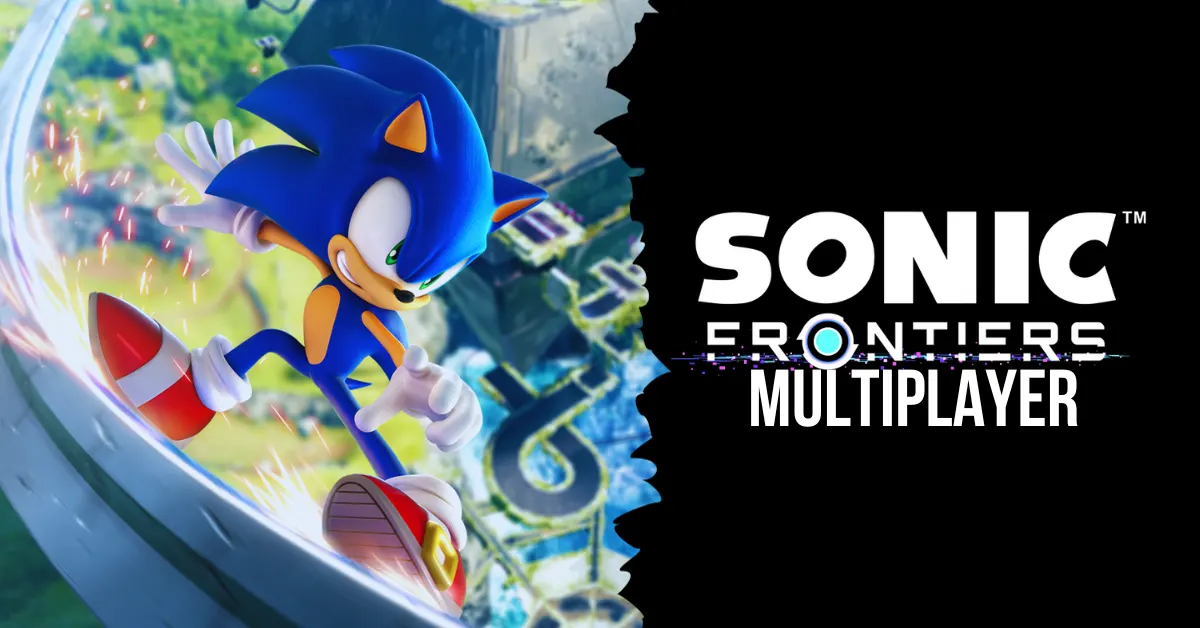
    Sonic Frontiers is the latest game in the Sonic the Hedgehog franchise, and it promises to be a groundbreaking experience for fans of the Blue Blur. The game features an open-world setting where Sonic can explore five massive islands, each with its challenges, secrets, and enemies. Sonic Frontiers also introduces new gameplay elements, such as puzzles, ancient powers, and a mysterious story.

    But what about multiplayer? Does Sonic Frontiers have any co-op or multiplayer features that allow players to enjoy the game with their friends or compete with others online? This article will answer all your questions about Sonic Frontiers multiplayer and whether you can expect to see it in the game.

    Is Sonic Frontiers Multiplayer?

    No, multiplayer is not available in Sonic Frontiers. The game is only meant to be played offline by one person. That also means that no Co-Op gameplay will be available anytime soon. There don’t appear to be any plans to release Sonic Frontiers multiplayer in the near future.

    Thus, regrettably, a Knuckles and Sonic pairing is not going to happen anytime soon. Furthermore, Sonic Frontiers does not allow split screens on any platform because it lacks multiplayer.

    Is Sonic Frontiers Co-op?

    Unfortunately, you won’t be able to take your friends on an exploration of Sonic Frontiers’ universe. Actually, there are no multiplayer elements in the game at all. The official Sonic Frontiers Steam page makes clear that Sonic Frontiers is an offline, single-player game.

    While most gamers may find it upsetting because there isn’t cooperative or multiplayer gaming, many others are content with this choice. Sonic Frontiers as a single-player offline game seems fantastic since the majority of online games have a ton of microtransactions and other features that are concealed behind a paywall.

    The world of Sonic Frontiers contains so many secret features strewn around the landscape that we are eager to explore. Fans of the series, both old and new, will enjoy this game. Sonic is going to be a fully open world for the first time, and it looks amazing! See the trailer for yourself by clicking here.

    Why Isn’t There Multiplayer in Sonic Frontiers?

    is sonic frontiers multiplayer
    is sonic frontiers multiplayer

    Morio Kishimoto, the director of Sonic Frontiers, has hinted that a multiplayer mode was initially intended for the game. This is from a fan-posted Q&A on Twitter, where Kishimoto teases us with the next installment in the Sonic series.

    Regarding the absence of multiplayer in the most recent Sonic games, Kishimoto replies that the team is “always” considering the possibility. He does clarify, though, that it is “difficult” to implement, particularly as the developers are still figuring out how to make the upcoming Sonic games enjoyable for fans.

    Kishimoto continued to explain why they weren’t able to make multiplayer function this time after disclosing that the developers do think about incorporating it during production.

    Speaking of the beginning of Sonic’s third generation with Frontiers, “It is always in view. However, I think it will be difficult to move on to the next step unless you first complete the third generation Sonic game in single play,” adds Kishimoto. “As you know, the game itself still has a lot of issues, so we can’t leave it alone.”

    See the tweet below…

    It’s interesting to note that this claim doesn’t refute the possibility that Frontiers or another Sonic game will feature multiplayer features. It really seems like we’ll have to wait till Sega and Sonic Team are satisfied with the single-player options, which clearly seem to be given priority.

    It’s safe to assume that the Sonic Team is preparing ahead of time, given all the talk of “generations” and upcoming Sonic material. It’s no secret that Frontiers will receive some new content this year. Featuring the option to take on the roles of Amy, Knuckles, and Tail.

    Although Kishimoto hasn’t mentioned anything further, his remarks may be hinting at the possibility of a multiplayer mode in the future. For fans of the older games, Kishimoto’s confirmation in this Q&A was encouraging because it showed that the developers are still thinking about them.

    The director even suggested that gameplay from Sonic Adventure would impact the next Sonic games. As we previously reported, whether this indicates that Sonic Adventure 3 is a possibility or not is still to be seen.

    Will Sonic Frontiers Ever Have Multiplayer?

    While Sonic Frontiers does not have multiplayer at launch, there is a slim possibility that it could be added in a future update or DLC. The developers have not ruled out the idea of adding multiplayer features to the game, but they have also not confirmed any plans to do so.

    Iizuka said that the team is open to feedback from the fans and will consider their requests and suggestions for the game. However, he also warned that adding multiplayer would not be easy, as it would require a lot of work and testing to ensure that it does not affect the game’s performance or stability.

    Therefore, fans should not expect to see multiplayer in Sonic Frontiers anytime soon, if ever. The game is clearly designed to be a single-player experience, and the developers are likely to focus on improving and expanding that aspect of the game.

    If you were hoping to play Sonic Frontiers in co-op or online, then you are out of luck. The best you can do is share your adventure with your friends through screenshots, videos, or streaming.

    You might also be interested in the following games, Crossplay: Is Granblue Fantasy Versus Rising Crossplay? and Is Monopoly Plus Cross Platform? We appreciate your interest in our website! Make Gameempress.com your go-to site for gaming information.

  • Modern Warfare 3 Cheaters: Aimbot Annihilation Or Skill Deficit Disguise?

    Modern Warfare 3 Cheaters: Aimbot Annihilation Or Skill Deficit Disguise?

    The CODMAS event has been started by Warzone and Modern Warfare 3 (MW3), celebrating the festive atmosphere of the winter holidays and Christmas season. However, the ongoing problem of hackers and cheats jeopardizes the gaming experience of legitimate players. As a result, game creators are stepping up their attempts to combat cheats within the game.

    Developers are taking extra steps and being more alert this holiday season to identify and punish hackers. They recently disclosed figures on the amount of hackers apprehended as well as anti-cheating mechanisms in place.

    This post will go over the statistics in depth, shedding light on the developer’s proactive approach against hacking in Warzone and MW3.

    Modern Warfare 3 Cheaters

    MW3 players gathered together to think about what should be done to prevent cheaters after reflecting on the condition of the game, with 23,000 accounts banned since mid-November.

    “For ranked, they should consider making it only accessible after hitting level 100+ to prevent new accounts from hacking after a ban,” the most recent comment said. Similar mechanisms exist in Valorant and Rainbow Six Siege, which prevent players from playing until they meet account conditions.

    Damn so many banned accounts in one month, some on this subreddit have been right. The cheating is out of control …
    byu/Youngstown_Mafia inModernWarfareIII

    On the other side, others complimented the anti-cheat appears to be “learning,” if it is properly developed. Others bemoaned the elimination of the option to toggle cross-play on or off. Aside from that, because player trust is at an all-time low, the topic deteriorated into charges of “skill issue” once more.

    On the one hand, banning 23,000 accounts seems like a good start. However, when you consider MW3’s free access weekend in December, it feels like a drop in the ocean of cheats.

    The Developers of Warzone and Mw3 Are Hammering Cheaters With New Ricochet Features

    Ricochet, the official (previously Twitter) handle for Call of Duty, has taken harsh action against cheating, banning over 23,000 accounts since November 12, 2023.

    As part of their dedication to supporting fair play and an authentic gaming experience, they’ve implemented new Machine Learning detections and activated the Splat feature over 2,000 times since its inception on November 9, 2023.

    During the winter holidays, their focus is on monitoring and enforcing anti-cheat procedures. The developer added emphasis to his statement by saying: “Cheaters get lump of coal.”

    Machine Learning enhances their ability to evaluate client and server data, allowing them tdetect new cheating activities.

    This proactive strategy enhances their ability to detect and respond to odd conduct. Furthermore, the creators have included the Splat feature, which employs novel methods to interrupt and irritate hackers.

    This amusing but successful strategy employs odd approaches such as disconnecting parachutes or making simple bunny hop into sudden 10,000-foot crash, killing them instantaneously.

    These collective actions are critical for combatting cheaters in Warzone and Modern Warfare (MW3) and preserving gaming integrity in the Call of Duty community.

    You might also be interested in the following games, News: GTA 5 Leaked Source Code Exposed and AMD Ryzen 7 5700X3D Leaks . We appreciate your interest in our website! Make Gameempress.com your go-to site for gaming information. 

  • Cheat Codes for Monopoly Go: How to Play Better Without Cheat Codes?

    Cheat Codes for Monopoly Go: How to Play Better Without Cheat Codes?

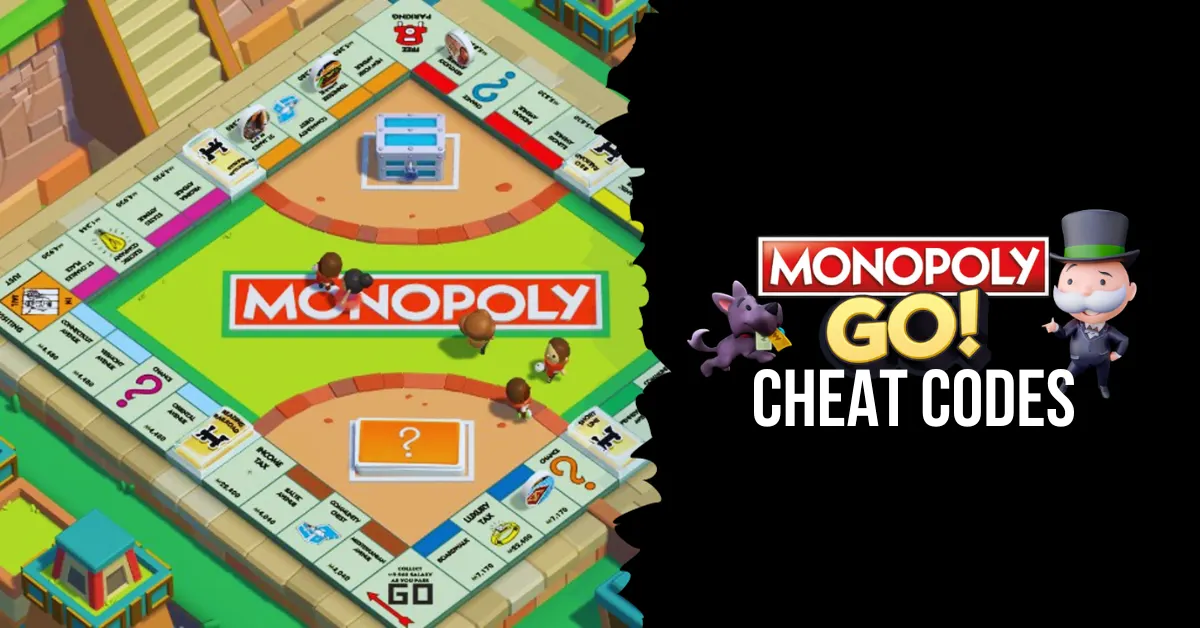
    In the well-known smartphone game Monopoly Go, you may construct your city and engage in global competition. The game is modeled after the beloved board game Monopoly, but it has additional elements and twists to increase its replay value and enjoyment factor.

    The dice roll, which controls how many spaces you can travel on the board and what actions you can perform, is one of the key components of the game. Dice rolls can also be used to upgrade buildings, purchase properties, collect rent, launch attacks on other players’ cities, or defend them.

    Dice rolls are few and restocked periodically, so you must utilize them carefully and tactically. Some gamers, nevertheless, might choose to receive additional dice rolls without having to wait or pay actual money. For this reason, some players search for Monopoly Go cheat codes that would allow them to get free dice rolls and other in-game goodies.

    Are There Official Cheat Codes for Monopoly GO?

    You may play Monopoly GO as long as you have dice throws! Although your throw energy eventually returns, there are some excellent ways to increase it. For Monopoly GO, there are no cheat codes! However, you can strive to win more and make the most out of your spins by using some excellent techniques.

    Build

    You can increase your number of throws by constructing; when you reach a certain level, you’ll unlock a reward, which might be money or extra throws at the dice, depending on the level.

    You can level up and earn incentives, including dice rolls, by building. For bonus points, finish the sets. Additional incentives will be yours if you finish sets on specific occasions.

    Add Friends

    cheat codes for monopoly go

    When you invite friends to the game, you can get a bonus. You can get some good bonuses from playing this game with your pals, just like in other games like it. Bonuses tied to buddy activity will be yours as well; it’s a win-win situation!

    Collect Stickers

    It can take a long time to gather stickers and finish collections, but doing so is a fantastic method to increase your number of dice tosses. Sticker collecting has many benefits, particularly when you finish collections.

    While there are Facebook groups where stickers are exchanged, we are unable to vouch for their safety as we have heard many positive stories of scams occurring alongside sticker exchanges.

    Get More Tokens

    Gaining access to new Tokens has its benefits—whole sets of tokens that may be exchanged for incentives like more free rolls and in-game money. Unlock tokens are awarded when you accomplish specific level benchmarks. Thus, everything revolves around how crucial it is to continue leveling up to unlock new goodies and earn in-game currency.

    Play the Events and Tournaments

    Numerous events occur in the game; keep an eye out for them and investigate the prizes; frequently, there will be more free dice throws. Timing your dice used to coincide with events when you have a good chance of ranking highly and earning a ton of free dice is a terrific tip. Keep an eye out for event run times to determine if attending is worthwhile.

    Use the Multiplier

    One excellent time-saver is the multiplier. To use your throws more rapidly and receive more prizes, use the highest level. Multipliers never stop working; you can apply a 50x multiplier if you can stack more than 2,000 dice.

    With a high multiplier, you do rapidly run out of dice, but the bonuses also increase proportionately, so if you throw well, you could win a ton of money. Another thing to keep in mind regarding the multiplier is that you might want to adjust it when you are at different spots on the board.

    For instance, you could wish to raise your multiplier to its maximum if you are in a favorable position and have many opportunities to roll dice and land on a tile that you need to reach.

    However, you might want to reduce your multiplier for the subsequent throw if there aren’t many tiles that you could fall on that could aid in an event. This kind of use of your multiplier can significantly impact your event scoring.

    Work Out Your Probabilities

    This table of probability can be useful in determining when to utilize your maximum multiplier, even though it may seem a bit extreme if you have thousands of dice with the high roller enabled.

    You may tally up the odds depending on the throw required to land on a specific square using this table and knowing which squares you are happy to land on.

    For the next throw, you could wish to boost your multiplier if the overall likelihood is high enough for you.

    The percentage likelihood of rolling numbers 2 through 12 is shown in the following probabilities table. Based on it, you might choose to set a greater-than-usual multiplier for the subsequent roll if you have strong selections on a number of high-likelihood squares.

    Dice Throw Probability
    2 2.78%
    3 5.56%
    4 8.33%
    5 11.11%
    6 13.89%
    7 16.67%
    8 13.89%
    9 11.11%
    10 8.33%
    11 5.56%
    12 2.78%

    Look Out for High Roller

    Pay attention to the high roller option, which lets you increase your multiplier by a maximum of 200x. When you obtain this, and your chances of landing on an event-based prize tile or shield are high (50% or above), you might choose to use the high roller if you have it.

    You never know what the outcome will be; after all, it’s all just a dice roll. However, if you’re lucky enough to land on a tile with a 200x multiplier, you may easily become the event champion.

    How Do You Play Monopoly GO Better Without Cheat Codes?

    Instead of looking for cheat codes for Monopoly Go, we suggest you play the game better by following some tips and tricks that can help you improve your skills and strategy. Here are some of them:

    Plan your moves: Before you roll the dice, think about what you want to do and where you want to go. Do you want to buy a property, upgrade a building, collect rent, or attack another player? Choose the best option for your situation and goals.

    Use your shields wisely: Shields are items that can protect your city from attacks by other players. You can get shields by landing on certain spaces on the board or by buying them with coins. You can only have a maximum of three shields at a time, so use them wisely and strategically. Don’t waste them on low-value properties or when you have a lot of dice rolls left.

    Complete quests and events: Quests and events are tasks that you can complete to earn rewards such as coins, dice rolls, stickers, and more. You can find quests and events on the left side of the screen. Try to complete as many as you can to get more resources and items for your city.

    Collect stickers and partners: Stickers and partners are collectible items that can give you bonuses and perks in the game. You can get stickers by opening sticker packs that you can buy with coins or get as rewards. You can get partners by completing puzzles that you can find on the right side of the screen. Try to collect as many stickers and partners as you can to boost your performance and progress in the game.

    You might also be interested in the following game, Cheats: NBA Street Vol 2 Cheats and Pokemon Moon Black 2 Cheats. We appreciate your interest in our website! Make Gameempress.com your go-to site for gaming information.

  • COD MW3 Patch Notes 19 Dec: Festive Fixes, Festive Fun!

    COD MW3 Patch Notes 19 Dec: Festive Fixes, Festive Fun!

    Modern Warfare 3 is now the major focus for Call of Duty fans for the foreseeable future, and with the game now out, players are eager to get into this year’s content.

    All eyes are on the game right now because the brand-new CODMAS update has arrived, and there’s a ton for gamers to check out.

    The following are the patch notes for today, December 19, 2023.

    COD MW3 Patch Notes 19 Dec

    With Modern Warfare 3 being completely launched, gamers are familiarizing themselves with all of the weaponry, maps, and other features, and there is a new holiday event to explore.

    Players will be able to delve into the new CODMAS update, which brings some festive cheer to the game, as well as the patch notes provided by Activision.

    Seasonal Dishes! Santa Gnaws has arrived to torment everyone who dares to disobey him. To obtain prizes more amazing than a lump of coal, complete up to eight challenges in the Santa’s Slayground in-game event. Get equipment and cosmetics such as the “Christmas Skulls” Calling Card, the “Elfsecution” Finishing Move, and the Weapon Blueprint/Operator Skin as rewards.

    As you complete the tasks in Multiplayer, Zombies, and Call of Duty: Warzone, you’ll be able to play across new themed maps and modes.

    Zombies Mission

    Act 1

    Automated Backup

    • Mission progress will now also track regular turret circuits.

    Freezer Burn

    • Mission progress has been adjusted to now give credit to Cryo Freeze kills in addition to slowing enemies with Cryo Freeze.

    Fire Power

    • Mission progress will now also track kills for Pack-a-Punch levels II and III.

    Act 2

    More Firepower

    • Mission progress will now also track kills for Pack-a-Punch level III.

    Act 4

    Dead Signal

    • Adjusted the Gorm’gant boss fight difficulty in Dead Signal to scale better for solo players.

    Gameplay

    Dark Aether Rift

    • Contract Rewards have been tuned to provide better rewards.

    You might also be interested in the following game, patch notes: Ultrakill Patch Notes Dec 2023 and WoW 10.2 Patch Notes. We appreciate your interest in our website! Make Gameempress.com your go-to site for gaming information.

  • How to Get Free Fortnite Redeem Codes in December 2023?

    How to Get Free Fortnite Redeem Codes in December 2023?

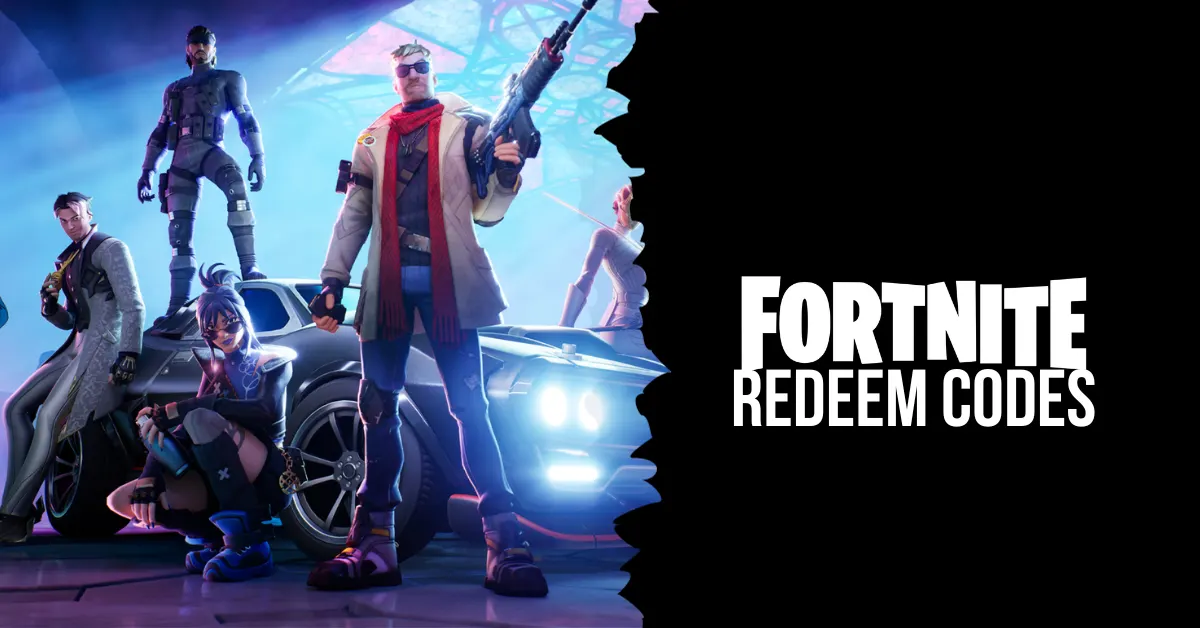
    Prepare to step off the Battle Bus and enter a brand-new world of possibilities! With their new material, Epic Games is having a lot of success. To keep their player base engaged, they are now distributing Fortnite redeem codes on a regular basis. Even though these tickets don’t provide incentives to improve your gaming, who can say no to a gift?

    Look no further if you’re looking for a list of December 2023 Fortnite redeem codes! With the use of these codes, you may earn free rewards—such as V-Bucks, makeup, clothes, and other items—without having to spend any money! Every month, this post will be updated with new code drops and an updated list of expired codes.

    Latest Fortnite Redeem Codes

    This is a list of all the Fortnite codes that are presently live so you can use them to redeem freebies for your next game session. To get these exclusive incentives and free cosmetics, carefully enter these case-sensitive alpha-numerical codes. Additionally, they have a time limit, so use them right away to avoid their expiring!

    free fortnite redeem codes

    Free “Nanner Ringer” Emote: Redeem code BANANNANANANA to get a goofy yellow banana character costume emote. This uncommon Outfit modification is only available for 25 million usage, so don’t wait to get it. It may be used in all Fortnite games.

    Chapter 4 Reward Codes: Every code opens a reward from Chapter 4 Legacy. Make sure you claim all six before they run out.

    • 9BS9-NSKB-JAT2-8WYA
    • LJG6-DGYB-RMTH-YMB5
    • D8PT-33YY-B3KP-HHBJ
    • 69JS-99GS-6344-STT8
    • WDCT-SD21-RKJ6-UACP
    • XTGL-9DKO-SD9D-CWML

    Recently Expired Fortnite Codes

    These are some recently expired, non-functional Fortnite codes. Try these codes once more if you have some free time to check whether you’re missing out on any freebies.

    • FAT6P-PPE2E-4WQKV-UXP95
    • 8Z35X-3ZWAB-BC57H-EQTQZ
    • SDKY-7LKM-UTGL-LHTU
    • SDKY-7LKM-ULMF-ZKOT
    • MK2T-UDBL-AKR9-XROM
    • MK2T-7LGP-UFA8-KXGU
    • NBP4S-SLUET-YWQHY-66C2Z
    • 3CT3L-5H6N6-2H35S-8TVX7
    • 3QVS2-A9R27-2QFGZ-PF7W7
    • 6AQFF-N3SMY-2E6XZ-ZD3A4
    • Z4A33-NLKR2-V9X34-G3682
    • P2XY4-QB7Z8-Y6GVZ-KZZBT
    • 7A8D4-XAVA4-GYL72-3Y2MK
    • Y2429-69CD3-WMYNS-Y64V2
    • PAX7N-79CGE-NMW6T-C9NZG
    • 7A8D4-XAVA4-GYL7Z-3Y2MK
    • FGNHR-LWLW5-698CN-DMZXL
    • 3QVS2-A9R27-2QFGZ-PF7W
    • YNQJ7-4EVUP-RJDMT-ENRK6
    • LPYDF-3C79V-TTFLG-YSBQP

    How to Redeem Fortnite Redeem Codes?

    In order to get your free makeup and other things, you must first understand how to redeem Fortnite tickets. To get started, follow the easy, step-by-step instructions below.

    • Go to the official Fortnite redemption page.
    • Enter the account from which you wish to receive rewards.
    • In the Access Code field, type the code.
    • Select “Activate.”

    A notification or message stating that the code was successfully redeemed ought to arrive. The next time you check in to play Fortnite on a PC, Xbox, PlayStation, or Nintendo Switch, your new content ought to be accessible.

    We have more Fortnite articles, so check out Ragsy Fortnite: How To Get And Use The Spooky Cuddle Team Leader Skin? and Solid Snake Fortnite Skin: The Ultimate Crossover For Metal Gear And Fortnite Fans! Stay up to date with GameEmpress.com for the most recent gaming news and guides.
  • Ultrakill Patch Notes Dec 2023: Discover The Game-Changing Enhancements!

    Ultrakill Patch Notes Dec 2023: Discover The Game-Changing Enhancements!

    ULTRAKILL is back in the spotlight, with new levels, modes, and flurry of changes that me to return to the violent FPS action.

    The most recent ULTRAKILL patch notes are available here, and they include all fixes, rebalancing modifications, and more!

    Ultrakill Patch Notes Dec 2023

    Additions

    • Added Layer 7: VIOLENCE
    • Added custom music support to Cyber Grind
    • Added autocomplete for the console
    • Added a hurt sound when being hurt by acid
    • Multiple buttons can now be bound to a single action
    • Added God mode cheat to make the player invulnerable
    • Added option to disable white screen flash when parrying
    • Added “Advanced Options” menu in General options for level-specific tweaks
    • Added “HEALTH – HATEFUL (Instrumental)” to the Cyber Grind jukebox

    Sandbox

    • Added a toggleable warning when overwriting a Sandbox save
    • Added a quicksave button for the Sandbox
    • Added ability to make enemies fight each other in the Sandbox
    • Altars can now be edited to remove items with the Alter arm
    • Added ability to sandify enemies with the Sandbox Alter arm
    • Added ability to enrage enemies with the Sandbox Alter arm
    • Added Crystal of Madness to the Spawner arm menu
    • Added invisible wall custom block to the Sandbox
    • Alter arm can now change the force of a slingshot hook point
    • Alter arm can now change the size of custom Sandbox objects after they’ve been created
    • Alter arm can now change a Dual Wield powerup’s duration

    General Changes

    • Punch and parry timing now has 3 frames of leniency (punching a few frames early will still count as a hit) [excluding projectile boosts]
    • Increased horizontal and vertical size of player’s projectile parry zone
    • Explosive projectiles and the Hideous Mass spear now have the same mercy frames after hitting a player as normal projectiles
    • Some charge an enemy projectile sprites have been updated to match the greater visual fidelity of the game
    • Alternate Sharpshooter Revolver now spins up almost instantly, making it perfect for players who only use the Sharpshooter situationally
    • Rockets that have been frozen for a second or longer will always cause red explosions when hitting an enemy
    • Dying Mindflayers can now be punched with the Knuckleblaster to launch them
    • Punching a Screwdriver screw out of an enemy will now also deal its remaining damage to them
    • Reworked the text system to fix fonts appearing blurry
    • Songs in the Cyber Grind playlist now only load whenever used instead of all at once on level load, causing the game to freeze
    • Seasonal events only apply in levels the player has already played at least once
    • Level leaderboards are now hidden on the first playthrough
    • Level leaderboards now include a notification about the option to disable them
    • All level leaderboards in the level select can switch between Any or P-Rank with the last used weapon button
    • Added ability to scroll level leaderboards
    • The radiance speed modifier no longer affects the projectile speed
    • Fixed Cyber Grind enemy point budget inconsistencies caused by start wave number
      Changed the radiant enemy spawning formula in the Cyber Grind, making them less common and more consistent
    • Updated visuals for explosions
    • Pre-boss terminals no longer play music to not ruin the build-up
      Changed the tab level stats overlay’s secrets from a number to icons
    • State of “Don’t touch X” challenges now resets on checkpoint reset if the player hasn’t failed yet
    • Boss health bars now have secondary meters for bosses who are supposed to have them
    • An enemy spawning inside a rocket now consistently causes red explosions Punch exhaustion gets reset on respawn
    • Converted .mp4 video files into .webm
    • Removed the scrollbar from the Prelude level and select
    • Players can now initiate a rocket ride with a whiplashed rocket even while moving upwards
    • Reduced the delay for a Swordsmachine’s sword returning after a throw that doesn’t hit anything
    • Player can now only be launched by one damage less explosion at a time
    • Diving (jump+slide at the same time) into a wall now allows the player to wall jump while keeping their momentum
    • Increased leniency for dive input
    • Replaced 2 Strays in 5-3 Rocket Launcher airborne shot tutorial with Schisms to better illustrate the damage difference
    • Streetcleaners now explode when Mauriced
    • Items held while in Clash mode are now visible in the player’s hand
    • Swordsmachine radiance health bonus reduces from 2x to 1.5x

    Fixes

    • Explosions no longer kill enemies through walls
    • Fixed the name on boss health bars sometimes stretching horizontally when there are many active at once
    • Fixed the spawn cost of enemies in the Cyber Grind not increasing per instance of the same enemy
    • Fixed sandbox blocks becoming invisible if stretched too far
    • Fixed some rumble setting names being partially cut off
    • Can no longer jump off rockets while the game is paused
    • Fixed S.R.S. Cannon weapon freshness not working correctly
    • Fixed some objects not being saved in Sandbox saves
    • Fixed a weapon wheel bug caused by unequipping the Nailgun
    • Swordsmachine Agony and Swordsmachine Tundra now appear in the correct order
    • Fixed 5-S Maurice bait not being held correctly
    • Crosshair HUD will now be disabled correctly if HUD Fade is enabled before attempting to set the thickness to none
    • Fixed strays in the first sunken arena of 5-3 being able to walk through some walls
    • Fixed a hole in the ceiling of the P-2 boss entrance
    • Fixed “Target Framerate” setting not applying on restart
    • Fixed the framerate being unlocked during the intro videos
    • Virtues no longer count towards the total Virtue count for halting the enrage of other Virtues
    • Fixed the Shotgun overkill damage applying to radiant virtues without accounting for the radiance health buff
    • Fixed the Shotgun weapon icon not having the correct amount of ambient glow
    • Fixed the floor lights in the last room of 0-2 not having a navmesh
    • Fixed Whiplash pull not cancelling properly on some big enemies
    • Fixed Cerberus being unable to walk towards the player if the player is too high up
    • Fixed Drones losing their sandification visual effect when shooting
    • Fixed Drone seasonal event texture bugs
    • Fixed Attractor Nailgun sometimes called Magnet Nailgun in the terminal
    • Fixed flickering shockwave effects in 2-4 arm encounter
    • Added a failsafe if the Flesh Panopticon death animation freezes
    • Fixed shotgun breaking when point-blank shooting Sisyphus Prime during his intro
    • Fixed Sisyphus Prime attack trails sometimes persisting after death
    • Fixed Sentry beams sometimes hitting the player even if chargeback
    • Fixed the Rocket Launcher not counting towards the amount of weapons equipped for freshness calculations
    • Drones no longer cause “+CANNONBALLED” style bonus when killing an enemy by crashing into them
    • Fixed a bug that caused Size 2 fish to be uncatchable

    You might also be interested in the following game, patch notes: Warcraft Rumble 3.0.0 Patch Notes and God Of War Ragnarok Valhalla 05.03 Patch Notes. We appreciate your interest in our website! Make Gameempress.com your go-to site for gaming information.

  • Dragon Ball Z Budokai Tenkaichi 4 Mod: How To Download And Play The Fan-Made Game?

    Dragon Ball Z Budokai Tenkaichi 4 Mod: How To Download And Play The Fan-Made Game?

    Dragon Ball Z Budokai Tenkaichi 4 is a fan-made modification (mod) of the original Dragon Ball Z Budokai Tenkaichi 3 game, which was released in 2007 by Spike and Bandai Namco.

    The mod aims to update and improve the game with new content and features that have been introduced in the Dragon Ball franchise since then, such as new characters, stages, transformations, attacks, and modes. The mod is created and maintained by a team of fans called Team BT4, who have been working on it since 2014.

    The mod is available for PlayStation 2 and PC (via emulator), and has received positive feedback from the Dragon Ball community. In this article, we will show you how to download and play the Dragon Ball Z Budokai Tenkaichi 4 mod, and what are the benefits and drawbacks of using it.

    How to Download the Dragon Ball Z Budokai Tenkaichi 4 Mod?

    Dragon Ball Z Budokai Tenkaichi 4 Mod
    Dragon Ball Z Budokai Tenkaichi 4 Mod

    To download the Dragon Ball Z Budokai Tenkaichi 4 mod, you will need to follow these steps:

    • Make sure you have the original Dragon Ball Z Budokai Tenkaichi 3 game for PlayStation 2. You can buy the game from online stores, such as Amazon or eBay, or from local shops. You will also need a PlayStation 2 console or a PC with a compatible emulator, such as PCSX2.
    • Download the Dragon Ball Z Budokai Tenkaichi 4 mod from the official website of Team BT4. You can choose from different versions and languages of the mod, such as Spanish, English, or Portuguese. The mod file size is about 4 GB, and it is in ISO format.
    • Burn the mod file to a DVD or mount it to a virtual drive. You can use software, such as ImgBurn or Daemon Tools, to do this. You will need a DVD burner or a virtual drive program for this step.
    • Insert the DVD or the virtual drive into your PlayStation 2 console or your PC with the emulator. Launch the game as usual, and enjoy the Dragon Ball Z Budokai Tenkaichi 4 mod.

    This is everything you need to know about Dragon Ball Z Budokai Tenkaichi 4 Mod. Additionally, you can check our guide on GTA 4 Graphics Mod and Sims 4 Car Mod. Stay connected with GameEmpress.com to get the latest news and guides about the gaming world.

  • LEGO Fortnite Feature Guide: How To Play And Enjoy The New Mode?

    LEGO Fortnite Feature Guide: How To Play And Enjoy The New Mode?

    LEGO Fortnite is a new mode that has been added to Fortnite, the popular battle royale game. LEGO Fortnite is a survival crafting game that lets you explore a LEGO-themed world, build villages, recruit NPCs, and discover secrets.

    LEGO Fortnite is a permanent mode that is free to play for all Fortnite players. In this article, we will provide a comprehensive guide on the features and tips of LEGO Fortnite, and how to get the most out of the new mode.

    How Do I Link My LEGO Account to My Epic Games Account?

    LEGO Fortnite Feature Guide
    LEGO Fortnite Feature Guide

    To play LEGO Fortnite, you will need to link your LEGO account to your Epic Games account. This will allow you to access your LEGO ID, which is a unique identifier that lets you share your creations and progress with other players. To link your LEGO account to your Epic Games account, you will need to follow these steps:

    • Launch Fortnite and select LEGO Fortnite from the game mode menu.
    • You will be prompted to create or log in to your LEGO account. If you already have a LEGO account, enter your email and password. If you don’t have a LEGO account, you can create one for free by entering your email, password, date of birth, and country.
    • Once you have logged in to your LEGO account, you will be asked to link it to your Epic Games account. Click on the Link button and confirm the action.
    • You will see a confirmation message that your LEGO account and your Epic Games account are linked. You can now play LEGO Fortnite with your LEGO ID.

    How to Get a Free Fortnite Outfit?

    As a bonus for playing LEGO Fortnite, you can get a free Fortnite outfit that is inspired by the LEGO theme. The outfit is called the Brickster, and it is a customizable skin that lets you change the colour and pattern of your bricks. To get the free Fortnite outfit, you will need to follow these steps:

    • Play LEGO Fortnite and complete the tutorial. You will learn the basics of the mode, such as how to craft, build, and explore.
    • After completing the tutorial, you will receive a reward chest that contains the Brickster outfit. You can open the chest and claim the outfit.
    • To equip the outfit, go to the Locker menu and select the Brickster from the Outfits tab. You can also customize the outfit by selecting the Edit Style option and choosing the colour and pattern of your bricks.

    LEGO Fortnite Settings for Pc, Ps5, Xbox, Switch

    LEGO Fortnite has some settings that you can adjust to optimize your gameplay experience and performance. You can access the settings menu by pressing the Esc key on PC, the Options button on PS5, the Menu button on Xbox, or the + button on Switch. The settings menu has four tabs: Game, Video, Audio, and Controls. Here are some of the settings that you can change:

    • Game: You can change the game mode, the difficulty, the language, the subtitles, the HUD, and the crossplay options.
    • Video: You can change the resolution, the frame rate, the brightness, the contrast, the shadows, the textures, and the anti-aliasing options.
    • Audio: You can change the master volume, the music volume, the sound effects volume, the voice chat volume, and the voice chat options.
    • Controls: You can change the controller layout, the sensitivity, the invert axis, the vibration, and the auto-run options.

    LEGO Fortnite Tips and Tricks

    LEGO Fortnite is a fun and creative mode that offers a lot of possibilities and challenges. Here are some tips and tricks that can help you play and enjoy the mode:

    • Explore the world and collect resources. You will need resources to craft tools, weapons, buildings, and more. You can find resources by harvesting plants, trees, rocks, and animals, or by looting chests and crates. You can also trade resources with NPCs or other players.
    • Build your village and recruit NPCs. You can build your village by placing foundations, walls, roofs, doors, windows, and decorations. You can also recruit NPCs to join your village by completing quests, giving gifts, or using persuasion. NPCs can help you with tasks, such as farming, mining, or defending.
    • Discover secrets and events. The world of LEGO Fortnite is full of secrets and events that can reward you with loot, XP, or fun. You can find secrets by exploring caves, ruins, or hidden areas, or by using tools, such as the Grappler or the Glider. You can also trigger events by interacting with objects, such as balloons, fireworks, or radios, or by meeting certain conditions, such as time of day, weather, or location.
    • Share your world with friends. You can share your world with friends by inviting them to join your session, or by publishing your world online. You can also join other players’ worlds by accepting their invitations, or by browsing the online worlds list. You can play cooperatively or competitively with other players, and chat with them using voice or text.

    You might also be interested in the following game, guide: Wow Classic Lockpicking Guides and Holotactics Guide. We appreciate your interest in our website! Make Gameempress.com your go-to site for gaming information.

  • The Finals LH1: A Guide To The Powerful Semi-Automatic Rifle For Light Build

    The Finals LH1: A Guide To The Powerful Semi-Automatic Rifle For Light Build

    The Finals is a competitive shooter game that lets you customize your character and loadout to suit your play style and strategy. The game features various weapons and gadgets that you can use to gain an edge in the arena.

    One of the weapons that you can choose is the LH1, a semi-automatic rifle that is exclusive to the Light Build. In this article, we will tell you what the LH1 is, how to use it effectively, and what are its pros and cons.

    What is the LH1?

    The LH1 is a long-range firearm for the Light Build. It is a semi-automatic battle rifle that deals high damage per shot and has a reasonable magazine size. It is best used for picking off targets at medium to long ranges, as it has high accuracy and low bullet drop.

    The Finals LH1
    The Finals LH1

    However, it also has a high recoil and low fire rate, which makes it difficult to use in close combat situations. The LH1 is one of the most reliable weapons in the game, as it can take down most enemies with just a few shots.

    How to Use the LH1 Effectively?

    To use the LH1 effectively, you need to follow these tips:

    • Aim for the head. The LH1 has a 2x headshot multiplier, which means that it can deal double damage if you hit the enemy’s head. This can help you eliminate your opponents faster and save ammo.
    • Use the scope. The LH1 comes with a 4x scope that can help you zoom in and aim better at distant targets. You can also switch between the scope and the iron sights by pressing the right mouse button on the PC or the left trigger on consoles.
    • Control the recoil. The LH1 has a high recoil that can make your shots go off target if you fire too fast. To control the recoil, you need to fire in short bursts and adjust your aim accordingly. You can also use the crouch or prone positions to reduce the recoil and improve your stability.
    • Avoid hip-firing. The LH1 has a low accuracy and high bullet dispersion when firing from the hip, which means that you will miss a lot of shots if you don’t aim down sights. To avoid hip-firing, you need to always aim before shooting and use cover to protect yourself from enemy fire.
    • Use gadgets to complement your weapon. The LH1 can be paired with various gadgets that can enhance your performance and survivability. For example, you can use the Flashbang to blind your enemies and get an easy headshot, or the Gas to create a smoke screen and escape from danger.

    What are the Pros and Cons of the LH1?

    The LH1 has some advantages and disadvantages that you need to consider before choosing it as your weapon. Here are some of them:

    Pros

    • High damage. The LH1 can deal 47 damage to the body and 94 damage to the head, which means that it can kill most enemies with two or three shots.
    • Long range. The LH1 has a long effective range and a low bullet drop, which means that it can hit targets from far away with minimal aiming adjustment.
    • Reasonable magazine size. The LH1 has a magazine size of 15 rounds, which is enough to take down several enemies before reloading.
    • Mastery rewards. The LH1 has six mastery levels that you can unlock by using it in the game. Each mastery level grants you a cosmetic or gameplay reward, such as a new skin, a new reload animation, or a reduced recoil.

    Cons

    • High recoil. The LH1 has a high recoil that can make your shots go off target if you fire too fast. You need to fire in short bursts and control your aim to compensate for the recoil.
    • Low fire rate. The LH1 has a low fire rate of 300 RPM, which means that it can fire only five shots per second. This can make you vulnerable to enemies who have faster weapons or who rush you in close quarters.
    • Low accuracy when hip-firing. The LH1 has a low accuracy and high bullet dispersion when firing from the hip, which means that you will miss a lot of shots if you don’t aim down sights. You need to avoid hip-firing and use the scope or the iron sights to aim better.
    • Limited mobility. The LH1 is a heavy weapon that can slow down your movement speed and make you less agile. You need to use cover and positioning to avoid being exposed to enemy fire.

    Conclusion

    The LH1 is a powerful semi-automatic rifle that is exclusive to the Light Build. It is best used for picking off targets at medium to long ranges, as it has high damage, high accuracy, and low bullet drop. However, it also has high recoil, low fire rate, and low accuracy when hip-firing, which makes it difficult to use in close combat situations.

    The LH1 can be paired with various gadgets that can enhance your performance and survivability. The LH1 also has six mastery levels that you can unlock by using it in the game, which grants you cosmetic or gameplay rewards. If you are looking for a reliable weapon that can take down most enemies with just a few shots, the LH1 might be the right choice for you.

    If you are interested in knowing more articles related to other games, you can check Zany Emote Fortnite and Samurai Armor Elden Ring. We appreciate your interest in our website! Make Gameempress.com your go-to site for gaming information.

  • Saints Row 4 Cheats for PS4: How to Unlock Everything and Have Fun?

    Saints Row 4 Cheats for PS4: How to Unlock Everything and Have Fun?

    Players may obtain any vehicle or weapon they like and breeze through even the most challenging tasks with the help of Saints Row 4 cheats. Learn how to enter and activate cheat codes in Saints Row 4 with this comprehensive cheats list.

    Saints Row 4 Cheats List for PS4

    Here are some of the cheat codes you can use in Saints Row 4 for PS4:

    • Unlockitall – Unlocks everything, including weapons, vehicles, upgrades, and outfits.
    • Cheese – Gives you $100,000 cash.
    • Letsrock – Gives you a full load-out of randomized weapons.
    • Vroom – Makes your vehicles indestructible.
    • Repaircar – Repair your current vehicle.
    • Goodygoody – Removes your Notoriety, which is the level of attention you get from the enemies.
    • Runfast – Gives you unlimited sprinting ability.
    • Bigheadmode – Makes all the heads of the characters bigger.
    • Evilcars – Makes all the cars on the road target you and start attacking you.
    • Fastforward – Speeds up the progression of time.
    • Fryhole – Makes all the dead bodies lying around start to rise into the air.
    • Givehovertank – Spawns an alien hover tank for you to use.
    • Givetrouble – Spawns an XOR, which is an alien hoverbike.
    • Hohoho – Makes all the pedestrians either pimps or prostitutes.
    • Insanecity – Makes the pedestrians go crazy and attack each other.
    • Instantwarden – Generates instant Warden notoriety, which means a powerful alien boss will attack you.
    • Isquishyou – Makes your cars able to drive over other cars like tanks.
    • Mascot – Makes all the pedestrians turn into mascots.
    • Noglitchcity – Disables the glitch effects that happen when you hack the simulation.
    • Nosuperpowers – Disables all your superpowers.
    • Nowardens – Disables all Warden spawns, which means the alien bosses won’t attack you.
    • Superblast – Unlocks the Superblast power, which lets you shoot a powerful blast of energy.
    • Superbuff – Unlocks the Buff power, which makes you stronger and more resistant to damage.
    • Superdfa – Unlocks the Death from Above power, which lets you fly up and slam down on the ground, creating a shockwave.
    • Superstomp – Unlocks the Stomp power, which lets you stomp the ground and send enemies flying.
    • Supertk – Unlocks the Telekinesis power, which lets you lift and throw objects and enemies with your mind.
    • Ascii – Enables ASCII mode, where all the graphics are made of computer characters.

    How Do You Enter and Activate Saints Row 4 Cheats?

    saints row 4 cheats ps4

    Go to Hub, select the Cheats option, and add the cheat code you want to use in order to enter and activate Saints Row 4 cheat codes. Take these actions to activate the cheats:

    • Visit the Hub first.
    • Choose Extras from the menu.
    • Click the “Cheats” option.
    • Put in the cheat code that you want to use.
    • It will start working as soon as you go inside.

    Conclusion

    Saints Row 4 is a game that lets you have fun and be creative with your gameplay. You can use cheat codes to unlock everything and change the game rules to your liking. Whether you want to have more money, more weapons, more powers, or more chaos, there is a cheat code for you. Just remember to save your game before using cheat codes, as they will disable your auto-saves and achievements.

    You might also be interested in the following game, Cheats: NBA Street Vol 2 Cheats and Pokemon Moon Black 2 Cheats. We appreciate your interest in our website! Make Gameempress.com your go-to site for gaming information.