In January, PlayStation Plus customers can look forward to several free Essential games, including A Plague Tale: Requiem, Evil West, and Nobody Saves the World. On Wednesday, Sony Interactive Entertainment revealed the lineup. Beginning Tuesday, January 2, players will be able to download the trio of PlayStation 4 and PlayStation 5 titles.
A Plague Tale: Requiem (PlayStation 5), a Polygon Recommends title, is all about stealth. It follows Amicia and her young brother to a tropical island in quest of a solution for his unexplained disease in the sequel to A Plague Tale: Innocence. However, the island’s populace soon turns against them, resulting in a medieval tale that veers into folk horror.
Evil West (PlayStation 4, PlayStation 5) is a blood-and-guts shooter in which players take on the role of Jesse Rentier, a cowboy on a quest to dismember as many devils as possible. We remarked in our review that it suffered from “charmless characters and [a] bland plot,” but with solid gunplay and creatures that go boom, it’s the perfect way to spend this strange liminal week if all you want to do is sit on the sofa.
Finally, Drinkbox Studios’ Nobody Saves the World (PlayStation 4, PlayStation 5) is a vibrant, cartoony Zelda-inspired dungeon-crawler. With a meaningful storyline and well-balanced gameplay, the team behind Guacamelee and Severed presents its A-game. It also succeeds at boss battles, with interesting challenges peppered throughout its roster of unique, dynamically created dungeons.
The January PS Plus Essential games will be available for download until February 5, 2024.
PlayStation Plus Essential is Sony Interactive Entertainment’s entry-level subscription program. It provides online multiplayer access, a monthly selection of free PlayStation 4 and PlayStation 5 titles, cloud storage, and savings on PlayStation Store purchases. PlayStation Plus Essential costs $79.99 a year, $24.99 for a three-month subscription, or $9.99 per month – a pricing increase that took effect in August.
The Endwalker storyline, which began with the expansion of Final Fantasy XIV almost two years ago, is eventually brought to a close with Patch 6.5. With a confrontation with Zeromus, the legendary antagonist from Final Fantasy IV, this patch seems to be one of the most significant in the entire 6—x series. Patch 6.5, Growing Light, adds a lot more to Final Fantasy XIV than simply a new set of major quests, so we’ll go over everything new with it.
When is the Final Fantasy XIV Patch 6.5 Release Date?
On October 2, the game will be unavailable for maintenance, and on October 3, Patch 6.5 Growing Light will formally launch. Due to its anticipated duration of one full day, this outage will be rather longer than the typical patch rollout.
You will not be able to access the game or login until October 2 at 6 a.m. ET, when the maintenance begins. The second, less significant, patch, 6.55, is expected to be released in January 2024.
Seven new Main Scenario Quests, including a new Dungeon and Trial, will be included in Patch 6.5, as is customary. This patch’s dungeon, the Lunar Subterrane, takes its cues from Final Fantasy IV’s corresponding area. In the new Trial, The Abyssal Fracture, players must face Zeromus after navigating Golbez’s refuge, which is a gauntlet.
In regards to the patch plot, the official site states that “The Warrior of Light’s victory over Golbez proved hollow, for it did nothing to stop the awakening of Zeromus.” Its power was unfathomable, and its armor was almost impenetrable.
Because no force other than radiant light could penetrate this impenetrable barrier, the Warrior of Light has turned to their friends in the First for assistance. The last Endwalker quests will be added to the game in January with patch 6.55, and the next patch will set up the future expansion, Dawntrail.
Patch 6.5 also maintains a plethora of sidequests, not only MSQ. You can expect to see further tasks in Tataru’s Grand Endeavor, Somehow Further Hildibrand Adventures, Manderville Weapons, Splendorous Tools, the Endwalker Tribal Alliance Quests, and Custom Deliveries for Margret.
FFXIV Patch 6.5 New Alliance Raid and Variant Dungeon
FFXIV Patch 6.55 Release Date
This massive update concludes the Myths of the Realm Alliance Raid series with the third and final raid, Thaleia, and adds even more material than previous patches. New equipment will be added as players face off against the remaining gods of the Eorzean pantheon.
Included in this version is the tropical Aloalo Island, which will host a new series of dungeons for both Advanced and Standard players. The Sil’dihn Subterrane and Mount Rokkon were the first two Variant/Criterion dungeons in Final Fantasy XIV; this one follows in their footsteps.
These dungeons are designed for groups of four players and offer multiple paths and choices, allowing for complete freedom of role-playing. Criterion dungeons are more challenging variants of Variant that are on par with content such as Savage Raids.
Other Features in FFXIV Patch 6.5
New PvP gear, mounts, and minions will be available in Final Fantasy XIV with Patch6.5, along with a slew of other additions. The extension of the free trial is the other major modification. The free trial of Final Fantasy XIV now extends to level 70 and the Stormblood expansion, thanks to Patch 6.5.
This update also brings the addition of the Samurai and Red Mage professions to the free trial. A brief rundown of the other changes is provided here.
Extra Duty Assistance for The Burn, The Ghimlyt Dark, and The Drowned City of Skalla.
Updates to the Crystalline Conflict Arena Island Sanctuary include new areas, goods, pets, and favors.
Fall Guys’ partnership with Gold Saucer features a playable minigame
The Singularity Reactor: A Novel and Unreal Trial
New Gold Saucer Triple Triad cards
The FFXIV Furnishing Design Contest furnishings included fresh possibilities for Viera and Hrothgar’s hairstyles.
Changes to Paladin, Reaper, Bard, and Red Mage’s jobs
Rec Room is a social VR game that lets you create and join various games and activities with other players online. The game was developed by Rec Room Inc. and was released in 2016 for PC, PS4, Xbox, iOS, Android, and VR platforms such as Oculus Quest.
The game supports both VR and screen modes, allowing you to play with or without a VR headset. But is Rec Room crossplay? Can you play with your friends on different devices? In this article, we will answer these questions and more.
Is Rec Room Crossplay?
Is Rec Room Crossplay
Yes, Rec Room does support crossplay, but only between select platforms. According to the official website, the game allows crossplay between the following platforms:
This means that you can play with your friends on PC, PS4, Xbox, or mobile devices, regardless of the generation of your console or the operating system of your phone. However, you cannot play with your friends on other platforms, such as Nintendo Switch or Meta Quest, as the game does not support crossplay with them.
How to Play Rec Room with Crossplay?
To play Rec Room with crossplay, you need to follow these steps:
Make sure you have the latest version of the game installed on your device.
Launch the game and go to the main menu.
Select the Play option and choose a game or activity that you want to join or create.
If you want to join a friend’s game, select the Friends option and choose their name from the list. You can also invite them to your game by pressing the Invite button.
If you want to join a random game, select the Quick Play option and wait for the game to find a suitable match for you.
Enjoy the game with your crossplay friends.
Tips and Tricks for Rec Room
Here are some tips and tricks to help you improve your skills and have more fun in Rec Room:
Experiment with different games and activities. Rec Room offers a wide variety of games and activities, such as paintball, laser tag, dodgeball, escape rooms, quests, and more. You can also create your games and activities, using the in-game tools and assets. Find the ones that suit your interests and preferences.
Use voice chat and gestures to communicate. Rec Room supports voice chat and gestures, which allow you to talk and interact with other players. You can also use the text chat and emojis if you prefer. You can also mute or block players if they are being rude or annoying.
Customize your avatar and room. Rec Room allows you to customize your avatar and room, using the in-game currency and items. You can change your appearance, clothing, accessories, and more. You can also decorate your room, using the furniture, props, and gadgets. You can also visit other players’ rooms, and rate and comment on them.
Explore and discover. Rec Room is constantly updated with new features and content, created by the developers or the community. You can explore the different games and activities, and find hidden secrets and easter eggs. You can also join the events and challenges, and earn rewards and trophies.
Conclusion
Rec Room is a game that supports crossplay between PC, PS4, Xbox, and mobile devices. This means that you can play with your friends on different devices, as long as they are not on Nintendo Switch or Meta Quest. You can also enjoy the game’s features, such as social VR, game creation, and online multiplayer. Rec Room is a game that offers a fun and creative experience.
You might also be interested in the following games, Crossplay: BO3 Crossplay and NFS Heat Crossplay We appreciate your interest in our website! Make Gameempress.com your go-to site for gaming information.
Call of Duty Modern Warfare 3 (MW3) is a first-person shooter game that was released in 2011 for various platforms, such as PC, PlayStation, Xbox, and Wii. The game features a single-player campaign, a multiplayer mode, and a co-op mode, called Spec Ops. However, the game does not have a zombies mode, unlike some of the previous and later Call of Duty games. So, how can you play zombies in MW3?
Is there a way to enjoy the thrill of fighting the undead in this game? In this article, we will show you how to play zombies in MW3, using a mod that adds a zombies mode to the game. We will also give you some tips and tricks on how to survive the zombies mode, as well as some information on the mod itself.
Call Of Duty Modern Warfare 3 Zombies Guide Mod
The MW3 Zombies Mod is a fan-made modification that adds a zombies mode to MW3. The mod was created by a group of modders, called the MW3 Zombies Team, and was released in 2013 for the PC version of MW3.
Call Of Duty Modern Warfare 3 Zombies Guide
The mod is based on the zombies mode from Call of Duty: Black Ops, and features similar gameplay, mechanics, and features. The mod also includes custom maps, weapons, perks, and easter eggs, that are inspired by the Black Ops zombies mode.
The MW3 Zombies Mod is not an official part of MW3, and is not supported or endorsed by the developers or the publisher of the game. The mod is also not available on other platforms, such as PlayStation, Xbox, or Wii. The mod is only compatible with the PC version of MW3, and requires a specific version of the game to work properly. The mod is also not compatible with the online multiplayer mode of MW3, and can only be played offline or in LAN mode.
How to Play the MW3 Zombies Mod?
To play the MW3 Zombies Mod, you need to follow these steps:
Download the MW3 Zombies Mod from the official website. Make sure you download the latest version of the mod, which is v1.9.2 as of December 2023.
Extract the mod files to your MW3 game folder, which is usually located in C:\Program Files (x86)\Steam\steamapps\common\Call of Duty Modern Warfare 3. You may need to use a program, such as WinRAR or 7-Zip, to extract the files.
Launch the MW3 game and go to the main menu. Select the Spec Ops option and choose the Solo Play option. You will see a new option, called Zombies, which will take you to the zombies mode.
Choose a map and a difficulty level, and start the game. You will spawn in a map with a pistol and a knife, and you will have to fight waves of zombies that will try to kill you. You can buy new weapons, ammo, and perks from the walls or from the mystery box, using the points that you earn from killing zombies. You can also unlock new areas of the map, by opening doors or clearing debris, using the points that you have. You can also find and activate easter eggs, such as songs, radios, or hidden messages, by interacting with certain objects or performing certain actions.
Enjoy the game with the MW3 Zombies Mod.
Tips and Tricks for the MW3 Zombies Mod
Here are some tips and tricks to help you improve your skills and have more fun in the MW3 Zombies Mod:
Experiment with different weapons and perks. Each weapon and perk has its own advantages and disadvantages, such as damage, range, accuracy, and reload speed. Find the ones that suit your playstyle and situation.
Use the environment to your advantage. You can hide behind cover, climb on ladders, slide on rails, and more. You can also interact with some objects, such as traps, switches, and generators, to create explosions or distractions.
Be creative and cooperative. You can use your imagination and creativity to find different ways to kill the zombies and survive the waves. You can also work with your friends and cooperate to achieve your goals. You can also communicate with your teammates, share weapons and points, and revive each other.
Explore and discover. You can explore the different maps and find hidden secrets and easter eggs. You can also discover new modes and features, such as custom maps, weapons, perks, and challenges, that are created by the modders or the community.
Conclusion
The MW3 Zombies Mod is a fan-made modification that adds a zombies mode to MW3. The mod is based on the zombies mode from Call of Duty: Black Ops, and features similar gameplay, mechanics, and features. The mod also includes custom maps, weapons, perks, and easter eggs, that are inspired by the Black Ops zombies mode.
The mod is not an official part of MW3, and is not supported or endorsed by the developers or the publisher of the game. The mod is also not available on other platforms, and can only be played on the PC version of MW3. The mod is also not compatible with the online multiplayer mode of MW3, and can only be played offline or in LAN mode.
To play the mod, you need to download and install it to your MW3 game folder, and launch it from the Spec Ops option in the main menu. You can then enjoy the thrill of fighting the undead in MW3.
This is everything you need to know about Call Of Duty Modern Warfare 3 Zombies Guide. Additionally, you can check our guide on Dragonflight Alchemy Guide and Diablo 4 Uber Lilith Guide. Stay connected with GameEmpress.com to get the latest news and guides about the gaming world.
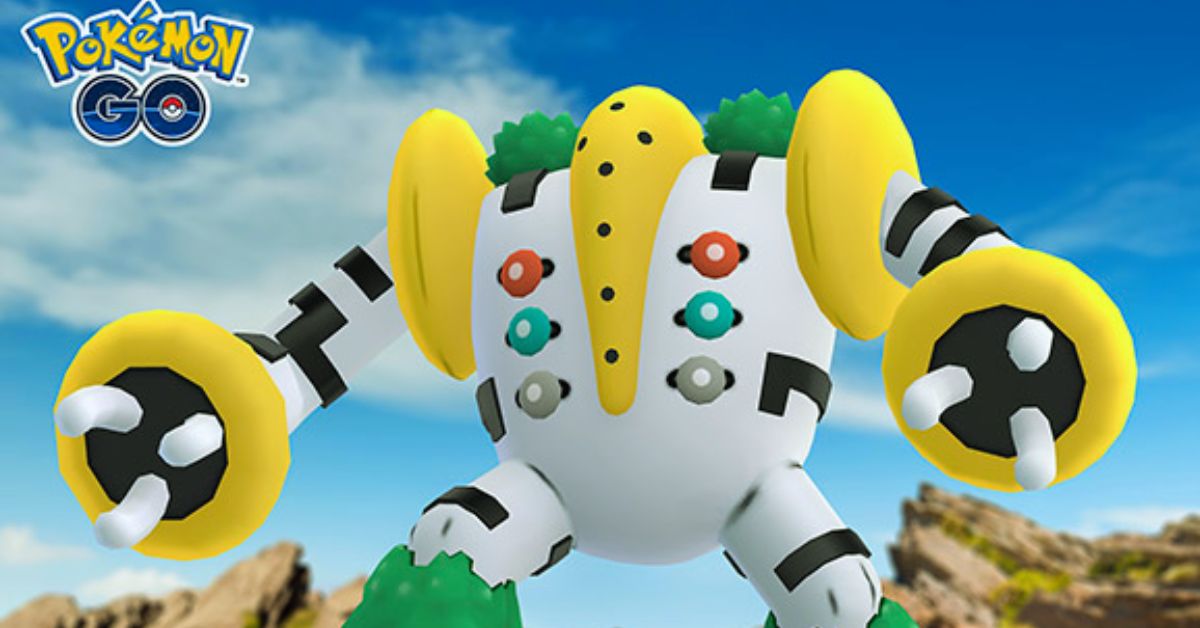
Regigigas is a legendary Normal-type Pokemon that can be encountered in EX Raids in Pokemon Go. It is a powerful Pokemon with high stats and a unique ability, Slow Start, that reduces its attack and defense for the first five turns of the battle.
Regigigas is also resistant to Ghost-type moves, but vulnerable to Fighting-type moves. In this article, we will show you the best counters, movesets, and tips to defeat Regigigas in Pokemon Go.
Best Counters for Regigigas
How To Beat Regigigas In Pokemon Go?
The best Pokemon to use against Regigigas are:
Terrakion: a legendary Rock/Fighting-type Pokemon that can deal super effective damage with its Fighting-type moves, such as Double Kick and Sacred Sword. It is also resistant to Normal-type moves, which gives it an edge over Regigigas.
Pheromosa: a mythical Bug/Fighting-type Pokemon that can also deal super effective damage with its Fighting-type moves, such as Low Kick and Focus Blast. It is also very fast and can outspeed Regigigas, especially when it has a Slow Start.
Lucario: a rare Steel/Fighting-type Pokemon that can also deal super effective damage with its Fighting-type moves, such as Counter and Aura Sphere. It is also resistant to Normal-type moves and can boost its attack with Power-Up Punch.
Urshifu (Single Strike): a legendary Dark/Fighting-type Pokemon that can also deal super effective damage with its Fighting-type moves, such as Counter and Dynamic Punch. It is also immune to Psychic-type moves, which Regigigas may have as a hidden power.
Keldeo (Ordinary): a mythical Water/Fighting-type Pokemon that can also deal super effective damage with its Fighting-type moves, such as Low Kick and Sacred Sword. It is also resistant to Fire-type moves, which Regigigas may have as a hidden power.
Other good options include Conkeldurr, Machamp, Breloom, Hariyama, and Toxicroak, which are all Fighting-type Pokemon that can deal super-effective damage to Regigigas.
Best Movesets for Regigigas
Regigigas can have different move sets, depending on their hidden power, which can be any type except Fairy. The most common movements are:
Hidden Power (Normal) and Giga Impact: this is the default moveset for Regigigas, which deals Normal-type damage. It is not very effective against any type, but it can still deal a lot of damage due to Regigigas’s high attack stat. Giga Impact is also a very powerful move, but it has a long cooldown and can be dodged easily.
Hidden Power (Psychic) and Giga Impact: this is a rare moveset for Regigigas, which deals Psychic-type damage. It is super effective against Fighting- and Poison-type Pokemon, which are some of the best counters for Regigigas. However, it is also not very effective against Steel- and Dark-type Pokemon, which are also good counters for Regigigas.
Hidden Power (Fire) and Giga Impact: This is another rare moveset for Regigigas, which deals Fire-type damage. It is super effective against Steel-, Grass-, Ice-, and Bug-type Pokemon, which are some of the common Pokemon in the game. However, it is also not very effective against Water-, Rock-, and Fire-type Pokemon, which are also common in the game.
Tips to Beat Regigigas
Here are some tips to help you beat Regigigas in Pokemon Go:
Use Fighting-type Pokemon with high attack and defense stats, such as Terrakion, Pheromosa, Lucario, Urshifu, and Keldeo. They can deal super effective damage and resist or avoid Regigigas’s moves.
Avoid using Ghost-type Pokemon, such as Gengar, Mewtwo, and Giratina. They are immune to Normal-type moves, but they are also weak to Psychic- and Fire-type moves, which Regigigas may have as a hidden power.
Dodge Regigigas’s charge move, Giga Impact, as much as possible. It is a very powerful move that can deal a lot of damage, but it also has a long animation and a warning sign, which gives you time to dodge it.
Use the weather to your advantage. Sunny weather boosts Fire-type moves, which can help Regigigas with its hidden power. Cloudy weather boosts Fighting-type moves, which can help you with your counters. Rainy weather boosts Water-type moves, which can help Keldeo with its hidden power.
Coordinate with your raid team and use the best Pokemon and movesets for the battle. Regigigas is a tough opponent that requires at least three or four trainers with high-level Pokemon to defeat it.
Conclusion
Regigigas is a legendary Normal-type Pokemon that can be encountered in EX Raids in Pokemon Go. It is a powerful Pokemon with high stats and a unique ability, Slow Start, that reduces its attack and defense for the first five turns of the battle.
To beat Regigigas, you need to use Fighting-type Pokemon with high attack and defense stats, such as Terrakion, Pheromosa, Lucario, Urshifu, and Keldeo. You also need to dodge Regigigas’s charge move, Giga Impact, as much as possible, and use the weather to your advantage. By following these tips, you can defeat Regigigas and catch it for your collection.
If you are interested in knowing more articles related to Pokemon Go, you can check Defit Pokemon Go and Shiny Oddish Pokemon Go. We appreciate your interest in our website! Make Gameempress.com your go-to site for gaming information. Share this:
Saints Row 2022 is a reboot of the popular action-adventure game series that was released in 2023 by Volition and Deep Silver. The game is set in Santo Ileso, a fictional city in the American Southwest, where the players can create their characters and lead a new gang called the Saints.
The game features a vast and vibrant open world, where the players can explore, customize, and cause mayhem.
Saints Row 2022 is a game that does not take itself too seriously and encourages the players to have fun and experiment with different scenarios and possibilities. One way to do that is to use cheat codes, which are special commands that can alter the gameplay and the features of the game.
Cheat codes can give the players advantages, such as unlimited money, health, and ammo, or disadvantages, such as increased difficulty, police, and enemies. Cheat codes can also change the appearance, behavior, or physics of the game, such as low gravity, big heads, or exploding bullets.
However, not all players may know how to unlock and use cheat codes in Saints Row 2022, as the game does not have a dedicated cheat menu or a clear tutorial. In this article, we will explain how to unlock and use cheat codes in Saints Row 2022, and what are the benefits and drawbacks of using them.
How to Unlock Cheat Codes in Saints Row 2022?
Before using cheat codes in Saints Row 2022, the players need to unlock them first. Unlike the previous Saints Row games, where the players could enter cheat codes at any time by accessing their phone or the pause menu, Saints Row 2022 requires the players to find and collect cheat codes in the game world.
Saints Row 2022 Cheats
Cheat codes are hidden in various locations, such as billboards, posters, graffiti, signs, or buildings, and the players need to scan them with their phone camera to unlock them.
To scan a cheat code in Saints Row 2022, the players need to follow these steps:
Find a cheat code in the game world. The cheat codes are usually marked with a purple icon and a hashtag symbol, such as #money or #nocops.
Equip the phone camera by pressing the D-pad left button on the controller or the C key on the keyboard.
Aim the phone camera at the cheat code and press the right trigger button on the controller, or the left mouse button on the keyboard, to scan it.
A message will appear on the screen, confirming that the cheat code has been unlocked and added to the phone.
The players can also unlock cheat codes by completing certain activities, missions, or challenges in the game, or by purchasing them from the in-game store with real money. However, these methods are optional and not necessary to unlock all the cheat codes in the game.
How to Use Cheat Codes in Saints Row 2022?
After unlocking cheat codes in Saints Row 2022, the players can use them at any time by accessing their phones. To use a cheat code in Saints Row 2022, the players need to follow these steps:
Open the phone menu by pressing the D-pad up button on the controller, or the Tab key on the keyboard.
Select the Cheats option from the phone menu, and press the A button on the controller, or the Enter key on the keyboard, to open it.
Select the cheat code that the player wants to use from the list, and press the A button on the controller, or the Enter key on the keyboard, to activate it.
A message will appear on the screen, confirming that the cheat code has been activated and applied to the game.
The players can also deactivate a cheat code by selecting it again from the list and pressing the A button on the controller, or the Enter key on the keyboard, to toggle it off. A message will appear on the screen, confirming that the cheat code has been deactivated and removed from the game.
Benefits and Drawbacks of Using Cheat Codes in Saints Row 2022
Using cheat codes in Saints Row 2022 can have both benefits and drawbacks, depending on the player’s preference and playstyle. Some of the benefits of using cheat codes are:
They can make the game easier, more fun, or more varied, by giving the players advantages, such as unlimited money, health, and ammo, or by changing the appearance, the behavior, or the physics of the game, such as low gravity, big heads, or exploding bullets.
They can allow the players to experiment with different scenarios and possibilities, and to create their own rules and challenges, by giving the players disadvantages, such as increased difficulty, police, and enemies, or by disabling certain features, such as saving, loading, or fast travel.
They can enhance the gaming experience, as they are part of the game’s humor and charm, and reflect the game’s tone and theme, which are not meant to be realistic or serious, but rather absurd.
Some of the drawbacks of using cheat codes are:
They can make the game too easy, boring, or repetitive, by giving the players advantages, such as unlimited money, health, and ammo, or by changing the appearance, the behavior, or the physics of the game, such as low gravity, big heads, or exploding bullets.
They can ruin the game’s balance, difficulty, and progression, by giving the players disadvantages, such as increased difficulty, police, and enemies, or by disabling certain features, such as saving, loading, or fast travel.
They can disable the game’s achievements, trophies, and rewards, as the game will detect that the players are using cheat codes, and will prevent them from earning or unlocking them.
Therefore, the players should use cheat codes in Saints Row 2022 with caution and moderation, and only if they are comfortable with the consequences and the trade-offs. The players should also make sure to have a backup save file before using cheat codes, in case they want to revert to normal gameplay mode.
Conclusion
Saints Row 2022 is a game that supports and encourages the use of cheat codes, which are special commands that can alter the gameplay and the features of the game. Cheat codes can give the players advantages, disadvantages, or changes, depending on the code and the effect.
Cheat codes can be unlocked by finding and scanning them in the game world, by completing certain activities, missions, or challenges, or by purchasing them from the in-game store. Cheat codes can be used by accessing the phone menu and selecting the cheat code from the list. Cheat codes can have both benefits and drawbacks, depending on the player’s preference and playstyle.
BO3, or Call of Duty: Black Ops 3, is a first-person shooter game that was released in 2015 for various platforms, such as PC, PlayStation, Xbox, and Mac. The game is set in a dystopian future where humans are enhanced with cybernetics and biotechnology, and features a campaign mode, a multiplayer mode, and a zombies mode. But is BO3 crossplay? Can you play with your friends on different devices? In this article, we will answer these questions and more.
Is BO3 Crossplay?
Unfortunately, the answer is no. BO3 does not support crossplay between any platforms. This means that you can only play with other players who are on the same platform as you. For example, if you are on PC, you can only play with other PC players, and not with PlayStation or Xbox players.
Is BO3 Crossplay
This may be disappointing for some fans, especially since some newer Call of Duty games, such as Modern Warfare and Black Ops Cold War, do support crossplay. However, BO3 was released before crossplay became a common feature in the gaming industry, and the developers, Treyarch, did not add crossplay support to the game later on.
Why is BO3 Not Crossplay?
There are several possible reasons why BO3 is not crossplay, but the exact reason is not officially confirmed by the developers or the publisher, Activision. Some of the potential reasons are:
Technical limitations: BO3 was developed using an older version of the IW engine, which may not have the capabilities to support crossplay. Moreover, BO3 was released on different platforms with different features and specifications, such as the PC, PlayStation 4, Xbox One, PlayStation 3, Xbox 360, and Mac. This may make it difficult to ensure compatibility and balance between the platforms.
Licensing agreements: BO3 was released during a time when Sony had an exclusive deal with Activision, which gave PlayStation players early access to DLCs and other content. This may have prevented Activision from allowing crossplay between PlayStation and other platforms, as it would have reduced the value of the deal.
Business decisions: BO3 was released during a time when crossplay was not a popular or expected feature in the gaming industry. Therefore, Activision may not have seen the need or the benefit of investing in crossplay support for BO3, as it may not have increased the sales or the player retention of the game.
Will BO3 Ever Be Crossplay?
It is unlikely that BO3 will ever be crossplay, as the game is already six years old and has been succeeded by several newer Call of Duty games. The developers and the publisher may not have the interest or the resources to update the game and add crossplay support, as they may be focused on current and future projects.
Moreover, the player base of BO3 may have declined over the years, as many players may have moved on to other games, which may reduce the demand and the incentive for crossplay support.
Therefore, if you want to play BO3 with your friends on different platforms, you may have to buy the game on the same platform as them or hope for a remastered version of the game that supports crossplay in the future.
Conclusion
BO3 is a game that does not support crossplay between any platforms. This means that you can only play with other players who are on the same platform as you. The reason why BO3 is not crossplay is not officially confirmed, but it may be due to technical limitations, licensing agreements, or business decisions.
It is unlikely that BO3 will ever be crossplay, as the game is already old and has been replaced by newer Call of Duty games. Therefore, if you want to play BO3 with your friends on different platforms, you may have to buy the game on the same platform as them or wait for a remastered version of the game that supports crossplay in the future.
Shotgun Farmers is a multiplayer shooter game that features a unique mechanic: your bullets grow new guns. The game was developed by Megastorm Games and was released in 2020 for various platforms. But is Shotgun Farmers crossplay? Can you play with your friends on different devices? In this article, we will answer these questions and more.
What is Shotgun Farmers?
Shotgun Farmers is a game that combines fast-paced shooting action with farming elements. The game is set on a rural farm where you can choose from different modes and maps, such as Team Deathmatch, Capture the Pig, Chicken Run, and King of the Crow. You can also customize your farmer with different outfits, hats, and accessories.
Is Shotgun Farmers Crossplay?
The game’s main feature is that your bullets grow new guns. Whenever you shoot, your bullets plant seeds in the ground. These seeds grow into new guns that you or your enemies can pick up and use. The longer a gun grows, the more ammo it has. You can also harvest crops and use them as weapons, such as corn grenades, carrot rocket launchers, and watermelon shotguns.
The game has a colorful and cartoonish style, with humorous sound effects and voice lines. The game also supports local and online multiplayer, with up to 10 players per match.
Is Shotgun Farmers Crossplay?
Shotgun Farmers is the multiplayer FPS where missed shots grow new guns! The longer a gun grows, the more ammo you will get. 🌽
Out now on Xbox, Playstation, Switch, Steam, and Epic, with cross-play!
— Shotgun Farmers – Grow Your Guns! (@ShotgunFarmers) May 25, 2023
Yes, Shotgun Farmers is a cross-platform game, that allows players on different platforms to connect and play together. The supported platforms for Shotgun Farmers are:
PC (Steam)
PlayStation 4 and 5
Xbox One and Series X|S
Nintendo Switch
Steam Deck
This means that you can play the game with friends no matter what platform they are on. You can also switch between platforms and keep your progress and unlocks.
How to Play Shotgun Farmers with Crossplay?
To play Shotgun Farmers with crossplay, you need to follow these steps:
Make sure you have the latest version of the game installed on your device.
Launch the game and go to the main menu.
Select the Online option and choose a mode and a map.
If you want to join a friend’s game, select the Friends option and choose their name from the list. You can also invite them to your game by pressing the Invite button.
If you want to join a random game, select the Quick Match option and wait for the game to find a suitable match for you.
Enjoy the game with your crossplay friends.
Tips and Tricks for Shotgun Farmers
Here are some tips and tricks to help you improve your skills and have more fun in Shotgun Farmers:
Experiment with different guns and crops. Each weapon has its advantages and disadvantages, such as range, damage, accuracy, and reload speed. Find the ones that suit your playstyle and situation.
Aim for the head. Headshots deal more damage and can take down your enemies faster. You can also get bonus points and achievements for headshots.
Use the environment to your advantage. You can hide behind cover, jump on rooftops, slide on hay bales, and more. You can also interact with some objects, such as barrels, tractors, and scarecrows, to create explosions or distractions.
Harvest your guns. If you run out of ammo, you can always pick up a new gun from the ground. You can also harvest your guns by shooting at the soil and waiting for them to grow. You can also steal your enemies’ guns by shooting at their crops.
Work as a team. Shotgun Farmers is a game that rewards teamwork and cooperation. You can communicate with your teammates, share ammo and health, and coordinate your attacks and defenses. You can also use the Team Up option to join a team with your friends.
Conclusion
Shotgun Farmers is a game that offers a fun and unique shooting experience with crossplay support. You can play the game on various platforms, such as PC, PlayStation, Xbox, Nintendo Switch, and Steam Deck, and join your friends on different devices. You can also enjoy the game’s features, such as growing guns, harvesting crops, and customizing your farmer. Shotgun Farmers is a game that is easy to learn, hard to master, and fun to play.
Lethal Company is a survival horror game that was released in 2023 by Zeekerss, an indie developer. The game is set in a dystopian future, where the players are scavengers who explore abandoned moons for scrap metal.
The game features a co-op mode, where up to four players can work together to survive the dangers of the moons, such as hostile creatures, environmental hazards, and rival scavengers.
However, some players may want to play with more than four players, either to increase the challenge, the fun, or the social aspect of the game. Unfortunately, there is no official way to increase the number of players in Lethal Company beyond the default of four.
However, there is a popular mod called MoreCompany that allows you to play with up to eight players with the option to go up to 32 or even 50, although these higher numbers may cause stability issues. In this article, we will explain how to download and install the MoreCompany mod, and how to use it to play with more players in Lethal Company.
How to Download and Install the More Company Mod?
how to install mods in lethal company
Before downloading and installing the MoreCompany mod, you will need to install some essential tools and files that will allow the game to run the mod. These are:
Thunderstore Mod Manager: A software that enables the installation and management of mods for various games, including Lethal Company.
BepInExPack: A collection of plugins and patches that are required for most mods.
LC API: An application programming interface that provides access to the game’s functions and variables.
To install these tools and files, follow these steps:
Download the zip files from the links above and extract them to a folder of your choice.
Open Thunderstore Mod Manager and create a Lethal Company profile by selecting the game and clicking the Create Profile button. You can name the profile anything you like.
Install BepInExPack by searching for it in Thunderstore Mod Manager and clicking the Install button. This will install a Unity mod framework required for other mods to work.
Install LC API by copying and pasting the LC API.dll file into the BepInEx/plugins folder in the game’s root folder.
After installing these tools and files, you can proceed to download and install the MoreCompany mod. To do so, follow these steps:
Download the MoreCompany mod and extract it to a folder of your choice.
Copy and paste the MoreCompany.dll file into the BepInEx/plugins folder in the game’s root folder.
Launch the game with Thunderstore Mod Manager by clicking the Modded button. This will launch the game with the MoreCompany mod enabled.
How to Use the MoreCompany Mod?
The MoreCompany mod allows you to host or join lobbies with more than four players, up to a maximum of 50. However, the mod does not change the game’s user interface, so you will not be able to see the extra players in the lobby screen or the in-game HUD.
To see the actual number of players in the lobby, you will need to use the chat command /playercount. To invite or join other players, you will need to use the Steam invite system or the in-game friend list.
To host a lobby with more than four players, follow these steps:
Launch the game with Thunderstore Mod Manager by clicking the Modded button.
From the main menu, select the Multiplayer option and then the Host option.
Choose the game mode, the map, and the difficulty, and click the Start button.
Invite your friends by using the Steam invite system or the in-game friend list. You can invite up to 46 friends, although higher player counts may cause stability issues.
Enjoy the game with more players.
To join a lobby with more than four players, follow these steps:
Launch the game with Thunderstore Mod Manager by clicking the Modded button.
From the main menu, select the Multiplayer option and then the Join option.
Accept an invite from your friend by using the Steam invite system or the in-game friend list. Make sure your friend has the MoreCompany mod installed and enabled.
Enjoy the game with more players.
Conclusion
Lethal Company is a survival horror game that does not support more than four players by default. However, you can use the MoreCompany mod to play with up to eight players, or even more, with some stability issues.
To use the MoreCompany mod, you will need to download and install some essential tools and files, and then download and install the mod itself. You will also need to use Thunderstore Mod Manager to launch the game with the mod enabled, and use the chat command /playercount to see the actual number of players in the lobby.
The release of GTA 6’s first official teaser was cause for celebration, but situations such as Grand Theft Auto 5’s source code being leaked around Christmas compounded Rockstar Games’ woes. The latter not only divulged details about the 2013 title, but also about previously unannounced projects such as Bully 2, Midnight Club 5, and others.
In a nutshell, Rockstar Games has had a mixed bag of a year. In this post, we will look back at five key studio-related events that occurred in 2023.
GTA 6 Trailer Release and Four Other Important Events in 2023
Will GTA 6 Be On PS4
Grand Theft Auto 5 Has Been Added to the Playstation Plus Game Catalog
GTA 5 is now available for free to PS Plus Extra and Premium customers. As long as their PS Plus Extra or Premium subscription is current, they can access the title from the PS Plus Game Catalog on PS4 and PS5. Its download size on PS4 is 91.357 GB and 95.945 GB on PS5.
This isn’t the first time the game has been made available for free. It was released for free on Epic Games Launcher in 2020. That, however, was only for a brief period.
Unannounced Project Details Released
As previously noted, the GTA 5 source code leak revealed a wealth of information concerning unreleased Rockstar Games projects. These include highly anticipated projects such as Bully 2 and Midnight Club 5, a sequel to Rockstar’s racing video game franchise that includes titles such as Midnight Club: Los Angeles.
The GTA 5 source code leaks have revealed the map for Rockstar’s cancelled game Agent.
A Cold War spy game by Rockstar would’ve been so good. Sad to see they scrapped it late into development. https://t.co/uDpyurgpgJ
The most famous appears to be a canceled game called Agent. It would have been set during the Cold War, and its map would have been disclosed as a result of the source code leak incident. Aside from that, little is known about Agent at the moment.
Source Code for Grand Theft Auto 5 Has Been Leaked
GTA 5 source code was released around Christmas 2023, casting a damper on Rockstar Games’ otherwise excellent year. This incident exposed a lot about the studio’s 2013 title, including canceled story mode DLCs and map extensions.
In reality, Rockstar may have planned to feature Liberty City in some fashion. These expansions may never see the light of day, as the studio’s primary focus over the last decade has been Grand Theft Auto Online, with Grand Theft Auto 6 likely to take center stage in the future.
GTA 6 Trailer Release
On December 5, 2023, Rockstar Games released the first official trailer for Grand Theft Auto 6. It corroborated many of the details shown in the September 2022 leaked development film, as well as several others. Vice City will return in the sequel, which will be based in the fictional state of Leonida.
The game will also include a female protagonist named Lucia, about whom fans are eager to learn more. Grand Theft Auto 6 is planned to be released in 2025 for PS5 and Xbox Series X/S, and more information, such as the voice actor, may be given ahead of time.
Grand Theft Auto 5’s 10th Anniversary
On September 17, 2023, Grand Theft Auto 5 celebrated its tenth anniversary. In the last decade, the game has been one of Rockstar’s most valuable properties. As of this writing, it has sold around 190 million units and is expected to sell even more until its sequel arrives in 2025.
To commemorate the anniversary, Rockstar distributed free in-game goods in GTA Online, such as clothes based on the game’s three protagonists, Michael De Santa, Trevor Philips, and Franklin Clinton.
Unfortunately, GTA 5’s 10th anniversary was a letdown. While the collectibles are a fantastic addition, the event might have been much larger.
Starfield is a sci-fi role-playing game that was released in 2023 by Bethesda Game Studios and Bethesda Softworks. The game is set in the 22nd century, where humanity has colonized the stars and faces various threats and mysteries.
The game features a vast and open universe, where players can create their character, explore different planets, and engage in various quests and activities.
Starfield is one of the most anticipated and hyped games of the decade, as it is the first new IP from Bethesda in 25 years, and the first game to use their new Creation Engine 2. The game was also marketed as a “next-generation” game, with stunning graphics, advanced physics, and immersive gameplay.
Top 9 WORST Things In Starfield
However, despite the high expectations and the positive reviews from critics, the game has also received a lot of negative feedback and criticism from players, who have expressed their disappointment and frustration with the game.
What are the worst things in Starfield? What are the main issues and complaints that the players have with the game? In this article, we will list the top 10 worst things in Starfield, based on the web search results.
9. The Dialogue System
One of the worst things in Starfield is the dialogue system, which is locked and linear, and does not allow the players to choose their responses or influence the outcome of the conversations. The dialogue system is similar to the one in Fallout 4, where the players can only select from four pre-written options, which are often vague, sarcastic, or irrelevant.
The dialogue system also does not reflect the personality, backstory, or role of the character, and does not affect the reputation, relationship, or alignment of the character with the NPCs. The dialogue system is seen as disappointing and boring, as it reduces the depth, variety, and freedom of the game, and makes it feel like a generic and linear sci-fi game, rather than a unique and immersive role-playing game.
8. The Quest System
Another worst thing in Starfield is the quest system, which is mostly composed of fetch quests, where the players have to travel to a location, collect or deliver an item, and return to the quest giver, with little variation or challenge.
The quest system is similar to the one in Fallout 4, where the players are often given radiant quests, which are randomly generated and endlessly repeatable, and which do not have any impact or consequence on the story or the world.
The quest system is seen as disappointing and boring, as it does not offer any meaningful or memorable experiences, and makes the game feel like a chore and a grind, rather than a fun and an adventure.
7. The Exploration System
Another worst thing in Starfield is the exploration system, which is unrewarding and repetitive, as the players find mostly empty and generic locations, with few secrets, loot, or enemies. The exploration system is similar to the one in Fallout 4, where the players are often disappointed by the lack of content and diversity in the locations, and where the locations are often reused and recycled, with the same layout, design, and assets.
The exploration system is seen as disappointing and boring, as it does not offer any incentive or motivation to explore the vast and open universe, and makes the game feel like a waste and a missed opportunity, rather than a wonder and a discovery.
6. The Combat System
Another worst thing in Starfield is the combat system, which is simplistic and clunky, and does not offer much strategy or customization, as the players have to rely on the same weapons, skills, and tactics.
The combat system is similar to the one in Fallout 4, where the players are often frustrated by the lack of balance and difficulty in the combat, and where the combat is often affected by technical problems and glitches, such as the poor AI, the inaccurate hit detection, and the inconsistent damage.
The combat system is seen as disappointing and boring, as it does not offer any challenge or satisfaction, and makes the game feel like a hassle and a nuisance, rather than a thrill and fun.
5. The Crafting System
Another bad thing in Starfield is the crafting system, which is tedious and limited, and does not allow the players to create their items, but only to modify and upgrade the existing ones.
The crafting system is similar to the one in Fallout 4, where the players are often bored by the lack of creativity and variety in the crafting, and where the crafting is often affected by technical problems and glitches, such as the inventory management, the resource scarcity, and the interface issues.
The crafting system is seen as disappointing and boring, as it does not offer any innovation or customization, and makes the game feel like a chore and a grind, rather than a fun and an expression.
4. The Character System
Another worst thing in Starfield is the character system, which is shallow and restrictive, and does not allow the players to develop their personality, backstory, or role, but only to follow the predefined path of the game.
The character system is similar to the one in Fallout 4, where the players are often dissatisfied by the lack of depth and freedom in the character creation and development, and where the character is often affected by the design choices and limitations of the game, such as the dialogue system, the quest system, and the alignment system.
The character system is seen as disappointing and boring, as it does not offer any role-playing or immersion, and makes the game feel like a generic and linear sci-fi game, rather than a unique and immersive role-playing game.
3. The Technical Problems
Another worst thing in Starfield is the technical problems that plague the game. The game is riddled with bugs, glitches, crashes, and performance issues, that affect the gameplay and the enjoyment of the players. Some of the common technical problems that the players have reported are:
Long and frequent loading screens, especially when traveling between planets or entering buildings.
Low and inconsistent frame rates, especially on consoles and lower-end PCs.
Graphical errors and glitches, such as pop-in, clipping, texture flickering, and lighting issues.
Audio errors and glitches, such as missing, delayed, or overlapping sounds and voices.
Gameplay errors and glitches, such as broken quests, missing items, invisible enemies, and incorrect physics.
Save file corruption and deletion, resulting in loss of progress and data.
These technical problems are not only annoying and frustrating, but also immersion-breaking and game-breaking, as they prevent the players from experiencing the game as intended and expected.
The players have also complained that the game is poorly optimized and unpolished and that the developer has not fixed or addressed these problems adequately, despite releasing several patches and updates.
2. The Unrealistic Expectations
Another worst thing in Starfield is the unrealistic expectations that the players had for the game. The game was hyped and marketed as a “next-generation” game, that would revolutionize the genre and the industry, and deliver an unprecedented and unparalleled gaming experience.
The game was also compared and contrasted to other popular and successful sci-fi games, such as Mass Effect, Star Wars, and No Man’s Sky, and was expected to surpass or match them in quality and content. The game was also influenced and inspired by the developer’s previous games, such as Fallout and The Elder Scrolls, and was expected to retain or improve their gameplay and features.
However, the game failed to meet or exceed these expectations and instead delivered a game that was flawed, mediocre, and underwhelming. The game did not offer anything new or innovative, but rather recycled and reused the same elements and mechanics of the previous Bethesda games, with some minor changes and additions.
The game also did not live up to the standards or the expectations of the other sci-fi games, but rather fell short or behind them in terms of graphics, story, and gameplay. The game also did not satisfy or please the fans of the previous Bethesda games, but rather alienated or disappointed them with the changes and the choices that the developer made for the game.
Therefore, the game was seen as a letdown and a failure, as it did not fulfill or justify the hype and the anticipation that the players had for the game, and made them feel cheated and betrayed by the developer and the publisher.
1. The Lack of Content
Another worst thing about Starfield is the lack of content that the game offers. The game boasts a vast and open universe, where players can explore different planets, and engage in various quests and activities. However, the game does not have enough content to fill and populate the universe, and to keep the players engaged and entertained. The game suffers from a lack of content in several aspects, such as:
The story is short and shallow and does not have any branching paths, choices, or consequences.
The planets, are large and empty and do not have any unique features, landmarks, or biomes.
The quests, are few and repetitive and do not have any impact or reward on the story or the world.
The activities, are limited and boring and do not offer any challenge or fun.
The NPCs, are bland and generic and do not have any personality, dialogue, or interaction.
The enemies, are scarce and weak and do not pose any threat or variety.
The items, which are rare and useless, and do not offer any customization or upgrade.
The lack of content is seen as disappointing and boring, as it does not offer any incentive or motivation to play the game, and makes the game feel like a waste and a missed opportunity, rather than a wonder and a
For more gaming tips and tricks, read our guides on how to beat Mega Scizor and how to level up fast in Fortnite Chapter 5. We appreciate your interest in our website! Make Gameempress.com your go-to site for gaming information.
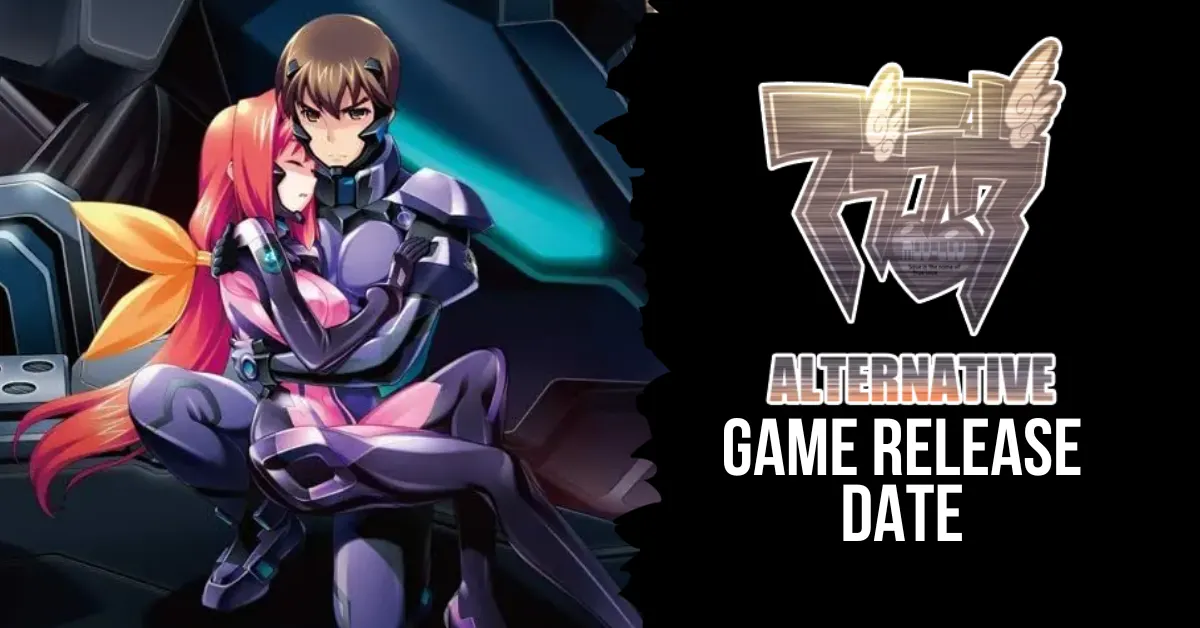
Countless critics and fans have lauded Muv-Luv Alternative as a masterpiece of visual storytelling. The Muv-Luv series, which spans numerous genres, timelines, and universes, concludes with this third and last edition.
In this game, you play as protagonist Shirogane Takeru, who must deal with the fallout from his past acts while attempting to rescue Earth from an extraterrestrial invasion called the BETA.
The 2006 Japanese debut of Muv-Luv Alternative was the first of its kind. You can now skip to any chapter (even before you start the game, which is useful for everyone who has already played the original version), enjoy 5.1 surround sound, and see a new opening sequence with a song by JAM Project.
In addition to being named the best visual novel of all time by the widely-used website VNDB, the game has garnered a slew of other honors. A number of media, including manga, anime, and live-action remakes, have been spawned from the game.
Muv Luv and Muv Luv Alternative Switch Version Release Date
It has been revealed through listings at merchants like Biccamera and Neowing that the Switch versions of the visual novels Muv-Luv and Muv-Luv Alternative will be released on March 28, 2024. Language options in English and Japanese will be available. For 32,780 yen, you can get both games in a physical “Muv-Luv 20th Odyssey Box” in Japan.
Aside from the games, it comes with a carabiner handle mug, a Gate Guard badge, a 20th-anniversary medal, a code to download the downloadable content “Muv Luv Unlimited Day After 00 ~ 003,” and an A4-size, 352-page art book called “Official Mecha Setting Materials: Muv-Luv Alternative Integral Works ~20th Odyssey Box Exclusive Benefit~.”
Currently, PS Vita and PC users can get Muv-Luv and Muv-Luv Alternative through Steam. In Japan, it’s only available for PlayStation 3 and Xbox 360.
Muv-Luv and Muv-Luv Alternative for Switch launch March 28, 2024:
If you are a fan of visual novels, sci-fi, mecha, romance, drama, or just good storytelling, you should definitely give Muv-Luv Alternative a try. The game is not only a thrilling conclusion to the Muv-Luv trilogy but also a standalone masterpiece that can be enjoyed by newcomers and veterans alike.
The game offers a rich and immersive story that will make you laugh, cry, and feel every emotion in between. The game also features stunning visuals, epic music, and memorable characters that will stay with you long after you finish the game.
Muv-Luv Alternative is a game that will challenge your worldview, test your limits, and change your life. It is a game that you will never forget and one that you will want to share with others. It is a game that deserves to be played by everyone who loves stories.
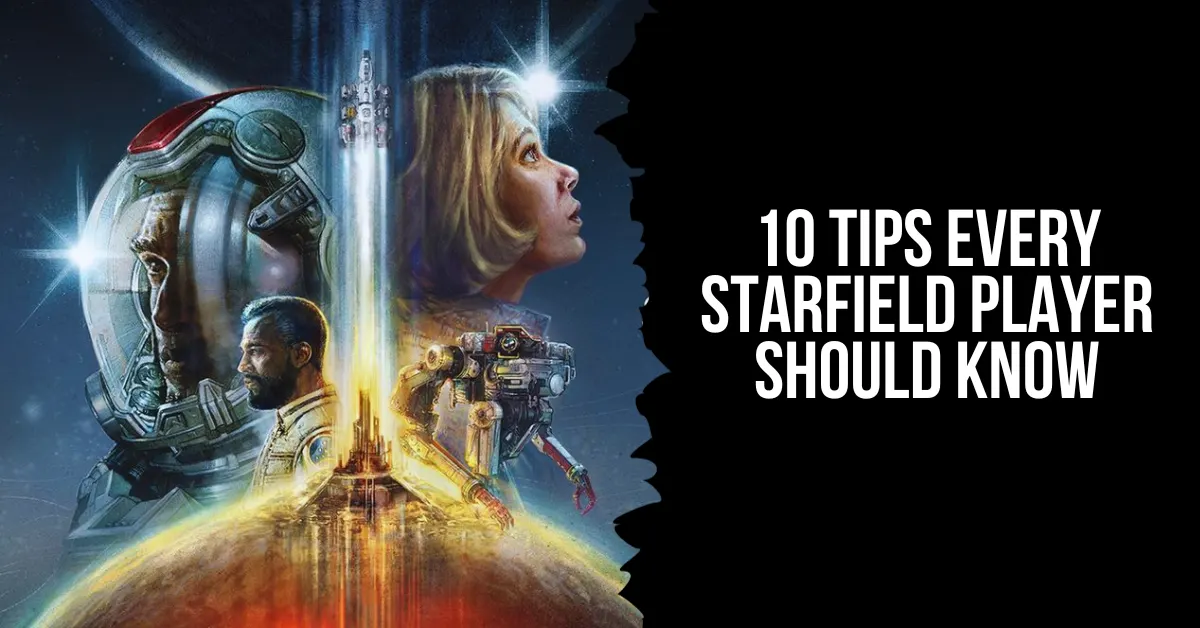
Starfield is a massive space RPG from Bethesda that lets you explore the Settled Systems and beyond. Whether you are a veteran of Bethesda games or a newcomer to the genre, Starfield can be overwhelming and confusing at times. That’s why we have compiled this list of 10 essential tips and tricks that will help you succeed in your space adventure.
10 Tips Every Starfield Player Should Know
01. Mainline a Chunk of the Story
If you mainline the campaign, even for a little while, you’ll encounter some mechanics without any trouble. Once you’ve created your character, you can get a ship to transport you away from the moon.
Playing through Starfield’s campaign unlocks more and more gameplay features, including this one. You won’t feel rushed to finish it because, as with many Bethesda games, it’s not long. Gain access to the fundamentals by completing the quest up to Into the Unknown or somewhat beyond.
02. The Skills that Make Your Life Easier
The best approach to playing Starfield is by playing according to your heart, but if you’re starting, make a note of the most important abilities from our beginner tips and techniques. Boost Pack Training, Persuasion, and Security should be your top priorities if you want to simplify your life.
Only veterans of Bethesda should enroll in Persuasion and Security. Some tasks, like convincing someone or opening a safe, call for deft handling. Together, these two abilities will allow you to open locked products in a symbolic and figurative sense. With these abilities, you can obtain anything you desire, be it a weapon hidden within a crate or someone demanding an excessive amount of money from you.
03. Booster Pack Use Instructions
Gaining proficiency in Boost Pack Training is yet another worthwhile endeavor. This ability grants you access to the in-game equivalent of a jetpack. Unless you unlock the talent, even the most essential basics, like pickpocketing, remain locked. You can use this booster to soar above foes or go to specific locations; you’ll find it early on. Unlocking Boost Pack Training with points is a must for its usefulness.
Qualities, such as increased defense and stats, will vary throughout packs. Find ones that say “boost pack” and utilize those. After you’re ready, you can launch yourself into the air by pressing the jump button once again.
04. Automatically Hack, Lockpick, and Persuade
You can’t promise that you’ll be able to hack, persuade, or open a locked door. In Starfield, using the automated button is recommended for these mechanics. You can get a freebie that will help you finish the task or advance in the game. More slots to employ this automatic feature will be granted to you the more you succeed at this.
05. Set Course Makes Traveling Stress-Free
There are a lot of pointers for newcomers to learn about navigating the galaxy and planets in Starfield because the game isn’t exactly user-friendly. There are a lot of menus in the game, so you’ll appreciate shortcuts whenever you see them.
You may find the Set Course button on the Galaxy map’s bottom right. Pressing this will immediately transport you to a quick travel marker. Set Course is useful if you’re trying to save time or are having trouble figuring out where on a planet you can travel.
06. Convert Your Scanner Into A Navigation System
While Bethesda succeeded in many respects with its science fiction epic role-playing game, it fell short in a few others. There is no minimap to help you navigate among planets, and the map is complex to read otherwise.
If you’re on a mission and need to find a specific location, the Scanner can help you out. To access the scanner, press the left shoulder button (LB on consoles and F on PCs). Glow arrows on the floor will lead you to your goal and provide useful information.
07. Read Signs
Pay close attention to the world’s details after you’ve used your Scanner as a GPS. One of the most essential pieces of advice is to read, as Starfield doesn’t say it will guide you every step of the way. In most cities, you should be able to find a security office or stores selling the things you’ve been hoarding by following the signs.
Every established town or city will have yellow kiosks to help you navigate, but you’ll still need to read a little. It will be organized into sections to help you find what you’re looking for. Among them, the commerce area for locating vendors will stand out.
08. Add Items to Quick Slots
To switch weapons at the beginning, you’ll need to access the inventory. Even though it’s not very user-friendly, you can press a shortcut key to access specific items quickly. You can assign a shortcut to your weapon by selecting it as a favorite in the inventory menu.
This will give you a choice for where to assign the weapon or healing item when you like them, so be sure to do that for at least those two things. To allocate an item, controller users will use the D-pad, while keyboard users will utilize the numbers 1-12 on their keyboard.
09. Weapons Use Different Ammo
Even though some parts might reveal a lot of information, Bethesda created a fully realized setting. The wide variety of ammunition used by weapons might be perplexing.
Just like in Fallout, one piece of advice we can provide new players of Starfield is to keep track of the many kinds of ammunition for the weaponry they like the most. It is more concerned with particular calibers and kinds of ammunition than with general classifications.
10. What Weighs Nothing
The most significant challenge in every Bethesda role-playing game is weight. No matter how useless it is, they make you want to grab it. Knowing which objects have no weight is a huge help for new players to Starfield, much as it is in Fallout and Skyrim.
Inventory space is required for certain food and medical goods. In addition to being more beneficial than munching on a bagel after a gunshot, medical packs do not. Since ammunition has no weight, you can stockpile it for any conflict.
Digipicks, which are similar to real-life lock picks, also have no weight. Simply put, the things you absolutely must have in plenty do not weigh anything.
For more gaming tips and tricks, read our guides on how to beat Mega Scizor and how to level up fast in Fortnite Chapter 5. We appreciate your interest in our website! Make Gameempress.com your go-to site for gaming information.
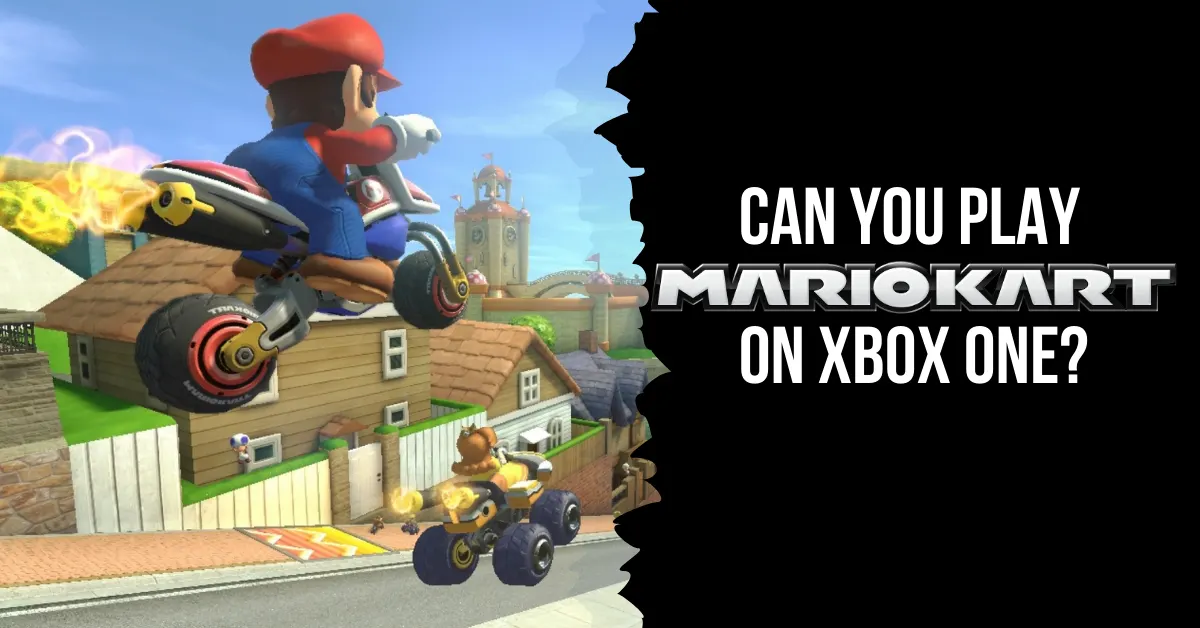
Players participate in go-kart races while using various power-up items in the Mario Kart racing games developed and distributed by Nintendo. Super Mario Kart was the original name for the 1992 Mario Kart game. In 1992, the game was launched in Japan and the US.
The European release came the following year, in 1993. You can play Mario Kart on a lot of different systems. This post will shed light on the process of playing Nintendo games on Xbox One, which is great news for Xbox owners who are interested in playing Mario or other Nintendo games.
In addition, you will find out whether Mario Kart is available for Xbox, what the Xbox version of the game is, and whether Mario Kart is playable on PlayStation. The solutions to these questions can be found if you continue reading.
Can You Play Mario Kart on Xbox One?
Even though Mario Kart isn’t formally made for Xbox One, you can still play it with an emulator. So, there’s no payment at all to play Mario Kart on Xbox. The most recent Mario Kart game for Nintendo Switch, in both digital and physical forms, costs $59.99.
What Consoles Have Mario Kart?
Nintendo formally created and released the go-kart racing game Mario Kart. Here are the systems that can play Mario Kart:
Nintendo 64
Nintendo DS
Nintendo 3DS
Nintendo Switch
Super NES
iQue Player
Wii
Wii U
Arcade
Game Boy
GameCube
Even if your console doesn’t officially support Mario Kart, you can still play the game or find other versions of the game to play.
Can You Play Nintendo Games on Xbox One?
The answer is yes, Xbox One and previous Xbox versions are fully compatible with Nintendo games. You can play all your favorite old Nintendo games on your Xbox One through the emulator, even though Nintendo games aren’t officially available to download and play on the console.
You may download and play Nintendo games on your Xbox One by using the emulator, which lets your Xbox One mimic an Android or iOS smartphone.
Can You Play Mario Kart on PlayStation?
The PlayStation does not support Mario Kart. Mario Kart and other Nintendo video games were never released for the PlayStation by Nintendo. Sony PlayStation owners who want to play Mario Kart or any other Nintendo game will have to resort to using an emulator or come up with a different way to play the game.
Does Xbox Have Mario Games?
There aren’t any Mario games available for download on Xbox on the Microsoft Store. The Xbox Game Pass does not even include Mario games. There has been no official announcement regarding the availability of Mario games on Xbox. The emulator is the sole means by which Xbox users can enjoy Mario games.
What is the Xbox Version of Mario Kart?
Beach Buggy Racing is Mario Kart for Xbox. The Microsoft Store is home to a number of great go-kart racing games, including the widely played Beach Buggy Racing. Like Mario Kart, this game features go-kart racing and allows players to utilize power-up items to give themselves an advantage. Beach Buggy Racing, on the other hand, is Xbox-compatible, whereas Mario Kart isn’t.
Vanillite is an ice-type Pokemon that resembles a snow cone or an ice cream cone. It was introduced in Pokemon Go in December 2020, as part of the Winter Holiday event. Vanillite can evolve into Vanillish and Vanilluxe, which are also ice-type Pokemon with similar appearances.
However, many players are wondering if Vanillite has a shiny form in Pokemon Go, and how to catch it. In this article, we will answer these questions and provide some tips and tricks to get the shiny Vanillite.
Is Vanillite Shiny In Pokemon Go?
The answer is yes, Vanillite does have a shiny form in Pokemon Go. Shiny Vanillite has a slightly different colour scheme than the regular Vanillite, with a pinkish hue instead of a bluish one.
Is Vanillite Shiny In Pokemon Go
Shiny Vanillite also has a different sparkle effect when it appears on the map or the encounter screen. Shiny Vanillite was released in Pokemon Go in December 2023, as part of the Winter Holiday Part 2 event. The event ran from December 25 to December 31, 2023, and featured increased spawns of Vanillite and other ice-type Pokemon.
How to Catch Shiny Vanillite in Pokemon Go?
Catching shiny Vanillite in Pokemon Go is not easy, as it is based on luck and probability. The shiny rate for Vanillite is not known for sure, but it is estimated to be around 1 in 500, which means that you have a 0.2% chance of encountering a shiny Vanillite in the wild. However, there are some ways to increase your chances of finding and catching a shiny Vanillite, such as:
Use incense, lures, or glacial lures to attract more Vanillite spawns to your location. These items can be bought from the shop or obtained from quests or rewards.
Participate in Vanillite raids, which can be found in one-star raid battles. Raids can give you a higher chance of encountering a shiny Vanillite, as well as more candies and rewards.
Complete field research tasks that reward you with Vanillite encounters. You can get these tasks from spinning PokeStops or Gyms, or from the Today View. Some of the tasks that can give you Vanillite encounters are: Catching 5 ice-type Pokemon, Using 3 berries to help catch Pokemon, or Winning a raid.
Use Pinap Berries, Ultra Balls, or Razz Berries to increase your chances of catching a shiny Vanillite once you encounter it. Pinap Berries can give you more candies, Ultra Balls can give you a higher catch rate, and Razz Berries can make the Pokemon easier to catch.
Check the IVs and CP of the shiny Vanillite before you catch it. IVs are the hidden stats that determine the potential of the Pokemon, and CP is the combat power that reflects the strength of the Pokemon. You can use an IV calculator app or website to check the IVs of the shiny Vanillite, and compare it to the CP chart below to see if it is a good one:
CP
IV (%)
376
100
373
98
371
96
369
93
368
91
366
89
364
87
363
84
361
82
359
80
358
78
356
76
355
73
353
71
351
69
350
67
348
64
347
62
345
60
343
58
342
56
340
53
339
51
337
49
335
47
334
44
332
42
331
40
329
38
327
36
326
33
324
31
323
29
321
27
319
24
318
22
316
20
315
18
313
16
311
13
310
11
308
9
307
7
305
4
303
2
302
0
Benefits and Drawbacks of Catching Shiny Vanillite in Pokemon Go
Catching shiny Vanillite in Pokemon Go has some benefits and drawbacks, such as:
Benefits
You can get a rare and unique Pokemon that is not available in any other way. Shiny Vanillite is one of the rarest and most exclusive Pokemon in Pokemon Go, and it can be a great addition to your collection and your Pokedex.
You can evolve shiny Vanillite into shiny Vanillish and shiny Vanilluxe, which are also rare and unique Pokemon with similar appearances. You can use 25 candies to evolve Vanillite into Vanillish, and 100 candies to evolve Vanillish into Vanilluxe.
You can use shiny Vanillite and its evolutions in battles, gyms, or raids, and show off your achievement and skill. Shiny Vanillite and its evolutions are not very strong or competitive in Pokemon Go, but they can still be fun and useful in some situations, especially against dragon-type Pokemon.
Drawbacks
You may have to spend a lot of time, resources, and effort to catch shiny Vanillite in Pokemon Go. The shiny rate for Vanillite is very low, and you may have to encounter hundreds or thousands of Vanillites before you find a shiny one. You may also have to use a lot of items, such as incense, lures, berries, or balls, to increase your chances and catch rate.
You may have to deal with some frustration and disappointment if you fail to catch shiny Vanillite in Pokemon Go. The shiny Vanillite may run away, break free, or disappear before you catch it, and you may lose the opportunity to get it. You may also encounter a shiny Vanillite with low IVs or CP, and you may regret catching it or not catching it.
You may have to face some jealousy and envy from other players if you catch shiny Vanillite in Pokemon Go. Some players may not be happy or supportive of your luck or achievement, and they may try to mock, insult, or harass you. You may also have to deal with some hackers or scammers who may try to steal or trade your shiny Vanillite.
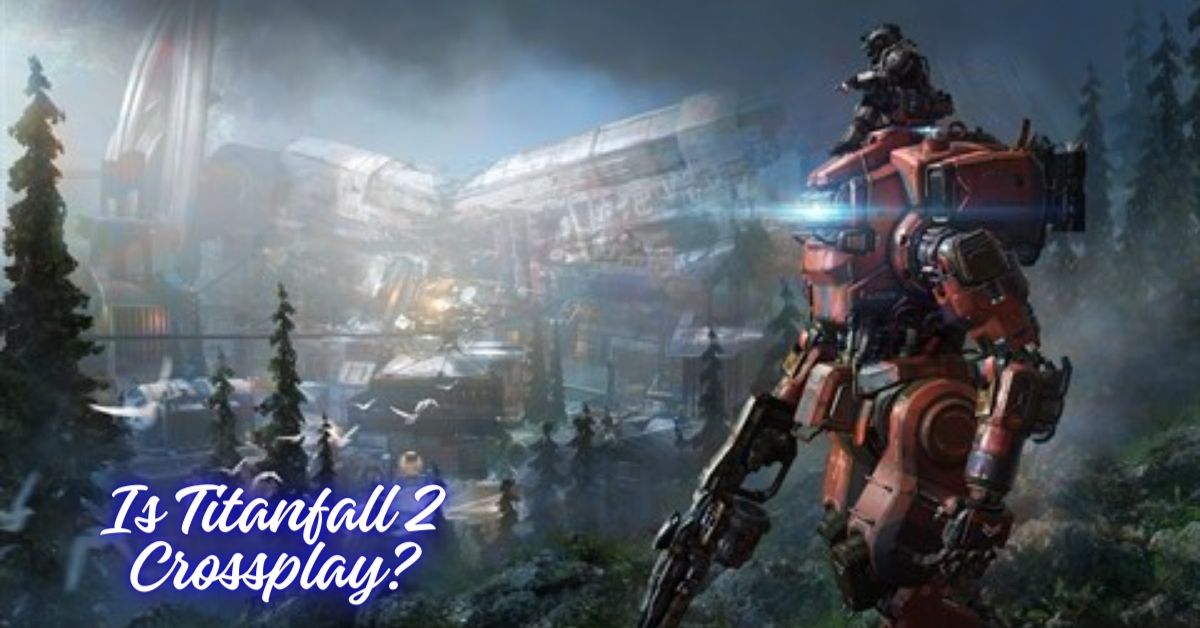
Titanfall 2 is a first-person shooter game that was released in 2016 by Respawn Entertainment and Electronic Arts. The game is a sequel to the 2014 game Titanfall and features a single-player campaign and a multiplayer mode. The game is set in a sci-fi universe, where players can control pilots and their giant robots called Titans, and engage in various modes and maps.
Titanfall 2 has received critical acclaim for its gameplay, story, and graphics, and has a loyal fan base. However, many players have also wondered if the game supports crossplay, which is the ability to play online with or against other players on different platforms, such as PC, PlayStation, Xbox, and Nintendo Switch.
Crossplay can enhance the gaming experience, as it can increase the player base, reduce the matchmaking time, and allow players to play with their friends and family regardless of their platform preference.
However, not all games support crossplay, and some games may have different levels or types of crossplay, depending on the developer’s decision and the platform’s policy. So, is Titanfall 2 crossplay? How can you play with your friends on different platforms? In this article, we will answer these questions and provide some facts and updates about Titanfall 2 crossplay.
Is Titanfall 2 Crossplay?
No, Titanfall 2 is not crossplay. The game does not support crossplay between any platforms, which means that players on PC, PlayStation, Xbox, and Nintendo Switch cannot play with or against each other. The game is only available on PC, PlayStation 4, Xbox One, and Nintendo Switch via backward compatibility, and players can only join matches or connect with friends who use the same platform.
The reason for this lack of crossplay is that Titanfall 2 was released in 2016 when crossplay was not as common or popular as it is today. The game was developed with platform-specific multiplayer experiences in mind, and the developer did not prioritize crossplay functionality.
In addition, the developer has been focusing on their newer title, Apex Legends, which is a battle royale game that is set in the same universe as Titanfall 2, and which does support crossplay.
However, it is important to note that the gaming landscape is constantly evolving, and there is always a possibility that Titanfall 2 might receive crossplay support in the future. As more and more games embrace cross-play functionality, the demand for such a feature in older titles like Titanfall 2 may increase.
While there is no guarantee that Titanfall 2 will receive an update to enable crossplay, fans of the game can still hope that the developer might consider adding this feature to improve the gaming experience.
How to Play with Friends on Different Platforms?
Since Titanfall 2 does not support crossplay, you cannot play with your friends on different platforms. However, you can still play with your friends on the same platform, as long as you have the same version of the game. To play with your friends on the same platform, you need to follow these steps:
From the main menu of the game, select the Multiplayer option.
From the Multiplayer menu, select the Play option.
From the Play menu, select the Invite Friends option.
From the Invite Friends menu, select the friend that you want to invite, and press the Invite button.
The invited friend will receive a notification and can accept or decline the invitation.
If the invited friend accepts the invitation, they will join your party and can play with you in any mode.
You can also join your friends’ parties by following these steps:
From the main menu of the game, select the Multiplayer option.
From the Multiplayer menu, select the Play option.
From the Play menu, select the Join Friends option.
From the Join Friends menu, select the friend that you want to join, and press the Join button.
You will join your friend’s party and can play with them in any mode.
Conclusion
Titanfall 2 is not crossplay, and you cannot play with your friends on different platforms. You can only play with your friends on the same platform, and only if you have the same version of the game. This is because the game was released in 2016 and did not support crossplay functionality, and the developer has not updated or announced any plans to add crossplay support.