Author: Christopher

  • Is Nobody Saves The World Crossplay? Unmasking Co Op Mayhem Across Platforms

    Is Nobody Saves The World Crossplay? Unmasking Co Op Mayhem Across Platforms

    Nobody Saves the World is a new action RPG from Drinkbox Studios, the creators of Guacamelee and Severed. The game features a unique mechanic that allows you to transform into different forms, each with its abilities and playstyles.

    You can also mix and match abilities from different forms to create your custom builds. The game has a colorful and quirky art style, a humorous and engaging story, and dynamic and challenging gameplay.

    But what about the multiplayer aspect of the game? Can you play with your friends across different platforms? Is Nobody Saves the World Crossplay? In this article, we will answer these questions and more, by covering the following topics:

    Is Nobody Saves The World Crossplay?

    Is Nobody Saves The World Crossplay
    Is Nobody Saves The World Crossplay

    The good news is that Nobody Saves the World does support crossplay, at least across Microsoft platforms. This means that you can play with your friends who are using Xbox Series X|S, Xbox One, or Windows 10 devices, as long as you are playing the same version of the game.

    The game also supports cross-progression, which means that you can transfer your saved data and progress across different devices. However, the bad news is that Nobody Saves the World does not support crossplay with other platforms, such as PlayStation, Switch, or Steam.

    This means that you cannot play with your friends who are using these platforms, even if you are playing the same game. The developers have not confirmed if they plan to add crossplay with other platforms in the future, but they have stated that they are open to the idea.

    How to Play Nobody Saves the World with Crossplay?

    To play Nobody Saves the World with crossplay, you will need to follow these steps:

    • Make sure that you and your friends are using the same version of the game, and that you have updated the game to the latest patch.
    • Make sure that you and your friends are connected to the internet, and that you have enabled the online features of the game.
    • Launch the game and select the Online Co-Op option from the main menu.
    • Choose whether you want to create a game or join a game. If you want to create a game, you can invite your friends from your friends list, or wait for random players to join. If you want to join a game, you can join your friends’ games from your friends list, or browse the available games from the server list.
    • Enjoy the game with your friends. You can communicate with them using the voice chat or the text chat features of the game.

    Conclusion

    Nobody Saves the World is a fun and innovative action RPG that lets you transform into different forms and customize your abilities. The game also supports crossplay across Microsoft platforms, which means that you can play with your friends who are using Xbox Series X|S, Xbox One, or Windows 10 devices.

    However, the game does not support crossplay with other platforms, such as PlayStation, Switch, or Steam, which means that you cannot play with your friends who are using these platforms. Hopefully, the developers will add crossplay with other platforms in the future, as it would make the game even more enjoyable and accessible.

    You might also be interested in the following games, Crossplay: Human Fall Flat Crossplay and Rec Room Crossplay We appreciate your interest in our website! Make Gameempress.com your go-to site for gaming information.

  • GTA 6 At 60fps Concerns: Gamers Debate Performance Vs. Realism

    GTA 6 At 60fps Concerns: Gamers Debate Performance Vs. Realism

    With Grand Theft Auto 6 rapidly approaching the new year, some fans are concerned about the game potentially operating at 60FPS and have resorted to Reddit to express their concerns.

    Rockstar Games Announces GTA 6
    Rockstar Games Announces GTA 6

    Grand Theft Auto 6 will be released in 2025, and it is safe to say that fans are ecstatic for what is arguably the most anticipated game of all time. With Rockstar just releasing one official trailer and keeping most information under wraps, rumors and speculation abound, including a recent concern about the game’s performance.

    This comes after a Reddit member asked on r/GTA6 if GTA 6 would be released with 60 frames per second on consoles. Can GTA 6 run at 60 frames per second on the PS5, Series X, and, most notably, the Xbox Series S? I believe Series S is holding back the current generation console. Should Rockstar persuade Microsoft not to release it on the Series S?”

    With GTA 6 slated to release on the PlayStation 5 and Xbox Series X/S (and eventually on PC), gamers are anxious about how the game will perform on the Series S. When compared to the Xbox Series X and PlayStation 5, the console has significantly less power, which has caused current titles such as Baldur’s Gate 3 to encounter troubles due to the Xbox Series S’s restrictions.

    Not to mention how powerful GTA 6 is projected to be, so it’s reasonable that Xbox Series S owners are concerned.

    “Probably will have a fidelity, and a performance mode at the very least,” one Reddit member predicts. It would be a shame not to have 60 frames per second.”

    Another expressed skepticism, saying, “Yes, without a doubt, GTA 6 will support 60 frames per second on the PlayStation 5 and Xbox Series X consoles.” However, because the Xbox Series S has lower hardware requirements than the other two systems, performance may vary.”

    With over a year till release, it remains to be seen how Grand Theft Auto 6 will perform, but with rumors of next-gen consoles already circulating, we may see a completely different outcome.

  • Hitman 3 PC Requirement: What You Need To Run The Game Smoothly?

    Hitman 3 PC Requirement: What You Need To Run The Game Smoothly?

    Hitman 3 is a stealth action game that was released in 2021 by IO Interactive. The game is the eighth and final installment in the Hitman series and the conclusion of the World of Assassination trilogy. The game follows Agent 47, a professional assassin, as he travels around the world to eliminate his targets and uncover the truth behind his past.

    Hitman 3 is a game that offers a lot of freedom and creativity to the players, as they can choose how to approach and execute their missions, using various weapons, gadgets, disguises, and environmental elements. The game also features stunning and immersive graphics, with realistic lighting, shadows, and reflections, thanks to the game’s Glacier engine and the support for ray tracing technology.

    However, to enjoy the game’s full potential and performance, the players need to have a PC that meets or exceeds the game’s system requirements. The game’s system requirements vary depending on the resolution, graphics settings and features that the players want to use, such as ray tracing or VR. In this article, we will explain what are the game’s system requirements, and how to check if your PC can run the game smoothly.

    Hitman 3 PC Requirement

    Hitman 3 PC Requirement
    Hitman 3 PC Requirement

    The game’s system requirements are the minimum and recommended specifications that your PC needs to have to run the game. The game’s system requirements are divided into three categories: standard, ray tracing, and VR.

    The standard system requirements are for playing the game without ray tracing or VR, while the ray tracing system requirements are for playing the game with ray tracing enabled, and the VR system requirements are for playing the game in VR mode.

    The game’s system requirements are based on the official information from the game’s Steam page, as well as the web search results. Here are the game’s system requirements for each category:

    Minimum System Requirements

    OS: 64-bit Windows 10

    CPU: Intel Core i5-2500K or AMD Phenom II X4 940

    RAM: 8 GB

    GPU: Nvidia GeForce GTX 660 or AMD Radeon HD 7870

    VRAM: 2 GB

    DirectX: Version 12

    Storage: 80 GB

    Recommended System Requirements

    • OS: 64-bit Windows 10
    • CPU: Intel Core i7-4790 or AMD Ryzen 5 1600
    • RAM: 16 GB
    • GPU: Nvidia GeForce GTX 1070 or AMD Radeon RX Vega 56
    • VRAM: 8 GB
    • DirectX: Version 12
    • Storage: 80 GB

    Ray Tracing System Requirements

    The ray tracing system requirements are for playing the game with ray tracing enabled, which is a feature that enhances the game’s lighting, shadows, and reflections. The ray tracing system requirements are:

    Minimum System Requirements (1080p / Medium)

    • OS: Windows 10 version 21H1
    • CPU: Intel Core i5-10600K or AMD Ryzen 5 5600X
    • RAM: 8 GB
    • GPU: Nvidia GeForce RTX 2060 Super or AMD Radeon RX 6600 XT
    • VRAM: 8 GB
    • Driver: GeForce Game Ready 512.59 or Radeon Software Adrenalin 22.5.3

    Recommended System Requirements (1440p / High)

    • OS: Windows 10 version 21H1
    • CPU: Intel Core i7-10700K or AMD Ryzen 7 5800X
    • RAM: 16 GB
    • GPU: Nvidia GeForce RTX 3070 or AMD Radeon RX 6900 XT
    • VRAM: 8 GB
    • Driver: GeForce Game Ready 512.59 or Radeon Software Adrenalin 22.5.3

    VR System Requirements

    The VR system requirements are for playing the game in VR mode, which is a feature that allows the players to experience the game in a more immersive and realistic way. The VR system requirements are:

    • OS: 64-bit Windows 10
    • CPU: Intel Core i7-8700 or AMD Ryzen 7 2700
    • RAM: 16 GB
    • GPU: Nvidia GeForce RTX 2060 Super or AMD Radeon RX 5700 XT
    • VRAM: 8 GB
    • Storage: 80 GB

    How to Check If Your PC Can Run the Game?

    To check if your PC can run the game smoothly, you need to compare your PC’s specifications with the game’s system requirements. You can do this manually, by looking at your PC’s information and comparing it with the game’s system requirements, or automatically, by using a tool that can scan your PC and tell you if it can run the game.

    To check your PC’s information manually, you can follow these steps:

    • On your PC, open the Start menu type “System Information” and press Enter.
    • On the System Information window, look at the System Summary section and note down your OS, CPU, RAM, and DirectX version.
    • On your PC, right-click on the desktop and select “Display Settings”.
    • On the Display Settings window, scroll down and click on “Advanced display settings”.
    • On the Advanced Display Settings window, note down your resolution and refresh rate.
    • On your PC, right-click on the desktop and select “NVIDIA Control Panel” or “AMD Radeon Settings”, depending on your GPU brand.
    • On the NVIDIA Control Panel or AMD Radeon Settings window, look at the System Information section and note down your GPU and VRAM.
    • Compare your PC’s information with the game’s system requirements and see if they match or exceed them.

    To check your PC’s information automatically, you can use a tool such as Can You RUN It, which is a website that can scan your PC and tell you if it can run the game. To use Can You RUN It, you can follow these steps:

    • On your PC, open a web browser and go to [Can You RUN It].
    • On the Can You RUN It website, type “Hitman 3” in the search box and click on the game’s icon.
    • On the Hitman 3 page, click on the “Can You Run It” button.
    • On the pop-up window, click on the “Download” button and download the Detection.exe file.
    • Run the Detection.exe file and allow it to scan your PC.
    • Wait for the scan to finish and see the results on the website.

    The results will tell you if your PC can run the game on minimum or recommended settings, or if it fails to meet the game’s system requirements. The results will also show you the details of your PC’s specifications and the game’s system requirements, and highlight the areas where your PC needs improvement.

    Conclusion

    Hitman 3 is a game that requires a powerful PC to run smoothly, especially if the players want to use the game’s advanced features, such as ray tracing or VR. The game’s system requirements vary depending on the resolution, graphics settings and features that the players want to use, and they can be divided into three categories: standard, ray tracing, and VR.

    This is everything you need to know about Hitman 3 PC Requirements. Additionally, you can check our guide on Heavenly Sword PC Requirements and The Ascent PC Requirements. Stay connected with GameEmpress.com to get the latest news and guides about the gaming world.

  • Chaotic Evil Monk Class Mod: How To Get And Use The Best Gunzerker Mod In Borderlands 2?

    Chaotic Evil Monk Class Mod: How To Get And Use The Best Gunzerker Mod In Borderlands 2?

    Borderlands 2 is a loot-driven shooter that lets you play as one of the four Vault Hunters, each with their unique skills and abilities. One of them is the Gunzerker, a dual-wielding berserker who can unleash a barrage of bullets on his enemies.

    The Gunzerker can also equip different class mods, which are items that boost his stats and skills. One of the best class mods for the Gunzerker is the Chaotic Evil Monk, which is added in the Tiny Tina’s Assault on Dragon Keep DLC. In this article, we will show you how to get and use the Chaotic Evil Monk class mod, by covering the following topics:

    Chaotic Evil Monk Class Mod

    Chaotic Evil Monk Class Mod
    Chaotic Evil Monk Class Mod

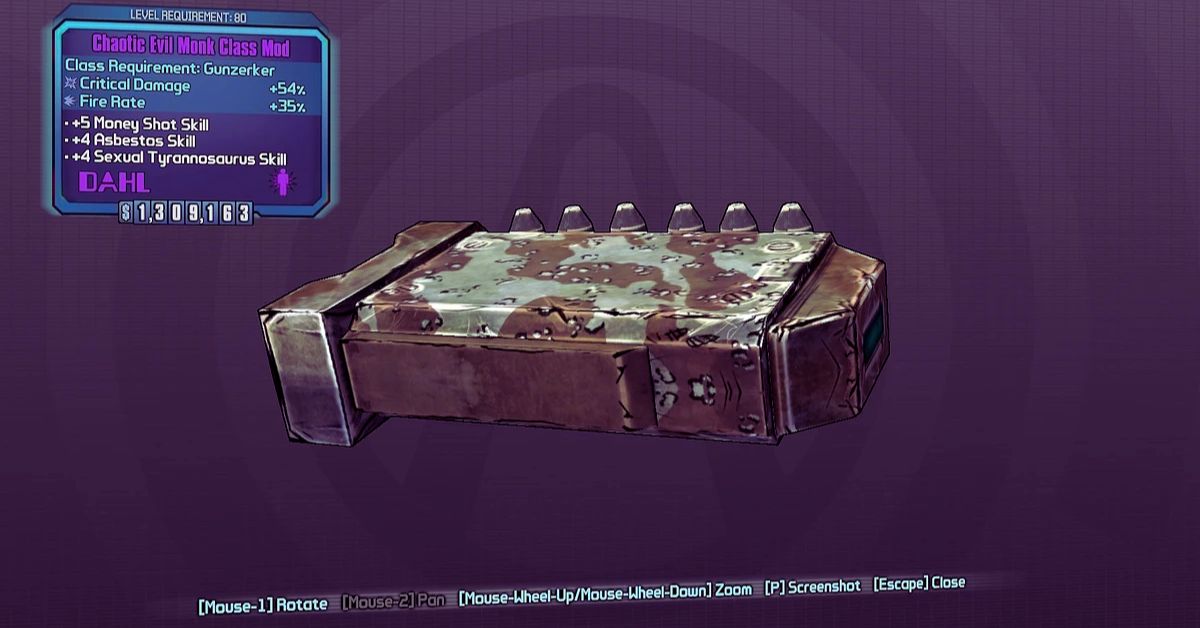
    The Chaotic Evil Monk class mod is a rare class mod for the Gunzerker, manufactured by Vladof. The Chaotic Evil Monk class mod can only be obtained from treasure chests or enemies found within the Tiny Tina’s Assault on Dragon Keep DLC. The Chaotic Evil Monk class mod has the following features:

    • It boosts the Money Shot skill, which increases the damage of the last bullet in the magazine, by up to 6 points.
    • It boosts the Asbestos skill, which reduces the duration of status effects, by up to 6 points.
    • It boosts the Sexual Tyrannosaurus skill, which regenerates health when taking damage, by up to 6 points.
    • It increases the fire rate by up to 35% and the critical hit damage by up to 54%, depending on the alignment type.
    • It has a unique appearance, resembling a monk’s robe with a skull mask.

    The Chaotic Evil Monk class mod is one of the most powerful class mods for the Gunzerker, as it enhances his damage output, survivability, and fire rate. It is especially effective for weapons with small magazines, such as shotguns, revolvers, and rocket launchers, as it maximizes the Money Shot bonus. It is also useful for weapons with high critical hit modifiers, such as sniper rifles, pistols, and SMGs, as it increases the critical hit damage.

    How to Get the Chaotic Evil Monk Class Mod?

    The Chaotic Evil Monk class mod is a random drop from any suitable loot source in Tiny Tina’s Assault on Dragon Keep DLC. However, there are some ways to increase your chances of getting it, such as:

    • Using the Vault Hunter’s Relic, which increases the chance of rare or higher rarity loot drops by 5%.
    • Farming the Dice Chests, which are special chests that require Eridium to open and give you random loot based on the dice roll. The higher the dice roll, the better the loot. You can find Dice Chests in various locations in the DLC, such as the Lair of Infinite Agony, the Mines of Avarice, and the Dragon Keep. You can also use the Vault Hunter’s Relic to increase the chance of getting a higher dice roll.
    • Farming the Mimic Chests, which are chests that disguise themselves as regular chests, but attack you when you try to open them. Mimic Chests have a higher chance of dropping rare or higher rarity loot, including class mods. You can find Mimic Chests in various locations in the DLC, such as the Unassuming Docks, the Hatred’s Shadow, and the Immortal Woods. You can also use the Vault Hunter’s Relic to increase the chance of getting a Mimic Chest.
    • Farming the Handsome Sorcerer, who is the final boss of the DLC. The Handsome Sorcerer has a high chance of dropping rare or higher rarity loot, including class mods. You can find the Handsome Sorcerer in the Dragon Keep, after completing the main story of the DLC. You can also use the Vault Hunter’s Relic to increase the chance of getting a better loot drop.

    How to Use the Chaotic Evil Monk Class Mod?

    The Chaotic Evil Monk class mod is a versatile and powerful class mod that can be used for various builds and playstyles. However, there are some tips and tricks that can help you make the most out of it, such as:

    • Use weapons with small magazines, such as shotguns, revolvers, and rocket launchers, to trigger the Money Shot bonus more often and deal massive damage. Some of the best weapons for this are the Orphan Maker, the Unkempt Harold, and the Norfleet.
    • Use weapons with high critical hit modifiers, such as sniper rifles, pistols, and SMGs, to take advantage of the increased critical hit damage and deal more damage. Some of the best weapons for this are the Pimpernel, the Lady Fist, and the Sand Hawk.
    • Use the Inconceivable skill, which gives you a chance to not consume ammo when firing, to increase the chance of getting a Money Shot chain and deal even more damage. You can also use the 5 Shots or 6 skill, which gives you a chance to add ammo to your magazine when firing, to further increase the chance of getting a Money Shot chain.
    • Use the Keep Firing skill, which increases your fire rate and reload speed while Gunzerking, to maximize your fire rate and damage output. You can also use the Locked and Loaded skill, which increases your fire rate after reloading, to further boost your fire rate.
    • Use the Yippee Ki Yay skill, which increases the duration of Gunzerking when killing an enemy, to keep Gunzerking for longer and maintain your damage output. You can also use the Last Longer skill, which increases the base duration of Gunzerking, to further extend your Gunzerking time.
    • Use the Hard-to-kill skill, which increases your maximum health and health regeneration, to improve your survivability and heal yourself while taking damage. You can also use the I’m the Juggernaut skill, which increases your damage reduction when taking damage, to further reduce the damage you take.

    Conclusion

    The Chaotic Evil Monk class mod is one of the best class mods for the Gunzerker, as it boosts his damage output, survivability, and fire rate. The Chaotic Evil Monk class mod can be obtained from any suitable loot source in the Tiny Tina’s Assault on Dragon Keep DLC, but there are some ways to increase your chances of getting it, such as using the Vault Hunter’s Relic, farming the Dice Chests, the Mimic Chests, or the Handsome Sorcerer.

    The Chaotic Evil Monk class mod can be used for various builds and playstyles, but there are some tips and tricks that can help you make the most out of it, such as using weapons with small magazines or high critical hit modifiers, using skills that enhance your Money Shot, fire rate, Gunzerking, and health, and using the Inconceivable and 5 Shots or 6 skills to get Money Shot chains.

    This is everything you need to know about Chaotic Evil Monk Class Mod. Additionally, you can check our guide on Sims 4 Car Mod and Hogwarts Legacy Mods. Stay connected with GameEmpress.com to get the latest news and guides about the gaming world.

  • Is Monster Hunter Rise Cross Platform? Exploring Compatibility Between Devices!

    Is Monster Hunter Rise Cross Platform? Exploring Compatibility Between Devices!

    Monster Hunter Rise is an action role-playing game that lets you hunt down various monsters in a vast and diverse open world. You can also play with your friends online, and team up with up to three other players to take on challenging quests and missions.

    However, you might be wondering if Monster Hunter Rise supports cross platform play, meaning that you can play with your friends on different devices, such as PC, Xbox, PlayStation, or Switch. In this article, we will answer this question and explain how to play with friends on different devices.

    Is Monster Hunter Rise Cross Platform?

    The short answer is yes, but only partially. Monster Hunter Rise does support cross platform play between some of the devices that the game is available on, but not all of them.

    You can only play with your friends if they are on the same platform family as you. For example, if you are playing Monster Hunter Rise on the PC and your friend is playing it on the Xbox, you will be able to join each other’s game. However, if your friend is playing it on the Switch, you will not be able to play together.

    The reason for this is that Monster Hunter Rise has different versions of the game for different platforms, and they are not compatible with each other. The PC version of the game is based on the Steam version, which is different from the Switch version.

    The Xbox and PlayStation versions of the game are also different from the Switch version, but they are compatible with the PC version. Therefore, Monster Hunter Rise supports cross platform play between the following platform families:

    • PC, Xbox, and PlayStation
    • Switch

    The developer of Monster Hunter Rise, Capcom, has not made any new announcements about adding cross platform play between all platforms. However, they have said that they are working on it and that they hope to make it happen in the future.

    They have also said that they are aware of the demand from the fans and that they appreciate their patience and support.

    How to Play with Friends on Different Devices?

    If you want to play with your friends on different devices, you have two options:

    • You can buy the game on the same platform family as your friends, and play with them online. Monster Hunter Rise is available on PC, Xbox, PlayStation, and Switch, and it is relatively cheap compared to other games. You can also transfer your save data between PC and Xbox or PlayStation, using the cloud save feature. However, you cannot transfer your saved data between PC and Switch, or between Xbox and PlayStation.
    • You can use a third-party software or service that allows you to stream your game from one device to another, and play with your friends online. For example, you can use Steam Remote Play, Parsec, or Rainway, to stream your PC game to your phone, tablet, or another PC, and join your friends’ game. However, this method may require a good internet connection, a compatible device, and a subscription fee.

    Conclusion

    Monster Hunter Rise is a fun and exciting game that lets you play with your friends online, but it does not support cross platform play between all devices. You can only play with your friends if they are on the same platform family as you, such as PC, Xbox, PlayStation, or Switch.

    If you want to play with your friends on different devices, you can either buy the game on the same platform family as them or use a third-party software or service that allows you to stream your game from one device to another. By following these steps, you can enjoy Monster Hunter Rise with your friends on different devices.

    You might also be interested in the following games, Crossplay: Human Fall Flat Crossplay and Rec Room Crossplay We appreciate your interest in our website! Make Gameempress.com your go-to site for gaming information.

  • Microsoft Flight Simulator PC Requirement: What You Need to Know?

    Microsoft Flight Simulator PC Requirement: What You Need to Know?

    Microsoft Flight Simulator is a realistic and immersive flight simulation game that was released in 2020 by Microsoft and Asobo Studio. It is the eleventh major installment in the Microsoft Flight Simulator series and the first one since 2006.

    The game features a detailed and accurate representation of the entire Earth, using satellite imagery, photogrammetry, and artificial intelligence. The game also features over 37,000 airports, 2 million cities, and 1.5 billion buildings, as well as dynamic weather, seasons, and day-night cycles.

    Microsoft Flight Simulator PC Requirement

    Microsoft Flight Simulator PC Requirement
    Microsoft Flight Simulator PC Requirement

    Microsoft Flight Simulator is a stunning and ambitious game that requires a powerful PC to run smoothly and enjoyably. In this article, we will explain what are the minimum, recommended, and ideal PC requirements for Microsoft Flight Simulator, as well as some tips and tricks on how to optimize your PC performance and settings for the game.

    Minimum PC Requirements

    The minimum PC requirements for Microsoft Flight Simulator are the lowest specifications that your PC needs to run the game at the lowest graphics settings and resolution. These requirements are meant for players who have low-end or older PCs and are willing to sacrifice some visual quality and performance for the sake of playing the game.

    According to the official Microsoft Flight Simulator website, the minimum PC requirements for Microsoft Flight Simulator are:

    • OS: Windows 10 (64-bit) Nov 2019 update (1909)
    • CPU: AMD Ryzen 3 1200 or Intel Core i5-4460
    • RAM: 8 GB
    • GPU: AMD Radeon RX 570 or Nvidia GeForce GTX 770
    • VRAM: 2 GB
    • HDD: 150 GB of storage space
    • Bandwidth: 5 Mbps

    If your PC meets these requirements, you should be able to run the game at 30 FPS (frames per second) on 720p resolution and low graphics settings. However, you may experience some lag, stuttering, or loading issues, especially when flying over densely populated or detailed areas.

    Recommended PC Requirements

    The recommended PC requirements for Microsoft Flight Simulator are the optimal specifications that your PC needs to run the game at decent graphics settings and resolution. These requirements are meant for players who have mid-range or newer PCs and are looking for a balance between visual quality and performance.

    According to the official Microsoft Flight Simulator website, the recommended PC requirements for Microsoft Flight Simulator are:

    • OS: Windows 10 (64-bit) Nov 2019 update (1909)
    • CPU: AMD Ryzen 5 1500X or Intel Core i5-8400
    • RAM: 16 GB
    • GPU: AMD Radeon RX 590 or Nvidia GeForce GTX 970
    • VRAM: 4 GB
    • HDD: 150 GB of storage space
    • Bandwidth: 20 Mbps

    If your PC meets these requirements, you should be able to run the game at 30 FPS on 1080p resolution and high graphics settings. You should also have a smoother and more stable gameplay experience, with less lag, stuttering, or loading issues.

    Ideal PC Requirements

    The ideal PC requirements for Microsoft Flight Simulator are the highest specifications that your PC needs to run the game at the best graphics settings and resolution. These requirements are meant for players who have high-end or gaming PCs and are looking for the ultimate visual quality and performance.

    According to the official Microsoft Flight Simulator website, the ideal PC requirements for Microsoft Flight Simulator are:

    • OS: Windows 10 (64-bit) Nov 2019 update (1909)
    • CPU: AMD Ryzen 7 Pro 2700X or Intel Core i7-9800X
    • RAM: 32 GB
    • GPU: AMD Radeon VII or Nvidia GeForce RTX 2080
    • VRAM: 8 GB
    • HDD: 150 GB SSD (solid state drive) of storage space
    • Bandwidth: 50 Mbps

    If your PC meets these requirements, you should be able to run the game at 60 FPS on 4K resolution and ultra graphics settings. You should also have the best and most realistic gameplay experience, with no lag, stuttering, or loading issues.

    This is everything you need to know about Microsoft Flight Simulator PC Requirements. Additionally, you can check our guide on Heavenly Sword PC Requirements and The Ascent PC Requirements. Stay connected with GameEmpress.com to get the latest news and guides about the gaming world.

  • Uncharted 4 A Thiefs End PC Requirement: What You Need To Play The Action Adventure Game?

    Uncharted 4 A Thiefs End PC Requirement: What You Need To Play The Action Adventure Game?

    Uncharted 4 A Thief’s End is an action-adventure game that follows the adventures of Nathan Drake, a treasure hunter who travels around the world in search of ancient mysteries and secrets. The game is developed by Naughty Dog and was released in 2016 for PlayStation 4.

    However, in 2023, the game will also be available for PC, as part of the Uncharted: Legacy of Thieves Collection, which also includes Uncharted: The Lost Legacy, a standalone expansion that features Chloe Frazer and Nadine Ross as the main protagonists.

    But what do you need to play Uncharted 4 A Thief’s End on PC? How will the PC version differ from the PS4 version? In this article, we will tell you everything you need to know about Uncharted 4 A Thief’s End PC requirement, and how it will affect the game experience.

    Uncharted 4 A Thief’s End PC Requirement

    Uncharted 4 A Thiefs End PC Requirement
    Uncharted 4 A Thiefs End PC Requirement

    According to the official website, these are the minimum and recommended PC requirements for Uncharted 4 A Thief’s End:

    Minimum Requirements

    • OS: Windows 10 64-bit
    • Processor: Intel Core i5-4330 or AMD Ryzen 3 1200
    • Memory: 8 GB RAM
    • Graphics: NVIDIA GeForce GTX 960 4GB or AMD Radeon R9 290X 4GB
    • DirectX: Version 12
    • Storage: 80 GB available space

    Recommended Requirements

    • OS: Windows 10 64-bit
    • Processor: Intel Core i7-4770 or AMD Ryzen 5 1500X
    • Memory: 16 GB RAM
    • Graphics: NVIDIA GeForce GTX 1060 6GB or AMD Radeon RX 570 4GB
    • DirectX: Version 12
    • Storage: 80 GB available space

    These requirements are based on the game running at 1080p resolution and 60 frames per second, with high graphics settings. However, the game will also support higher resolutions and frame rates, as well as ray tracing and other graphical enhancements, for those who have more powerful PCs.

    PC Features and Enhancements

    The PC version of Uncharted 4 A Thief’s End will not only have the same content and features as the PS4 version, but also some exclusive features and enhancements that will improve and optimize the game experience. Some of these features and enhancements are:

    • DualSense support: The game will support the DualSense controller, which is the PS5’s controller, through a wired connection to the PC. The DualSense controller features adaptive triggers and haptic feedback, which will make the game more immersive and realistic. For example, you will feel the weight and tension of your weapons, the impact and recoil of your shots, and the vibrations and sensations of the environment. The game will also use the controller’s speaker and microphone, which will allow you to hear the sounds of the game and communicate with other players.
    • 3D audio: The game will also support 3D audio, which is a technology that creates a realistic and immersive sound field. This means that you will be able to hear the sounds of the game from all directions, and pinpoint their location and distance. The game will also have a dynamic soundtrack, which will change according to the situation and the gameplay.
    • Ultra-wide and multi-monitor support: The game will also support ultra-wide and multi-monitor setups, which will allow you to play the game with a wider and more panoramic view. This will make the game more cinematic and spectacular, as you will be able to see more of the game’s stunning environments and set pieces.
    • Customizable graphics settings: The game will also have customizable graphics settings, which will allow you to adjust the game’s performance and quality according to your preference and PC specifications. You will be able to change the resolution, frame rate, anti-aliasing, texture quality, shadow quality, and more.

    Conclusion

    Uncharted 4 A Thief’s End PC requirement is the set of specifications that you need to play the game on PC. The game will have minimum and recommended requirements, based on the game running at 1080p and 60 fps, with high graphics settings. However, the game will also support higher resolutions and frame rates, as well as ray tracing and other graphical enhancements, for those who have more powerful PCs.

    The game will also have some exclusive features and enhancements for the PC version, such as DualSense support, 3D audio, ultra-wide and multi-monitor support, and customizable graphics settings. The game will be released in 2023, and will be available as part of the Uncharted: Legacy of Thieves Collection, which also includes Uncharted: The Lost Legacy. Uncharted 4 A Thief’s End PC requirement is what you need to enjoy the thrilling and epic adventure of Nathan Drake and his friends.

    This is everything you need to know about Uncharted 4 A Thiefs End PC Requirement. Additionally, you can check our guide on The Elder Scrolls VI PC Requirements and Valorant PC Requirements. Stay connected with GameEmpress.com to get the latest news and guides about the gaming world.

  • EA Sports’ NCAA Football Game Release Date: What Features Can We Expect?

    EA Sports’ NCAA Football Game Release Date: What Features Can We Expect?

    Video game fans have been waiting for EA Sports to bring back its immensely popular College Football franchise ever since the NCAA introduced the Name-Image-Likeness regulations. When EA revealed that it was developing a new version of EA Sports College Football, which was reportedly scheduled for summer 2024, those fans’ dreams were substantially fulfilled.

    But when The Brandr Group, which facilitates collegiate group license agreements, sued EA Sports in June, it appeared that the strategy had met a roadblock. Thankfully, The Brandr Group withdrew its lawsuit over the weekend, clearing the path for EA Sports College Football 24 to hit stores the following year, suggesting that all of the problems have been resolved.

    The website On3.com, which tracks NIL transactions and sports commerce in general, is the source of this report. The main focus of the case was EA Sports’s collaboration with OneTeam, a primary rival of The Brandr Group, to finalize NIL arrangements in May.

    Both parties said in a joint statement that they had reached an “amicable settlement of their past disputes related to college group licensing” and that they had “agreed to adopt a model that both complements their respective core businesses while separating and operating as completely independent companies.”

    EA Sports’ NCAA Football Game Release Date

    In essence, as part of EA’s next game, the two businesses are collaborating to offer collegiate athletes the best possible deal. EA, for its part, stated:

    We are pleased that BrandR has decided to withdraw their claims without any payment from EA. We’ve been clear from the beginning that this suit had no merit. Our focus continues to be on directly licensing individual college athlete name and likeness rights through an opt-in program that will give college athletes the choice if they want to be in our game. We’re pleased to move on from these claims and look forward to delivering EA SPORTS College Football in Summer 2024.”

    See the post below…

    As you can see, EA is no longer required to overcome any hurdles related to NIL. Naturally, development-related issues could cause delays, but players who are willing to join up will be able to play the game as soon as it is released. Naturally, EA hasn’t offered gamers many hints as to what will be available when the game is released.

    We actually don’t know much at this point other than the creators intend to use Dynasty as their “flagship mode.” Considering how much money Electronic Arts makes from microtransactions in its Ultimate Team modes, that comes as a bit of a surprise.

    There will probably still be a card-collecting feature in College Football 24, but for the first year, it may be a little more basic than sports fans are used to. As an alternative, EA might investigate how to incorporate cosmetics and recruiting bonuses into Dynasty Mode in order to introduce microtransactions. Fans of Dynasty Mode can relax knowing that their favorite mode will still be available in NCAA College Football 24.

    What Features Can We Expect From the New NCAA Football Game?

    ncaa football game release date

    Although EA Sports has not disclosed many details regarding the gameplay and features of the upcoming NCAA Football game, we may anticipate certain innovations and upgrades based on fan input and technological breakthroughs. Among the potential characteristics are:

    Realistic Graphics and Animations: To produce breathtaking graphics and realistic physics for the new NCAA Football game, EA Sports most likely used the same Frostbite engine that powers its other sports titles, such as Madden and FIFA.

    Along with realistic body language and facial emotions for the coaches and players, the game will also have dynamic weather and lighting effects for the stadiums and surrounding areas.

    Authentic Rosters and Ratings: Real collegiate players with their true names, numbers, positions, abilities, and characteristics will be included in the game as much as feasible, according to EA Sports’ authentic rosters and ratings.

    Throughout the season, the game will also change the ratings and logs in accordance with the players’ potential and performance. Additionally, the game will allow users to create or modify their teams and players with unique rosters and ratings.

    Immersive Game Modes and Options: To accommodate a range of tastes and play styles, EA Sports has planned a number of game modes and opportunities for the upcoming NCAA Football game. There will probably be a career mode in the game where players can design their characters and mentor them from admission to graduation.

    In the dynasty mode of the game, players will be able to take charge of their preferred university and guide them to success through coaching, recruiting, and championship wins. Additionally, the game will feature an online component where users may engage in head-to-head competitions or tournaments against other players worldwide.

    Additionally, there will be a customization component in the game where players may upload their own stadium designs, helmets, logos, and outfits, or they can download others’ creations.

    Comprehensive Commentary and Analysis: Using the voices and perspectives of actual college football experts and personalities, EA Sports will offer a deep and captivating commentary and analysis for the new NCAA Football game.

    In order to give players a realistic and engaging experience, the game will also have a dynamic presentation and broadcast with various camera perspectives, replays, highlights, and statistics.

    If you are interested in knowing more articles related to other games, you can check State Of Decay 3 Release Date and Once Human PS5 Release Date. We appreciate your interest in our website! Make Gameempress.com your go-to site for gaming information.

  • WoW Dragonflight Patch 10.2.5: What’s New And How To Prepare?

    WoW Dragonflight Patch 10.2.5: What’s New And How To Prepare?

    WoW Dragonflight is the latest expansion for World of Warcraft, which introduces a new continent, a new class, and a new feature: dragon riding. The expansion is currently in its second major patch, 10.2, which adds new content, features, and improvements.

    However, the expansion is not over yet, as Blizzard Entertainment has announced the next patch, 10.2.5, which will bring more changes and updates to the game. In this article, we will give you an overview of what’s new and how to prepare for WoW Dragonflight Patch 10.2.5, by covering the following topics:

    WoW Dragonflight Patch 10.2.5

    WoW Dragonflight Patch 10.2.5
    WoW Dragonflight Patch 10.2.5

    Dragon Riding comes to Azeroth

    One of the most exciting features of WoW Dragonflight is dragon-riding, which allows you to tame and ride various dragons as mounts. However, until now, dragon-riding was only available in the new continent of the Dragon Isles, where the expansion takes place.

    In Patch 10.2.5, dragon-riding will be expanded to the whole of Azeroth, meaning that you can fly your dragon mounts in any zone where flying is allowed. This will open up new possibilities and perspectives for exploring the world, as well as new challenges and rewards.

    To prepare for this change, you will need to unlock dragon riding first if you haven’t already. You can do this by completing the introductory questline of the expansion, which will grant you access to the Dragon Isles and the Dragonflight faction.

    You will also need to level up your dragon riding skill, which will increase your dragon’s speed, stamina, and abilities. You can level up your dragonriding skill by completing quests, events, and races in the Dragon Isles, as well as by using the Dragonriding Talent Tree, which will let you customize your dragon’s traits and skills.

    You will also need to collect different dragon mounts, which will have different appearances, stats, and abilities. You can obtain dragon mounts by completing various activities in the Dragon Isles, such as quests, events, races, dungeons, raids, and achievements.

    You can also buy dragon mounts from vendors, or trade them with other players. Some of the dragon mounts you can get are:

    • Azure Drake: A blue-scaled dragon with lightning abilities. You can get it by completing the Azure Drake Race in the Dragon Isles.
    • Crimson Drake: A red-scaled dragon with fire abilities. You can get it by completing the Crimson Drake Race in the Dragon Isles.
    • Emerald Drake: A green-scaled dragon with natural abilities. You can get it by completing the Emerald Drake Race in the Dragon Isles.
    • Onyx Drake: A black-scaled dragon with shadow abilities. You can get it by completing the Onyx Drake Race in the Dragon Isles.
    • Bronze Drake: A bronze-scaled dragon with time abilities. You can get it by completing the Bronze Drake Race in the Dragon Isles.
    • Netherwing Drake: A purple-scaled dragon with arcane abilities. You can get it by completing the Netherwing Drake Race in the Dragon Isles.
    • Whimsydrake: A rainbow-colored dragon with whimsical abilities. You can get it by completing the Whimsydrake Race in the Dragon Isles.
    • Celestial Drake: A white-scaled dragon with holy abilities. You can get it by completing the Celestial Drake Race in the Dragon Isles.
    • Infernal Drake: A black and red-scaled dragon with fel abilities. You can get it by completing the Infernal Drake Race in the Dragon Isles.
    • Frostwyrm: A skeletal dragon with frost abilities. You can get it by completing the Frostwyrm Race in the Dragon Isles.

    Reclaim Gilneas in a New Storyline

    Another major addition in Patch 10.2.5 is a new storyline that will take you back to Gilneas, the homeland of the Worgen race. Gilneas was introduced in the Cataclysm expansion, as a starting zone for the Worgen, but it was soon abandoned and overrun by the Forsaken, the undead faction of the Horde. Since then, Gilneas has been largely forgotten and inaccessible, until now.

    In Patch 10.2.5, you will be able to join forces with Genn Greymane, the former king of Gilneas and the leader of the Worgen, as he leads a campaign to reclaim his kingdom from the Forsaken. You will be able to participate in various quests, events, and battles, as you fight your way through the ruined city and the surrounding countryside.

    You will also be able to witness the fate of some of the characters and locations that were introduced in the original Gilneas storyline, such as Crowley, Darius, Lorna, Tess, Liam, Godfrey, and the Blackwald.

    To prepare for this storyline, you will need to be at least level 60 and have completed the main storyline of the Dragonflight expansion. You will also need to be aligned with the Alliance faction, as this storyline is exclusive to the Alliance.

    You will be able to start the storyline by accepting the quest “Return to Gilneas” from Genn Greymane, who will be located in the Sapphire Enclave, the main hub of the Dragon Isles.

    Perfect Your Dungeon Skills in a New Practice Mode

    If you are looking for a new way to improve your dungeon skills, or just have some fun with your friends, you will be happy to know that Patch 10.2.5 will introduce a new practice mode for dungeons.

    This mode will allow you to enter any dungeon in the game, regardless of your level, gear, or group size, and customize various settings, such as the difficulty, the timer, the affixes, and the rewards. You will also be able to pause, restart, or quit the dungeon at any time, without any penalty or consequence.

    The practice mode will be ideal for players who want to learn the mechanics, strategies, and routes of the dungeons, who want to test their skills and limits, or who want to have some casual and creative fun with their friends.

    You will be able to access the practice mode by talking to the Dungeon Master, a new NPC who will be located in the Sapphire Enclave, next to the Dungeon Finder. You will be able to choose any dungeon from the list, and then adjust the settings to your liking. You will also be able to invite your friends to join you or go solo if you prefer.

    The practice mode will not affect your progress, achievements, or rewards in the normal or heroic modes of the dungeons. However, you will still be able to earn some rewards in the practice mode, such as gold, experience, and reputation.

    You will also be able to earn some unique rewards, such as titles, transmogs, mounts, and pets, by completing certain challenges or achievements in the practice mode. Some of the rewards you can get are:

    • Dungeon Master: A title that you can earn by completing all the dungeons in the practice mode on the highest difficulty.
    • Dungeon Explorer: A transmog set that you can earn by completing all the dungeons in the practice mode on any difficulty.
    • Dungeon Runner: A mount that you can earn by completing all the dungeons in the practice mode within the time limit.
    • Dungeon Pet: A pet that you can earn by completing all the dungeons in the practice mode with a full party of pets.

    Draenei and Trolls Receive Customization Revamps

    One of the most requested features by the players is more customization options for their characters, especially for the older races that have not received much attention in recent years.

    Blizzard Entertainment has been listening to the feedback and has been gradually updating and adding new customization options for various races, such as Humans, Orcs, Dwarves, and Gnomes. In Patch 10.2.5, two more races will receive customization revamps: the Draenei and the Trolls.

    The Draenei and the Trolls are two of the most unique and diverse races in the game, but they have also been lacking in customization options, especially compared to the newer races. In Patch 10.2.5, they will receive a major overhaul, with new options for their skin, hair, eyes, horns, tusks, jewelry, tattoos, and more.

    You will be able to create more varied and expressive characters and explore the different cultures and subraces of the Draenei and the Trolls. You will also be able to change your appearance at any time, by visiting the Barber Shop or using the Appearance Change service.

    Some of the new customization options for the Draenei and the Trolls are:

    • Skin: You will be able to choose from a wider range of colors and tones for your skin, as well as different patterns and markings. You will also be able to choose different skin types, such as smooth, scaly, or furry.
    • Hair: You will be able to choose from a wider range of styles and colors for your hair, as well as different accessories and ornaments. You will also be able to choose different hair types, such as straight, curly, or braided.
    • Eyes: You will be able to choose from a wider range of shapes and colors for your eyes, as well as different effects and expressions. You will also be able to choose different eye types, such as normal, glowing, or slit.
    • Horns: You will be able to choose from a wider range of shapes and sizes for your horns, as well as different colors and textures. You will also be able to choose different horn types, such as curved, spiked, or branched.
    • Tusks: You will be able to choose from a wider range of shapes and sizes for your tusks, as well as different colors and decorations.

    If you are interested in knowing more articles related to other games, you can check Escape From Tarkov 0.14 Patch and Ultrakill Patch Notes Dec 2023. We appreciate your interest in our website! Make Gameempress.com your go-to site for gaming information.

  • Sims 4 Satisfaction Points Cheat: How to Enable and Use Cheats?

    Sims 4 Satisfaction Points Cheat: How to Enable and Use Cheats?

    Playing the entertaining life simulation game The Sims 4, players may design virtual individuals called Sims and manage every part of their lives from beginning to end. The ability to alter the Sims’ personality and way of living adds a lot of intrigue to the game.

    Although a little difficult to grasp, The Sims 4’s unique pleasure points system gives users the opportunity to win a number of prizes. In the game, players can gain these points by fulfilling whims, dreams, and vacations. It can take some time to accrue these points, of course.

    Fortunately, cheat codes allow players to swiftly accumulate a large number of satisfaction points, saving them from having to deal with all that hassle. Here’s how to use The Sims 4 cheats to get satisfaction points.

    How to Enable Cheat for Satisfaction Points?

    Players in The Sims 4 must first activate cheat codes before using them. Thankfully, it’s a really easy process that necessitates utilizing various key combinations for different platforms.

    • First, let’s get the cheat box open. To access the cheat box on a PC, press Ctrl + Shift + C.
    • Press Command + Shift + C on a Mac.
    • In terms of the console, you will see a box appear if you simultaneously press all four triggers.
    • In the cheat box, put “testingcheats true” and hit Enter. Satisfaction point cheats might start working as soon as they are enabled.

    The players should input “sims.give_satisfaction_points x“, replacing ‘x’ with the desired number of satisfaction points after they have enabled the cheats. To obtain 1000 satisfaction points, for instance, a player can enter the cheat code “sims.give_satisfaction_points 1000.”

    How to Use Satisfaction Points?

    sims 4 satisfaction points cheat

    Players can spend their pleasure points for a variety of objectives if they’ve accumulated the required number. Players will need to visit the rewards store in order to utilize them to redeem thrilling goodies. On the “aspiration” tab at the bottom of the page, look for a tiny gift box.

    Players will see a number of prizes they can purchase with these points after clicking on this box. Redeeming potions, characteristics, and other helpful in-game goods is what most players want to do. Because they may be used to change a Sim’s body, alter their emotions, and reverse their age, potions are especially useful.

    What Types of Rewards Are Available at the Satisfaction Points Store?

    Let’s now examine all the items available for purchase in the reward store. Potions and traits can be used to distinguish between these gifts; potions offer immediate benefits, while traits are applied to your Sim’s life.

    Potions

    Potion Description Price (In Satisfaction Points)
    Instant Fun Fills Fun Bar 100
    Instant Hygiene Fills Hygiene Bar 100
    Confident Potion Gives Sim the Confident mood 200
    Energized Potion Gives Sim the Energized mood 200
    Flirty Potion Gives Sim the Flirty mood 200
    Happy Potion Gives Sim the Happy mood 200
    Inspired Potion Gives Sim the Inspired mood 200
    Sleep Replacement Fills Energy Bar 400
    Moodlet Solver Removes all Negative Moodlets 500
    Insta-Large Your Sim will become bigger 750
    Insta-Lean Your Sim will become skinnier 750
    Potion of Youth Reset your Sims age to the beginning of the current Life Stage 1,500
    Re-Traiting Potion Reset all of your Sim’s current traits 5,000

    Traits

    The benefits of these trait-based rewards last longer than those of potions. For instance, once you buy “Always Welcome,” your Sim will have it till they pass away; you won’t need to buy it again.

    Trait Description Price (In Satisfaction Points)
    Always Welcome You can act at home while visiting other Sims, and they won’t mind 500
    Gym Rat Gain Fun and maintain Hygiene while exercising 500
    Observant Learn other Sim’s Traits by meeting them 500
    Speed Cleaner Clean 5 times faster 500
    Mentor At Level 10 of a Skill, your Sim can mentor others, causing them to gain skill quickly 1,000
    Morning Sim Build Skill quicker in the morning 1,000
    Night Owl Build Skill quicker at night 1,000
    Speed Reader Read 2 times faster than normal 1,000
    Free Services One-time services are free 1,500
    Marketable Crafted items sell for more 1,500
    Creative Visionary Your Sim has a higher change to main a masterwork (painting and writing) 2,000
    Entrepreneurial Your Sim is more likely to be promoted 2,000
    Frugal Household bills are reduced by 25% 2,000
    Independent Social Bar decreased by 50% slower 2,000
    Shameless Never experience embarrassment 2,000
    Steel Bladder Bladder Bar only decreases when drinking 2,000
    Beguiling Other Sims tend to become flirty around your Sim 2,500
    Antiseptic Hygiene Bar decreased 50% slower 3,000
    Carefree Never get tense 3,000
    Connections Start a career a few levels ahead 3,000
    Fertile Higher chance to have a baby, as well as twins and triplets 3,000
    Great Kisser Kissing increases Charisma 3,000
    Hardly Hungry Hunger Bar decreases 50% slower 4,000
    Professional Slacker Slacking at work won’t cause demotion or being fired 4,000
    Savant Gain skills 25% quicker 4,000
    Seldom Sleepy Energy Bar decreases 50% slower 4,000
    Super Green Thumb Plants in your garden have great vitality 4,000
    Needs No One Social Bar never decays 5,000
    Brave Your Sim will be hard to frighten, stay confident for longer, and isn’t afraid of the supernatural 8,000
    Forever Fresh Hygiene Bar never decays 8,000
    Forever Full Hunger Bar never decays 10,000
    Never Weary Energy Bar never decays 10,000

    What Types of Content Can DLC Add to the Sims 4?

    The Sims 4 can have a lot of content added by DLC, including a number of rewards store options. Each DLC-exclusive item is displayed below, arranged according to attributes and potions. Certain characteristics don’t completely mesh with the others.

    Potions

    Potion Description Price (In Satisfaction Points) DLC
    Quirk-B-Gone Removes Fame quirk 250 Get Famous
    Lifestyle-Go-Poof Potion Reconfigures life, setting the Sim on a ‘new path’ 300 Snowy Escape
    Potion of Curse Cleansing Removes curse 500 Realm of Magic

    Traits

    Trait Description Price (In Satisfaction Points) DLC
    Cold Acclimation Your Sim isn’t as affected by the cold 500 Seasons
    Great Storyteller Tell better stories! 500 Outdoor Retreat
    Heat Acclimation Your Sim isn’t as affected by the heat 500 Seasons
    Waterproof Your Sim does not get wet in the rain 500 Seasons
    Storm Caster Your Sim loves storms and is happy in this weather 1,000 Seasons
    Stoves and Grills Master Higher chance to create Impeccable Quality food on stoves/grills 1,500 Outdoor Retreat
    Iceproof Your Sim is never affected by cold and likes this temperature 2,000 Seasons
    Heatproof Your Sim is never affected by heat and likes this temperature 2,000 Seasons
    Incredibly Friendly Other Sims immediately like your Sim when meeting 2,000 Outdoor Retreat
    Paranormal Investigator License Unlock the Paranormal Investigator Freelance Career and the Summon Guidry Seanse 3,000 Paranormal Stuff

    Other Rewards

    Reward Description Price (In Satisfaction Points) DLC
    Mermadic Kelp Turn into a Mermaid 500 Island Living
    Sacred Candles Calm Sims and ward off Evil Spirits 500 Paranormal Stuff
    Money Tree Obtain a tree that grows money 5,000 Seasons

    This is everything you need to know about the Sims 4 Satisfaction Points Cheat. You can also read our guides on Moonlight Treasures Monopoly Go Cheats and Guitar Hero 2 Cheats. Stay up to date with GameEmpress.com for the most recent gaming news and guides.

  • Is DNF Duel Crossplay? Will It Get Crossplay Support Between PC and PlayStation?

    Is DNF Duel Crossplay? Will It Get Crossplay Support Between PC and PlayStation?

    Finally available, the most recent Dungeon Fighter Online update is a 2.5D beat-em-up game created by Arc System Works that is already being enjoyed by fans of the original game. DNF Duel will have many of the same cherished characters from Dungeon Fighter Online, albeit with a fresh feel and appearance.

    It also comes as no surprise that there is a lot of discussion over the subject because this is one of the most played games ever. Will DNF Duel be compatible with cross-platform gaming? This is one of the most common queries we’ve been asked since the game’s release. Unfortunately, you won’t be overjoyed by the response.

    Is DNF Duel Crossplay?

    Regretfully, the DNF Duel development team has opted against allowing cross-platform play between PC and PlayStation. The development team responded to a number of the most frequently asked questions by the community in a DNF Duel Q&A, including this one.

    Players on the PS4 and PS5 can engage in cross-platform gameplay,” is the response provided on the website. Nevertheless, users on different platforms and Steam will not be able to play together. Although crossplay between the PS5 and PC is not planned, crossplay between the PS4 and PS5 is.

    Is DNF Duel Cross Platform?

    You’ve likely already realized that DNF Duel will be cross-platform. Currently, the game is going to be accessible on the PlayStation 4, PlayStation 5, and PC through Steam. Sadly, none of the Microsoft console platforms currently have the game available for Xbox players.

    What Platforms is DNF Duel Available on?

    dnf duel crossplay

    As of this writing, the only platforms on which DNF Duel is playable are PC, PlayStation 5, and PlayStation 4. It’s unknown if the game will be available on other platforms.

    Will DNF Duel Get Crossplay in the Future?

    There is no official word on whether DNF Duel will get crossplay support between PC and PlayStation in the future. However, there is some hope that it might happen eventually, as another Arc System Works game, Guilty Gear Strive, did receive crossplay after launch.

    Guilty Gear Strive initially launched without crossplay between PC and PlayStation, but the developers added it in a later update. They also added crossplay between PS4 and PS5, which was not available at launch either. This shows that Arc System Works is willing to implement cross-play for its games as long as it is feasible and in demand.

    Therefore, DNF Duel might follow the same path and get crossplay in a future update. However, this is not guaranteed, and it might depend on how popular the game is and how much the fans request it. For now, DNF Duel players will have to stick to their platforms when it comes to online battles.

    Conclusion

    DNF Duel is a fun and exciting fighting game that fans of Dungeon Fighter Online and Arc System Works will enjoy. However, the game does not support crossplay between PC and PlayStation, which might be disappointing for some players.

    There is a chance that the game might get crossplay in the future, but there is no official confirmation or timeline for that. Until then, DNF Duel players will have to choose their platform wisely and hope for the best.

    You might also be interested in the following games: Crossplay: Human Fall Flat Crossplay and Rec Room Crossplay. We appreciate your interest in our website! Make Gameempress.com your go-to site for gaming information.

  • Is EAFC 24 Crossplay? How To Play With Friends On Different Platforms?

    Is EAFC 24 Crossplay? How To Play With Friends On Different Platforms?

    EAFC 24 is a soccer simulation game that was developed by EA Sports and was released in 2023 for various platforms, such as PC, PlayStation, Xbox, and Nintendo Switch. The game features a single-player mode, where you can create your custom player and compete in various leagues and tournaments, and a multiplayer mode, where you can play online with or against other players in various modes and events.

    But is EAFC 24 crossplay? Can you play with your friends on different platforms? In this article, we will answer these questions and more.

    Is EAFC 24 Crossplay?

    Is EAFC 24 Crossplay?
    Is EAFC 24 Crossplay?

    Yes, EAFC 24 does support cross-play, but only between select platforms. According to the official website, the game allows crossplay between the following platforms:

    • PC (Steam)
    • PlayStation 4 and 5
    • Xbox One and Series X|S
    • Nintendo Switch

    This means that you can play with your friends on PC, PlayStation, Xbox, or Switch, regardless of the generation of your console. However, you cannot play with your friends on other platforms, such as mobile devices, as the game does not support crossplay with them.

    How to Play EAFC 24 with Crossplay?

    To play EAFC 24 with crossplay, you need to follow these steps:

    • Make sure you have the latest version of the game installed on your platform.
    • Launch the game and go to the main menu.
    • Select the Online option and choose a mode and a map.
    • If you want to join a friend’s game, select the Friends option and choose their name from the list. You can also invite them to your game by pressing the Invite button.
    • If you want to join a random game, select the Quick Match option and wait for the game to find a suitable match for you.
    • Enjoy the game with your crossplay friends.

    Tips and Tricks for EAFC 24

    Here are some tips and tricks to help you improve your skills and have more fun in EAFC 24:

    • Experiment with different teams and players. Each team and player has its strengths and weaknesses, such as speed, shooting, passing, and defending. Find the ones that suit your playstyle and strategy.
    • Use the tactics and formations to your advantage. You can customize your team’s tactics and formations, such as attacking, defending, pressing, and counter-attacking. You can also change them during the game, depending on the situation.
    • Be creative and cooperative. You can use your imagination and creativity to create and score goals. You can also work with your friends and cooperate to achieve your objectives. You can also communicate with your teammates, share tips and feedback, and celebrate together.
    • Explore and discover. You can explore the different modes and events in the game, such as Career, Ultimate Team, Volta, and Pro Clubs. You can also discover new features and content, such as new players, stadiums, kits, and updates.

    Conclusion

    EAFC 24 is a game that supports crossplay between PC, PlayStation, Xbox, and Switch platforms. This means that you can play with your friends on different platforms, as long as they are not on mobile devices.

    You can also enjoy the game’s features, such as soccer simulation, team customization, and online multiplayer. EAFC 24 is a game that offers a realistic and immersive soccer experience.

    You might also be interested in the following games, Crossplay: Human Fall Flat Crossplay and Rec Room Crossplay We appreciate your interest in our website! Make Gameempress.com your go-to site for gaming information.

  • A Plague Tale Requiem PC Requirement: How To Play The Sequel To A Plague Tale Innocence On Your Computer?

    A Plague Tale Requiem PC Requirement: How To Play The Sequel To A Plague Tale Innocence On Your Computer?

    A Plague Tale Requiem is an action-adventure game that is the sequel to A Plague Tale Innocence, a critically acclaimed game that was released in 2019. The game is developed by Asobo Studio and published by Focus Entertainment and is expected to be released in 2022 for PC, PlayStation 5, Xbox Series X/S, and Nintendo Switch.

    The game continues the story of Amicia and Hugo, two siblings who survived the horrors of the plague and the Inquisition in 14th-century France. The game features a dark and immersive narrative, stealth-based gameplay, and a dynamic swarm of rats that can be used as a weapon or a threat.

    However, some players may want to play the game on their PC, either because they prefer the PC’s graphics, controls, and performance, or because they want to play the game before it is available on other platforms. Fortunately, there is a way to play A Plague Tale Requiem on PC, as long as they meet the minimum PC requirement and follow the instructions.

    A Plague Tale Requiem PC Requirement

    A Plague Tale Requiem PC Requirement
    A Plague Tale Requiem PC Requirement

    To play A Plague Tale Requiem on PC, players need to have a PC that meets the minimum PC requirement for the game. According to the Steam page of the game, the minimum PC requirement for the game is:

    • Requires a 64-bit processor and operating system
    • OS: Windows 10 (20H1 64 bits)
    • Processor: Intel Core i5-4690K (3.5 GHz)/AMD FX-8300 (3.3 GHz)
    • Memory: 16 GB RAM
    • Graphics: 4 GB, GeForce GTX 970/Radeon RX 590
    • DirectX: Version 12
    • Storage: 55 GB available space
    • Additional Notes: 30 FPS, 1920×1080 in low. DirectX 12 Feature Level 12 and Shader Model 6.0 are needed.

    Note that these are the minimum PC requirement for the game, not for the optimal or recommended performance. The actual performance and quality of the game may vary depending on the PC’s specifications, settings, and compatibility. Some PCs may run the game faster or slower, or have graphical or audio glitches, or not run the game at all.

    Conclusion

    To sum up, A Plague Tale Requiem is an upcoming action-adventure game that is the sequel to A Plague Tale Innocence, a critically acclaimed game that was released in 2019. The game continues the story of Amicia and Hugo, two siblings who survived the horrors of the plague and the Inquisition in 14th-century France. The game features a dark and immersive narrative, stealth-based gameplay, and a dynamic swarm of rats that can be used as a weapon or a threat.

    This is everything you need to know about A Plague Tale Requiem PC Requirement. Additionally, you can check our guide on Heavenly Sword PC Requirements and The Ascent PC Requirements. Stay connected with GameEmpress.com to get the latest news and guides about the gaming world.

  • Is BF5 Crossplay? The Current State And Future Of Cross Platform Play In Battlefield 5

    Is BF5 Crossplay? The Current State And Future Of Cross Platform Play In Battlefield 5

    BF5, or Battlefield 5, is a first-person shooter game that is part of the Battlefield series. The game was developed by DICE and published by EA and was released in 2018 for PC, PlayStation 4, and Xbox One.

    The game is set in World War II and features a single-player campaign, a multiplayer mode, and a battle royale mode. The game is known for its realistic and immersive gameplay, graphics, and sound, as well as its large-scale and dynamic battles.

    However, many players are wondering if BF5 supports crossplay, or cross-platform play, which is the ability to play with or against players on different platforms, such as PC, PS4, and Xbox One.

    Crossplay is a highly requested and popular feature among gamers, as it allows friends to play together regardless of their platform preference, and it also expands the player base and matchmaking options. So, what is the current state and future of crossplay in BF5? Let’s find out.

    Is BF5 Crossplay?

    Is BF5 Crossplay?
    Is BF5 Crossplay?

    The short answer is no, BF5 does not support crossplay. This means that players on PC, PS4, and Xbox One cannot play together, and are restricted to their platform-specific servers and communities. This is disappointing for many fans of the game, who would like to enjoy the game with their friends on other platforms or test their skills against a wider range of players.

    The lack of crossplay in BF5 can be attributed to various factors, such as technical difficulties, platform limitations, and developer priorities. Some of the possible reasons why BF5 does not have crossplay are:

    • Technical difficulties: Crossplay requires a lot of technical work and coordination between different platforms, developers, and publishers, which can be challenging and time-consuming. BF5 uses the Frostbite engine, which is designed to deliver high-quality graphics and physics, but it may not be compatible or optimized for crossplay. Moreover, crossplay may introduce new bugs and issues, such as latency, synchronization, or cheating, which can affect the gameplay experience and quality.
    • Platform limitations: Crossplay also depends on the policies and capabilities of the different platforms, which may not be supportive or compatible with crossplay. For example, Sony, the owner of PlayStation, has been known to be reluctant or restrictive when it comes to crossplay, as it may affect its market share and revenue. Additionally, the different platforms may have different hardware and software specifications, which can create discrepancies or disadvantages for some players. For instance, PC players may have an edge over console players due to higher frame rates, resolution, or mouse and keyboard controls.
    • Developer priorities: Crossplay also depends on the vision and goals of the developers and publishers, who may have other aspects of the game that they want to focus on or improve. For example, DICE and EA may have prioritized delivering a realistic and immersive gameplay experience, with stunning graphics, sound, and physics, rather than implementing crossplay. Furthermore, DICE and EA may have decided to allocate their resources and efforts to developing new content and features, such as new maps, modes, weapons, and vehicles, or fixing existing bugs and issues, rather than adding crossplay.

    Will BF5 Ever Have Crossplay?

    The long answer is maybe, BF5 may have crossplay in the future, but it is unlikely. This means that there is still a possibility that crossplay could be added to BF5 at some point, but it is not very probable or realistic. This is because crossplay is not a simple or easy feature to implement, and it may not be worth the effort or the risk for the developers and publishers.

    Some of the possible reasons why BF5 may not have crossplay in the future are:

    • Age and popularity: BF5 is already over two years old, and its popularity and player base may have declined or stagnated over time. This means that there may not be enough demand or incentive for the developers and publishers to add crossplay to the game, as it may not generate enough revenue or interest. Moreover, the developers and publishers may have shifted their attention and resources to newer or upcoming projects, such as Battlefield 2042, which is expected to release in 2021 and has already confirmed crossplay support.
    • Complexity and difficulty: Adding crossplay to BF5 may not be feasible or practical, as it may require a lot of technical work and coordination, which can be complex and difficult. The developers and publishers may have to overhaul or rewrite the game’s code and engine, which can be costly and risky. They may also have to negotiate and collaborate with the different platforms, which can be challenging and time-consuming. They may also have to deal with new bugs and issues, such as latency, synchronization, or cheating, which can affect the gameplay experience and quality.
    • Balance and fairness: Adding crossplay to BF5 may not be desirable or beneficial, as it may create balance and fairness issues, which can affect the gameplay experience and quality. The different platforms may have different hardware and software specifications, which can create discrepancies or disadvantages for some players. For example, PC players may have an edge over console players due to higher frame rates, resolution, or mouse and keyboard controls. Additionally, crossplay may introduce new problems, such as cheating, hacking, or trolling, which can ruin the fun and enjoyment of the game.

    Conclusion

    To sum up, BF5 does not have crossplay, and it may not have it in the future. This means that players on PC, PS4, and Xbox One cannot play together, and are restricted to their platform-specific servers and communities.

    This is disappointing for many fans of the game, who would like to enjoy the game with their friends on other platforms or test their skills against a wider range of players.

    You might also be interested in the following games, Crossplay: Human Fall Flat Crossplay and Rec Room Crossplay We appreciate your interest in our website! Make Gameempress.com your go-to site for gaming information.

  • Mega Glalie Raid Guide: How To Defeat The Ice Type Mega Boss In Pokemon Go?

    Mega Glalie Raid Guide: How To Defeat The Ice Type Mega Boss In Pokemon Go?

    Mega Glalie is a new Mega Evolution that was introduced in Pokemon Go as part of the Winter Holiday Part 1 event. Mega Glalie is a pure Ice-type Pokemon that can be encountered in Mega Raids, where you can team up with other players to challenge and catch it.

    Mega Glalie is a powerful Pokemon with high stats and a unique ability, Refrigerate, that turns its Normal-type moves into Ice-type moves. In this article, we will show you the best counters, movesets, and tips to defeat Mega Glalie in Pokemon Go.

    Best Counters for Mega Glalie

    Mega Glalie Raid Guide
    Mega Glalie Raid Guide

    According to Pokebattler, a website that simulates Pokemon battles, the best Pokemon to use against Mega Glalie are:

    • Blaziken (Mega): a Fire/Fighting-type Pokemon that can deal super effective damage with its Fire-type moves, such as Fire Spin and Blast Burn. It is also resistant to Ice-type moves, which gives it an edge over Mega Glalie.
    • Charizard (Mega Y): a Fire/Flying-type Pokemon that can also deal super effective damage with its Fire-type moves, such as Fire Spin and Blast Burn. It is also immune to Ground-type moves, which Mega Glalie may have as a hidden power.
    • Metagross (Shadow): a Steel/Psychic-type Pokemon that can also deal super effective damage with its Steel-type moves, such as Bullet Punch and Meteor Mash. It is also resistant to Ice-, Normal-, and Psychic-type moves, which Mega Glalie may have as its moveset.
    • Rampardos (Shadow): a Rock-type Pokemon that can also deal super effective damage with its Rock-type moves, such as SmackDown and Rock Slide. It is also immune to Electric-type moves, which Mega Glalie may have as a hidden power.
    • Blaziken (Shadow): a Fire/Fighting-type Pokemon that can also deal super effective damage with its Fire-type moves, such as Fire Spin and Blast Burn. It is also resistant to Ice-type moves, which Mega Glalie may have as its moveset.

    Other good options include Terrakion, Reshiram, Rhyperior (Shadow), Entei (Shadow), Keldeo, Charizard (Mega X), Rayquaza (Mega), Heatran, Houndoom (Mega), and Diancie (Mega), which are all Fire-, Fighting-, Rock-, or Steel-type Pokemon that can deal super effective damage to Mega Glalie.

    Best Movesets for Mega Glalie

    Mega Glalie can have different movesets, depending on its hidden power, which can be any type except Fairy. The most common movesets are:

    • Ice Shard and Avalanche: this is the default moveset for Mega Glalie, which deals Ice-type damage. It is super effective against Grass-, Ground-, Flying-, and Dragon-type Pokemon, which are some of the common Pokemon in the game. However, it is also not very effective against Fire-, Water-, Ice-, and Steel-type Pokemon, which are also common in the game.
    • Ice Shard and Shadow Ball: this is a rare moveset for Mega Glalie, which deals Ice- and Ghost-type damage. It is super effective against Psychic- and Ghost-type Pokemon, which are some of the best counters for Mega Glalie. However, it is also not very effective against Dark- and Normal-type Pokemon, which are also good counters for Mega Glalie.
    • Ice Shard and Gyro Ball: this is another rare moveset for Mega Glalie, which deals Ice- and Steel-type damage. It is super effective against Rock-, Ice-, and Fairy-type Pokemon, which are some of the common Pokemon in the game. However, it is also not very effective against Fire-, Water-, Electric-, and Steel-type Pokemon, which are also common in the game.

    Tips to Beat Mega Glalie

    Here are some tips to help you beat Mega Glalie in Pokemon Go:

    • Use Fire-, Fighting-, Rock-, or Steel-type Pokemon with high attack and defense stats, such as Blaziken, Charizard, Metagross, Rampardos, or Terrakion. They can deal super effective damage and resist or avoid Mega Glalie’s moves.
    • Avoid using Grass-, Ground-, Flying-, or Dragon-type Pokemon, such as Torterra, Garchomp, Togekiss, or Dragonite. They are weak to Ice-type moves, which Mega Glalie may have as its moveset.
    • Dodge Mega Glalie’s charge move, Avalanche, as much as possible. It is a very powerful move that can deal a lot of damage, but it also has a long animation and a warning sign, which gives you time to dodge it.
    • Use the weather to your advantage. Sunny weather boosts Fire-type moves, which can help you with your counters. Cloudy weather boosts Fighting-type moves, which can also help you with your counters. Snowy weather boosts Ice-type moves, which can help Mega Glalie with its moveset.
    • Coordinate with your raid team and use the best Pokemon and movesets for the battle. Mega Glalie is a tough opponent that requires at least four or five trainers with high-level Pokemon to defeat it.

    Conclusion

    Mega Glalie is a new Mega Evolution that can be encountered in Mega Raids in Pokemon Go. It is a pure Ice-type Pokemon that can deal a lot of damage with its Ice-type moves, as well as its hidden power.

    To beat Mega Glalie, you need to use Fire-, Fighting-, Rock-, or Steel-type Pokemon with high attack and defense stats, such as Blaziken, Charizard, Metagross, Rampardos, or Terrakion. You also need to dodge Mega Glalie’s charge move, Avalanche, as much as possible, and use the weather to your advantage. By following these tips, you can defeat Mega Glalie and catch it for your collection.

    If you are interested in knowing more articles related to Pokemon Go, you can check Defit Pokemon Go and Shiny Oddish Pokemon Go. We appreciate your interest in our website! Make Gameempress.com your go-to site for gaming information. Share this:

  • Is Ghost Of Tsushima Crossplay? How To Play With Friends On Different Consoles?

    Is Ghost Of Tsushima Crossplay? How To Play With Friends On Different Consoles?

    Ghost of Tsushima is an action-adventure game that is set in feudal Japan during the Mongol invasion. The game is developed by Sucker Punch Productions and was released in 2020 for PlayStation 4 and PlayStation 5.

    The game features a single-player mode, where you play as Jin Sakai, a samurai who fights to protect his island and people, and a multiplayer mode, called Legends, where you team up with other players to complete missions and challenges. But is Ghost of Tsushima crossplay? Can you play with your friends on different consoles? In this article, we will answer these questions and more.

    Is Ghost of Tsushima Crossplay?

    Is Ghost of Tsushima Crossplay?
    Is Ghost of Tsushima Crossplay?

    Yes, Ghost of Tsushima does support crossplay, but only between PlayStation 4 and PlayStation 5 consoles. According to the official website, the game allows crossplay between the two generations of PlayStation consoles, regardless of whether you own the original or the Director’s Cut version of the game.

    This means that you can play with your friends on PlayStation 4 or PlayStation 5, as long as you are on the same network and region. However, you cannot play with your friends on other platforms, such as Xbox or PC, as the game does not support crossplay with them. The game is also not available on other platforms, as it is a PlayStation-exclusive title.

    How to Play Ghost of Tsushima with Crossplay?

    To play Ghost of Tsushima with crossplay, you need to follow these steps:

    • Make sure you have the latest version of the game installed on your console.
    • Launch the game and go to the main menu.
    • Select the Legends option and choose a mode and a map.
    • If you want to join a friend’s game, select the Friends option and choose their name from the list. You can also invite them to your game by pressing the Invite button.
    • If you want to join a random game, select the Quick Play option and wait for the game to find a suitable match for you.
    • Enjoy the game with your crossplay friends.

    Tips and Tricks for Ghost of Tsushima

    Here are some tips and tricks to help you improve your skills and have more fun in Ghost of Tsushima:

    • Experiment with different classes and abilities. Each class has its strengths and weaknesses, such as damage, speed, stealth, and support. Find the ones that suit your playstyle and situation.
    • Use the environment to your advantage. You can hide behind cover, climb on rooftops, swing on ropes, and more. You can also interact with some objects, such as barrels, lanterns, and firecrackers, to create explosions or distractions.
    • Be creative and cooperative. You can use your imagination and creativity to find different ways to complete the objectives and overcome the enemies. You can also work with your friends and cooperate to achieve your goals. You can also communicate with your teammates, share items and resources, and revive each other.
    • Explore and discover. You can explore the different maps and find hidden secrets and easter eggs. You can also discover new modes and challenges, such as Survival, Nightmare, and Raid, which are created by the developers or the community.

    Conclusion

    Ghost of Tsushima is a game that supports crossplay between PlayStation 4 and PlayStation 5 consoles. This means that you can play with your friends on different PlayStation consoles, as long as you are on the same network and region.

    You can also enjoy the game’s features, such as action-adventure gameplay, historical setting, and multiplayer mode. Ghost of Tsushima is a game that offers a thrilling and immersive experience.

    You might also be interested in the following games, Crossplay: Human Fall Flat Crossplay and Rec Room Crossplay We appreciate your interest in our website! Make Gameempress.com your go-to site for gaming information.