Author: Christopher

  • PUBG Mobile 3.0 Update Begins: Shadow Force Emerges, Battlefields Rewritten!

    PUBG Mobile 3.0 Update Begins: Shadow Force Emerges, Battlefields Rewritten!

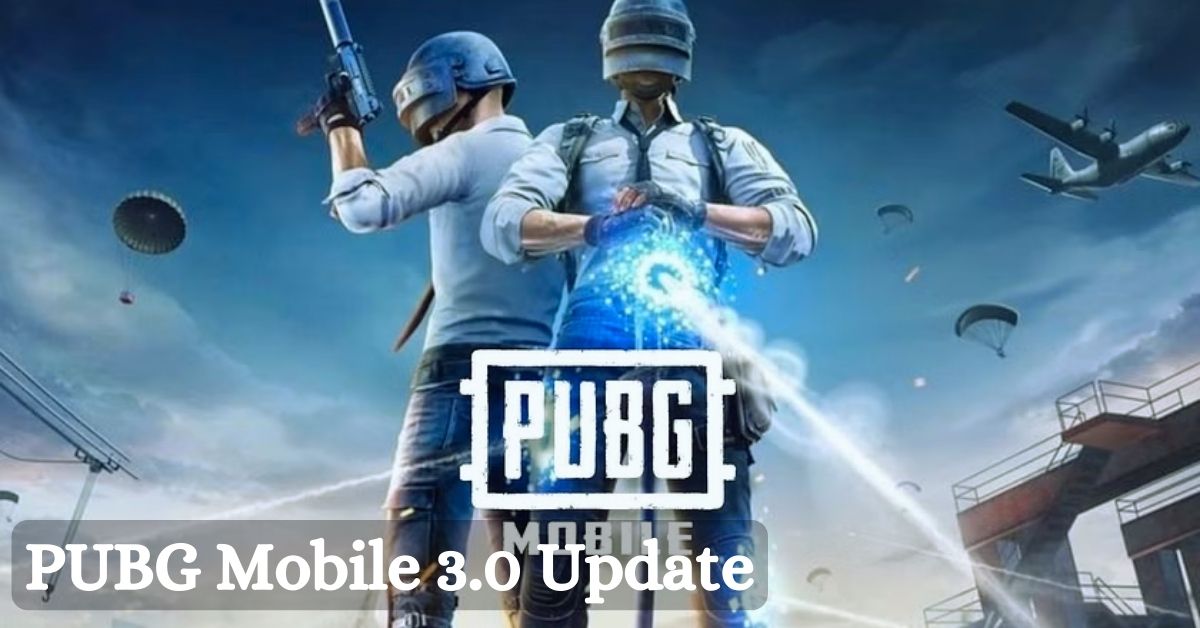
    Krafton has finally approved the release of the PUBG Mobile 3.0 update. While the 2.9 update saw millions of players log in daily, the 3.0 edition is intended to build on the former’s success and attract even more players. It introduces numerous new features that will improve gamers’ BR gaming experience.

    The news of the 3.0 upgrade has understandably generated a lot of excitement among users who want to download the latest version on their Android and iOS devices.

    The Pubg Mobile 3.0 Update is Available in Multiple Sizes for Android and Ios Devices

    The PUBG Mobile 3.0 update has begun to roll out in various places around the world. However, depending on the user’s area and platform, the new update on their respective devices will arrive at a different time.


    View this post on Instagram


    A post shared by PUBG MOBILE (@pubgmobile)

    When players in every corner of the globe utilizing Android and iOS devices can expect to receive the update on their mobile devices:

    • AOS (Google Play): January 9, 10 am UTC
    • iOS (App Store): January 9, 10 am UTC
    • APK: January 9, 10 am UTC

    The 3.0 upgrade will require 837 MB of storage on Android devices (Play Store) and 2.35 GB for iOS devices (App Store). To install and enjoy the new game material without complications, gamers will need enough free space on their phones/tablets as well as a stable data connection.

    Players can get the most recent version immediately from the digital stores (Apple App Store and Google Play Store). Users who wish to install the PUBG Mobile 3.0 update APK on their Android smartphones, on the other hand, can go to the game’s official website and download an estimated 730 MB of data.

    What Are the Highlights of the PUBG Mobile 3.0 Update?

    The latest PUBG Mobile 3.0 update is the popular Battle Royale’s first significant version upgrade in 2024.


    View this post on Instagram


    A post shared by PUBG MOBILE (@pubgmobile)

    It has some magnificent features, such as:

    • Shadow Force-themed mode on Livik, Erangel, and Sanhok brings along new additions like a portable grappling hook, Proxy Scout, urban area reformation, new weapon (shadow blade), respawn battle, and more.
    • Metro Royale gameplay updates, including the addition of a new Artctic Base map and new mechanics
    • Classic mode improvements
    • Cycle 6 Season 16
    • Bolt Sniper Rifle updates
    • Vehicle improvements
    • Gameplay Device improvements
    • Animation improvements
    • Popularity Battle Event (Team and Solo)
    • All Talent Championship

    If you are interested in knowing more articles related to other games, you can check Counter Strike 2 Update For 4 January 2024 and PUBG Mobile Update 3.0 Release Date. We appreciate your interest in our website! Make Gameempress.com your go-to site for gaming information.

  • Is Helldivers 2 Crossplay? Exploring Multiplatform Gaming Possibilities

    Is Helldivers 2 Crossplay? Exploring Multiplatform Gaming Possibilities

    Helldivers 2 is the sequel to the acclaimed co-op shooter Helldivers, developed by Arrowhead Game Studios and published by Sony Interactive Entertainment. The game was announced during the PlayStation Showcase event in September 2023, and is set to launch later this year on PlayStation 5 and PC.

    Helldivers 2 promises to deliver more action, chaos, and democracy than ever before, as players join the elite Helldivers unit and fight against alien threats across the galaxy.

    But is Helldivers 2 crossplay? Can you play with your friends on different platforms? In this article, we will answer this question and explain everything you need to know about Helldivers 2 crossplay.

    Is Helldivers 2 Crossplay?

    helldivers 2 crossplay
    helldivers 2 crossplay

    According to the official website, Helldivers 2 does support crossplay between PlayStation 5 and PC platforms. This means that players on both systems will have the ability to connect and play together, regardless of their chosen platform.

    However, Helldivers 2 does not support crossplay with other consoles, such as PlayStation 4, Xbox Series X/S, or Nintendo Switch. This is because Helldivers 2 is a PlayStation-exclusive title, and Sony has not allowed crossplay with other console platforms for its exclusive games.

    Additionally, Helldivers 2 does not support crossplay with the original Helldivers game, which was released in 2015 on PlayStation 4, PlayStation 3, PlayStation Vita, and PC. This is because Helldivers 2 is a completely new game, with a different engine, graphics, gameplay, and features, and is not compatible with the previous game.

    How to Enable Crossplay in Helldivers 2?

    To enable crossplay in Helldivers 2, you need to have an active PlayStation Network account and a stable internet connection. You also need to have the latest version of the game installed on your platform.

    To enable crossplay in Helldivers 2, follow these steps:

    • Launch the game from your platform’s dashboard or home screen.
    • Select the Online mode from the main menu.
    • Choose the Create or Join option to create or join a game session.
    • If you want to play with your friends on a different platform, you need to use the
    • Friend Code feature. This is a unique code that you can generate or enter to invite or join your friends’ game sessions across platforms.
    • To generate a Friend Code, select the Invite option from the game session menu, and choose the Generate Friend Code option. You will see a six-digit code that you can share with your friends on a different platform.
    • To enter a Friend Code, select the Join option from the game session menu, and choose the Enter Friend Code option. You will see a keypad where you can enter the six-digit code that your friends have shared with you.
    • Once you have entered or shared the Friend Code, you will be able to join or invite your friends to game sessions across platforms.
    • Enjoy the game with your crossplay friends.

    Conclusion

    Helldivers 2 is a co-op shooter that supports crossplay between PlayStation 5 and PC platforms. This means that you can play with your friends on different platforms, as long as you have a PlayStation Network account and a Friend Code. Helldivers 2 does not support crossplay with other consoles or with the original Helldivers game. Helldivers 2 is set to launch later this year on PlayStation 5 and PC.

    You might also be interested in the following games, Crossplay: Evil West Crossplay and Nobody Saves The World Crossplay We appreciate your interest in our website! Make Gameempress.com your go-to site for gaming information.

  • Is The Crew Motorfest Crossplay? How To Play With Your Friends On Different Devices?

    Is The Crew Motorfest Crossplay? How To Play With Your Friends On Different Devices?

    The Crew Motorfest is a racing game that lets you explore and customize a vast open world of Hawaii, with over 600 vehicles from various disciplines, such as cars, bikes, boats, and planes.

    The game also features online multiplayer modes, where you can join or create your crew, and compete or cooperate with other players. But can you play with your friends across different platforms? Is The Crew Motorfest crossplay? Here’s what you need to know.

    Is The Crew Motorfest Crossplay?

    Is The Crew Motorfest Crossplay?
    Is The Crew Motorfest Crossplay?

    Yes, The Crew Motorfest supports crossplay between all platforms, including PC, PlayStation 4, PlayStation 5, Xbox One, Xbox Series X/S, iOS, and Android devices.

    This means that you can play with your friends on any of these platforms, as long as you have an internet connection and a Ubisoft account. However, some limitations and requirements depend on which platform you are using.

    How to play crossplay on PC and consoles?

    If you are playing The Crew Motorfest on PC or consoles, the crossplay process is simple. All you need to do is:

    • Launch the game and sign in with your Ubisoft account. You can create a free account on the official website.
    • Choose whether you want to join or create a crew. A crew is a group of up to four players who can play together online.
    • If you want to join a crew, select Join Crew and choose the crew you want to join from the list of available crews. You can also filter the list by friends, favorites, or recent players.
    • If you want to create a crew, select Create Crew and choose the settings you want, such as the crew name, the crew tag, and the crew emblem. You can also invite other players to join your crew by using the Invite to Crew button on the pause menu.
    • Once you are in a crew, you can play with your crew members in various modes, such as free roam, races, events, and challenges. You can also use the voice chat or the text chat to communicate with your crew members.

    How to play crossplay on mobile devices?

    If you are playing The Crew Motorfest on iOS or Android devices, the crossplay process is slightly different and requires an extra step. This is because mobile devices are not directly connected to the Ubisoft network, so you need to use the Ubisoft Connect app to link your accounts and play with other players. Here’s what you need to do:

    • Launch the game and sign in with your Ubisoft account. You can create a free account on the official website.
    • Choose whether you want to join or create a crew. A crew is a group of up to four players who can play together online.
    • If you want to join a crew, select Join Crew and choose the crew you want to join from the list of available crews. You can also filter the list by friends, favorites, or recent players.
    • If you want to create a crew, select Create Crew and choose the settings you want, such as the crew name, the crew tag, and the crew emblem. You can also invite other players to join your crew by using the Invite to Crew button on the pause menu.
    • Once you are in a crew, you need to launch the Ubisoft Connect app on your mobile device and sign in with your Ubisoft account. You can download the app for free from the App Store or the Google Play Store².
    • In the app, you can join or invite other players to your crew by using the Ubisoft Connect party system. You can also use the voice chat or the text chat to communicate with your crew members.
    • Once you are in a Ubisoft Connect party, you can play with your crew members in various modes, such as free roam, races, events, and challenges.

    Conclusion

    The Crew Motorfest is a crossplay game, which means that you can play with your friends on different devices, as long as you have an internet connection and a Ubisoft account. The game supports crossplay between all platforms, including PC, PlayStation 4, PlayStation 5, Xbox One, Xbox Series X/S, iOS, and Android devices.

    However, you need to use the Ubisoft Connect app if you are playing on mobile devices. The game is currently available for pre-order and will be released on October 24, 2024. The game is a lot of fun and offers a lot of variety and customization for racing fans.

    You might also be interested in the following games, Crossplay: Evil West Crossplay and Nobody Saves The World Crossplay We appreciate your interest in our website! Make Gameempress.com your go-to site for gaming information.

  • Is Riders Republic Crossplay? Can You Play Riders Republic With Friends On Other Systems?

    Is Riders Republic Crossplay? Can You Play Riders Republic With Friends On Other Systems?

    Riders Republic is a multiplayer sports game that lets you explore and compete in a massive open world of iconic US national parks, with various activities such as biking, skiing, snowboarding, wingsuiting, and rocket wingsuiting. The game is a lot of fun and can be played with up to 50 players online or locally. But can you play with your friends across different platforms? Is Riders Republic crossplay? Here’s what you need to know.

    Is Riders Republic Crossplay?

    Is Riders Republic Crossplay
    Is Riders Republic Crossplay

    Yes, Riders Republic supports crossplay between all platforms, including PC, PlayStation 4, PlayStation 5, Xbox One, Xbox Series X/S, Stadia, and Amazon Luna. This means that you can play with your friends on any of these platforms, as long as you have an internet connection and a Ubisoft account. However, some limitations and requirements are depending on which platform you are using.

    How to Play Crossplay on PC and Consoles?

    If you are playing Riders Republic on PC or consoles, the crossplay process is straightforward. All you need to do is:

    • Launch the game and sign in with your Ubisoft account. You can create a free account on the official website.
    • Choose whether you want to join or create a group. A group is a team of up to six players who can play together online.
    • If you want to join a group, select Join Group and choose the group you want to join from the list of available groups. You can also filter the list by friends, favorites, or recent players.
    • If you want to create a group, select Create Group and invite other players to join your group by using the Invite to Group button on the pause menu.
    • Once you are in a group, you can play with your group members in various modes, such as free roam, races, events, and challenges. You can also use the voice chat or the text chat to communicate with your group members.

    How to Play Crossplay on Mobile Devices?

    If you are playing Riders Republic on iOS or Android devices, the crossplay process is slightly different and requires an extra step. This is because mobile devices are not directly connected to the Ubisoft network, so you need to use the Ubisoft Connect app to link your accounts and play with other players. Here’s what you need to do:

    • Launch the game and sign in with your Ubisoft account. You can create a free account on the official website.
    • Choose whether you want to join or create a group. A group is a team of up to six players who can play together online.
    • If you want to join a group, select Join Group and choose the group you want to join from the list of available groups. You can also filter the list by friends, favorites, or recent players.
    • If you want to create a group, select Create Group and invite other players to join your group by using the Invite to Group button on the pause menu.
    • Once you are in a group, you need to launch the Ubisoft Connect app on your mobile device and sign in with your Ubisoft account. You can download the app for free from the App Store or the Google Play Store.
    • In the app, you can join or invite other players to your group by using the Ubisoft Connect party system. You can also use the voice chat or the text chat to communicate with your group members.
    • Once you are in a Ubisoft Connect party, you can play with your group members in various modes, such as free roam, races, events, and challenges.

    Conclusion

    Riders Republic is a crossplay game, which means that you can play with your friends on different devices, as long as you have an internet connection and a Ubisoft account. The game supports crossplay between all platforms, including PC, PlayStation 4, PlayStation 5, Xbox One, Xbox Series X/S, Stadia, and Amazon Luna.

    However, you need to use the Ubisoft Connect app if you are playing on mobile devices. The game is currently available for purchase and can be played with up to 50 players online or locally. The game is a lot of fun and offers a lot of variety and customization for sports fans.

    You might also be interested in the following games, Crossplay: Evil West Crossplay and Nobody Saves The World Crossplay We appreciate your interest in our website! Make Gameempress.com your go-to site for gaming information.

  • Animal Crossing New Horizons Fish Guide: How To Catch, Sell, And Donate Fish?

    Animal Crossing New Horizons Fish Guide: How To Catch, Sell, And Donate Fish?

    Animal Crossing New Horizons is a life simulation game that lets you create your island paradise, interact with various villagers and visitors, and enjoy various activities, such as fishing, gardening, and crafting. The game was developed by Nintendo EPD and published by Nintendo, and it is available for Nintendo Switch.

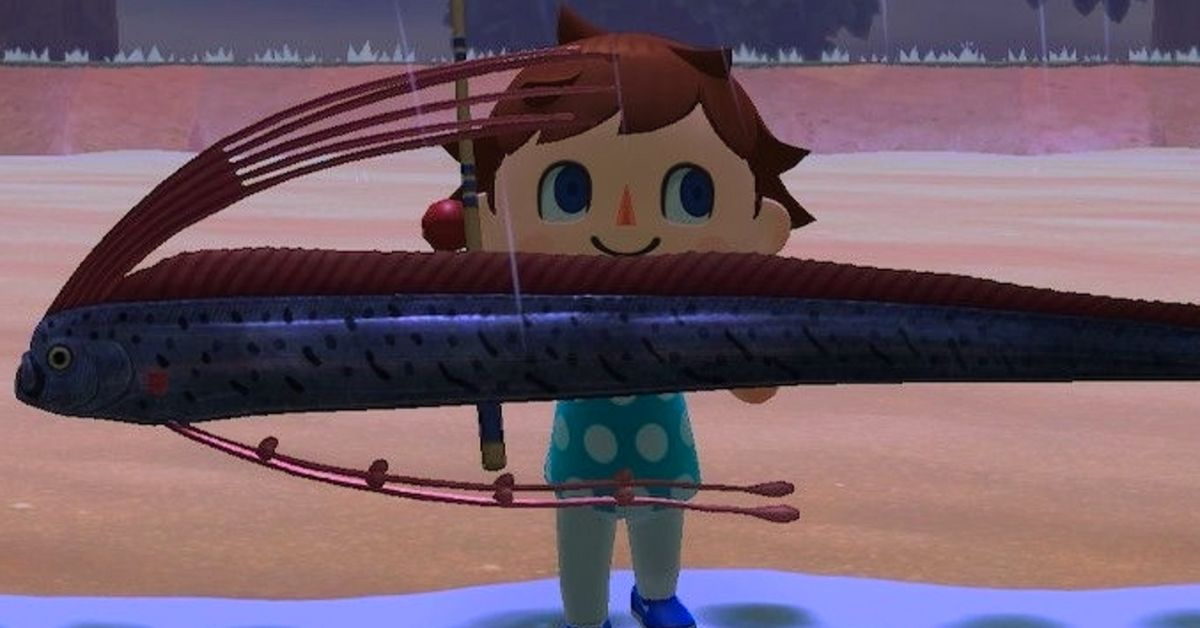
    The game features a dynamic day and night cycle, a seasonal system, and a real-time clock, which affects the gameplay and the appearance of the island. One of the most popular and relaxing activities in the game is fishing, which allows you to catch various fish and use them for different purposes, such as selling, donating, or decorating.

    In this article, we will show you how to catch, sell, and donate fish in Animal Crossing New Horizons, and provide a full list of fish in the game, along with their locations, prices, and availability.

    How to Catch Fish in Animal Crossing New Horizons?

    Animal Crossing New Horizons Fish Guide
    Animal Crossing New Horizons Fish Guide

    To catch fish in Animal Crossing New Horizons, you need to follow these steps:

    • First, you need to have a fishing rod, which is a tool that you can use to fish. You can get a fishing rod from various sources, such as crafting, buying, or receiving as a gift. You can craft a fishing rod from materials, such as wood or iron nuggets, using a DIY recipe, which you can get from various sources, such as villagers, bottles, or balloons. You can buy a fishing rod from shops, such as Nook’s Cranny or the Nook Stop, using bells, which are the main currency in the game. You can also receive a fishing rod as a gift from villagers or visitors, such as Tom Nook or Wilbur.
    • Next, you need to find a fishing spot, which is a place where you can fish. You can fish in various bodies of water, such as rivers, ponds, lakes, or oceans, which are located on your island or on other islands that you can visit. You can also fish in special locations, such as the pier, the mouth of the river, or the clifftop, which has different types of fish. You can identify a fishing spot by looking for a fish shadow, which is a dark shape that moves in the water. The size and shape of the fish shadow indicate the type and rarity of the fish.
    • Then, you need to cast your fishing rod, which is the action of throwing your fishing line into the water. You can cast your fishing rod by pressing the A button on your controller while facing the water. You need to aim your fishing rod at the fish shadow and make sure that your fishing line lands in front of the fish shadow. If your fishing line lands too far or too close to the fish’s shadow, the fish will not notice it, and you will have to cast your fishing rod again.
    • Finally, you need to reel in your fishing rod, which is the action of pulling your fishing line out of the water. You can reel in your fishing rod by pressing the A button on your controller when the fish bites your fishing line. You will know that the fish bites your fishing line when you hear a splash sound and see a bubble pop on the water. You need to be quick and attentive and press the A button as soon as the fish bites your fishing line. If you press the A button too early or too late, the fish will escape, and you will have to cast your fishing rod again.

    By following these steps, you can catch fish in Animal Crossing New Horizons. You can catch as many fish as you want, as long as you have enough space in your inventory, which is the place where you store your items.

    You can also use bait, which is an item that you can use to attract fish and make them appear more frequently and randomly. You can craft bait from manila clams, which are items that you can dig up from the beach, using a DIY recipe, which you can get from Wilbur, who is a visitor who can take you to other islands.

    How to Sell Fish in Animal Crossing New Horizons?

    Animal Crossing New Horizons Fish Guide (1)
    Animal Crossing New Horizons Fish Guide (1)

    To sell fish in Animal Crossing New Horizons, you need to follow these steps:

    • First, you need to have fish, which are items that you can catch by fishing. You can catch fish from various bodies of water, such as rivers, ponds, lakes, or oceans, using a fishing rod, which is a tool that you can use to fish. You can also catch fish from special locations, such as the pier, the mouth of the river, or the clifftop, which has different types of fish. You can catch as many fish as you want, as long as you have enough space in your inventory, which is the place where you store your items.
    • Next, you need to find a buyer, which is a person or a place that can buy your fish. You can sell your fish to various buyers, such as shops, villagers, or visitors, which are located on your island or on other islands that you can visit. You can also sell your fish to special buyers, such as C.J., who is a visitor who can buy your fish for a higher price, and Flick, who is a visitor who can buy your bugs for a higher price. You can identify a buyer by looking for a sign, a dialogue, or a request, that indicates that they can buy your fish.
    • Then, you need to select your fish, which is the action of choosing the fish that you want to sell. You can select your fish from your inventory, which is the place where you store your items. You can access your inventory by pressing the X button on your controller, and then pressing the R button on your controller, to switch to the fish tab. You can select your fish by pressing the A button on your controller while hovering over the fish that you want to sell. You can select as many fish as you want, as long as the buyer can accept them.
    • Finally, you need to confirm your sale, which is the action of finalizing the transaction and receiving the payment. You can confirm your sale by pressing the A button on your controller while talking to the buyer. You will see a confirmation screen, where you can see the total price of your fish, and the option to sell or cancel. You can confirm your sale by pressing the A button on your controller, or cancel your sale by pressing the B button on your controller. You will receive the payment in bells, which are the main currency in the game, and the fish will be removed from your inventory.

    By following these steps, you can sell fish in Animal Crossing New Horizons. You can sell as many fish as you want, as long as you have enough fish in your inventory, and the buyer can accept them. You can also use the Nook’s Cranny drop-off box, which is a place where you can sell your items at any time, but for a lower price, and the payment will be delivered the next day.

    How to Donate Fish in Animal Crossing New Horizons?

    To donate fish in Animal Crossing New Horizons, you need to follow these steps:

    • First, you need to have fish, which are items that you can catch by fishing. You can catch fish from various bodies of water, such as rivers, ponds, lakes, or oceans, using a fishing rod, which is a tool that you can use to fish. You can also catch fish from special locations, such as the pier, the mouth of the river, or the clifftop, which has different types of fish. You can catch as many fish as you want, as long as you have enough space in your inventory, which is the place where you store your items.
    • Next, you need to find the museum, which is a place where you can donate your fish. The museum is a building that is located on your island, and it is run by Blathers, who is a visitor who can accept your donations. You can identify the museum by looking for a sign, a logo, or a building, that indicates that it is the museum. You can also access the museum by using the map, which is a feature that you can use to see the layout of your island. You can access the map by pressing the minus button on your controller, and then pressing the A button on your controller, to switch to the map tab.
    • Then, you need to talk to Blathers, who is a visitor who can accept your donations. Blathers is an owl who wears a green vest and a red bow tie, and he is the curator of the museum. You can talk to Blathers by pressing the A button on your controller while standing in front of him. You will see a dialogue screen, where you can choose from various options, such as donate, assess fossils, or tell me about this. You need to choose the donate option, which will allow you to donate your fish to the museum.
    • Finally, you need to select your fish, which is the action of choosing the fish that you want to donate. You can select your fish from your inventory, which is the place where you store your items. You can access your inventory by pressing the X button on your controller, and then pressing the R button on your controller, to switch to the fish tab. You can select your fish by pressing the A button on your controller while hovering over the fish that you want to donate. You can select as many fish as you want, as long as the museum does not have them yet.

    This is everything you need to know about Animal Crossing New Horizons Fish Guide. Additionally, you can check our guide on MapleStory Inner Ability Guide and Harvest Moon 64 Guide. Stay connected with GameEmpress.com to get the latest news and guides about the gaming world.

  • COD Mobile Season 1 Release Date: Gear Up For Soldier’s Tale!

    COD Mobile Season 1 Release Date: Gear Up For Soldier’s Tale!

    With CoD Mobile being one of the most popular FPS games on mobile, it’s no surprise that fans around the world are eagerly awaiting the start of the new Season, and because it’s the start of a new Series, a lot more is expected than the typical slate of new weapons and cosmetics.

    The creators have begun to tease what’s to come in Call of Duty Mobile Season 1 2024 on social media sites ahead of its release this week. So, here’s all you need to know about CODM Season 1 2024, including the release date.

    COD Mobile Season 1 2024 Release Date

    CoD Mobile Season 1 2024 will be released on January 10, 2024, at 4 p.m. PT / 7 p.m. ET / 11 p.m. GMT, or January 11, 2024, at 12:00 a.m. UTC / 5:30 a.m. IST.

    The next season, Soldier’s Tale, will mark the start of Series 5 and will include new weapons, skins, equipment, and more.

    COD Mobile Season 1 2024 New Weapons

    LW3-Tundra, a brand-new addition to the sniper roster, will be introduced in CoD Mobile Season 1 2024. The weapon may also be found in Call of Duty: Warzone.

    In addition, the new season will include five new Operator skins: Templar, Codename: Lazarus, Sophia, Fiona St. George, and Witch Doctor.

    If you are interested in knowing more articles related to other games, you can check COD Warzone Mobile Release Date and Little Nightmares 3 Release Date. We appreciate your interest in our website! Make Gameempress.com your go-to site for gaming information.

  • PUBG Mobile 3.0 Update: Shadow Force Rises – Embrace The Darkness!

    PUBG Mobile 3.0 Update: Shadow Force Rises – Embrace The Darkness!

    The PUBG Mobile 3.0 upgrade will be the year’s first significant release. The new patch will replace the 2.9 update and hope to build on its popularity. It is expected to have several new features, including a Shadow Force-themed mode. The update will be released soon for Android and iOS devices, and it will be playable through emulators.

    Millions of gamers around the world are waiting for the developer to give the go-ahead for the 3.0 upgrade, which might revolutionize the game’s dynamics.

    When Will the Pubg Mobile 3.0 Update Be Available Globally?

    The current 2.9 version (which includes the Frozen Kingdom mode) is quite popular, however it will be phased out soon. The next PUBG Mobile 3.0 update is expected to be published globally on either January 9 or January 10, with the latter being the most likely date.


    View this post on Instagram


    A post shared by PUBG MOBILE (@pubgmobile)

    The above dates have been calculated correctly, as the Vietnam version will be released on January 8 and the patch notes for the 3.0 update (global version) will be announced via an Instagram post. Furthermore, the time it took to release past upgrades was taken into account.

    Meanwhile, there have been delays in the release of recent game updates across multiple countries and devices. As a result, Krafton is anticipated to release the impending PUBG Mobile 3.0 update within the following few days.

    Players should have a reliable internet connection and adequate storage space to download the new update whenever it is ready for their device. They must also notify their in-game friends to update their game, as PUBG Mobile does not allow players of various versions to join up.

    List of Features Planned for the Pubg Mobile 3.0 Update

    Krafton has recently announced some key features for the 3.0 variant.


    View this post on Instagram


    A post shared by PUBG MOBILE (@pubgmobile)

    Here are some of the new features that will be featured in the game’s 3.0 version:

    • The new weapon in the Shadow Force theme mode Shadow Blade (also known as Katana) has its own powers and cooldown system, as well as the Skythether Hook system, the Proxy Scout system, a respawn island, and battle and shadow outposts.
    • Metro Royale has been updated with new terrain, enemies, and weaponry.
    • Updates to Classic Mode include a new bolt Action Sniper characteristic, bullet penetration, healing while driving, and control improvements.

    If you are interested in knowing more articles related to other games, you can check Counter Strike 2 Update For 4 January 2024 and PUBG Mobile Update 3.0 Release Date. We appreciate your interest in our website! Make Gameempress.com your go-to site for gaming information.

  • MLB The Show 24 Release Date: Here’s What To Expect From The Latest In The Series!

    MLB The Show 24 Release Date: Here’s What To Expect From The Latest In The Series!

    Baseball enthusiasts should start practicing their swings and strapping up their boots since the new MLB The Show 24 is almost here. The next episode of Sony’s popular sports franchise is rapidly approaching, and fans are already raring to go.

    Sony has yet to release any information regarding the new features or who will appear on the cover of MLB The Show 24. However, here’s everything we know so far about MLB The Show 24, including the release date, anticipated platforms, and other details about this new Sony game.

    MLB The Show 24 Release Date (Expected)

    MLB The Show 24’s release date has yet to be announced by Sony. Given that the current episode (MLB The Show 23) was released in March 2023, fans may expect the reveal trailer for the forthcoming MLB The Show 24 in the coming weeks, along with the ultimate release date.

    Many experts believe that the film will be released in March 2024. But those are only rumors, and the real release date will have to wait until the reveal trailer.

    MLB The Show 24 Expected Platforms

    The developers have not yet revealed which platforms MLB The Show 24 will be available on. However, given the most recent installment in the series, MLB The Show 24 is expected to be released on PlayStation 5, PlayStation 4, Xbox Series X|S, Xbox One, and Nintendo Switch.

    Despite being a Sony game, the developer will not limit the game to Sony devices and will keep the game available on Microsoft and Nintendo consoles as well. Finally, if they stick to the platform selection of MLB The Show 23, this upcoming installment may not be available for PC players.

    That’s all we know for now regarding the new MLB The Show 24. We’ll be sure to update this page as soon as Sony releases details on the latest franchise installment.

    Meanwhile, you can look at our other sports game guides:

  • NBA 2K24 Season 4 Patch Notes: Alley-Oop To A New Game!

    NBA 2K24 Season 4 Patch Notes: Alley-Oop To A New Game!

    The NBA 2K24 Season 4 patch notes have been officially released by 2K Games, and there have been numerous adjustments made in preparation for the impending version. A new season is on its way to usher in the new year, and there will be plenty of changes and updates to look forward to.

    2K Games has continued to improve the game, as evidenced by the NBA 2K24 Season 4 patch notes. While the patch notes are exclusively for the next-gen version, there is enough of information for curious fans.

    NBA 2K24 Season 4 Patch notes

    General Changes

    • Preparations for NBA 2K24 Season 4, launching on Friday, January 12, at 8AM PT/11AM ET/4PM BST. Stay tuned for what we have in store!
    • The New York Knicks PA announcer will now make calls for the home team with the proper intensity
    • The following players have had general likeness updates or adjustments made:
    • Chet Holmgren
    • Christie Sides (new player scan)
    • Victor Wembanyama (default hair update)
    • Han Xu (new player scan)

    Gameplay Changes

    • Reduced the effectiveness of the “Cut to Basket Pass”
    • Resolved a rare hang that could occur when attempting an alley-oop at a very specific time
    • Fixed another case that allowed uncalled double-dribble violations when using dribble emotes while posting up
    • Addressed a rare hang that could occur in the Dunk Contest

    Mycity Changes

    • Many improvements to performance, stability, and visuals have been made to enhance the overall experience in the City
    • Addressed a rare hang that could occur when accessing the Equipment menu in the City
    • Fixed an issue causing the camera to be briefly blocked during jump ball situations in REC games
    • The court status map can now be scrolled for full view while in a shootaround on the ELITE affiliation courts
    • The default MyPLAYER camera can now be selected again once toggled away from during the Starting 5 games
    • Skill boosts, including the Additional Turbo Meter, will now be properly utilized in Starting 5 games

    Quests Changes

    • Multiple fixes and adjustments have been made to improve the overall quest experience and ensure proper progression and quest completion throughout the mode
    • Resolved a hang that could occur when gameplay re-started too quickly following certain record-breaking cinematic sequences
    • Fixed a rare progression blocker that could occur during the offseason when selecting a new team to sign with
    • Resolved a timing-specific issue that could cause control of MyPLAYER to be lost if GOAT Mode activation occurs just before a stoppage in play

    MyTeam Changes

    • Fixed an issue that prevented some Evolved or shoe/badge boosted Player Cards from receiving those boosts in Triple Threat Online: Co-Op games
    • The Triple Threat Online: Co-Op score overlay will no longer swap scores at the end of a game
    • Adjustments have been made to the audio for crowd reactions in Triple Threat modes
    • When using the Exchange from the Duplicates or My Collection menu, a delay has been added when using the “Short Press and Hold” setting to avoid accidental exchanges
    • Addressed a conflict between Coach Boosts and Dynamic Duos in certain gameplay situations
    • Added support for additional card types like Coach Cards as Collection Rewards in the Player Market
    • Resolved an issue preventing Shoe Cards from being applied to some Player Cards

    MyNBA/ The W Changes

    • Various stability fixes and improvements have been made for MyNBA, MyNBA Online, and The W
    • Adjusted the logic so that players are more likely to have an interest in signing extensions
    • Fixed a rare hang that could occur if an overtime game ends on a made free throw in a game with the sudden death rule in place
    • The Assists Possession Result slider can now be adjusted as expected independently from the Player Regression Rate slider
    • Option years will now be correctly highlighted when viewing contract details on player cards
    • City edition courts will no longer appear for In-Season Tournament games when City edition jerseys are chosen by the home team
    • Resolved an issue that could cause the Broadcast camera view to be partially obstructed by the fans when playing in the In-Season-Tournament arena
    • Postgame celebration sequences will now appear as expected when winning the WNBA Championship in The W

    You might also be interested in the following game, patch notes: Warcraft Rumble 3.0.0 Patch Notes and God Of War Ragnarok Valhalla 05.03 Patch Notes. We appreciate your interest in our website! Make Gameempress.com your go-to site for gaming information.

  • Resident Evil 9 Release Date: When Will We Face The Next Nightmare?

    Resident Evil 9 Release Date: When Will We Face The Next Nightmare?

    The next Resident Evil game will most likely be the most ambitious ever, concluding the Winter trilogy with a bang.

    Capcom has had a busy year, releasing numerous high-quality titles in recent months, the most notable of which is the excellent Resident Evil 4 remake.

    Resident Evil 9 Release Date

    Capcom, on the other hand, is supposedly not done yet, as it aims to release another title before the conclusion of its fiscal year and is already working on Resident Evil 9.

    Resident Evil 9 Release Date (1)
    Resident Evil 9 Release Date (1)

    Little is known about the game, other than that it will most likely follow the tale of Resident Evil 8 and its DLC, focusing on Ethan Winters’ daughter Rose.

    Now, a leaker by the name of Dusk Golem has given some tasty inside information on the franchise’s ninth installment, predicting it’ll be one of the largest games the genre has ever seen.

    Talesofus published Dusk Golem’s results on Reddit, and they hint at Resident Evil 9 being a “closing chapter to the current ‘arc’ of the series.”

    They allegedly went on to add that it will have the “largest budget and longest development time of any RE game to date,” and that Capcom sees it as an opportunity to “move onto new story arcs and focuses” and “take the series in new directions.” They concluded the disclosures by stating that “RE9 is [sort of] both a closing [and] beginning chapter for things in Capcom’s eyes.”

    Fans were hopeful that the leak was genuine, feeling that a final chapter that concludes Rose’s character arc and provides Chris a chance to atone for Ethan’s fate is exactly where the series would be expected to go.

    “The Village DLC felt like a fitting conclusion to the Winters family’s story.” Rose could return as the protagonist in RE9, or another familiar character could appear in the ultimate blowout story. “Regardless, I’m excited for RE9,” one fan said.

    “Uhhh… Shadows of Rose did something similar, I thought. Or are they referring to a game in which Rose and Chris Redfield team up to kick bioterrorists in the shins? (That sounds AWESOME, by the way, so no complaints from me if this is real),” said another.

    There’s no information on when Resident Evil 9 will be released, but an announcement is planned early next year.

    If you are interested in knowing more articles related to other games, you can check COD Warzone Mobile Release Date and Little Nightmares 3 Release Date. We appreciate your interest in our website! Make Gameempress.com your go-to site for gaming information.

  • Dusk Form Lycanroc Pokemon Go: How To Get, Evolve, And Use The Wolf Pokemon?

    Dusk Form Lycanroc Pokemon Go: How To Get, Evolve, And Use The Wolf Pokemon?

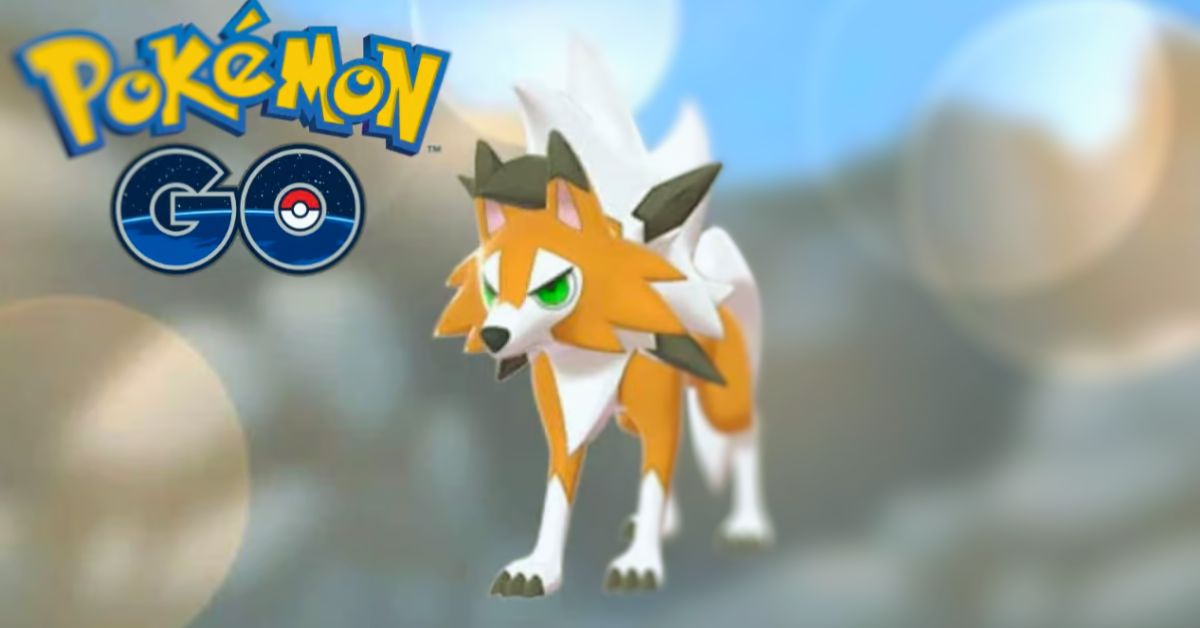
    Dusk Form Lycanroc is a rock-type Pokemon that debuted in Pokemon Go during the Lustrous Odyssey event in January 2024. Dusk Form Lycanroc is the third and newest form of Lycanroc, the Wolf Pokemon, that can evolve from Rockruff, the Puppy Pokemon. Dusk Form Lycanroc has a unique appearance and moveset, and it can be a powerful addition to your team.

    In this article, we will show you how to get, evolve, and use Dusk Form Lycanroc in Pokemon Go, and provide some tips and tricks to make the most of this rare Pokemon.

    How to Get Dusk Form Lycanroc in Pokemon Go?

    Dusk Form Lycanroc Pokemon Go
    Dusk Form Lycanroc Pokemon Go

    To get Dusk Form Lycanroc in Pokemon Go, you need to follow these steps:

    First, you need to get Rockruff, which is the pre-evolution of Lycanroc. Rockruff is a rock-type Pokemon that resembles a brown puppy with blue eyes and a fluffy tail. Rockruff can be obtained from various sources, such as:

    • Hatching from 2 km and 7 km eggs that were acquired during the Lustrous Odyssey event, which ran from January 6 to January 10, 2024.
    • Catching in the wild, especially in sunny or partly cloudy weather, or near rocky areas.
    • Completing field research tasks that reward Rockruff encounters, such as “Catch 5 Rock-type Pokemon” or “Use 5 Berries to help catch Pokemon”.

    Next, you need to evolve Rockruff into Dusk Form Lycanroc, which is the final evolution of Rockruff. Rockruff can evolve into three different forms of Lycanroc, depending on the time of the day and the ability of Rockruff.

    However, in Pokemon Go, the evolution of Rockruff is determined by the chance of the Rockruff being able to evolve into Dusk Form Lycanroc. This means that not all Rockruff can evolve into Dusk Form Lycanroc, and some can only evolve into Midday Form or Midnight Form Lycanroc. To evolve Rockruff into Dusk Form Lycanroc, you need to:

    Check if your Rockruff can evolve into Dusk Form Lycanroc, by tapping on it and looking at the evolution option. If you see a silhouette of Dusk Form Lycanroc, then your Rockruff can evolve into Dusk Form Lycanroc. If you see a silhouette of Midday Form or Midnight Form Lycanroc, then your Rockruff can only evolve into those forms.

    Collect 50 Rockruff candies, which are the items that you need to evolve Rockruff. You can get Rockruff candies by catching, hatching, transferring, or walking with Rockruff, or by using rare candies or pinap berries.

    Tap on the evolve button, and confirm your evolution. Your Rockruff will evolve into Dusk Form Lycanroc, and you will see its new appearance and stats.

    How to Use Dusk Form Lycanroc in Pokemon Go?

    To use Dusk Form Lycanroc in Pokemon Go, you need to know its strengths, weaknesses, moves, and best roles. Here are some of the key features of Dusk Form Lycanroc in Pokemon Go:

    • Dusk Form Lycanroc is a rock-type Pokemon, which means that it is strong against fire, ice, flying, and bug-type Pokemon, but weak against water, grass, fighting, ground, and steel-type Pokemon.
    • Dusk Form Lycanroc has a high attack stat, but a low defense and stamina stat, which means that it can deal a lot of damage, but also take a lot of damage.

    Dusk Form Lycanroc can learn the following moves in Pokemon Go:

    • Fast moves: Rock Throw (rock), Snarl (dark)
    • Charged moves: Stone Edge (rock), Crunch (dark), Fire Fang (fire), Play Rough (fairy)

    Dusk Form Lycanroc can perform well in various roles in Pokemon Go, such as:

    • Raid attacker: Dusk Form Lycanroc can be a good raid attacker, especially against raid bosses that are weak to rock-type moves, such as Articuno, Zapdos, Moltres, or Lugia. Dusk Form Lycanroc can deal a lot of damage with its high attack stat and its powerful rock-type moves, such as Rock Throw and Stone Edge. However, Dusk Form Lycanroc can also be fragile and may need to dodge or switch frequently to survive. Therefore, it is recommended to use Dusk Form Lycanroc as a glass cannon, or a backup attacker, rather than a main attacker.
    • Gym defender: Dusk Form Lycanroc can be a decent gym defender, especially against gym attackers who are weak to rock-type moves, such as Charizard, Dragonite, or Salamence. Dusk Form Lycanroc can deter or damage these attackers with its high attack stat and its diverse moveset, such as Snarl and Crunch. However, Dusk Form Lycanroc can also be easily countered by many common gym attackers, such as Machamp, Kyogre, or Roserade. Therefore, it is recommended to use Dusk Form Lycanroc as a filler, or a surprise defender, rather than a main defender.
    • PvP battler: Dusk Form Lycanroc can be a viable PvP battler, especially in the Great League or the Ultra League, where its low defense and stamina stats are less of a disadvantage. Dusk Form Lycanroc can surprise or KO many popular PvP Pokemon, such as Altaria, Togekiss, or Giratina, with its high attack stat and its unique moveset, such as Fire Fang and Play Rough. However, Dusk Form Lycanroc can also be vulnerable to many common PvP Pokemon, such as Swampert, Venusaur, or Registeel. Therefore, it is recommended to use Dusk Form Lycanroc as a niche pick, or a closer, rather than a lead or a switch.

    Conclusion

    Dusk Form Lycanroc is a rock-type Pokemon that debuted in Pokemon Go during the Lustrous Odyssey event in January 2024. Dusk Form Lycanroc is the third and newest form of Lycanroc, the Wolf Pokemon, that can evolve from Rockruff, the Puppy Pokemon. Dusk Form Lycanroc has a unique appearance and moveset, and it can be a powerful addition to your team.

    If you are interested in knowing more articles related to Pokemon Go, you can check Mega Glalie Raid Guide and Vanillite Shiny In Pokemon Go. We appreciate your interest in our website! Make Gameempress.com your go-to site for gaming information. Share this:

  • Age Of Empires Definitive Edition Cheats: How To Use Cheat Codes And What They Do?

    Age Of Empires Definitive Edition Cheats: How To Use Cheat Codes And What They Do?

    Age of Empires Definitive Edition is a remastered version of the classic real-time strategy game that lets you build and lead ancient civilizations from the Stone Age to the Iron Age. The game was developed by Forgotten Empires and published by Microsoft Studios, and it is available for PC. The game features improved graphics, sound, gameplay, and new content, such as campaigns, civilizations, and units.

    However, the game also retains one of the most fun and nostalgic features of the original game: cheat codes. Cheat codes are special commands that you can enter in the game to activate various effects, such as getting resources, creating units, or winning instantly. In this article, we will show you how to use cheat codes in Age of Empires Definitive Edition, and what they do.

    How to Use Cheat Codes in Age of Empires Definitive Edition?

    Age Of Empires Definitive Edition Cheats
    Age Of Empires Definitive Edition Cheats

    To use cheat codes in Age of Empires Definitive Edition, you need to follow these steps:

    • First, you need to start a game, either in single-player or multiplayer mode. You can choose any game mode, such as campaign, random map, or custom scenario. However, it would help if you made sure that the “Allow Cheats” option is enabled in the game settings, otherwise the cheat codes will not work.
      Next, you need to press the Enter key on your keyboard, which will open the chat box. You can also click on the chat icon on the bottom-right corner of the screen to open the chat box.
    • Then, you need to type the cheat code that you want to use and press the Enter key again. You can also copy and paste the cheat code from another source, such as a website or a document. You need to type the cheat code exactly as it is written, without any spaces or punctuation marks. You can also use the arrow keys to scroll through the previously entered cheat codes and press the Enter key to use them again.
    • Finally, you will see a message on the screen that confirms that the cheat code has been activated, and you will see the effect of the cheat code in the game. You can use as many cheat codes as you want, and you can also deactivate them by entering them again.

    Age Of Empires Definitive Edition Cheats

    There are many cheat codes in Age of Empires Definitive Edition, and they can do various things, such as giving you resources, creating units, or changing the game settings. Here are some of the most popular and useful cheat codes in Age of Empires Definitive Edition, and what they do:

    • PEPPERONI PIZZA: Gives you 1,000 food.
    • COINAGE: Gives you 1,000 gold.
    • WOODSTOCK: Gives you 1,000 wood.
    • QUARRY: Gives you 1,000 stone.
    • REVEAL MAP: Reveals the entire map, but keeps the fog of war.
    • NO FOG: Removes the fog of war, but keeps the map hidden.
    • STEROIDS: Enables instant building, researching, and training for all players.
    • GAIA: Gives you control of all animals on the map, but you lose control of your units.
    • KILLX: Kills the player with the specified number (X), where X is between 1 and 8.
    • HOMERUN: Wins the game instantly.
    • RESIGN: Loses the game instantly.
    • BIGDADDY: Creates a black sports car with a rocket launcher that can destroy anything in one hit.
    • BIG BERTHA: Turns all catapults and stone throwers into big bertha, which have more range and damage.
    • PHOTON MAN: Creates a futuristic soldier with a laser gun that can shoot very fast.
    • E=MC2 TROOPER: Creates a futuristic soldier with a nuclear weapon that can deal massive damage in a large area.
    • POW: Creates a baby on a tricycle with a super weapon that can kill enemies in one hit.
    • STORMBILLY: Creates a robot that can shoot lightning bolts at enemies.
    • GRANTLINKSPENCE: Turns all animals into Animal Kings, which have more health and can fight back.
    • KING ARTHUR: Turns all birds into dragons, which can fly and breathe fire.
    • BLACK RIDER: Turns all horse archers into black riders, which explode when they die.
    • MEDUSA: Turns all villagers into medusas, which can turn enemies into stone and explode when they die.
    • FLYING DUTCHMAN: Turns all juggernauts into flying dutchmen, which can fly and shoot cannonballs.
    • HOYOHOYO: Gives all priests a speed boost and increases their hit points to 600.
    • ICBM: Increases the range of all ballistic units to 100.
    • JACK BE NIMBLE: Makes all catapults and stone throwers shoot random objects, such as cows, villagers, or rocks.
    • DARK RAIN: Turns all archers into stealth archers, which can turn into trees when they are not moving.
    • HARI KARI: Destroys all of your buildings and units.
    • DIEDIEDIE: Destroys all units on the map.
    • CONVERT THIS!: Creates a Saint Francis unit, which is a powerful priest that can convert enemies and heal allies.

    Conclusion

    Age of Empires Definitive Edition is a remastered version of the classic real-time strategy game that lets you build and lead ancient civilizations from the Stone Age to the Iron Age. The game features improved graphics, sound, gameplay, and new content, such as campaigns, civilizations, and units.

    However, the game also retains one of the most fun and nostalgic features of the original game: cheat codes. Cheat codes are special commands that you can enter in the game to activate various effects, such as getting resources, creating units, or winning instantly. To use cheat codes in Age of Empires Definitive Edition, you need to press the Enter key, type the cheat code, and press the Enter key again.

    You can use as many cheat codes as you want, and you can also deactivate them by entering them again. There are many cheat codes in Age of Empires Definitive Edition, and they can do various things, such as giving you resources, creating units, or changing the game settings. Some of the most popular and useful cheat codes in Age of Empires Definitive Edition are PEPPERONI PIZZA, BIGDADDY, PHOTON MAN, and REVEAL MAP.

    You might also be interested in the following game, Cheats: Spyro Reignited Trilogy Cheats and NBA Street Vol 2 Cheats. We appreciate your interest in our website! Make Gameempress.com your go-to site for gaming information.

  • Is Golf With Friends Crossplay? Breaking Down Barriers In Gaming

    Is Golf With Friends Crossplay? Breaking Down Barriers In Gaming

    Golf With Friends is a fun and casual multiplayer game that lets you play mini-golf with up to 12 players online. The game was developed by Blacklight Interactive and published by Team17, and it is available for PC, PS4, Xbox One, and Nintendo Switch.

    The game features various courses, modes, and customizations, as well as a level editor that allows you to create your courses and share them with other players.

    However, one of the most frequently asked questions about the game is whether it supports crossplay, which is the ability to play with or against players on different platforms. In this article, we will answer this question and provide some details about the crossplay feature in Golf With Friends.

    Is Golf With Friends Crossplay?

    Is Golf With Friends Crossplay?
    Is Golf With Friends Crossplay?

    Yes, but only partially. Golf With Friends does support crossplay between PC, Xbox One, and Nintendo Switch, which means that players on these platforms can join the same online matches and play together.

    However, the game does not support crossplay between PS4 and any other platform, which means that PS4 players can only play with other PS4 players. This limitation is due to some technical and contractual issues that prevent the game from enabling crossplay on PS4.

    How to Enable Crossplay in Golf With Friends?

    To enable crossplay in Golf With Friends, you need to follow these steps:

    • First, you need to have the game installed on your platform of choice, either PC, PS4, Xbox One, or Nintendo Switch. You also need to have a stable internet connection and an online subscription service, such as Steam, PlayStation Plus, Xbox Live Gold, or Nintendo Switch Online, depending on your platform.
    • Next, you need to launch the game and go to the main menu, where you can choose from various options, such as Play, Online, Options, or Workshop. You need to select the Online option, which will take you to the online menu, where you can join or create online matches.
    • Then, you need to choose whether you want to join or create an online match. If you want to join an online match, you can either browse the available matches or enter a match code that is provided by the host of the match. If you want to create an online match, you can either host a public match, which is open to anyone, or a private match, which is only accessible to those who have the match code. You can also customize the settings of the match, such as the course, the mode, the rules, and the number of players.
    • Finally, you need to start or join the online match, and enjoy playing with or against other players on different platforms. You can also chat with other players using voice chat or text chat, and invite your friends to join your match using the invite option.

    By following these steps, you can enable crossplay in Golf With Friends and play with or against players on PC, Xbox One, and Nintendo Switch. However, you cannot play with or against players on PS4, as the game does not support crossplay on PS4.

    What Are the Benefits and Drawbacks of Crossplay in Golf With Friends?

    Crossplay in Golf With Friends has some benefits and drawbacks, such as:

    Benefits

    • Crossplay allows you to play with or against more players, as you are not limited by the platform you are using. This can make the game more fun and diverse, as you can meet and interact with different players from different platforms.
    • Crossplay also allows you to play with or against your friends, even if they are using a different platform than you. This can make the game more social and cooperative, as you can team up or compete with your friends across different platforms.
    • Crossplay can also increase the longevity and popularity of the game, as it can attract and retain more players from different platforms. This can improve the quality and quantity of the online matches, as well as the community and the support of the game.

    Drawbacks

    • Crossplay can also create some technical and compatibility issues, as different platforms may have different hardware and software specifications. This can affect the performance and stability of the game, as well as the fairness and balance of the matches.
    • Crossplay can also create some communication and coordination issues, as different platforms may have different input and output methods. This can affect the interaction and cooperation of the players, as well as the enjoyment and satisfaction of the matches.
    • Crossplay can also create some exclusivity and isolation issues, as some platforms may not support crossplay at all, or only support crossplay with certain platforms. This can affect the accessibility and availability of the game, as well as the inclusion and diversity of the players.

    Conclusion

    Golf With Friends is a fun and casual multiplayer game that lets you play mini-golf with up to 12 players online. The game supports crossplay between PC, Xbox One, and Nintendo Switch, but not between PS4 and any other platform. Crossplay in Golf With Friends has some benefits and drawbacks, such as increasing the fun and diversity of the game, but also creating some technical and compatibility issues.

    You might also be interested in the following games, Crossplay: Human Fall Flat Crossplay and Rec Room Crossplay We appreciate your interest in our website! Make Gameempress.com your go-to site for gaming information.

  • COD Warzone Mobile Release Date: Get Ready For The Ultimate Mobile Warfare

    COD Warzone Mobile Release Date: Get Ready For The Ultimate Mobile Warfare

    For a long time, fans all over the world have been waiting for the debut of Call of Duty Warzone Mobile. Previously, Activision promised a 2023 release date but could only fulfill this promise in a few select locations. As a result, while it tests the waters in these areas, others are left in the dark, wondering when they will be able to experience the brand new Warzone battlefield.

    COD Warzone Mobile Release Date

    Call of Duty: Warzone Mobile was earlier announced in 2022 alongside Warzone 2. The game was planned to be released in 2023, however, it has now been pushed back to the spring of 2024 (March-May).

    Warzone Mobile, a crucial advancement for the Call of Duty brand, is designed to revolutionize mobile gaming by connecting itself with Modern Warfare III and Warzone 2.0. Mobile matches will be able to accommodate up to 120 live participants.

    The use of innovative unified technology throughout Modern Warfare III, Warzone 2.0, and Warzone Mobile offers a consistent experience, allowing players to share social features and progress across platforms.

    Warzone Mobile is expected to change the landscape of mobile Battle Royale gaming, with a shared Battle Pass boosting the connected Call of Duty journey. It delivers a distinct portable gaming experience with mobile-centric events, playlists, and content, as well as comprehensive control customization options that appeal to both seasoned Call of Duty veterans and recruits.

    While gamers cannot currently play the game, they can prepare for it. Pre-registration for Warzone Mobile is now open. To pre-register, head to the Play Store on Android or the App Store on iOS.

    Look for the game and select “pre-register.” You will be alerted when the game is published. Call of Duty: Warzone Mobile is now available as part of a restricted release in countries such as Australia, Chile, Norway, and others.

    If you are interested in knowing more articles related to other games, you can check Madden 24 Week 18 Roster Update Release Date and Valorant Episode 8 Release Date. We appreciate your interest in our website! Make Gameempress.com your go-to site for gaming information.

  • Fortnite Item Shop Leaks: Brace Yourself For This Week’s Bonanza!

    Fortnite Item Shop Leaks: Brace Yourself For This Week’s Bonanza!

    Epic Games appears to be working on new content for the game based on the latest LEGO Fortnite leaks. Given the impending release of the next upgrade, it makes sense for the developers to begin testing.

    As a result, leakers/data miners have obtained information during this process. On that point, the most recent LEGO Fortnite leaks show off new weapons in the works.

    They also show off future setups (prop themes) and rift encounters. There are currently a few in-game, but as with the Battle Royale mode, more is always better. It provides players with something to look forward to during a long session. Future sets could be in-game sets utilized as blueprints for pre-builds.

    Fortnite Item Shop Leaks

    Epic Games is working on new weapons, rift encounters, and sets, according to leaks given by renowned leaker/data miner iFireMonkey. At least three new weapons, or a new tier for these weapons, have been discovered. Rift Sword, Rift Hammer, and Rift Recurve Crossbow (Darkwood Crossbow) are their names.

    Given the naming convention, these weapons appear to be solely available through rift encounters in LEGO Fortnite. When they are brought to the game, they will be incredibly rare. Epic Games is not only working on that.

    Aside from these rift items/weapons, the Iron Axe, Titanium Shovel, and Pickaxe are also being worked on. NotGrammyNorma and ParadiseFNS5 were the leakers/data miners who showcased these. It’s worth noting that, while Titanium does not currently exist in-game, Epic Games may add it as a resource soon.

    Overall, while these new items/weapons will not significantly change the game, they will make it easier to play. With these high-tier weapons, resources could be acquired faster and opponents could be defeated more readily. However, because they are high-tier weapons, they will need considerable work to obtain.

    Moving on to rift encounters, the LEGO Titan Nightmare Shark Ship is already available in-game. According to LEGO Fortnite leaks, a new mode called LEGO Galaxy Explorer will be included.

    It’s unclear whether the upcoming sets are intended for the game or will be real sets. Given that Epic Games and LEGO have formed a long-term alliance, there is no knowing where this could go. It could be both. As a result, users will be able to enjoy it both in-game and in real life.

    LEGO Fortnite Update

    Although a lot of material has been revealed via LEGO Fortnite leaks, there is no set schedule for an update. However, knowing that Epic Games’ company-wide vacation finishes on January 8, 2024, an update the next day or on January 16, 2024, is possible.

    In either case, Epic Games will issue an official update a few hours before the next shutdown occurs. As a result, when new material is uploaded, players won’t have to worry about losing out.

    If you are interested in knowing more articles related to other games, you can check AC6 Patch 1.05 Leaks and BGMI 2.9 Update Leaks. We appreciate your interest in our website! Make Gameempress.com your go-to site for gaming information.

  • Top 10 Stress-Relieving Online Games To Unwind And Relax

    Top 10 Stress-Relieving Online Games To Unwind And Relax

    What comes to mind when you think of video games? If you have grandchildren, you may be familiar with the popular game Fortnite, as well as other titles with a bad reputation due to violence and adult themes.

    This, however, is not always true of online or video games in general. According to research, some internet games, whether played on a computer, tablet, or smartphone, may provide relaxation and stress alleviation.

    While some studies have revealed that stressful circumstances in games can induce real-life stress for players, games can also serve as a tool for stress recovery in some cases.

    Top 10 Stress-Relieving Online Games

    There are numerous ways to deal with stress, ranging from reading a book to doing yoga. This article explains how stress reduction games can help you manage your stress.

    Pigment

    Pigment is an award-winning coloring software with access to exclusive licensed material and hundreds of coloring pages.

    Pigment
    Pigment

    Coloring for 10 minutes can deliver the same effects as meditation, making it an excellent technique to relieve tension and anxiety. This software is a perfect substitute for games that may frustrate you when you fail levels – there is no such thing as failure in coloring!

    You may color with 29 different pencils, markers, and brushes. For a more straightforward experience, use the tap-to-fill technique.

    Super Mario Run

    This classic game, Super Mario Run, will transport you back to your childhood. This one, on the other hand, may be played with just one hand!

    Super Mario Run
    Super Mario Run

    You will control Mario by tapping as he sprints forward, timing your taps to perform hops and spins to assist Mario in collecting money and reaching his goal.

    There are four modes to attempt, with Kingdom Builder being the most relaxed. In that mode, you’ll collect cash and Toads to construct your own empire. Nintendo has also included a low-pressure mode for players who simply want to relax and explore the stages.

    Wordscapes

    Wordscapes allows you to exercise your brain while relaxing. The software claims to improve your mind after only 10 minutes of play every day.

    Wordscapes
    Wordscapes

    This word game software tests your knowledge with word searches, anagrams, and crossword puzzles. As your mind works on the riddles, the stunning scenery backgrounds will calm and put you at peace.

    Many reviewers say the app is quite calming, especially because you receive limitless chances to complete each level – no “losing” and being taken out while your “lives” recharge.

    Bejeweled

    Bejeweled is another popular match 3 game. The various modes available set this game apart in terms of being useful for stress alleviation. The Classic mode retains the basic gameplay, but there are also Lightning, Diamond Mine, and other features.

    Bejeweled
    Bejeweled

    The ideal option for stress alleviation, however, is Zen mode. To help you relax while playing, this mode offers subliminal positive affirmations, exquisite auditory tones, and even breath modulation. The Endless feature of Zen mode allows you to continue playing without having to worry about meeting a specified target to “beat” a level.

    When you enable the breath modulation feature, you will see a tracking line and the sound of breathing in and out. The breathing rate will slow as the game progresses…Naturally, this will reduce your stress.

    Candy Crush

    Candy Crush is a simple and enjoyable match three puzzle game that is simple to understand and play. It has an infinite amount of levels, allowing you to zone out as much as you like. One of my favorite stress-relieving games!

    Candy Crush
    Candy Crush

    The music and sound effects are upbeat and enjoyable, providing some pleasant background noise as you play. You’ll need to utilize some logic to assist you locate the greatest combos that will allow you to advance to the next level.

    Furthermore, the entire game revolves around sugar…And there isn’t much happier than that, is there? It’s free to play, but some optional in-game things will cost money (you may disable the payment feature if you want).

    Relaxing Puzzler

    Relaxing Puzzler is a meditation puzzle game that will allow you to take your time and relax. Winterpark’s hypnotic soundscapes will allow you to meditate and achieve a state of calm without you realizing it.

    Relaxing Puzzler
    Relaxing Puzzler

    The program, which was inspired by meditative art forms, is simple to use: simply guide the energy by moving rocks about the mystic garden and relax completely.

    Paper Toss

    Paper Toss is a fun app to play during a work break. Take a crumpled piece of paper and place it in a trash bin on your mobile phone if you are fatigued and need to rest.

    Paper Toss
    Paper Toss

    The game features an automatic count of balls that hit the target, 7 levels of difficulty, amazing visuals, great flick control, natural office sounds with angry coworker comments, adjustable speed of the paper flight, and more.

    So, take a brief break and relax with the Paper Toss app.

    Personal Zen

    Another of my favorite stress-relieving games is Personal Zen. The software was developed with the support of neuroscientists and has been clinically shown to help people deal with uncomfortable emotions and exercise their brains for better health.

    Personal Zen should be played for 5-10 minutes twice a week, according to researchers. However, the longer you play, the greater the impact on your well-being.

    Furthermore, the game encourages your brain to focus on positive aspects of your life while dismissing bad aspects. Simply follow the course of a friendly sprite on the screen without being distracted by the evil one.

    Color Break

    Color Therapy App provides a fantastic opportunity to unwind and have fun. Enjoy an astounding range of patterns by digital painting with your fingertips or a stylus. This app will assist you to be more creative and forget about a bad day.

    This stress reliever game has an infinite number of colors and allows users to email completed creations to pals. This is a fantastic “quiet” game to play at work without attracting too much notice!

    Bubble Wrap

    Bubble Wrap is an excellent stress-reduction game. Many individuals enjoy popping bubble wrap, which is now available virtually. Simply push the bubbles with your fingertips to cause them to explode, releasing negative feelings. This free smartphone game is also a time killer: you may play it while waiting in line or on a long and exhausting journey.

    You can either pop bubbles for as long as you want or play a mini-game (Blitz Pop: the number of bubbles popped in one minute; Pop 500: the speed with which you can pop 500 bubbles; Pop All: the speed with which you can pop the entire sheet of 2,000 bubbles).

    The program has a variety of colors and soothing noises. It also allows users to modify the size of the bubble.

    Explore the rarest gems of the Xbox 360 era in our article on the 10 Rarest Xbox 360 Games. Stay ahead of the gaming curve in 2024 with our curated list of 10 New Games to Play on Xbox Game Pass. We appreciate your interest in our website! Make Gameempress.com your go-to site for gaming information.