Author: Christopher

  • Bethesda To Release Largest Starfield Update Yet: Over 100 Fixes And Enhancements Included!

    Bethesda To Release Largest Starfield Update Yet: Over 100 Fixes And Enhancements Included!

    Starfield, Bethesda’s massive 1,000-planet-wide space RPG, will be released on September 6, 2023. After years of anticipation, the game has had a relatively rough first year. Having said that, Bethesda has promised new features, important bug fixes, and more in 2024, and it’s allowing Steam users to beta test those new features and upgrades, with the first update arriving on January 17, 2024.

    Bethesda Claims More Than ‘100 Fixes And Enhancements’

    Bethesda said in a post to X (previously Twitter) that the full set of improvements would be available to all players on all platforms around January 31.

    But if you’re in the Steam beta channel, here’s what you can expect on January 17:

    • Fixes to the “Eye of the Storm” quest that prevented the story from advancing
    • Temples in “Into the Unknown” should appear correctly
    • Additional widescreen support
    • Improved textures, lighting, and shadows
    • Fixes for planet ring shadows and other visual space phenomena
    • A fix to address asteroids getting stuck on ships
    • Ship hatches stubbornly inaccessible

    While next week’s beta will not include any fresh new features, such as the “new ways of traveling” hinted at by Bethesda in previous weeks, improvements to quests that constantly get stuck are among the most welcome additions this time around.

    Bethesda originally stated that upgrades would be released every six weeks beginning in February. City maps, additional ship customization, and building choices are among the things that are expected. Starfield will also get some story DLC in the form of “Shattered Space.” There isn’t much information available regarding this expansion, but it’s slated to arrive in the first half of 2024.

    If you are interested in knowing more articles related to other games, you can check Counter Strike 2 Update For 4 January 2024 and PUBG Mobile Update 3.0 Release Date. We appreciate your interest in our website! Make Gameempress.com your go-to site for gaming information.

  • Suicide Squad Game Set To Offer Extensive Array Of Build Choices And Significant Post-Launch Content

    Suicide Squad Game Set To Offer Extensive Array Of Build Choices And Significant Post-Launch Content

    Rocksteady Studios teases extensive post-launch support for Suicide Squad: Kill the Justice League while delving further into the RPG gameplay.

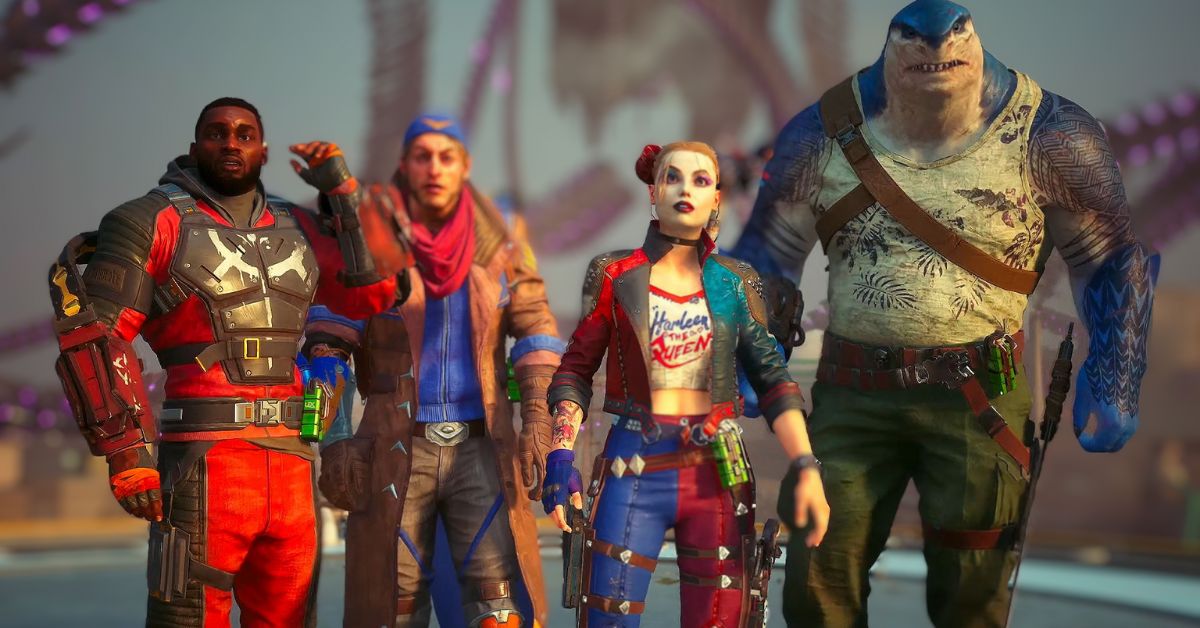
    Axel Rydby, the project’s Game Director, detailed the project’s capabilities and offerings in a post on the project’s Discord server. When a fan inquired about possible build combinations for Task Force X members like as Harley Quinn, Captain Boomerang, Deadshot, and King Shark, Rocksteady hinted “hundreds” of options.

    Suicide Squad Kill the Justice League
    Suicide Squad Kill the Justice League

    “Well, first of all, when we designed the game, player choice and player freedom was one of our core design philosophies,” Rydby said. “We really want you to feel like you can make each character your own, and build it to suit your playstyle. But if you take the leap and really play into the gear, you can find truly crazy powerful combinations.”

    Rydby went on to say that, while gamers will start with enough combinations to murder a superhero, post-launch content will help change things up even more.

    “At launch, we’re looking at hundreds of possible combinations and permutations for builds across our four characters, and this is something we’re adding A LOT to in post launch. We’re not supposed to talk about that today though, but I’m really excited for you all to see the cool stuff we’ve got cooking.”

    Rocksteady identifies a few “core parts” of builds that will allow players to tailor their playstyle, such as gear and eight loadout slots. Meanwhile, Afflictions can be applied to melee weapons and explosives to create effects based on other DC characters, such as Deep Freeze and Diablo Blaze.

    Suicide Squad: Kill the Justice League players can also experiment with Talent Trees and traversal techniques to maximize their villain’s powers. Rocksteady appears to be convinced that fans will have lots of possibilities for building each character. The following is Rydby’s full explanation:

    Though it appears that Rocksteady is unwilling to refer to Suicide Squad: Kill the Justice League as a live-service game, the company has announced that post-launch DLC would include seasonal updates, new playable characters, new plot content, cosmetic items, and more. The latest from the Batman: Arkham Asylum studio won’t be available for a few weeks, though a few select players did get their hands on it late last year. Rocksteady has lifted an NDA related to that experience, allowing players to freely express themselves.

    Suicide Squad Game
    Suicide Squad Game

    Suicide Squad: Kill the Justice League will be released on February 2 for PC, PlayStation 5, and Xbox Series X | S. We published our Suicide Squad: Kill the Justice League preview earlier this week, but we weren’t impressed with what it had to offer. “Not only is Rocksteady one of my favorite developers, but this genre is one I’ve spent far too much time in across Destiny, Anthem, and yes… even Marvel’s Avengers. But while there is a story here that makes me wonder where the heck all this is going, I left the preview event less optimistic than when I came in.”

    Stay up to date with GameEmpress.com for the most recent gaming news and guides.

  • Free Fire Iron Rave Ring Event: Unchain Your Style This Beatdown!

    Free Fire Iron Rave Ring Event: Unchain Your Style This Beatdown!

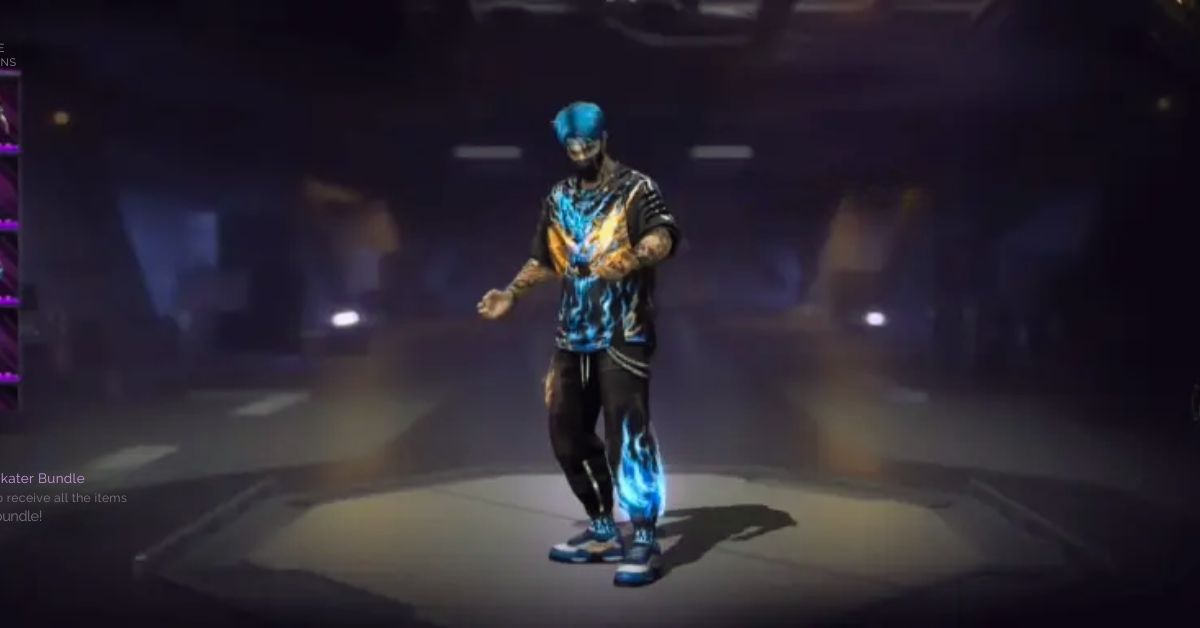
    Fire Away! Iron Rave Ring is the newest Luck Royale-based event added to Garena’s battle royale title. It grants players access to several excellent clothing packages, including the Iron Blade Bundle, which is ideal for masculine characters. The event will last two weeks, providing the game’s community enough time to claim the offered goodies.

    Individuals eager to get the products will, as always, have to spend gems on making the spins. As a result, people who have enough diamonds can surely use the in-game cash. The section below contains additional information regarding the Free Fire Iron Rave Ring event.

    Free Fire Iron Rave Ring Event

    On January 12, 2024, the game added the Free Fire Iron Rave Ring and the Ring-based event needs players to spin the wheel and draw out the rewards. Each spin will cost 20 diamonds, while a collection of 10+1 spins will cost 200 diamonds.

    The Iron Blade Bundle is the prize pool’s major attraction, but three other very appealing outfits are available. The following is a complete list of rewards from the most recent Free Fire event:

    • Iron Blade Bundle
    • Tempered Will Bundle
    • Rage Skater Bundle
    • Rave Skater Bundle
    • 10x Yellow Fireworks Tokens
    • 5x Yellow Fireworks Tokens
    • 3x Yellow Fireworks Tokens
    • 2x Yellow Fireworks Tokens
    • 1x Yellow Fireworks Token

    If the requested costume bundles are not received, the Yellow Fireworks Tokens can be used to redeem them and a few other incentives.

    Free Fire Iron Rave Ring Event
    Free Fire Iron Rave Ring Event

    The following are the details for the Free Fire Iron Rave Ring event’s exchange section:

    • 350x Yellow Fireworks Tokens: Iron Blade Bundle
    • 350x Yellow Fireworks Tokens: Tempered Will Bundle
    • 200x Yellow Fireworks Tokens: Rage Skater Bundle
    • 200x Yellow Fireworks Tokens: Rave Skater Bundle
    • 100x Yellow Fireworks Tokens: Gloo Wall – Rave Skater
    • 60x Yellow Fireworks Tokens: Pan – Rave Skater
    • 40x Yellow Fireworks Tokens: Name Change Card
    • 15x Yellow Fireworks Tokens: Room Card
    • 5x Yellow Fireworks Tokens: Magic Cube Fragment
    • 4x Yellow Fireworks Tokens: FAMAS – Metallic Weapon Loot Crate
    • 4x Yellow Fireworks Tokens: Enflamed Terror (MAC10 + Kingfisher) Weapon Loot Crate
    • 4x Yellow Fireworks Tokens: Phoenix Knight (Mini Uzi + AUG) Weapon Loot Crate
    • 4x Yellow Fireworks Tokens: Persia Prowess Weapon Loot Crate
    • 1x Yellow Fireworks Token: Armor Crate
    • 1x Yellow Fireworks Token: Supply Crate
    • 1x Yellow Fireworks Token: Leg Pockets
    • 1x Yellow Fireworks Token: Pocket Market
    • 1x Yellow Fireworks Token: Bonfire
    • 1x Yellow Fireworks Token: Airdrop Aid
    • 1x Yellow Fireworks Token: Secret Clue
    • 1x Yellow Fireworks Token: Bounty Token

    If you don’t have a lot of diamonds to spend in Free Fire, you should wait for events like Mystery Shops, which guarantee you gifts for a modest fee.

    This is all there is to know about the Free Fire Iron Rave Ring Event. You can also read our Mad Games Tycoon 2 Guide and Diablo Immortal Familiar Guide. Stay up to date with GameEmpress.com for the most recent gaming news and guides.

  • Mad Games Tycoon 2 Guide: How To Create And Run Your Own Video Game Company?

    Mad Games Tycoon 2 Guide: How To Create And Run Your Own Video Game Company?

    Mad Games Tycoon 2 is a game where you can create and run your own video game company, from the garage to the global market. The game is developed by Eggcode and is available for PC. The game features various aspects of the video game industry, such as developing games, hiring staff, researching technologies, managing finances, marketing products, and competing with rivals.

    The game also allows you to customize your office, design your consoles, and create your genres and topics. However, running a successful video game company is not easy, and you need to have a good strategy, a creative vision, and a lot of luck. In this article, we will show you how to play Mad Games Tycoon 2 and provide some tips and tricks to help you achieve your goals.

    How to Start Your Video Game Company?

    Mad Games Tycoon 2 Guide
    Mad Games Tycoon 2 Guide

    To start your video game company, you need to follow these steps:

    • First, you need to have the game installed on your PC and make sure that it is updated to the latest version. You also need to have a stable internet connection and a Steam account.
    • Next, you need to choose a difficulty level, from very easy to legendary. The difficulty level affects the starting conditions, the market situation, the competition, and the game events. You can also choose a custom difficulty level, where you can adjust the various parameters of the game, such as the money, the fans, the research points, and the game speed.
    • Then, you need to choose a name, a logo, and a color for your company. You can also choose a specialization, which gives you a bonus in a certain genre or topic. You can also choose a location, which affects the costs, the taxes, the market size, and the events of the game. You can also choose a starting year, from 1976 to 2023, which affects the available technologies, the trends, and the history of the game industry.
    • Finally, you need to start your game and begin your journey as a video game developer. You will start in a small garage, with a basic computer, a low budget, and a few fans. You will have to develop your first game, and try to make a profit, while improving your skills, expanding your team, and upgrading your equipment.

    How to Develop Your Games?

    Mad Games Tycoon 2 Guide (1)
    Mad Games Tycoon 2 Guide (1)

    To develop your games, you need to follow these steps:

    • First, you need to choose a genre, a sub-genre, a topic, and a target group for your game. These choices affect the popularity, quality, and sales of your game. You can also create your genres and topics, by combining existing ones, or by researching new ones. You can also choose a platform, a publisher, and a distribution method for your game. These choices affect the costs, the royalties, and the reach of your game. You can also create your platforms and publishers, by developing your consoles, or by founding your own publishing company.
    • Next, you need to choose a name, a cover, and a price for your game. You can also choose a game engine, a copy protection, and a rating for your game. These choices affect the performance, the piracy, and the age rating of your game. You can also create your game engines, by researching and developing new technologies, or by licensing existing ones.
    • Then, you need to assign your staff and allocate your resources, to the four main aspects of game development: design, graphics, sound, and technology. These aspects affect the quality, the innovation, and the features of your game. You can also choose the design focus, the design direction, and the game length for your game. These choices affect the gameplay, the style, and the duration of your game. You can also choose the game features, such as multiplayer, online, VR, or mod support, for your game. These choices affect the appeal, the complexity, and the requirements of your game.
    • Finally, you need to finish your game and release it to the market. You will receive feedback, reviews, and sales reports for your game. You will also have to deal with bugs, patches, updates, and expansions for your game. You will also have to monitor the market situation, the trends, the competition, and the events that affect your game. You will also have to manage your finances, your fans, your reputation, and your awards for your game.

    How to Run Your Video Game Company?

    To run your video game company, you need to follow these steps:

    • First, you need to hire, train, and fire your staff. Your staff are the backbone of your company, and they have different skills, personalities, and salaries. You need to find the right balance between the quality, the quantity, and the cost of your staff. You also need to assign them to different tasks, such as game development, research, marketing, or support. You also need to motivate them, by providing them with bonuses, vacations, or perks.
    • Next, you need to research, develop, and license new technologies, genres, topics, and features for your games. Research is the key to innovation, and it allows you to create better and more diverse games. You need to invest your research points, your money, and your time, to unlock new possibilities for your games. You also need to choose between developing your technologies or licensing them from other companies. You also need to protect your technologies, by patenting them, or by suing your competitors.
    • Then, you need to market, advertise, and distribute your games. Marketing is the key to success, and it allows you to reach more customers and generate more sales. You need to invest your money, your staff, and your resources, to promote your games. You can use different methods, such as trailers, demos, press releases, interviews, or events. You also need to choose between distributing your games yourself or using a publisher or a platform. You also need to deal with the public opinion, the critics, and the fans, of your games.
    • Finally, you need to expand, upgrade, and relocate your office. Your office is the home of your company, and it affects the productivity, the creativity, and the morale of your staff. You need to invest your money, your staff, and your time, to improve your office. You can use different items, such as furniture, equipment, decorations, or facilities. You also need to choose between staying in your current location or moving to a new one. You also need to deal with the costs, the taxes, the laws, and the events, of your location.

    This is all there is to know about Mad Games Tycoon 2 Guide. You can also read our Street Fighter 6 Character Guide and Diablo Immortal Familiar Guide. Stay up to date with GameEmpress.com for the most recent gaming news and guides.

  • Street Fighter 6 Character Guide: How To Choose And Master Your Fighter?

    Street Fighter 6 Character Guide: How To Choose And Master Your Fighter?

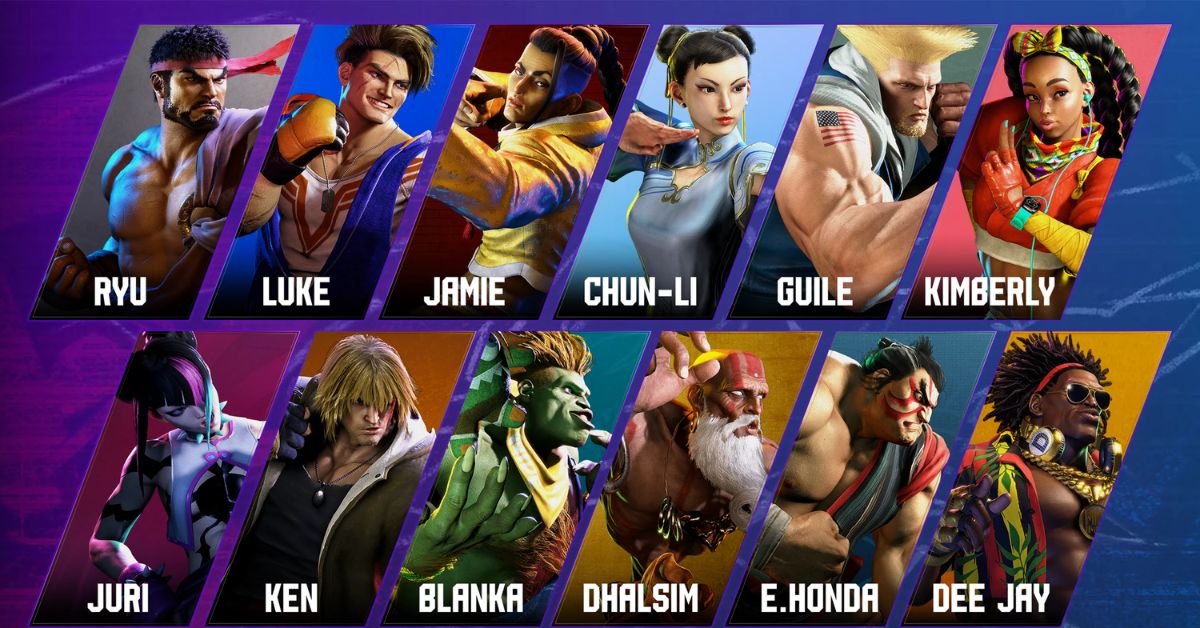
    Street Fighter 6 is the latest installment of the iconic fighting game series that features 18 characters, each with their unique style, moves, and abilities. Whether you are a veteran or a newcomer to the series, choosing and mastering your fighter is one of the most important and fun aspects of the game.

    But how do you know which character is right for you? And how do you learn their strengths, weaknesses, and strategies?

    Character Types and Effective Ranges

    Street Fighter 6 Character Guide
    Street Fighter 6 Character Guide

    In Street Fighter 6, each character belongs to one of four types: standard, power, speed, or tricky. These types indicate the general characteristics and attributes of the character, such as their damage output, mobility, defense, and complexity. However, these types are not definitive, and each character can have some variations and exceptions within their type.

    The character types are as follows:

    • Standard: These characters are well-balanced and versatile, with good damage, speed, and defense. They are easy to use and suitable for any situation. They are ideal for beginners and players who want to learn the fundamentals of the game. Examples: Ryu, Guile, Marisa.
    • Power: These characters are strong and heavy, with high damage, health, and stun. They are slow and bulky but can deal massive damage with a few hits. They are ideal for players who like to play aggressively and overwhelm their opponents. Examples: Ken, Zangief, E. Honda.
    • Speed: These characters are fast and agile, with low damage, health, and stun. They are quick and nimble but can be easily knocked down. They are ideal for players who like to play defensively and outsmart their opponents. Examples: Chun-Li, Blanka, Juri.
    • Tricky: These characters are unique and complex, with varied damage, speed, and defense. They have special abilities and mechanics that make them stand out from the rest. They are ideal for players who like to play creatively and unpredictably. Examples: Dhalsim, Lily, Luke.

    In addition to the character types, each character also has an effective range, which indicates the optimal distance and position from which they can attack and defend. The effective range can vary depending on the character’s moveset, reach, and mobility. Generally, the effective ranges are as follows:

    • Close-range: These characters are most effective when they are close to their opponents, where they can use their powerful and fast attacks, throws, and combos. They are good at applying pressure and breaking the opponent’s defense. Examples: Ken, Zangief, Juri.
    • Mid-range: These characters are most effective when they are at a moderate distance from their opponents, where they can use their balanced and versatile attacks, pokes, and counters. They are good at controlling the space and the tempo of the match. Examples: Ryu, Guile, Chun-Li.
    • Long-range: These characters are most effective when they are far from their opponents, where they can use their long and ranged attacks, projectiles, and traps. They are good at keeping the opponent at bay and zoning them out. Examples: Dhalsim, Blanka, Lily.

    Character Summary, Playstyle, and Tips

    In this section, we will provide a summary of each character’s moveset, playstyle, and tips. For a more detailed and comprehensive character guide, you can click on the link at the end of each summary.

    Blanka

    Street Fighter 6 Character Guide (1)
    Street Fighter 6 Character Guide (1)

    Type: Speed

    Effective Range: Long-range

    Moveset: Blanka is a charge character, meaning that he needs to hold a direction for a certain amount of time before executing some of his special moves. His moves include:

    • Rolling Attack: Blanka curls into a ball and rolls forward, hitting the opponent multiple times. He can change the direction and the distance of the roll by using different buttons or holding them longer. He can also cancel the roll by pressing in the opposite direction.
    • Electric Thunder: Blanka unleashes a burst of electricity around him, hitting the opponent multiple times. He can activate this move by rapidly pressing any punch button. He can also move while using this move by holding a direction.
    • Vertical Roll: Blanka jumps into the air and performs a rolling attack, hitting the opponent above him. He can change the height and the angle of the jump by using different buttons or holding them longer.
    • Backstep Roll: Blanka hops backward and performs a rolling attack, hitting the opponent in front of him. He can change the distance and the speed of the hop by using different buttons or holding them longer.
    • Wild Hunt: Blanka leaps forward and grabs the opponent, then slams them to the ground. He can change the distance and the speed of the leap by using different buttons or holding them longer.
    • Lightning Beast: Blanka’s Super Art. Blanka performs a series of rolling attacks, hitting the opponent multiple times, then finishes with a powerful electric thunder.

    Playstyle: Blanka is a fast and agile character who excels at long-range combat. He can use his rolling attacks to go through projectiles and surprise his opponents from different angles. He can also use his electric thunder to punish his opponents for getting too close or for trying to throw him. Blanka is good at keeping his opponents guessing and frustrated with his unpredictable and tricky moves.

    Tips:

    • Blanka’s rolling attacks are not safe on block, meaning that he can be punished by the opponent if they block them. To avoid this, you should mix up your rolls with different directions, distances, and timings, and cancel them when necessary.
    • Blanka’s electric thunder is a good move to use when you are close to your opponent, as it can hit them multiple times and interrupt their attacks. However, it can also be interrupted by the opponent’s attacks, so you should use it wisely and not spam it.
    • Blanka’s vertical roll and backstep roll are good moves to use as anti-airs, meaning that they can hit the opponent when they are jumping. However, they can also be avoided or punished by the opponent if they are timed or spaced poorly, so you should use them carefully and not randomly.
    • Blanka’s wild hunt is a good move to use as a surprise attack, as it can catch the opponent off guard and deal a lot of damage. However, it can also be avoided or punished by the opponent if they are ready for it, so you should use it sparingly and not predictably.
    • Blanka’s lightning beast is a good move to use as a combo finisher, as it can deal a lot of damage and stun the opponent. However, it can also be blocked or dodged by the opponent if they are aware of it, so you should use it when you are sure that it will hit.

    Blanka Guide – Move List and Best Tips

    Cammy

    Street Fighter 6 Character Guide (2)
    Street Fighter 6 Character Guide (2)

    Type: Speed

    Effective Range: Mid-range

    Moveset: Cammy is a motion character, meaning that she can execute her special moves by quickly moving the joystick or the directional pad in a certain pattern. Her moves include:

    • Spiral Arrow: Cammy slides forward and performs a spinning kick, hitting the opponent low. She can change the distance and the speed of the slide by using different buttons.
    • Cannon Spike: Cammy jumps into the air and performs a spinning kick, hitting the opponent above her. She can change the height and the angle of the jump by using different buttons.
    • Hooligan Combination: Cammy performs a forward flip, then can follow up with different attacks depending on the button pressed. She can perform a sliding kick, a diving punch, a grab, or a cancel. She can change the distance and the speed of the flip by using different buttons.
    • Cannon Strike: Cammy performs a diving kick, hitting the opponent in front of her. She can only use this move during a forward jump. She can change the angle and the timing of the kick by using different buttons or holding them longer.
    • Delta Drive: Cammy’s Super Art. Cammy performs a series of spiral arrows and cannon spikes, hitting the opponent multiple times, then finishes with a powerful cannon strike.

    Playstyle: Cammy is a fast and agile character who excels at mid-range combat. She can use her spiral arrow and cannon strike to close the distance and pressure her opponents. She can also use her cannon spike and hooligan combination to counter her opponents’ attacks and mix up her offense. Cammy is good at applying constant and relentless pressure and breaking her opponents’ defense.

    Tips:

    • Cammy’s spiral arrow is a good move to use to get close to your opponent, as it can hit them low and go under some projectiles. However, it is not safe on block, meaning that you can be punished by the opponent if they block it. To avoid this, you should use the light version of the move, which is the safest, and space it well, so that it hits the opponent with the tip of your foot.
    • Cammy’s cannon spike is a good move to use as an anti-air, meaning that it can hit the opponent when they are jumping. It is also a good move to use as a reversal, meaning that it can interrupt the opponent’s attacks and escape from their pressure. However, it is also very unsafe to block or whiff, meaning that you can be punished by the opponent if they avoid or block it. To avoid this, you should use it wisely and not spam it.

    This is everything you need to know about Street Fighter 6 Character Guide. Additionally, you can check our guide on Death King Blox Fruits: Location Guide and RDR2 Moose Location Guide. Stay connected with GameEmpress.com to get the latest news and guides about the gaming world.

  • Diablo Immortal Familiar Guide: How To Obtain, Upgrade, And Use Your Magical Pets?

    Diablo Immortal Familiar Guide: How To Obtain, Upgrade, And Use Your Magical Pets?

    Diablo Immortal is a mobile action RPG that is set in the world of Sanctuary, between the events of Diablo II and Diablo III. The game features six classes, each with their skills and abilities, as well as various items, quests, and dungeons to explore.

    The game also features a new system called Familiars, which are magical creatures that can accompany you on your adventures and provide you with various benefits and bonuses.

    In this guide, we will explain what Familiars are, how to obtain them, how to upgrade them, and how to use them in Diablo Immortal. We will also provide some tips and tricks on how to make the most of your Familiar companions.

    What are Familiars in Diablo Immortal?

    Diablo Immortal Familiar Guide
    Diablo Immortal Familiar Guide

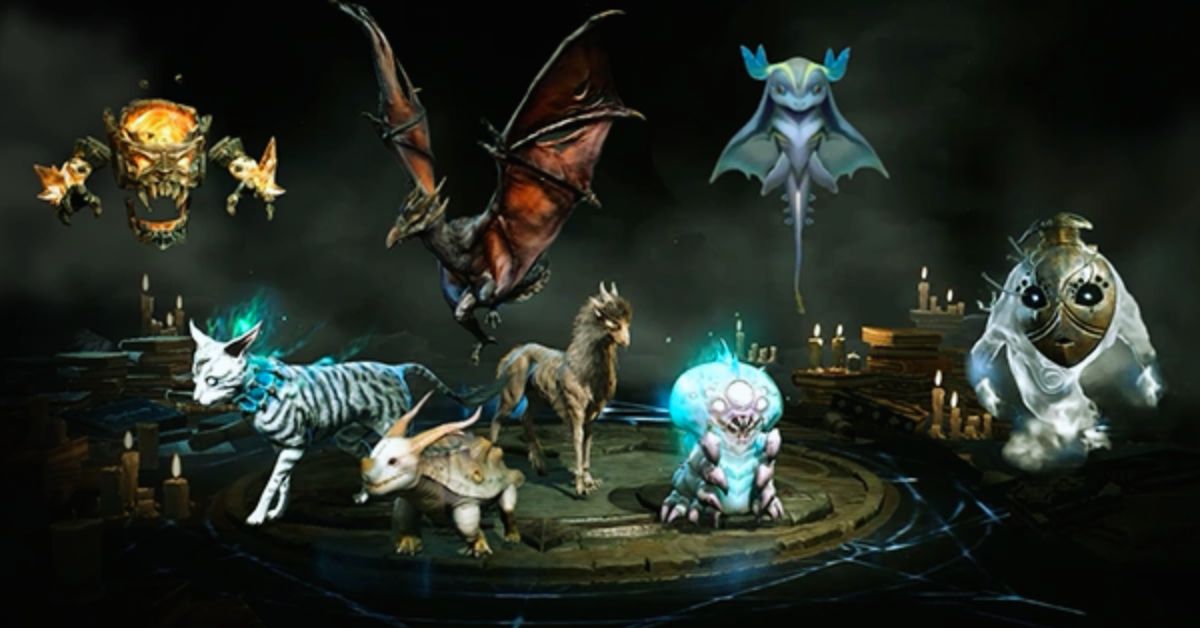
    Familiars are mystical beings that can be summoned by the player to assist them in combat and exploration. Familiars have their appearance, personality, and abilities, and can be customized and enhanced to suit different playstyles and preferences. Familiars can perform three functions in the game:

    • Companion: A Familiar can act as your companion, following you around and fighting by your side. A companion Familiar can use its attacks and skills, as well as provide you with passive bonuses, such as increased damage, defense, or movement speed. You can only have one companion Familiar at a time, and you can switch between different Familiars at any time.
    • Bond: A Familiar can also act as your bond, granting you access to its special abilities and effects. A bond Familiar can use its active abilities, such as healing, buffing, or debuffing, as well as provide you with additional bonuses, such as increased critical chance, resource regeneration, or cooldown reduction. You can only have one bond Familiar at a time, and you can switch between different Familiars at any time.
    • Meld: A Familiar can also act as your meld, allowing you to fuse with it and transform it into a powerful hybrid form. A meld Familiar can use its ultimate ability, which is a devastating attack or effect that can change the tide of battle. A meld Familiar can also provide you with exclusive bonuses, such as increased attack speed, life steal, or elemental damage. You can only have one meld Familiar at a time, and you can only use the meld ability once per dungeon or zone.

    How to Obtain Familiars in Diablo Immortal?

    There are two ways to obtain Familiars in Diablo Immortal:

    • Spirit Essence: Spirit Essence is a currency that can be used to purchase Familiars from the Familiar Shop. Spirit Essence can be obtained by completing various activities in the game, such as dungeons, towers, events, and quests. Spirit Essence can also be exchanged for other currencies, such as gold or gems, or used to upgrade your Familiars. The Familiar Shop offers a random selection of Familiars every day, and you can refresh the shop for a fee. The Familiar Shop also offers a free Familiar every week, which you can claim by logging in every day.
    • Contracts: Contracts are items that can be used to summon Familiars from the Familiar Portal. Contracts can be obtained by completing various activities in the game, such as dungeons, towers, events, and quests. Contracts can also be purchased from the Familiar Shop, or traded with other players. The Familiar Portal offers a random selection of Familiars every day, and you can refresh the portal for a fee. The Familiar Portal also offers a guaranteed Familiar every month, which you can claim by using a certain number of contracts.

    How to Upgrade Familiars in Diablo Immortal?

    Diablo Immortal Familiar Guide (1)
    Diablo Immortal Familiar Guide (1)

    There are three ways to upgrade Familiars in Diablo Immortal:

    • Level Up: You can level up your Familiars by using them in combat or by feeding them with Conversion Stones. Leveling up your Familiars will increase their stats and abilities, as well as unlock new features and options. The maximum level for Familiars is 50, and the level cap can be increased by using Aberrant Familiars, which are rare and powerful Familiars that can be obtained from the Familiar Portal or the Familiar Shop.
    • Convert: You can convert your Familiars by using them as materials to create new Familiars. Converting your Familiars will allow you to obtain different or better Familiars, as well as transfer some of their attributes and effects. The conversion process is random and unpredictable, and the result can vary depending on the quality and quantity of the Familiars used. The conversion process can also fail, resulting in the loss of the Familiars used.
    • Meld: You can meld your Familiars by using them as materials to enhance your existing Familiars. Melding your Familiars will allow you to increase the power and potential of your Familiars, as well as add new attributes and effects. The melding process is fixed and deterministic, and the result can be previewed before confirmation. The melding process can also be reversed, allowing you to recover the Familiars used.

    How to Use Familiars in Diablo Immortal?

    There are three ways to use Familiars in Diablo Immortal:

    • Companion: You can use your Familiar as your companion by selecting it from the Familiar Menu and tapping the Companion button. Your companion Familiar will appear next to you and follow you around. You can also interact with your companion Familiar by tapping on it, which will trigger a dialogue or an animation. Your companion Familiar will also fight with you and use its attacks and skills, as well as provide you with passive bonuses. You can switch your companion Familiar at any time by selecting a different Familiar from the Familiar Menu and tapping the Companion button.
    • Bond: You can use your Familiar as your bond by selecting it from the Familiar Menu and tapping the Bond button. Your bond Familiar will appear as an icon on your screen and grant you access to its active abilities and effects. You can use your bond Familiar’s abilities by tapping the icon, which will consume some of your Familiar Energy. Your bond Familiar will also provide you with additional bonuses, which will be displayed on your screen. You can switch your bond Familiar at any time by selecting a different Familiar from the Familiar Menu and tapping the Bond button.
    • Meld: You can use your Familiar as your meld by selecting it from the Familiar Menu and tapping the Meld button. Your meld Familiar will appear as an icon on your screen and allow you to transform into a hybrid form. You can use your meld Familiar’s ultimate ability by tapping the icon, which will consume all of your Familiar Energy. Your meld Familiar will also provide you with exclusive bonuses, which will be displayed on your screen. You can only use your meld Familiar once per dungeon or zone, and you can only switch your meld Familiar at the Familiar Menu.

    This is all there is to know about Diablo Immortal Familiar Guide. You can also read our Genshin The Catch Guide and MapleStory Afterlands Guide. Stay up to date with GameEmpress.com for the most recent gaming news and guides.

  • Devil May Cry Peak Of Combat Reroll Guide: How To Get The Best Characters And Weapons?

    Devil May Cry Peak Of Combat Reroll Guide: How To Get The Best Characters And Weapons?

    Devil May Cry Peak of Combat is a mobile action game that features the iconic characters and weapons from the Devil May Cry series. The game also features a gacha system, where you can summon different characters and weapons with different rarities and abilities. However, the gacha system is based on luck, and you may not get the characters and weapons that you want.

    That’s why some players choose to reroll, which is a process of creating a new account and summoning again until you get the desired results.

    How to Reroll on Android, iOS, and PC?

    Rerolling in Devil May Cry Peak of Combat is relatively easy and fast, as you can skip the tutorial and get enough currency to summon 10 times for free.

    Devil May Cry Peak Of Combat Reroll Guide
    Devil May Cry Peak Of Combat Reroll Guide

    However, the reroll process is slightly different depending on the platform that you are using. Here are the steps for rerolling on Android, iOS, and PC:

    Android

    • Launch the game and choose the Guest option to create a temporary account
    • Skip the tutorial and go to the gacha menu
    • Use the Vault system to summon a legendary item (see below for more details)
    • If you are not satisfied with the results, go to the settings menu and log out of the game
    • Go to your device settings and clear the game data
    • Launch the game again and repeat the process until you get what you want

    iOS

    • Launch the game and choose the Guest option to create a temporary account
    • Skip the tutorial and go to the gacha menu
    • Use the Vault system to summon a legendary item (see below for more details)
    • If you are not satisfied with the results, go to the settings menu and log out of the game
    • Go to your device settings and delete the game
    • Download the game again from the App Store and repeat the process until you get what you want

    PC

    • Launch the game on the official 64-bit emulator and choose the Guest option to create a temporary account
    • Skip the tutorial and go to the gacha menu
    • Use the Vault system to summon a legendary item (see below for more details)
    • If you are not satisfied with the results, go to the settings menu and log out of the game
    • Go to the emulator manager menu and create a clone of the game
    • Launch the clone and repeat the process until you get what you want
    • You can also delete the clones that you don’t need from the emulator manager menu

    How to Get the Best Characters and Weapons?

    The gacha system in Devil May Cry Peak of Combat has four rarity tiers: common, rare, epic, and legendary. The higher the rarity, the better the stats and abilities of the characters and weapons. However, the higher the rarity, the lower the chance of getting them. The gacha rates are as follows:

    • Common: 60%
    • Rare: 30%
    • Epic: 9%
    • Legendary: 1%

    The best characters and weapons in the game are the legendary ones, as they have the highest power and potential. However, getting them is very difficult and depends on luck. That’s why rerolling is a good option to increase your chances of getting them. Here are some of the best characters and weapons that you can aim for when rerolling:

    • Dante: The main protagonist of the series and a versatile character who can use various weapons and styles. His legendary weapon is Rebellion, a sword that can unleash powerful slashes and combos.
    • Nero: The son of Vergil and a fast and agile character who can use his Devil Breaker arm and his Red Queen sword. His legendary weapon is Blue Rose, a revolver that can fire explosive bullets and charge shots.
    • Vergil: The brother of Dante and a powerful and elegant character who can use his Yamato sword and his Devil Trigger form. His legendary weapon is Beowulf, a pair of gauntlets and greaves that can deliver devastating punches and kicks.
    • Lady: A human demon hunter and a ranged and explosive character who can use various firearms and grenades. Her legendary weapon is Kalina Ann, a rocket launcher that can fire multiple rockets and missiles.
    • Trish: A demoness and an ally of Dante who can use her Sparda sword and her lightning powers. Her legendary weapon is Luce & Ombra, a pair of pistols that can fire rapid and accurate shots.

    How to Use the Vault System?

    The Vault system is a unique feature in Devil May Cry Peak of Combat that allows you to summon a legendary item for free. The Vault system is available after you finish the tutorial and go to the gacha menu. The Vault system works as follows:

    • You can choose one of the four legendary items that are displayed on the screen
    • You can use the Vault Key to open the Vault and get the item that you chose
    • You can get one Vault Key for free every day
    • You can also get more Vault Keys by completing missions or buying them with real money

    The Vault system is a great way to get a legendary item without spending any currency or relying on luck. However, the Vault system has some limitations, such as:

    • You can only use the Vault system once per day
    • You can only choose one of the four legendary items that are randomly selected
    • You can only get the legendary items that are available in the Vault system, which may not include the ones that you want

    How to Transfer Your Reroll Account?

    After you get the characters and weapons that you want from rerolling, you may want to transfer your reroll account to your main account or to another device. To do that, you need to follow these steps:

    • Go to the settings menu and choose the Bind Account option
    • Choose the platform that you want to bind your account to, such as Facebook, Google, or Apple
    • Log in to your platform account and confirm the binding
    • Go to the device or platform that you want to transfer your account to and launch the game
    • Choose the Login option and log in with the same platform account that you bound your account to
    • Confirm the transfer and enjoy your reroll account

    Some tips and tricks for transferring your reroll account are:

    • You can only bind your account to one platform at a time, so make sure to choose the one that you prefer and trust
    • You can only transfer your account to the same server that you created your account on, so make sure to choose the server that suits your location and preference
    • You can only transfer your account once every 30 days, so make sure to transfer your account wisely and carefully

    Conclusion

    Devil May Cry Peak of Combat is a mobile action game that features the iconic characters and weapons from the Devil May Cry series. The game also features a gacha system, where you can summon different characters and weapons with different rarities and abilities.

    However, the gacha system is based on luck, and you may not get the characters and weapons that you want. That’s why some players choose to reroll, which is a process of creating a new account and summoning again until you get the desired results.

    This is all there is to know about Devil May Cry Peak Of Combat Reroll Guide. You can also read our Genshin The Catch Guide and MapleStory Afterlands Guide. Stay up to date with GameEmpress.com for the most recent gaming news and guides.

  • Red Dead Redemption 2 Free Download: Saddle Up For Your Wild West Adventure

    Red Dead Redemption 2 Free Download: Saddle Up For Your Wild West Adventure

    Red Dead Redemption 2’s Red Dead Online component maintains a consistent player base, and those gamers will be pleased to see that the first content update of 2024 has come.

    It’s no secret that the Red Dead Online community harbors some hatred toward the game. While it is enjoyable to play, fans would have preferred more post-launch single-player content, such as Undead Nightmare 2.

    Is Red Dead Redemption 2 Cross Platform
    Image Source Rockstar Games

    Red Dead Redemption 2 received Steam’s 2023 Best Post-Launch Support award last month, leaving many fans perplexed. Red Dead Online, on the other hand, continues to be popular. The updates may be understated, but they are often – and the first offering for 2024 has arrived.

    Players can sell wildlife samples to conservator Harriet Davenport for a 2x RDO$ and XP reward until February 5th. There’s also a Wild Animals Kill Challenge in which you must kill “big game for points.” The larger and rarer the beast, the greater your reward, which also results in double RDO$ and XP. If the prospect of slaughtering wildlife makes you uncomfortable, which is normal, you can also get 2x RDO$ and XP for capturing uncommon beasts during the Wildlife Photography Free Roam Event.

    Other promotions include 3x RDO$ on fish sales, as well as 2x RDO$ and additional XP through the Fishing Challenge Free Roam Event. There are several Naturalist prizes to be had. Those who check in between now and February 5th will receive the Free Honor Reset, a Weight Gain Tonic, and a Weight Loss Tonic.

    You will receive the West Hill Haven Treasure Map if you sell a sample. If you sell five items in one week, you will receive the Black and Silver Morning Tailcoat. A reward for five ‘Legendary Animal Pheromones’ will be given to aspiring photographers, and completing an Animal Sighting Mission will result in a 40% off Novice or Promising Naturalist Role item offer.

    That isn’t everything. If you hunt or sample a Legendary Animal between the 9th and 15th of January, you’ll receive five gold bars in exchange for a Vitalism Studies Pamphlet. From the 16th until the 22nd of January, an Established or Distinguished Naturalist Role item gets 40% off. From 23 to 29 January, the reward is a Black and Red Charro Jacket (Male) or a Red Hitched Skirt (Female), followed by a Beige Raccoon Hat from 30 January to 5 February.

    You may also get this month’s community-inspired outfit by visiting participating tailors via the Wheeler, Rawson & Co Catalogue. Overall, there’s plenty to keep you occupied.

    For additional information on other titles, see Red Dead Redemption 3 Confirmed & Red Dead Redemption 2 PS5 And Xbox Series X. Thank you for visiting our website! Gameempress.com is the place to go for gaming news.

  • GTA 5 Online Crow Location: Ultimate Guide To Finding Every Crow In Los Santos

    GTA 5 Online Crow Location: Ultimate Guide To Finding Every Crow In Los Santos

    With the January 2024, weekly update, a new Photography Challenge was added to GTA 5 Online. This event requires players to photograph specific animals and birds throughout Los Santos and Blaine County in exchange for cash and RP. The crow is one of the birds in this new challenge, and it may be found flying around in the desert.

    However, its precise location is not shown on the map, and because the desert is large, finding it may take some time. Nonetheless, this article will assist individuals taking part in this Photography Challenge by exposing the position of the crow in Grand Theft Auto 5 Online.

    GTA 5 Online Crow location

    GTA 5 Online Crow Location
    GTA 5 Online Crow Location

    In GTA Online, the Animals Photography Challenge, also known as the Wildlife Photography Challenge, allocates three critters to be photographed each day. You can find the crow in the Grand Senora Desert if you have been given it.

    In the graphic below, the red circle represents the search region for the crow’s location in Grand Theft Auto 5 Online:

    The bird can be seen flying in this area. When you spot a crow, use the Snapmatic app on your in-game smartphone to photograph it. Then, click the option to email the photo to the LS Tourist Board.

    This will get you $20,000 and 500 RP. In reality, the same sum will be awarded for each photograph of an animal or bird.

    Notably, the Animals Photography Challenge Chicken Hawk location in GTA Online is located in Blaine County’s Grand Senora Desert.

    Those interested in learning more about how this event might get established should go to the LS Tourist Board in Chiliad Mountain State Wilderness. Its location will be indicated on the map with a purple icon, as illustrated in the image below:

    When you arrive, step close to the board and push the button instructed in the top left corner of the screen to begin the challenge. However, it should be noted that Wildlife Photography Challenge map locations for animals and birds will not be highlighted on the map, and that this event is only available in the multiplayer versions of the PS5 and Xbox Series X/S.

    This new photography challenge includes not only wild animals but also pet dogs such as the Pug in GTA 5 Online. Furthermore, its benefits aren’t only monetary; after completing your first Wildlife Photography Challenge list for the day, you’ll be rewarded with The Zoophilist costume.

    Photographing one animal in this event also unlocks the Declasse Park Ranger in Warstock Cache and Carry. It costs somewhat less than three million dollars, but you can unlock its Trade Price by photographing ten animals.

    For additional information on other titles, see GTA Online Hen Location and GTA Online Adds Albany Cavalcade XL. Thank you for visiting our website! Gameempress.com is the place to go for gaming news.

  • Overwatch 2’s Quick Play Mode Changes: A Fresh Take On Classic Battles

    Overwatch 2’s Quick Play Mode Changes: A Fresh Take On Classic Battles

    Overwatch 2’s Quick Play game mode will be known as Quick Play: Hacked – Quicker Play from January 12 to January 14. While many die-hard Overwatch 2 fans prefer the game’s Competitive Play mode, Quick Play remains one of the most popular modes in the entire game.

    It allows players to experience the major game types of Overwatch 2 without the concern of losing their rating. Over the years, Blizzard has made significant improvements to Overwatch 2 Quick Play. Some of these modifications have been well received, while others have sparked debate.

    Blizzard’s latest Quick Play experiment will see the game mode substantially altered once more, however, the alterations will be temporary this time. Blizzard’s goal is to test potential improvements that could subsequently be introduced in Overwatch 2 Quick Play based on how the community reacts to them.

    From January 12 to January 14, Overwatch 2’s Quick Play: Hacked – Quicker Play experiment will take over the Quick Play game mode, rather than being available in Arcade or as an Experimental Play Card. Many more Overwatch 2 players will be able to participate this way.

    In terms of adjustments, respawn timings will be 75% faster, payloads will move 60% faster, taking objectives in Hybrid and Control will be 40% faster, and score progress will be 80% faster.

    In Flashpoint, taking objectives will be 20% faster, while scoring progress will be 40% faster. Match times for Escort, Hybrid, and Push are being cut to 70% of their original times, and time extensions are also being reduced.

    Overwatch 2’s Quick Play Mode Changes

    Overwatch 2's Quick Play Mode Changes (1)
    Overwatch 2’s Quick Play Mode Changes (1)
    • Respawning times are now 75% of their original time.
    • Payloads in Escort and Hybrid maps will move 60% faster.
    • Taking control of the Objective Point in Hybrid is 40% faster than normal.
    • Taking control of the objective point in Control is 40% faster than normal, and scoring the capture progress percentage is 80% faster.
    • Taking control of the objective point in Flashpoint is 20% faster than normal, and scoring the capture progress percentage is 40% faster.
    • When you play an Escort, Hybrid, or Push map, the initial match time has been reduced to 70% of the original time, and any time extensions are also reduced to 70% of the total time added.
    • These changes only apply to all players who play in Role Queue and Open Queue Quick Play modes during the duration of the event and will return to normal after January 14. Competitive Play and Arcade modes are not affected by these changes.

    While Overwatch 2 Quick Play is active, Quick Play: Hacked – Quicker Play will apply to both the open queue and role queue choices. Those who want to play standard Quick Play must first create an Overwatch 2 custom game. This may irritate some fans who were hoping to play regular Overwatch 2 Quick Play this weekend, but it will be interesting to see how the community reacts to the changes.

    Blizzard stated that Quicker Play is only the “first” version of Quick Play: Hacked, implying that there would be more. It’s unclear what future versions of these remixed Overwatch 2 Quick Play modes will bring, but they’ll almost certainly be tweaked according to how fans react to Quicker Play.

    If you’re looking for additional news about other games, check out Tekken 8 Official Panda Reveal and Call Of Duty Modern Warfare 3 Season 1 Reloaded Revealed. Thank you for visiting our website! Make Gameempress.com your go-to source for gaming news.

  • RS3 Thieving Guide: How To Train And Level Up Your Thieving Skill?

    RS3 Thieving Guide: How To Train And Level Up Your Thieving Skill?

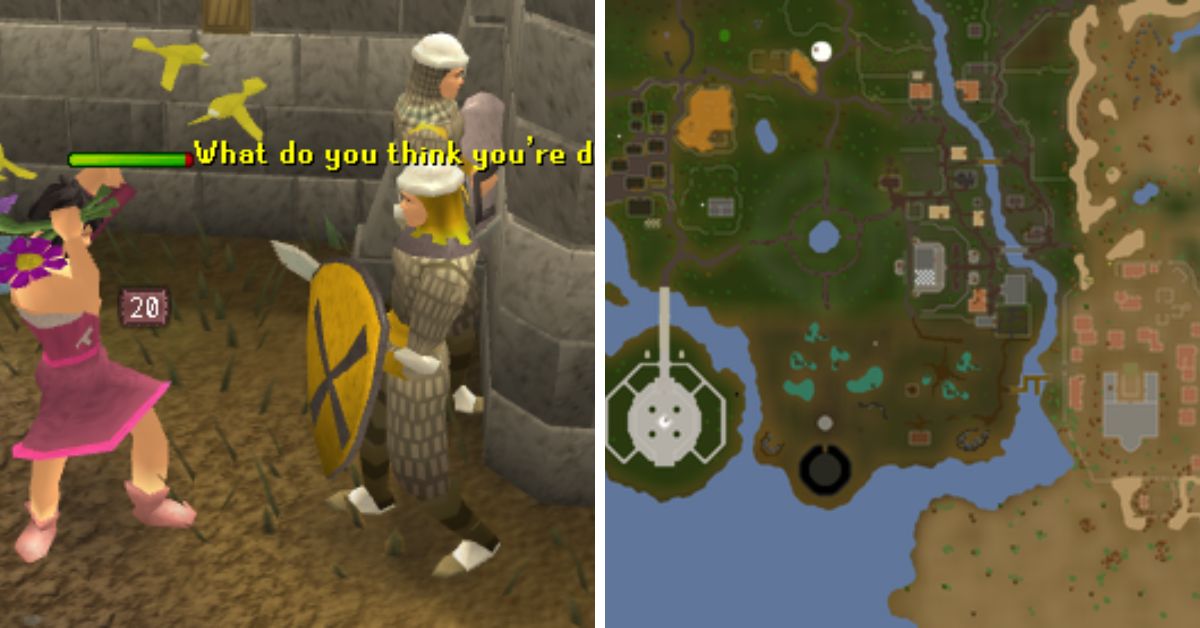
    Thieving is a support skill in RuneScape 3 that allows you to steal items and coins from various NPCs and objects. Thieving can also help you access restricted areas, unlock doors, and disarm traps. Thieving is a useful skill for making money, completing quests, and enhancing your gameplay experience.

    The Best Methods and Locations for Thieving Training

    RS3 Thieving Guide
    RS3 Thieving Guide

    There are many ways to train your thieving skill, but some methods are faster, easier, or more profitable than others. The best methods and locations for thieving training depend on your thieving level, your available resources, and your personal preference. Here are some of the most recommended methods and locations for thieving training, along with their level requirements, experience rates, and additional benefits.

    • Levels 1-5: Pompous Merchants in Lumbridge. This is the easiest and fastest way to start your thieving training. You can pickpocket the pompous merchants near the Lumbridge castle for 8 XP and 3 coins each. You can also get some low-level equipment and food from them. You can expect to get around 8,000 XP per hour from this method.
    • Levels 5-15: Bakery Stalls in Ardougne. This is a simple and convenient way to train your thieving skills at low levels. You can steal from the bakery stalls in the Ardougne market for 16 XP and some cakes each. You can also use the cakes as food to heal yourself. You can expect to get around 10,000 XP per hour from this method.
    • Levels 15-62: Thieves’ Guild Doors in Lumbridge. This is a fast and consistent way to train your thieving skill at mid-level. You can pick the locks of the doors in the Thieves’ Guild for 100 XP each. You can also complete some mini-quests and tasks in the guild for extra XP and rewards. You can expect to get around 60,000 XP per hour from this method.
    • Levels 62-99+: Safecracking in Various Locations. This is the fastest and most profitable way to train your thieving skills at high levels. You can crack the safes in various locations around the world for 70-2000 XP and some loot each. You can also exchange the loot for more XP and rewards at the Thieves’ Guild. You can expect to get around 300,000-800,000 XP and 1-3 million coins per hour from this method.

    The Useful Items and Boosts for Thieving Training

    There are some items and boosts that can help you improve your thieving training, such as:

    • Magpie, Abyssal Lurker, or Crystal Skillchompa Summoning Familiars. These familiars can give you a temporary boost to your thieving level and increase your chance of success when thieving.
    • Torstol Incense Sticks. These items can give you a permanent boost to your base XP gain when thieving.
    • Black Ibis Outfit or Camouflage Outfit. These outfits can give you a bonus to your thieving XP and increase your chance of success when thieving. You can also combine the two outfits to get the Master Camouflage Outfit, which has even more benefits.
    • Trahaearn Exoskeleton Set. This set can give you a bonus to your thieving XP and prevent you from being stunned when thieving. You can also combine it with the Master Camouflage Outfit to get the best of both sets.
    • Crystal Mask Spell or Light Form Prayer. These abilities can give you a bonus to your chance of success when thieving and reduce the chance of being stunned when thieving.

    The Quests and Achievements for Thieving Training

    Some quests and achievements can give you thieving XP and unlock new thieving methods and locations, such as:

    • Buyers and Cellars. This quest can give you 5,000 thieving XP and access to the Thieves’ Guild, where you can train your thieving skill and complete more quests and tasks for more XP and rewards.
    • The Feud. This quest can give you 15,000 thieving XP and access to the blackjacking method, where you can knock out and pickpocket bandits and graphites for XP and coins.
    • A Guild of Our Own. This mini-quest can give you 40,000 thieving XP and access to the safecracking method, where you can crack safes for XP and loot.
    • Safecracker. This achievement can give you 50,000 thieving XP and access to more safes to crack, as well as more rewards to exchange for XP and loot.

    The Tips and Tricks for Thieving Training

    There are some tips and tricks that can help you optimize your thieving training, such as:

    • Use the highest level familiar, outfit, and boost that you can afford and access to maximize your thieving XP and success rate.
    • Use the Freedom ability to break free from stuns and continue thieving without interruption.
    • Use the Ardougne Cloak 3 or 4 to get a bonus to your thieving success rate in Ardougne and a teleport to the Ardougne Monastery, where you can recharge your prayer points.
    • Use the Thieving Cape or the Max Cape to get a bonus to your thieving success rate everywhere and a teleport to the Thieves’ Guild, where you can exchange your loot and access more thieving methods and locations.
    • Use the Lodestone Network or the Fairy Ring Network to travel quickly and easily between different thieving locations.

    Conclusion

    Thieving is a support skill that allows you to steal items and coins from various NPCs and objects. Thieving can also help you access restricted areas, unlock doors, and disarm traps. Thieving is a useful skill for making money, completing quests, and enhancing your gameplay experience.

    To train and level up your thieving skill, you can use the best methods and locations for thieving training, the useful items and boosts for thieving training, the quests and achievements for thieving training, and the tips and tricks for thieving training.

    This is everything you need to know about RS3 Thieving Guide. Additionally, you can check our guide on MapleStory Inner Ability Guide and Harvest Moon 64 Guide. Stay connected with GameEmpress.com to get the latest news and guides about the gaming world.

  • GTA Online Adds Albany Cavalcade XL: The Ultimate SUV For High-Octane Adventures!

    GTA Online Adds Albany Cavalcade XL: The Ultimate SUV For High-Octane Adventures!

    The second weekly event of 2024 has begun in GTA Online, with Rockstar Games finally releasing the long-awaited Albany Cavalcade XL as part of the Chop Shop DLC drip-feed vehicle. The four-door luxury SUV, based on the 2023 Cadillac Escalade-V, is currently available for $1,665,000 from the Southern San Andreas Super Autos in-game website.

    The Chop Shop DLC automobiles, unlike the Los Santos Drug Wars drip-feed vehicles, are not time-limited, and the Albany Cavalcade XL is no exception.

    GTA Online Adds Albany Cavalcade XL

    GTA Online Adds Albany Cavalcade XL
    GTA Online Adds Albany Cavalcade XL

    The Albany Cavalcade XL is included in the current GTA Online weekly update, and Rockstar Games has made sure that everyone has a chance to purchase the luxury SUV. Players can try out the new vehicle at any moment because it will be available in the game at all times.

    Aside from the 2023 Cadillac Escalade-V, the Albany Cavalcade XL appears to have received influence for various parts from the following real-life vehicles:

    • 4th generation Cadillac Escalade – Tail lights and main bumper intake
    • Cadillac CT4 and Cadillac Escalade IQ – Headlights
    • 5th generation Chevrolet Tahoe and 2022–2023 Lincoln Navigator – Rear bumper
    • 4th generation Ford Expedition – A chrome trim strip on the boot

    This is how Rockstar Games describes it in GTA Online:

    “Wasn’t the Cavalcade already XL, you ask? Couldn’t you already fit more than enough strippers in the back? Do you really need to straddle two disabled parking spots? Well think about it this way. Less isn’t more. More isn’t more. Even more is more. That’s the Albany way.”

    The Albany Cavalcade XL isn’t the fastest automobile in GTA Online in terms of performance. It is propelled by an eight-gear engine with a top speed of 75.81 mph (122.00 km/h), according to the in-game files. The SUV’s real performance, however, may differ.

    The Albany Cavalcade XL’s explosive resistance details after equipping 100% armor are as follows:

    • Tank Cannon – 1
    • Heavy Sniper Mk II – 2
    • MOC Cannon/Grenades/RPGs – 1
    • Oppressor Missiles – 1

    The Albany Cavalcade XL is also worth $999,000, or 60% of its original price of $1,665,000. Even though it is a personal GTA Online vehicle, it cannot be utilized in ordinary races.

    You might also be interested in the following article on GTA: GTA 5 On Android and GTA 5 Leaked Source Code Exposed. We appreciate your interest in our website! Make Gameempress.com your go-to site for gaming information.

  • GTA Online Hen Location Revealed: Uncover The Secret Spots For Ultimate Rewards!

    GTA Online Hen Location Revealed: Uncover The Secret Spots For Ultimate Rewards!

    The Wildlife Photography Challenge keeps GTA Online players busy as they search for various creatures in San Andreas. It is a daily event in which you must locate specific creatures, photograph them, and then submit the photos to the LS Tourist Board contact on your in-game phone. The hen is one of the animals that can be photographed. However, finding such a little bird in the wild is difficult.

    This guide will show you where to find chickens in Grand Theft Auto Online for the Wildlife Photography Challenge.

    GTA Online Hen location

    Hens are often seen in suburban or rural locations because they are tamed animals. In contrast to the most popular animal spawn places in Grand Theft Auto Online, hens often spawn in Rancho, Harmony, Sandy Shores, Grapeseed, and Paleto Bay. They should be found at the following map locations:

    GTA Online Hen Location Revealed
    GTA Online Hen Location Revealed

    Because hens are domesticated animals, you should look for them throughout the day to find them faster. You can, however, look for them at night, as there are no known restrictions on their spawn at the present.

    Grand Theft Auto 5 Online’s map is teeming with both wild and tamed animals. However, both this function and the picture contest are only available to PlayStation 5 and Xbox Series X|S users.

    How to Take Part in GTA Online’s Wildlife Photography Challenge?

    The Wildlife Photography Challenge assigns you three species to capture in a single day at random. To learn about the assigned creatures, go to the LS Tourist Board in Chiliad Mountain State Wilderness. Each animal you photograph earns you $20,000 and 500 RP. It is one of the quickest methods to gain money in GTA Online.

    You’ll also receive $40,000 and 5,000 RP for photographing all three of the day’s animals. The Declasse Park Ranger on the Warstock Cache & Carry website is unlocked by clicking and sending the first photograph.

    The Zoophilist Outfit is unlocked by completing the daily challenge. Furthermore, once you’ve snapped 10 animals as part of the challenge, you’ll be able to unlock the Park Ranger’s trade price.

    You might also be interested in the following article on GTA: GTA 5 On Android and GTA 5 Leaked Source Code Exposed. We appreciate your interest in our website! Make Gameempress.com your go-to site for gaming information.

  • Nintendo Shares Hit Record High Due To Switch 2

    Nintendo Shares Hit Record High Due To Switch 2

    Nintendo’s stock reached an all-time high Wednesday, as the Nikkei 225 index rose.

    According to Nikkei Asia, spotted by VGC, the platform holder’s share price suddenly jumped to $7,902 ($54), a 5% increase from the previous day.

    For the first time since November 2007, one year into the Wii’s lifecycle, Nintendo’s market capitalization surpassed $10 trillion ($69 billion).

    Nintendo Shares Hit Record High Due To Switch 2
    Nintendo Shares Hit Record High Due To Switch 2

    The increase in shares has been ascribed to excitement for Switch 2 – or whatever the company’s next console will be called – which is largely expected to hit stores before the end of the year.

    It was also ascribed to speculation of additional prospective Saudi Arabian investment, with the country’s Public Investment Fund recently raising its stake in Koei Tecmo.

    Saudi Arabia’s PIF has increased its interest in Nintendo throughout the years, now holding 8.26% of the company’s shares, making it one of the platform’s major shareholders.

    Other causes include Nintendo’s continuous success in the IP industry, with Nintendo-themed facilities in Universal Studios theme parks throughout the world, and The Super Mario Bros Movie finishing 2023 as the year’s second highest-grossing picture, trailing only Barbie.

    A sequel is in the works, and Nintendo announced a live-action Legend of Zelda film in November.

    The Nikkei Stock Average rose by 2.01% on Wednesday, the highest level since February 1990, thanks to Nintendo’s gain.

    Switch 2 was a popular topic in our yearly collection of analyst predictions for the coming year, with Kantan Games’ Dr Serkan Toto predicting the console will be “an iteration rather than a revolution” in comparison to the original Switch. He also speculated that it could cost $400, with $70 games.

    If you are interested in knowing more articles related to other games, you can check Sony Reveals New PS5 Slim colors At CES 2024 and Valorant Episode 8 Act 1 Update. We appreciate your interest in our website! Make Gameempress.com your go-to site for gaming information.

  • Badass Company Mod: How To Turn Your Lethal Company Game Into A Crazy Co-Op Adventure?

    Badass Company Mod: How To Turn Your Lethal Company Game Into A Crazy Co-Op Adventure?

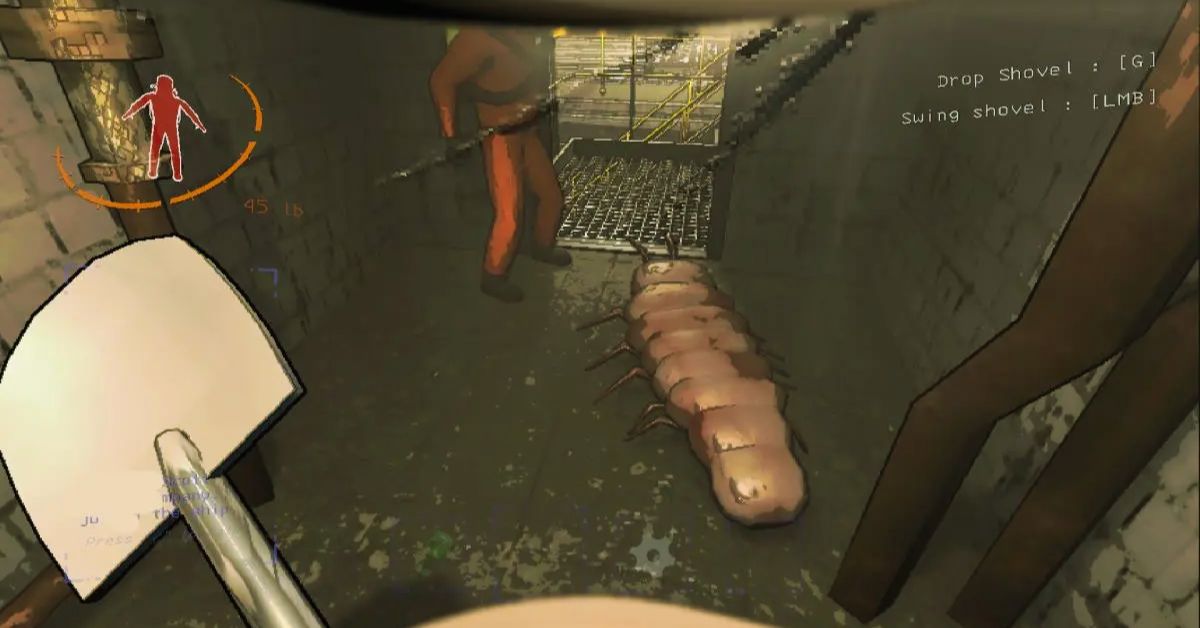
    Lethal Company is a co-op horror game that lets you and your friends explore abandoned moon bases and collect scrap while avoiding deadly monsters. The game is already a lot of fun and hilarious, but what if you want to make it even more crazy and chaotic? That’s where the Badass Company mod comes in.

    The Badass Company mod is a fan-made mod that adds a ton of new features and content to the game, such as new weapons, items, enemies, maps, modes, and more. The mod also allows you to play with up to 40 players online, and customize your characters with various accessories and outfits. The mod is designed to make the game more challenging, diverse, and entertaining, and to give you more freedom and creativity in your co-op adventure.

    In this article, we will provide a detailed guide on how to install and play the Badass Company mod, as well as some tips and tricks to enjoy the mod to the fullest.

    How to Install the Badass Company Mod?

    Badass Company Mod
    Badass Company Mod

    The Badass Company mod is compatible with the PC version of the game, which can be purchased from Steam or the Oculus Store. The mod is not compatible with the Quest version of the game, which is a standalone version that does not support mods.

    To install the Badass Company mod, you need to follow these steps:

    • Download the latest version of the mod from the GitHub page. The mod is a zip file that contains several files and folders.
    • Extract the zip file to a location of your choice. You should see a folder called “BadassCompany”.
    • Locate the folder where you installed Lethal Company. This is usually in the Steam or Oculus library folders, under “steamapps/common/Lethal Company” or “Software/keen-games-lethal-company”.
    • Copy the contents of the “BadassCompany” folder to the Lethal Company folder. You should overwrite any existing files and folders.
    • Launch Lethal Company from Steam or Oculus. You should see a new menu option called “Badass Company” on the main menu.

    How to Play the Badass Company Mod?

    The Badass Company mod is a mod that adds a lot of new features and content to the game and lets you play with up to 40 players online. The mod also has a manual scan feature that can scan and generate a report of all the broken mods in the game, and provide links to the updated or fixed versions of the mods. The mod also has a help and resources section that can provide links and guides for fixing common mod issues.

    To play the Badass Company mod, you need to follow these steps:

    • Launch Lethal Company from Steam or Oculus. You should see a new menu option called “Badass Company” on the main menu.
    • Choose whether you want to join or create a server. A server is a virtual room where you can play with other players online.
    • If you want to join a server, select “Join Server” and choose the server you want to join from the list of available servers. You can also filter the list by name, region, or mode. You can also join a server by entering its IP address or by using the invite link from the server owner.
    • If you want to create a server, select “Create Server” and choose the settings you want, such as the name, the region, the mode, the password, and the maximum players.
    • You can also choose the map you want to play on or create your custom map using the map editor. You can also invite other players to join your server by using the invite button on the pause menu.
    • Once you are on a server, you can play with other players in various modes, such as free play, sandbox, challenge, or custom. You can also use the voice chat or the text chat to communicate with other players. You can also access the server settings, the player list, and the mod settings from the pause menu.

    Tips and Tricks for the Badass Company Mod

    The Badass Company mod is a fun and creative way to play the game with your friends online, but it can also be challenging, chaotic, and buggy. Here are some tips and tricks that can help you enhance your experience and avoid some common issues:

    • Make sure you have a stable internet connection and a good game performance. The mod can be laggy or buggy if your connection or your PC is not optimal. You can adjust the graphics settings, the network settings, and the mod settings from the pause menu to improve your performance.
    • Make sure you have a compatible version of the mod and the game. The mod is updated regularly to fix bugs and add new features, so you should always download the latest version from the GitHub page. You should also update your game to the latest version from Steam or Oculus. If you have a mismatched version of the mod or the game, you may encounter errors or crashes.
    • Make sure you have a respectful and friendly attitude. The mod is a community-driven project that relies on the cooperation and the feedback of the players. You should respect the rules and the preferences of the server owners and the other players. You should also report any bugs or issues to the mod developers on the GitHub page or the Discord server.
    • Have fun and be creative. The mod is a sandbox game that allows you to create and experiment with physics-based simulations of bones, muscles, and organs. You can also play with various modes, maps, and items that the mod offers. You can also create your custom maps and share them with other players. The mod is a playground for your imagination and curiosity, so enjoy it and have fun.

    Conclusion

    Badass Company mod is a mod that adds a ton of new features and content to the Lethal Company game, such as new weapons, items, enemies, maps, modes, and more. The mod also allows you to play with up to 40 players online, and customize your characters with various accessories and outfits.

    The mod is compatible with the PC version of the game, which can be purchased from Steam or the Oculus Store. The mod is not compatible with the Quest version of the game, which is a standalone version that does not support mods.

    This is everything you need to know about Badass Company Mod. Additionally, you can check our guide on Sims 4 Car Mod and Hogwarts Legacy Mods. Stay connected with GameEmpress.com to get the latest news and guides about the gaming world.

  • GTA 5 On Android: Grand Theft Mobile – Is It Really Happening?

    GTA 5 On Android: Grand Theft Mobile – Is It Really Happening?

    GTA 5 mobile fans have been waiting for years for an Android port of the game, but there is now a method to play the game straight on cell phones. On the r/EmulationOnAndroid topic, a Redditor named “Due_Teaching_6974” posted a video of a Poco F3 running Grand Theft Auto 5 at roughly 25-30 FPS. While this isn’t a great framerate, it’s a start, and the most important thing is that it’s very stable.

    The performance is dependent on the hardware, as the OP (Original Poster) demonstrated with a screenshot of another system running the game at roughly 40-50 FPS. So, here’s everything GTA 5 fans need to know about playing the game on mobile devices.

    GTA 5 Can Now Be Played on Android With a Consistent Framerate

    Gta 5 10th Anniversary Date
    Gta 5 10th Anniversary Date

    The video shows GTA 5 running on a Poco F3, which is powered by a Snapdragon 870 CPU. It’s unknown what in-game parameters were used to play the game, however the ped density appears to be minimal. While the FPS may appear low by modern standards, it should be noted that when Grand Theft Auto 5 was released in 2013, it ran at roughly 20-30 FPS on the PS3 and Xbox 360.

    GTA 5 is finally playable on our phones, on a SD870 no less, this is a moment in history
    byu/Due_Teaching_6974 inEmulationOnAndroid

    The video also contains slight stutters and a memory overload of 90% on 8 GB RAM. However, the fact that this legendary open-world game has finally been properly reproduced on mobile devices is a watershed event. The technique was made possible thanks to an emulator known as Mobox.

    To run Wine Esync on non-rooted devices, players will also require Termux. Termux is an open-source terminal emulator for Android that allows you to operate a Linux environment. All of the required files may be found on the official Mobox GitHub page (https://github.com/olegos2/mobox), which also explains how to get the emulator running.

    Although Rockstar has not officially released Grand Theft Auto 5 for mobile devices, some games from the 3D Universe and Grand Theft Auto Chinatown Wars are playable. Players should also keep in mind that the Mobox emulator allows them to run most PC games on Android, including Grand Theft Auto 4.

    Meanwhile, Rockstar has made the GTA Definitive Edition Trilogy available on mobile, exclusively to Netflix users. Surprisingly, this version of the remastered trilogy runs and looks better, thanks to the removal of various graphical defects. The GTA Definitive Edition Trilogy on mobile is likewise visually similar to the originals, particularly in terms of color palettes and skyboxes.

    You might also be interested in the following article on GTA: GTA 5 Leaked Source Code Exposed and Vapid Aleutian GTA 5. We appreciate your interest in our website! Make Gameempress.com your go-to site for gaming information.